본문으로 바로가기
AWS
Artificial Intelligence
AI Agents

Automate your Office with Amazon Quick

Sowjanya Pandruju and Dilip Karandikar, Senior Cloud Architect and Senior Practice Leader at AWS, will show you how to harness Amazon Quick to automate routine office tasks end to end.
Sowjanya Pandruju's photo
Dilip Karandikar's photo
Sowjanya Pandruju, Dilip Karandikar

무료 계정 만들기

실습 문제하고 트랙하세요.

Google로 계속하기
계속 진행하시면 당사의 이용약관 및 개인정보처리방침에 동의하고 및 귀하의 데이터가 미국에 저장되는 것에 동의하게 됩니다.

Session Resources

Repetitive office tasks — drafting reports, sifting through data, and chasing down information across disconnected tools — consume hours that teams could spend on higher-value work. Amazon Quick, AWS’s AI assistant for work, changes that equation by connecting to your tools (Slack, Teams, CRMs, databases, and documents) and automating routine workflows, all within a secure, permission-aware environment. For AI practitioners and business professionals, knowing how to put these capabilities to work is fast becoming an essential skill.

In this code-along, Sowjanya Pandruju and Dilip Karandikar, Senior Cloud Architect and Senior Practice Leader at AWS, show you how to harness Amazon Quick to automate routine office tasks end to end. You’ll learn how Amazon Quick integrates safely into enterprise environments — respecting existing access controls and compliance requirements — before walking through a practical use case: analysing sales data and generating a polished report with minimal manual effort.

Key Takeaways

  • Learn how Amazon Quick automates routine office workflows by connecting to your tools and data sources to generate actionable outputs.
  • Understand how to deploy Amazon Quick safely in an enterprise context, including permission controls and compliance considerations.
  • Get hands-on experience analysing sales data and generating a report using Amazon Quick in a real-world scenario.
주제
AWS
Artificial Intelligence
AI Agents
관련

튜토리얼

Amazon QuickSight: A Hands-On Guide for Data Professionals

This guide walks data practitioners through using Amazon QuickSight to create interactive dashboards, optimize performance, and leverage built-in machine learning.
Don Kaluarachchi's photo

Don Kaluarachchi

15분

code-along

Creating AI Agents on AWS

Sowjanya Pandruju, Cloud Application Architect at AWS, teaches you how to develop and deploy AI agents using AWS.
Sowjanya Pandruju's photo

Sowjanya Pandruju

code-along

Machine Learning on AWS

Suman Debnath, Principal Developer Advocate for Machine Learning at AWS, guides you through the essentials of running machine learning workflows on AWS.
Suman Debnath's photo

Suman Debnath

code-along

Streamline Office Tasks with Copilot Actions

Helen Wall, Principal at Helen Data Design, will show you how to use Microsoft Copilot Actions to build practical AI workflows for email and meeting management.
Helen Marshall's photo

Helen Marshall

code-along

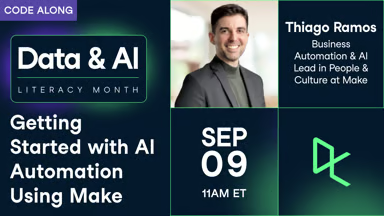
Getting Started with AI Automation Using Make

Thiago Ramos, Business Automation & AI Lead in People & Culture at Make, will show you how to use Make to build a simple yet powerful AI automation.
Thiago Ramos's photo

Thiago Ramos

code-along

Automate Your Post-Meeting Workflow with Make

Anmol shows you how he uses AI to turn meeting transcripts into sales development notes.
Anmol Aroz's photo

Anmol Aroz

더 보기