
เก็บ cheat sheet นี้ไว้ใช้งานได้ทุกเมื่อ
ดาวน์โหลด PDFExample data used throughout this cheat sheet
Throughout this cheat sheet, we’ll be using two pandas series named suits and rock_paper_scissors.
import pandas as pd
suits = pd.Series(["clubs", "Diamonds", "hearts", "Spades"])
rock_paper_scissors = pd.Series(["rock ", " paper", "scissors"])String lengths and substrings
# Get the number of characters with .str.len()
suits.str.len() # Returns 5 8 6 6
# Get substrings by position with .str[]
suits.str[2:5] # Returns "ubs" "amo" "art" "ade"
# Get substrings by negative position with .str[]
suits.str[:-3] # "cl" "Diamo" "hea" "Spa
# Remove whitespace from the start/end with .str.strip()
rock_paper_scissors.str.strip() # "rock" "paper" "scissors"
# Pad strings to a given length with .str.pad()
suits.str.pad(8, fillchar="_") # "___clubs" "Diamonds" "__hearts" "__Spades"Changing case
# Convert to lowercase with .str.lower()
suits.str.lower() # "clubs" "diamonds" "hearts" "spades"
# Convert to uppercase with .str.upper()
suits.str.upper() # "CLUBS" "DIAMONDS" "HEARTS" "SPADES"
# Convert to title case with .str.title()
pd.Series("hello, world!").str.title() # "Hello, World!"
# Convert to sentence case with .str.capitalize()
pd.Series("hello, world!").str.capitalize() # "Hello, world!"Formatting settings
# Generate an example DataFramed named df
df = pd.DataFrame({"x": [0.123, 4.567, 8.901]})
# x
# 0 0.123
# 1 4.567
# 2 8.901
# Visualize and format table output
df.style.format(precision = 1)Splitting strings
# Split strings into list of characters with .str.split(pat="")
suits.str.split(pat="")
# [, "c" "l" "u" "b" "s", ]
# [, "D" "i" "a" "m" "o" "n" "d" "s", ]
# [, "h" "e" "a" "r" "t" "s", ]
# [, "S" "p" "a" "d" "e" "s", ]
# Split strings by a separator with .str.split()
suits.str.split(pat = "a")
# ["clubs"]
# ["Di", "monds"]
# ["he", "rts"]
# ["Sp", "des"]
# Split strings and return DataFrame with .str.split(expand=True)
suits.str.split(pat = "a", expand=True)
# 0 1
# 0 clubs None
# 1 Di monds
# 2 he rts
# 3 Sp desJoining or concatenating strings
# Combine two strings with +
suits + "5" # "clubs5" "Diamonds5" "hearts5" "Spades5"
# Collapse character vector to string with .str.cat()
suits.str.cat(sep=", ") # "clubs, Diamonds, hearts, Spades"
# Duplicate and concatenate strings with *
suits * 2 # "clubsclubs" "DiamondsDiamonds" "heartshearts" "SpadesSpades"Detecting Matches
# Detect if a regex pattern is present in strings with .str.contains()
suits.str.contains("[ae]") # False True True True
# Count the number of matches with .str.count()
suits.str.count("[ae]") # 0 1 2 2
# Locate the position of substrings with str.find()
suits.str.find("e") # -1 -1 1 4Extracting matches
# Extract matches from strings with str.findall()
suits.str.findall(".[ae]") # [] ["ia"] ["he"[ ["pa", "de"]
# Extract capture groups with .str.extractall()
suits.str.extractall("([ae])(.)")
# 0 1
# match
# 1 0 a m
# 2 0 e a
# 3 0 a d
# 1 e s
# Get subset of strings that match with x[x.str.contains()]
suits[suits.str.contains("d")] # "Diamonds" "Spades"Replacing matches
# Replace a regex match with another string with .str.replace()
suits.str.replace("a", "4") # "clubs" "Di4monds" "he4rts" "Sp4des"
# Remove a suffix with .str.removesuffix()
suits.str.removesuffix # "club" "Diamond" "heart" "Spade"
# Replace a substring with .str.slice_replace()
rhymes = pd.Series(["vein", "gain", "deign"])
rhymes.str.slice_replace(0, 1, "r") # "rein" "rain" "reign"
เก็บ cheat sheet นี้ไว้ใช้งานได้ทุกเมื่อ
ดาวน์โหลด PDF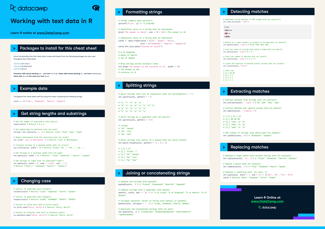





Our cheat sheet for working with text data in Python is the ultimate resource for Python users who need to clean, process, and analyze text data. The cheat sheet provides a helpful list of functions and packages for working with text data in Python, along with detailed examples and explanations.
Some examples of what you'll find in the cheat sheet include:
Whether you're a beginner or an experienced Python programmer, we hope you'll find this cheat sheet to be a valuable resource for your text data projects. Ready to get started with text data in Python? Download our cheat sheet now and have all the information you need at your fingertips!