Program
Dasar-Dasar Agen Kecerdasan Buatan
6 Hr
If recent news coverage is accurate, AI is consuming all the RAM and CPU resources worldwide, making PicoClaw a very timely tool. It’s no surprise that it created a lot of buzz when it was launched, garnering thousands of stars in the first few days. The full AI agent fits in under 10MB and launches in less than one second on a 600MHz processor.
When I came across it, I had to test it out myself to see if all the hype was real. In this article, I’ll walk you through PicoClaw, highlighting everything I found.
If you’re keen to learn more about agentic AI, I recommend starting with the AI Agent Fundamentals skill track.
PicoClaw is a lightweight personal AI assistant inspired by Nanobot. It is written in Go by the Sipeed team and runs on edge devices such as Raspberry Pi, embedded RISC-V boards, and MIPS-based routers. This means that you can run PicoClaw with a hardware budget of $10.
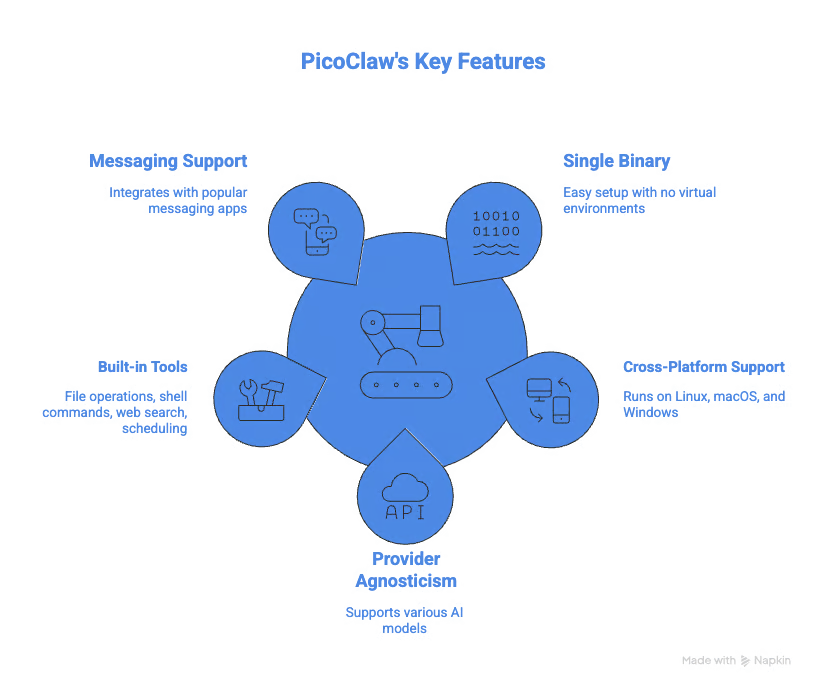
PicoClaw ships as a single binary. This makes it extremely fast to set up because there are no Python virtual environments to configure or pip install to run.
Being a binary file means that you can run it on various architectures. The release page has downloads for various operating systems, including Linux, macOS, and Windows.
When it comes to AI, PicoClaw is provider-agnostic. It supports OpenAI, Anthropic, DeepSeek, and even Ollama for local models. This is a big deal for users who want to switch between models or use local models for privacy reasons.
You can learn how to set up Ollama for local models in the Using OpenClaw with Ollama guide.
PicoClaw has built-in tools that can:
Like Nanobot, it supports the usual suspects, WhatsApp, Telegram, Discord, QQ, and DingTalk. Later, I will show you how to set it up with Telegram.
Discover Nanobot, the lightweight OpenClaw alternative. Build a secure, auditable Python AI agent in under 10 minutes with this Nanobot complete setup guide.
I am sure you might be wondering what the cons of PicoClaw are, considering how fast and simple it is to set up. We will get to that, but first let's look at the pros.
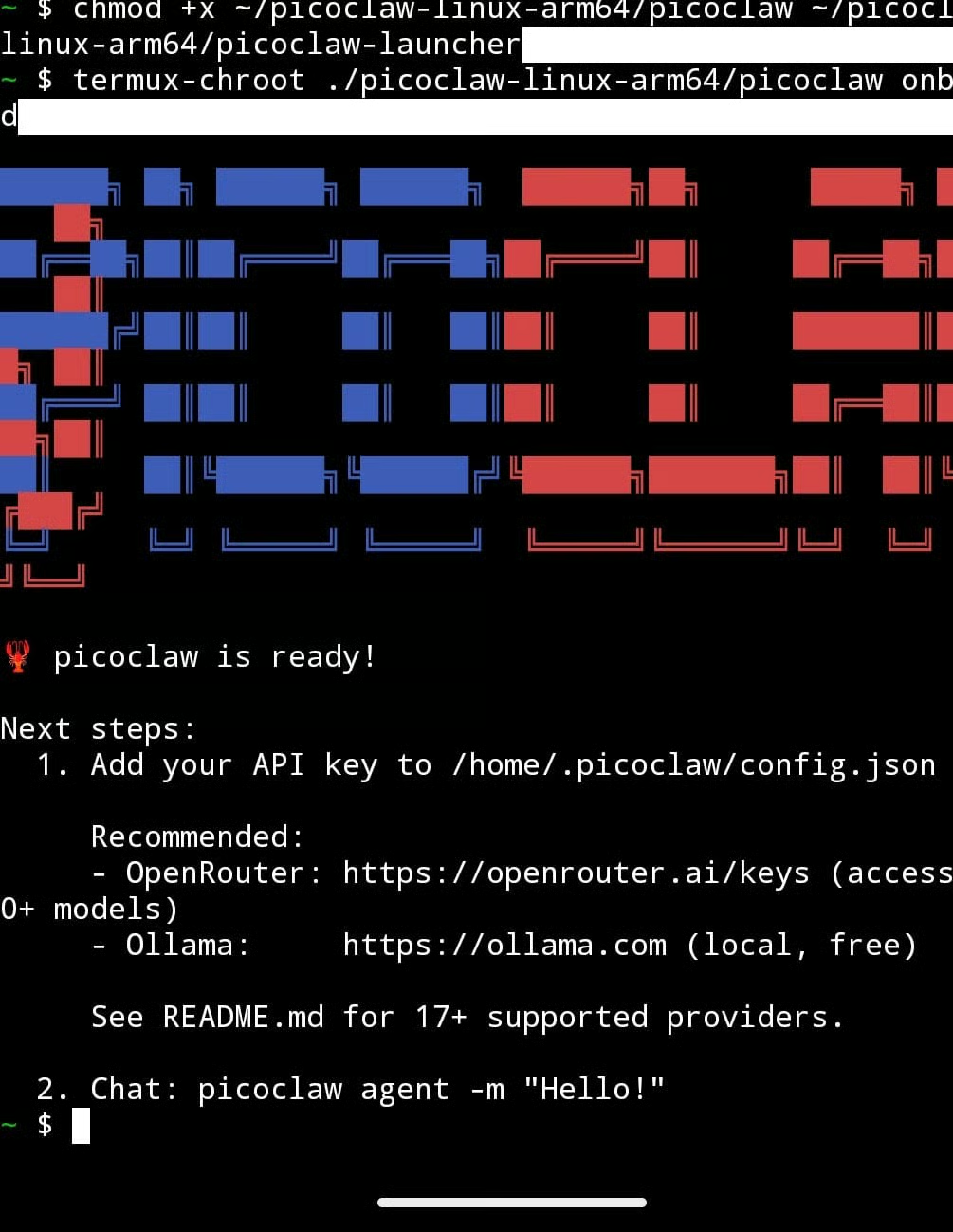
First, the fact that it is a binary file makes it easy to set up on almost any device. I was able to set it up on my Google Pixel phone in a few minutes.
Second, PicoClaw can be used with your existing messaging platforms, making it easy to interact with without switching apps.
On the downside, PicoClaw is still pre-1.0. Being a very new tool means that there could be unexpected bugs or even breaking changes. When researching this, I also found numerous crypto scams targeting PicoClaw. The official docs state that they don’t run any coins, so be careful out there.

You can set up PicoClaw in a few steps. Let’s see how:
To set up PicoClaw, you can build it directly from source:
git clone https://github.com/sipeed/picoclaw.git
cd picoclaw
make deps
# Build, no need to install
make build
# Build for multiple platforms
make build-all
# Build for Raspberry Pi Zero 2 W (32-bit: make build-linux-arm; 64-bit: make build-linux-arm64)
make build-pi-zero
# Build And Install
make install
However, I prefer using Docker because it is much faster:
# 1. Clone this repo
git clone https://github.com/sipeed/picoclaw.git
cd picoclaw
# 2. First run — auto-generates docker/data/config.json then exits
docker compose -f docker/docker-compose.yml --profile gateway up
# The container prints "First-run setup complete." and stops.
# 3. Set your API keys
nano docker/data/config.json   # Set provider API keys, bot tokens, etc.
# 4. Start
docker compose -f docker/docker-compose.yml --profile gateway up -d
Learn the essentials of containerization from our Docker for Beginners guide.
After setting up, you need to configure the LLM provider of your choice. You can do this by editing the docker/data/config.json file:
{
  "agents": {
    "defaults": {
      "workspace": "~/.picoclaw/workspace",
      "model_name": "gpt4",
      "max_tokens": 8192,
      "temperature": 0.7,
      "max_tool_iterations": 20
    }
  },
  "model_list": [
    {
      "model_name": "gpt4",
      "model": "openai/gpt-5.2",
      "api_key": "your-api-key",
      "request_timeout": 300
    },
    {
      "model_name": "claude-sonnet-4.6",
      "model": "anthropic/claude-sonnet-4.6",
      "api_key": "your-anthropic-key"
    }
  ],
  "tools": {
    "web": {
      "brave": {
        "enabled": false,
        "api_key": "YOUR_BRAVE_API_KEY",
        "max_results": 5
      },
      "tavily": {
        "enabled": false,
        "api_key": "YOUR_TAVILY_API_KEY",
        "max_results": 5
      },
      "duckduckgo": {
        "enabled": true,
        "max_results": 5
      },
      "perplexity": {
        "enabled": false,
        "api_key": "YOUR_PERPLEXITY_API_KEY",
        "max_results": 5
      },
      "searxng": {
        "enabled": false,
        "base_url": "http://your-searxng-instance:8888",
        "max_results": 5
      }
    }
  }
}Connecting PicoClaw to Telegram only takes a few steps.
Here’s how I got things set up for Telegram:
Next, update the docker/data/config.json file to include the bot token and your Telegram user ID.
Now head over to your Telegram bot and start interacting with Picoclaw.
Let’s try a few prompts.
First, I’ll use PicoClaw to search the web and return Apple’s current stock price. As you can see from the screenshot, it used the DuckDuckGo web search tool and retrieved the price.
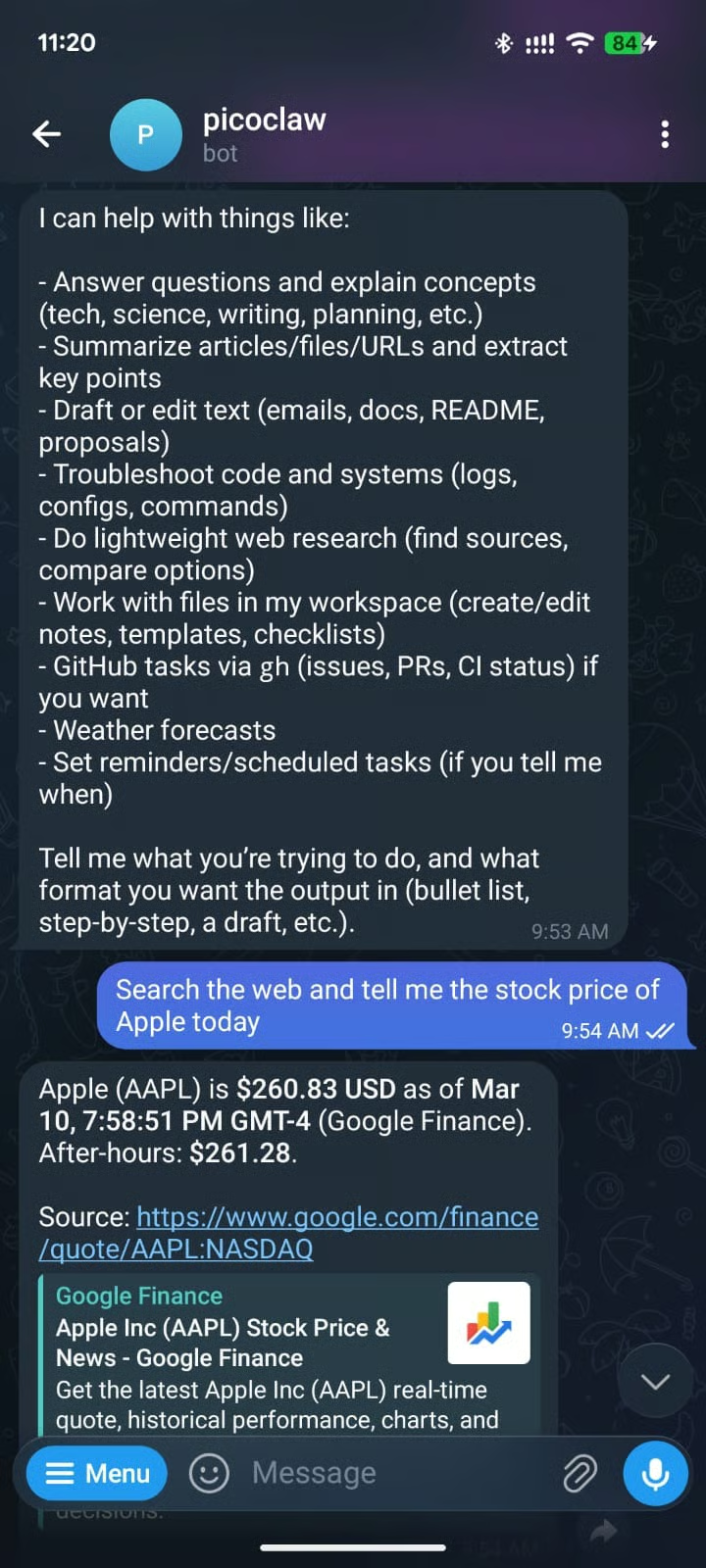
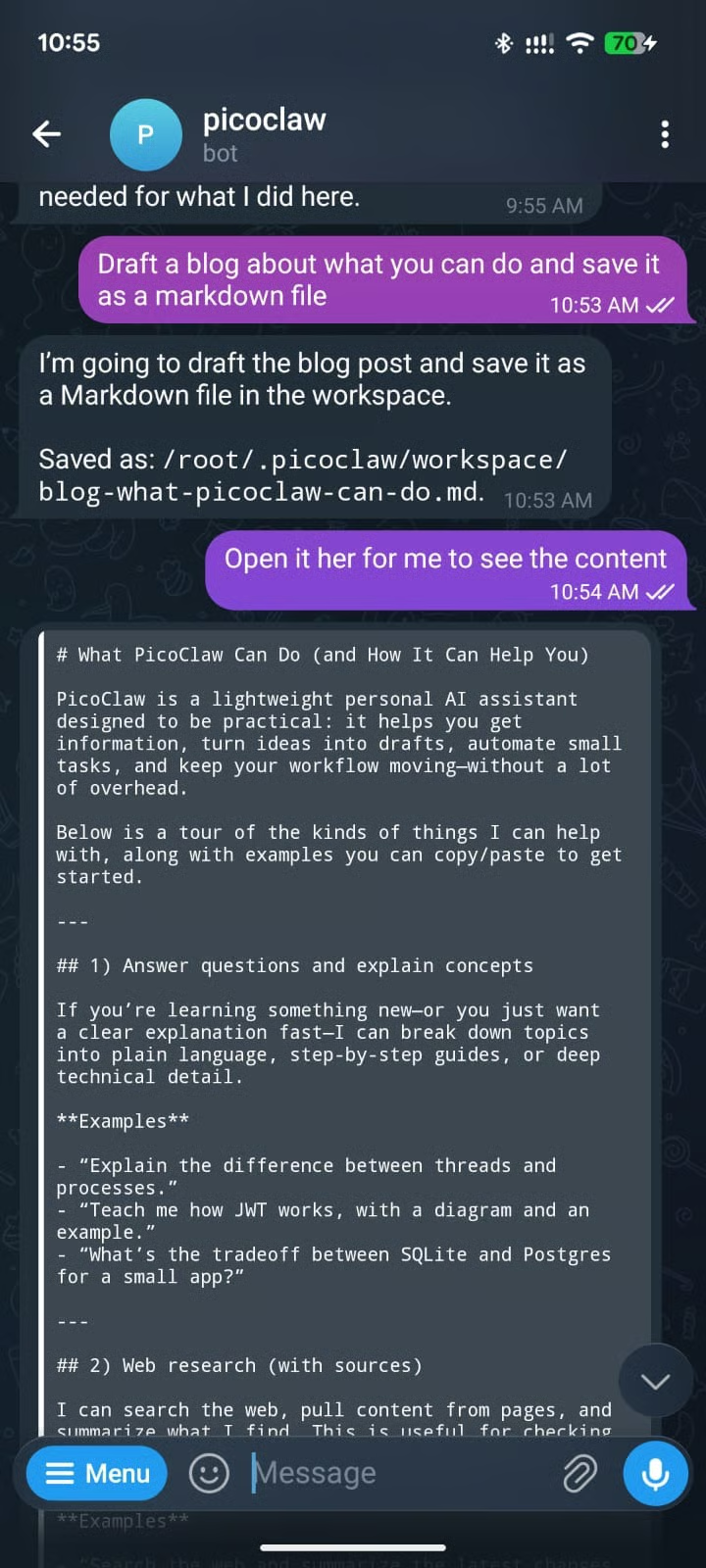
Here is another prompt asking PicoClaw to draft a blog, save it to disk, and read it:
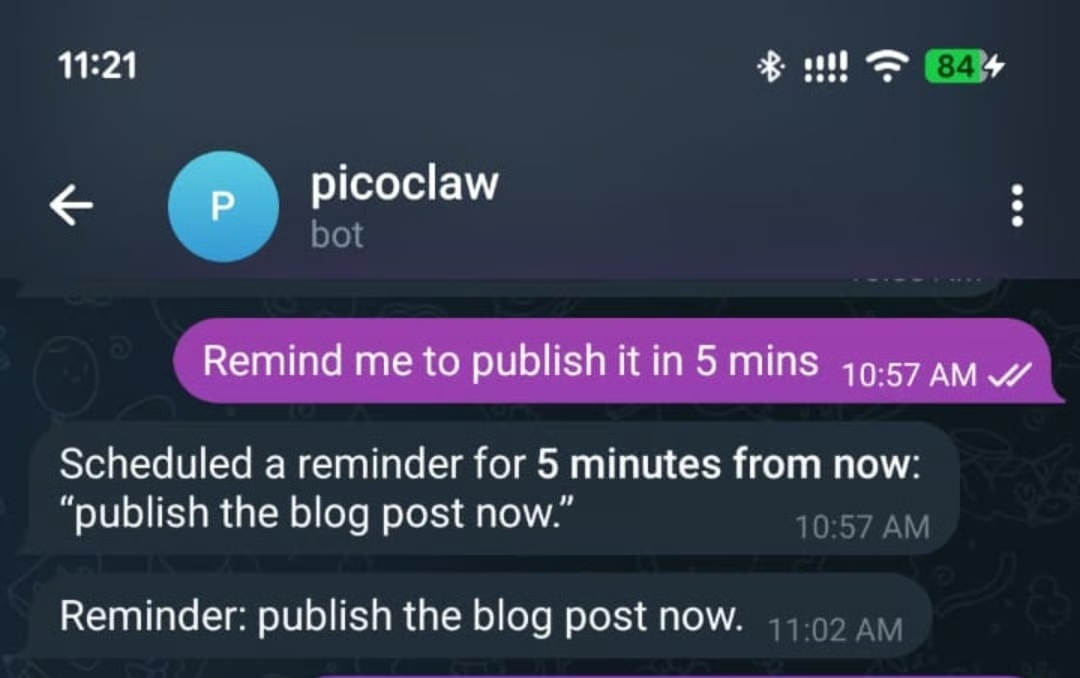
I was curious about its ability to run scheduled tasks, so I asked it to remind me to publish the blog in five minutes, and the reminder did come after the 5 minutes.
When setting up PicoClaw, I encountered some problems. I’ll mention them here briefly in case you experience the same.
No Response on Telegram
If you don’t get any response on Telegram, the problem could be:
from user ID is not set, or you are accessing the agent from a different account When you check the logs, you will see the exact problem:
docker compose -f docker/docker-compose.yml logs -f picoclaw-gatewayThe error below means that you have not set up the default model:
Error: error creating provider: model "" not found in model_list: model "" not found in model_list or providersOpen the JSON config file and set the name of the model you want to use, and ensure that its API key is also included in the file.
{
  "agents": {
    "defaults": {
      "workspace": "~/.picoclaw/workspace",
      "model_name": "gpt4", ---> make sure this is here
      "max_tokens": 8192,
      "temperature": 0.7,
      "max_tool_iterations": 20
    }
}This one is straightforward. The API key filled for your chosen model provider is empty or wrong. Open the JSON config file and verify the key.

Let’s now discover some of the capabilities that make PicoClaw different and also similar to other personal AI assistants.
PicoClaw has a heartbeat markdown file in its working directory, which the agent reads every 30 mins and acts on the instructions that are there. Picoclaw can also spin up subagents to handle work in parallel.
PicoClaw has a memory file that stores important information that should persist across sessions. It saves your preferences and enabled skills, so that when that context is needed, it can be pulled. This is important so that you are not always starting each interaction from scratch.
PicoClaw can also run without internet access. This is important if you want to process sensitive data, particularly in regulated industries such as banking and healthcare. To achieve this, you will need to set up a local model via Ollama.
With PicoClaw, you can define each agent to use its own LLM provider. It also supports load balancing, where you can distribute requests across multiple models. When set up, PicoClaw will rotate through the models in a round robin fashion.
PicoClaw includes built-in tools for I2C and SPI communication. This helps the agent to interact with hardware peripherals on supported boards. This means it can interact with sensors, displays, motor controllers, and all types of physical devices.

Let’s now explore some PicoClaw use cases.
Some of the interesting use cases I found online when I was researching this include:
Before you deploy PicoClaw to your network, there are a few serious limitations you need to keep in mind.
First, PicoClaw is secure by default. It’s restricted to the workspace it’s working from. It therefore can’t access folders and files outside that directory.
You can change this in the settings file.
Certain commands, such as rm are also restricted to prevent problems such as your hard drive being wiped clean.
For example, I tried asking it to delete my home folder, and the guardrails kicked in to prevent this.
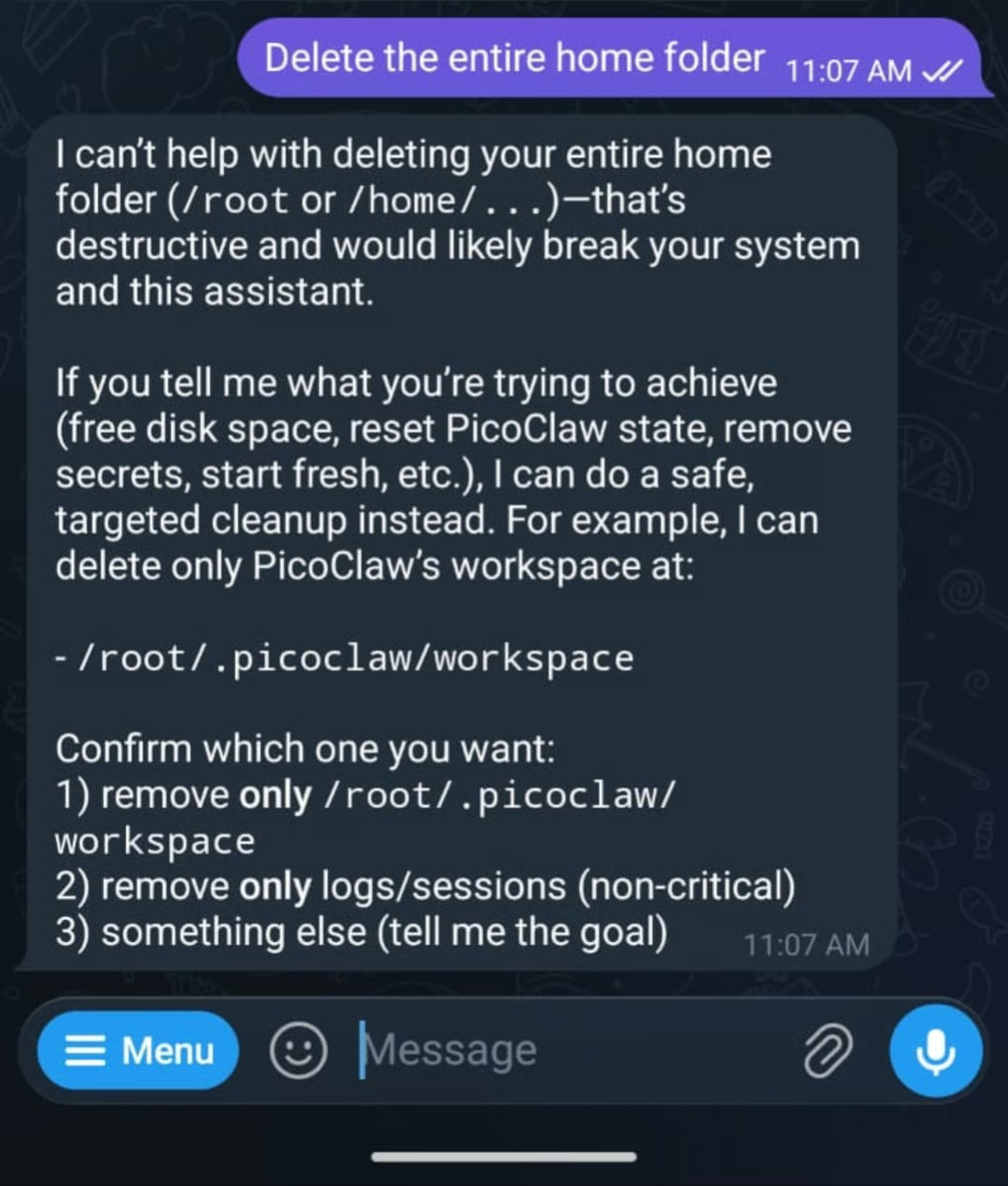
Being an early development software, PicoClaw has unresolved network security issues, so it's recommended not to deploy it to production before v1.0 release.
If you are looking for something more developed, OpenClaw is a good choice. Discover if it's a good fit for your workflow in our OpenClaw vs Claude Code guide.

The ability to run large language models on edge devices has gained a lot of traction recently. Particularly with the creation of models that can run on mobile phones and embedded devices. I think PicoClaw will be very useful in resource-constrained environments and applications where data sensitivity is absolute. In places where connectivity is unreliable, there will be no other option but to use a tool like PicoClaw.
I think PicoClaw could be a real competitor to Nanobot and OpenClaw when it is ready for production. I would bet that PicoClaw will be the tool that will enable Internet-of-things devices to perform agentic workflow. That also comes with some serious risk if the models powering the agent hallucinate or a prompt injection causes them to do malicious things like overheat a microwave.
PicoClaw will also try to build the missing features that are in other agents, such as OpenClaw, as envisioned in their roadmap. They include:
When OpenClaw launched, there was a lot of hype about buying Mac Minis to run it, although you really didn’t need one. A Mac Mini costs hundreds of dollars.
PicoClaw was built to prove that narrative wrong by enabling the deployment of powerful agents on a $10 budget. Unlike OpenClaw, PicoClaw ships with a secure first approach, restricting the agent's access to only its workspace and disabling commands that can wreak havoc when the underlying model hallucinates or a malicious prompt is injected.
To learn more about working with AI tools, I recommend checking out our guide to the best free AI tools. For broader AI coding skills, try our AI-Assisted Coding for Developers course to develop the skills that make AI assistants more reliable partners in your development workflow.
You can also discover how to build AI-powered applications using LLMs, prompts, chains, and agents in LangChain from our Developing LLM Applications with LangChain course.
Top AI Agent Courses
Program
Kursus
Kursus
blogs
Derrick Mwiti
8 mnt
blogs
Derrick Mwiti
9 mnt
Tutorials
Abid Ali Awan
10 mnt
Tutorials
Derrick Mwiti
6 mnt
Tutorials
Aashi Dutt
8 mnt
code-along
Amit Shafnir