Course
Introduction to AI for Work
2 hr
118.6K
Subscription fatigue is real. Between streaming services, cloud storage, and premium software suites, adding another $20 monthly fee for an AI assistant often feels unjustifiable. There is a common misconception that advanced generative AI is locked behind a paywall, reserved only for enterprises or senior engineers with expense accounts.
But often, that is not true: The open-source community and competitive freemium tiers have democratized access to top-tier models. For aspiring and junior data practitioners, this means you can build, experiment, and optimize your workflows without spending a dime.
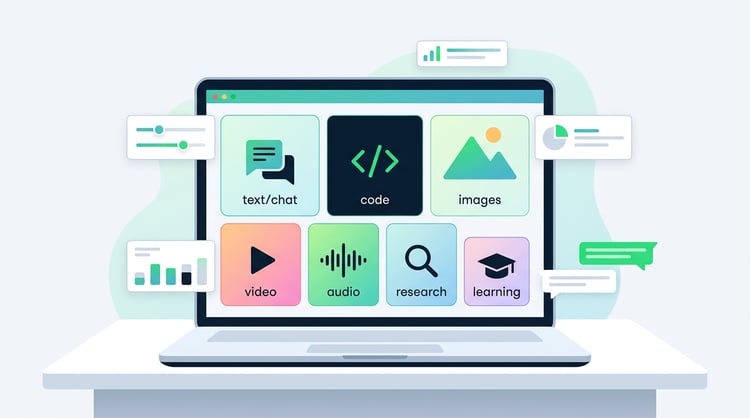
In this article, I will give you an overview of the best free AI tools available right now. We will cover tools for generating and editing text, images, videos, code, and even audio.
If you’re trying to find new ways of using AI in your work environment, I can highly recommend our Introduction to AI for Work course. One of its coolest features is the AI tutor, which will tailor the whole learning experience to your industry, job title, and everything else that makes your AI needs unique.
You can cover many daily tasks (writing, coding, image and video generation, research, and audio) without paying for anything. That said, free tiers can use your data to train their models or restrict commercial use. Always check the terms before you ship anything, and never paste sensitive information if you're unsure about privacy.
Here are the top picks per category:
AI tools dealing with text are incredibly versatile. In this section, we will cover tools for many use cases, including writing, summarizing, grammar checking, and translating text. The boundaries here are fluid, so some tools excel at some or even all of the tasks mentioned.
While most of the tools mentioned offer premium subscriptions, their free plans are surprisingly robust.
When you are staring at a blank page or a broken script, text-generating tools act as your pair programmer and editor. Let’s look at a few prominent examples and see how their free tiers compare.
Of course, any list of AI tools would be incomplete without OpenAI’s famous chatbot. It remains the best "all-rounder" for generating boilerplate code, drafting emails, and brainstorming project ideas.
The free tier now grants limited access to models like GPT-5.5 Instant (often with a dynamic message cap every few hours) before falling back to the lighter GPT-5.5 Instant Mini until the window resets. The newest GPT-5.6 models (Sol, Terra, and Luna) are paid-only in a standard chat, though free users can reach the mid-tier Terra through Codex.
Also worth knowing: since February 2026, free accounts in the US see ads at the bottom of some answers.
Widely regarded as the most human-sounding AI, the free version of Anthropic’s Claude gives you access to Claude Sonnet 5. It excels at creative writing and following complex coding instructions without sounding robotic.
The free tier works on a rolling usage budget rather than a fixed message count, so a heavy session during peak traffic will hit a wall and reset a few hours later. The strongest models, Claude Opus 5 and Fable 5, stay behind the paywall, but free Sonnet 5 is usually enough for debugging a stubborn logic error.
Google’s free offering is arguably the most feature-rich. You get full access to Gemini 3.6 Flash, live since July 2026, plus metered access to the intelligent Gemini 3.1 Pro.
It also includes limited Deep Research, which makes it a strong pick for multimodal and research-heavy projects. Free users get a set number of reports each month before the cap kicks in.
Another big feature is its integration into the Google ecosystem: You can, for instance, use Gemini to draft text directly in Google Docs or analyze data in Sheets without leaving the tab. On personal Google accounts, emails are summarized in the integrated AI Overview feature.
The clearest paywall now is video: Veo and the Flow credit system sit on the paid plans, so the free tier no longer includes the old creative-credit allotment. You still get image generation and voice on free, just not video.
The free xAI plan gives you a lighter Grok chat model, not the flagship Grok 4.5 that paid tiers get. Its real-time access to X (formerly Twitter) is still the main reason to reach for it, and voice input is included on the free tier.
One change worth flagging: since March 2026, image generation (the Aurora model) moved behind a paywall, so the free plan is now text and voice only. xAI also no longer publishes exact free message caps, so treat any hard number as a moving target.
It's still a solid free ChatGPT alternative when you need up-to-the-minute news or blunt, direct answers.
If you keep hitting message caps, open-source chat tools remove them entirely. HuggingChat and Mistral's Le Chat are fully free with no hard usage limits and handle everyday questions well, and Le Chat keeps your data under EU rules. For citation-heavy research, DeepSeek returns long, sourced answers; if you want to build on it yourself, see our DeepSeek V4 API tutorial.
Data professionals often drown in papers, documentation, and overflowing inboxes. A dedicated AI summarizer shortens text, extracts what matters, and cites sources so you can verify the truth.
While traditional search engines give you a list of links, Perplexity reads the top results and synthesizes them into a single, cited summary.
The free tier runs on Perplexity's own Sonar model and gives you a few Pro searches per day, which are perfect for getting a quick technical overview of a new library or tool. Picking a frontier model like the newest GPT, Claude, or Gemini for those searches is a paid feature.
See it in action in this Perplexity Search API tutorial, or how it stacks up against the competition in our Perplexity vs ChatGPT guide.
General LLMs can hallucinate when summarizing long PDFs. Humata is a specialist tool that anchors its answers to the document at hand.
The free plan lets you analyze up to 60 pages and ask 10 questions per month, with clickable citations that jump you straight to the paragraph where the information was found, which is critical for verifying formulas or data claims.
That monthly cap is tight, so if you're working through documents regularly, ChatPDF has a more generous free tier (2 PDFs and roughly 50 questions per day). The trade-off: ChatPDF takes one PDF at a time and has no OCR, whereas Humata handles scanned files and can compare across several documents.
Even the best analysis falls flat if the report is riddled with typos, which is avoidable in the age of AI. The following tools also catch grammatical errors and tone inconsistencies that simple spell-checkers miss.
Grammarly is the industry standard for a reason. It is an AI-powered writing assistant available as an app for mobile, desktop, and as a web browser extension.
Grammarly goes beyond red squiggly lines: it includes a tone detector (essential for ensuring your client emails don’t sound aggressive) and conciseness suggestions to tighten your writing. It also includes 100 free AI prompts per month for quick rewrites.
If you write in multiple languages, LanguageTool is the best alternative to Grammarly. It's open-source, can be self-hosted, and is built in Germany under EU data rules, which makes it an easy pick for privacy-conscious teams and non-English writing.
The free version checks more than 30 languages and up to 10,000 characters per text field, which is roughly 3–4 standard pages. Advanced style rules and API access sit on the paid plan, but the free browser extensions cover everyday checking well.
Sometimes you don’t just need a correction; you need a rewrite. QuillBot is invaluable for non-native speakers or anyone stuck with "writer's block" on a sentence.
The free "Fluency" and "Standard" modes let you rephrase awkward text instantly (up to 125 words at a time) to improve flow without changing the meaning.
The built-in Summarizer tool can condense up to 1,200 words of text into concise bullet points or a single paragraph, which is useful for pulling key facts out of long reports without reading every word.
When generic online translators fail to capture nuance, specialized AI tools bridge the gap by preserving formatting and technical context.
DeepL is widely considered the gold standard for translation accuracy. Its neural networks capture nuance and technical jargon significantly well, especially for European and Asian languages.
DeepL's free web translator generally caps at 1,500 characters (approx. 300 words) per "copy-paste" action without a login, or up to 5,000 characters if you create a free account.
With a free account, you can also translate one file per month (PDF, Word, PPT) while preserving the original formatting, which is a lifesaver when reading foreign documentation. Please note that the file size is strictly limited to 5MB, and you cannot edit the output file.
While Lara Translate and DeepL excel in nuance, Google Translate excels in scale. Supporting roughly 250 languages, it is the best tool for the "Detect Language" feature when cleaning messy, multi-lingual datasets.
The mobile app’s real-time camera translation is also indispensable for reading whiteboards or physical notes during international conferences.
Lara Translate is the most feature-rich AI translation tool. Three translation styles (Fluid, Faithful, and Creative) let you tailor the output to context, from a casual email to a legal document, and you can add context to the source text before translating.
Its standout feature is "Lara Feedback," which explains the reasoning behind translation choices and flags ambiguities, giving you more confidence in the output than a typical black-box translator.
The extensive free tier gives you a pool of 60,000 characters per month shared across text, documents, images, and the live interpreter, with no daily caps, and it supports 70+ file formats. There is also an Incognito mode that deletes your text right after translation, which is useful for sensitive content. A free API tier adds 10,000 characters per month.
Advanced features such as translation memories and custom glossaries are available on the paid tiers.
Don’t overlook your standard LLMs.
For translating specific industry terminology or holding a particular voice (e.g., "translate this marketing copy from Spanish to English but keep the casual slang"), ChatGPT, Gemini, and Claude often outperform dedicated translation tools because they understand the intent behind the request, not just the words.
Doclingo is a rising star in academic research and deserves an honorable mention. If you need to translate a complex PDF research paper without breaking the charts, tables, and double-column layout, Doclingo excels at preserving the visual structure of the document better than most generalist tools.
Doclingo is available globally as a web-based platform for desktop use, and as a mobile app for both iOS and Android. The free tier is suitable for occasional use, offering basic translation for small files without a login. However, advanced features like batch processing, high-resolution image translation, OCR, and unlimited pages require a VIP subscription.
|
Tool |
Category |
Best For |
Free Model / Limits |
Key Features |
|
ChatGPT |
Writing & Chat |
All-rounder (Code, Email) |
GPT-5.5-Instant (10 messages/5 hours; falls back to GPT-5.5 Instant Mini) |
Best all-rounder for code, email, brainstorming; includes web search. |
|
Claude |
Writing & Chat |
Nuanced Writing & Coding |
Sonnet 5; rolling usage budget that resets every few hours |
Most natural writing style; includes web search. |
|
Gemini |
Writing & Chat |
Research & Google Workspace |
Gemini 3.6 Flash & limited Gemini 3.1 Pro |
Integrates with Docs, Sheets, Drive & Gmail; limited Deep Research (~5/mo); image generation and voice free, video is paid. |
|
Grok |
Writing & Chat |
Real-time News & Trends |
Lighter Grok model (not the flagship Grok 4.5) |
Access to real-time X data. |
|
Perplexity |
Summary |
Synthesized Search Answers |
Own Sonar model |
Reads top search results to create a single cited answer; limited daily Pro searches |
|
Humata |
Summary |
PDF Analysis |
60 pages and 10 answers/month |
Anchors answers to specific document pages with clickable citations to prevent hallucinations. |
|
Grammarly |
Grammar |
Professional Polish |
100 AI prompts/month |
Goes beyond spell-check with tone detection and conciseness suggestions. |
|
LanguageTool |
Grammar |
Multi-lingual Checks |
10,000 characters/check |
Supports 30+ languages; open-source, self-hostable, EU/GDPR-friendly. |
|
QuillBot |
Grammar |
Rewriting & Paraphrasing |
125 words (Rewrite) / 1,200 (Summary) |
Rephrases awkward text to improve flow; summarizes long text into bullet points. |
|
DeepL |
Translation |
High Accuracy & Nuance |
5,000 chars and 1 file/month |
Preserves formatting in PDF/Word files; Write tool refines English/German phrasing. |
|
Google Translate |
Translation |
Scale & Speed |
Unlimited |
Supports 250 languages; camera tool translates physical text; excellent language detection. |
|
Lara Translate |
Translation |
Context-awareness & Explainability |
60,000 chars/month (shared pool across text, docs, images, interpreter; no daily caps); 10,000 chars/month free API |
3 translation styles; "Lara Feedback" explanation; adding context; incognito mode for privacy; 200+ languages |
|
ChatGPT/Claude |
Translation |
Context & Slang |
Varies by model caps |
Often better than dedicated tools for specific tones or explaining industry jargon in context. |
|
Doclingo |
Translation |
Academic PDFs |
Basic translation for small files |
Specialized in preserving complex layouts like double columns and charts in PDFs. |
The blank page problem applies to code just as much as writing. If you are debugging a complex SQL query or building a Streamlit dashboard, AI coding assistants can support you by autocompleting the code or even by being a full-fledged "Agentic" pair programmer.
If you want to go deeper, check out this overview of the best current AI coding assistants. To learn how to use AI coding tools in practice, I recommend taking one of our courses on Software Development with Cursor and Software Development with GitHub Copilot.
Google Antigravity is Google's agent-first coding tool. It launched in late 2025 as a VS Code fork, and since its 2.0 release in May 2026, it runs as a standalone app built around orchestrating agents rather than typing every line yourself.
Unlike assistants that just suggest code, Antigravity's agents can plan a task, write the code, run the terminal to install packages, and open a browser to test whether the app works. It is still in free public preview, with a strong model lineup: Gemini 3.5 Flash (the default), Gemini 3.1 Pro, Claude Sonnet 4.6, Claude Opus 4.6, and GPT-OSS. Free access to Claude Opus is unusual, since it is a paid model almost everywhere else.
The catch: Google has tightened the preview limits several times and now meters usage with a credit system, so the free experience is less generous than at launch, and the heavier reasoning models get throttled first. It is still the most capable free agentic tool for beginners who want to build real software without wrestling with environment setup, as long as you treat it as a preview rather than a stable daily driver.
Similar to Antigravity, Cursor is a full code editor that predicts your next edit, not just the next word. Its "Tab" feature refactors entire blocks instantly, and its Agent can edit across multiple files at once to fix bugs that span a whole project.
The free "Hobby" plan is permanent and starts with a two-week Pro trial. After the trial, you keep a limited monthly allowance of Tab completions and Agent requests on auto-selected models. Cursor no longer publishes exact free-tier numbers (community reports land around 2,000 completions and 50 agent requests a month), and you cannot manually choose models on the free plan. It is enough to evaluate Cursor's workflow, but not for full-time daily coding.
GitHub Copilot is the industry-standard AI assistant inside VS Code. Unlike the agentic tools above, which take over your editor, Copilot works as a fast autocomplete companion that learns from your coding style, though it now also offers chat and an agent mode.
Microsoft offers a free tier for individuals, with models chosen automatically. It gives you up to 2,000 code completions per month, plus a limited chat and agent allowance. Since June 2026, chat and agent usage have been metered through GitHub's AI credits rather than a flat message count, so heavy chat users hit the ceiling sooner. Even so, it is a solid way for students to learn the tool most enterprise teams use.
If you don't want to install anything, DataLab runs directly in your browser and removes the headache of managing Python environments.
Because it is purpose-built for data science, it connects straight to your CSVs or databases, so you can chat with your data to generate code, queries, or visualizations instantly. Built-in reporting also lets you turn an analysis into a live, shareable dashboard in one click, with no front-end code.
The free tier just needs a DataCamp account. It lets you create up to three workbooks (DataLab's data projects) and use the AI Assistant 15 times. Upgrading to DataLab Premium removes those limits and adds faster hardware, longer version history, and more.
Claude Code is one of the most talked-about coding agents, but it has no genuine free tier. It needs a paid Claude plan or pay-as-you-go API credits. A few workarounds exist (a one-time API starter credit, or pointing it at free models through OpenRouter or a local Ollama setup), but none is a standing free plan. If you want to try it without paying, our guide on how to use Claude Code for free walks through each route honestly.
| Tool | Category | Best For | Free Model / Limits | Key Features |
|---|---|---|---|---|
| Google Antigravity | Agentic IDE | Beginners & building apps | Free public preview (now metered by credits) | Agents plan, code, install packages, and test apps; free access to Gemini 3.5 Flash/3.1 Pro and Claude Sonnet 4.6/Opus 4.6. |
| Cursor | AI Code Editor | Power users & refactoring | Hobby: 2-week Pro trial, then limited Tab + Agent (auto models) | Agent edits multiple files at once; "Tab" refactors full blocks; free numbers unpublished. |
| GitHub Copilot | VS Code Extension | Speed & standard autocomplete | ~2,000 completions/mo + limited chat/agent (AI credits) | Fast autocomplete that learns your style; auto model selection; runs inside VS Code. |
| DataLab | Data Science Notebook | Data analysis & zero setup | 3 workbooks / 15 AI Assistant uses (confirm) | Runs in browser (no install); connects to CSVs/DBs; turns analysis into dashboards in one click. |
Nowadays, creating visuals for slides, blogs, or mockups no longer requires a credit card.
The following tools are built directly into your chat interface. They are best for conversational creation when you need a decent image now and don't want to fiddle with sliders or settings.
Google's image models sit right inside the Gemini apps. Since February 2026, the free default has been Nano Banana 2, Gemini's fast image model, which free users can run for roughly 20 images per day. It's strong in photorealism, follows prompt instructions closely, and renders readable text in multiple languages.
The higher-end Nano Banana Pro goes further, with sharper 4K output and a neat trick of "translating" the text inside an existing image while preserving its font and style. But Pro has largely moved behind a paid Google AI plan, so free users only get a small taste of it.
Free generations carry a visible watermark (the Gemini sparkle icon) alongside invisible SynthID metadata. That's fine for internal slides, but you may need to crop or edit them for public use.
OpenAI gives free users limited access to its latest image model, GPT Image 2 (branded ChatGPT Images 2.0). Two of its biggest advantages are a "thinking" mode and web search integration for more accurate results, which is especially handy for infographics.
Another strength is conversational editing: you can iterate on an image just by talking to it. If you are editing only details, the rest of the image remains intact, and only the affected part is regenerated.
Free users are limited to roughly 2-3 generated images per day within a rolling 24-hour window, so use them wisely.
When you need professional control over style, composition, and format, the following tools are the way to go.
Leonardo.Ai offers advanced controls usually reserved for paid tools, such as Image Guidance, where you upload a sketch to steer the structure of the output.
Its free tier is one of the more generous for high-quality artistic control: you get 150 fast tokens a day, a budget worth a few dozen images depending on your settings. Unusually, you are allowed to use free-tier images commercially, though Leonardo retains broad reuse rights.
Important: all free-tier images are public. Your prompts and results appear in the community feed, so do not generate sensitive or stealth-mode brand concepts here.
Recraft AI is the standout tool for vector and brand assets: it generates icons, logos, and illustrations, and enforces strict brand color palettes. The catch for free users is that its defining feature, native SVG export, is a paid feature. On the free plan, you can generate and preview, but you can only download raster PNG or JPG files, not scalable vectors.
The free tier gives you 30 credits a day, enough for a handful of generations. The output is public and strictly non-commercial, so you cannot use these assets in a client project or a product you sell without upgrading.
Adobe Firefly is the one to reach for when the images need to be commercially safe. Because it is trained only on licensed Adobe Stock and public-domain content, its output is cleared for commercial use without the copyright ambiguity that hangs over most generators, and that license applies even on the free plan.
The free tier gives you around 25 generative credits per month, which is roughly 25 standard images. That makes it a monthly allowance rather than a daily one, and it depletes fast if you generate at volume. It also plugs into Photoshop and Illustrator through Generative Fill and Generative Expand if you already work in Adobe's apps.
It is the tool for when a client project or a product needs images, you can use without worrying about where the training data came from.
Ideogram is famous for rendering text accurately, with spelling errors rare, which makes it the go-to for social graphics, posters, and anything with words baked in. Its Magic Prompt feature rewrites a simple request into a detailed, artistic prompt for better results.
The free tier has been cut repeatedly and now sits at around 10 slow credits per week, with downloads limited to JPG and all images public by default. It is enough to test Ideogram's text rendering, but not for volume or commercial work.
| Tool | Category | Best For | Free Model / Limits | Key Features |
|---|---|---|---|---|
| Nano Banana 2 / Pro | Integrated Chat | Photorealism & multilingual text | ~20 images/day (Nano Banana 2); Pro mostly paid | Accurate multilingual text; translates text inside images; visible watermark + SynthID. |
| ChatGPT (GPT Image 2) | Integrated Chat | Conversational editing | ~2–3 images/day (rolling 24h) | "Thinking" mode + web search for accuracy; iterative editing that regenerates only the edited region. |
| Leonardo.Ai | Advanced Platform | Artistic control & sketches | 150 fast tokens/day (a few dozen images) | Commercial use allowed (Leonardo keeps reuse rights); Image Guidance; public by default. |
| Recraft AI | Advanced Platform | Vector & brand assets | 30 credits/day; raster-only, non-commercial | Specializes in vector/SVG + brand palettes, but SVG export and commercial use are paid. |
| Adobe Firefly | Advanced Platform | Commercially safe images | 25 generative credits/month | Trained on licensed content (IP-safe); commercial use on free; Generative Fill/Expand in Photoshop/Illustrator. |
| Ideogram | Advanced Platform | Typography & text rendering | ~10 slow credits/week (JPG, public) | Best-in-class text rendering; Magic Prompt; non-commercial on free. |
Video generation is the most resource-intensive AI task, meaning free tiers are often stricter here than for text or images. You will typically encounter watermarks, lower resolutions (720p), and duration limits (often 3-5 seconds per clip). However, free tools can be surprisingly capable.
The following tools are "text-to-video" suites. You type a prompt (or upload a script), and they generate scenes, captions, and voiceovers automatically.
Invideo AI is one of the most generous free tools for creating full videos, not just clips. It acts as a video co-pilot: you can give it a command like "Make this video punchier" or "Change the tone to professional," and it re-edits the footage and voiceover instantly.
You get 10 minutes of video generation per week, and it automatically stitches stock footage and AI-generated clips into a narrative with voiceovers. Free exports are capped at 720p, limited to 4 per week, carry a watermark, and are not licensed for commercial use.
Google's video models live in Google Flow, its filmmaking studio, and the free tier is the same across them: around 50 credits per day on any Google account, enough for roughly two to five short clips. Flow's free tier covers Veo 3.1 and the newer Gemini Omni Flash, currently one of the top-ranked video models on the Artificial Analysis leaderboards. In the Gemini app itself, video generation now sits behind a paid Google AI plan, and Omni Flash is set to replace Veo there.
Clips run up to 8 to 10 seconds with synced audio, carry a visible watermark and an invisible SynthID, and the free daily credits do not roll over. Omni Flash is also free, with no credits, inside YouTube Shorts and the YouTube Create app.
Runway, formerly Runway ML, remains a standard for cinematic control. It is the best free tool for testing professional workflows, like controlling specific camera movements or using "Motion Brush" to animate specific parts of a static chart.
The free plan gives you 125 one-time credits, 3 video editor projects, and 5GB of storage, with free generation running on Gen-4 Turbo. Unlike tools that refill daily or weekly, these credits do not renew, which makes it more of a trial than an ongoing free tier.
Whenever you need a talking head to present something for you, these tools generate photorealistic digital avatars.
Synthesia is an AI video platform for business that pairs AI avatars with an end-to-end workflow for creating and localizing videos. It adds screen recording with instant transcripts, one-click translation in 160+ languages, and in-editor generative assets.
The free plan includes 10 minutes of video per month with 9 stock avatars, and exports carry a Synthesia watermark.
HeyGen is a popular avatar tool known for its lip-sync and video translation. Its "Video Translate" feature dubs a video into other languages while syncing lip movement and generating subtitles, now across 175+ languages, and it offers hundreds of stock avatars.
The free plan allows up to 3 videos per month, each roughly 1 to 3 minutes, with 720p watermarked exports.
For high-end, cinematic visuals or specific special effects, these tools are the best in class.
ByteDance's Seedance is one of the strongest video models available. Its 2.0 version sits near the top of the Artificial Analysis leaderboards, alongside Google's Gemini Omni Flash and MiniMax H3.
There is no standing free plan, but you can use it for free through ByteDance's Dreamina app (or inside CapCut). A free account gets daily login credits, roughly enough for two or three short clips a day, and outputs are watermarked. The credits are shared across Dreamina's image, video, and editing tools, and longer clips burn through them fast, so treat it as a way to try a top model rather than a daily workhorse.
Kling AI is one of the best freemium motion generators for realism. Its motion consistency is often better than Pika for realistic human movement, and it handles complex interactions well, like a person picking up an object, which often makes other models glitch.
The free plan gives you 66 credits that refresh daily, enough for a handful of 5-second clips. Free output is 720p, watermarked, and not licensed for commercial use.
Pika has carved out a niche for the best "fun" physics.
Its Basic free plan gives you 80 monthly credits and includes Pikaffects, a tool that lets you "squish," "melt," or "inflate" objects in your video. Free output is capped at 480p and watermarked, and credits refill monthly rather than daily.
Alibaba's Wan models are the open-source standout: if you have a GPU or use a free Hugging Face Space, they are completely free and unlimited.
The current version, Wan 2.7, supports 1080p generation but requires a technical setup (Python or Docker) to run locally. To see how to set it up, check our Wan tutorial.
| Tool | Category | Best For | Free Model / Limits | Key Features |
|---|---|---|---|---|
| Invideo AI | Text-to-Video Suite | Social & explainer videos | 10 min/week, 4 exports (720p, watermark, non-commercial) | "Video co-pilot" re-edits via chat; auto-stitches stock footage + voiceovers. |
| Google (Veo 3.1 / Omni Flash) | Text-to-Video Suite | B-roll, presentations & top quality | Free via Google Flow (~50 credits/day); watermark + SynthID | Flow bundles Veo 3.1 + top-ranked Gemini Omni Flash; 8–10s clips with audio; also free on YouTube Shorts. |
| Runway | Text-to-Video Suite | Professional cinematic control | 125 credits (one-time), 3 projects, 5GB; credits don't renew (trial). | Motion control ("Motion Brush"); free runs Gen-4 Turbo. |
| Synthesia | Avatar Generator | Corporate training | 10 min/month, 9 avatars (watermark) | AI avatars + 160+ language translation; screen recording with transcripts. |
| HeyGen | Avatar Generator | Lip-sync & dubbing | 3 videos/month (1–3 min, 720p) | "Video Translate" syncs lip movement across 175+ languages; hundreds of avatars. |
| Seedance | Dynamic Motion | Top-quality realism | Free via Dreamina/CapCut (daily credits, ~2–3 clips/day) | Multimodal references + multi-shot storyboarding free at 720p (watermarked); native audio/voice cloning and high-res output (but both are credit-heavy). |
| Kling AI | Dynamic Motion | Realistic movement | 66 credits (daily per most trackers; 720p, watermark) | Superior motion consistency for human interactions; non-commercial on free. |
| Pika | Dynamic Motion | Fun physics & VFX | 80 credits/month (480p, watermark); monthly credit refill. | "Pikaffects" squish/melt/inflate. |
| Wan AI | Dynamic Motion | Unlimited / open source | Unlimited (self-hosted / Hugging Face) | Open-source (Wan 2.7); free if self-hosted (GPU/Python); 1080p. |
Writing code and generating images is flashy, but for a data practitioner, 80% of the job is often reading, learning, and verifying facts. We need tools, distinct from chatbots, to focus on information retrieval and synthesis, citing their sources so you don't hallucinate your way into a bad business decision.
Google's Gemini Notebook, formerly known as NotebookLM, is one of the most useful free research tools available. Unlike a standard chatbot, it lets you upload your own sources (PDFs, audio files, websites) and builds a grounded AI expert on only that material, so its answers stay tied to what you gave it.
The free tier is generous: you can create up to 100 notebooks, each holding 50 sources, with up to 500,000 words per source. It can turn a dense methodology paper into a study guide, a set of flashcards, or an Audio Overview, a podcast-style discussion between two AI hosts that is handy for auditory learners. Audio Overviews are capped at three per day on the free plan, which is plenty for most study sessions, considering they are usually quite long (often between 20 and 50 minutes, depending on the material and prompt).
If you need to answer a question like "Do LSTMs outperform Transformers for time-series forecasting?", a general chatbot often guesses. Consensus instead searches over 200 million academic papers to find what the research actually says.
You get unlimited basic searches, each returning summarized findings from real papers, along with the Consensus Meter, which visualizes scientific agreement (for example, "80% of papers say yes") so you can gauge the state of the evidence at a glance. The deeper AI analyses, its Pro and Deep Searches and Study Snapshots, are capped at a modest monthly allowance on the free plan, but the core search and Meter are free to use as much as you like.
| Tool | Category | Best For | Free Model / Limits | Key Features |
|---|---|---|---|---|
| Gemini Notebook | Research Assistant | Deep learning & study guides | 100 notebooks (50 sources each) | "Audio Overview" turns docs into podcasts; answers grounded in your uploaded sources. |
| Consensus | Academic Search | Scientific verification | Unlimited basic searches (deeper analyses capped) | Searches 200M+ papers; "Consensus Meter" visualizes agreement (e.g., "80% say yes"). |
If you are scraping data from a podcast, needing a clean voiceover for a demo video, or just trying to survive a week of back-to-back meetings, then AI audio tools can help you automate the listening and speaking parts of your job.
Otter.ai is the standard for meeting transcription. On the free plan, you get 300 minutes of transcription per month, and it automatically identifies speakers and keywords.
Two limits bite: it only transcribes the first 30 minutes of any single conversation, and you get just 3 file uploads for the lifetime of the account, so after those, you have to record live.
If you are a coder, skip Otter and use Whisper. OpenAI's open-source speech recognition model is free and MIT-licensed.
That means you can run it locally (or on a free Google Colab notebook) and transcribe unlimited hours of audio with near-human-level accuracy, including for commercial use. There is no interface: you run it from the command line or a Python script.
ElevenLabs is one of the most realistic AI voice generators around. The free tier gives you 10,000 characters per month, roughly 10 minutes of audio, and the voices capture breath, pauses, and intonation convincingly.
The free plan is broader than just text-to-speech: you also get speech-to-text, sound effects, Voice Design, music, and 3 projects in Studio, all on the 10,000 monthly credits. The catch is that anything you make is non-commercial, and you need to credit ElevenLabs when you publish. Commercial license and voice cloning both unlock on paid plans.
Google's Gemini Live is a real-time voice mode built into the Gemini app, free on both Android and iOS. It is not just dictation: you can hold a natural back-and-forth conversation, interrupt it, and think out loud while walking or driving, which makes it a handy auditory thought partner for exploring an idea or talking through a concept.
ChatGPT offers a similar free voice mode, though its natural "Advanced Voice" is capped at a short daily preview before reverting to standard, whereas Gemini Live's full voice mode is free.
The core voice conversation is free, including camera and screen sharing. The deeper productivity actions that integrate with Gmail, Docs, and Calendar require the paid Google AI plans.
Adobe Podcast Enhance removes background noise and echo to make a cheap laptop mic sound like a professional studio setup. The free tier gives you one hour of enhancement per day, with individual files capped at 30 minutes.
| Tool | Category | Best For | Free Model / Limits | Key Features |
|---|---|---|---|---|
| Otter.ai | Transcription | Meeting notes | 300 mins/mo (30 mins per conversation) | Identifies speakers automatically; 3 lifetime file uploads (then live recording only). |
| Whisper | Transcription | Developers & unlimited use | Unlimited (run locally/Colab) | Open-source, MIT-licensed (commercial OK); near human-level accuracy; no interface (Python/CLI). |
| ElevenLabs | Text-to-Speech | Realistic voiceovers | 10,000 chars/mo (~10 mins); attribution + non-commercial |
Captures breath and intonation; covers TTS, STT, sound effects, Voice Design & music. |
| Gemini Live | Voice Assistant | Brainstorming on the go | Free (Android/iOS); deep Gmail/Docs actions lean paid | Real-time conversational partner; core voice free. |
| Adobe Podcast Enhance | Audio Repair | Cleaning bad audio | 1 hour/day (30-min files) | Removes background noise and echo; makes laptop mics sound like studio equipment. |
While the tools listed above are capable, they come with a hidden price tag: your data and your time. "Free" in the world of AI usually means you are trading privacy or convenience for access.
Managing these expectations is important, especially if you are working with sensitive company data or tight deadlines.
The most important rule of free AI is simple: If you aren't paying for the product, you (and your data) are likely the training set.
Free tiers are designed to be a tasting menu, not an all-you-can-eat buffet.
Just because you made it doesn't mean you own it.
As we have seen, there are many specialized free AI tools. You might use Claude for debugging Python scripts, Gemini Notebook for synthesizing research papers, and Pika for adding a creative spark to a presentation.
However, having access to these tools is only half the work. The real competitive advantage lies in understanding how they work, how to prompt them effectively, and how to validate their outputs for reliable and accurate answers.
To move from simply using AI to being an expert in it, you need a strong foundational understanding. I highly recommend starting with our AI Fundamentals track.
You cannot bypass hard limits, but you can optimize your usage. Use Perplexity for initial research, switch to Google Antigravity for coding tasks to save your ChatGPT/Claude allowance, and use specialized tools like Gemini Notebook (formerly NotebookLM) for document analysis instead of uploading PDFs directly to a chatbot.
Google Antigravity offers the best free capabilities for logic, debugging, and code generation, with Cursor and GitHub Copilot following. If you want to work in the browser, DataLab is an excellent option.
Adobe Firefly is the safest bet: it's trained on licensed content, so its output is cleared for commercial use even on the free plan. Leonardo.Ai is the only other tool that also allows commercial use for free, but its images are public, and Leonardo keeps broad reuse rights.
For raw quality, Google Flow (Veo 3.1 and Gemini Omni Flash) and ByteDance's Seedance sit at the top. Kling and Pika are strong, more accessible options. Either way, free video is limited and usually watermarked.
Generally, no. ChatGPT and Gemini use your conversations for training by default unless you opt out. Claude is the exception, keeping your chats out of training if you leave the setting off.
No. Claude Code needs a paid Claude plan (Pro, Max, Team, or Enterprise) or a pay-as-you-go API account billed per token; the free Claude plan doesn't include it. A few legitimate free routes exist, but each gives something up: a one-time API starter credit (around $5, expires in two weeks), pointing Claude Code at free models through OpenRouter or a local Ollama setup (you get the interface, not Claude), or a six-month grant if you're a qualifying open-source maintainer. See our guide to using Claude Code for free for the full walkthrough.
Yes, all three have genuinely useful free tiers with capable mid-tier models. The catch is volume, not quality: each caps how much you can do in a given window and quietly drops you to a smaller fallback model once you hit the limit. For occasional use, they're more than enough; for all-day work, you'll hit the walls fast.
Yes. Whisper, OpenAI's open-source speech recognition model, is free and MIT-licensed, so you can run it locally or on a free Google Colab notebook and transcribe unlimited hours with no per-minute cost and commercial use included. The trade-off is the setup: there's no interface, so you run it from the command line or a Python script. If you'd rather have a polished app, Otter.ai's free plan handles meeting transcription, but it caps you at 300 minutes a month.
Sometimes, but check the terms first. For images, Adobe Firefly is the safest free option, since it's trained on licensed content and cleared for commercial use even on the free plan. For audio, Whisper's output is unrestricted. Many free tiers are stricter: ElevenLabs requires attribution, Recraft prohibits commercial use entirely, and most free image and video tools add a watermark. Always read the license before shipping anything into a product you sell.
I am a data science content writer. I love creating content around AI/ML/DS topics. I also explore new AI tools and write about them.
Top AI Courses
Course
Course
Track
blog

Laiba Siddiqui
15 min
blog

Josef Waples
7 min
blog

Abid Ali Awan
8 min

blog

Matt Crabtree
15 min

blog

Javier Canales Luna
9 min
blog
Matt Crabtree
11 min