Curso
Introducción a las consultas SQL con IA
3 h
6.8K
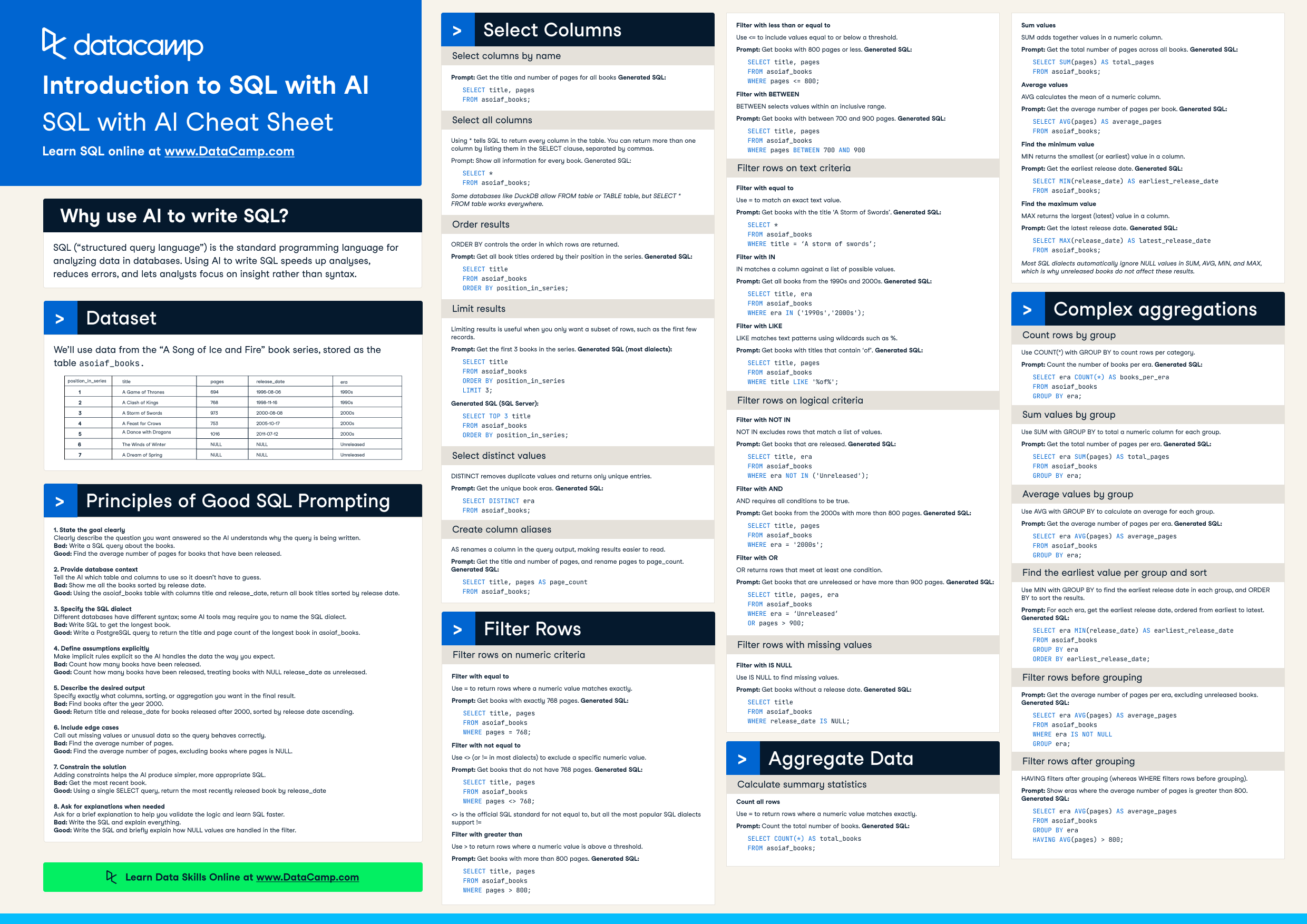
Have this cheat sheet at your fingertips
Download PDFSQL (“structured query language”) is the standard programming language for analyzing data in databases. Using AI to write SQL speeds up analyses, reduces errors, and lets analysts focus on insight rather than syntax.
We’ll use data from the “A Song of Fire and Ice” book series, stored as the table asoiaf_books.
|
position_in_series |
title |
pages |
release_date |
era |
|
1 |
A Game of Thrones |
694 |
1996-08-06 |
1990s |
|
2 |
A Clash of Kings |
768 |
1998-11-16 |
1990s |
|
3 |
A Storm of Swords |
973 |
2000-08-08 |
2000s |
|
4 |
A Feast for Crows |
753 |
2005-10-17 |
2000s |
|
5 |
A Dance with Dragons |
1016 |
2011-07-12 |
2010s |
|
6 |
The Winds of Winter |
NULL |
NULL |
Unreleased |
|
7 |
A Dream of Spring |
NULL |
NULL |
Unreleased |
Clearly describe the question you want answered so the AI understands why the query is being written.
Bad:
Write a SQL query about the books.
Good:
Find the average number of pages for books that have been released.
Tell the AI which table and columns to use so it doesn’t have to guess.
Bad:
Show me all the books sorted by release date.
Good:
Using the asoiaf_books table with columns title and release_date, return all book titles sorted by release date.
Different databases have different syntax; some AI tools may require you to name the SQL dialect.
Bad:
Write SQL to get the longest book.
Good:
Write a PostgreSQL query to return the title and page count of the longest book in asoiaf_books.
Make implicit rules explicit so the AI handles the data the way you expect.
Bad:
Count how many books have been released.
Good:
Count how many books have been released, treating books with NULL release_date as unreleased.
Specify exactly what columns, sorting, or aggregation you want in the final result.
Bad:
Find books after the year 2000.
Good:
Return title and release_date for books released after 2000, sorted by release date ascending.
Call out missing values or unusual data so the query behaves correctly.
Bad:
Find the average number of pages.
Good:
Find the average number of pages, excluding books where pages is NULL.
Adding constraints helps the AI produce simpler, more appropriate SQL.
Bad:
Get the most recent book.
Good:
Using a single SELECT statement and no subqueries, return the most recently released book byased on release_date.
Ask for a brief explanation to help you validate the logic and learn SQL faster.
Bad:
Write the SQL and explain everything.
Good:
Write the SQL and briefly explain how NULL values are handled in the filter.
SELECT specifies which column(s) to return, and FROM specifies the table to query.
Prompt:
Get the titles from asoiaf_books
Generated SQL:
SELECT title
FROM asoiaf_books;
You can return more than one column by listing them in the SELECT clause, separated by commas.
Prompt:
Get the title and number of pages for all books
Generated SQL:
SELECT title, pages
FROM asoiaf_books;Using * tells SQL to return every column in the table.
Prompt:
Show all information for every book
Generated SQL:
SELECT *
FROM asoiaf_books;
Some databases like DuckDB allow FROM table or TABLE table, but SELECT * FROM table works everywhere.
ORDER BY controls the order in which rows are returned.
Prompt:
Get all book titles ordered by their position in the series
Generated SQL:
SELECT title
FROM asoiaf_books
ORDER BY position_in_series;Limiting results is useful when you only want a subset of rows, such as the first few records.
Prompt:
Get the first 3 books in the series
Generated SQL (most dialects):
SELECT title
FROM asoiaf_books
ORDER BY position_in_series
LIMIT 3;
Generated SQL (SQL Server):
SELECT TOP 3 title
FROM asoiaf_books
ORDER BY position_in_series;DISTINCT removes duplicate values and returns only unique entries.
Prompt:
Get the unique book eras
Generated SQL:
SELECT DISTINCT era
FROM asoiaf_books;AS renames a column in the query output, making results easier to read.
Prompt:
“Get the title and number of pages, and rename pages to page_count”
Generated SQL:
SELECT title, pages AS page_count
FROM asoiaf_books;Use = to return rows where a numeric value matches exactly.
Prompt:
“Get books with exactly 768 pages”
Generated SQL:
SELECT title, pages
FROM asoiaf_books
WHERE pages = 768;Use <> (or != in most dialects) to exclude a specific numeric value.
Prompt:
“Get books that do not have 768 pages”
Generated SQL:
SELECT title, pages
FROM asoiaf_books
WHERE pages <> 768;
<> is the official SQL standard for not equal to, but all the most popular SQL dialects support !=. Oracle also supports ^=.
Use > to return rows where a numeric value is above a threshold.
Prompt:
“Get books with more than 800 pages”
Generated SQL:
SELECT title, pages
FROM asoiaf_books
WHERE pages > 800;Use <= to include values equal to or below a threshold.
Prompt:
“Get books with 800 pages or less”
Generated SQL:
SELECT title, pages
FROM asoiaf_books
WHERE pages <= 800;BETWEEN selects values within an inclusive range.
Prompt:
“Get books with between 700 and 900 pages”
Generated SQL:
SELECT title, pages
FROM asoiaf_books
WHERE pages BETWEEN 700 AND 900;Use = to match an exact text value.
Prompt:
“Get books with the title ‘A Storm of Swords’”
Generated SQL:
SELECT *
FROM asoiaf_books
WHERE title = ‘A Storm of Swords’;IN matches a column against a list of possible values.
Prompt:
“Get all books from the 1990s and 2000s”
Generated SQL:
SELECT title, era
FROM asoiaf_books
WHERE era IN ('1990s','2000s');LIKE matches text patterns using wildcards such as %.
Prompt:
“Get books with titles that contain ‘of’”
Generated SQL:
SELECT title
FROM asoiaf_books
WHERE title LIKE '%of%';NOT IN excludes rows that match a list of values.
Prompt:
“Get books that are released”
Generated SQL:
SELECT title, era
FROM asoiaf_books
WHERE era NOT IN ('Unreleased');AND requires all conditions to be true.
Prompt:
“Get books from the 2000s with more than 800 pages”
Generated SQL:
SELECT title, pages
FROM asoiaf_books
WHERE era = '2000s'
AND pages > 800;OR returns rows that meet at least one condition.
Prompt:
“Get books that are unreleased or have more than 900 pages”
Generated SQL:
SELECT title, pages, era
FROM asoiaf_books
WHERE era = 'Unreleased'
OR pages > 900;Use IS NULL to find missing values.
Prompt:
“Get books without a release date”
Generated SQL:
SELECT title
FROM asoiaf_books
WHERE release_date IS NULL;Use IS NOT NULL to exclude missing values.
Prompt:
“Get books that have a release date”
Generated SQL:
SELECT title, release_date
FROM asoiaf_books
WHERE release_date IS NOT NULL;Prompt:
“Count the total number of books”
Generated SQL:
SELECT COUNT(*) AS total_books
FROM asoiaf_books;SUM adds together values in a numeric column.
Prompt:
“Get the total number of pages across all books”
Generated SQL:
SELECT SUM(pages) AS total_pages
FROM asoiaf_books;AVG calculates the mean of a numeric column.
Prompt:
“Get the average number of pages per book”
Generated SQL:
SELECT AVG(pages) AS average_pages
FROM asoiaf_books;MIN returns the smallest (or earliest) value in a column.
Prompt:
“Get the earliest release date”
Generated SQL:
SELECT MIN(release_date) AS earliest_release_date
FROM asoiaf_books;MAX returns the largest (latest) value in a column.
Prompt:
“Get the latest release date”
Generated SQL:
SELECT MAX(release_date) AS latest_release_date
FROM asoiaf_books;
Most SQL dialects automatically ignore NULL values in SUM, AVG, MIN, and MAX, which is why unreleased books do not affect these results.
Use COUNT(*) with GROUP BY to count rows per category.
Prompt:
“Count the number of books per era”
Generated SQL:
SELECT era, COUNT(*) AS books_per_era
FROM asoiaf_books
GROUP BY era;Use SUM with GROUP BY to total a numeric column for each group.
Prompt:
“Get the total number of pages per era”
Generated SQL:
SELECT era, SUM(pages) AS total_pages
FROM asoiaf_books
GROUP BY era;Use AVG with GROUP BY to calculate an average for each group.
Prompt:
“Get the average number of pages per era”
Generated SQL:
SELECT era, AVG(pages) AS average_pages
FROM asoiaf_books
GROUP BY era;Use MIN with GROUP BY to find the earliest release date in each group, and ORDER BY to sort the results.
Prompt:
“For each era, get the earliest release date, ordered from earliest to latest”
Generated SQL:
SELECT era, MIN(release_date) AS earliest_release_date
FROM asoiaf_books
GROUP BY era
ORDER BY earliest_release_date;Prompt:
“Get the average number of pages per era, excluding unreleased books”
Generated SQL:
SELECT era, AVG(pages) AS average_pages
FROM asoiaf_books
WHERE release_date IS NOT NULL
GROUP BY era;HAVING filters after grouping (whereas WHERE filters rows before grouping).
Prompt:
“Show eras where the average number of pages is greater than 800”
Generated SQL:
SELECT era, AVG(pages) AS average_pages
FROM asoiaf_books
GROUP BY era
HAVING AVG(pages) > 800;Continue your SQL journey
Curso
Curso
Curso