メインコンテンツへスキップ

Everyday AI with Excel Copilot

Paul Barnhurst, Founder at The FP&A Hub, will show you how to use Microsoft Copilot in Excel to automate and accelerate everyday data analysis tasks.
2026年9月10日

Session Resources

AI is transforming how finance teams work—and for Excel users, Microsoft Copilot is making that shift tangible right now. Business intelligence analysts who learn to harness Copilot can eliminate hours of manual data preparation, surface insights faster, and focus their energy on higher-value analysis. As AI-assisted workflows become the norm, mastering these tools is no longer optional—it's a competitive necessity.

In this code-along webinar, Paul Barnhurst, Founder at The FP&A Hub, shows you how to use Microsoft Copilot in Excel to automate and accelerate everyday data analysis tasks. Through a real-world corporate finance use case, you'll follow along as Paul builds AI-assisted workflows for spreadsheet analytics—from automating repetitive data tasks to generating insights on demand. By the end, you'll have hands-on experience with Copilot and a practical framework you can apply immediately in your own Excel environment.

Key Takeaways

  • Learn how to use Microsoft Copilot in Excel to automate data analysis tasks and speed up your workflows.
  • Explore a real-world corporate finance use case showing how AI can transform everyday spreadsheet analytics.
  • Build hands-on experience with AI-assisted Excel workflows you can apply immediately in your own BI practice.
 
トピック
関連している

blogs

Copilot in Excel: A Full Review With Real Examples

Learn how to use Copilot in Excel to analyze data, automate formulas, and generate insights using natural language—all within your spreadsheet.
Josef Waples's photo

Josef Waples

10 分

cheat-sheet

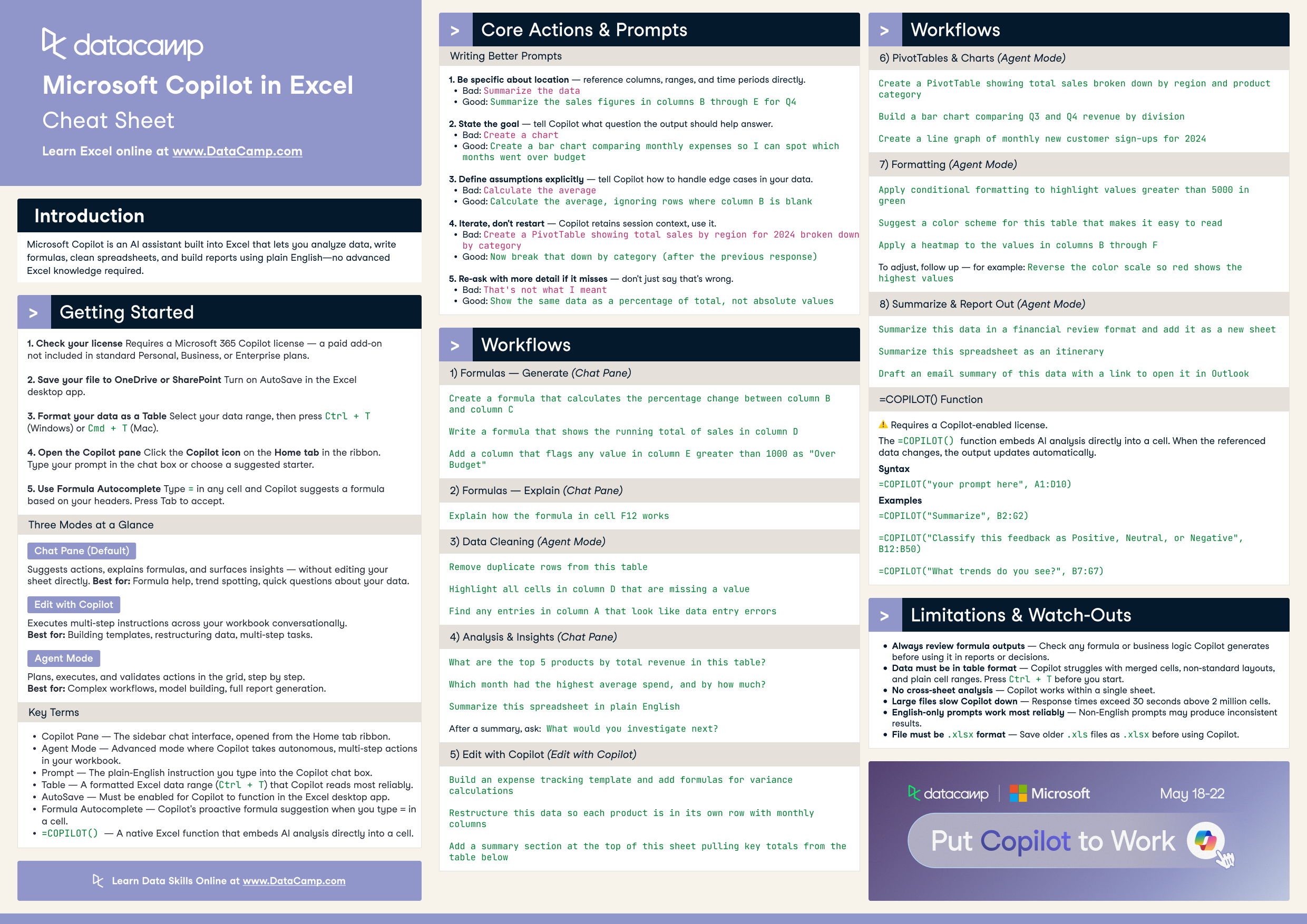
Microsoft Copilot in Excel Cheat Sheet

Use Microsoft Copilot in Excel to analyze data, write formulas, and build reports with plain English. This cheat sheet covers the Copilot modes, prompting principles, =COPILOT() function, and core actions across analysis, formatting, and reporting.
DataCamp Team's photo

DataCamp Team

5 分

cheat-sheet

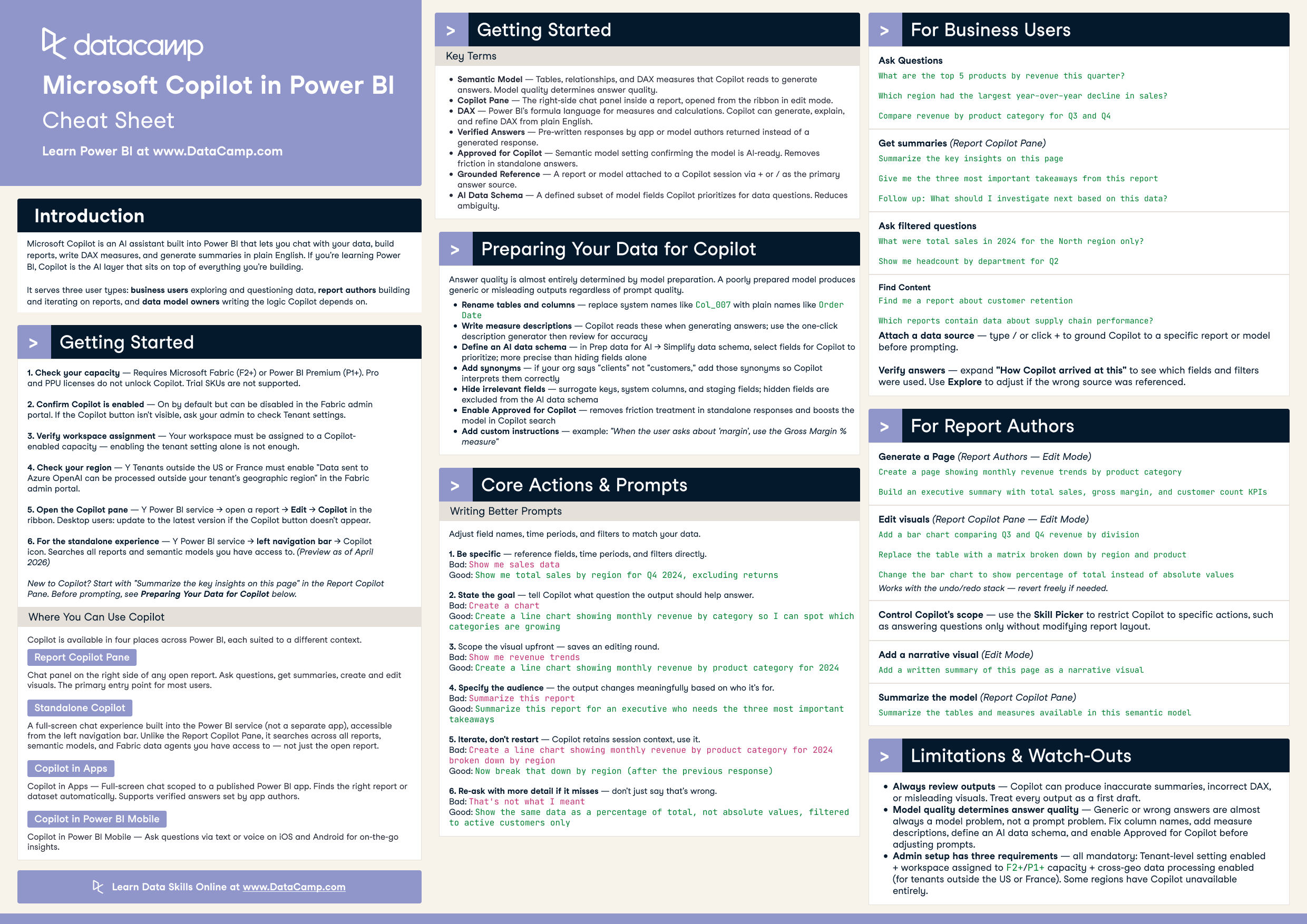
Microsoft Copilot in Power BI Cheat Sheet

Use Microsoft Copilot in Power BI to chat with your data, build reports, write DAX, and generate summaries. This cheat sheet covers setup, the four places Copilot appears, model preparation, prompting principles, and core actions for business users, report authors, and data model owners.
DataCamp Team's photo

DataCamp Team

5 分

tutorials

Excel Copilot: A Tutorial with Examples

Learn step-by-step how to activate Copilot in Excel, use AI prompts to analyze, visualize, and automate your data, and apply ready-made examples to real-world spreadsheet tasks.
Laiba Siddiqui's photo

Laiba Siddiqui

12 分

code-along

Excel Copilot for Data Cleaning & Analytics

David Benaim, Data Consultant at Xlconsulting Asia, guides you through using Copilot in Excel to perform real-world analytics tasks.
David Benaim's photo

David Benaim

code-along

Streamline Office Tasks with Copilot Actions

Helen Wall, Principal at Helen Data Design, will show you how to use Microsoft Copilot Actions to build practical AI workflows for email and meeting management.
Helen Marshall's photo

Helen Marshall

もっと見るもっと見る