
课程
Git 入门
2 小时
104.1K
实践并学习路径你的进步。
使用 Google 继续Git 是一款强大的代码变更追踪工具,尤其能帮助团队记录变更、高效协作并排查问题。它提供了多种管理代码历史的手段,其中最实用的之一就是 git blame。该命令可帮助开发者追溯文件中每一行的来源,显示最后是谁在何时修改的。
在本文中,我们将介绍如何使用 git blame 跟踪项目中的变更。我们将从基础命令开始,逐步深入到高级功能,例如忽略特定修订版、与开发工具集成,以及相关最佳实践。读完后,您将能有效分析代码历史并提升团队内的协作效率。
在大型项目中,参与者众多,代码变更往往难以追踪。理解文件的历史对于调试、回顾过往决策以及维护代码质量至关重要。如果缺乏清晰的历史记录,团队可能难以判断某个变更为何而作,或该向谁寻求澄清。
这正是 git blame 的价值所在。它可以精确到行地定位变更,在每行代码旁显示提交详情。借助这些信息,您可以迅速定位相关提交、查看提交信息,并理解更广泛的变更上下文。无论是排查缺陷、审阅修改,还是单纯想了解文件的演进过程,git blame 都能提供做出明智决策所需的洞察。
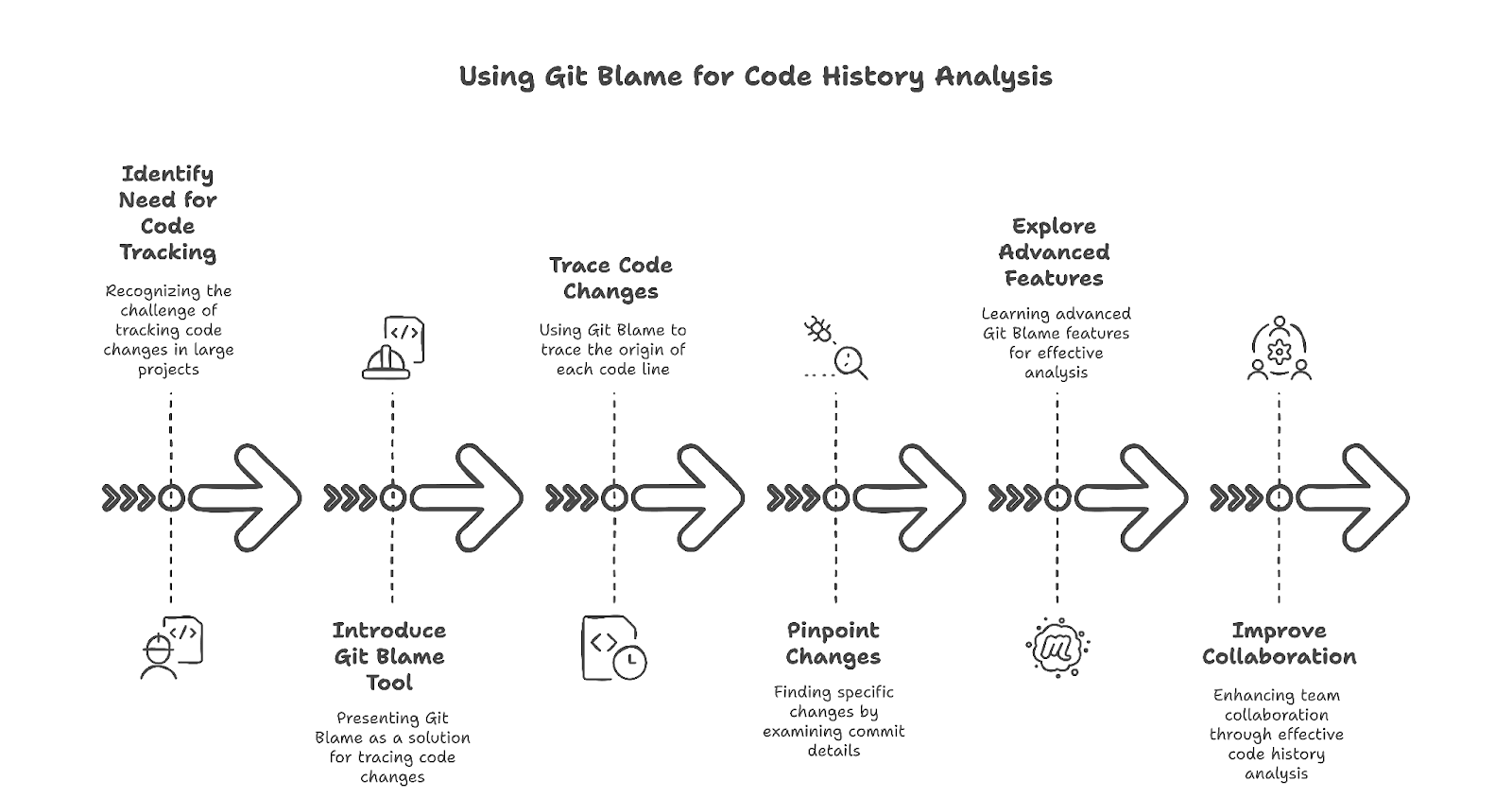
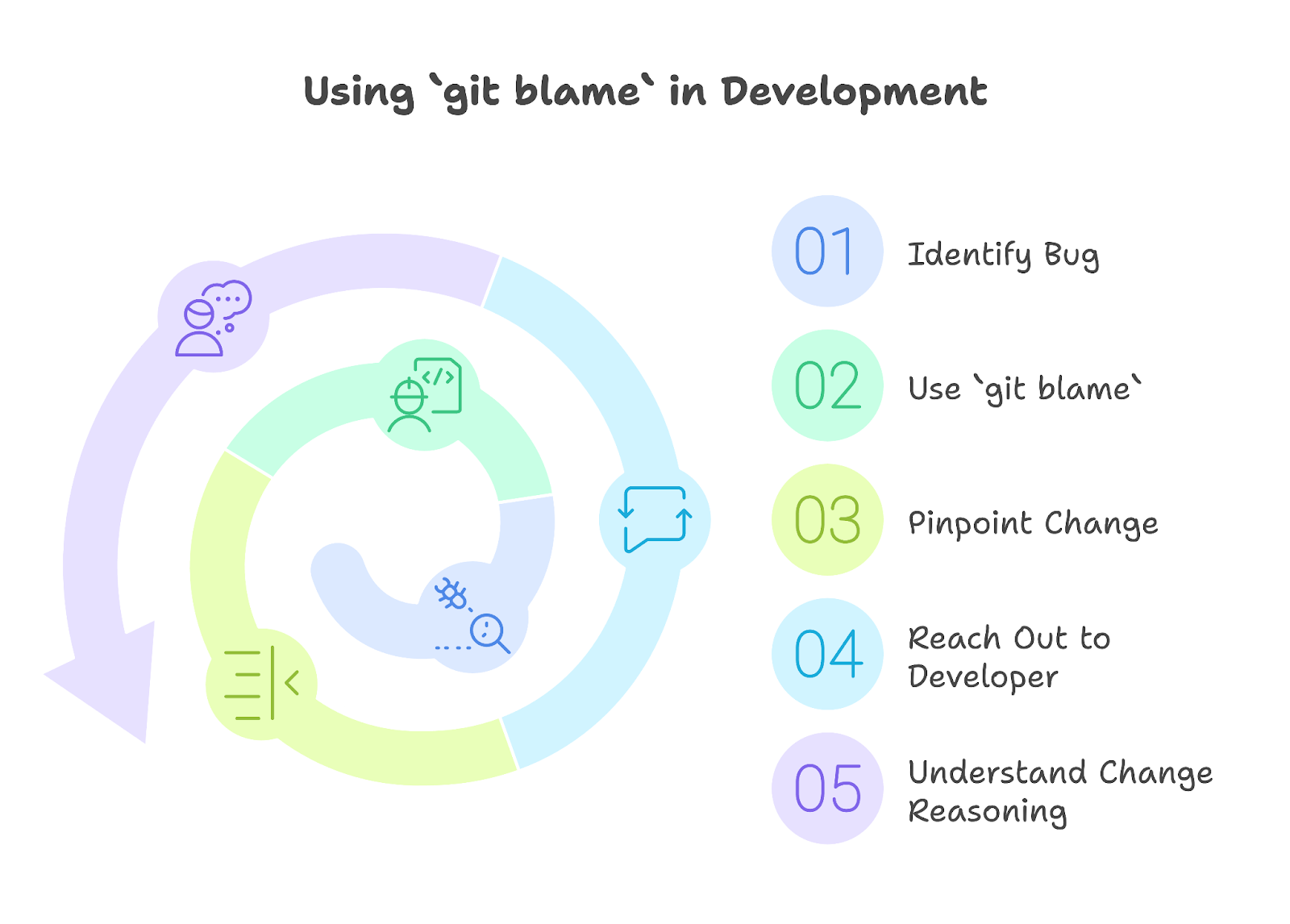
在团队协作或调试问题时,了解某行代码最后由谁编辑过会很有帮助。如果某次更新后出现了缺陷,git blame 能精确定位引入问题的那次变更。它也便于开发者在需要澄清具体问题时联系到合适的人。
该命令还可用于理解变更背后的原因。代码注释和提交信息有时并不能完整呈现思考过程。通过将变更追溯到特定提交,开发者可以回顾相关讨论并看到更大图景。
您可以在我们的Git 与 GitHub 教程中了解更多。该教程面向初学者,讲解 Git 版本控制的工作原理,并强调其在数据科学项目中的关键作用。
git blame 的基本语法为:
git blame <file>该命令会为每一行标注最后修改它的提交,包括作者、时间戳和提交哈希。示例如下:
$ git blame example.py
derrickmwiti@Derricks-MacBook-Pro remixer % git blame src/components/ContentGenerator.vue
^28203e0 (Derrick Mwiti 2025-03-10 17:48:31 +0300    1) <template>
^28203e0 (Derrick Mwiti 2025-03-10 17:48:31 +0300    2)   <div class="content-generator">
^28203e0 (Derrick Mwiti 2025-03-10 17:48:31 +0300    3)     <div class="card h-100 border-0 shadow-sm">
^28203e0 (Derrick Mwiti 2025-03-10 17:48:31 +0300    4)       <div class="card-header bg-white border-bottom-0 pt-4">
^28203e0 (Derrick Mwiti 2025-03-10 17:48:31 +0300    5)         <div class="d-flex justify-content-between align-items-center mb-3">
289030a0 (Derrick Mwiti 2025-03-11 12:47:11 +0300    6)           <div class="d-flex align-items-center gap-2">
289030a0 (Derrick Mwiti 2025-03-11 12:47:11 +0300    7)             <h5 class="mb-0">Content Generator</h5>
289030a0 (Derrick Mwiti 2025-03-11 12:47:11 +0300    8)             <span class="badge bg-secondary" v-if="openaiModel">{{ openaiModel }}</span>
289030a0 (Derrick Mwiti 2025-03-11 12:47:11 +0300    9)           </div>
^28203e0 (Derrick Mwiti 2025-03-10 17:48:31 +0300   10)         </div>
^28203e0 (Derrick Mwiti 2025-03-10 17:48:31 +0300   11)
^28203e0 (Derrick Mwiti 2025-03-10 17:48:31 +0300   12)
^28203e0 (Derrick Mwiti 2025-03-10 17:48:31 +0300   13)         <nav>
^28203e0 (Derrick Mwiti 2025-03-10 17:48:31 +0300   14)           <div class="nav nav-tabs card-header-tabs gap-1" id="nav-tab" role="tablist">
^28203e0 (Derrick Mwiti 2025-03-10 17:48:31 +0300   15)             <button
^28203e0 (Derrick Mwiti 2025-03-10 17:48:31 +0300   16)               v-for="platform in platforms"
^28203e0 (Derrick Mwiti 2025-03-10 17:48:31 +0300   17)               :key="platform"
^28203e0 (Derrick Mwiti 2025-03-10 17:48:31 +0300   18)               class="nav-link"
每一行包含:
^3b1aef2 和 ^8f2c4d3)既然已了解 git blame 的基本语法,让我们看看如何在日常开发场景中应用它。
如果文件很大且您只需查看某一部分,可指定行范围:
derrickmwiti@Derricks-MacBook-Pro remixer % git blame -L 10,20  src/components/ContentGenerator.vue
^28203e0 (Derrick Mwiti 2025-03-10 17:48:31 +0300 10)         </div>
^28203e0 (Derrick Mwiti 2025-03-10 17:48:31 +0300 11)
^28203e0 (Derrick Mwiti 2025-03-10 17:48:31 +0300 12)
^28203e0 (Derrick Mwiti 2025-03-10 17:48:31 +0300 13)         <nav>
^28203e0 (Derrick Mwiti 2025-03-10 17:48:31 +0300 14)           <div class="nav nav-tabs card-header-tabs gap-1" id="nav-tab" role="tablist">
^28203e0 (Derrick Mwiti 2025-03-10 17:48:31 +0300 15)             <button
^28203e0 (Derrick Mwiti 2025-03-10 17:48:31 +0300 16)               v-for="platform in platforms"
^28203e0 (Derrick Mwiti 2025-03-10 17:48:31 +0300 17)               :key="platform"
^28203e0 (Derrick Mwiti 2025-03-10 17:48:31 +0300 18)               class="nav-link"
^28203e0 (Derrick Mwiti 2025-03-10 17:48:31 +0300 19)               :class="{ active: activeTab === platform }"
^28203e0 (Derrick Mwiti 2025-03-10 17:48:31 +0300 20)               :id="nav-${platform}-tab"
这将聚焦第 10 至 20 行,便于定位相关变更。
虽然 git blame 会标出每行最后一次的变更,但并不说明该提交具体修改了什么。要查看更多详情,请使用 git show <commit-hash>:
derrickmwiti@Derricks-MacBook-Pro remixer % git show  28203e0
commit 28203e0f7cbe92c6baf6897a54686e87d16c9cda
Author: Derrick Mwiti <mwitiderrick@gmail.com>
Date:   Mon Mar 10 17:48:31 2025 +0300


diff --git a/.editorconfig b/.editorconfig
new file mode 100644
index 0000000..5a5809d
--- /dev/null
+++ b/.editorconfig
@@ -0,0 +1,9 @@
+[*.{js,jsx,mjs,cjs,ts,tsx,mts,cts,vue,css,scss,sass,less,styl}]
+charset = utf-8
+indent_size = 2
+indent_style = space
+insert_final_newline = true
+trim_trailing_whitespace = true
+
+end_of_line = lf
+max_line_length = 100
diff --git a/.env b/.env
:
将 <commit-hash> 替换为从 git blame 得到的实际提交 ID,可查看完整提交信息与代码差异,帮助理解变更背后的原因。
想要进一步探索,请查看我们的Git Diff 教程,从基础对比到高级技巧,学习如何高效地跟踪代码更改。
以下是一些在工作流中更深入利用 Git blame 的方式:
某些格式化修改(如修正缩进)并不影响逻辑。要过滤这些变更,请使用 git blame -w <file>:
derrickmwiti@Derricks-MacBook-Pro remixer % git blame -w src/components/ContentGenerator.vue
^28203e0 (Derrick Mwiti 2025-03-10 17:48:31 +0300    1) <template>
^28203e0 (Derrick Mwiti 2025-03-10 17:48:31 +0300    2)   <div class="content-generator">
^28203e0 (Derrick Mwiti 2025-03-10 17:48:31 +0300    3)     <div class="card h-100 border-0 shadow-sm">
^28203e0 (Derrick Mwiti 2025-03-10 17:48:31 +0300 4) <div class="card-header bg-white border-bottom-0如果某些提交(如大规模重排格式)使 blame 历史变得混乱,可使用 git blame --ignore-rev <commit-hash> <file> 将其忽略:
derrickmwiti@Derricks-MacBook-Pro remixer % git blame --ignore-rev 28203e0 src/components/ContentGenerator.vue
^28203e0 (Derrick Mwiti 2025-03-10 17:48:31 +0300    1) <template>
^28203e0 (Derrick Mwiti 2025-03-10 17:48:31 +0300    2)   <div class="content-generator">
^28203e0 (Derrick Mwiti 2025-03-10 17:48:31 +0300    3)     <div class="card h-100 border-0 shadow-sm">
^28203e0 (Derrick Mwiti 2025-03-10 17:48:31 +0300    4)       <div class="card-header bg-white border-bottom-0 pt-4">
^28203e0 (Derrick Mwiti 2025-03-10 17:48:31 +0300    5)         <div class="d-flex justify-content-between align-items-center mb-3">
289030a0 (Derrick Mwiti 2025-03-11 12:47:11 +0300    6)           <div class="d-flex align-items-center gap-2">
要持续忽略多个提交,您可以将它们列在一个文件中,并通过 --ignore-revs-file 选项引用。这样可将无关变更排除在 blame 历史之外,保持清晰。
在仓库根目录创建名为 .git-blame-ignore-revs 的文件。列出要忽略的提交哈希,并可选添加注释以便说明:
# Commit introducing code formatting changes
a926bba49c89a5b882cd298be3af2570b1e6252c
执行以下命令以忽略指定修订:
git blame --ignore-revs-file .git-blame-ignore-revs filename运行以下命令,指示 Git 默认使用该忽略文件:
git config blame.ignoreRevsFile .git-blame-ignore-revs要显示作者邮箱而不是姓名:
derrickmwiti@Derricks-MacBook-Pro remixer % git blame --show-email  src/components/PostsManager.vue
dbe547ec (<derrick@gmail.com> 2025-03-11 09:22:59 +0300   1) <template>
dbe547ec (<derrick@gmail.com> 2025-03-11 09:22:59 +0300   2)   <div class="posts-manager">
dbe547ec (<derrick@gmail.com> 2025-03-11 09:22:59 +0300   3)     <h3>Saved Posts</h3>
dbe547ec (<derrick@gmail.com> 2025-03-11 09:22:59 +0300   4)
dbe547ec (<derrick@gmail.com> 2025-03-11 09:22:59 +0300   5)     <div v-if="loading" class="text-center my-4">
dbe547ec (<derrick@gmail.com> 2025-03-11 09:22:59 +0300   6)       <div class="spinner-border text-primary" role="status">
这有助于联系负责特定变更的人员。
默认情况下,git blame 会显示短哈希。要查看完整哈希,请运行:
derrickmwiti@Derricks-MacBook-Pro remixer % git blame --abbrev=40 src/components/PostsManager.vue
dbe547ec4ece7cb2a1ff3dadb4770cc9ee9f161e (Derrick Mwiti 2025-03-11 09:22:59 +0300   1) <template>
dbe547ec4ece7cb2a1ff3dadb4770cc9ee9f161e (Derrick Mwiti 2025-03-11 09:22:59 +0300   2)   <div class="posts-manager">
dbe547ec4ece7cb2a1ff3dadb4770cc9ee9f161e (Derrick Mwiti 2025-03-11 09:22:59 +0300   3)     <h3>Saved Posts</h3>
dbe547ec4ece7cb2a1ff3dadb4770cc9ee9f161e (Derrick Mwiti 2025-03-11 09:22:59 +0300   4)
dbe547ec4ece7cb2a1ff3dadb4770cc9ee9f161e (Derrick Mwiti 2025-03-11 09:22:59 +0300   5)     <div v-if="loading" class="text-center my-4">
您可以使用 --abbrev=<n> 选项调整 Git blame 哈希的长度。
对于使用 Visual Studio Code 的开发者,Git Blame 扩展提供了对 git blame 的内置支持。
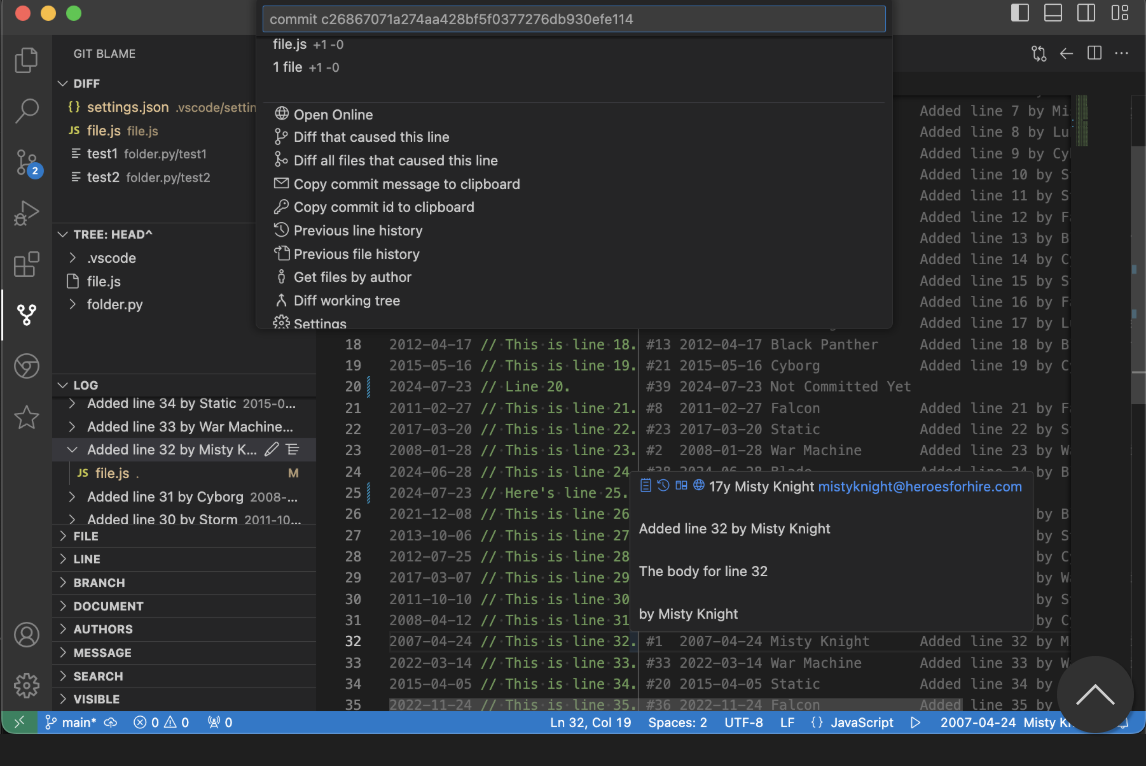
该扩展允许您:
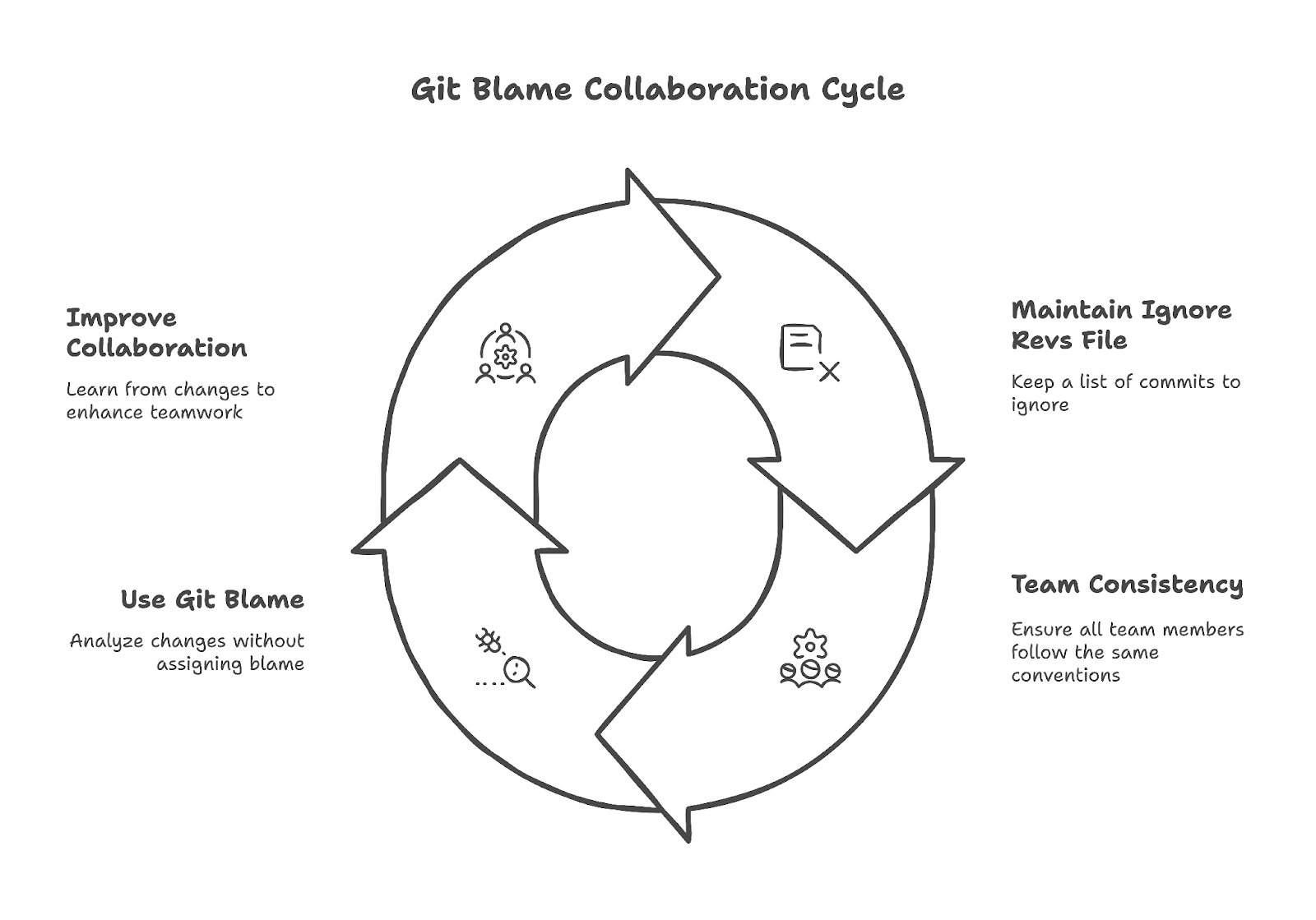
维护一个 .git-blame-ignore-revs 文件可确保格式化类提交不会干扰 blame 历史。在团队协作中,大家遵循相同的忽略约定会更有帮助。
使用 git blame 的目标应始终是理解变更背后的原因,而非“归罪”。它是一种用于学习和改进协作的工具,帮助开发者更高效地协同工作。
本文介绍了 git blame 如何帮助开发者跟踪代码变更。从基础用法到高级功能,我们探讨了该命令如何清晰呈现文件由谁在何时被修改。
您可以通过与其他 Git 工具(如 git show)集成,以及配置忽略修订来优化该命令。无论是调试问题、审阅变更,还是了解文件历史,git blame 都能提供有助于改进代码维护与协作的宝贵洞察。
掌握像 git blame 这样的工具,能让您自信地在代码库中探索,更高效合作,并保持更清晰的项目历史。它不仅关乎找出是谁改了某行,更重要的是为什么,并据此构建更好的软件。想要更深入了解 Git 生态,请查看我们的Git 全面课程,或继续学习我们的Git 进阶课程。