
Kurs
Yapay Zekayı Anlamak
2 sa
423.4K
An AI voice generator turns typed text into spoken audio using AI voice models. You type a script, choose a voice, and it generates the audio. People use these tools to narrate YouTube videos, record podcast intros, create e-learning lessons, listen to articles instead of reading them, or test voice features before building an app.
Some tools have a free plan that never expires. Others give you a small monthly credit, let you listen but not download, or only offer a short trial. And even if you can download the audio, you may not be allowed to use it commercially (like in a monetized YouTube video or a client project).
In this article, we compare the best free AI voice generators on two things: how natural the voices sound and what you actually get for free. That way, you can choose the one that fits your needs without hitting a paywall.
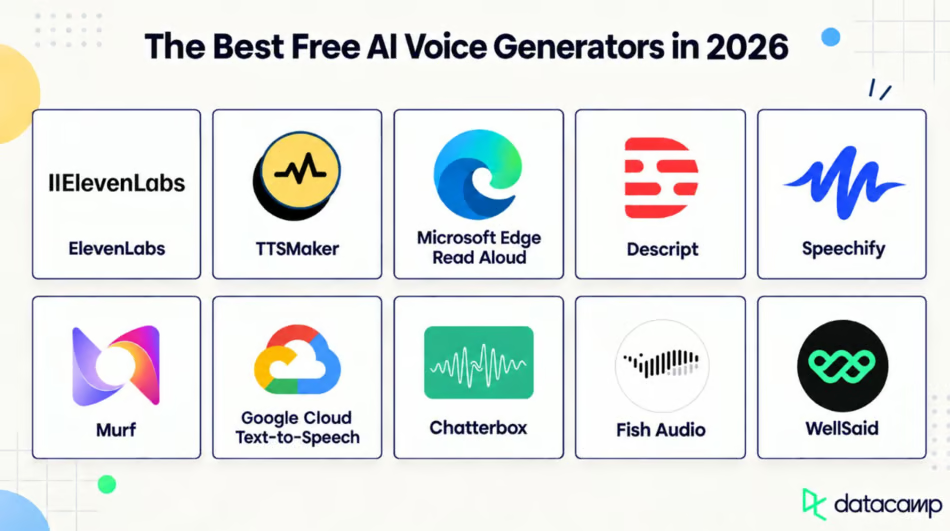
Here are 10 AI voice-generating tools side by side, covering what you get in their free plans.
|
Tool |
Best for |
Free allowance |
Download audio? |
Commercial use? |
|
ElevenLabs |
Realistic voices |
About 10 min/month (10,000 credits) |
Yes |
No (credit required when shared) |
|
TTSMaker |
Completely free use |
20,000 characters/week, plus unlimited 🔥 voices |
Yes |
Yes, no credit needed |
|
Edge Read Aloud |
Personal listening |
Unlimited |
No (listening only) |
Not applicable |
|
Descript |
Podcasts and video |
60 media min/month, 100 one-time AI credits |
Yes (unlimited) |
Check terms |
|
Speechify |
Reading text aloud |
Unlimited listening with 10 basic voices |
No (listening only) |
Not applicable |
|
Murf |
Voiceover workflows |
10 min total |
No (available in paid plan) |
No (available in paid plan) |
|
Google Cloud TTS |
Developers |
Up to 4M characters/month |
Yes, through the API |
Check terms |
|
Chatterbox |
Open source |
Unlimited (runs on your computer) |
Yes |
Yes (MIT license) |
|
Fish Audio |
Large voice library |
About 7 min/month (8,000 credits) |
Yes |
No (personal use only) |
|
WellSaid |
E-learning and training |
3 download minutes/month |
Yes (MP3) |
No |
Let’s explore the free AI voice generators in detail.
ElevenLabs is an AI voice platform that turns typed text into speech that sounds close to a real person. You type or paste the script, select a voice from the library, and it generates the audio for you. (On paid plans, you can also clone your own voice.)
ElevenLabs has the most human-sounding voices of any tool on this list. The voices pause, stress words, and change tone the way people do.
Its most expressive model, Eleven v3, reads audio tags like [whispers], [laughs], or [sarcastically] in your text and changes the delivery to match. For long narration, Multilingual v2 is the steadier choice. And if you're building a real-time app, Flash is a fast and affordable speech model.
What makes it different from most tools on this list is that it isn't just text-to-speech. It's a full set of voice tools, so you can use it to build:
The free plan gives you 10,000 credits a month (about 10 minutes of audio). You can use text-to-speech, speech-to-text, sound effects, voice design, and music, and create up to three projects in Studio.
Free audio comes with no commercial license, so you can't use it in anything that makes money (like a monetized YouTube video, a paid course, a client voiceover, or an ad). You can share it non-commercially, but you have to credit ElevenLabs when you do. You also don't get voice cloning on the free plan.
If you need either, the Starter plan ($6/month) adds a commercial license, instant voice cloning, and 30,000 credits a month.
Best for: Projects where voice quality is most important, and $6 a month for commercial rights isn't a dealbreaker.
TTSMaker is a free text-to-speech tool that converts typed text into audio you can play online or download. You paste text, choose a language and voice, and convert it. It has 600+ voices across 100+ languages, which is one of the largest selections on this list.
You can use it for:
The voices sound natural enough for narration and explainer videos. They have advanced voice editing such as voice emotions and speaking styles, but for most voiceovers, you won't notice the difference unless you compare them side by side.
TTSMaker gives full commercial rights on the free plan, and you don't have to credit TTSMaker when you publish. None of the other tools on this list give you that for free.
You also get:
The free plan gives you 20,000 characters a week. Some voices (marked with a 🔥 icon) don't count toward that limit, so you can use them as much as you want.
Each conversion has a character cap (1,000 characters with the default voice), so you have to split longer scripts into chunks and stitch the audio back together. That gets old fast if you're narrating an audiobook chapter.
You also have to fill in a CAPTCHA before each conversion, and during busy hours, you may wait a few minutes in a queue.
Best for: Short voiceovers for YouTube, TikTok, or ads where you need commercial rights without paying anything.
Microsoft Edge Read Aloud is a text-to-speech feature built into the Edge browser. It's not a voice generator in the usual sense. It reads text to you, but it doesn't create an audio file you can use somewhere else.
To use it, highlight some text, right-click, and select Read aloud selection. To hear the whole page, press Ctrl+Shift+U. It also works on PDFs you open in Edge.
Read Aloud uses Microsoft's neural voices (like Aria, Jenny, and Guy), so it sounds much closer to a real person than the robotic voices older browsers use. For listening to an article or a study guide, it's more than good enough.
It highlights each word as it reads, which helps if you're following along on screen. You can also change the voice, accent, and reading speed. And it works the same way in the Edge mobile app on iOS and Android.
Read Aloud comes with Edge, so there's no sign-up, plan, or credits to run out of.
There's no way to save what it reads. The audio plays live in the browser, and there's no export button or download. So if you need a voiceover file for a video or podcast, this isn't the tool.
It also needs an internet connection for most voices. Offline, you only get a few basic ones.
Best for: Listening to articles, PDFs, and study material hands-free, or reading support for accessibility.
Descript is a video and podcast editor with AI voices built in. You write a script in the editor, select a stock voice or clone your own, and it turns the text into a voiceover.
The difference from every other tool on this list is that you edit audio by editing text. Delete a word from the transcript, and it's gone from the recording. So if you've ever re-recorded an entire podcast segment because you said "Tuesday" instead of "Thursday," this is the tool that fixes that.
The voices vary their tone and rhythm as they talk, instead of pausing at commas and rising at question marks. For podcast intros and video narration, they sound natural. For long narration, I'd still go with ElevenLabs.
Some of its standout features include:
The free plan gives you 60 media minutes a month and 100 AI credits. You get the full editor, so you can try text-based editing and AI voices on a short project.
Those 100 AI credits are a one-time allowance, not monthly. Once you use them on voice generation, cloning, or other AI features, they're gone. Video exports are also capped at 720p with a Descript watermark (you get one watermark-free export a month).
If you need more, the Hobbyist plan costs $24/month ($16/month billed annually) and gives you 10 media hours and 400 AI credits a month.
Best for: Podcasters and video creators who want to write voiceovers and fix audio mistakes in the same place they edit.
Speechify is a text-to-speech reader. You open a PDF, article, or document, and it reads the text back to you. Like Edge Read Aloud, it's built for listening, not for making voiceover files.
This depends entirely on which plan you're on. The free voices sound noticeably robotic. But the premium voices sound natural, and they're the main reason people pay for Speechify.
Speechify goes beyond reading web pages:
However, all of these are premium features, which we'll get to next.
The free plan never expires and doesn't need a credit card. You get 10 basic voices and can listen at up to 1.5x speed.
The free plan is basically a demo of Premium. You're limited to 10 robotic voices, a 1.5x speed cap, and 5 files in your library. There's no page scanning, AI summaries, and offline listening.
Premium costs $29/month or $139/year. Be careful with the free trial, though. It turns into a paid annual subscription if you don't cancel before it ends.
And if you want a downloadable voiceover, premium won't help you either. That's a separate product, Speechify Studio, which starts at $19/month.
Best for: Students and professionals with a stack of PDFs and articles to get through, who don't mind paying for premium voices.
Murf is an AI voice generator built around a full voiceover editor. You write or paste a script, select a voice from its library of 200+, and adjust the pitch, speed, and emphasis before exporting.
The voices sound clear and professional, especially the English ones. They're built for narration (training videos and product explainers), so they sound quite polished. However, if you need a voice that laughs or whispers, ElevenLabs is the better option.
What sets Murf apart is the editor around the voice, not the voice itself:
You get 10 minutes of voice generation to test the voices and the editor. That's 10 minutes total, not per month.
Murf's free plan is the most limited on this list. You can't download anything you create, and there's no commercial license. So you can hear how your script sounds, but you can't use it anywhere.
To download audio with commercial rights, you need the Creator plan at $29/month ($19/month billed annually). Voice cloning is only available on the Enterprise plan.
Best for: Teams that make e-learning courses, presentations, or explainer videos regularly and want pronunciation controls and integrations built in.
Google Cloud Text-to-Speech is an API that turns text into audio. You call it from your code, so it's better for developers who want to add speech to an app, not for someone who wants to do a voiceover. (If that's you, you can skip to the next tool.)
It depends on which voice type you choose. The older Standard voices may sound robotic, but the newer Chirp 3, HD voices are much closer to human speech.
The range of models is what makes it worth the setup:
You can call the API with a client library in Python, Node.js, and other languages, or send requests directly.
Google gives you a free monthly allowance for each voice type, and it resets every month:
For context, 1 million characters is roughly 20 hours of audio. That's far more than any other tool on this list. New Google Cloud customers also get $300 in free credits.
Gemini-TTS and instant custom voices aren't included in the free allowance at all.
You have to enable billing to use it, even for the free allowance. And once you go over the free limit, Google charges you automatically. So set a budget alert before you start.
Setup also takes some work. You need to create a Google Cloud project, enable the API, and set up credentials before your first request.
Best for: Developers adding text-to-speech to an app or generating large amounts of audio through code.
Chatterbox is a family of open-source text-to-speech models from Resemble AI. You install it with one command pip install chatterbox-tts and run it on your computer. There's no account, API key, or usage limit.
You don't have to choose a model blindly, either. Here's the short version of what each model does:
For an open-source model, it's surprisingly close to the paid tools. Resemble AI published blind listening tests comparing Chatterbox-Turbo with ElevenLabs, but keep in mind the company ran the comparison on its own model.
So test it yourself with the free Hugging Face demo before you install anything.
Every model can clone a voice from a short reference clip, with no training step. And every clip Chatterbox generates includes an inaudible watermark, so the audio can be identified as AI-generated even after it's compressed or edited.
That’s quite important here because cloning is so easy. (We'll come back to responsible voice cloning later.)
Chatterbox is released under the MIT license, so it's free for personal and commercial use, with no credits, caps, or royalties.
The cost is setup, not money. You need Python and some comfort with the command line to install the package and run a short script. The repo does include a simple browser interface you can run locally, but you still have to get it running first. And for fast generation on the larger models, you'll want a GPU.
Best for: Developers and technical creators who want unlimited generation, commercial rights, and full control over their data.
Fish Audio is an AI voice generator for text-to-speech and voice cloning. Its main draw is a community library of over 2 million voices, uploaded by other users.
So if you need a very specific voice (an older British narrator, a gravelly movie-trailer voice, or a cheerful kids' show host), there's a good chance someone has already made it.
The voices sound expressive, especially when you use emotion tags. Quality varies across the community library, though. Some voices are excellent, and others are clearly quick uploads, so expect to listen to a few before you find a good one.
It has two unique features:
The free plan gives you 8,000 credits a month (about 7 minutes of audio). You get access to the public voice library and basic voice cloning, and standard generation speed.
The free plan is for personal, non-commercial use only. So, like ElevenLabs, you can't use it in a monetized video, a client project, or an ad. Each generation is also capped at 500 characters, so longer scripts need to be split up (the same problem as TTSMaker).
Even on paid plans, Fish Audio only allows commercial use of verified voices that you own. That means you can't just select a popular voice from the community library and use it in a client project. Many of those voices were uploaded by other people, and some imitate real voices.
If you need commercial rights for your own voice, the Plus plan costs $15/month and gives you 250,000 credits (about 200 minutes).
Best for: Trying lots of voices and emotional styles for personal projects, before deciding which tool to pay for.
WellSaid is an AI voice generator whose voices are built from recordings of real, consenting voice actors. You paste a script, choose a voice, and adjust the tone, pitch, and emotion before you download it.
Voice is WellSaid's main selling point. Because each voice comes from a real voice actor, it sounds like a professional narrator, and it stays consistent across a long script.
That makes it a good fit for training videos and e-learning, where a voice that changes mood mid-lesson would be distracting.
Some of WellSaid’s out-of-the-box features are:
The free plan gives you 10 minutes of voice generation and 3 minutes of downloaded audio a month, in MP3. It also doesn’t require a credit card.
Three minutes is enough for a short product demo or one training clip, but not much else. And those downloads come with no commercial rights, so you can't use them in client work or anything public-facing that makes money.
The free and individual paid plans only include English voices. Spanish, French, Japanese, and other languages are Enterprise-only.
If you need commercial rights, the Starter plan costs $19/month ($10/month billed annually) and gives you 20 downloadable minutes a month with unlimited generation.
Best for: English-language training videos, e-learning, and corporate voiceovers that need to sound like a professional narrator.
If you already know what you're making, this section is for you. Each tool choice links back to its full review above.
ElevenLabs picks up on emotion in your script and changes its delivery to match, so it sounds more like a real person than anything else on this list. Just remember that the free plan doesn't include commercial rights.
Chatterbox is free to use with no limits, since you run it on your own computer. You get unlimited generation, downloads, and full commercial rights under the MIT license. For listening only, Microsoft Edge Read Aloud is also completely free, with no sign-up.
TTSMaker offers one of the most generous free plans on this list which includes full commercial rights, unlimited audio downloads, no credit card, and no attribution needed.
Murf includes an editor for voiceover work, with a pronunciation library and integrations for Canva, PowerPoint, and Google Slides. You can test it for free, but you'll need a paid plan to download anything. If you need a free voiceover today, use TTSMaker.
WellSaid’s voices come from real voice actors, so they sound like a professional narrator and stay consistent across a long lesson. The free plan gives you 3 downloadable minutes a month, which is enough to test it on one module.
Descript’s voice generation is present inside a full podcast editor, so you can fix a flubbed line by typing instead of re-recording.
TTSMaker is the only hosted tool here that gives commercial rights for free so it’s perfect for monetized channels. Split longer scripts into chunks to get around the per-conversion limit.
Microsoft Edge Read Aloud is already on your computer; there's no sign-up, and its free voices sound better than Speechify's free ones.
Google Cloud Text-to-Speech provides up to 4 million free characters a month, depending on the voice type, which is the largest free allowance on this list by a wide margin.
Chatterbox runs on your computer under the MIT license, so there are no caps, credits, or commercial restrictions. But the only drawback is that you have to set it up yourself.
Every "free" plan looks generous until you check what it actually limits. These are the criteria we used to compare the tools above, and the ones worth checking before you commit to any of them.
Listen for how natural the voice sounds, including the pacing, the pronunciation, and how much emotion it carries. ElevenLabs and WellSaid sound closest to a real person. TTSMaker sounds clear but flatter, and Speechify's free voices sound robotic.
Always test with your own script, not the sample sentence on the homepage. Companies highlight those samples because they sound good. But your script, with its product names and awkward sentences, is the real test.
Every tool measures its limit differently: characters, credits, minutes, or a cap on each generation. So a big number doesn't always mean more audio. Here's how some of them compare in rough minutes of audio:
Before you choose a tool, work out how many finished minutes you need each month, then compare every plan on that number.
Some tools let you generate audio but never let you download it. Murf's free plan is the clearest example on this list. You can hear your voiceover, but there's no way to download it. Edge Read Aloud and Speechify don't export files at all, since they're built for listening.
And even when you can download, check the fine print. TTSMaker deletes your audio after 30 minutes, so save it right away.
Free to generate doesn't mean free to publish.
ElevenLabs, Murf, Fish Audio, and WellSaid all block commercial use on their free plans. That means no monetized YouTube videos, client projects, paid courses, or ads. ElevenLabs also requires you to credit them even when you share audio non-commercially. Only TTSMaker and Chatterbox on this list let you publish commercially for free.
If you're not sure, check the tool's pricing FAQ or terms of use for the words "commercial" and "attribution." It takes two minutes and saves you from taking down a video later.
Coverage ranges from English-only to 100+ languages. TTSMaker and ElevenLabs cover the most languages among the hosted tools. WellSaid is English-only unless you're on Enterprise.
If you need a specific accent or a less common language, check the voice list first. A tool that sounds great in English may sound noticeably worse in Urdu or Polish.
Cloning is almost always a paid feature. ElevenLabs starts it on the Starter plan, Murf only offers it on Enterprise, and Google's instant custom voice has no free tier.
However, there are two exceptions. Fish Audio includes basic cloning on its free plan, but only for personal use. And Chatterbox lets you clone for free, since you run it yourself.
Whichever tool you use, only clone a voice you have permission to use. We'll come back to that in the limitations section.
Pitch, speed, emphasis, and pronunciation controls are what separate a usable voiceover tool from a novelty. Even a great voice sounds wrong if it mispronounces your product name in every other sentence.
Murf and WellSaid have the most complete editors on this list. TTSMaker only offers presets on its free plan.
For most tools, paying doesn't change the voice as much as you'd expect. It only changes what you're allowed to do with it.
|
What changes |
Free plans |
Paid plans |
|
Commercial rights |
Usually blocked. ElevenLabs, Murf, Fish Audio, and WellSaid all restrict it. |
Unlocked on the cheapest paid tier for most tools |
|
Generation limits |
Small, like ElevenLabs' 10 minutes a month or Murf's 10 minutes total |
Much higher, and they renew every month |
|
Voice quality |
Often the same models as paid plans (ElevenLabs, WellSaid). Speechify is the exception, with robotic free voices. |
More voices to choose from, but not always better ones |
|
Voice cloning |
Mostly locked. Fish Audio offers basic cloning for personal use. |
Unlocked, usually starting on the first or second paid tier |
|
Editing tools |
Basic controls or presets |
Custom controls, caption files, and team pronunciation libraries |
|
Audio quality |
Standard quality, usually MP3 only |
Higher sample rates and formats like WAV on higher tiers |
|
API access |
Rarely included, except developer tools like Google Cloud |
Available, often billed separately from the subscription |
|
Priority generation |
You may wait in a queue (like TTSMaker at busy times) |
Faster processing, which helps at high volume |
If you're making content for yourself, a free plan might be all you ever need. The moment your audio goes into something that earns money, you'll need a paid plan for almost every tool on this list.
The other thing that pushes people to pay is volume, and it happens faster than you'd think. Suppose you post one 8-minute YouTube video a week. That's about 32 minutes of narration a month, which is three times ElevenLabs' free allowance and more than its $6 Starter plan covers, too. Add retakes (you'll rarely use the first generation), and you'll run out even sooner.
So start free, test your actual script on two or three tools, and only upgrade once you've hit the limit on the one you like.
A text-to-speech tool reads your text out loud, and that's its whole job. An AI voice generator does the same thing, but adds features that change how the voice sounds or whose voice it is:
|
Feature |
Text-to-speech tool |
AI voice generator |
Example on this list |
|
Expressive speech |
Reads clearly, with little emotion |
Changes delivery based on context, like sounding excited or sad |
ElevenLabs and Fish Audio |
|
Voice cloning |
Not included |
Creates a copy of a voice from a short sample |
ElevenLabs, Descript, and Chatterbox |
|
Style control |
Speed and pitch only |
Lets you direct tone with tags or plain-language instructions |
ElevenLabs and Google Cloud (Gemini-TTS) |
|
Dubbing |
Not included |
Translates speech into another language and re-voices it |
ElevenLabs and Descript |
|
Conversational voices |
Built for reading, not talking |
Respond in real time, like in a voice assistant |
ElevenLabs and Google Cloud |
Ask yourself what you are creating.
If it's just for you, like getting through articles, PDFs, or study notes, use Microsoft Edge Read Aloud and skip the rest of this section. (Speechify is worth it only if you'll pay for Premium.)
If you're making something to publish, work through these before you commit to a tool:
Once you've narrowed it down to two or three tools, run the same short script through each one. Include a few things that screw up AI voices, like a brand name, a number, and a question. Then listen to all of them back to back.
Five minutes of testing will tell you more than any demo, and it's a lot easier than finding out the voice doesn't fit after you've scripted twenty episodes.
Free AI voice generators have some limitations too:
ElevenLabs gives you about 10 minutes of audio a month. Once it's gone, you either wait for the reset or pay.
TTSMaker limits how much text you can convert at once (1,000 characters with the default voice), and Fish Audio caps each generation at 500 characters. So longer scripts have to be split into chunks.
This one depends on the tool. ElevenLabs and WellSaid give free users their best voice models, but Speechify's free plan only includes 10 robotic voices.
ElevenLabs, Murf, Fish Audio, and WellSaid don't allow commercial use on their free plans. ElevenLabs also asks you to credit them when you share free audio at all.
Murf's free plan lets you hear your voiceover but not export it. Edge Read Aloud and Speechify don't make files at all.
Descript adds a watermark to free video exports (you get one watermark-free export a month). Chatterbox adds an inaudible watermark to every clip, but you won't hear it. It's there so the audio can be identified as AI-generated.
Most tools lock cloning behind a paid plan. Fish Audio (personal use only) and Chatterbox are the exceptions.
Free users may end up waiting in a queue. TTSMaker, for example, can take a few minutes during busy hours.
Write a 100-word script you'd actually use, like your next video intro or a slide from your course. Include a brand name, a number, and a question, since these show the biggest differences between voices.
Then test it on three tools that match your project:
Listen to all three back to back and choose the one that sounds best.
Before you publish, search the tool's terms for "commercial" and "attribution" to confirm you can use the audio where you plan to.
Learn with DataCamp
Kurs
Kurs
Kurs
blog
Rajesh Kumar
15 dk.
blog
Brooke Webber
11 dk.
blog
Laiba Siddiqui
15 dk.
blog
Khalid Abdelaty
15 dk.
blog
Dr Ana Rojo-Echeburúa
9 dk.
blog
Austin Chia
11 dk.