

6. MIN
MIN() returns the minimum value in a numeric column. For text columns, MIN() returns the first value alphabetically. This example returns the movie with the lowest amount of revenue.
7. MAX
MAX() returns the maximum value in a numeric column. For text columns, MAX() returns the last value alphabetically. This example returns the movie with the maximum amount of revenue.
8. SUM
SUM() returns the total of numeric values. This example returns the total revenue of all the films listed in the films table.
9. AVERAGE
AVERAGE calculates the arithmetic mean of a column. This example returns the average revenue of all the films listed in the films table.
10. WHERE
The WHERE clause filters rows that match a certain condition. For example, below, we are filtering films that earned more than 500 million dollars
Other conditional operators can be used such as <, >, =>, <=, == (equals), != (not equals) for filtering.
11. HAVING
HAVING clause is similar to the WHERE clause, but it can only be used with aggregate functions while WHERE can’t. For example, in the below query, we are choosing all the movie genres that have at least 50 movies in their category:
SELECT movie_name, director, date, COUNT(genre)
FROM films
GROUP BY genre
HAVING COUNT(genre) >= 50;Here is another example that groups films by age rating and only choose the ratings with average revenue of over 100 million:
SELECT movie_name, director, date, revenue
FROM films
GROUP BY age_rating
HAVING AVERAGE(genre) >= 100;12. AND
AND operator is used when filtering rows that match more than one condition. In the below example, we will filter for English films that grossed more than 500 million dollars.
13. OR
OR is another conditional operator that allows you to subset rows if any of the conditions separated by OR are true. This example returns English films that earned less than 100 million dollars or French films that earned more than 500 million dollars.
SELECT *
FROM films
WHERE (revenue < 100000000 AND language == "English") OR
(revenue > 500000000 AND language == “French”);14. BETWEEN
BETWEEN allows you to subset rows within a certain range, which makes WHERE clauses simpler and easier to read. In the example above, we choose all the films released between 2020 and 2022.
15. IN
The IN operator is a shorthand for multiple OR statements. This example returns all films that were released in either of these years — 1998, 1966, 2001, and 2012.
16. LIKE
The LIKE operator lets you search for patterns in a text column using special strings called wildcards. Wildcards let you find text strings that fit a specific pattern. For example, using “A% W%” wildcard on the director column will find all directors with a first name starting with A and the last name beginning with W.
17. GROUP BY
GROUP BY lets you group rows based on column values. GROUP BY is usually used with aggregate functions like COUNT, MIN, MAX, AVERAGE, and more. In the example below, we find the average revenue of each movie genre.
We could have used MIN, MAX, or COUNT(revenue) to find the lowest earning, highest earning, or the number of movies in each genre. Note that the GROUP BY statement practically does not affect the query if it isn’t used with an aggregate function.
18. ORDER BY
ORDER BY lets you order rows based on a column value. You can order by ascending (default) or descending order by adding the ASC or DESC. This example orders revenue by ascending order.
19. UPDATE
UPDATE is used to change the values of individual cells in an existing table. It is used with the SET keyword. This example updates the director “J. Whedon”, to “Joss Whedon”.
The WHERE clause is crucial when writing UPDATE statements. Without it, the above query would have made all films directed by Joss Whedon.
20. ALTER TABLE
You can use the ALTER TABLE statement to modify the properties of the table and its columns (not actual cell values). For example, changing column names, adding new columns, dropping them, or changing their data type. The examples below showcase dropping the date column and adding the age_rating column.
21. CREATE TABLE
CREATE TABLE creates a new table in a database. Below, we are creating a “libraries” table with four columns —an integer column called id, a character column called name, a character column called version, and an integer column called num_downloads.
22. INSERT INTO
INSERT INTO statement can be used to add new rows to a table. In this example, we add the movie “Doctor Strange” to the films table.
INSERT INTO films (movie_name, director, revenue, date, genre, language)
VALUES ("Doctor Strange 2", “Sam Raimi”, 409000000, 2022, “Action”, “English”)23. INNER JOIN
The INNER JOIN command selects rows that have matching values in both tables. For example, in the query below, we are the films and soundtracks tables on a common date column which returns films and soundtracks that were released in the same years.
24. LEFT JOIN
A LEFT JOIN keeps all of the original records in the left table and returns missing values for any columns from the right table where the joining field did not find a match.
25. RIGHT JOIN
A RIGHT JOIN keeps all of the original records in the right table and returns missing values for any columns from the left table where the joining field did not find a match.
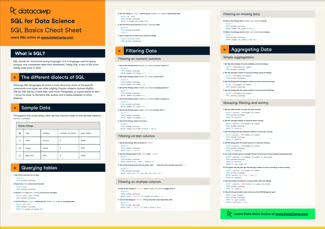
SQL Commands Cheat Sheet
To learn more about SQL, make sure to check out the following resources:





What is SQL?
SQL, also known as Structured Query Language, is a powerful tool for searching through large amounts of data in databases and returning specific information for analysis. Learning SQL is table stakes for anyone looking to break into data, whether it is for business analyst roles, data analyst roles, data scientists, or data engineers.
In this tutorial, you will learn about 25 of the most common SQL commands that will be enough for most of your database-related tasks.
SQL Commands with Examples
Example table
Throughout this tutorial, we will use the
filmsand soundtracks tables.films
movie_name
director
revenue
date
genre
language
Avengers: Age of Ultron
J. Whedon
1400000000
2015
Action
English
Amelie
Jean-Pierre Jeunet
174000000
2002
Drama
French
soundtracks
soundtrack
composer
date
Inception: Music from the Motion Picture
Hans Zimmer
2010
Le Fabuleux Destin D’Amelie Poulain
Yann Tiersen
2001
1. SELECTThe
SELECTstatement is used to specify which columns of a database table should be included in the result.This example selects only the columns
movie_nameanddirector; other columns are not returned.For selecting all the columns from a table, you can run
SELECT *(pronounced "star"). This example selects all the columns from thefilmstable.2. LIMITLimiting the number of rows returned from a table is a useful trick for speeding query time. To limit the number of rows, you can use the
LIMITcommand. This example selects all columns from thefilmstable and then limits the results to the first ten rows.3. ASTo rename a column or a table when returning results, you can use the
AScommand to set an alias for your outputs. This example selects themovie_namecolumn and gives it themovie_titlealias.4. SELECT DISTINCTDatasets often contain duplicate rows or values in a column. Combining
SELECTwithDISTINCTdrops duplicates. This example returns the unique values in thedirectorcolumn.5. COUNTCOUNT()returns the number of rows in the table or group. This example returns the number of rows in thefilmstable, then renames the result asnumber_of_films.