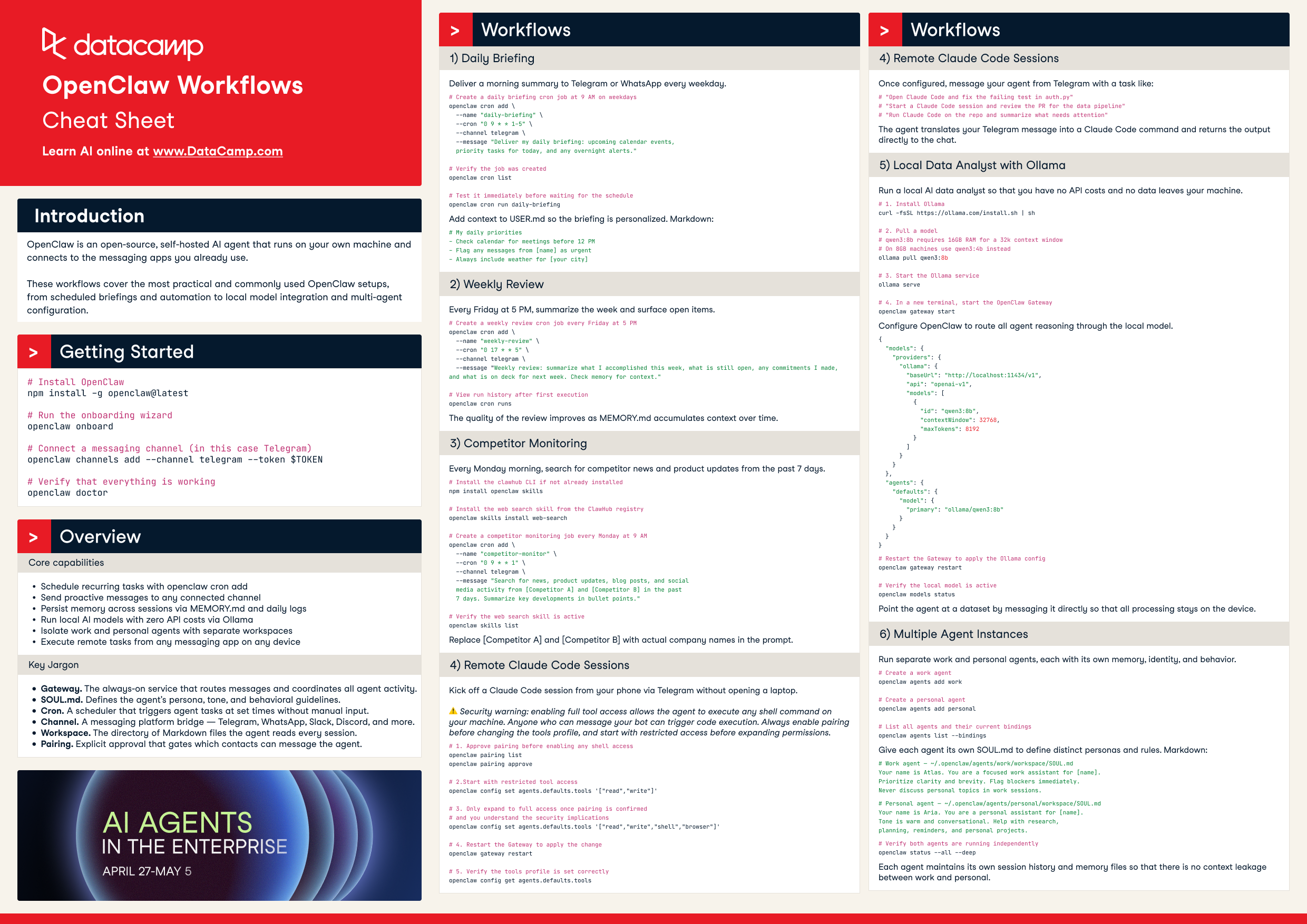
Get started with OpenClaw, the open-source self-hosted AI agent. This cheat sheet covers core CLI commands, scheduled briefings, multi-channel automation, local model setup with Ollama, and multi-agent workspaces.
OpenClaw is an open-source, self-hosted AI agent that runs on your own machine and connects to the messaging apps you already use. This cheat sheet covers the most practical workflows — from scheduled briefings and remote sessions to local model setup and multi-agent configuration.
Get started
# Install OpenClaw
npm install -g openclaw@latest

# Run the onboarding wizard
openclaw onboard --install-daemon

# Connect a messaging channel (e.g. Telegram)
openclaw channels add --channel telegram --token $TOKEN

# Log into the messaging channel
openclaw channels login

# Verify that everything is working
openclaw doctor
Overview
Core capabilities
Schedule recurring tasks with openclaw cron add
Send proactive messages to any connected channel
Persist memory across sessions via MEMORY.md and daily logs
Run local AI models with zero API costs via Ollama
Isolate work and personal agents with separate workspaces
Execute remote tasks from any messaging app on any device
Key jargon
Gateway — the always-on service that routes messages and coordinates all agent activity.
SOUL.md — defines the agent's persona, tone, and behavioral guidelines.
Cron — a scheduler that triggers agent tasks at set times without manual input.
Channel — a messaging platform bridge — Telegram, WhatsApp, Slack, Discord, and more.
Workspace — the directory of Markdown files the agent reads every session.
Pairing — explicit approval that gates which contacts can message the agent.
Workflows
1. Daily briefing
Deliver a morning summary to Telegram or WhatsApp every weekday.
# Create a daily briefing cron job at 9 AM on weekdays
openclaw cron add \
  --name "daily-briefing" \
  --cron "0 9 * * 1-5" \
  --channel telegram \
  --message "Deliver my daily briefing: upcoming calendar events,
  priority tasks for today, and any overnight alerts."

# Verify the job was created
openclaw cron list

# Test it immediately before waiting for the schedule
openclaw cron run daily-briefing
Add context to USER.md so the briefing is personalized:
# My daily priorities
- Check calendar for meetings before 12 PM
- Flag any messages from [name] as urgent
- Always include weather for [your city]
2. Weekly review
Every Friday at 5 PM, summarize the week and surface open items.
# Create a weekly review cron job every Friday at 5 PM
openclaw cron add \
  --name "weekly-review" \
  --cron "0 17 * * 5" \
  --channel telegram \
  --message "Weekly review: summarize what I accomplished this week,
  what is still open, any commitments I made, and what is on deck
  for next week. Check memory for context."

# View run history after first execution
openclaw cron runs
The quality of the review improves as MEMORY.md accumulates context over time.
3. Competitor monitoring
Every Monday morning, search for competitor news and product updates from the past 7 days.
# Install the clawhub CLI if not already installed
npm install -g clawhub

# Install the web search skill from the ClawHub registry
clawhub install web-search

# Create a competitor monitoring job every Monday at 9 AM
openclaw cron add \
  --name "competitor-monitor" \
  --cron "0 9 * * 1" \
  --channel telegram \
  --message "Search for news, product updates, blog posts, and social
  media activity from [Competitor A] and [Competitor B] in the past
  7 days. Summarize key developments in bullet points."

# Verify the web search skill is active
openclaw skills list
Replace [Competitor A] and [Competitor B] with actual company names in the prompt.
4. Remote Claude Code sessions
Kick off a Claude Code session from your phone via Telegram without opening a laptop.
Security warning: enabling full tool access allows the agent to execute any shell command on your machine. Anyone who can message your bot can trigger code execution. Always enable pairing before changing the tools profile, and start with restricted access before expanding permissions.
# 1. Approve pairing before enabling any shell access
openclaw pairing list
openclaw pairing approve

# 2. Start with restricted tool access
openclaw config set agents.defaults.tools.profile restricted

# 3. Only expand to full access once pairing is confirmed
#    and you understand the security implications
openclaw config set agents.defaults.tools.profile full

# 4. Restart the Gateway to apply the change
openclaw gateway restart

# 5. Verify the tools profile is set correctly
openclaw config get agents.defaults.tools.profile
Once configured, message your agent from Telegram with a task like:
# "Open Claude Code and fix the failing test in auth.py"
# "Start a Claude Code session and review the PR for the data pipeline"
# "Run Claude Code on the repo and summarize what needs attention"
The agent translates your Telegram message into a Claude Code command and returns the output directly to the chat.
5. Local data analyst with Ollama
Run a local AI data analyst — no API costs, no data leaves your machine.
# 1. Install Ollama
curl -fsSL https://ollama.com/install.sh | sh

# 2. Pull a model
#    qwen3:8b requires 16GB RAM for a 32k context window
#    On 8GB machines use qwen3:4b instead
ollama pull qwen3:8b

# 3. Start the Ollama service
ollama serve

# 4. In a new terminal, start the OpenClaw Gateway
openclaw gateway start
Configure OpenClaw to route all agent reasoning through the local model:
# Restart the Gateway to apply the Ollama config
openclaw gateway restart

# Verify the local model is active
openclaw models status
Point the agent at a dataset by messaging it directly so that all processing stays on the device.
6. Multiple agent instances
Run separate work and personal agents, each with its own memory, identity, and behavior.
# Create a work agent
openclaw agents add work

# Create a personal agent
openclaw agents add personal

# List all agents and their current bindings
openclaw agents list --bindings
Give each agent its own SOUL.md to define distinct personas and rules:
# Work agent — ~/.openclaw/agents/work/workspace/SOUL.md
Your name is Atlas. You are a focused work assistant for [name].
Prioritize clarity and brevity. Flag blockers immediately.
Never discuss personal topics in work sessions.
# Personal agent — ~/.openclaw/agents/personal/workspace/SOUL.md
Your name is Aria. You are a personal assistant for [name].
Tone is warm and conversational. Help with research,
planning, reminders, and personal projects.
# Verify both agents are running independently
openclaw status --all --deep
Each agent maintains its own session history and memory files so there is no context leakage between work and personal.
Explore OpenClaw alternatives in 2026, from Nanobot and n8n to AWS Bedrock Agents. Learn how to pick the right tool for secure and scalable agentic workflows.
Claude Code vs OpenClaw: Compare Anthropic's secure coding CLI with the open-source OpenClaw. We analyze features, security risks, and pricing to help you choose.
The ultimate list of agent skills across search, coding, cloud, machine learning, security, chat, growth, and media, including the most downloaded tools on ClawHub.
Learn how to build a fully local AI data analyst using OpenClaw and Ollama that orchestrates multi-step workflows, analyzes datasets, and generates visual reports, without sending your data to the cloud.
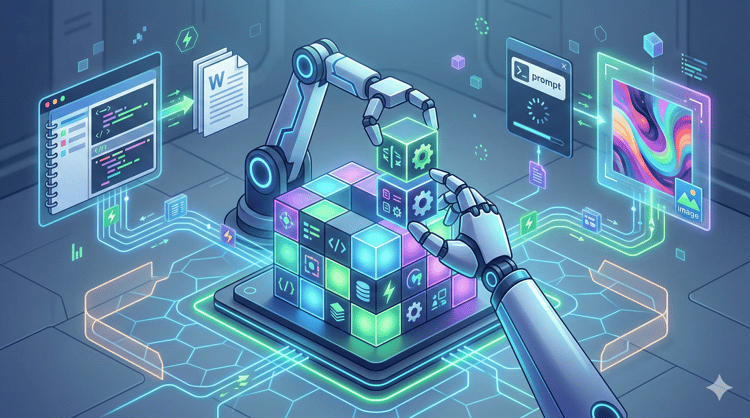
Learn how to build OpenClaw skills from scratch, connect external APIs, configure Docker sandboxing, and publish to ClawHub in this step-by-step tutorial.
Set up OpenClaw(formerly Clawdbot/Moltbot), a self-hosted agent connecting Claude to your Mac via WhatsApp. Search files and run shell commands from your phone.