Writing reports is one of the most time-consuming tasks for knowledge workers and data analysts. When the stakes are high, the quality of the content matters. AI tools like Microsoft Copilot can help you write faster and more clearly in Microsoft Word. But knowing how to use them well, and how to check their output, is a skill worth learning.
In this code-along webinar, Rachel Irabor, Techno-functional Consultant and Microsoft MVP, will show you how to use Microsoft Copilot to draft, refine, and improve reports in Microsoft Word. You will explore AI-assisted reporting workflows and learn prompting techniques that get better results. Rachel will also show you how to check the quality of AI output, so you can trust what you produce.
Key Takeaways
Learn how to use Microsoft Copilot in Word to draft and refine reports faster and more effectively.
Understand AI-assisted reporting workflows and how to check the quality of Copilot output.
Get hands-on with prompting techniques that improve the accuracy and clarity of AI-generated content.
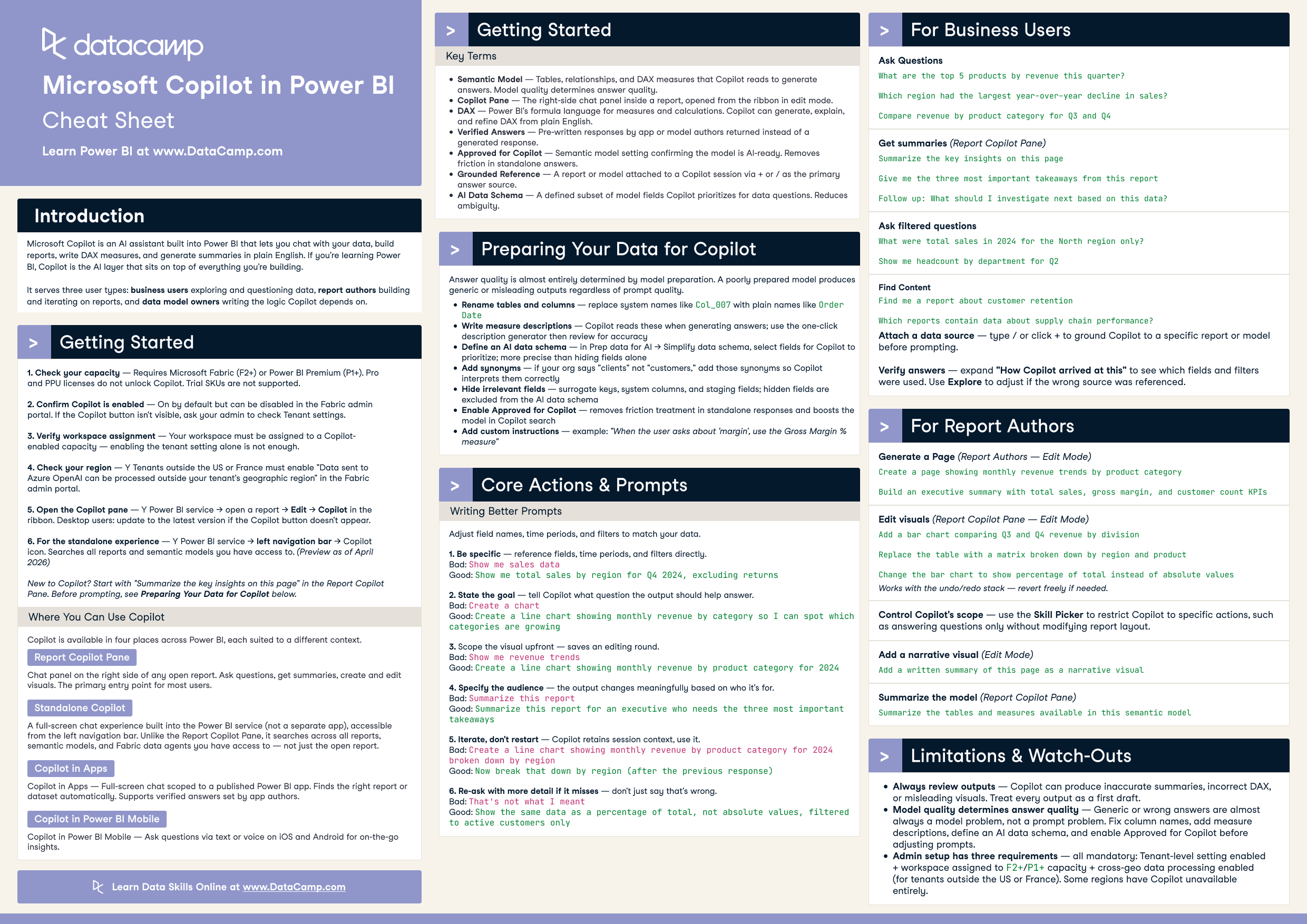
Use Microsoft Copilot in Power BI to chat with your data, build reports, write DAX, and generate summaries. This cheat sheet covers setup, the four places Copilot appears, model preparation, prompting principles, and core actions for business users, report authors, and data model owners.
Learn how to build and deploy powerful AI agents in Microsoft Copilot Studio. Answer questions using RAG, SharePoint integration, LLM reasoning, and tool calls.
Session Resources
Writing reports is one of the most time-consuming tasks for knowledge workers and data analysts. When the stakes are high, the quality of the content matters. AI tools like Microsoft Copilot can help you write faster and more clearly in Microsoft Word. But knowing how to use them well, and how to check their output, is a skill worth learning.
In this code-along webinar, Rachel Irabor, Techno-functional Consultant and Microsoft MVP, will show you how to use Microsoft Copilot to draft, refine, and improve reports in Microsoft Word. You will explore AI-assisted reporting workflows and learn prompting techniques that get better results. Rachel will also show you how to check the quality of AI output, so you can trust what you produce.
Key Takeaways