Programa
Fundamentos de agentes de IA
6 h
Los grandes nombres de la IA aseguran que hemos entrado en la era de la programación agentic. Como resultado, han surgido multitud de herramientas, de pago y gratuitas, que intentan hacerse hueco en este mercado. OpenClaw y Claude Code son dos aspirantes claros. Una es totalmente gratuita y la otra está tras un muro de pago.
En este artículo, voy a explorar las diferencias clave entre OpenClaw y Claude Code para ayudarte a decidir la mejor opción para tu día a día. Veré sus capacidades, desde la automatización cotidiana hasta flujos de trabajo complejos. También comentaré las preocupaciones de seguridad que rodean a OpenClaw y cómo abordarlas en tus automatizaciones.
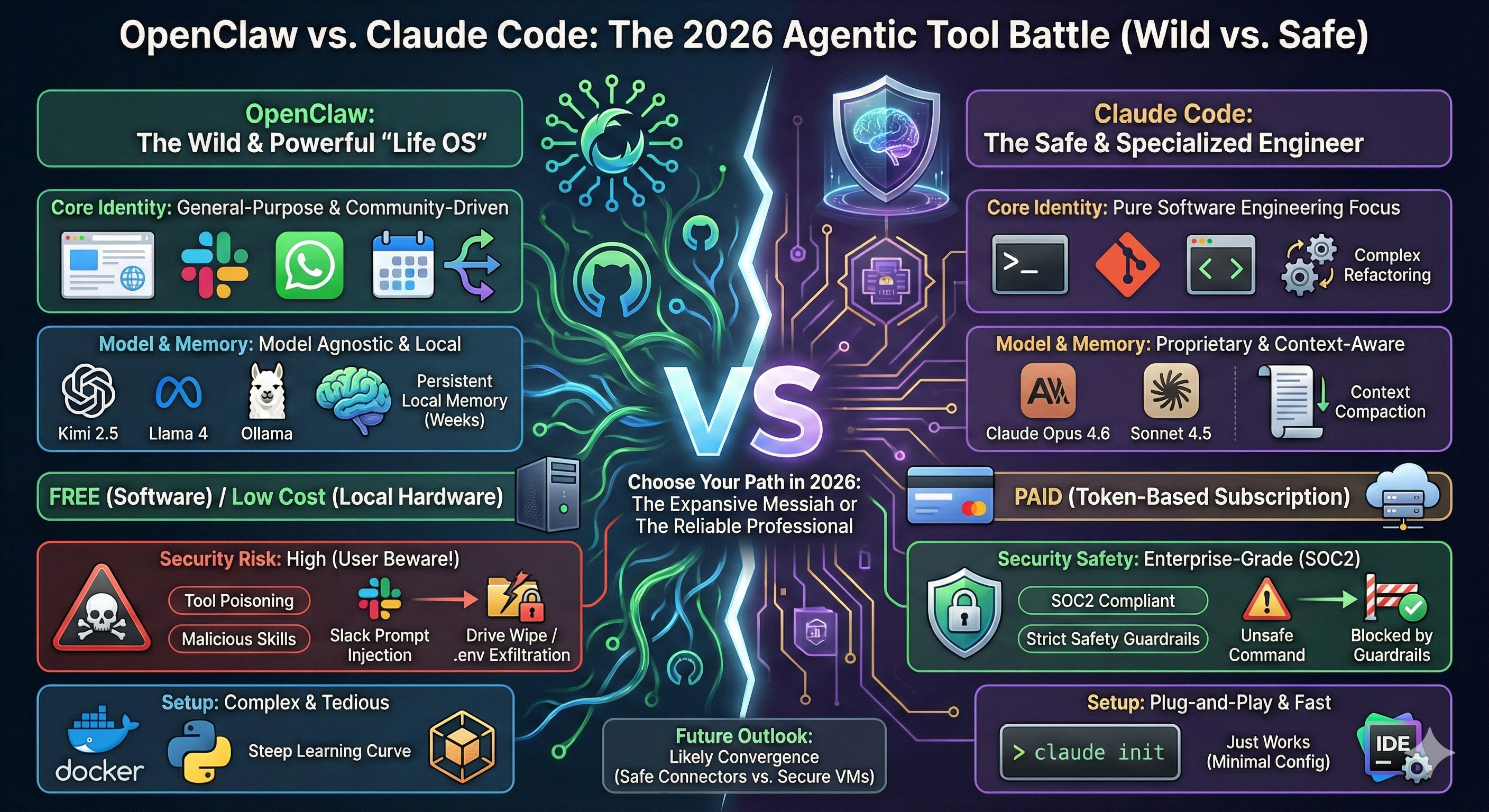
Como explicamos en nuestra guía, Claude Code es la interfaz de línea de comandos (CLI) de Anthropic, diseñada para vivir en tu terminal y actuar como tu programador en pareja. Es capaz de entender la estructura de tus archivos, las dependencias y el historial de git.
Claude Code funciona con Claude Opus 4.6, el modelo de razonamiento de referencia actual. También puedes usar el más rápido y eficiente Claude Sonnet 4.6.
Claude Code utiliza un bucle agentic propietario que le permite iterar código, ejecutar compiladores y corregir sus propios errores sin intervención humana.
Consulta nuestra guía práctica de Claude Code para aprender a configurar e instalar Claude Code en tu ordenador.
Veamos las funciones y capacidades esenciales de Claude Code.
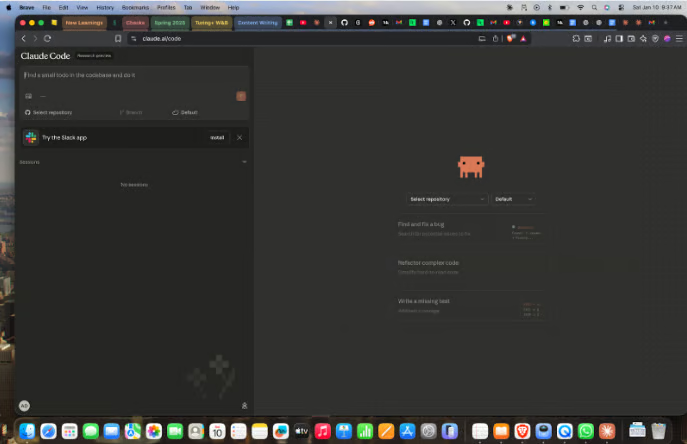
Las tareas agentic que se ejecutan durante mucho tiempo tienden a superar los límites de contexto del modelo. Claude Code utiliza compactación automática de contexto para comprimir el historial de la conversación cuando el uso de tokens supera un umbral, lo que permite seguir ejecutando la tarea cuando alcanzas el límite de contexto.
Lo hace monitorizando el uso de tokens e inyectando un prompt-resumen cuando se supera el umbral. A continuación, borra el historial de la conversación y continúa la tarea con el contexto comprimido.
Además, Claude Code es nativo de terminal. Vive en el terminal y ejecuta comandos de shell, lanza tests y gestiona tu flujo de trabajo con git directamente. Esto significa que puedes gestionar todo tu proyecto desde la línea de comandos y así:
Claude Code incorpora pensamiento extendido, lo que le permite parar y trazar un plan para resolver problemas complejos. En lugar de ponerse a escribir código sin más, crea un plan de implementación paso a paso y lo contrasta con el código existente antes de escribir una sola línea. Esto hace que la herramienta sea precisa y rápida, incluso ante retos complicados.
Aprende a usar Claude Code de Anthropic para mejorar flujos de desarrollo de software con un ejemplo práctico usando la librería de Python de Supabase en nuestra guía de Claude Code con ejemplos prácticos.
Antes de decidirte por cualquier herramienta agentic, conviene entender sus pros y contras. Claude Code presume de funcionar "nada más sacarlo de la caja" con una configuración mínima. Se integra a la perfección en tu terminal o en tu IDE.
Claude Code ofrece seguridad de nivel Enterprise. El manejo de datos cumple con SOC2, lo que significa que los datos permanecen seguros dentro de los entornos de Anthropic.
También reduce las alucinaciones: Claude Opus 4.6 rara vez inventa librerías que no existen.
A pesar de estas ventajas, Claude Code no es gratuito. Requiere una suscripción y, si haces un uso intensivo, los modelos más avanzados como Opus 4.6 pueden resultar caros rápidamente.
Claude Code tampoco es open source, por lo que no puedes modificarlo ni optar por usar un modelo distinto a los que proporciona Anthropic.
Al ser una herramienta empresarial, Claude Code incorpora cortafuegos de seguridad estrictos, lo que significa que puede negarse a ejecutar comandos que considere inseguros. Esto puede bloquear flujos de trabajo para usuarios avanzados, especialmente los que implican comandos del sistema.
Como cubrimos en nuestra guía, OpenClaw es un asistente de IA personal de código abierto que se ejecuta en tu dispositivo. Puedes correrlo en tu ordenador local o alojarlo en línea. No es solo una herramienta de programación; es un "sistema operativo para tu vida" que se conecta con WhatsApp, Slack y tu sistema de archivos local.
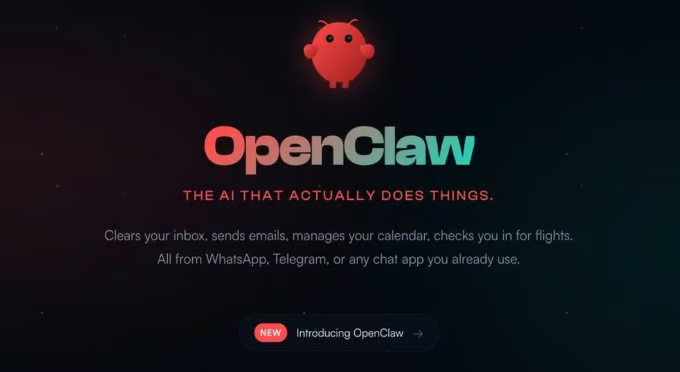
A diferencia de Claude Code, que está ligado al ecosistema de Anthropic, OpenClaw es agnóstico al modelo. Aunque puedes ejecutarlo con las API de Anthropic y OpenAI, su enorme popularidad viene de poder usarlo con el modelo Kimi 2.5 de código abierto, que compite en razonamiento con modelos cerrados a una fracción del coste. Esto significa que puedes ejecutar OpenClaw con una pila totalmente local.
Además de ser open source, hay otras características que diferencian a OpenClaw de Claude Code.
Para empezar, OpenClaw tiene memoria persistente, a diferencia de Claude Code, que reinicia la memoria entre sesiones. OpenClaw usa memoria local, por lo que puede recordar durante semanas.
En segundo lugar, la comunidad de OpenClaw ha creado Skills que le permiten navegar por la web, gestionar calendarios y controlar apps de terceros. No es solo para programar; se integra con numerosas plataformas como WhatsApp, como mostramos en nuestro tutorial de OpenClaw (Clawdbot).
En tercer lugar, OpenClaw es completamente gratuito. No pagas nada por el software; eso sí, tendrás que pagar por las API que conectes. Para no pagar nada, puedes ejecutar modelos locales como Llama 4 o Kimi 2.5 vía Ollama. En el tutorial de OpenClaw con Ollama te contamos cómo hacerlo, y puedes leer sobre algunos proyectos con OpenClaw en los que puedes trabajar.
A pesar de ser totalmente gratuito, OpenClaw ha generado mucha controversia en línea, especialmente por temas de seguridad.
Incluso firmas de seguridad punteras como CrowdStrike y Bitdefender han alertado sobre envenenamiento de herramientas y skills maliciosas. Como las skills las sube la comunidad, algunos actores maliciosos han empezado a incluir scripts de exfiltración de datos dentro de ellas.
Dar a OpenClaw acceso a tu terminal y privilegios de root en tu sistema operativo, además de conectarlo a apps de mensajería, crea un caldo de cultivo para ataques masivos.
Por ejemplo, una inyección de prompts vía Slack podría, en teoría, ordenar a OpenClaw que borre todo tu disco duro o que envíe todos los secretos de tu archivo .env a un servidor remoto.
Ayuda a que tu agente de IA sea más social uniéndote a Moltbook con esta guía visual paso a paso para configurar Moltbook, verificarlo y publicar con seguridad.
Ahora que has visto los pros y contras de OpenClaw y Claude Code, comparemos para determinar cuál encaja mejor con tus casos de uso.
Sin duda, Claude Code es el claro ganador en refactorización compleja. La capacidad de razonamiento de Opus 4.6, unida a la compactación de contexto, hace que la probabilidad de que Claude Code rompa tu código sea muy baja.
OpenClaw también es bastante capaz, sobre todo si lo combinas con modelos punteros, pero a menudo carece de los bucles estrictos de autocorrección disponibles en Claude Code.
Aunque Claude Code gana en programación, OpenClaw se impone en la automatización cotidiana gracias a su integración con multitud de herramientas y plataformas.
OpenClaw puede interactuar con el correo y enviarte recordatorios, mientras que Claude Code es, principalmente, una herramienta de desarrollo.
OpenClaw es totalmente gratuito si tienes el hardware para ejecutar modelos locales. Claude Code es un producto premium que requiere una suscripción de Anthropic.
OpenClaw es más accesible que Claude Code, ya que puedes ejecutarlo con modelos de código abierto.
Claude Code requiere unos pocos comandos de configuración, por lo que puedes tenerlo funcionando en minutos. En cambio, OpenClaw es más complejo de configurar: necesita Docker, entornos de Python y un sandboxing cuidadoso si quieres ejecutarlo con seguridad. Aquí gana Claude Code.
|
Función |
Claude Code |
OpenClaw |
|
Enfoque principal |
Ingeniería de software pura |
Propósito general / Life OS |
|
Modelo |
Claude Opus 4.6 / Sonnet 4.5 |
Agnóstico (Kimi K2.5, Llama, GPT) |
|
Conectividad |
Terminal, Git, archivos locales |
Terminal, web, WhatsApp, Slack, email |
|
Memoria |
Por sesión (compactación de contexto) |
Persistente a largo plazo (Markdown/YAML) |
|
Seguridad |
Seguridad Enterprise (SOC2) |
Alto riesgo (el usuario se encarga del sandboxing) |
|
Coste |
Alto (por tokens) |
Gratis (software) / Bajo (modelos locales) |
|
Facilidad de uso |
Listo para usar |
Curva de aprendizaje pronunciada |
Para cerrar, respondamos a la pregunta clave: ¿cuál de las dos deberías elegir?
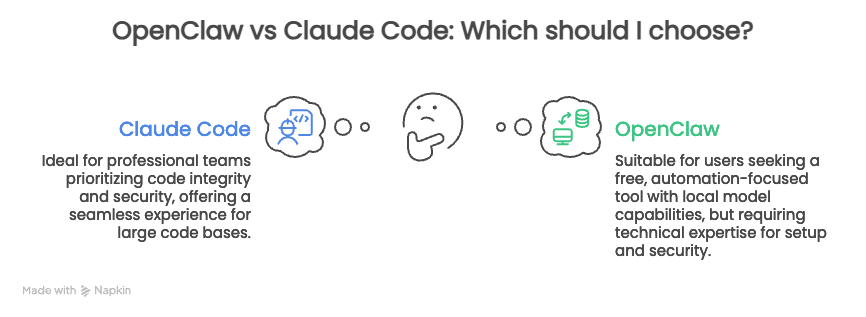
Actualmente, parece haber una batalla entre el open source y los ecosistemas cerrados. Cada uno intenta demostrar que es mejor que el otro. Sin embargo, es probable que veamos una convergencia en los próximos meses.
Claude representa hoy la alternativa segura, fiable y especializada. OpenClaw encarna la opción generalista, desordenada y expansiva.
El futuro probablemente esté en un punto intermedio. Podríamos ver herramientas como Claude Code añadiendo conectores seguros a apps externas como Slack, mientras que OpenClaw adoptará una arquitectura secure-by-default dentro de una máquina virtual segura o ofrecerá una opción segura como solución cloud de pago.
Si tu caso de uso principal es programar, Claude Code es el camino. Si buscas un asistente de propósito general, elige OpenClaw.
Otra opción es configurar ambos si necesitas cubrir los dos escenarios.
Eso sí, asegúrate de configurar OpenClaw con medidas de seguridad para mitigar los importantes riesgos que arrastra ahora mismo.
Para aprender más sobre cómo trabajar con herramientas de IA, echa un vistazo a nuestra guía de las mejores herramientas de IA gratis. Para desarrollar competencias más amplias en programación con IA, prueba nuestro curso AI-Assisted Coding for Developers y aprende a hacer que los asistentes de IA sean socios más fiables en tu flujo de desarrollo.
Los mejores cursos sobre agentes de IA
Programa
Curso
Curso
blog
Abid Ali Awan
9 min
blog
Abid Ali Awan
13 min
Tutorial
Dimitri Didmanidze
8 min
Tutorial
Abid Ali Awan
Tutorial
Tutorial
Zoumana Keita
14 min