
Kurs
Software Development with Claude Code
4 sa
8.6K
Hand-written TypeScript types for a GraphQL API are outdated the moment someone changes the schema.
Let's say a backend developer renames the title field on the Course type to name. The frontend still compiles because the hand-written Course interface has no idea anything changed, so the bug only shows up at runtime. Real-world applications tend to have dozens of queries, mutations, and fragments, so you can see how quickly this can escalate.
GraphQL Code Generator, or GraphQL Codegen for short, reads your schema and GraphQL operations and turns them into types, query helpers, client integrations, and other boilerplate you'd otherwise write by hand. It's most commonly used with TypeScript and popular clients like Apollo and urql. One command brings your types back in sync whenever the schema changes.
In this article, I'll walk you through how to set up GraphQL Codegen in a small TypeScript project, configure it, use the generated types, and run it automatically as part of your workflow.
How does GraphQL compare to REST? Read our Graph QL vs REST: A Complete Guide to learn the differences and advantages.
GraphQL Codegen is a command-line tool that turns GraphQL definitions into application code.
It's an open-source project from The Guild, and you install it as a dev dependency in your project. It connects three things:
The schema tells Codegen what's possible and the operations tell it what your application asks for.
Codegen combines both, so each generated type matches the exact shape of the response for one operation. It also checks every operation against the schema. The renamed title field from the introduction would stop generation with an error like Cannot query field "title" on type "Course", and you'd catch it before the code ever runs.
The output depends on your plugins and configuration. Codegen itself doesn't write TypeScript. Plugins do. For example, the typescript plugin generates schema types, and the typescript-operations plugin generates types for your queries and mutations. There are plugins for other languages too, like Java and C#, but this article sticks with TypeScript.
One thing to remember here is that Codegen doesn't replace your GraphQL server.
It doesn't resolve queries or fetch data. It reads GraphQL definitions during development and writes files. Your server and your GraphQL client do the rest.
Every Codegen setup follows the same flow: schema + GraphQL operations -> Codegen configuration -> generated code.
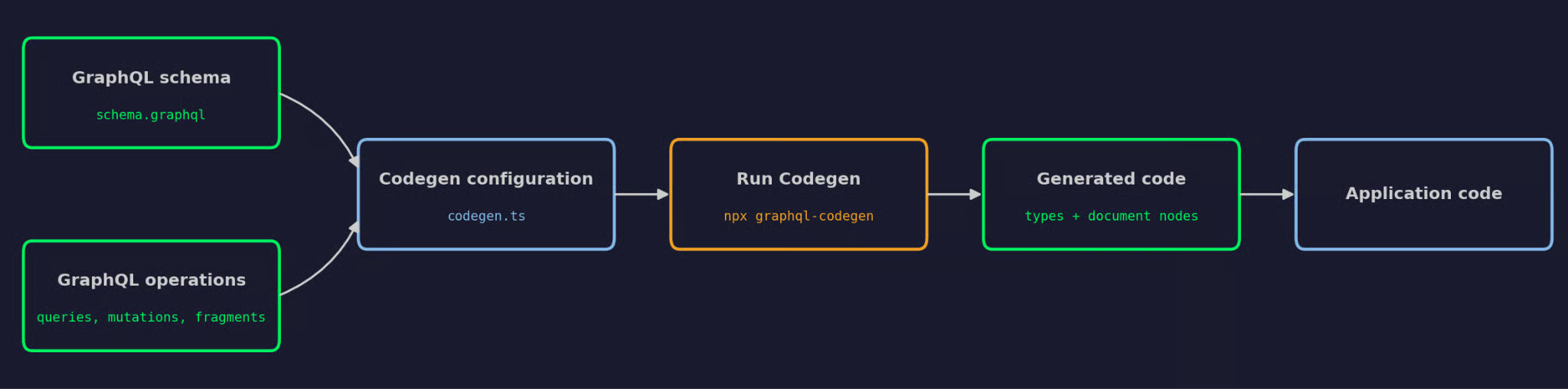
Diagram of the GraphQL Codegen workflow
This is the general idea:
Provide a schema: Point Codegen at a local .graphql file or a running GraphQL endpoint, which Codegen reads through introspection
Point Codegen at your operations: Use glob patterns like src/**/*.ts so Codegen finds queries, mutations, and fragments in your code
Configure plugins and output targets: Tell Codegen which files to write and which plugins generate each one
Run Codegen: Run npx graphql-codegen to load the schema, validate your operations, and write the output
Use the generated artifacts: Import the generated types and document nodes into your application code
Steps 1 to 3 are placed in one config file, usually codegen.ts. Here's the smallest version of it for a course catalog project:
import type { CodegenConfig } from "@graphql-codegen/cli";

const config: CodegenConfig = {
  // Step 1: Where the schema comes from
  schema: "schema.graphql",
  // Step 2: Where your operations are placed
  documents: ["src/**/*.ts"],
  // Step 3: What to generate and where to write it
  generates: {
    "./src/gql/": { preset: "client" },
  },
};

export default config;
The client preset is a bundle of plugins that generates schema types, operation types, and typed document nodes in one go. I'll cover each of these in the setup and configuration sections.
The best way to understand Codegen is to run it on a real project.
In this section, you'll build a small course catalog project from scratch. It has a schema with courses and instructors, one query, and a Codegen config that turns the query into TypeScript types. All you need is Node.js and npm.
Create a new folder and initialize an npm project:
mkdir course-catalog && cd course-catalog
npm init -y
Codegen needs a couple of packages. Two go into regular dependencies, and the rest are dev dependencies because they only run during development:
npm install graphql @graphql-typed-document-node/core
npm install -D typescript @graphql-codegen/cli @graphql-codegen/typescript-operations @graphql-codegen/typed-document-node
Here's what each package does:
graphql: The reference GraphQL implementation for JavaScript, which Codegen uses to parse the schema and operations
@graphql-typed-document-node/core: Provides the TypedDocumentNode type your generated code imports
@graphql-codegen/cli: The Codegen command-line tool
@graphql-codegen/typescript-operations: The plugin that generates types for your queries, mutations, and fragments
@graphql-codegen/typed-document-node: The plugin that generates document objects with the types attached
Codegen reads its settings from a config file in the project root. Create codegen.ts with an empty config for now:
import type { CodegenConfig } from "@graphql-codegen/cli";

const config: CodegenConfig = {};

export default config;
You can also run npx graphql-codegen init to answer a couple of questions and get a generated config file. I'm writing it by hand here so you can see what each setting does.
Codegen needs two inputs, so let's create both.
First, save the schema as schema.graphql in the project root:
enum Level {
  BEGINNER
  INTERMEDIATE
  ADVANCED
}

type Instructor {
  id: ID!
  name: String!
  bio: String
}

type Course {
  id: ID!
  title: String!
  level: Level!
  durationHours: Int!
  instructor: Instructor!
}

type Enrollment {
  id: ID!
  course: Course!
  studentEmail: String!
}

type Query {
  courses(level: Level, limit: Int): [Course!]!
  course(id: ID!): Course
}

type Mutation {
  enrollStudent(courseId: ID!, studentEmail: String!): Enrollment!
}
Then, create src/operations/courses.graphql with a query that fetches courses and their instructors:
query GetCourses($level: Level, $limit: Int) {
  courses(level: $level, limit: $limit) {
    id
    title
    level
    instructor {
      name
    }
  }
}
Now point Codegen at both files. The schema key takes the schema path, and documents takes a glob pattern that matches your operations:
const config: CodegenConfig = {
  schema: "schema.graphql",
  documents: ["src/**/*.graphql"],
};The generates key tells Codegen where to write the output. Each key inside it is a file path:
const config: CodegenConfig = {
  schema: "schema.graphql",
  documents: ["src/**/*.graphql"],
  generates: {
    "src/generated/graphql.ts": {},
  },
};
Codegen creates the src/generated/ folder if it doesn't exist.
An output file without plugins is empty. Add the two plugins you installed:
import type { CodegenConfig } from "@graphql-codegen/cli";

const config: CodegenConfig = {
  schema: "schema.graphql",
  documents: ["src/**/*.graphql"],
  generates: {
    "src/generated/graphql.ts": {
      plugins: ["typescript-operations", "typed-document-node"],
    },
  },
};

export default config;
If you've followed an older tutorial, you've probably seen the typescript plugin in this list too. You can remove it now, as typescript-operations works by itself and only generates Input, Enum, and Operation types that are actually used. If you put both in the same output file on the current versions, TypeScript throws duplicate declaration errors.
Add an npm script so you don't have to remember the command:
npm pkg set scripts.codegen="graphql-codegen"Then run it:
npm run codegenCodegen loads the schema, validates the query against it, and writes the output:
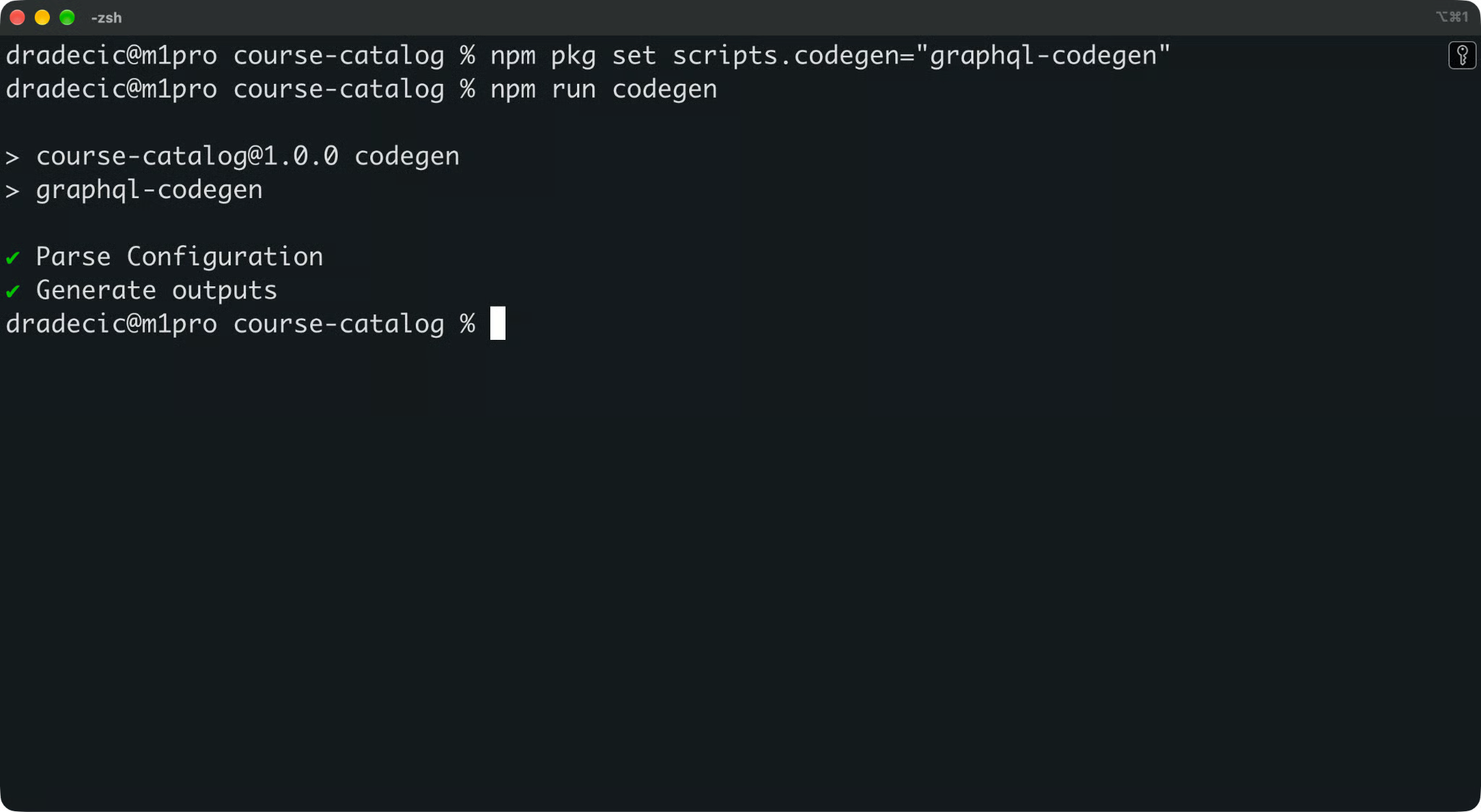
Codegen generation results
If an operation references a field that doesn't exist in the schema, this is where the run fails, and no files are written.
Open src/generated/graphql.ts. Here's what you'll see:
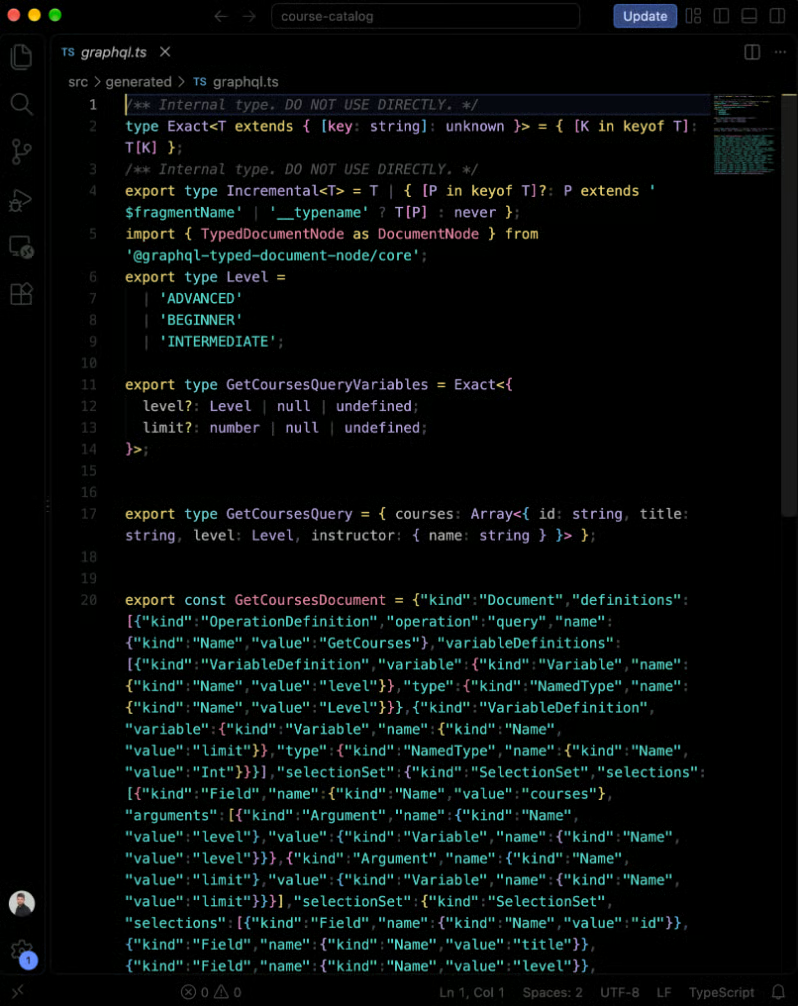
The generated output
Codegen generated four things:
Level: A string union for the enum, generated only because the query uses it
GetCoursesQueryVariables: The type for the variables you pass to the query, where both are optional because the schema doesn't mark them as required
GetCoursesQuery: The shape of the response, with only the fields the query asks for
GetCoursesDocument: The parsed query as a typed document node, with the result and variable types attached
Look at GetCoursesQuery again. It doesn't include durationHours or the instructor's bio, because the query doesn't request them. If you try to read course.durationHours in your code, you'll get a compile error, not an undefined at runtime.
And that's the whole setup - you write GraphQL, and Codegen writes the TypeScript.
Most Codegen configs you'll see are longer than the one above, but they're built from the same four settings.
The config file can be codegen.ts, codegen.yml, or codegen.json. I'm using TypeScript because you get autocomplete and type checks on the config itself. The settings are the same in every format.
The schema key tells Codegen where your schema is placed. It accepts a couple of source types.
A local file or a glob pattern works when the schema is in your repo:
schema: "schema.graphql",
// or, for a schema split across files
schema: "schema/**/*.graphql",
A URL works when the schema is on a running server. Codegen sends an introspection query to the endpoint, and you can pass headers for authentication:
schema: [
  {
    "https://api.example.com/graphql": {
      headers: { Authorization: Bearer ${process.env.API_TOKEN} },
    },
  },
],
The URL option only works if the server has introspection enabled. A lot of production APIs turn it off, so for CI, a schema file committed to the repo is usually the safer choice.
The documents key tells Codegen where to find your queries, mutations, subscriptions, and fragments.
Operations can be placed in .graphql files or inline in your TypeScript code. Codegen finds inline operations when they're wrapped in a gql tag or marked with a /* GraphQL */ comment:
const EnrollStudent = /* GraphQL */
  mutation EnrollStudent($courseId: ID!, $studentEmail: String!) {
    enrollStudent(courseId: $courseId, studentEmail: $studentEmail) {
      id
      course {
        title
      }
    }
  }
;
To scan both file types, widen the glob. Add a negated pattern so Codegen doesn't scan its own output:
documents: ["src/**/*.{graphql,ts}", "!src/generated/**"],Give every operation a unique name. Codegen builds type names from operation names, so EnrollStudent becomes EnrollStudentMutation and EnrollStudentMutationVariables.
The generates key maps output paths to what goes into them. You can have as many output targets as you need, each with its own plugins.
Let's say you want operation types in one file and the full schema types in another:
generates: {
  "src/generated/graphql.ts": {
    plugins: ["typescript-operations", "typed-document-node"],
    config: {
      useTypeImports: true,
    },
  },
  "src/generated/schema-types.ts": {
    plugins: ["typescript"],
  },
},
The config object inside an output target applies only to that file. Here, useTypeImports makes the generated file use import type, which some build setups require. If you place config at the root of the file, it applies to every output.
An output path can also be a folder that ends with a slash, like "src/gql/". That's the format presets use, since they write more than one file.
Plugins decide what gets generated. Codegen loads the schema and documents, and each plugin turns them into a piece of output.
These are the plugins you'll see most often in TypeScript projects:
typescript-operations: Types for your queries, mutations, subscriptions, and fragments, plus the enums and inputs they use
typed-document-node: Document objects with the result and variable types attached, which most GraphQL clients understand
typescript: Types for every object, enum, and input in the schema, whether your operations use them or not
typescript-resolvers: Type signatures for resolver functions on the server side
A preset is a bundle of plugins with a sensible default config. The client preset from the How It Works section is the one The Guild recommends for client apps. It builds on the improved typescript-operations under the hood, so you get its benefits with no extra setup.
Every plugin has its own config options, and there are a lot of them. You don't need to learn them upfront. Start with the defaults and look up an option when the generated output doesn't match what your code expects.
What you get out of Codegen depends on the plugins you choose.
The same schema and operations can produce plain TypeScript types or ready-made client code. Here are the outputs you'll use most often.
The typescript plugin generates a type for every object, enum, and input in your schema. For the course catalog, the Course type looks like this:
export type Course = {
  __typename?: 'Course';
  durationHours: Scalars['Int']['output'];
  id: Scalars['ID']['output'];
  instructor: Instructor;
  level: Level;
  title: Scalars['String']['output'];
};
These types describe the full schema, which makes them handy on the server side, in test fixtures, and in utility functions that work with complete objects.
But they're a poor fit for client code. A Course type says every field exists, even the ones your query never asked for.
The typescript-operations plugin generates two types per operation: one for the result and one for the variables. It works the same way for queries and subscriptions.
Here's what it generates for an EnrollStudent mutation:
export type EnrollStudentMutationVariables = Exact<{
  courseId: string | number;
  studentEmail: string;
}>;

export type EnrollStudentMutation = { enrollStudent: { id: string, course: { title: string } } };
The result type matches the selection set, field by field. The variables type is Exact, so TypeScript rejects extra or misspelled variables.
The courseId variable accepts both string and number because GraphQL's ID scalar accepts both as input. Since v6, the default type is string | number, which is the correct type for client use cases.
A regular DocumentNode is a parsed GraphQL query. It knows the structure of the query, but it has no idea what the query returns or what variables it takes.
A typed document node has both types with it. The typed-document-node plugin generates one per operation:
export const GetCoursesDocument = { /* ... */ } as unknown as DocumentNode<GetCoursesQuery, GetCoursesQueryVariables>;This way, any function that accepts a TypedDocumentNode can infer the result and variable types from the document alone. You don't pass generics by hand, and you can't combine a query with the wrong types.
Most modern GraphQL clients accept typed document nodes, including Apollo Client, urql, and graphql-request. You'll see all three in action later in this article.
Some plugins go further and generate code for a specific client or framework. For example:
typescript-react-apollo: Generates typed React hooks for Apollo Client
typescript-urql: Generates typed hooks and components for urql
typescript-react-query: Generates typed hooks for TanStack Query
typescript-graphql-request: Generates a typed SDK with one function per operation
All of these are community plugins. The Guild moved them to a separate community repository, so their release pace is different from the core plugins.
You also need them less than you used to. When a client accepts typed document nodes, generated hooks don't add much type safety. Apollo's own docs, for example, recommend using the typescript-operations plugin, which focuses on only generating types and doesn't include additional runtime code.
In general, you should start with operation types and typed document nodes. Then, add a client-specific plugin only if your team wants the generated hooks or SDK functions.
Generated types matter only if they catch mistakes, so let's make some.
This example extends the course catalog project with a second query, a small helper that sends it to the API, and the code that uses the result. It assumes a GraphQL server that implements the schema runs at http://localhost:4000/graphql.
Here's the part of the schema this example uses:
type Instructor {
  id: ID!
  name: String!
  bio: String
}

type Course {
  id: ID!
  title: String!
  level: Level!
  durationHours: Int!
  instructor: Instructor!
}

type Query {
  course(id: ID!): Course
}
Two details matter here. The course field returns Course without a !, so it's null when no course matches the ID. The instructor's bio is nullable too.
Create src/operations/course.graphql with a query that fetches one course:
query GetCourse($id: ID!) {
  course(id: $id) {
    title
    durationHours
    instructor {
      name
      bio
    }
  }
}
Run npm run codegen again. Codegen adds two new types to src/generated/graphql.ts:
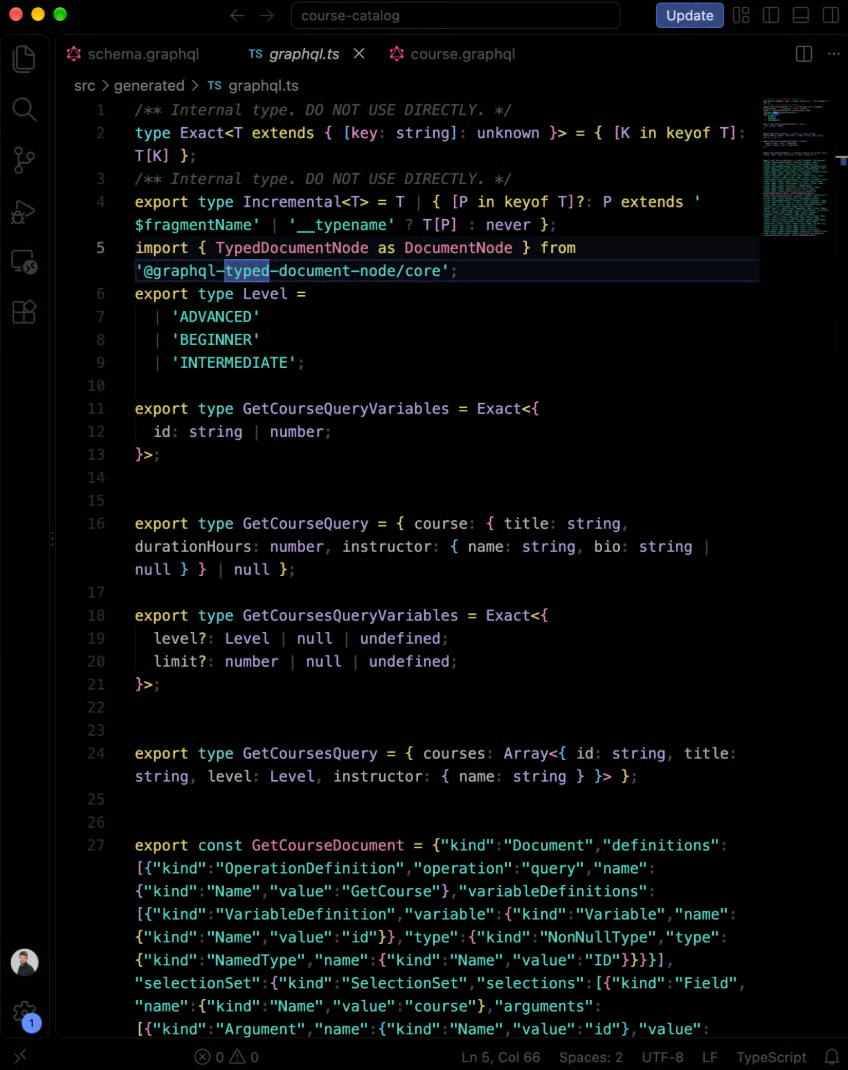
Contents of graphql.ts file
The nullability from the schema carries over. course can be null, bio can be null, and id is required because the query declares it as ID!.
Now for the application code. Create src/execute.ts with a helper that sends any typed document to the API:
import { print } from "graphql";
import type { TypedDocumentNode } from "@graphql-typed-document-node/core";

const API_URL = "http://localhost:4000/graphql";

export async function execute<TResult, TVariables>(
  document: TypedDocumentNode<TResult, TVariables>,
  variables: TVariables,
): Promise<TResult> {
  const response = await fetch(API_URL, {
    method: "POST",
    headers: { "Content-Type": "application/json" },
    body: JSON.stringify({ query: print(document), variables }),
  });
  const { data, errors } = await response.json();
  if (errors?.length) {
    throw new Error(errors[0].message);
  }
  return data as TResult;
}
The helper doesn't know anything about courses. It gets both types from the document you pass in, and the print() function turns the document back into a query string for the request.
Then use it in src/course-details.ts:
import { execute } from "./execute";
import { GetCourseDocument, type GetCourseQuery } from "./generated/graphql";

function formatCourse(course: NonNullable<GetCourseQuery["course"]>): string {
  const bio = course.instructor.bio ?? "No bio yet";
  return course.title({course.durationHours}h) by ${course.instructor.name} - ${bio};
}

const { course } = await execute(GetCourseDocument, { id: "c1" });

if (course) {
  console.log(formatCourse(course));
} else {
  console.log("Course not found");
}
The formatCourse() function takes its parameter type from the generated query type. NonNullable removes the null case, because the function only runs after the if check.
The example uses top-level await, so set "type": "module" in package.json and run it with npx tsx src/course-details.ts:
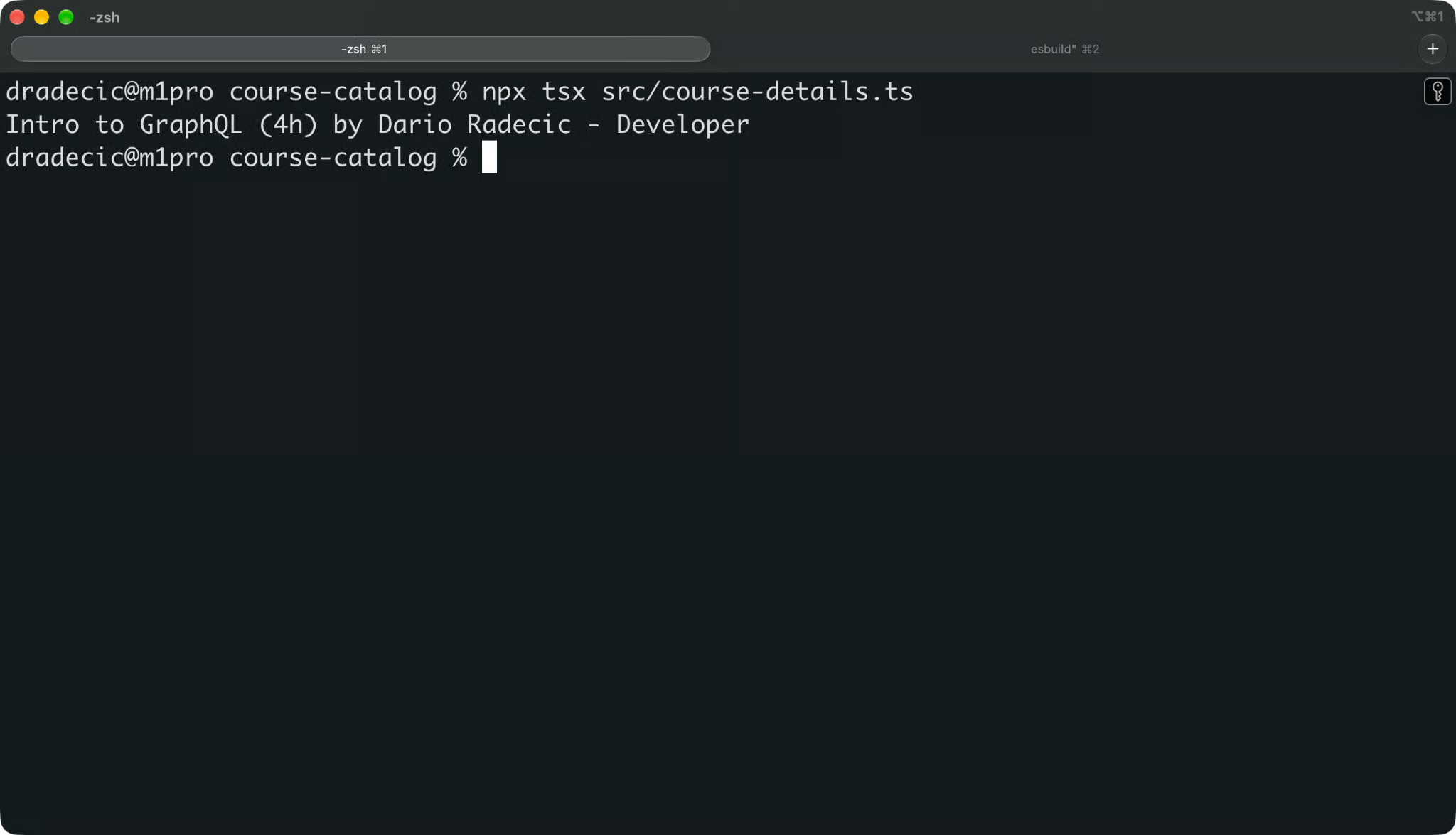
Successful call to a GraphQL mock server
Now, this is assuming you have a GraphQL server running. Here's a mock one I used:
import { createServer } from "node:http";
import { readFileSync } from "node:fs";
import { createSchema, createYoga } from "graphql-yoga";

const instructors = [{ id: "i1", name: "Dario Radecic", bio: "Developer" }];

const courses = [
  { id: "c1", title: "Intro to GraphQL", level: "BEGINNER", durationHours: 4, instructor: instructors[0] },
  { id: "c2", title: "GraphQL Schema Design", level: "ADVANCED", durationHours: 6, instructor: instructors[0] },
];

const schema = createSchema({
  typeDefs: readFileSync("schema.graphql", "utf8"),
  resolvers: {
    Query: {
      courses: (_: unknown, args: { level?: string; limit?: number }) =>
        courses
          .filter((course) => !args.level || course.level === args.level)
          .slice(0, args.limit ?? undefined),
      course: (_: unknown, args: { id: string }) =>
        courses.find((course) => course.id === args.id) ?? null,
    },
    Mutation: {
      enrollStudent: (_: unknown, args: { courseId: string; studentEmail: string }) => ({
        id: "e1",
        course: courses.find((course) => course.id === args.courseId),
        studentEmail: args.studentEmail,
      }),
    },
  },
});

createServer(createYoga({ schema })).listen(4000, () => {
  console.log("Mock API running at http://localhost:4000/graphql");
});
Now try to break it. Open src/course-details.ts and replace everything below the formatCourse() function with three mistakes that hand-written types often let through:
// Missing the required id variable
await execute(GetCourseDocument, {});

const { course } = await execute(GetCourseDocument, { id: "c1" });

// Reading a field the query doesn't request
console.log(course?.level);

// Forgetting that course can be null
console.log(course.title);
Then type-check the project:
npx tsc -p .TypeScript catches all three before the code runs:
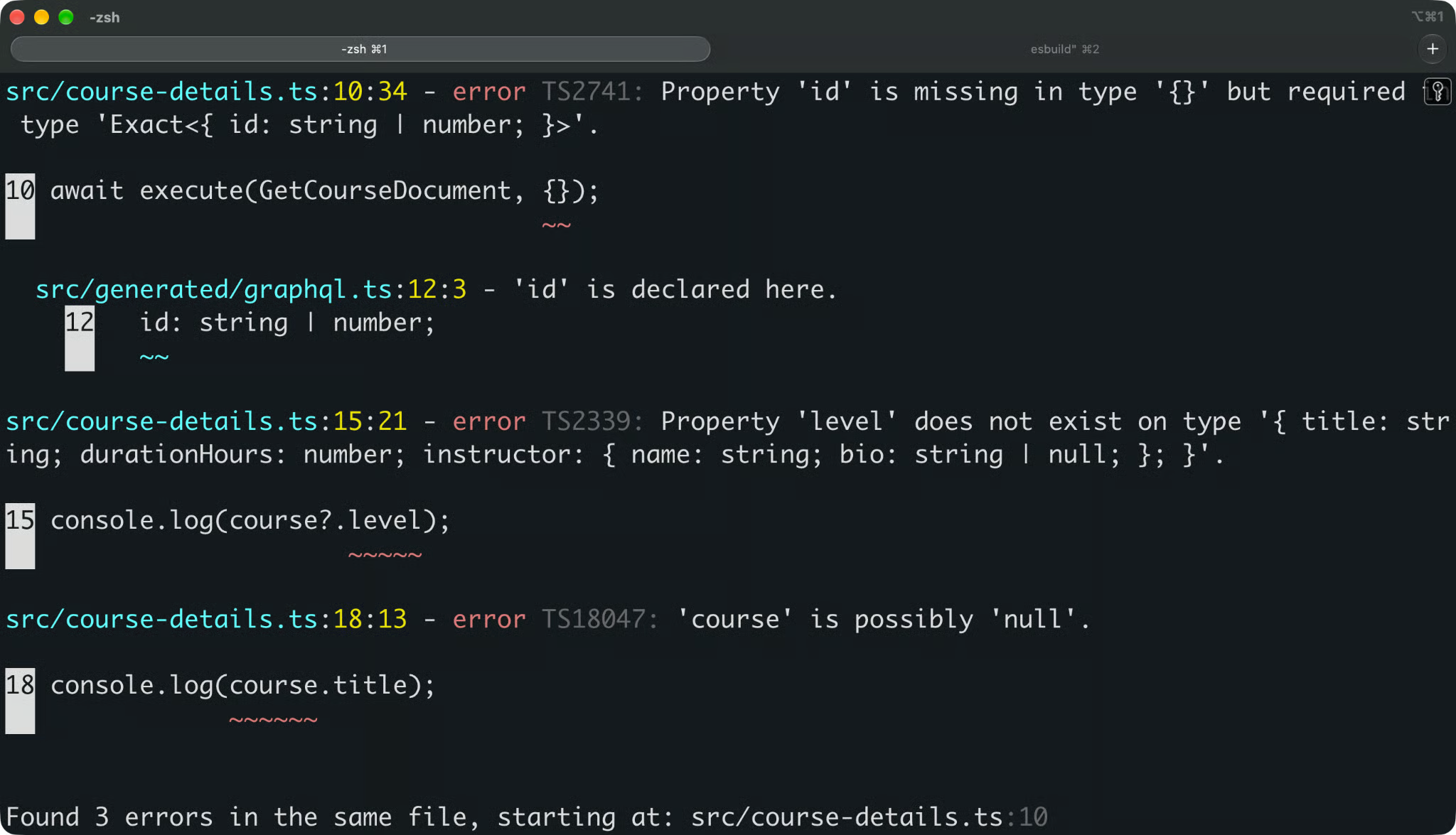
Errors catched by TypeScript
That's how Codegen reduces mismatches between the frontend and the API. The types come from the same schema the server uses, so they can't describe fields that don't exist or miss nulls the server can return.
And the protection doesn't stop after the first run. Let's say the backend team makes durationHours nullable. You regenerate, the type changes to number | null, and TypeScript points at every line that assumed a number.
Codegen doesn't send requests. That's the task for your GraphQL client.
The generated typed document nodes are the handoff point between the two. You pass them to the client, and the client infers the types. The examples below use the same src/generated/graphql.ts file and the mock API from the previous section, so keep npx tsx mock/server.ts running in a separate terminal.
Install Apollo Client and its rxjs peer dependency:
npm install @apollo/client rxjsThe example also runs the EnrollStudent mutation. Save it as src/operations/enroll.graphql:
mutation EnrollStudent($courseId: ID!, $studentEmail: String!) {
  enrollStudent(courseId: $courseId, studentEmail: $studentEmail) {
    id
    course {
      title
    }
  }
}
Apollo's docs also recommend two config options for Codegen, since Apollo Client always includes __typename fields but doesn't add them to root types. Add them to the output target in codegen.ts:
"src/generated/graphql.ts": {
  plugins: ["typescript-operations", "typed-document-node"],
  config: {
    nonOptionalTypename: true,
    skipTypeNameForRoot: true,
  },
},
With these options, every object in the generated result types gets a required __typename field, like __typename: 'Course'. That matches what Apollo's cache returns.
Run npm run codegen again to detect the new mutation and config.
Apollo Client accepts typed document nodes in query() and mutate(). Save this as src/apollo.ts:
import { ApolloClient, HttpLink, InMemoryCache } from "@apollo/client";
import { EnrollStudentDocument, GetCoursesDocument } from "./generated/graphql";

const client = new ApolloClient({
  link: new HttpLink({ uri: "http://localhost:4000/graphql" }),
  cache: new InMemoryCache(),
});

const { data } = await client.query({
  query: GetCoursesDocument,
  variables: { level: "BEGINNER", limit: 5 },
});

data?.courses.forEach((course) => console.log(course.title));

const result = await client.mutate({
  mutation: EnrollStudentDocument,
  variables: { courseId: "c1", studentEmail: "student@example.com" },
});

console.log(result.data?.enrollStudent.course.title);
The data object is typed as GetCoursesQuery | undefined, and TypeScript checks variables against GetCoursesQueryVariables. The mutation works the same way with EnrollStudentMutation and its variables.
Run it with npx tsx src/apollo.ts:
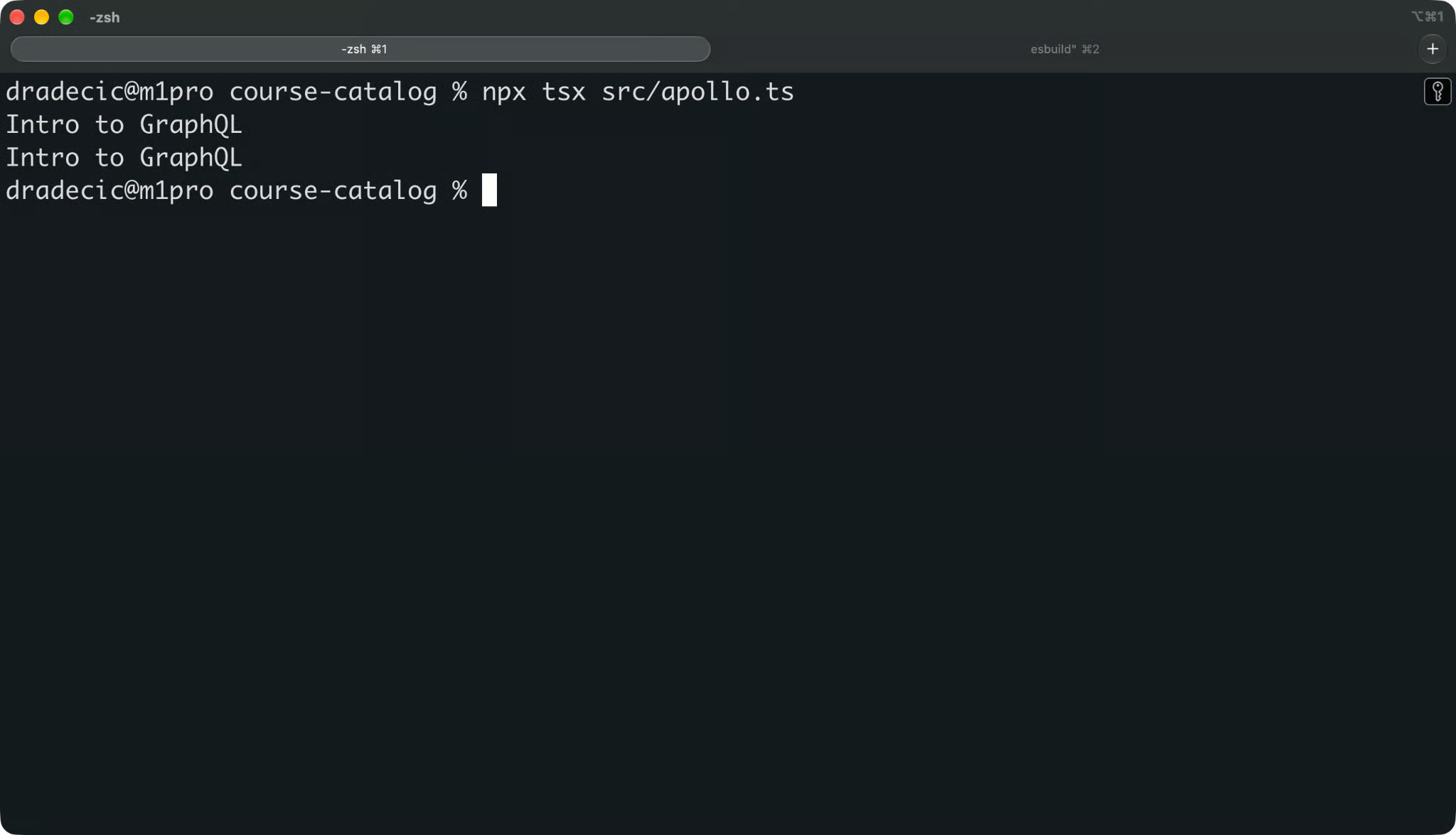
Apollo output
The first line comes from the query, since it's the only beginner course. The second comes from the mutation, which returns the title of the course the student enrolled in.
The React hooks, like useQuery() and useMutation(), infer types from typed document nodes the same way.
Install the urql core package:
npm install @urql/coreurql works with typed document nodes out of the box. Pass the document as the first argument to query() in src/urql.ts:
import { Client, cacheExchange, fetchExchange } from "@urql/core";
import { GetCoursesDocument } from "./generated/graphql";

const client = new Client({
  url: "http://localhost:4000/graphql",
  exchanges: [cacheExchange, fetchExchange],
});

const result = await client
  .query(GetCoursesDocument, { level: "ADVANCED" })
  .toPromise();

if (result.error) {
  throw result.error;
}

result.data?.courses.forEach((course) => console.log(course.title));
The second argument is typed as the query variables, and result.data is typed as the query result.
Run it with npx tsx src/urql.ts:
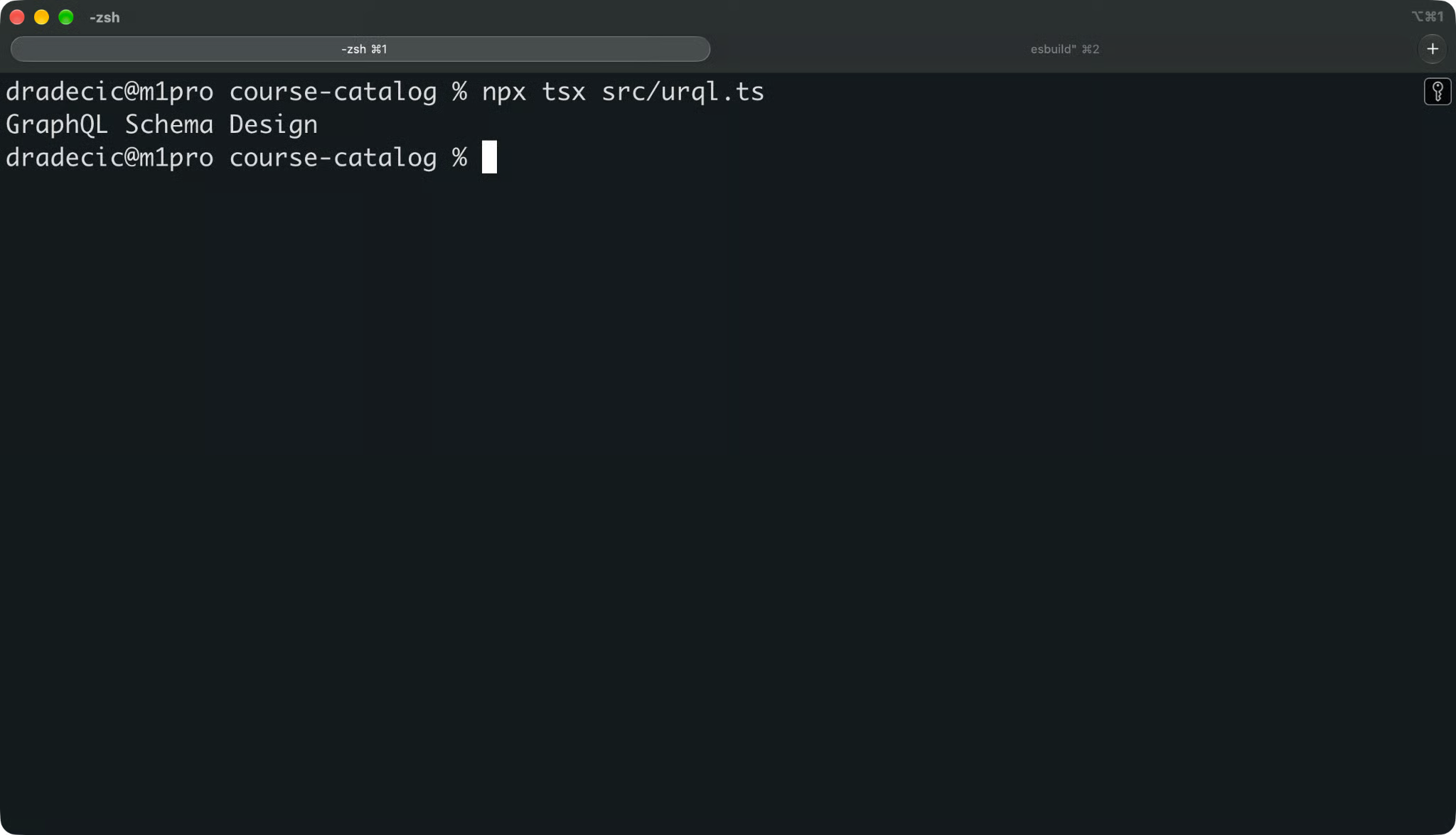
Urql output
The framework bindings, like useQuery() in the urql package for React, accept typed document nodes too.
You don't need a full-featured client to get typed results.
The graphql-request client is a minimal client that sends one request and returns the data. Install it with the following command:
npm install graphql-requestIt infers types from typed document nodes just like Apollo and urql. Save this as src/graphql-request.ts:
import { request } from "graphql-request";
import { GetCourseDocument } from "./generated/graphql";

const { course } = await request(
  "http://localhost:4000/graphql",
  GetCourseDocument,
  { id: "c2" },
);

console.log(course?.title);
Run it with npx tsx src/graphql-request.ts:
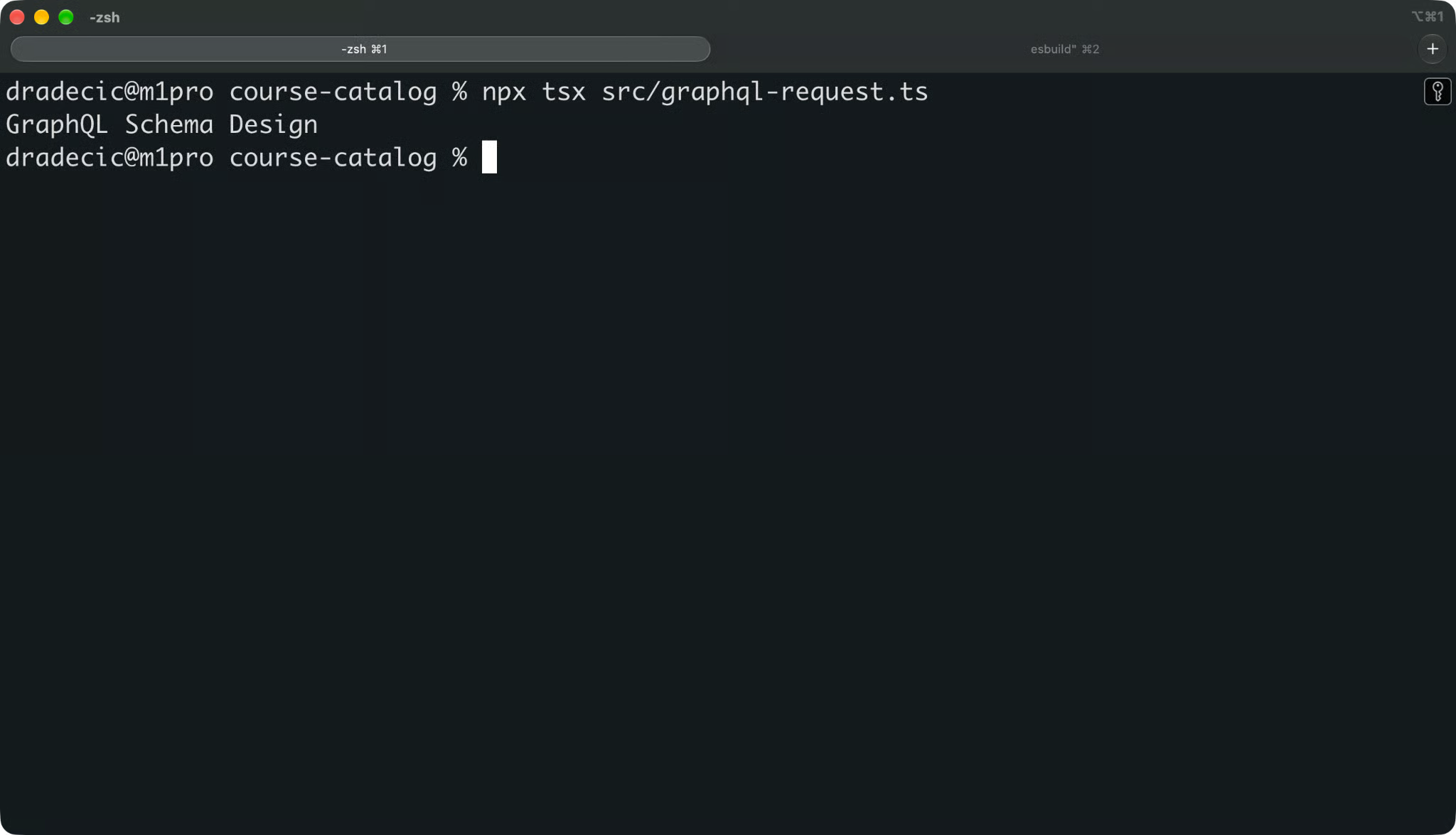
GraphQL request output
The same idea works with TanStack Query. It doesn't send GraphQL requests itself, so you call graphql-request or the execute() helper from the previous section inside the query function, and the result type flows through to your code.
And if your client doesn't support typed document nodes at all, you can still use the plain operation types. Import GetCourseQuery and GetCourseQueryVariables and pass them as generics. That's more manual work, but the types still come from the schema.
Generated types only help if they match the current schema and operations.
If you forget to rerun Codegen after a change, the types describe code that no longer exists. That's the same drift problem hand-written types have, just with extra steps. The fix is to take the manual step out of the workflow.
Start with a couple of scripts in package.json, so everyone on the team runs Codegen the same way:
{
  "scripts": {
    "codegen": "graphql-codegen",
    "codegen:watch": "graphql-codegen --watch",
    "codegen:check": "graphql-codegen --check",
    "prebuild": "npm run codegen",
    "build": "tsc -p ."
  }
}
The rest of this section covers what each one is for.
Watch mode reruns Codegen every time a watched file changes. It needs the @parcel/watcher package, which Codegen doesn't install for you:
npm install -D @parcel/watcher
npm run codegen:watch
If you skip the install, Codegen runs once and prints Failed to import @parcel/watcher instead of watching.
Watch mode tracks both your operations and a local schema file. If you add a field to course.graphql, the new field shows up in GetCourseQuery a second later. If you make durationHours nullable in schema.graphql, the type changes to number | null, and your editor flags every line that assumed a number.
Keep it running in a terminal next to your dev server during development.
npm runs a script called prebuild before build. With the scripts above, npm run build regenerates the types first and only then runs the TypeScript compiler.
This way, a build never runs against stale types, even if someone forgot to run Codegen after pulling changes.
The --check flag runs Codegen in dry-run mode. It doesn't write any files, it compares what it would generate with what's on disk and exits with code 1 if anything differs.
Here's a minimal GitHub Actions workflow that uses it:
name: CI

on: [push, pull_request]

jobs:
  typecheck:
    runs-on: ubuntu-latest
    steps:
      - uses: actions/checkout@v7
      - uses: actions/setup-node@v7
        with:
          node-version: 24
      - run: npm ci
      - run: npm run codegen:check
      - run: npm run build
The codegen:check step only makes sense if you commit generated files to the repo. If you don't, drop that step, since npm run build regenerates everything through the prebuild hook anyway.
Operations change in your repo, so watch mode and prebuild cover them. Schema changes are harder, because they usually come from another team.
How you handle them depends on where the schema is placed:
codegen:check in CI fails as soon as the server's schema no longer matches your committed outputThe URL option has one catch. Watch mode reacts to file changes, so it doesn't notice when a remote schema changes. You'll only see those changes on the next manual run or CI job.
Both approaches give you TypeScript types for GraphQL data, but there are some differences you should be aware of.
With hand-written types, you read the schema and write matching interfaces yourself.
This gives you full control. You can name types however you want, merge a couple of operations into one shared type, or add helper types the schema doesn't have.
But it's manual work. Every new field or renamed argument means you find and update the matching type by hand. And nothing warns you when you miss one.
That's where drift comes from. The Course interface from the introduction still compiled after the backend renamed title, because TypeScript only checks your code against your types, not against the API.
Generated types come from the same schema the server uses, so they're synchronized with your GraphQL definitions by design. A schema change plus a Codegen run updates every affected type at once.
You also write a lot less code. The course catalog project has three operations and zero hand-written types for any of them.
And you get schema-driven development almost for free. You change the schema or an operation, regenerate, and the compiler gives you a list of everything that needs to change.
But the thing to remember is that Codegen only reflects what you give it.
If the schema marks every field as nullable, your generated types are full of | null checks. If an operation fetches 40 fields when the page needs five, the generated type has 40 fields.
Here's a quick recap of the differences:
| Hand-written types | Generated types | |
|---|---|---|
| Upkeep | Manual for every schema change | One command after every change |
| Schema drift | Possible and silent | Caught at generation or compile time |
| Boilerplate | Grows with every operation | None to write by hand |
| Control over custom types | Full | Limited to plugin config options |
| Schema-driven development | Manual cross-checking | Compiler shows every affected line |
Codegen compared to hand-written types
The two get mixed up because Codegen often uses introspection. They still solve different problems.
Introspection is a feature of the GraphQL spec. Any GraphQL server can answer queries about its own schema through special fields like __schema and __type. The result is a JSON description of every type, field, and argument the API exposes.
In plain English, introspection answers the question "What does this API look like?"
Codegen answers the "What code does my application need?" question. It takes schema information and your operations, and it writes TypeScript types and typed document nodes.
When you set schema to a URL in codegen.ts, Codegen sends an introspection query to that server to get the schema. With a local .graphql file, introspection doesn't happen at all.
Codegen can also produce an introspection result as output. The @graphql-codegen/introspection plugin writes the schema as introspection JSON, which some tools, like urql's Graphcache, use for schema-aware caching.
| Introspection | GraphQL Codegen | |
|---|---|---|
| What it is | Built-in GraphQL query system | Command-line tool and plugin |
| Input | A query to a running server | A schema and your operations |
| Output | JSON description of the schema | Types, document nodes, client code |
| When it runs | Whenever a client asks the server | During development, builds, and CI |
Codegen compared to introspection
Most Codegen errors come down to one of four problems.
Codegen runs without errors, but the type you expect isn't in the output file.
Check these three things in order:
Schema: If the type doesn't exist in the schema Codegen loads, it can't be generated, so open the schema file or run the introspection query yourself and confirm it's there
Documents: Operation types only exist for operations Codegen found, so if the file with your query isn't matched by the documents glob, its types are missing
Plugins: Since v6, typescript-operations only generates enums and inputs your operations use, so if you need a full schema type like Course, add the typescript plugin to a separate output file
If you use a plugin you haven't installed, Codegen fails with a clear message:
Unable to find template plugin matching 'typescript-react-apollo'
Install one of the following packages:
- @graphql-codegen/typescript-react-apolloThis error means the documents glob didn't match any file with an operation in it:
Unable to find any GraphQL type definitions for the following pointers:
  - src/**/*.gql
Check that the extension in the glob matches your files. A .gql pattern won't find .graphql files, and a src/**/*.graphql pattern won't find operations inline in .ts files.
For inline operations, check the tag too. Codegen only finds template literals wrapped in gql or marked with a /* GraphQL */ comment. A plain template string with a query inside is invisible to it.
If you set ignoreNoDocuments: true, Codegen doesn't show this error and generates an output without operation types. That option is useful in a brand-new project, but it can hide a broken glob later.
The types compile, but they don't reflect the latest change to an operation or the schema.
Codegen doesn't run on its own. Rerun it after every change to a .graphql file, an inline operation, the schema, or codegen.ts. During development, npm run codegen:watch does that for you.
If the types are stale in CI, commit the regenerated files or let the prebuild hook regenerate them before the build.
The types compile, but the data from the server has a different shape at runtime.
That almost always means Codegen and your app talk to different schemas. For example, Codegen reads a local schema.graphql that's a week old, while the app calls a production API that has changed since.
Check where the schema key points. If it's a file, compare it with the API your app calls, and update it. If it's a URL, make sure it's the same environment your app uses, not a staging server with a newer or older schema.
Then regenerate and look at the diff. If an operation file changed but the generated file didn't, the operation is probably outside the documents glob.
Codegen doesn't need a lot of configuration to work well. These practices keep it that way as the project grows:
Keep the schema and generated files in sync: Run watch mode during development and prebuild before builds, so nobody works with types from an older schema
Generate operation-specific types: Use typescript-operations for client code because they match exactly what each query fetches
Commit generated files only when your workflow needs them: Committed files let you review type changes in pull requests and run --check in CI, and if your team doesn't need that, add the output folder to .gitignore and generate on every build
Keep the config short: One output file with two plugins covers most client projects, and every extra option is something the next developer has to understand before changing anything
Run Codegen in CI on every push: A --check step or a prebuild hook catches the changes someone forgot to regenerate locally
Never edit generated files by hand: The next Codegen run overwrites your changes, so fix the schema, the operation, or the config instead
GraphQL Codegen takes over the most repetitive part of GraphQL development - turning schemas and operations into TypeScript types by hand.
The workflow stays the same no matter how big the project gets. You define the schema and operations, configure Codegen, generate the types and typed document nodes, and import them into your application code.
The biggest value is that your types always describe the API you actually call, not the code you don't have to write. When the schema changes, the compiler will tell you if anything broke so you can catch errors early.
If you want to learn how GraphQL is used in a modern NoSQL database, read our MongoDB and GraphQL blog post.
Learn with DataCamp
Kurs
Program
Program