
Course
Introduction to MongoDB in Python
3 hr
24.3K
FastHTML and MongoDB offer a high-velocity, Python-native approach to modern web development. In this tutorial, we will build a reactive, real-time task manager application, demonstrating a complete CRUD (Create, Read, Update, Delete) lifecycle within a single, maintainable Python file. To get some hands-on experience using MongoDB in Python, I recommend the course, Introduction to MongoDB in Python.
FastHTML is a minimalist, high-performance framework built on the foundations of FastAPI. It introduces a Pythonic HTML paradigm, enabling developers to build entire frontends using reusable Python functions rather than traditional templates.
Its core strength lies in its native integration with HTMX. By utilizing simple HTML attributes to drive server-side updates, HTMX allows you to create dynamic, single-page application experiences without the complexity of a JavaScript-heavy build stack.
MongoDB is the leading general-purpose, document-based NoSQL database. Its flexible schema and use of JSON-like BSON documents make it ideal for modern, iterative development.
For Python, we use the official asynchronous driver, Motor, which provides a non-blocking interface perfectly suited for FastAPI and FastHTML's performance-oriented architecture.
Combining these technologies creates an exceptionally productive development environment:
There are a few prerequisites you'll need to follow along with this tutorial:
To showcase the efficiency of this stack, we will implement the entire application, including database configuration, data models, and reactive routes, within a single app.py file.
We require the FastHTML framework, Motor (the official asynchronous MongoDB driver), and Uvicorn for the ASGI server.
We use AsyncIOMotorClient to establish a non-blocking connection. This ensures that while your application waits for database I/O, it can continue processing other concurrent requests.
import os
from motor.motor_asyncio import AsyncIOMotorClient
from fasthtml.common import *
from bson import ObjectId
from pydantic import Field, BaseModel
from pymongo.errors import ServerSelectionTimeoutError, ConnectionFailure


# configure MongoDB
MONGO_URI = os.environ.get("MONGO_URI", "mongodb://localhost:27017/") # your Mongo URI
DB_NAME = "fasthtml_tasks_db"
COLLECTION_NAME = "tasks"

# Initialize the async client and reference our collections
client = AsyncIOMotorClient(MONGO_URI)
db = client[DB_NAME]
collection = db[COLLECTION_NAME]

# FastHTML Application Initialization
app = FastHTML()In a document-oriented workflow, the schema lives in your application code. We use Pydantic v2 to bridge the gap between MongoDB's BSON ObjectId and standard Python strings. This ensures that every document entering or leaving our database is validated against our requirements.
We define a custom PyObjectId class. This is necessary because Pydantic does not natively know how to handle the MongoDB ObjectId type. By using __get_pydantic_core_schema__, we tell Pydantic to treat this type as a string in JSON but validate it as a BSON object for the database.
python
from pydantic import BaseModel, Field
from pydantic_core import core_schema
from pydantic.json_schema import JsonSchemaValue

class PyObjectId(ObjectId):
    """Custom type to bridge MongoDB ObjectId and Pydantic v2 validation."""
    @classmethod
    def __get_pydantic_core_schema__(cls, source_type, handler):
        # Defines how Pydantic should validate this type
        return core_schema.no_info_plain_validator_function(cls.validate)

    @classmethod
    def validate(cls, v):
        if isinstance(v, ObjectId): return v
        if isinstance(v, str) and ObjectId.is_valid(v): return ObjectId(v)
        raise ValueError("Invalid ObjectId")

    @classmethod
    def __get_pydantic_json_schema__(cls, _core_schema, handler) -> JsonSchemaValue:
        # Ensures the OpenAPI/JSON schema reflects this as a string
        return {"type": "string"}

class Task(BaseModel):
    """Pydantic model representing the Task document schema."""
    # Maps MongoDB's internal '_id' to a developer-friendly 'id' field
    id: PyObjectId | None = Field(None, alias='_id')
    title: str
    description: str | None = None
    completed: bool = False

    model_config = ConfigDict(
        arbitrary_types_allowed=True
)The layout component is a reusable, higher-order function that wraps our views. This ensures that essential dependencies, like Tailwind CSS for styling and HTMX for interactivity, are consistent across the entire application.
By using FastHTML's title-case components (like Main and Div), we maintain a clean, Pythonic structure that mirrors the HTML tree.
# A responsive layout using Tailwind CSS and the HTMX CDN
def layout(*comps):
    """Wraps the application content in a consistent container."""
    return Main(
        Div(
            H1('📝 Real-Time FastHTML Task Manager',
               cls='text-3xl font-bold mb-8 text-center text-gray-800'),
            *comps,
            cls='container mx-auto p-6 max-w-2xl'
        )
    )

@app.get('/')
async def home():
    """Initial route rendering the core application layout."""
    return layout(
        await TaskList(), # Fetches and displays existing tasks (Read)
        TaskForm()        # Renders the entry form (Create)
    )
Now, if you run the app, your UI will look like this:
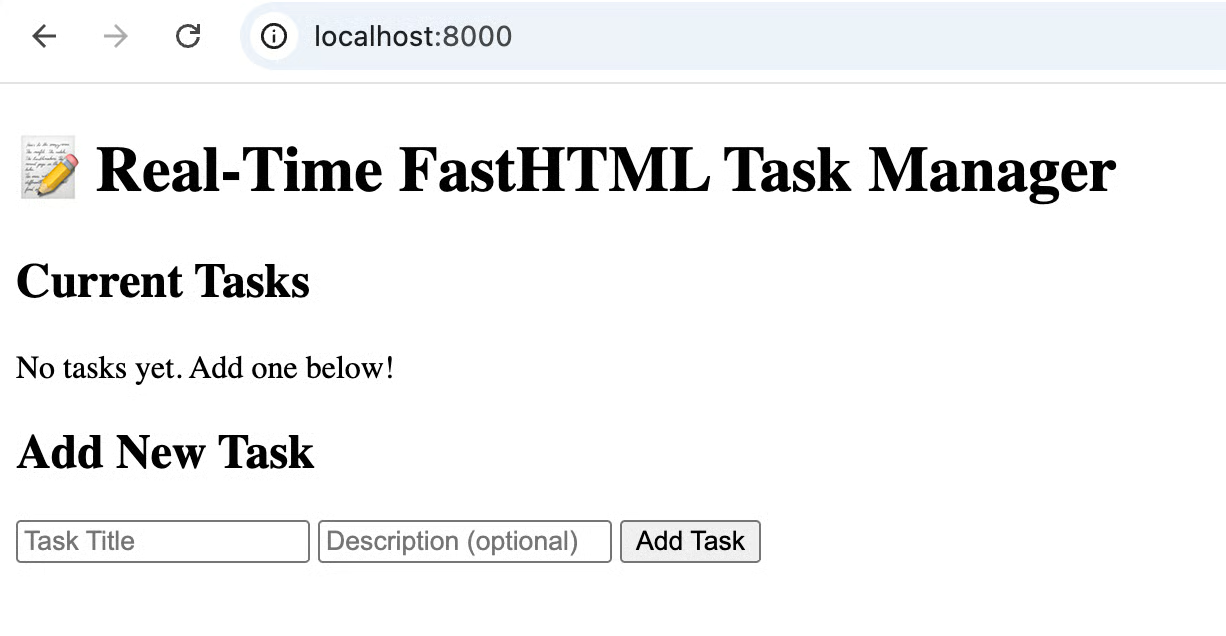
Image: screenshot after setting up
There are no tasks yet. We will work on adding and updating tasks in the next section.
To display tasks, we fetch all documents and render them within a component. However, in a real-world scenario, the database might be offline. Our updated TaskList handles this gracefully by providing troubleshooting steps directly in the UI.
We use collection.find().to_list(length=None) to asynchronously retrieve documents. By wrapping this in a try/except block, we can detect if MongoDB is disconnected and provide the user with immediate feedback.
async def TaskList():
    """Fetches documents from MongoDB and hydrates the Task list view with error handling."""
    try:
        tasks_data = await collection.find().to_list(length=None)
        tasks = [Task(**doc) for doc in tasks_data]
    except (ServerSelectionTimeoutError, ConnectionFailure, Exception) as e:
        # Catch MongoDB connection errors and provide troubleshooting tips
        return Div(
            H2('Current Tasks', cls='text-xl font-semibold mb-4'),
            Div(
                P('⚠️ MongoDB is not running.', cls='text-red-600 font-semibold mb-2'),
                P('To start MongoDB:', cls='text-gray-600 mb-1'),
                P('1. brew install mongodb-community', cls='text-gray-500 text-sm ml-4'),
                P('2. brew services start mongodb-community', cls='text-gray-500 text-sm ml-4'),
                cls='p-4 bg-yellow-50 border border-yellow-200 rounded'
            ),
            id='task-list'
        )

    return Div(
        H2('Current Tasks', cls='text-xl font-semibold mb-4'),
        *[TaskItem(task) for task in tasks] if tasks else P('No tasks yet. Add one below!', cls='text-gray-500 italic p-4'),
        id='task-list',
        cls='bg-white rounded-lg shadow-sm border border-gray-200'
)The creation flow uses an HTML form enhanced with HTMX attributes. In the updated version, we explicitly extract form data from the Request object and use model_dump to prepare the document for MongoDB insertion.
@app.post('/add-task')
async def add_task(req: Request):
    """Create: Inserts a task and returns the refreshed list."""
    try:
        form_data = await req.form()
        task = Task(
            title=form_data.get('title', ''),
            description=form_data.get('description') or None
        )

        # model_dump(by_alias=True) ensures 'id' is converted back to '_id' for Mongo
        task_dict = task.model_dump(exclude_none=True, by_alias=True)

        # Remove _id if it's None so MongoDB can generate its own unique ID
        if '_id' in task_dict and task_dict['_id'] is None:
            del task_dict['_id']

        await collection.insert_one(task_dict)
        return await TaskList()
    except Exception as e:
        return Div(P(f'Error: {str(e)}', cls='text-red-500 p-4'), id='task-list')
If we run the code below in terminal:
curl -X POST http://localhost:8000/add-task -d "title=Complete FastHTML MongoDB integration" -d "description=Verify that tasks can be created, updated, and deleted successfully" -H "Content-Type: application/x-www-form-urlencoded"You will be able to see that this new task is added: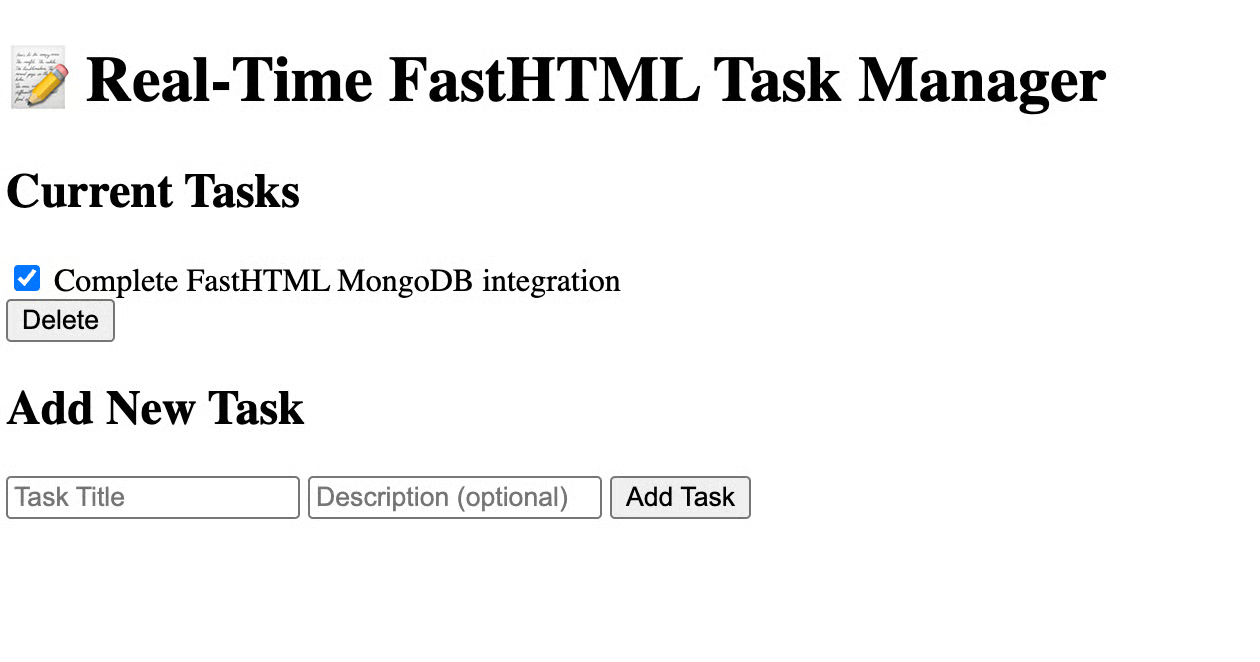
Image: screenshot after adding a task
To handle updates, we use a PATCH request. This demonstrates a "micro-refresh," where only the single task row is updated in the database and re-rendered in the UI using its specific ID.
@app.patch('/toggle-task/{task_id}')
async def toggle_task(task_id: str):
    """Update: Toggles completion status and returns the single row fragment."""
    task_doc = await collection.find_one({"_id": ObjectId(task_id)})
    if not task_doc: raise HTTPException(404, "Task not found")

    await collection.update_one(
        {"_id": ObjectId(task_id)},
        {"$set": {"completed": not task_doc['completed']}}
    )

    # Return only the updated TaskItem for a surgical DOM update
    updated_doc = await collection.find_one({"_id": ObjectId(task_id)})
return TaskItem(Task(**updated_doc))Deletion is initiated by HTMX. Once MongoDB confirms the deletion, the server returns an Empty() response. HTMX interprets this empty response as a signal to remove the target element (closest div) from the DOM.
@app.delete('/delete-task/{task_id}')
async def delete_task(task_id: str):
    """Delete: Removes a task from MongoDB."""
    await collection.delete_one({"_id": ObjectId(task_id)})
    # Signal HTMX to remove the element
    return Empty()
If we do…
curl -X DELETE http://localhost:8000/delete-task/695968244236010c04f313fa…the task is deleted.
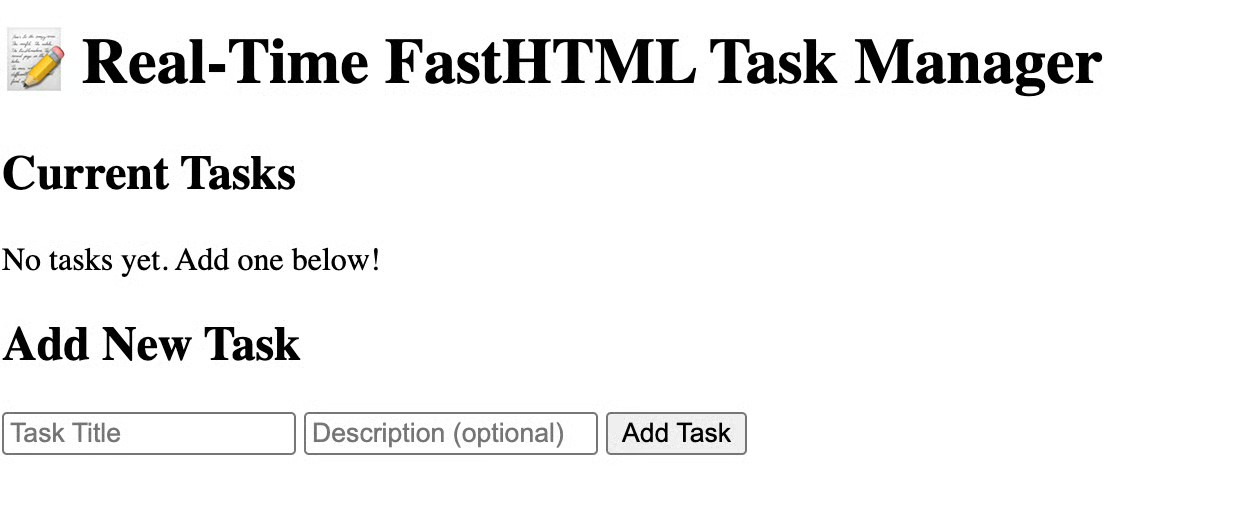
Image: screenshot after deletion
You can find the whole script on GitHub.
By leveraging a modern, Python-centric stack, you have built a reactive application that avoids the traditional complexity of client-side JavaScript frameworks. This specific architecture provides several key advantages for modern web development. The synergy between FastHTML's component-based UI and MongoDB's flexible document model allows you to maintain business logic, data integrity, and presentation in a single, cohesive ecosystem. This "all-in-Python" approach significantly reduces development overhead and deployment complexity.
Top DataCamp Courses
Course
Course
Track
Tutorial
Derrick Mwiti
12 min
Tutorial
Mark Pedigo
15 min
Tutorial
Damilola Oladele
11 min
Tutorial
Moez Ali
13 min
Tutorial
Anaiya Raisinghani
5 min
Tutorial
Bexruz (Bex) Tuychiev
14 min