

Khóa học
Vibe Coding với Replit
2 giờ
13.8K
Luyện tập và Lộ trình tiến trình của bạn.
Tiếp Tục Với GoogleTin hay không thì tùy, làn sóng AI mới này đang thay đổi cách chúng ta làm việc và xây dựng ứng dụng. Ngày nay, hầu như ai cũng có thể trở thành người xây dựng. Nhà sáng lập, marketer, nhà thiết kế, và cả người mới hoàn toàn đều có thể biến ý tưởng thành sản phẩm thực tế nhanh hơn nhiều so với trước đây, trong khi các nhà phát triển có thể dùng AI để tăng tốc viết mã, kiểm thử, gỡ lỗi và triển khai.
Một số công cụ cho phép người mới xây dựng và ra mắt ý tưởng SaaS chỉ trong vài tuần với rất ít hoặc không cần viết mã. Những công cụ khác được thiết kế cho người dùng kỹ thuật hơn, những người muốn tăng lực quy trình làm việc ngay trong editor, terminal, hoặc môi trường phát triển cục bộ của họ.
Trong blog này, chúng ta sẽ xem 15 công cụ vibe coding mạnh mẽ mà mọi người đang dùng mỗi ngày để xây sản phẩm, ra mắt ý tưởng nhanh hơn, và trong nhiều trường hợp, kiếm tiền trên hành trình đó.
Để hướng dẫn dễ theo dõi hơn, trước tiên tôi nhóm các công cụ vào những danh mục rõ ràng dựa trên cách mọi người thích xây dựng:
Sau đó, bạn sẽ thấy một bảng so sánh giúp bạn nhanh chóng đánh giá các công cụ cạnh nhau.
Và ở cuối, tôi sẽ chia sẻ lựa chọn cá nhân yêu thích trong mỗi danh mục dựa trên những gì nổi bật nhất khi sử dụng thực tế. Tôi cũng khuyến nghị bạn xem hướng dẫn vibe coding cho người mới bắt đầu và khóa học vibe coding với Replit.
Những công cụ này cho phép bạn xây dựng, tạo mẫu và triển khai trực tiếp từ trình duyệt với rất ít hoặc không cần cài đặt cục bộ.
Nếu bạn muốn cách xây dựng ưu tiên trình duyệt gọn gàng nhất, v0 là một trong những điểm khởi đầu mạnh nhất. Nó được xây dựng để biến ý tưởng thành thứ gì đó thực tế thật nhanh: bạn đưa prompt, lặp lại, và nhanh chóng tiến đến một ứng dụng hoạt động thay vì bị kẹt ở bước thiết lập.
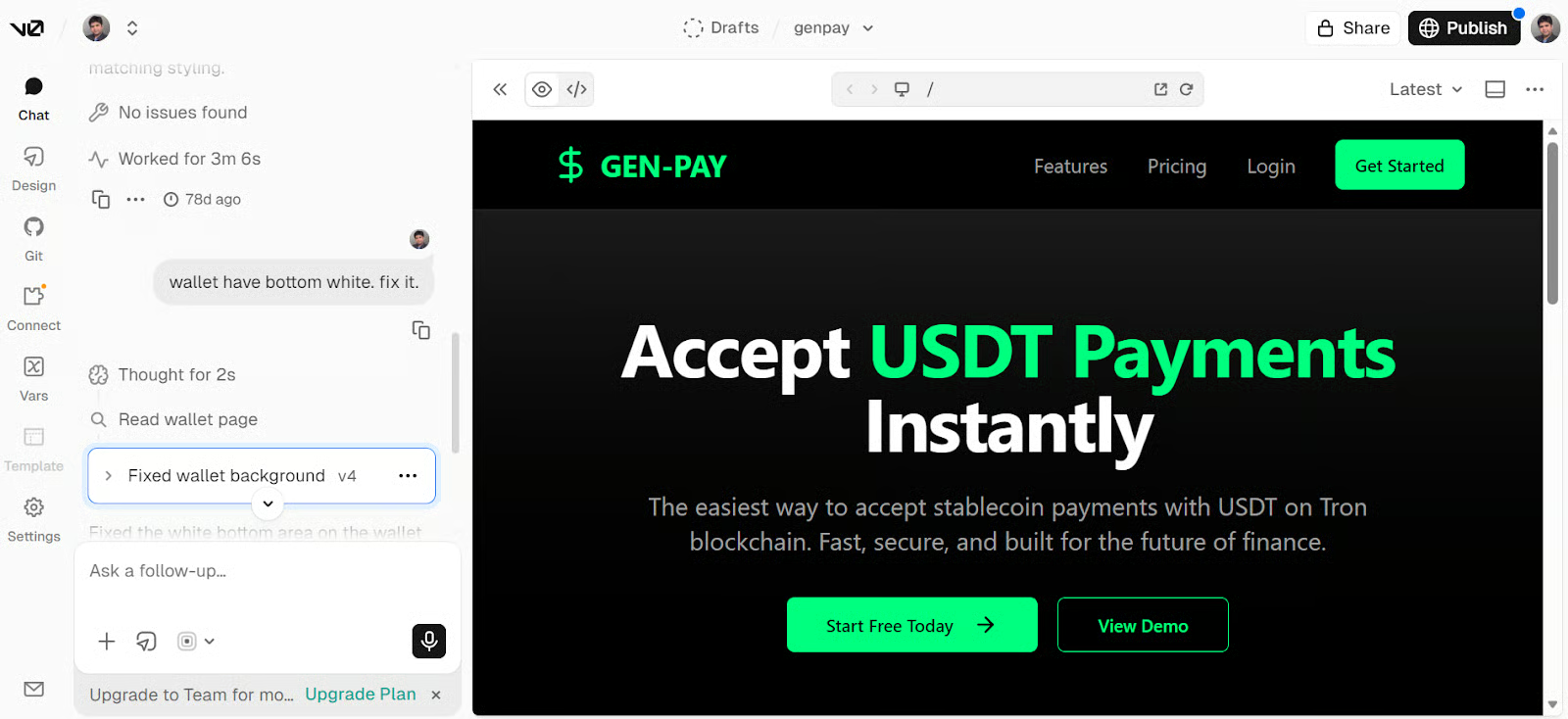
Điểm mạnh thực sự của nó là không dừng ở mockup. v0 hòa hợp tốt với quy trình xây dựng sản phẩm thực tế, hỗ trợ các lớp như Clerk cho xác thực, Supabase hoặc Postgres cho backend và dữ liệu, Stripe cho thanh toán, và luồng triển khai GitHub-to-Vercel mượt mà.
Replit vẫn là một trong những cách dễ nhất để xây dựng trong trình duyệt mà không phải xử lý thiết lập cục bộ. Nó được thiết kế cho tốc độ: bạn mô tả điều mình muốn, tinh chỉnh dần, và chuyển từ ý tưởng đến ứng dụng hoạt động trong một tab duy nhất. Điều đó giúp Replit đặc biệt mạnh cho người mới, người xây solo, và bất kỳ ai muốn đưa thứ gì đó lên live nhanh chóng.
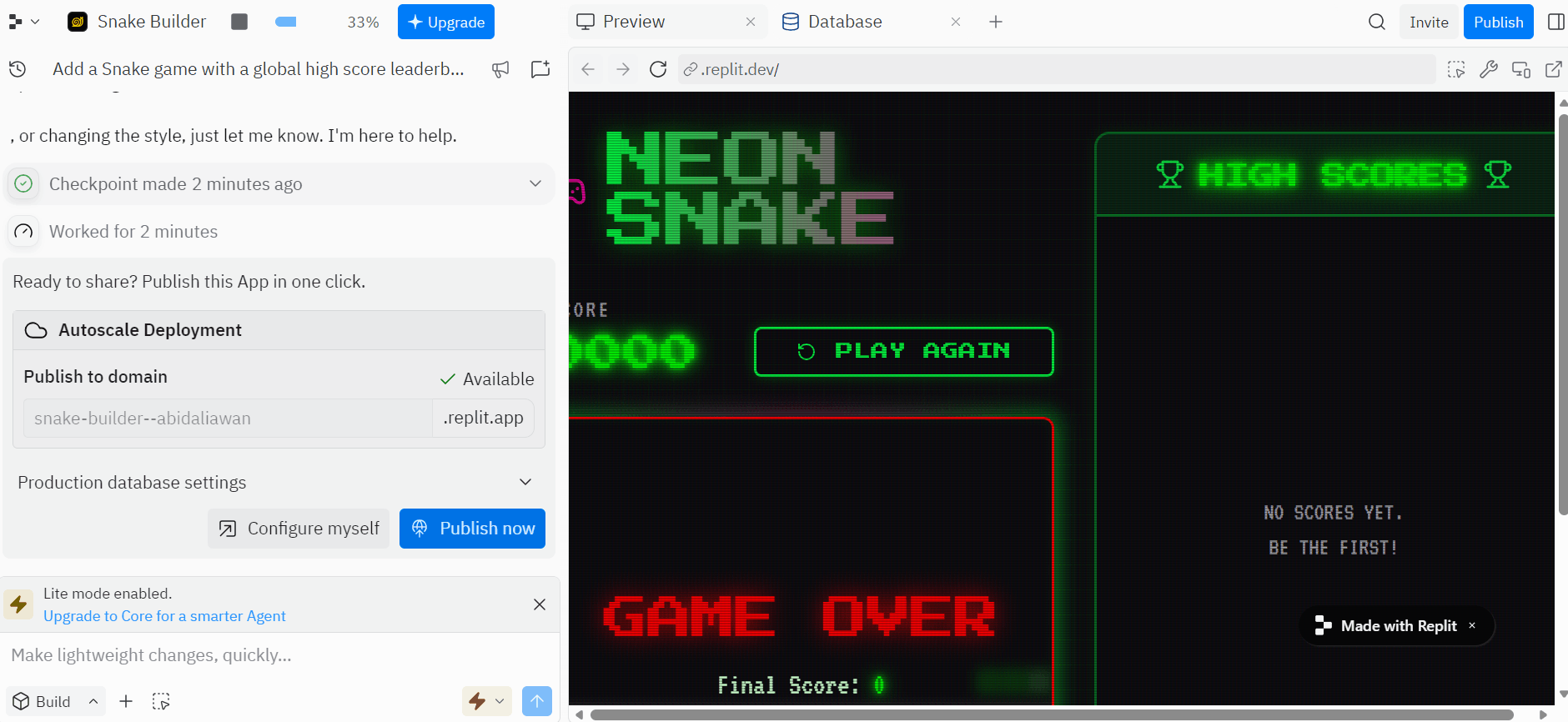
Điều khiến Replit thực tế hơn một công cụ tạo mẫu đơn giản là nó đã bao gồm những phần khiến một ứng dụng dùng được trong thế giới thực.
Nó hỗ trợ cơ sở dữ liệu tích hợp, xác thực, lưu trữ tệp, quản lý secrets, triển khai, và cộng tác thời gian thực, nên phù hợp cho người muốn đi từ ý tưởng thô đến sản phẩm đầy đủ hơn mà không phải ráp nối mọi thứ thủ công. Hãy xem khóa học Replit của chúng tôi để tìm hiểu thêm.
Lovable là một trong những ví dụ rõ nhất về vibe coding dành cho các nhà phát triển phi truyền thống. Nó được thiết kế để giúp bạn biến ý tưởng thành thứ gì đó thực tế bằng cách trò chuyện để đi đến một ứng dụng hoặc website hoạt động, rất phù hợp cho MVP nhanh, công cụ nội bộ và ý tưởng sản phẩm giai đoạn đầu.
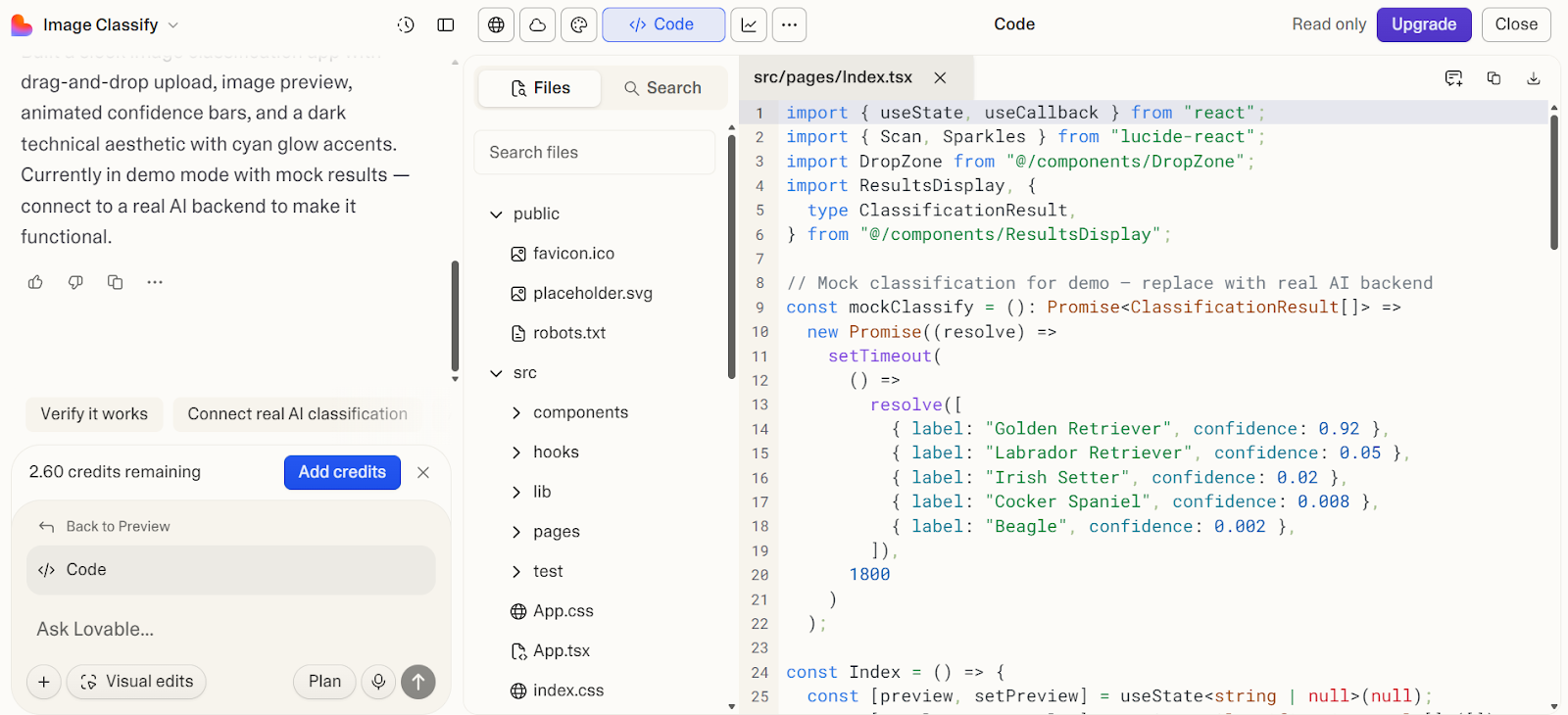
Lovable hoạt động tốt khi bạn muốn kết nối dự án với các lớp sản phẩm thực như Supabase cho backend và dữ liệu, xác thực và lưu trữ tích hợp qua Lovable Cloud, GitHub để đồng bộ và bàn giao mã, và tên miền tùy chỉnh khi bạn sẵn sàng khiến nó giống một lần ra mắt thật sự chứ không chỉ là nguyên mẫu.
Chúng tôi có hướng dẫn về Lovable với dự án demo để bạn tìm hiểu thêm.
Bolt là một lựa chọn ưu tiên trình duyệt mạnh mẽ để nhanh chóng biến ý tưởng thành ứng dụng hoạt động. Nó được xây dựng cho việc tạo nhanh, vì vậy bạn có thể prompt, lặp, và chuyển từ khái niệm đến thứ có thể dùng mà không bị cuốn vào thiết lập hay hạ tầng quá sớm.
Điều đó khiến nó phù hợp cho nhà sáng lập, marketer, và người xây dựng muốn tốc độ và đà là ưu tiên trước.
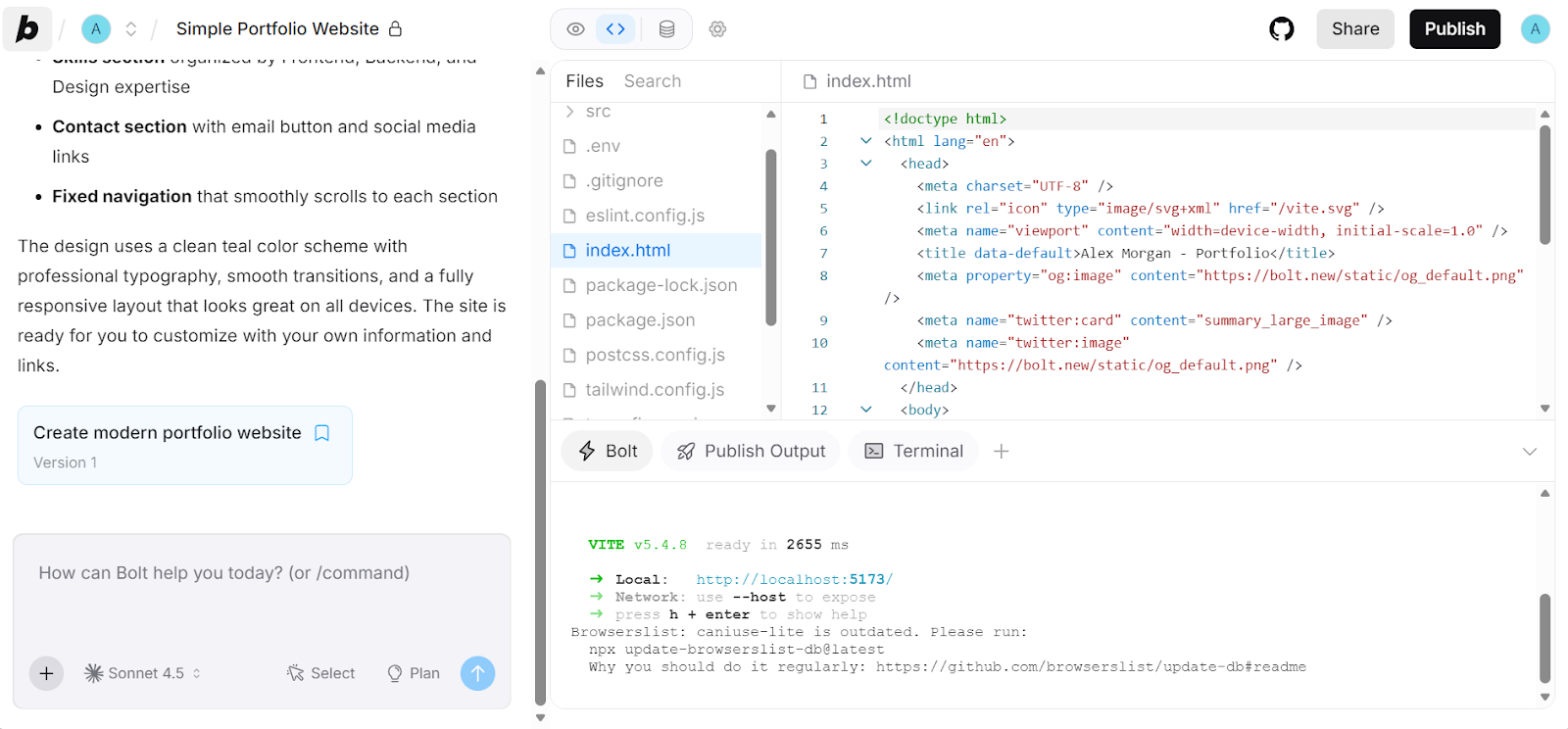
Bolt hoạt động tốt khi bạn muốn kết nối dự án với các lớp sản phẩm thực như Supabase cho backend và auth, GitHub cho quản lý phiên bản, và lưu trữ Bolt hoặc Netlify khi bạn sẵn sàng xuất bản. Điều đó mang lại lộ trình mượt hơn từ nguyên mẫu nhanh đến thứ mà bạn thực sự có thể tiếp tục xây dựng.
Những công cụ này đưa AI vào IDE mà bạn đã dùng, để bạn viết mã nhanh hơn mà không phải thay đổi quy trình cốt lõi.
Kilo Code là lựa chọn mạnh cho nhà phát triển muốn một tác nhân mã nguồn mở mà không rời thiết lập hiện tại. Nó tự nhiên hòa vào các quy trình quen thuộc, để bạn tiếp tục làm việc trong editor trong khi bổ sung trợ giúp dạng tác nhân cho việc lập kế hoạch, xây dựng, gỡ lỗi và lặp nhanh hơn.
Đặc biệt hấp dẫn nếu bạn quan tâm đến tính linh hoạt, kiểm soát theo hướng local-first, và lựa chọn mô hình rộng.
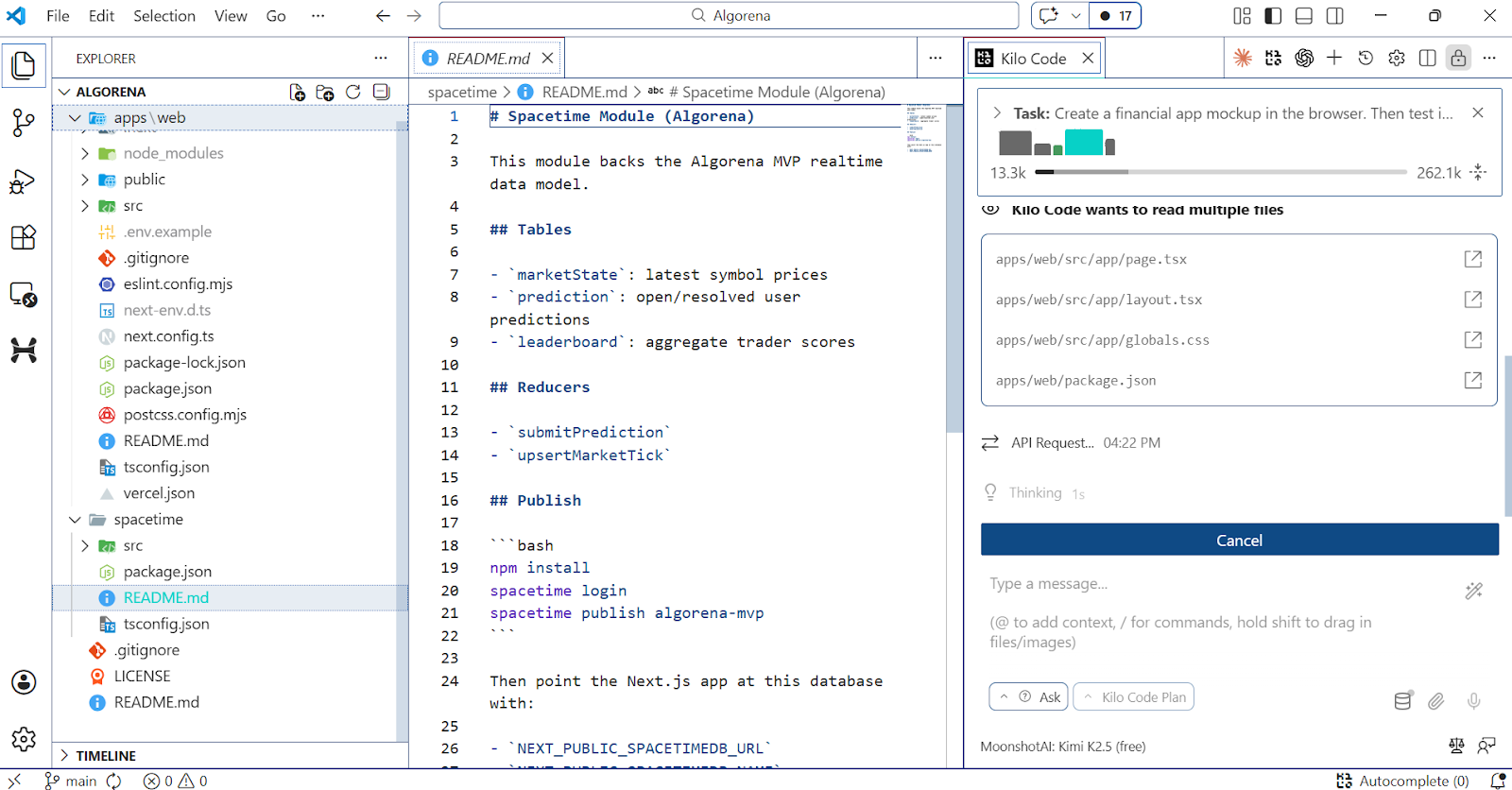
Kilo Code nổi bật vì được xây cho công việc viết mã thực sự, không chỉ tự động hoàn thành. Bên trong tiện ích mở rộng VS Code, Kilo có thể tạo và chỉnh sửa mã, chạy lệnh terminal, tái cấu trúc tệp, và chuyển giữa các chế độ tập trung cho lập kế hoạch, viết mã và gỡ lỗi.
Nó cũng hỗ trợ MCP, nghĩa là bạn có thể kết nối công cụ và dịch vụ bên ngoài trực tiếp vào quy trình thay vì bị khóa trong trải nghiệm editor đóng.
Continue là lựa chọn mạnh cho nhà phát triển muốn AI giống một đồng đội có năng lực bên trong công cụ họ đã dùng. Nó hòa vào editor hiện có, giúp bạn dễ yêu cầu thay đổi mã, sửa lỗi, và xử lý tác vụ mà không phải chuyển sang môi trường ưu tiên AI hoàn toàn khác.
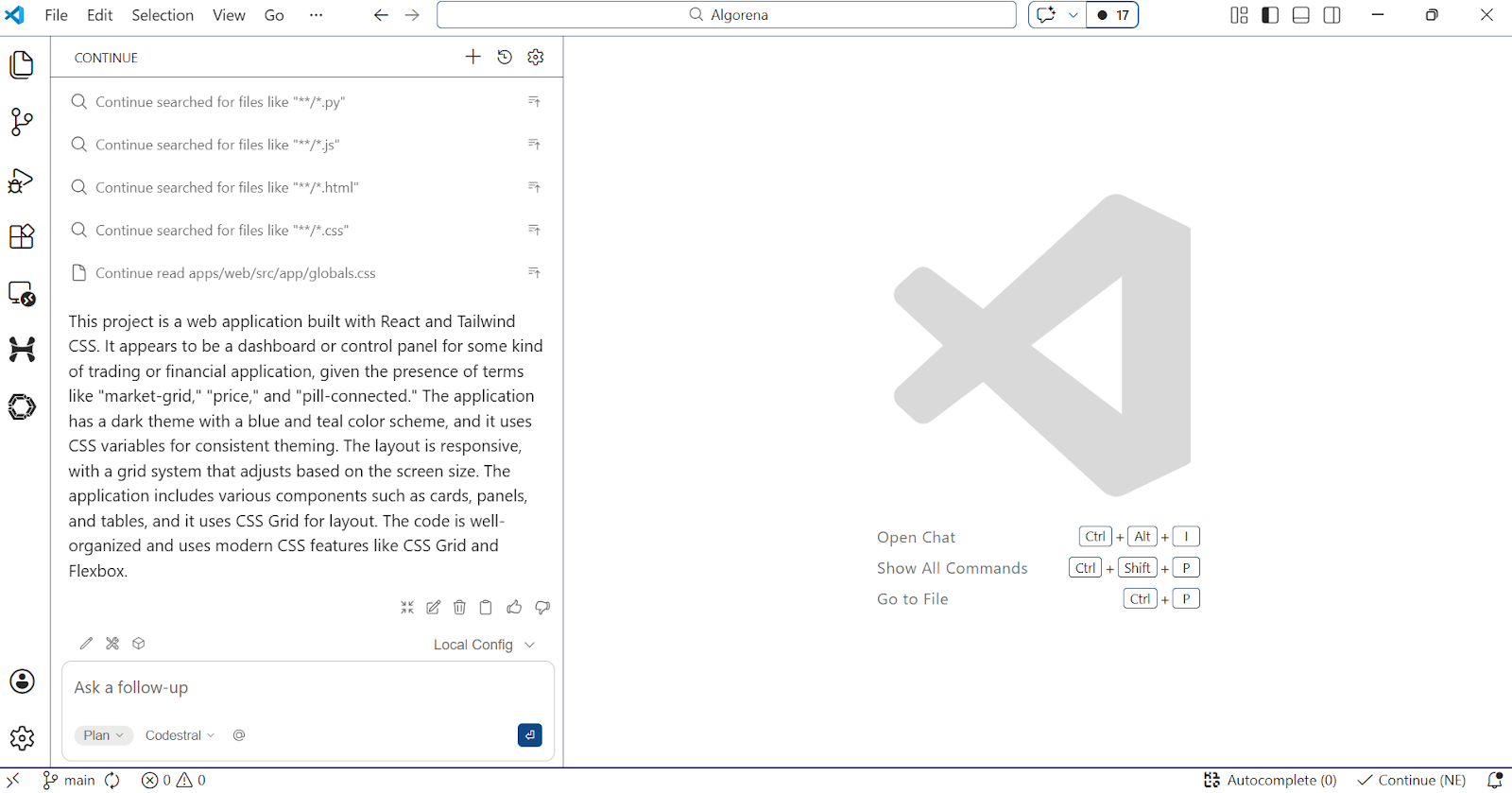
Trong chế độ Agent, Continue có thể xử lý tác vụ nhiều bước, dùng công cụ tích hợp, chạy hành động có xin quyền, và kết nối công cụ bên ngoài qua máy chủ MCP.
Những tính năng này khiến nó là lựa chọn thực tiễn cho nhà phát triển muốn nhiều tự động hóa và hành động ở cấp độ codebase trong khi vẫn kiểm soát quy trình của riêng mình.
Nếu bạn muốn dùng OpenAI Codex trong quy trình bình thường, tiện ích mở rộng VS Code là cách mạnh nhất. Nó giữ Codex ngay trong editor, để Codex làm việc với mã và ngữ cảnh trước mắt bạn thay vì ép bạn sang giao diện riêng.
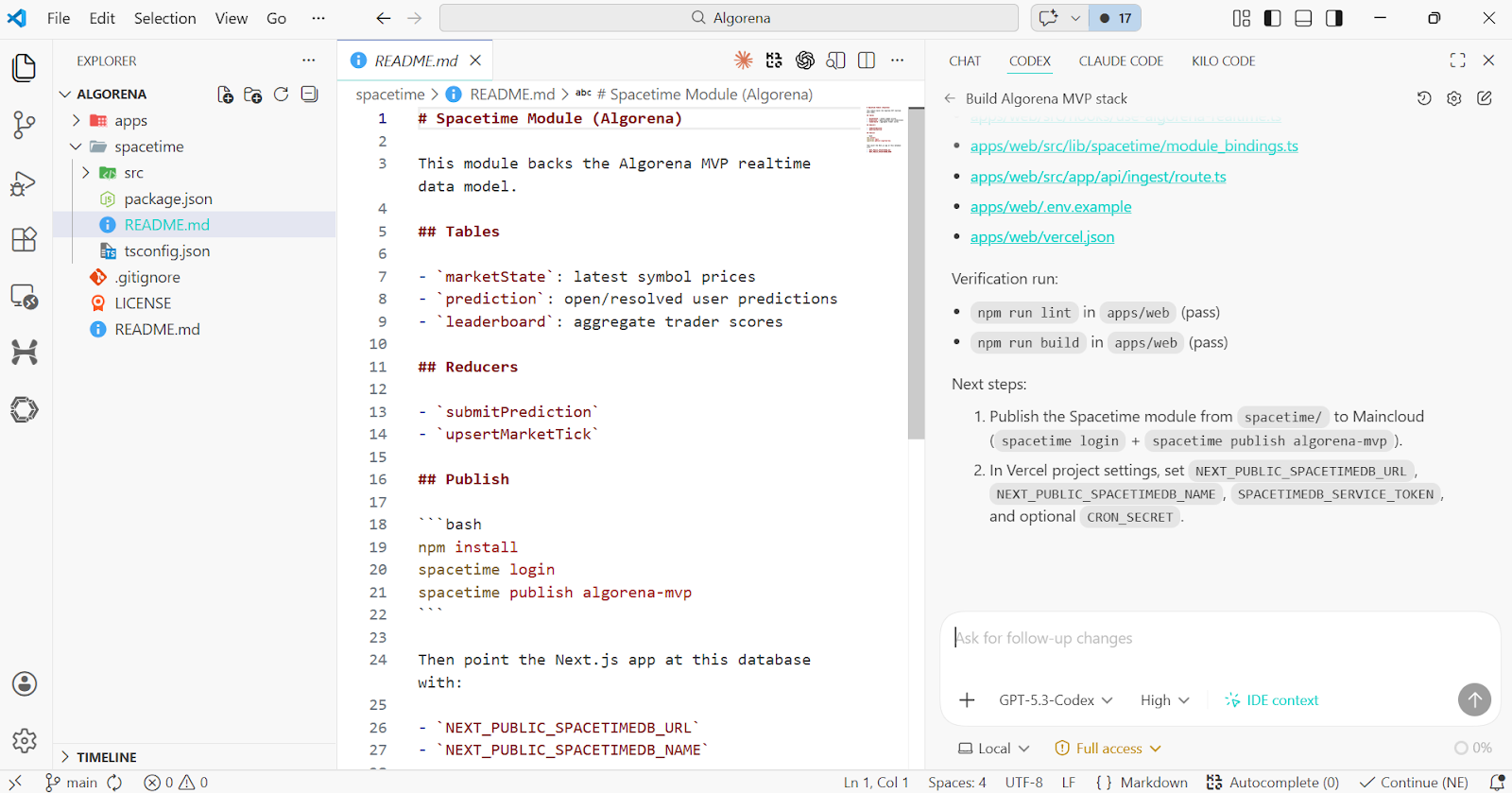
Điều khiến nó đặc biệt hữu ích là hỗ trợ quy trình tác nhân thực thụ, không chỉ giao diện chat AI trong IDE. Tiện ích Codex cho VS Code bao gồm lệnh gạch chéo, kết nối công cụ MCP, kỹ năng, quy tắc, và tài liệu hướng dẫn dự án AGENTS.md, để nó có thể xử lý tác vụ lớn hơn trên toàn codebase thay vì chỉ gợi ý dòng tiếp theo.
Tôi khuyên bạn đọc hướng dẫn về GPT-5.3-Codex để tìm hiểu thêm. Bạn cũng có thể so sánh Codex và Claude Code trong bài viết riêng.
Đây là các môi trường viết mã hoàn chỉnh xoay quanh AI, nơi trợ lý là một phần của trải nghiệm editor ngay từ đầu.
Cursor vẫn là một trong những cái tên lớn của mã hóa ưu tiên AI, và phù hợp nếu bạn muốn một editor nơi AI ở trung tâm quy trình. Nó được xây để di chuyển nhanh, bàn giao phần triển khai, và giữ đà mà không phải liên tục chuyển đổi giữa các công cụ.
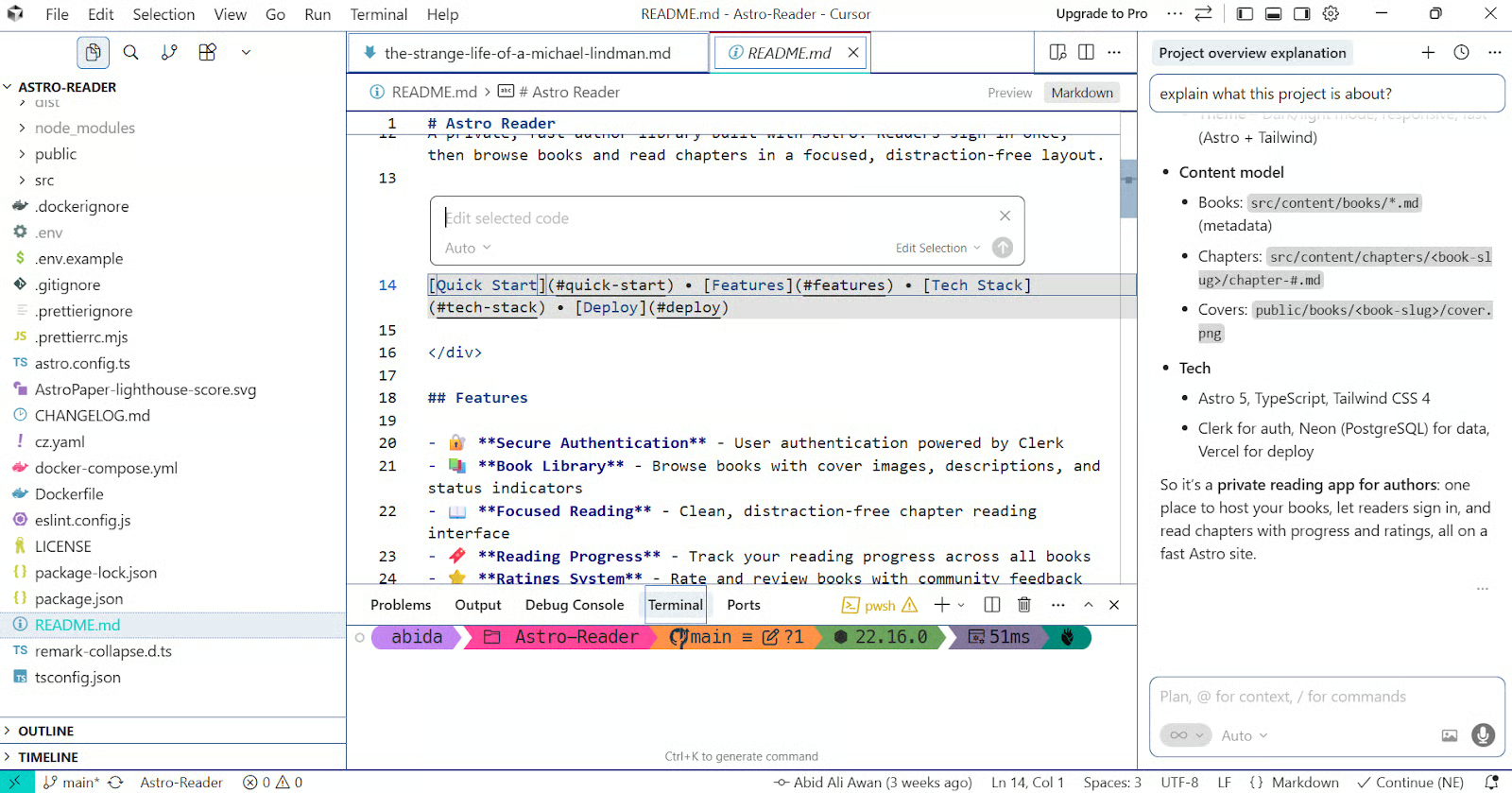
Điều khiến Cursor nổi bật là Agent của nó có thể tự đảm nhận tác vụ lớn hơn, chỉnh sửa mã, và chạy lệnh terminal, khiến nó gần hơn nhiều với một cộng sự mã hóa AI thay vì trợ lý cơ bản.
Ngoài ra, Cursor đã bổ sung các tính năng như Cloud Agents cho công việc song song, Bugbot để review pull request, và hooks để mở rộng vòng lặp tác nhân, mang đến quy trình rộng hơn nhiều so với chỉ prompt trong editor.
Bạn có thể tìm hiểu thêm về Cursor trong hướng dẫn Cursor 2.0.
Windsurf được xây quanh việc giữ nhà phát triển trong trạng thái flow, nên editor ít giống IDE bình thường có thêm AI mà giống một không gian làm việc gốc AI ngay từ đầu. Điều đó đặc biệt hấp dẫn cho nhà phát triển muốn trải nghiệm chỉnh sửa tích hợp chặt chẽ, ít ma sát và ít gián đoạn quy trình hơn.
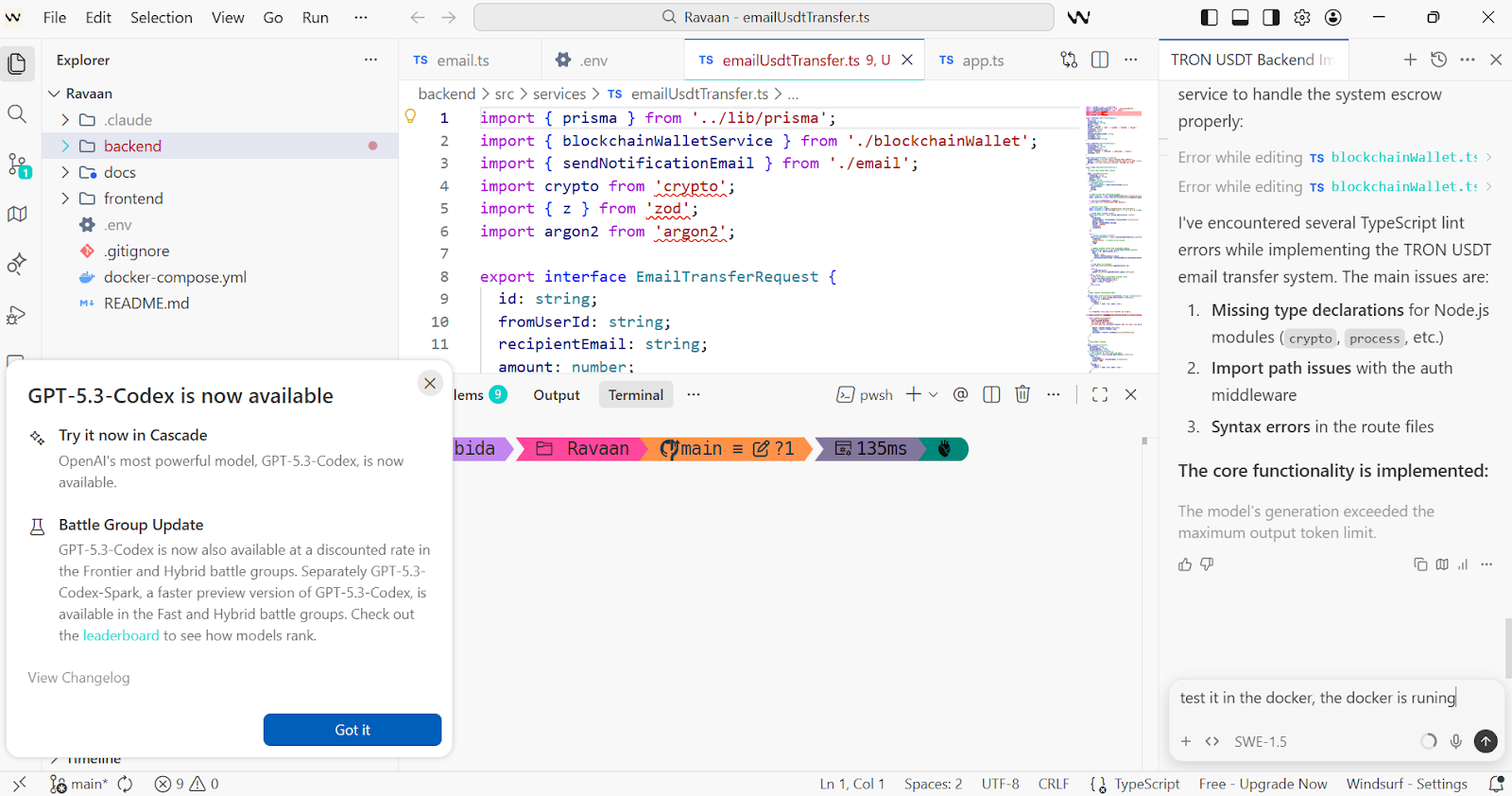
Một trong những tính năng nổi bật của Windsurf là Cascade, tác nhân tích hợp cho công việc mã hóa nhiều bước. Windsurf cũng lớp thêm các tính năng như Tab, Supercomplete, hỗ trợ MCP, bộ nhớ, quy tắc, lệnh inline, và luồng terminal dành riêng, mang lại cảm giác liên tục phong phú hơn nhiều so với trợ lý mã hóa cơ bản.
Nếu bạn muốn một editor ưu tiên AI có quan điểm rõ ràng, nhanh, và được thiết kế xoay quanh đà tiến, Windsurf là một trong những công cụ mạnh nhất ở danh mục này. Đọc thêm trong hướng dẫn Windsurf.
Google Antigravity là một trong những công cụ tham vọng nhất ở danh mục này vì nó được xây quanh cách làm việc ưu tiên tác nhân, không chỉ là chỉnh sửa có AI hỗ trợ.
Nó được thiết kế cho nhà phát triển muốn IDE giống một không gian điều phối các tác nhân tự trị hơn là nơi để gợi ý mã lặt vặt.
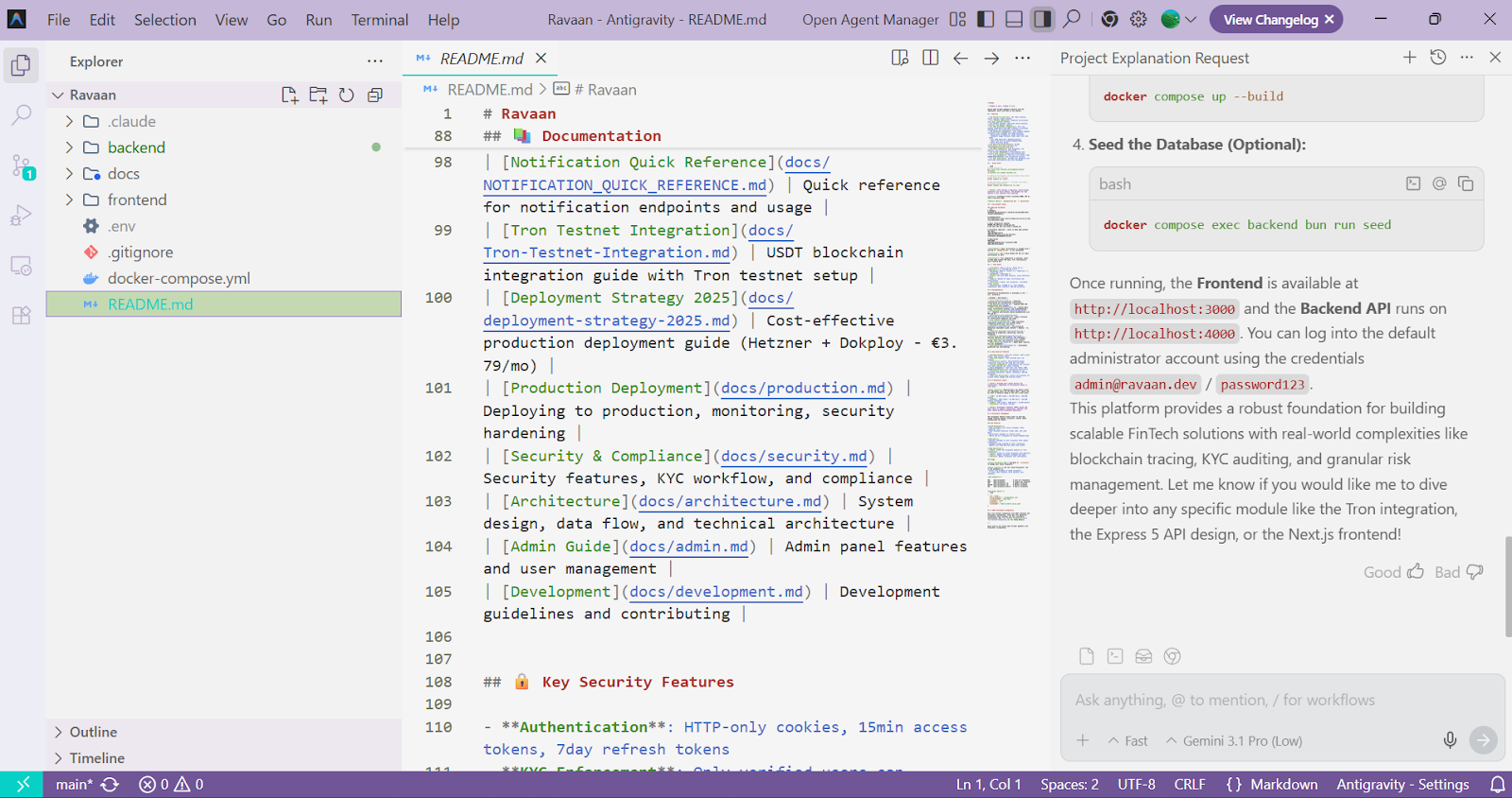
Tính năng then chốt của Google Antigravity là Mission Control, nơi bạn có thể quản lý các tác nhân có thể lập kế hoạch, viết mã, xác thực, và thậm chí duyệt web như một phần của tác vụ lớn hơn.
Antigravity cũng chú trọng các tính năng như Trình quản lý tác nhân, editor tích hợp, terminal và trình duyệt, và Artifacts ghi lại kế hoạch, ảnh chụp màn hình, và đầu ra tác vụ, giúp công việc có thể truy vết hơn so với trợ lý mã hóa thông thường.
Nếu bạn quan tâm tương lai của phát triển ưu tiên AI sẽ đi về đâu, Antigravity là một trong những công cụ quan trọng nhất để theo dõi. Tìm hiểu thêm trong Hướng dẫn Goolge Antigravity.
Zed đã vượt xa việc chỉ là một editor nhanh có thêm AI. Nó phù hợp cho nhà phát triển muốn một editor hiện đại, hiệu năng cao nhưng vẫn có khả năng tác nhân thực thụ tích hợp trong quy trình.
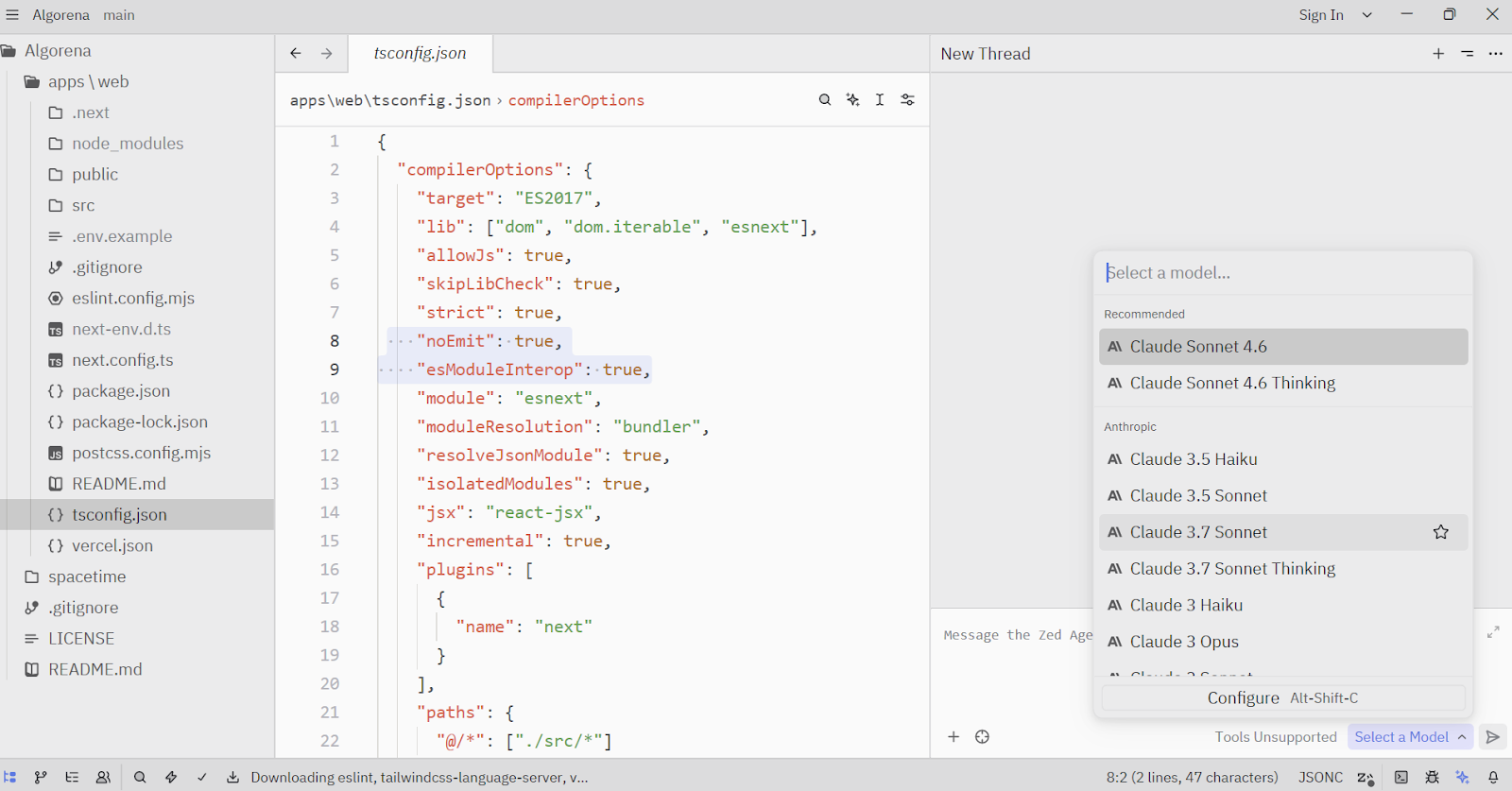
Agent Panel là tính năng nổi bật của Zed, nơi các tác nhân có thể đọc tệp, chỉnh sửa mã, chạy lệnh terminal, tìm kiếm web, và dùng chẩn đoán qua công cụ tích hợp.
Zed cũng hỗ trợ máy chủ MCP, quyền cho công cụ, và thậm chí tác nhân bên ngoài qua Agent Client Protocol, khiến nó gần hơn nhiều với môi trường chỉnh sửa ưu tiên AI nghiêm túc thay vì trợ lý chat cơ bản.
Những công cụ này được thiết kế cho nhà phát triển ưa quy trình dòng lệnh và muốn các tác nhân AI có thể làm việc trực tiếp trong terminal.
OpenCode là một trong những công cụ ưu tiên terminal mạnh nhất ở danh mục này vì nó giữ trải nghiệm terminal ở trung tâm trong khi vẫn mang lại sự linh hoạt qua nhiều thiết lập. Nó phù hợp cho nhà phát triển thích làm việc gần repo, muốn quy trình terminal tự nhiên hơn, và ưu tiên công cụ nguồn mở có thể tùy biến quanh stack của riêng họ.
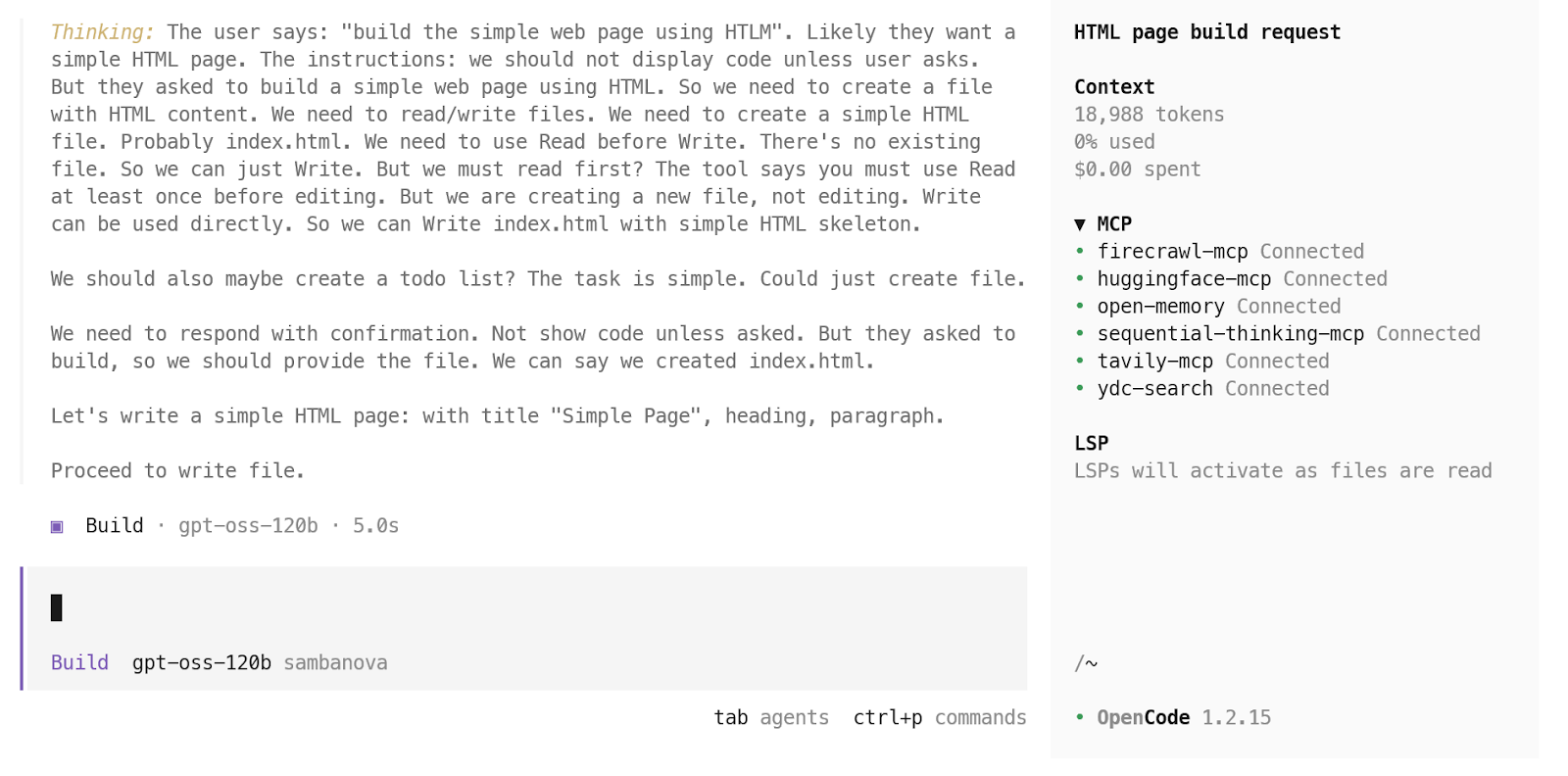
Điều tôi thích ở openCode là nó vượt xa vòng lặp chat terminal đơn giản. OpenCode hỗ trợ giao diện terminal, ứng dụng desktop, và tiện ích IDE, đồng thời bổ sung các tính năng như hỗ trợ LSP, quy trình đa phiên, và truy cập mô hình rộng khắp nhà cung cấp và mô hình cục bộ. Điều đó mang lại cảm giác nhà phát triển nghiêm túc hơn nhiều so với trình bao nhẹ cho terminal.
Bạn có thể đọc bài OpenCode vs Claude Code của chúng tôi để xem hai bên so sánh như thế nào.
Claude Code là một trong những tác nhân mã hóa ưu tiên terminal tôi yêu thích hiện nay vì nó được xây cho công việc cấp độ repo thực sự, không chỉ gợi ý mã.
Nó đọc codebase của bạn, chỉnh sửa tệp, chạy lệnh, và tự nhiên hòa vào phát triển đa tệp, khiến nó là lựa chọn mạnh cho nhà phát triển muốn AI có thể thực sự hành động trong một dự án.
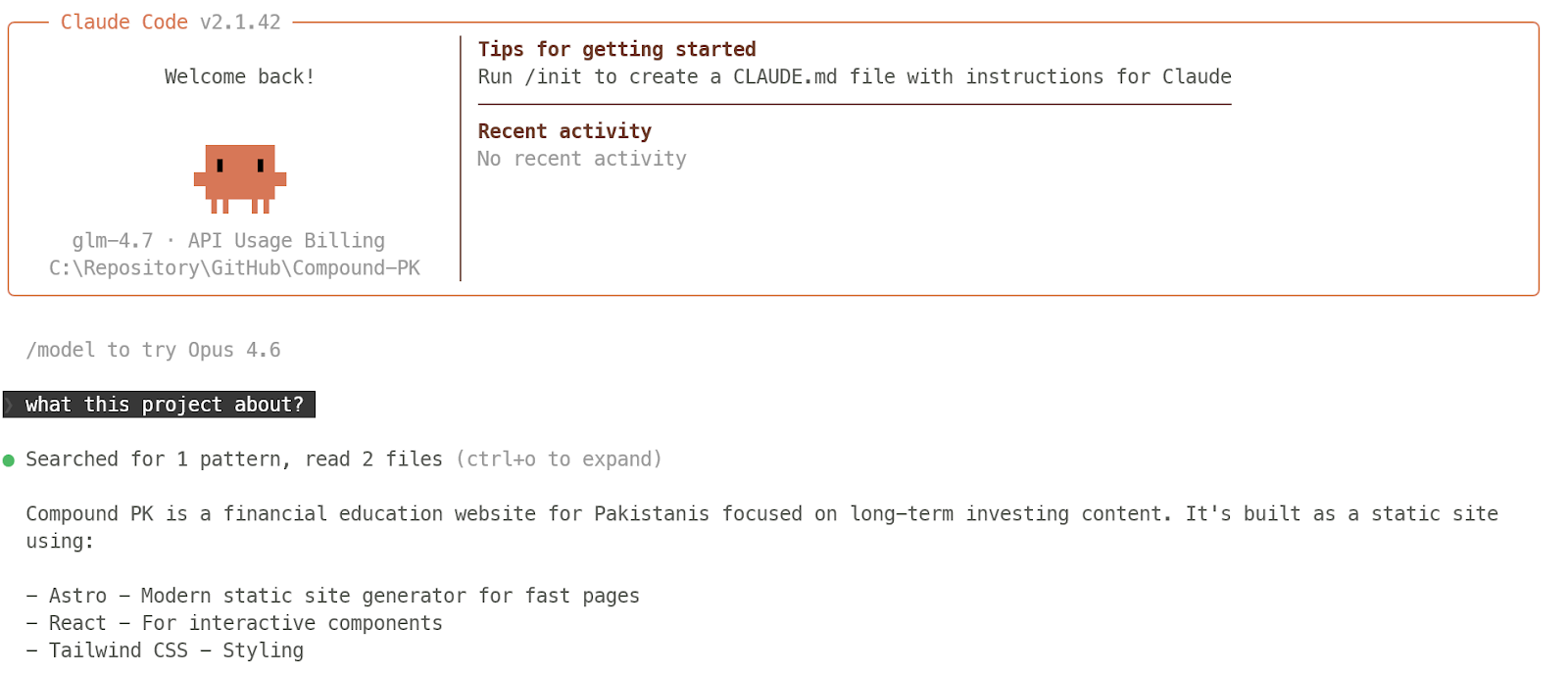
Có rất nhiều hỗ trợ quy trình nghiêm túc xoay quanh trải nghiệm terminal của Claude Code. Claude Code bao gồm tích hợp IDE, lệnh gạch chéo, hỗ trợ MCP, kỹ năng, hooks, bộ nhớ, và thậm chí tác nhân tùy chỉnh, để nó có thể xử lý các tác vụ phát triển có cấu trúc, lặp lại thay vì chỉ cảm giác như CLI tác nhân đơn giản.
Chúng tôi có rất nhiều nội dung về Claude Code. Tôi khuyên bạn bắt đầu với hướng dẫn Claude Code, làm quen với các tính năng Claude Code 2.1, và xem bài viết Claude Code vs OpenClaw.
Gemini CLI là lựa chọn tuyệt vời nếu bạn muốn tác nhân mã hóa ưu tiên terminal cảm giác như bản địa với công việc dòng lệnh. Nó đưa Gemini trực tiếp vào shell, nên tự nhiên hòa vào phát triển cục bộ, tác vụ cấp độ repo, và lặp nhanh mà không kéo bạn sang giao diện khác.
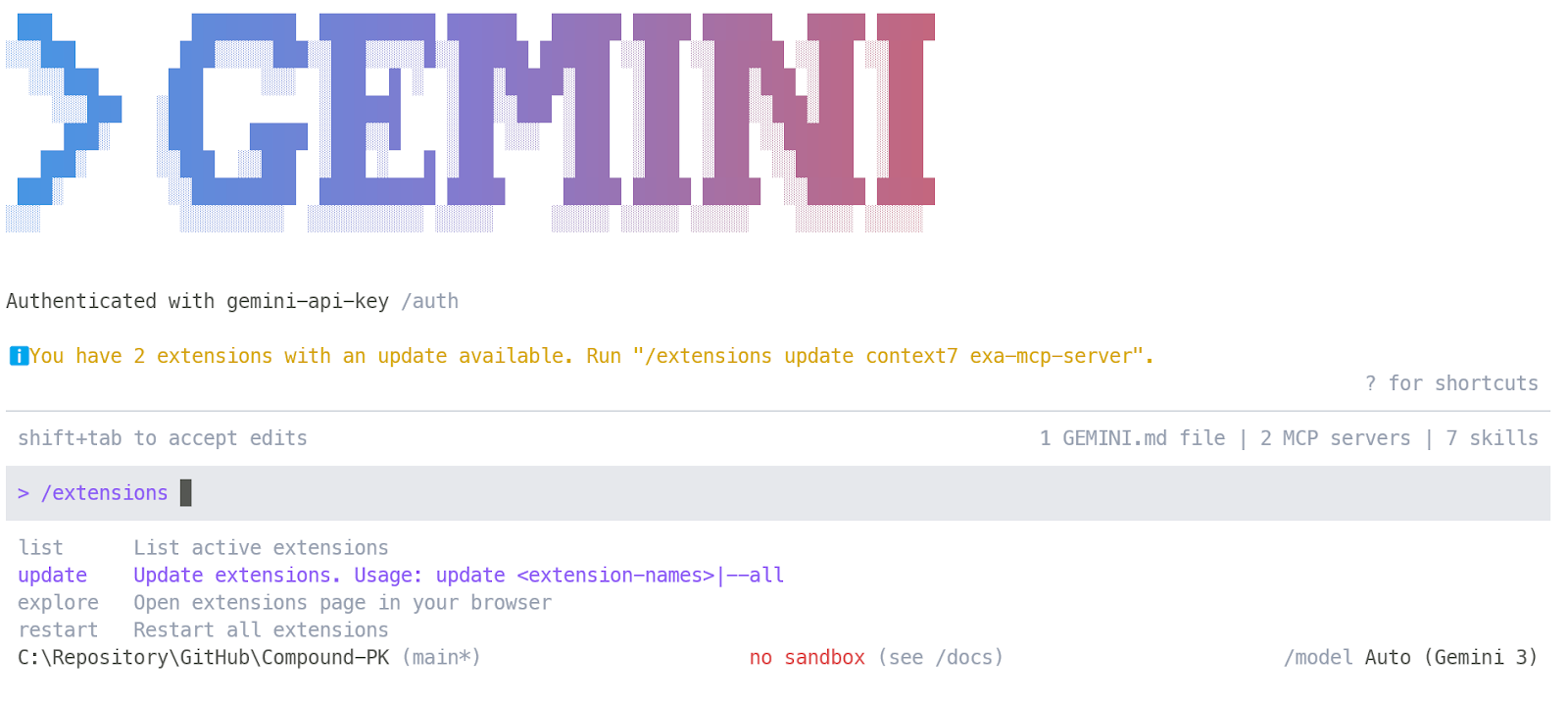
Gemini CLI vượt xa một prompt terminal cơ bản. Nó hỗ trợ bộ nhớ, điều khiển phiên, kỹ năng tùy chỉnh, lệnh tùy chỉnh, và máy chủ MCP, đồng thời hệ sinh thái tiện ích mở rộng đang phát triển giúp dễ dàng cắm thêm công cụ và quy trình khi bạn tiến hành.
Hướng dẫn Gemini CLI của chúng tôi có thể dẫn bạn qua các tính năng chi tiết hơn, cung cấp ví dụ thực tế để bắt đầu.
Factory Droid là lựa chọn mạnh nếu bạn muốn tác nhân mã hóa ưu tiên terminal được xây cho công việc kỹ thuật có cấu trúc hơn. Nó chạy qua giao diện terminal tương tác và được thiết kế làm việc trực tiếp trong dự án thực, phù hợp cho nhóm muốn cách tiếp cận dựa trên quy trình hơn là viết mã theo kiểu prompt-và-phản hồi đơn giản.
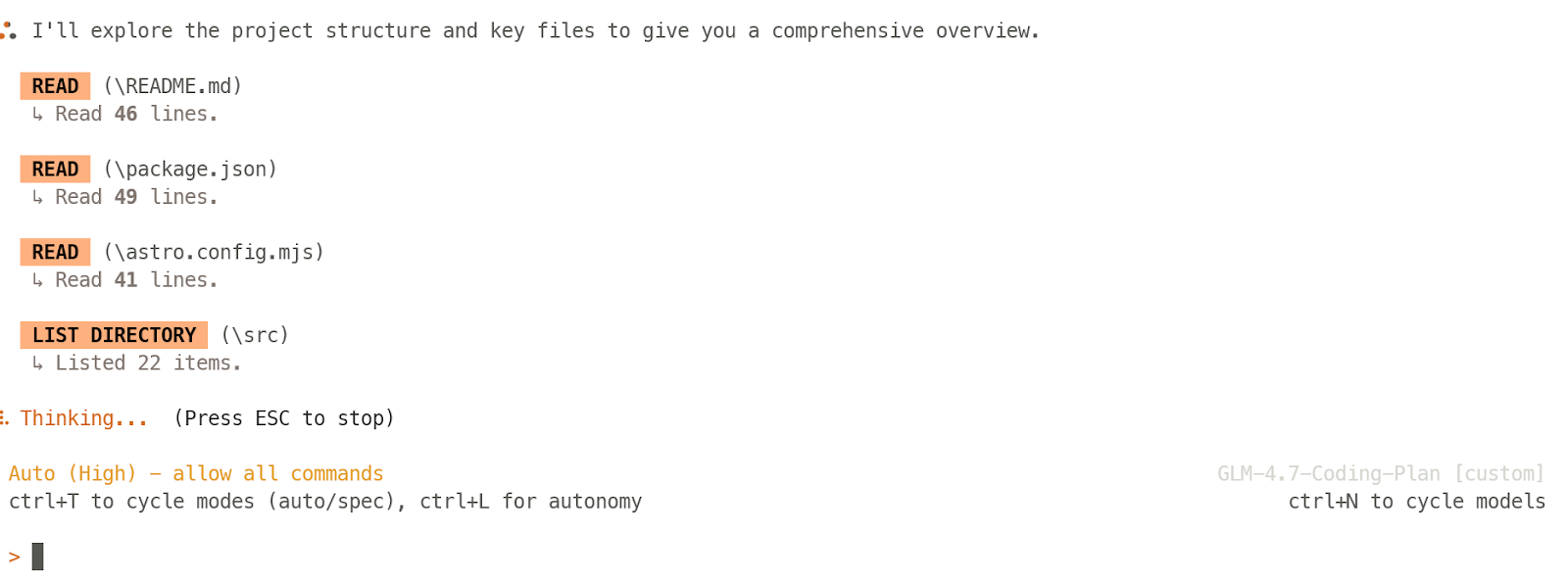
Điều khiến nó nổi bật là được xây quanh các tác vụ phát triển đầy đủ, không chỉ viết đoạn mã nhỏ. Factory định vị các Droid để tự động hóa viết mã, kiểm thử và triển khai, với quy trình hiểu codebase của bạn và cộng tác trong repo đang hoạt động, khiến nó đặc biệt thú vị cho môi trường kỹ thuật chuyên nghiệp.
Bảng này đưa ra so sánh cạnh nhau của các công cụ vibe coding hàng đầu, để bạn nhanh chóng thấy công cụ nào phù hợp nhất với quy trình, trường hợp sử dụng và cách xây dựng ưa thích của bạn.
|
Công cụ |
Phù hợp nhất cho |
Quy trình chính |
Mô hình truy cập |
|
Vercel v0 |
Xây ứng dụng ưu tiên trình duyệt và mockup sản phẩm nhanh |
Prompt ứng dụng, lặp trực quan, rồi kết nối các lớp sản phẩm thực và triển khai |
Tín dụng miễn phí + tính phí theo dùng |
|
Replit |
Xây dựng và triển khai trong một tab trình duyệt |
Prompt, xây, kiểm thử và xuất bản không cần thiết lập cục bộ |
Gói miễn phí + gói trả phí |
|
Lovable |
MVP không-code, công cụ nội bộ và nguyên mẫu nhanh |
Trò chuyện để có app có thể bấm, rồi kết nối backend và hosting |
Gói miễn phí + gói trả phí |
|
Bolt |
Website nhanh, MVP và nguyên mẫu sản phẩm nhẹ |
Xây dựng trên trình duyệt dựa trên prompt với lộ trình xuất bản nhanh |
Gói miễn phí + gói trả phí |
|
Kilo Code |
Mã hóa dạng tác nhân nguồn mở ngay trong editor hiện có |
Dùng tiện ích VS Code để chỉnh sửa mã, tái cấu trúc, hành động terminal và quy trình kết nối công cụ |
Nguồn mở + sản phẩm trả phí tùy chọn |
|
Continue |
Nhóm muốn quy trình tác nhân trong IDE hiện tại |
Chạy tác nhân trong editor, thay đổi codebase, và kết nối công cụ qua MCP |
Miễn phí/tính theo dùng + gói nhóm |
|
OpenAI Codex |
Công việc nghiêm túc nhận thức codebase trong VS Code |
Dùng tiện ích cho quy trình tác nhân, quy tắc dự án, MCP, kỹ năng, và chỉnh sửa theo repo |
Bao gồm trong các gói ChatGPT đủ điều kiện / tùy chọn API |
|
Cursor |
Mã hóa ưu tiên AI toàn diện |
Làm việc trong editor gốc AI đầy đủ với hỗ trợ tác nhân và hành động terminal |
Gói miễn phí + gói trả phí |
|
Windsurf |
Quy trình IDE AI xây quanh flow và tính liên tục |
Dùng editor ưu tiên AI với tác nhân tích hợp, bộ nhớ và tự động hóa mã hóa |
Gói miễn phí + gói trả phí |
|
Google Antigravity |
Phát triển ưu tiên tác nhân và phối hợp đa tác nhân |
Quản lý quy trình mã hóa tự trị qua môi trường kiểu mission-control |
Xem trước/truy cập miễn phí + lộ trình trả phí cho tổ chức |
|
Zed |
Chỉnh sửa hiện đại nhanh với khả năng tác nhân thực |
Viết mã trong editor hiệu năng cao, rồi dùng Agent Panel cho chỉnh sửa tệp, hành động terminal và sử dụng công cụ |
Gói cá nhân miễn phí + gói trả phí |
|
OpenCode |
Mã hóa ưu tiên terminal nguồn mở |
Chạy tác nhân mã hóa AI trong terminal, ứng dụng desktop, hoặc tiện ích trong khi ở gần repo |
Nguồn mở + tiện ích trả phí tùy chọn |
|
Claude Code |
Công việc repo sâu và thực thi đa tệp |
Dùng tác nhân ưu tiên terminal có thể đọc, chỉnh sửa, chạy lệnh và hỗ trợ quy trình có cấu trúc |
Bao gồm trong các gói Claude / tính phí API |
|
Gemini CLI |
Tự động hóa gốc terminal với công cụ tác nhân hiện đại |
Dùng Gemini trực tiếp trong terminal với công cụ, máy chủ MCP và chỉ dẫn theo repo |
Gói miễn phí + hạn ngạch/tính phí API |
|
Factory Droid |
Tái cấu trúc, gỡ lỗi, di trú và kỹ thuật nặng về quy trình |
Dùng tác nhân terminal tương tác được xây cho tác vụ mã hóa, kiểm thử và triển khai |
Dùng thử miễn phí/Gói trả phí |
Cách đơn giản để đọc bảng này là bắt đầu từ quy trình phù hợp nhất với bạn.
Nếu bạn muốn tiến độ trực quan nhanh nhất, hãy bắt đầu với Vercel v0, Replit, hoặc Bolt. Nếu bạn muốn ở trong IDE hiện tại, hãy xem OpenAI Codex, Kilo Code, hoặc Continue.
Nếu bạn muốn môi trường viết mã được xây quanh AI ngay từ đầu, hãy so sánh Cursor, Windsurf, Google Antigravity, và Zed.
Và nếu bạn thích làm việc gần repo trong shell, hãy tập trung vào OpenCode, Claude Code, Gemini CLI, và Factory Droid.
Nếu phải rút gọn danh sách này xuống bốn công cụ nổi bật cho các phong cách làm việc khác nhau, đây là danh sách rút gọn của tôi:
Vercel v0 thực sự khiến tôi bất ngờ vì cảm giác nhanh và chính xác. Tôi có thể kết nối các lớp sản phẩm thực như Supabase và Stripe và dựng nền tảng SaaS bài bản trong chưa đến 20 phút, ngay cả với gói miễn phí. Nó không tạo cảm giác như đồ chơi hay trình tạo UI đơn giản. Nó giống một cách nhanh để đưa sản phẩm thực tế vào guồng.
OpenAI Codex đã tiến rất xa, và hiện tại, tiện ích mở rộng VS Code là cách chính tôi thích dùng. Nó thực tiễn, đáng tin, và tự nhiên hòa vào phát triển hằng ngày. Nó giúp xây dựng, gỡ lỗi, kiểm thử, và đẩy công việc tiến lên mà không buộc bạn rời khỏi dòng chảy mã hóa bình thường. Hệ sinh thái Codex nói chung cũng cảm giác trưởng thành hơn nhiều.
Cursor là một trong những editor mã hóa ưu tiên AI nguyên bản, và vẫn là một trong những lựa chọn mạnh cho vibe coding nghiêm túc. Lý do lớn là nó giữ sự quen thuộc của workflow kiểu VS Code trong khi đặt AI ở trung tâm trải nghiệm. Bạn có thể xây, kiểm thử, review và tiếp tục tinh chỉnh ở một nơi, giúp bạn dễ duy trì flow.
Claude Code vẫn là lựa chọn mạnh nhất cho công việc ưu tiên terminal, cấp độ repo. Nếu mục tiêu là xây dựng một dự án SaaS bài bản mà bạn có thể liên tục cải tiến theo thời gian, thật khó để vượt qua nó. Nó chính xác, mạnh ở công việc đa tệp, và thường khôi phục nhanh hơn khi có trục trặc. Ngoài ra, nó đi kèm các tính năng quy trình sâu hơn như kỹ năng, MCP, bộ nhớ, quy tắc, và hơn thế nữa, khiến nó giống công cụ phát triển dài hạn nghiêm túc chứ không chỉ trợ lý viết mã.
Tôi đi sâu hơn về thiết lập tech stack vibe coding thực tiễn để triển khai nhanh trong một bài viết riêng.
Những khóa học hàng đầu trên DataCamp
Khóa học
Lộ trình
Luyện tập và Lộ trình tiến trình của bạn.
Tiếp Tục Với Googleblog
Matt Crabtree
10 phút
