Lernpfad
KI-Agent-Grundlagen
6 Std.
Anthropics Claude Code hat das Terminal in eine Entwicklungsumgebung verwandelt, die Architekturen planen, Bugs beheben und Pull Requests erstellen kann. Seit dem Launch folgte eine Welle an Open-Source-Alternativen.
Aktuell dominieren proprietäre Tools wie Claude Code und Open-Source-Tools wie OpenCode diesen Bereich.
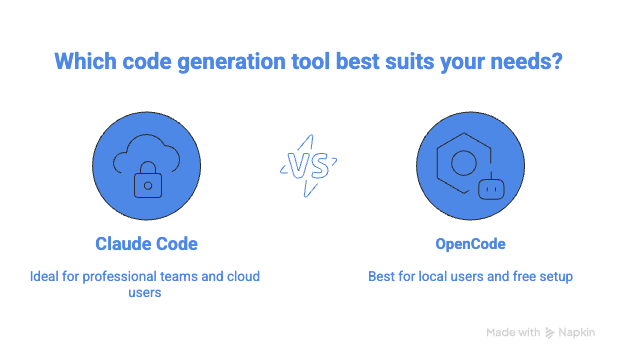
In diesem Artikel vergleiche ich OpenCode und Claude Code hinsichtlich Features, Kosten, Sicherheit und Geschwindigkeit, damit du das passende Tool für deinen Workflow findest. Für eine vertiefte Betrachtung der einzelnen Tools, sieh dir unser Claude Code Tutorial und den OpenCode mit Ollama Guide an.
Wie wir in unserem Claude Code Tutorial behandeln, ist Claude Code das offizielle CLI-Tool von Anthropic. Es hilft Entwicklerinnen und Entwicklern, Code mit natürlichen Sprachbefehlen effizient zu refaktorisieren, zu dokumentieren und zu debuggen. Die Einrichtung dauert keine zwei Minuten: per npm installieren und mit deinem Anthropic-Konto verbinden.
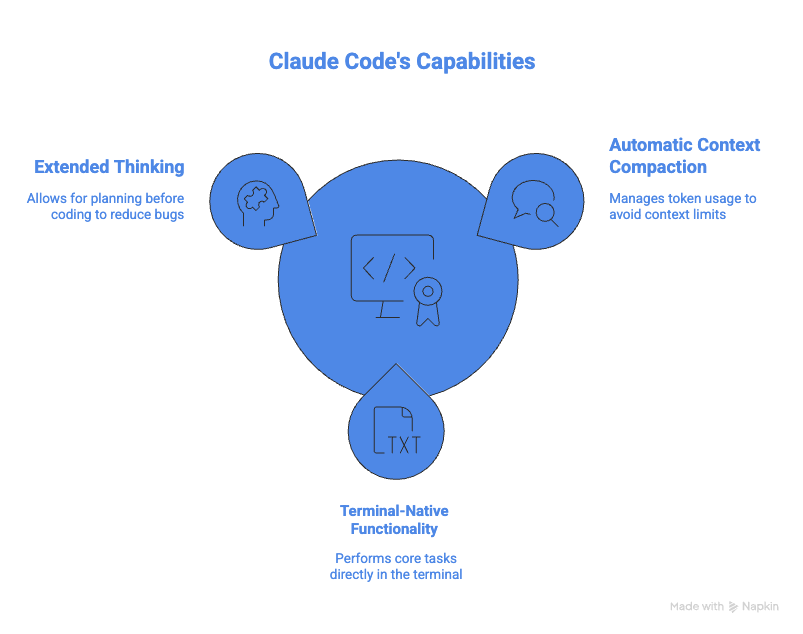
Eine der größten Herausforderungen beim Einsatz von Agenten in der Programmierung ist der Token-Verbrauch. Der Kontext kann so groß werden, dass er das Kontextfenster des Modells sprengt.
Um das zu vermeiden, nutzt Claude Code eine Strategie namens automatische Kontextverdichtung. Claude Code überwacht den Token-Verbrauch und komprimiert bei Überschreiten eines Schwellwerts den Gesprächsverlauf, sodass die Aufgabe ohne Kontextlimit weiterlaufen kann.
Claude Code ist außerdem terminal-native. Alle Kernfunktionen laufen direkt im Terminal, darunter:
Eines meiner Lieblingsfeatures ist Extended Thinking. Statt vorschnell Code zu ändern, kann Claude Code innehalten und einen Plan für komplexe Probleme entwerfen, was zu weniger fehleranfälligem Code führt.
Erfahre, wie Hook-basierte Automatisierung funktioniert, und leg mit Claude Code Hooks los, um Aufgaben wie Tests, Formatierung und Benachrichtigungen zu automatisieren – in unserem Claude Code Hooks Tutorial.
Claude Code wird von Anthropic unterstützt, was das Tool out of the box funktionsfähig macht – mit minimaler Einrichtung.
Als Produkt eines großen Anbieters bietet Claude Code zudem SOC‑2-konforme Sicherheit. Dank SOC‑2‑Compliance bleiben deine Daten in der Anthropic-Umgebung.
Mit Claude Opus 4.6 verzeichnet Claude Code außerdem weniger Halluzinationen. Es erfindet beispielsweise kaum noch nicht existierende Bibliotheken.
Der Pferdefuß sind die Kosten. Claude Code rechnet pro API-Token ab, und Sessions mit Opus 4.8 können bei komplexen Aufgaben $5–$20+ kosten. Der Claude Pro-Plan ($20/Monat) beinhaltet eine begrenzte Nutzung von Claude Code, aber anspruchsvolle Workflows verbrauchen das Kontingent schnell.
Details zu den Modellen findest du in unseren Guides zu Claude Opus 4.6 und Sonnet 5 – inklusive Kosten, Features und Benchmarks.
Claude Code ist Closed Source, du kannst also den Code nicht einsehen oder einen anderen Modellanbieter einbinden. Seine Sicherheitsleitplanken blockieren zudem bestimmte Systembefehle, was Workflows mit uneingeschränktem Shell-Zugriff verlangsamen kann.
Entdecke die Neuerungen in Claude Code 2.1 mit fokussierten Experimenten in einem bestehenden Projektrepository – per CLI und im Web.
OpenCode ist ein Open-Source-Agent, mit dem du Code mit jedem KI-Modell schreiben und ausführen kannst. Es ist als terminalbasierte Oberfläche, Desktop-App oder IDE-Erweiterung verfügbar. Es ist die Community-Antwort auf Claude Code.
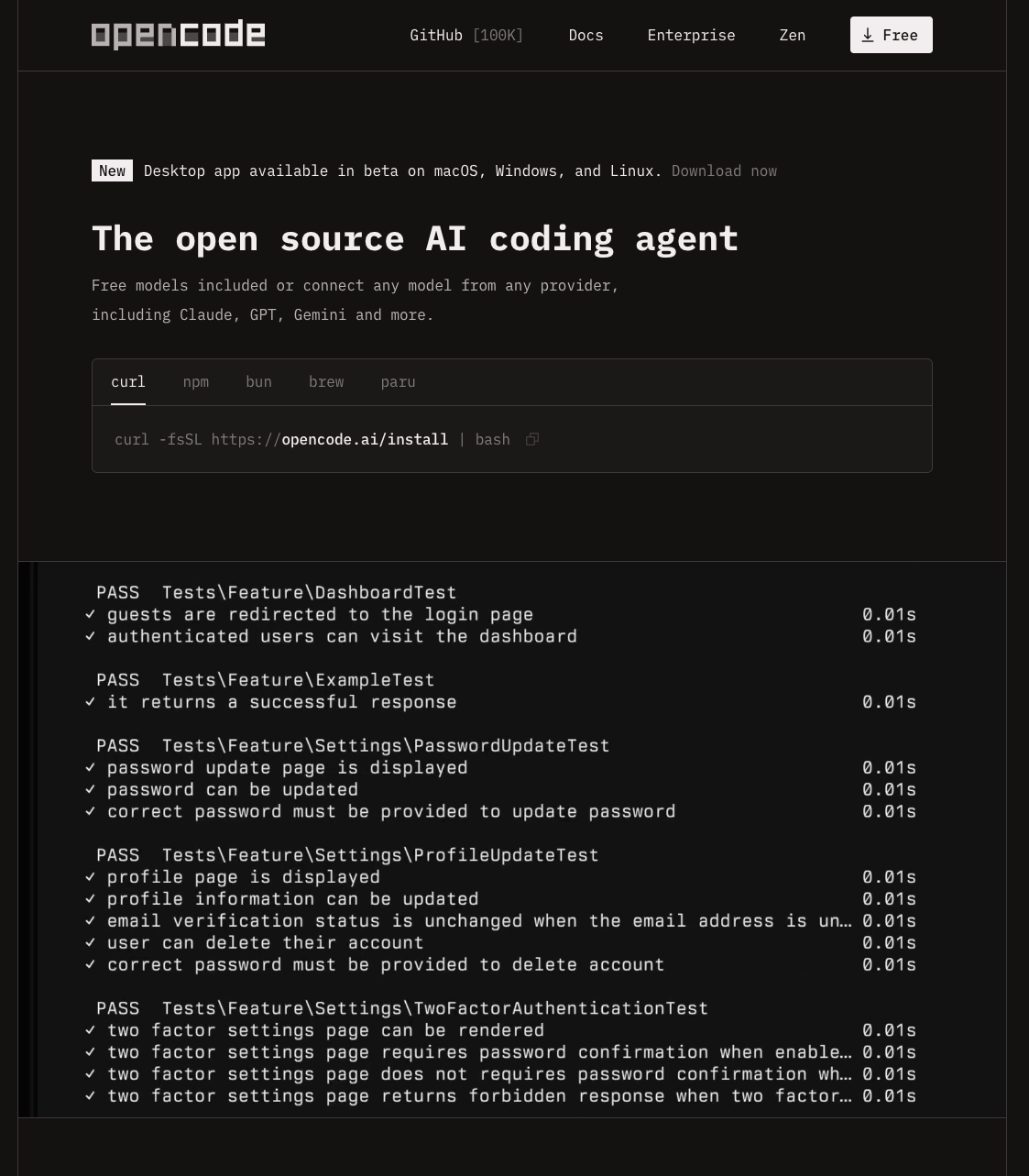
OpenCode ist eine Bring‑Your‑Own‑Model Plattform. Sie liefert die Werkzeuge für Editieren, Terminalausführung und Git-Management, überlässt dir aber die Wahl des Modells.
Das bedeutet, du kannst geschlossene APIs nutzen oder ein lokales Modell per Self-Hosting mit einem Dienst wie Ollama betreiben.

Erfahre, wie du Ollama einrichtest, in unserem OpenClaw mit Ollama Tutorial.
Anders als Claude Code hat OpenCode auch eine Desktop-App veröffentlicht. Sie unterstützt alle gängigen Betriebssysteme wie Mac, Windows und Linux.
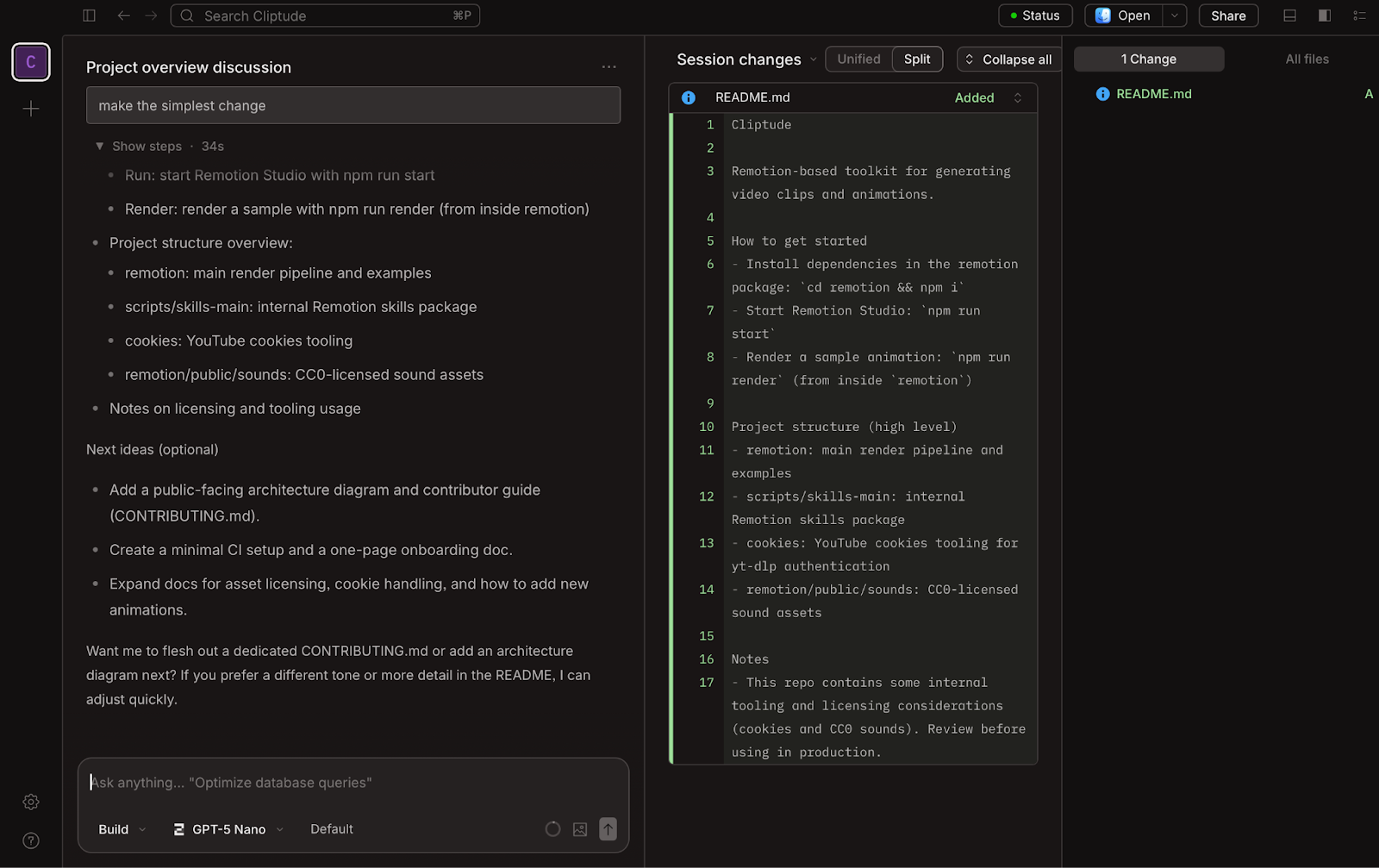
Im Gegensatz zu Claude Code hat OpenCode keinen proprietären Motor. Es fungiert als universeller Adapter. Es standardisiert Abläufe wie das Senden von Prompts an LLMs und die Nutzung von Tools.
OpenCode wählt in mehreren Punkten einen anderen Ansatz als Claude Code. So setzt OpenCode etwa auf Gründlichkeit statt Tempo.
Weil du den Workflow in OpenCode anpassen kannst, lässt er sich auf Gründlichkeit trimmen (z. B. vollständige Test-Suites ausführen) – das dauert länger, sorgt aber für Stabilität.
OpenCode bietet echten Datenschutz. In Bereichen wie Verteidigung, Gesundheitswesen und Fintech verbieten Regularien oft, Code an externe Server zu senden. OpenCodes Air‑gapped Mode läuft vollständig mit lokalen Open-Source-Modellen über Ollama, sodass alle Daten auf deinem Rechner bleiben.
Das Open-Source-Modell von OpenCode bringt klare Trade-offs mit sich.
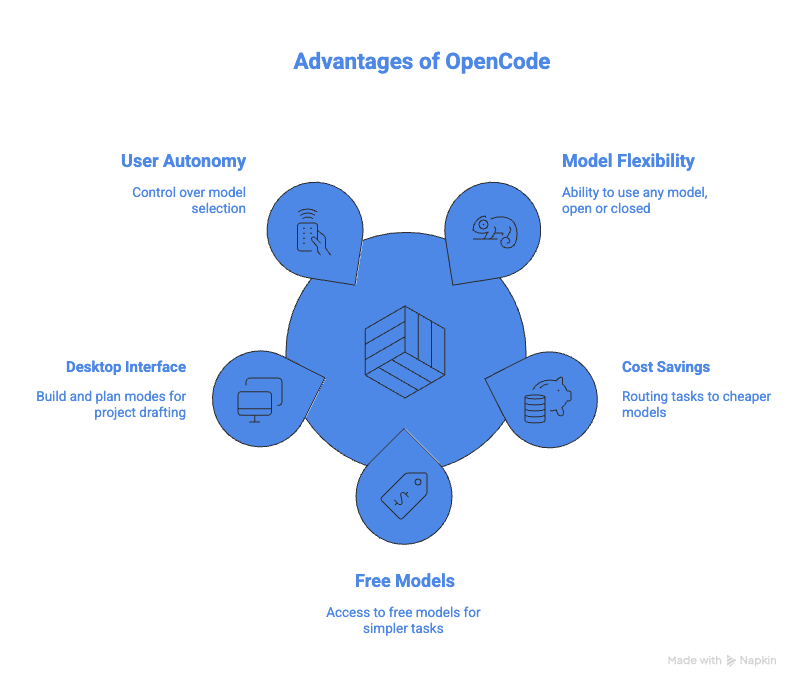
Weil es Open Source ist, kannst du es mit jedem Modell nutzen – offen oder geschlossen. Du kannst jederzeit wechseln, anders als bei Claude Code, das dich an Anthropics Ökosystem bindet.
Mit OpenCode kannst du einfache Aufgaben an günstigere Modelle auslagern und so API-Kosten sparen. OpenCode stellt zudem einige kostenlose Modelle für leichtere Tasks bereit.
Die OpenCode-Desktop-App lässt dich zwischen Build- und Plan-Modus wählen. So kannst du im Plan-Modus dein Projekt sauber ausarbeiten, bevor Code geschrieben wird. Sobald du bereit bist, wechselst du in den Build-Modus.
OpenCode gibt dir die Freiheit, die Modelle zu bestimmen. Wenn du Open-Source-Modelle lokal betreibst, brauchst du allerdings die entsprechende Hardware. Selbst mit GPUs fallen Stromkosten an.
So schneiden beide Tools in den für die tägliche Entwicklung wichtigsten Dimensionen ab.
Wenn du Geschwindigkeit brauchst, liegt Claude vorn. Anthropic hat das Tool auf minimale Latenz zwischen Prompt und Aktion optimiert. OpenCode kann sich etwas langsamer anfühlen, vor allem, wenn es vollständige Test-Suites ausführt. Die Langsamkeit ist oft der Preis für mehr Sicherheit.
Bei Flexibilität gewinnt OpenCode. Mit Claude Code bist du an Anthropics Modelle gebunden, die Premiumpreise haben. Mit OpenCode kannst du für einfache Aufgaben wie Dokumentation günstige Modelle nutzen und für komplexe Probleme teure Modelle zuschalten.
Claude Code bietet als Anthropic-Produkt Sicherheit auf Enterprise-Niveau. Dein Code wird jedoch an deren Server gesendet. OpenCode punktet, wenn strikte Sicherheitsanforderungen bestehen. Durch den Einsatz lokaler LLMs hat OpenCode gerade in regulierten Branchen die Nase vorn.
Claude Code funktioniert direkt nach der Installation. Du installierst es und verbindest dein Anthropic-Konto. OpenCode erfordert etwas mehr Aufwand, besonders beim Einsatz lokaler Modelle. Du musst das Modell herunterladen und mit OpenCode verbinden.
Ein Head-to-Head-Test von Builder.io Anfang 2026 mit Claude Sonnet 4.5 auf identischen Aufgaben zeigte: Claude Code war auf dem gleichen Modell durchgehend schneller:
|
Aufgabe |
Claude Code |
OpenCode |
|
Dateiübergreifendes Umbenennen |
3m 6s |
3m 13s |
|
Bugfix |
~40s |
~40s |
|
Tests schreiben |
73 Tests in 3m 12s |
94 Tests in 9m 11s |
|
Gesamtsession |
9m 9s |
16m 20s |
OpenCode brauchte insgesamt fast doppelt so lange, erzeugte aber 29% mehr Tests. Die zusätzliche Zeit entstand, weil OpenCode standardmäßig vollständige Test-Suites und Safety-Checks ausführt. Ob sich dieser Trade-off lohnt, hängt davon ab, wie viel Risiko für Regressionen du gegenüber Geschwindigkeit tolerierst.
Ein technischer Unterschied: OpenCode startet Language Server Protocol (LSP)-Server und speist Compilerdiagnosen nach jeder Änderung zurück ins Modell. Wenn der Agent einen Typfehler einführt, fließt dieser im nächsten Schritt ein und das Modell korrigiert sich selbst. Claude Code hat in v2.1.121 LSP-Integration ergänzt, nutzt sie im Feedback-Loop aber noch nicht so aggressiv.
|
Feature |
OpenCode |
Claude Code |
|
Performance & Latenz |
Langsamer, aber sicherer. Führt standardmäßig vollständige Test-Suites und Safety-Checks aus, erhöht die Latenz und reduziert Regressionen. |
Schneller. Auf minimale Latenz zwischen Prompt und Aktion optimiert. Gewinnt bei reiner Geschwindigkeit. |
|
Kosten & Tokeneffizienz |
Flexibel & effizient. Erlaubt günstige Modelle für einfache Aufgaben und teure/kostenlose Modelle für komplexe Logik zu kombinieren. |
Premium. An Anthropics Ökosystem und Preise gebunden. Du zahlst für das integrierte Erlebnis einen Aufpreis. |
|
Sicherheit & Positionierung |
Überlegen beim Datenschutz. Kann mit lokalen LLMs laufen, Daten bleiben außerhalb der Cloud. Ideal für regulierte Branchen. |
Enterprise-Cloud. Hochwertige Sicherheit, aber Code muss an Anthropics Server gesendet werden. |
|
Setup & Bedienung |
Mittel. Erfordert manuelle Konfiguration, besonders beim Anschluss lokaler Modelle oder spezieller Gewichte. |
Am einfachsten. Funktioniert out of the box. Einfach installieren und Anthropic-Konto verbinden. |
Kurz gesagt: Es hängt davon ab, ob du Bequemlichkeit oder Kontrolle priorisierst.
Beide Tools haben seit ihren ersten Releases große Updates erhalten. Das ist neu Mitte 2026:
|
Update |
Claude Code |
OpenCode |
|
Standardmodell |
Opus 4.8 |
Beliebig (vom Nutzer gewählt) |
|
Autonomer Modus |
|
Subagenten im Hintergrund |
|
Flottenmanagement |
Agent View Dashboard |
HTTP-API für Remote-Steuerung |
|
Research-Fähigkeit |
WebFetch + WebSearch |
Scout-Subagent (Read-only externe Dokus) |
|
Erweiterbarkeit |
Plugin-Marktplatz |
Markdown-basierte Agent-Konfigurationen |
|
Preismodell |
API-Nutzung (keine Flat-Tier) |
Go für $10/Monat bei Open-Weight-Modellen |
Der /goal-Befehl von Claude Code ist hervorzuheben: Du setzt eine Abschlussbedingung, und ein Validatormodell prüft nach jedem Schritt den Fortschritt. So kannst du eine Aufgabe anstoßen und dich anderen Dingen widmen. OpenCode kontert mit dem Scout-Subagenten, der externe Dokus und Abhängigkeiten recherchiert, ohne deine Session zu verlassen.
Mehr zu den neuesten Features von Claude Code findest du in unserem Tutorial Claude Code Auto Mode and Channels und in unserem Guide zu Claude Code Best Practices.
Ich habe das bei vielen Tools gesehen: Sie starten oft als Open Source, brauchen aber langfristig ein tragfähiges Geschäftsmodell. Am Ende entsteht meist ein Cloud-Angebot für alle, die eine vollständig gemanagte Lösung wollen oder ein angrenzendes Problem gelöst haben möchten.
Wir haben es bei LangChain mit LangSmith und bei LlamaIndex mit LlamaCloud gesehen. Daher würde ich vorhersagen, dass OpenCode irgendwann eine Cloud-Lösung für Unternehmen anbietet – entweder als gemanagte Variante mit Enterprise-Sicherheit oder als Enterprise-Angebot für große Firmen.
Die Wahl zwischen Claude Code und OpenCode hängt davon ab, was dir wichtiger ist. Wenn du Bequemlichkeit und ein Tool willst, das direkt funktioniert, nimm Claude Code. Wenn du Kontrolle und die Freiheit, zwischen Modellanbietern zu wechseln, schätzt, nutze OpenCode.
Wenn du mehr über die Arbeit mit KI-Tools lernen möchtest, lies unseren Guide zu den besten kostenlosen KI-Tools. Um deine KI-gestützte Entwicklung zu schärfen, empfehle ich unseren Kurs AI-Assisted Coding for Developers. Für einen tieferen Einblick in die Fähigkeiten von Claude sieh dir unser Claude Code Best Practices Tutorial an.
Top-DataCamp-Kurse
Lernpfad
Kurs
Kurs
Blog
Blog
Hesam Sheikh Hassani
15 Min.
Blog
Nathaniel Taylor-Leach
4 Min.
Blog
Nisha Arya Ahmed
15 Min.
Tutorial
Matt Crabtree
5 Min.
Tutorial
Kurtis Pykes
15 Min.