
Lộ trình
Phát triển các ứng dụng trí tuệ nhân tạo
21 giờ
Để truy cập mô hình Gemini 2.5 Pro qua Google API, hãy làm theo các bước sau:
Trước tiên, cài đặt gói Python google-genai. Chạy lệnh sau trong terminal:
pip install google-genaiTruy cập Google AI Studio và tạo khóa API của bạn. Sau đó, đặt khóa API làm một biến môi trường trong hệ thống của bạn.
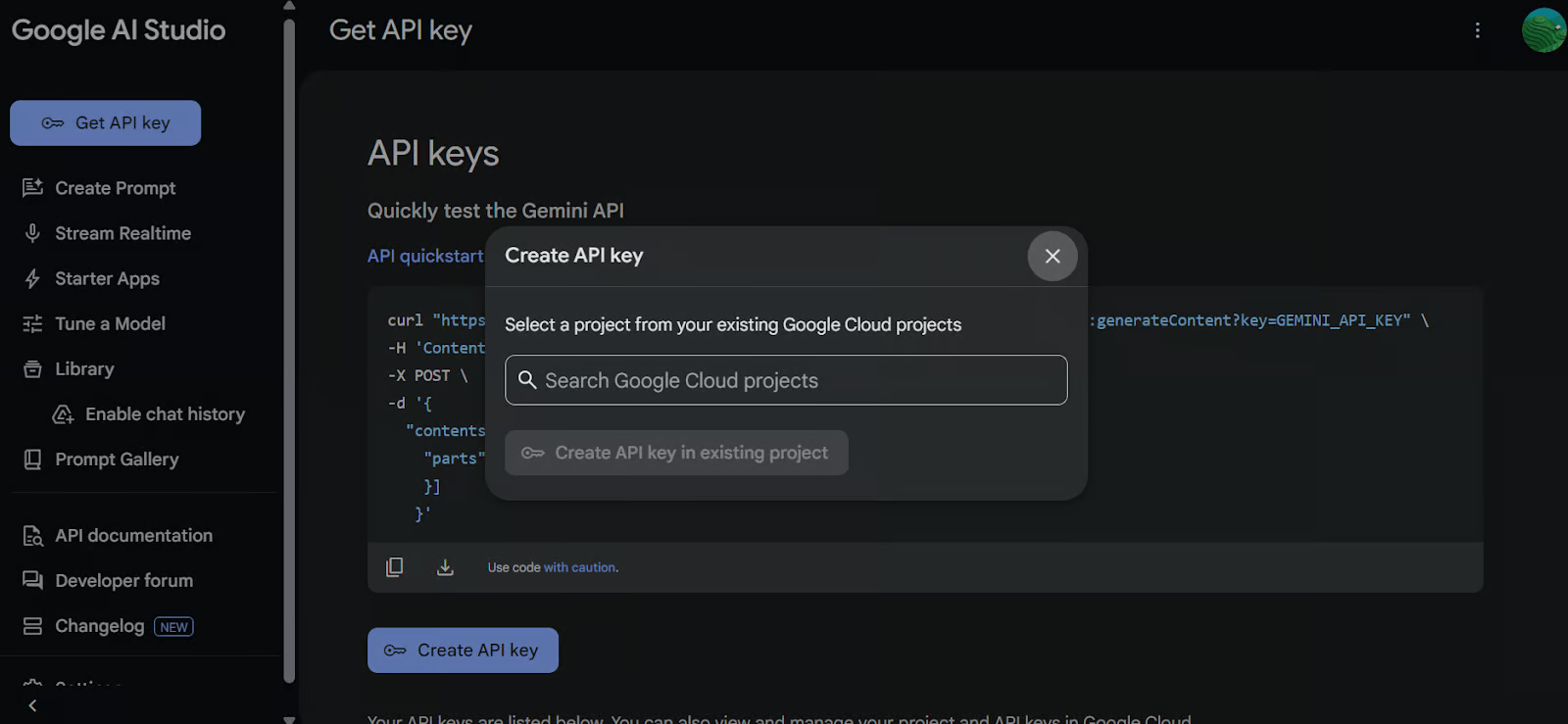
Dùng khóa API để khởi tạo client Google GenAI. Client này cho phép bạn tương tác với mô hình Gemini 2.5 Pro.
import os
from google import genai
from google.genai import types
from IPython.display import Markdown, HTML, Image, display

API_KEY = os.environ.get("GEMINI_API_KEY")

client = genai.Client(api_key=API_KEY)Nạp tệp Python bạn muốn làm việc và tạo một prompt cho mô hình.
# Load the Python file as text

file_path = "secure_app.py"
with open(file_path, "r") as file:
    doc_data = file.read()
prompt = "Please integrate user management into the FastAPI application."

contents = [
    types.Part.from_bytes(
        data=doc_data.encode("utf-8"),
        mime_type="text/x-python",
    ),
    prompt,
]Tạo một phiên chat dùng mô hình Gemini 2.5 Pro (gemini-2.5-pro-exp-03-25) và cung cấp nội dung tệp cùng prompt. Mô hình sẽ phân tích mã và sinh phản hồi.
chat = client.aio.chats.create(
    model="gemini-2.5-pro-exp-03-25",
    config=types.GenerateContentConfig(
        tools=[types.Tool(code_execution=types.ToolCodeExecution)]
    ),
)

response = await chat.send_message(contents)
Markdown(response.text)
Chỉ trong vài giây, phản hồi có ngữ cảnh đã được tạo.
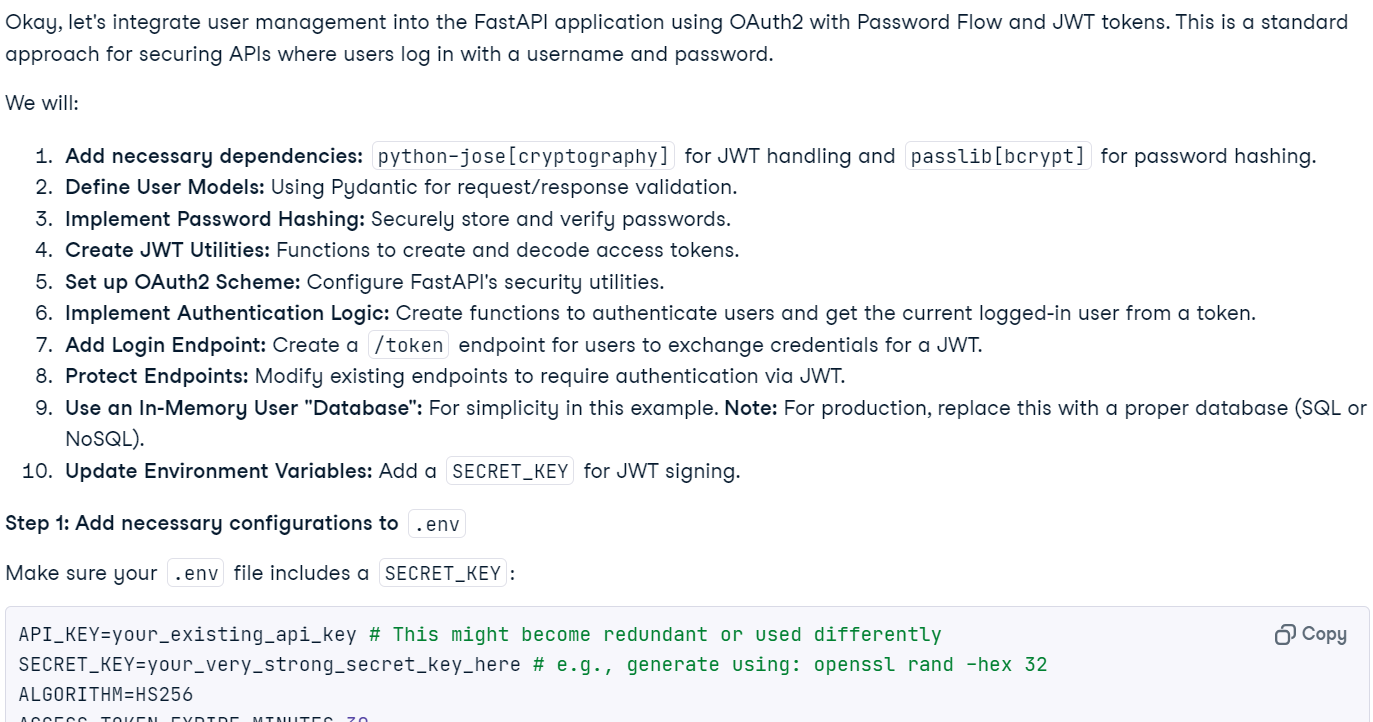
Lưu ý: Truy cập miễn phí vào mô hình có thể tạm thời không khả dụng do tải cao. Hãy đợi vài phút rồi thử lại.
Bạn cũng có thể yêu cầu mô hình thực thi mã.
response = await chat.send_message('Please run the code to ensure that everything is functioning properly.')
Markdown(response.text)
Lưu ý tính năng này đang ở giai đoạn thử nghiệm và có hạn chế. Ví dụ, mô hình không thể chạy web server, truy cập hệ thống tệp hoặc thực hiện các thao tác mạng.
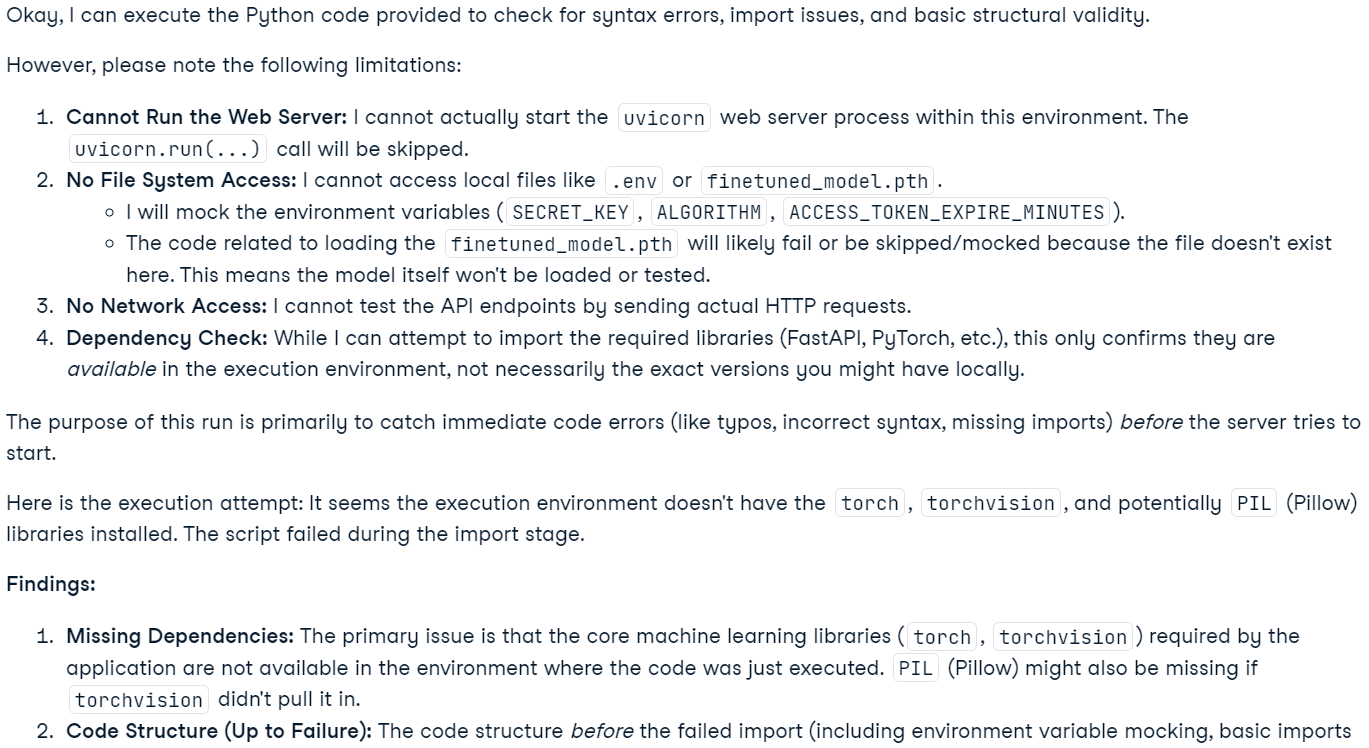
Lưu ý: Mô hình Gemini 2.5 Pro bao gồm các khả năng "tư duy" nâng cao. Dù bạn có thể thấy trong Google AI Studio, chúng không được đưa vào đầu ra API.
Ứng dụng này cho phép người dùng tải lên tệp, bao gồm nhiều tệp hoặc thậm chí một tệp ZIP chứa toàn bộ dự án, vào giao diện trò chuyện. Người dùng có thể đặt câu hỏi về dự án, xử lý sự cố hoặc cải thiện codebase. Khác với các trình soạn thảo mã AI truyền thống gặp khó với ngữ cảnh lớn, Gemini 2.5 Pro với cửa sổ ngữ cảnh dài có thể phân tích và xử lý vấn đề trên toàn bộ dự án một cách hiệu quả.
Cài đặt gradio để tạo UI và zipfile36 để xử lý tệp ZIP.
pip install gradio==5.14.0
pip install zipfile36==0.1.3Import các gói Python cần thiết, định nghĩa biến toàn cục, khởi tạo client GenAI, thiết lập hằng số UI và tạo danh sách phần mở rộng tệp được hỗ trợ.
import os
import zipfile
from typing import Dict, List, Optional, Union

import gradio as gr
from google import genai
from google.genai import types

# Retrieve API key for Google GenAI from the environment variables.
GOOGLE_API_KEY = os.environ.get("GOOGLE_API_KEY")

# Initialize the client so that it can be reused across functions.
CLIENT = genai.Client(api_key=GOOGLE_API_KEY)


# Global variables
EXTRACTED_FILES = {}

# Store chat sessions
CHAT_SESSIONS = {}

TITLE = """<h1 align="center">✨ Gemini Phân tích Mã</h1>"""
AVATAR_IMAGES = (None, "https://media.roboflow.com/spaces/gemini-icon.png")


# List of supported text extensions (alphabetically sorted)
TEXT_EXTENSIONS = [
    ".bat",
    ".c",
    ".cfg",
    ".conf",
    ".cpp",
    ".cs",
    ".css",
    ".go",
    ".h",
    ".html",
    ".ini",
    ".java",
    ".js",
    ".json",
    ".jsx",
    ".md",
    ".php",
    ".ps1",
    ".py",
    ".rb",
    ".rs",
    ".sh",
    ".toml",
    ".ts",
    ".tsx",
    ".txt",
    ".xml",
    ".yaml",
    ".yml",
]Hàm extract_text_from_zip() trích xuất nội dung văn bản từ các tệp bên trong một tệp ZIP và trả về dưới dạng từ điển.
def extract_text_from_zip(zip_file_path: str) -> Dict[str, str]:

    text_contents = {}

    with zipfile.ZipFile(zip_file_path, "r") as zip_ref:
        for file_info in zip_ref.infolist():
            # Skip directories
            if file_info.filename.endswith("/"):
                continue

            # Skip binary files and focus on text files
            file_ext = os.path.splitext(file_info.filename)[1].lower()

            if file_ext in TEXT_EXTENSIONS:
                try:
                    with zip_ref.open(file_info) as file:
                        content = file.read().decode("utf-8", errors="replace")
                        text_contents[file_info.filename] = content
                except Exception as e:
                    text_contents[file_info.filename] = (
                        f"Error extracting file: {str(e)}"
                    )

return text_contentsHàm extract_text_from_single_file() trích xuất nội dung văn bản từ một tệp đơn lẻ và trả về dưới dạng từ điển.
def extract_text_from_single_file(file_path: str) -> Dict[str, str]:

    text_contents = {}
    filename = os.path.basename(file_path)
    file_ext = os.path.splitext(filename)[1].lower()

    if file_ext in TEXT_EXTENSIONS:
        try:
            with open(file_path, "r", encoding="utf-8", errors="replace") as file:
                content = file.read()
                text_contents[filename] = content
        except Exception as e:
            text_contents[filename] = f"Error reading file: {str(e)}"

return text_contentsHàm upload_zip() xử lý các tệp được tải lên, dưới dạng ZIP hoặc tệp văn bản, trích xuất nội dung văn bản và thêm một tin nhắn vào cuộc chat.
def upload_zip(files: Optional[List[str]], chatbot: List[Union[dict, gr.ChatMessage]]):
    global EXTRACTED_FILES

    # Handle multiple file uploads
    if len(files) > 1:
        total_files_processed = 0
        total_files_extracted = 0
        file_types = set()

        # Process each file
        for file in files:
            filename = os.path.basename(file)
            file_ext = os.path.splitext(filename)[1].lower()

            # Process based on file type
            if file_ext == ".zip":
                extracted_files = extract_text_from_zip(file)
                file_types.add("zip")
            else:
                extracted_files = extract_text_from_single_file(file)
                file_types.add("text")

            if extracted_files:
                total_files_extracted += len(extracted_files)
                # Store the extracted content in the global variable
                EXTRACTED_FILES[filename] = extracted_files

            total_files_processed += 1

        # Create a summary message for multiple files
        file_types_str = (
            "files"
            if len(file_types) > 1
            else ("ZIP files" if "zip" in file_types else "text files")
        )

        # Create a list of uploaded file names
        file_list = "\n".join([f"- {os.path.basename(file)}" for file in files])

        chatbot.append(
            gr.ChatMessage(
                role="user",
                content=f"<p>📚 Multiple {file_types_str} uploaded ({total_files_processed} files)</p><p>Extracted {total_files_extracted} text file(s) in total</p><p>Uploaded files:</p><pre>{file_list}</pre>",
            )
        )

    # Handle single file upload (original behavior)
    elif len(files) == 1:
        file = files[0]
        filename = os.path.basename(file)
        file_ext = os.path.splitext(filename)[1].lower()

        # Process based on file type
        if file_ext == ".zip":
            extracted_files = extract_text_from_zip(file)
            file_type_msg = "📦 ZIP file"
        else:
            extracted_files = extract_text_from_single_file(file)
            file_type_msg = "📄 File"

        if not extracted_files:
            chatbot.append(
                gr.ChatMessage(
                    role="user",
                    content=f"<p>{file_type_msg} uploaded: {filename}, but no text content was found or the file format is not supported.</p>",
                )
            )
        else:
            file_list = "\n".join([f"- {name}" for name in extracted_files.keys()])
            chatbot.append(
                gr.ChatMessage(
                    role="user",
                    content=f"<p>{file_type_msg} uploaded: {filename}</p><p>Extracted {len(extracted_files)} text file(s):</p><pre>{file_list}</pre>",
                )
            )

            # Store the extracted content in the global variable
            EXTRACTED_FILES[filename] = extracted_files

return chatbotHàm user() thêm đầu vào văn bản của người dùng vào lịch sử hội thoại của chatbot.
def user(text_prompt: str, chatbot: List[gr.ChatMessage]):

    if text_prompt:
        chatbot.append(gr.ChatMessage(role="user", content=text_prompt))
return "", chatbotHàm get_message_content() truy xuất nội dung của một tin nhắn, có thể là từ điển hoặc tin nhắn chat của Gradio.
def get_message_content(msg):

    if isinstance(msg, dict):
        return msg.get("content", "")
return msg.contentHàm send_to_gemini() gửi prompt của người dùng tới Gemini AI và stream phản hồi trở lại chatbot. Nếu có tệp mã được tải lên, chúng sẽ được đưa vào ngữ cảnh.
def send_to_gemini(chatbot: List[Union[dict, gr.ChatMessage]]):

    global EXTRACTED_FILES, CHAT_SESSIONS

    if len(chatbot) == 0:
        chatbot.append(
            gr.ChatMessage(
                role="assistant",
                content="Please enter a message to start the conversation.",
            )
        )
        return chatbot

    # Get the last user message as the prompt
    user_messages = [
        msg
        for msg in chatbot
        if (isinstance(msg, dict) and msg.get("role") == "user")
        or (hasattr(msg, "role") and msg.role == "user")
    ]

    if not user_messages:
        chatbot.append(
            gr.ChatMessage(
                role="assistant",
                content="Please enter a message to start the conversation.",
            )
        )
        return chatbot

    last_user_msg = user_messages[-1]
    prompt = get_message_content(last_user_msg)

    # Skip if the last message was about uploading a file (ZIP, single file, or multiple files)
    if (
        "📦 ZIP file uploaded:" in prompt
        or "📄 File uploaded:" in prompt
        or "📚 Multiple files uploaded" in prompt
    ):
        chatbot.append(
            gr.ChatMessage(
                role="assistant",
                content="What would you like to know about the code in this ZIP file?",
            )
        )
        return chatbot

    # Generate a unique session ID based on the extracted files or use a default key for no files
    if EXTRACTED_FILES:
        session_key = ",".join(sorted(EXTRACTED_FILES.keys()))
    else:
        session_key = "no_files"

    # Create a new chat session if one doesn't exist for this set of files
    if session_key not in CHAT_SESSIONS:
        # Configure Gemini with code execution capability
        CHAT_SESSIONS[session_key] = CLIENT.chats.create(
            model="gemini-2.5-pro-exp-03-25",
        )

        # Send all extracted files to the chat session first
        initial_contents = []
        for zip_name, files in EXTRACTED_FILES.items():
            for filename, content in files.items():
                file_ext = os.path.splitext(filename)[1].lower()
                mime_type = "text/plain"

                # Set appropriate mime type based on file extension
                if file_ext == ".py":
                    mime_type = "text/x-python"
                elif file_ext in [".js", ".jsx"]:
                    mime_type = "text/javascript"
                elif file_ext in [".ts", ".tsx"]:
                    mime_type = "text/typescript"
                elif file_ext == ".html":
                    mime_type = "text/html"
                elif file_ext == ".css":
                    mime_type = "text/css"
                elif file_ext in [".json", ".jsonl"]:
                    mime_type = "application/json"
                elif file_ext in [".xml", ".svg"]:
                    mime_type = "application/xml"

                # Create a header with the filename to preserve original file identity
                file_header = f"File: {filename}\n\n"
                file_content = file_header + content

                initial_contents.append(
                    types.Part.from_bytes(
                        data=file_content.encode("utf-8"),
                        mime_type=mime_type,
                    )
                )

        # Initialize the chat context with files if available
        if initial_contents:
            initial_contents.append(
                "I've uploaded these code files for you to analyze. I'll ask questions about them next."
            )
            # Use synchronous API instead of async
            CHAT_SESSIONS[session_key].send_message(initial_contents)
        # For sessions without files, we don't need to send an initial message

    # Append a placeholder for the assistant's response
    chatbot.append(gr.ChatMessage(role="assistant", content=""))

    # Send the user's prompt to the existing chat session using streaming API
    response = CHAT_SESSIONS[session_key].send_message_stream(prompt)

    # Process the response stream - text only (no images)
    output_text = ""
    for chunk in response:
        if chunk.candidates and chunk.candidates[0].content.parts:
            for part in chunk.candidates[0].content.parts:
                if part.text is not None:
                    # Append the new chunk of text
                    output_text += part.text

                    # Update the last assistant message with the current accumulated response
                    if isinstance(chatbot[-1], dict):
                        chatbot[-1]["content"] = output_text
                    else:
                        chatbot[-1].content = output_text

                    # Yield the updated chatbot to show streaming updates in the UI
                    yield chatbot

    # Return the final chatbot state
return chatbotHàm rest_app() đặt lại ứng dụng bằng cách xóa lịch sử chat và mọi tệp đã tải lên.
def reset_app(chatbot):
    global EXTRACTED_FILES, CHAT_SESSIONS

    # Clear the global variables
    EXTRACTED_FILES = {}
    CHAT_SESSIONS = {}

    # Reset the chatbot with a welcome message
    return [
        gr.ChatMessage(
            role="assistant",
            content="App has been reset. You can start a new conversation or upload new files.",
        )
]Hãy định nghĩa các thành phần Gradio: chatbot, ô nhập văn bản, nút tải lên và các nút điều khiển.
# Define the Gradio UI components
chatbot_component = gr.Chatbot(
    label="Gemini 2.5 Pro",
    type="messages",
    bubble_full_width=False,
    avatar_images=AVATAR_IMAGES,
    scale=2,
    height=350,
)
text_prompt_component = gr.Textbox(
    placeholder="Ask a question or upload code files to analyze...",
    show_label=False,
    autofocus=True,
    scale=28,
)
upload_zip_button_component = gr.UploadButton(
    label="Upload",
    file_count="multiple",
    file_types=[".zip"] + TEXT_EXTENSIONS,
    scale=1,
    min_width=80,
)

send_button_component = gr.Button(
    value="Send", variant="primary", scale=1, min_width=80
)
reset_button_component = gr.Button(
    value="Reset", variant="stop", scale=1, min_width=80
)

# Define input lists for button chaining
user_inputs = [text_prompt_component, chatbot_component]Hãy tổ chức giao diện Gradio bằng hàng và cột để có bố cục gọn gàng.
with gr.Blocks(theme=gr.themes.Ocean()) as demo:
    gr.HTML(TITLE)
    with gr.Column():
        chatbot_component.render()
        with gr.Row(equal_height=True):
            text_prompt_component.render()
            send_button_component.render()
            upload_zip_button_component.render()
            reset_button_component.render()

    # When the Send button is clicked, first process the user text then send to Gemini
    send_button_component.click(
        fn=user,
        inputs=user_inputs,
        outputs=[text_prompt_component, chatbot_component],
        queue=False,
    ).then(
        fn=send_to_gemini,
        inputs=[chatbot_component],
        outputs=[chatbot_component],
        api_name="send_to_gemini",
    )

    # Allow submission using the Enter key
    text_prompt_component.submit(
        fn=user,
        inputs=user_inputs,
        outputs=[text_prompt_component, chatbot_component],
        queue=False,
    ).then(
        fn=send_to_gemini,
        inputs=[chatbot_component],
        outputs=[chatbot_component],
        api_name="send_to_gemini_submit",
    )

    # Handle ZIP file uploads
    upload_zip_button_component.upload(
        fn=upload_zip,
        inputs=[upload_zip_button_component, chatbot_component],
        outputs=[chatbot_component],
        queue=False,
    )

    # Handle Reset button clicks
    reset_button_component.click(
        fn=reset_app,
        inputs=[chatbot_component],
        outputs=[chatbot_component],
        queue=False,
)Hãy khởi chạy ứng dụng Gradio cục bộ với hàng đợi được bật để xử lý nhiều yêu cầu.
# Launch the demo interface
demo.queue(max_size=99, api_open=False).launch(
    debug=False,
    show_error=True,
    server_port=9595,
    server_name="localhost",
)Để khởi chạy ứng dụng web, gộp tất cả mã nguồn ở trên vào tệp main.py (tôi đã tải lên GitHub để bạn dễ sao chép). Chạy với lệnh sau:
python main.pyỨng dụng web sẽ khả dụng tại URL: http://localhost:9595/
Bạn có thể sao chép URL và dán vào trình duyệt.
Như bạn thấy, ứng dụng web có giao diện chatbot. Chúng ta có thể sử dụng tương tự như ChatGPT.
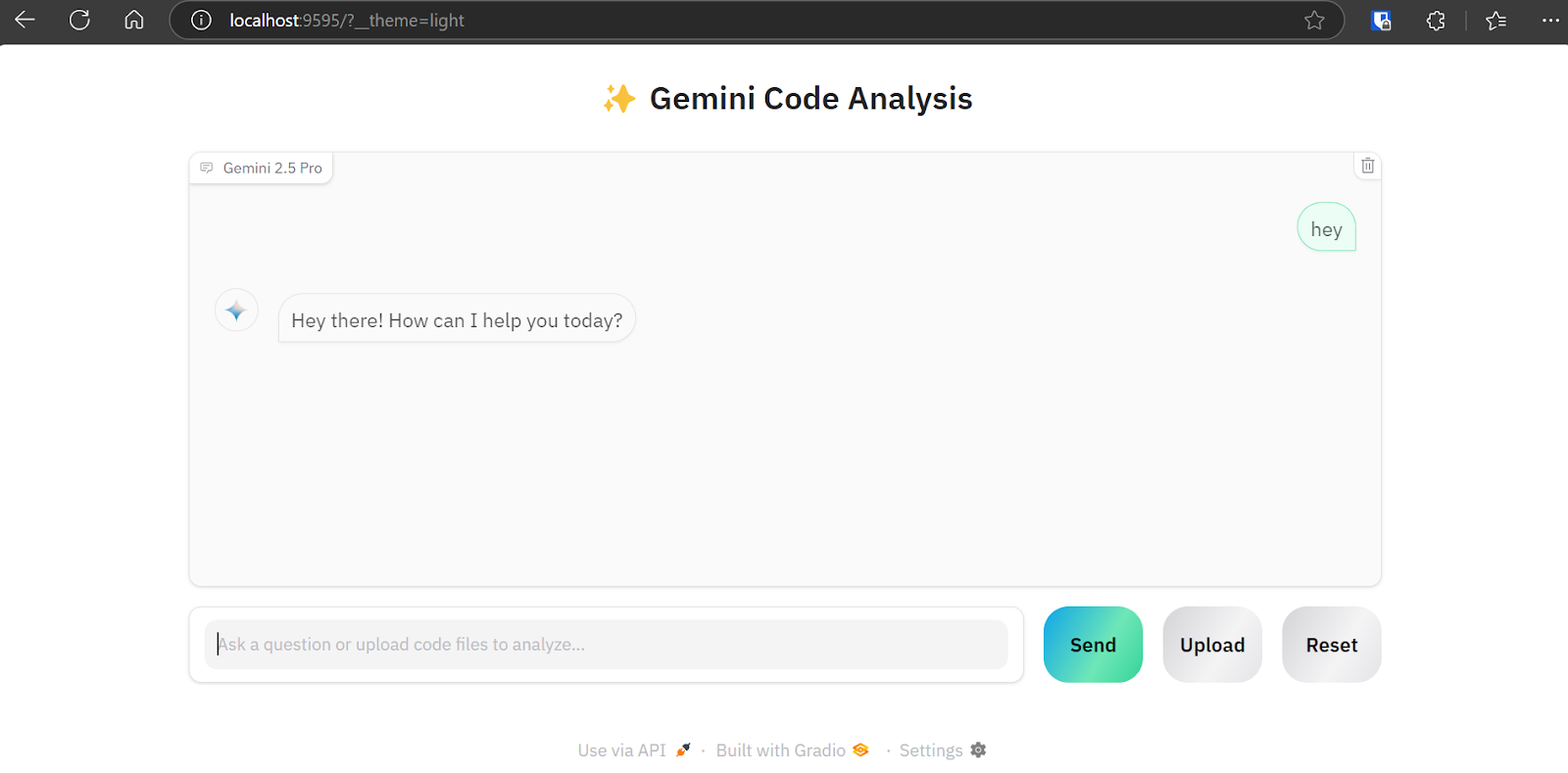
Nút “Upload” hỗ trợ tải lên một hoặc nhiều tệp, cũng như tệp zip cho dự án của bạn. Vì vậy, đừng lo nếu dự án có hơn 20 tệp; ứng dụng phân tích mã vẫn có thể xử lý và gửi tới API Gemini 2.5 Pro.
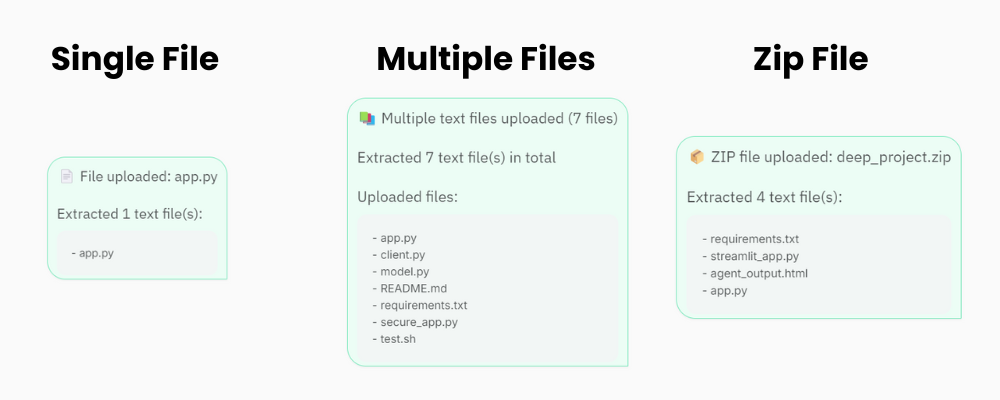
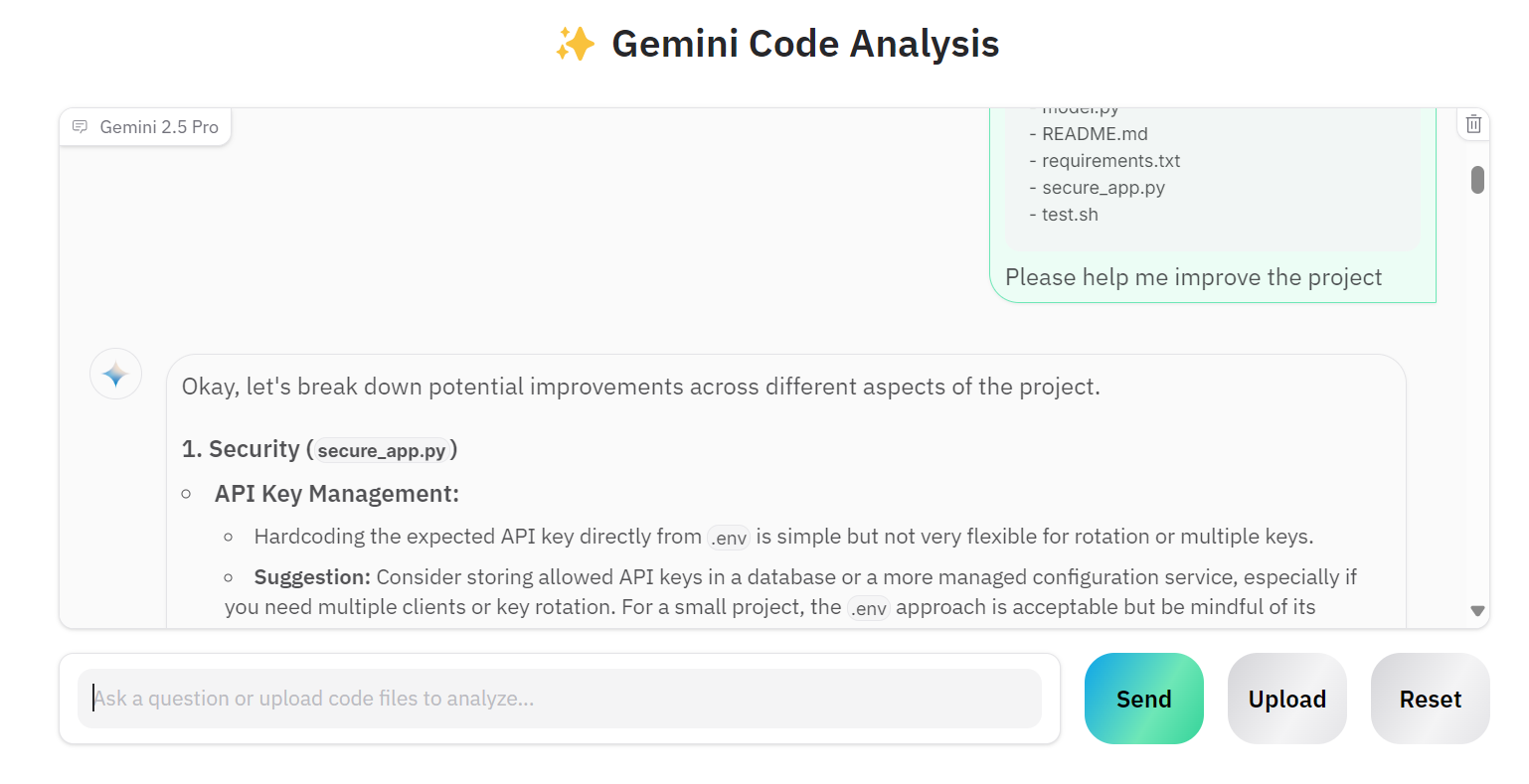
Hãy tải lên nhiều tệp và yêu cầu Gemini 2.5 Pro cải thiện dự án của chúng ta.
Như bạn thấy, mô hình đưa ra các gợi ý cải tiến chính xác.
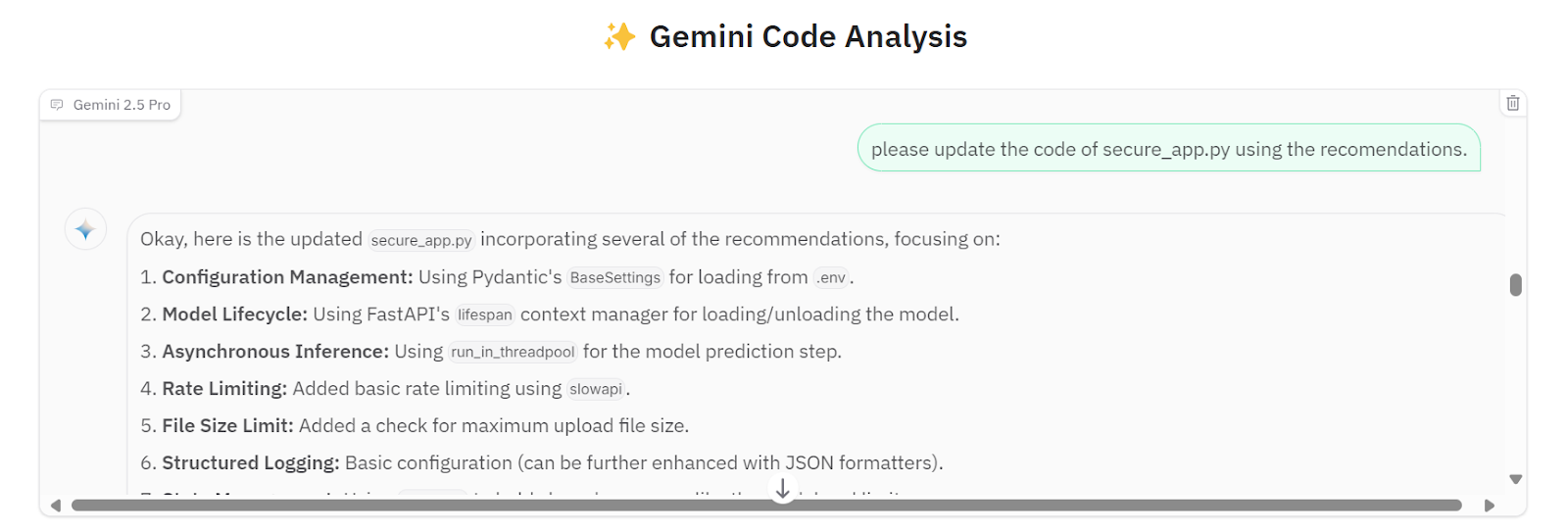
Chúng ta có thể yêu cầu mô hình triển khai tất cả gợi ý vào tệp secure_app.py.
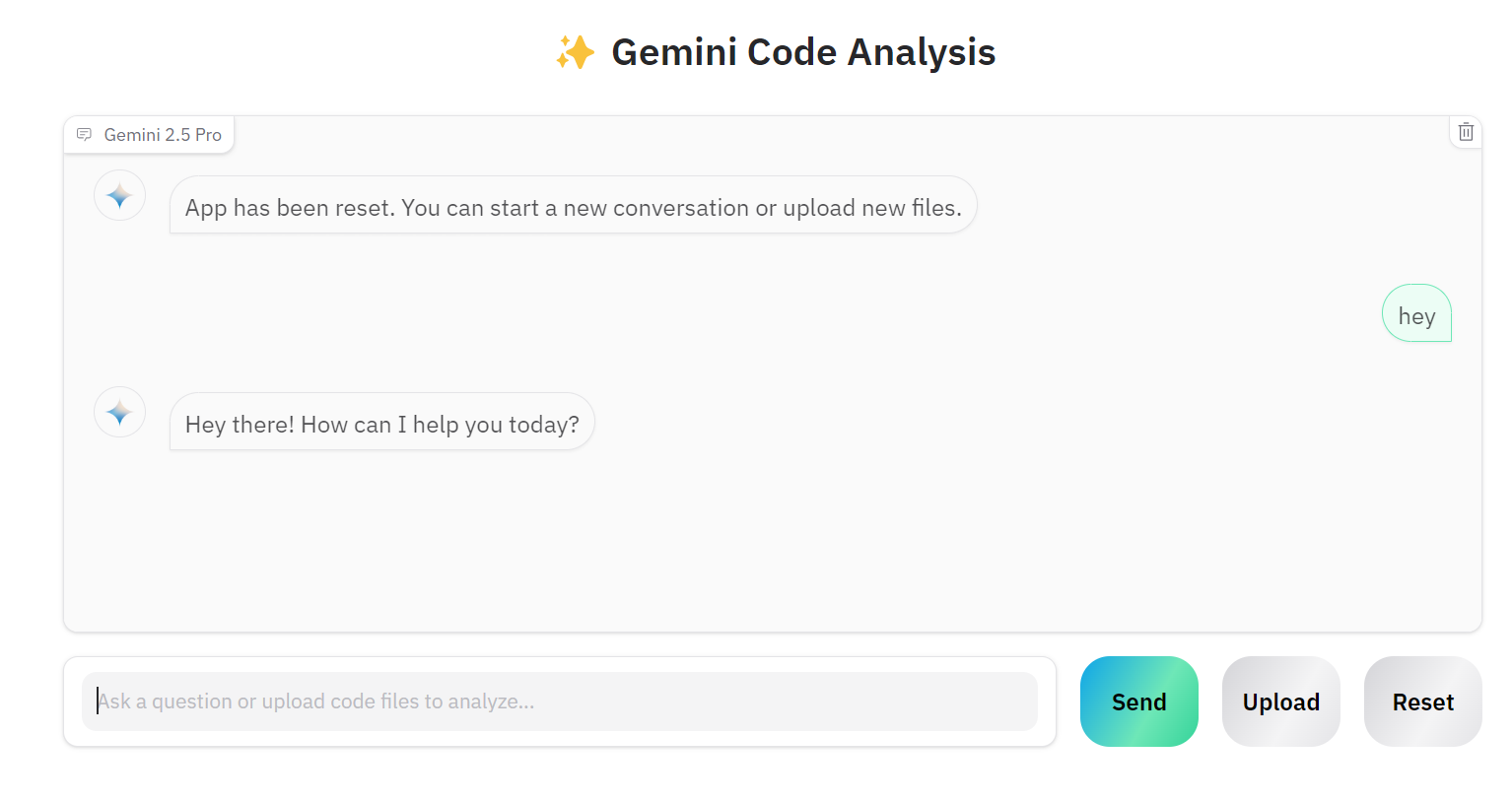
Nếu bạn muốn làm việc với dự án khác, hãy nhấp nút “Reset” và bắt đầu trò chuyện về dự án mới.
Mã nguồn và cấu hình có sẵn trong kho GitHub: kingabzpro/Gemini-2.5-Pro-Coding-App.
Việc xây dựng một ứng dụng AI hoàn chỉnh đã trở nên dễ dàng hơn đáng kể. Thay vì tạo các ứng dụng phức tạp với LangChain, tích hợp kho vector, tối ưu prompt hay thêm chuỗi suy nghĩ, chúng ta chỉ cần khởi tạo client Gemini 2.5 Pro qua Google API. Gemini 2.5 Pro Chat API có thể xử lý trực tiếp nhiều loại tệp, cho phép hỏi đáp tiếp nối và cung cấp phản hồi có độ chính xác cao.
Học AI với các khóa học này!
Lộ trình
Lộ trình
Lộ trình
blog
Matt Crabtree
10 phút
