
Program
Yapay Zeka Uygulamaları Geliştirme
21 sa
Google API üzerinden Gemini 2.5 Pro modeline erişmek için şu adımları izleyin:
Önce google-genai Python paketini kurun. Terminalinizde aşağıdaki komutu çalıştırın:
pip install google-genaiŞuraya gidin: Google AI Studio ve API anahtarınızı oluşturun. Ardından, API anahtarını sisteminizde bir ortam değişkeni olarak ayarlayın.
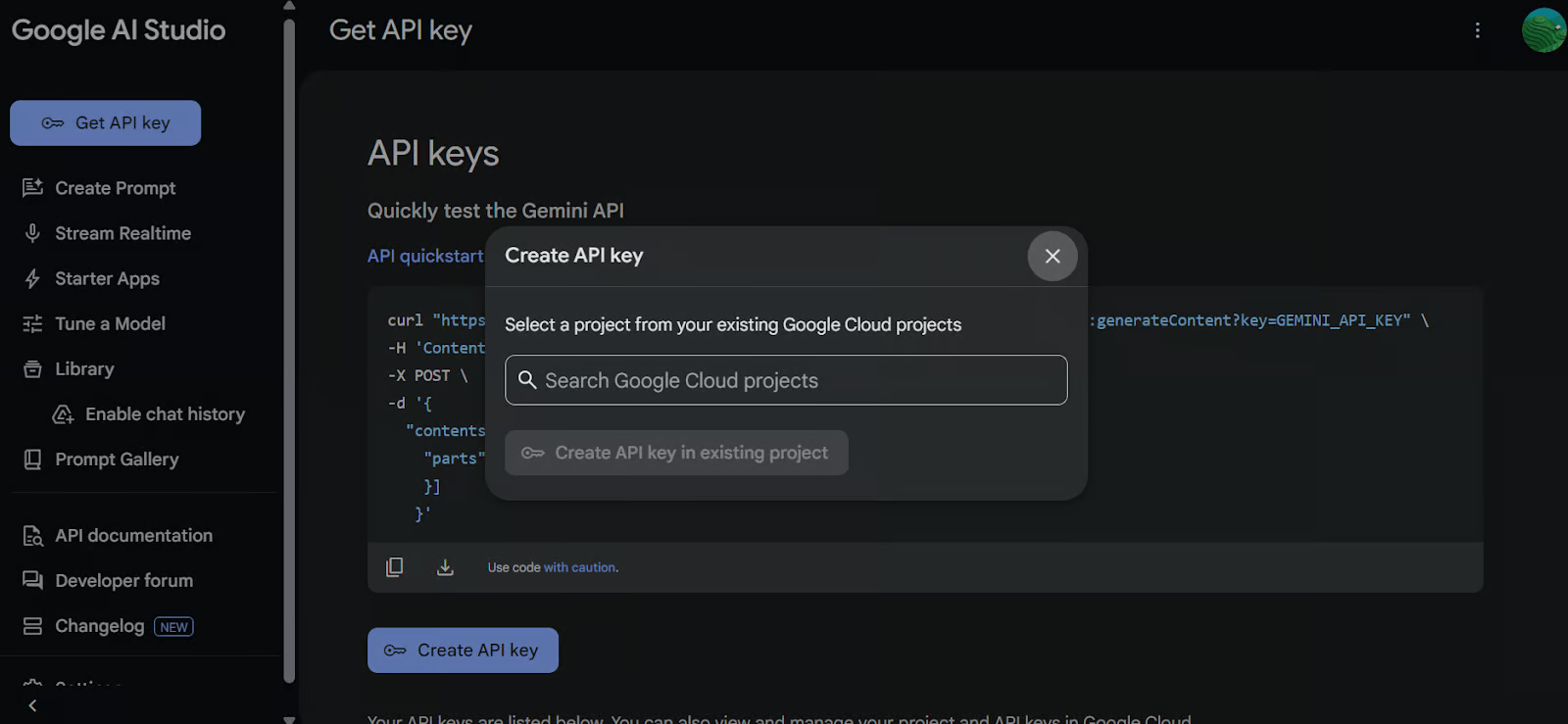
Google GenAI istemcisini başlatmak için API anahtarını kullanın. Bu istemci, Gemini 2.5 Pro modeliyle etkileşime girmenizi sağlar.
import os
from google import genai
from google.genai import types
from IPython.display import Markdown, HTML, Image, display

API_KEY = os.environ.get("GEMINI_API_KEY")

client = genai.Client(api_key=API_KEY)Üzerinde çalışmak istediğiniz Python dosyasını yükleyin ve model için bir komut (prompt) oluşturun.
# Load the Python file as text

file_path = "secure_app.py"
with open(file_path, "r") as file:
    doc_data = file.read()
prompt = "Please integrate user management into the FastAPI application."

contents = [
    types.Part.from_bytes(
        data=doc_data.encode("utf-8"),
        mime_type="text/x-python",
    ),
    prompt,
]Gemini 2.5 Pro modelini (gemini-2.5-pro-exp-03-25) kullanarak bir sohbet örneği oluşturun ve dosyanın içeriğini komutla birlikte verin. Model kodu analiz edecek ve bir yanıt üretecektir.
chat = client.aio.chats.create(
    model="gemini-2.5-pro-exp-03-25",
    config=types.GenerateContentConfig(
        tools=[types.Tool(code_execution=types.ToolCodeExecution)]
    ),
)

response = await chat.send_message(contents)
Markdown(response.text)
Saniyeler içinde bağlamı dikkate alan yanıt üretildi.
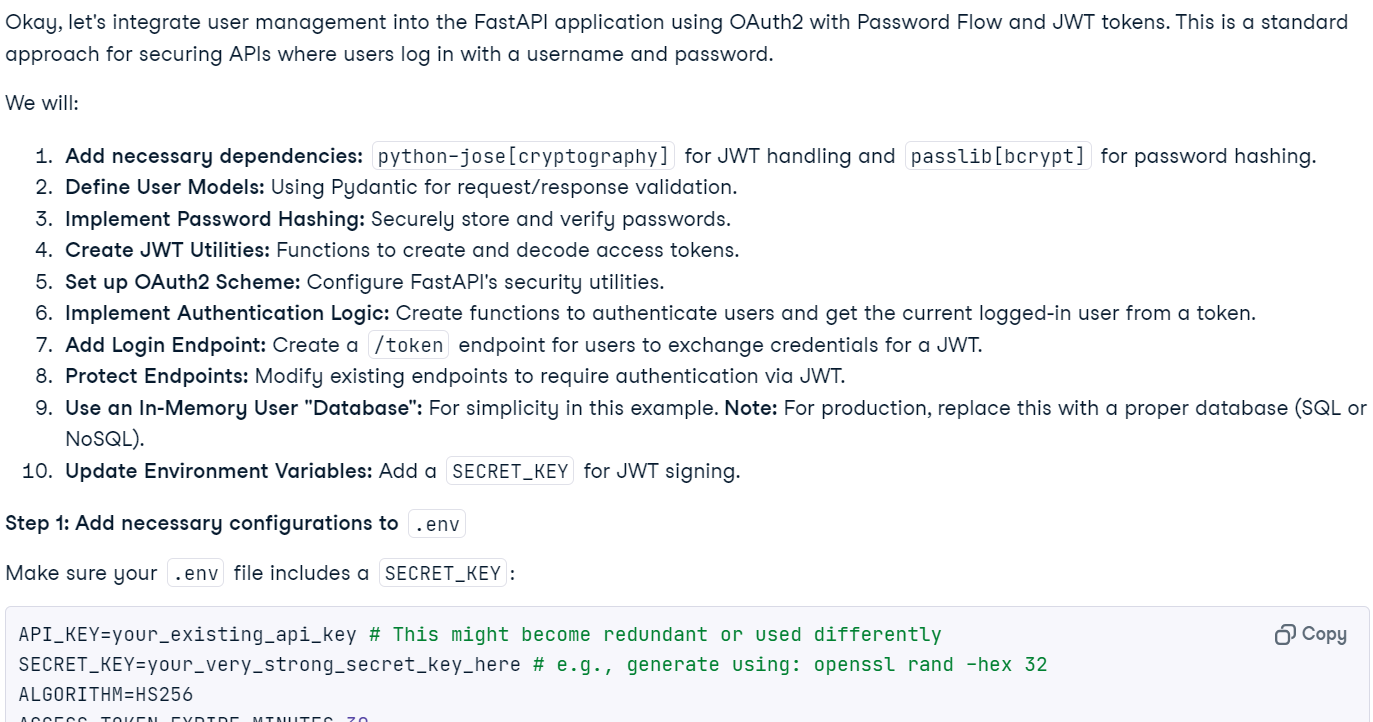
Not: Yüksek yük nedeniyle modele ücretsiz erişim şu anda kullanılamıyor olabilir. Birkaç dakika bekleyip tekrar deneyin.
Modelden kodu çalıştırmasını da isteyebilirsiniz.
response = await chat.send_message('Please run the code to ensure that everything is functioning properly.')
Markdown(response.text)
Bu özelliğin deneysel olduğunu ve sınırlamaları bulunduğunu unutmayın. Örneğin, model web sunucuları çalıştıramaz, dosya sistemine erişemez veya ağ işlemleri gerçekleştiremez.
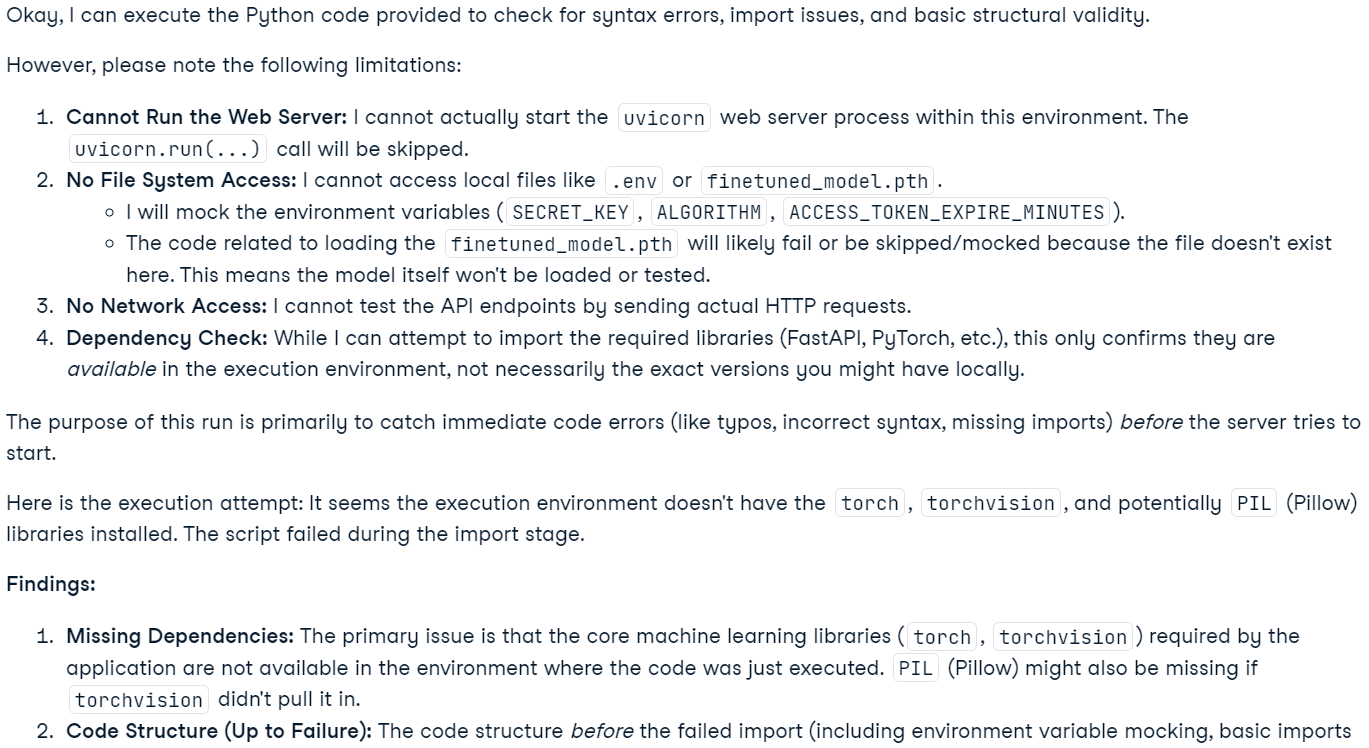
Not: Gemini 2.5 Pro modeli gelişmiş "düşünme" yetenekleri içerir. Bunlar Google AI Studio’da görülebilirken, API çıktısına dahil edilmez.
Bu uygulama, kullanıcıların birden çok dosya veya tüm projeyi içeren bir ZIP arşivi dahil olmak üzere dosyaları sohbet tabanlı bir arayüze yüklemesine olanak tanır. Kullanıcılar projeleri hakkında sorular sorabilir, sorunları giderebilir veya kod tabanlarını iyileştirebilir. Geleneksel yapay zeka kod düzenleyicileri sınırlamaları nedeniyle geniş bağlamlarda zorlanırken, uzun bağlam penceresiyle Gemini 2.5 Pro, tüm bir proje genelindeki sorunları etkili bir şekilde analiz edip çözebilir.
gradio’yu arayüz oluşturma için ve ZIP dosyalarını ele almak için zipfile36’yı kurun.
pip install gradio==5.14.0
pip install zipfile36==0.1.3Gerekli Python paketlerini içe aktarın, global değişkenleri tanımlayın, GenAI istemcisini başlatın, arayüz sabitlerini ayarlayın ve desteklenen dosya uzantılarının bir listesini oluşturun.
import os
import zipfile
from typing import Dict, List, Optional, Union

import gradio as gr
from google import genai
from google.genai import types

# Retrieve API key for Google GenAI from the environment variables.
GOOGLE_API_KEY = os.environ.get("GOOGLE_API_KEY")

# Initialize the client so that it can be reused across functions.
CLIENT = genai.Client(api_key=GOOGLE_API_KEY)


# Global variables
EXTRACTED_FILES = {}

# Store chat sessions
CHAT_SESSIONS = {}

TITLE = """<h1 align="center">✨ Gemini Code Analysis</h1>"""
AVATAR_IMAGES = (None, "https://media.roboflow.com/spaces/gemini-icon.png")


# List of supported text extensions (alphabetically sorted)
TEXT_EXTENSIONS = [
    ".bat",
    ".c",
    ".cfg",
    ".conf",
    ".cpp",
    ".cs",
    ".css",
    ".go",
    ".h",
    ".html",
    ".ini",
    ".java",
    ".js",
    ".json",
    ".jsx",
    ".md",
    ".php",
    ".ps1",
    ".py",
    ".rb",
    ".rs",
    ".sh",
    ".toml",
    ".ts",
    ".tsx",
    ".txt",
    ".xml",
    ".yaml",
    ".yml",
]extract_text_from_zip() fonksiyonu, bir ZIP arşivinin içindeki dosyalardan metin içeriğini çıkarır ve bunu bir sözlük olarak döndürür.
def extract_text_from_zip(zip_file_path: str) -> Dict[str, str]:

    text_contents = {}

    with zipfile.ZipFile(zip_file_path, "r") as zip_ref:
        for file_info in zip_ref.infolist():
            # Skip directories
            if file_info.filename.endswith("/"):
                continue

            # Skip binary files and focus on text files
            file_ext = os.path.splitext(file_info.filename)[1].lower()

            if file_ext in TEXT_EXTENSIONS:
                try:
                    with zip_ref.open(file_info) as file:
                        content = file.read().decode("utf-8", errors="replace")
                        text_contents[file_info.filename] = content
                except Exception as e:
                    text_contents[file_info.filename] = (
                        f"Error extracting file: {str(e)}"
                    )

return text_contentsextract_text_from_single_file() fonksiyonu, tek bir dosyadan metin içeriğini çıkarır ve bunu bir sözlük olarak döndürür.
def extract_text_from_single_file(file_path: str) -> Dict[str, str]:

    text_contents = {}
    filename = os.path.basename(file_path)
    file_ext = os.path.splitext(filename)[1].lower()

    if file_ext in TEXT_EXTENSIONS:
        try:
            with open(file_path, "r", encoding="utf-8", errors="replace") as file:
                content = file.read()
                text_contents[filename] = content
        except Exception as e:
            text_contents[filename] = f"Error reading file: {str(e)}"

return text_contentsupload_zip() fonksiyonu, ZIP biçimindeki veya metin dosyaları olan yüklenen dosyaları işler, metin içeriğini çıkarır ve sohbete bir ileti ekler.
def upload_zip(files: Optional[List[str]], chatbot: List[Union[dict, gr.ChatMessage]]):
    global EXTRACTED_FILES

    # Handle multiple file uploads
    if len(files) > 1:
        total_files_processed = 0
        total_files_extracted = 0
        file_types = set()

        # Process each file
        for file in files:
            filename = os.path.basename(file)
            file_ext = os.path.splitext(filename)[1].lower()

            # Process based on file type
            if file_ext == ".zip":
                extracted_files = extract_text_from_zip(file)
                file_types.add("zip")
            else:
                extracted_files = extract_text_from_single_file(file)
                file_types.add("text")

            if extracted_files:
                total_files_extracted += len(extracted_files)
                # Store the extracted content in the global variable
                EXTRACTED_FILES[filename] = extracted_files

            total_files_processed += 1

        # Create a summary message for multiple files
        file_types_str = (
            "files"
            if len(file_types) > 1
            else ("ZIP files" if "zip" in file_types else "text files")
        )

        # Create a list of uploaded file names
        file_list = "\n".join([f"- {os.path.basename(file)}" for file in files])

        chatbot.append(
            gr.ChatMessage(
                role="user",
                content=f"<p>📚 Multiple {file_types_str} uploaded ({total_files_processed} files)</p><p>Extracted {total_files_extracted} text file(s) in total</p><p>Uploaded files:</p><pre>{file_list}</pre>",
            )
        )

    # Handle single file upload (original behavior)
    elif len(files) == 1:
        file = files[0]
        filename = os.path.basename(file)
        file_ext = os.path.splitext(filename)[1].lower()

        # Process based on file type
        if file_ext == ".zip":
            extracted_files = extract_text_from_zip(file)
            file_type_msg = "📦 ZIP file"
        else:
            extracted_files = extract_text_from_single_file(file)
            file_type_msg = "📄 File"

        if not extracted_files:
            chatbot.append(
                gr.ChatMessage(
                    role="user",
                    content=f"<p>{file_type_msg} uploaded: {filename}, but no text content was found or the file format is not supported.</p>",
                )
            )
        else:
            file_list = "\n".join([f"- {name}" for name in extracted_files.keys()])
            chatbot.append(
                gr.ChatMessage(
                    role="user",
                    content=f"<p>{file_type_msg} uploaded: {filename}</p><p>Extracted {len(extracted_files)} text file(s):</p><pre>{file_list}</pre>",
                )
            )

            # Store the extracted content in the global variable
            EXTRACTED_FILES[filename] = extracted_files

return chatbotuser() fonksiyonu, kullanıcının metin girişini sohbet geçmişine ekler.
def user(text_prompt: str, chatbot: List[gr.ChatMessage]):

    if text_prompt:
        chatbot.append(gr.ChatMessage(role="user", content=text_prompt))
return "", chatbotget_message_content() fonksiyonu, sözlük veya Gradio sohbet iletisi olabilen bir iletinin içeriğini alır.
def get_message_content(msg):

    if isinstance(msg, dict):
        return msg.get("content", "")
return msg.contentsend_to_gemini() fonksiyonu, kullanıcının komutunu Gemini AI’a gönderir ve yanıtı sohbete akış şeklinde geri iletir. Kod dosyaları yüklendiyse, bağlama dahil edilirler.
def send_to_gemini(chatbot: List[Union[dict, gr.ChatMessage]]):

    global EXTRACTED_FILES, CHAT_SESSIONS

    if len(chatbot) == 0:
        chatbot.append(
            gr.ChatMessage(
                role="assistant",
                content="Please enter a message to start the conversation.",
            )
        )
        return chatbot

    # Get the last user message as the prompt
    user_messages = [
        msg
        for msg in chatbot
        if (isinstance(msg, dict) and msg.get("role") == "user")
        or (hasattr(msg, "role") and msg.role == "user")
    ]

    if not user_messages:
        chatbot.append(
            gr.ChatMessage(
                role="assistant",
                content="Please enter a message to start the conversation.",
            )
        )
        return chatbot

    last_user_msg = user_messages[-1]
    prompt = get_message_content(last_user_msg)

    # Skip if the last message was about uploading a file (ZIP, single file, or multiple files)
    if (
        "📦 ZIP file uploaded:" in prompt
        or "📄 File uploaded:" in prompt
        or "📚 Multiple files uploaded" in prompt
    ):
        chatbot.append(
            gr.ChatMessage(
                role="assistant",
                content="What would you like to know about the code in this ZIP file?",
            )
        )
        return chatbot

    # Generate a unique session ID based on the extracted files or use a default key for no files
    if EXTRACTED_FILES:
        session_key = ",".join(sorted(EXTRACTED_FILES.keys()))
    else:
        session_key = "no_files"

    # Create a new chat session if one doesn't exist for this set of files
    if session_key not in CHAT_SESSIONS:
        # Configure Gemini with code execution capability
        CHAT_SESSIONS[session_key] = CLIENT.chats.create(
            model="gemini-2.5-pro-exp-03-25",
        )

        # Send all extracted files to the chat session first
        initial_contents = []
        for zip_name, files in EXTRACTED_FILES.items():
            for filename, content in files.items():
                file_ext = os.path.splitext(filename)[1].lower()
                mime_type = "text/plain"

                # Set appropriate mime type based on file extension
                if file_ext == ".py":
                    mime_type = "text/x-python"
                elif file_ext in [".js", ".jsx"]:
                    mime_type = "text/javascript"
                elif file_ext in [".ts", ".tsx"]:
                    mime_type = "text/typescript"
                elif file_ext == ".html":
                    mime_type = "text/html"
                elif file_ext == ".css":
                    mime_type = "text/css"
                elif file_ext in [".json", ".jsonl"]:
                    mime_type = "application/json"
                elif file_ext in [".xml", ".svg"]:
                    mime_type = "application/xml"

                # Create a header with the filename to preserve original file identity
                file_header = f"File: {filename}\n\n"
                file_content = file_header + content

                initial_contents.append(
                    types.Part.from_bytes(
                        data=file_content.encode("utf-8"),
                        mime_type=mime_type,
                    )
                )

        # Initialize the chat context with files if available
        if initial_contents:
            initial_contents.append(
                "I've uploaded these code files for you to analyze. I'll ask questions about them next."
            )
            # Use synchronous API instead of async
            CHAT_SESSIONS[session_key].send_message(initial_contents)
        # For sessions without files, we don't need to send an initial message

    # Append a placeholder for the assistant's response
    chatbot.append(gr.ChatMessage(role="assistant", content=""))

    # Send the user's prompt to the existing chat session using streaming API
    response = CHAT_SESSIONS[session_key].send_message_stream(prompt)

    # Process the response stream - text only (no images)
    output_text = ""
    for chunk in response:
        if chunk.candidates and chunk.candidates[0].content.parts:
            for part in chunk.candidates[0].content.parts:
                if part.text is not None:
                    # Append the new chunk of text
                    output_text += part.text

                    # Update the last assistant message with the current accumulated response
                    if isinstance(chatbot[-1], dict):
                        chatbot[-1]["content"] = output_text
                    else:
                        chatbot[-1].content = output_text

                    # Yield the updated chatbot to show streaming updates in the UI
                    yield chatbot

    # Return the final chatbot state
return chatbotrest_app() fonksiyonu, sohbet geçmişini ve yüklenen dosyaları temizleyerek uygulamayı sıfırlar.
def reset_app(chatbot):
    global EXTRACTED_FILES, CHAT_SESSIONS

    # Clear the global variables
    EXTRACTED_FILES = {}
    CHAT_SESSIONS = {}

    # Reset the chatbot with a welcome message
    return [
        gr.ChatMessage(
            role="assistant",
            content="App has been reset. You can start a new conversation or upload new files.",
        )
]Gradio bileşenlerini tanımlayalım: sohbet botu, metin girişi, yükleme düğmesi ve kontrol düğmeleri.
# Define the Gradio UI components
chatbot_component = gr.Chatbot(
    label="Gemini 2.5 Pro",
    type="messages",
    bubble_full_width=False,
    avatar_images=AVATAR_IMAGES,
    scale=2,
    height=350,
)
text_prompt_component = gr.Textbox(
    placeholder="Ask a question or upload code files to analyze...",
    show_label=False,
    autofocus=True,
    scale=28,
)
upload_zip_button_component = gr.UploadButton(
    label="Upload",
    file_count="multiple",
    file_types=[".zip"] + TEXT_EXTENSIONS,
    scale=1,
    min_width=80,
)

send_button_component = gr.Button(
    value="Send", variant="primary", scale=1, min_width=80
)
reset_button_component = gr.Button(
    value="Reset", variant="stop", scale=1, min_width=80
)

# Define input lists for button chaining
user_inputs = [text_prompt_component, chatbot_component]Temiz bir düzen için Gradio arayüzünü satır ve sütunlar kullanarak yapılandıralım.
with gr.Blocks(theme=gr.themes.Ocean()) as demo:
    gr.HTML(TITLE)
    with gr.Column():
        chatbot_component.render()
        with gr.Row(equal_height=True):
            text_prompt_component.render()
            send_button_component.render()
            upload_zip_button_component.render()
            reset_button_component.render()

    # When the Send button is clicked, first process the user text then send to Gemini
    send_button_component.click(
        fn=user,
        inputs=user_inputs,
        outputs=[text_prompt_component, chatbot_component],
        queue=False,
    ).then(
        fn=send_to_gemini,
        inputs=[chatbot_component],
        outputs=[chatbot_component],
        api_name="send_to_gemini",
    )

    # Allow submission using the Enter key
    text_prompt_component.submit(
        fn=user,
        inputs=user_inputs,
        outputs=[text_prompt_component, chatbot_component],
        queue=False,
    ).then(
        fn=send_to_gemini,
        inputs=[chatbot_component],
        outputs=[chatbot_component],
        api_name="send_to_gemini_submit",
    )

    # Handle ZIP file uploads
    upload_zip_button_component.upload(
        fn=upload_zip,
        inputs=[upload_zip_button_component, chatbot_component],
        outputs=[chatbot_component],
        queue=False,
    )

    # Handle Reset button clicks
    reset_button_component.click(
        fn=reset_app,
        inputs=[chatbot_component],
        outputs=[chatbot_component],
        queue=False,
)Birden çok isteği ele almak için kuyruğu etkinleştirerek Gradio uygulamasını yerelde başlatalım.
# Launch the demo interface
demo.queue(max_size=99, api_open=False).launch(
    debug=False,
    show_error=True,
    server_port=9595,
    server_name="localhost",
)Web uygulamasını başlatmak için, yukarıdaki tüm kod kaynaklarını main.py dosyasında birleştirin (kolayca kopyalayabilmeniz için bunu GitHub’a yükledim). Aşağıdaki komutla çalıştırın:
python main.pyWeb uygulaması şu URL’de kullanılabilir olacaktır: http://localhost:9595/
URL’yi kopyalayıp web tarayıcınıza yapıştırabilirsiniz.
Görüldüğü gibi, web uygulaması bir sohbet botu arayüzüne sahip. Bunu tıpkı ChatGPT gibi kullanabiliriz.
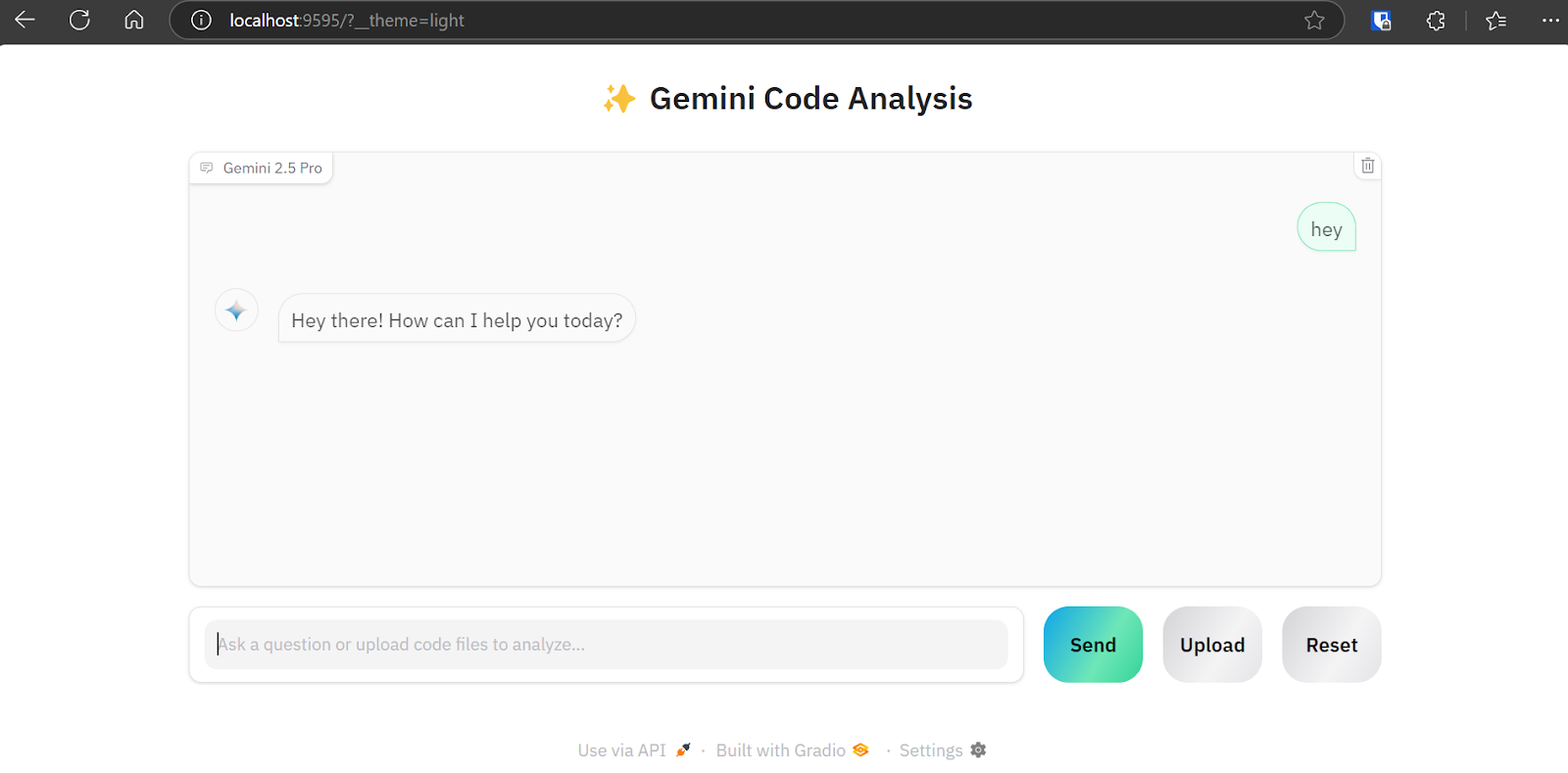
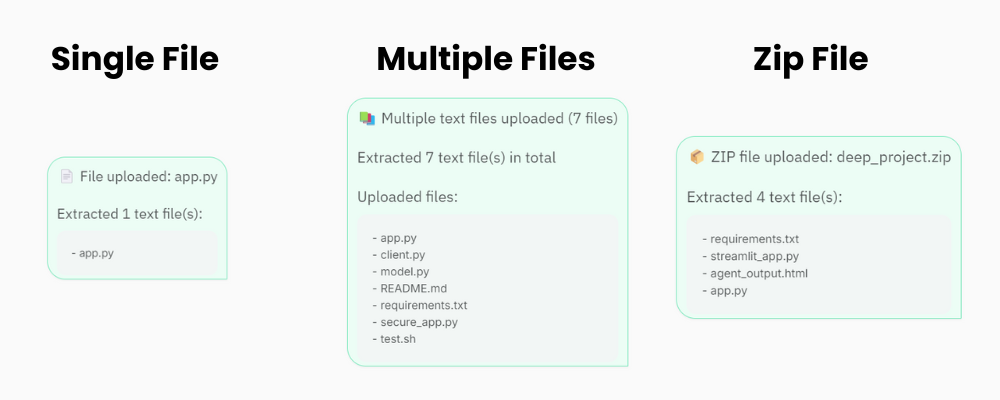
“Upload” düğmesi, tekli ve çoklu dosya yüklemelerini ve projeniz için zip dosyalarını destekler. Yani, projeniz 20’den fazla dosya içeriyorsa endişelenmeyin; kod analizi uygulaması bunu işleyip Gemini 2.5 Pro API’sine gönderebilecektir.
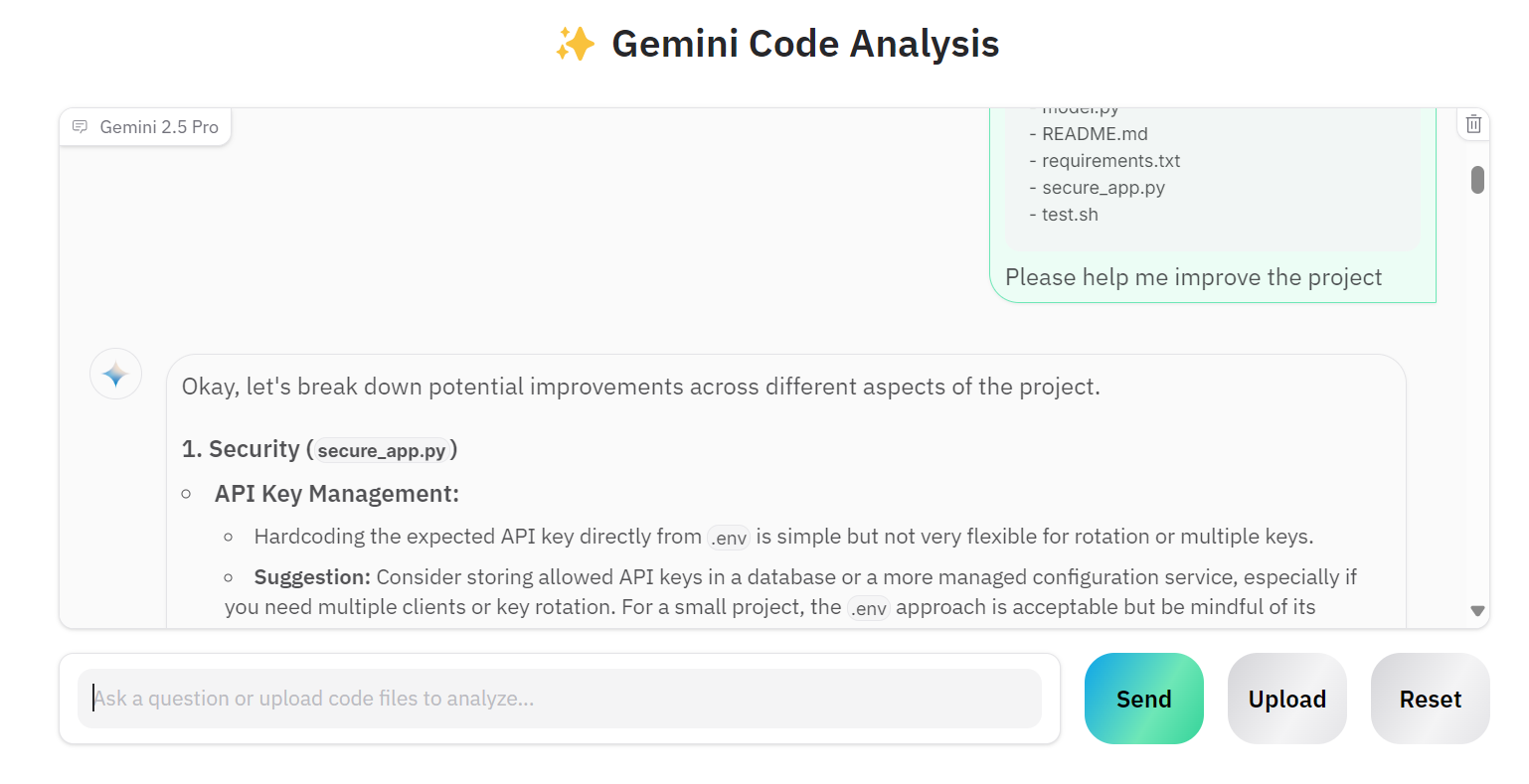
Birden fazla dosya yükleyelim ve Gemini 2.5 Pro’dan projemizi iyileştirmesini isteyelim.
Görüldüğü gibi, model doğru iyileştirme önerileri sunuyor.
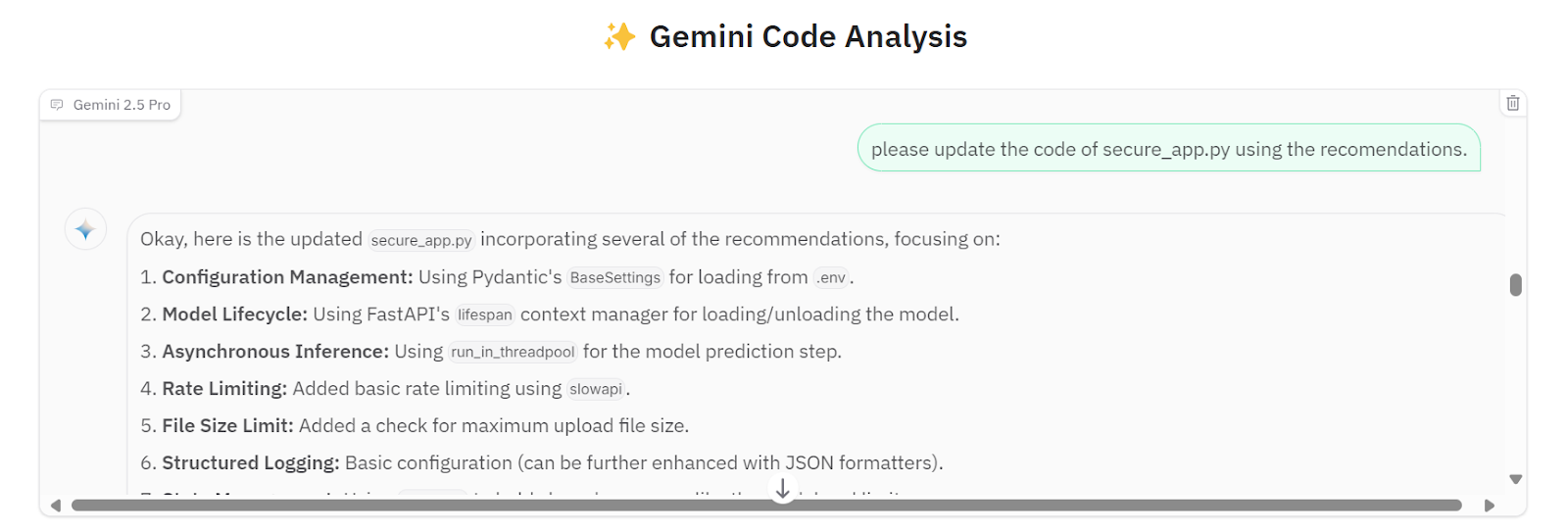
Tüm önerileri secure_app.py dosyasına uygulamasını isteyebiliriz.
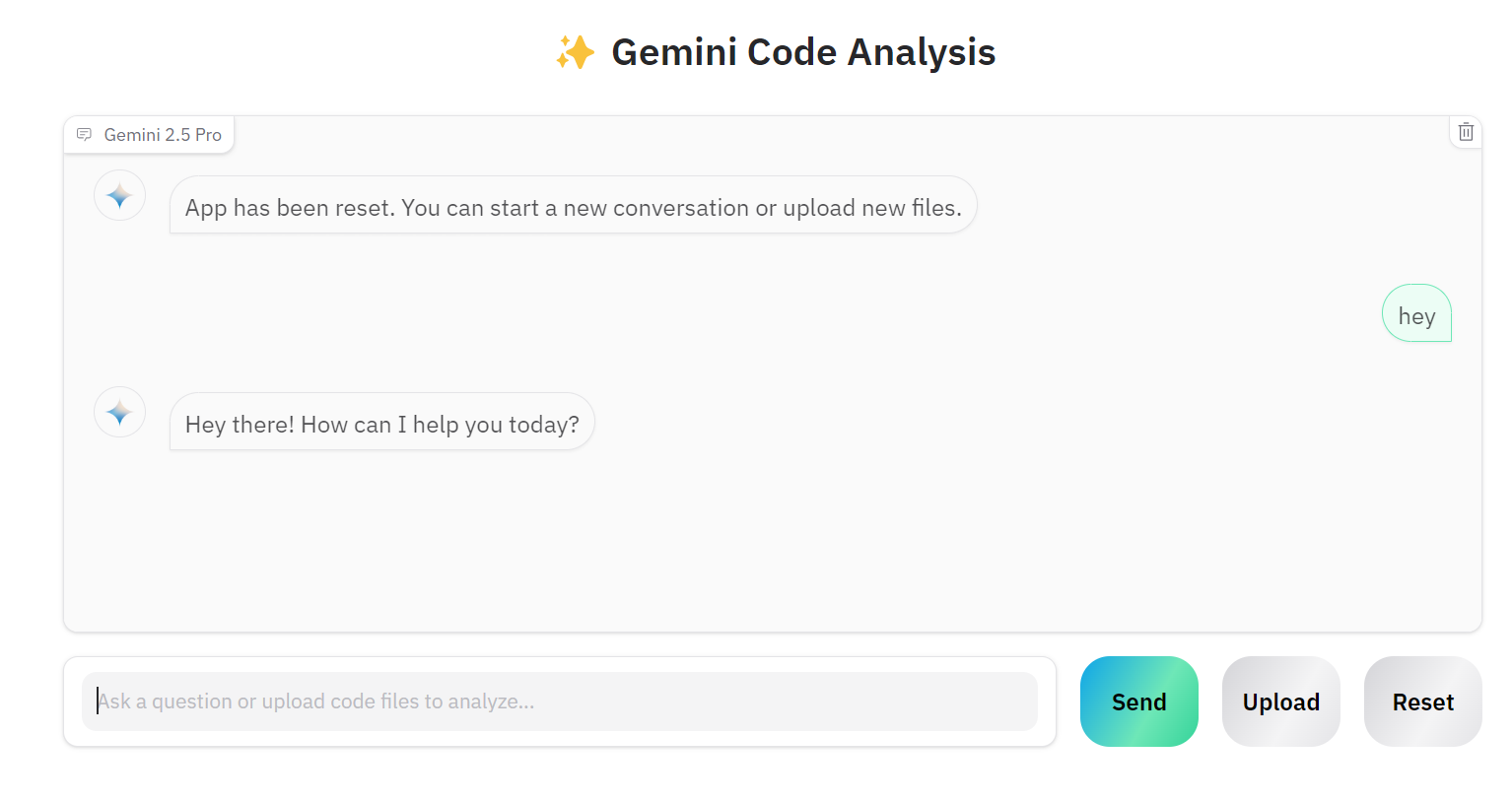
Başka bir proje üzerinde çalışmak isterseniz “Reset” düğmesine tıklayıp yeni proje hakkında sohbet etmeye başlayabilirsiniz.
Kaynak kodu ve yapılandırmalar GitHub deposunda mevcuttur: kingabzpro/Gemini-2.5-Pro-Coding-App.
Düzgün bir yapay zeka uygulaması geliştirmek belirgin şekilde kolaylaştı. LangChain gibi araçlarla karmaşık uygulamalar oluşturmak, vektör depoları entegre etmek, komutları optimize etmek veya düşünce zinciri eklemek yerine, Google API üzerinden Gemini 2.5 Pro istemcisini basitçe başlatabiliriz. Gemini 2.5 Pro Chat API, çeşitli dosya türlerini doğrudan işleyebilir, takip sorularına izin verir ve son derece doğru yanıtlar sağlar.
Bu kurslarla yapay zekayı öğrenin!
Program
Program
Program
blog
Abid Ali Awan
14 dk.
blog
Dario Radečić
15 dk.
Eğitim
Kurtis Pykes
8 dk.
Eğitim
Adel Nehme