Course
Generative AI Concepts
2 hr
116.7K
The best free AI image generator in 2026 is Google Gemini for most users because it has a clear free allowance, low setup effort, and broad browser-based image generation.
But let's give the others their due: ChatGPT is better for beginners and conversational editing, Ideogram is better for text inside images, Leonardo AI is better for token-based daily volume, and Stable Diffusion 3.5 or FLUX are better for local control.
I ranked these tools by five criteria: free access, image quality, prompt adherence, commercial-use clarity, and setup effort. That keeps the recommendation practical, not just based on which model looks best in a single prompt.
If you want the short version, this table gives the main answer before the full breakdown. The longer sections below explain the limits and caveats.
|
Category |
Best pick |
Why |
|
Best overall |
Google Gemini |
Clear free allowance, low setup effort, and browser access |
|
Best for beginners |
ChatGPT |
Simple conversational workflow |
|
Best for text in images |
Ideogram |
Built around readable in-image text |
|
Best for daily volume |
Leonardo AI |
Token-based allowance can stretch further |
|
Best for local control |
Stable Diffusion 3.5 |
No platform cap after setup |
For a broader look at the AI tool landscape, our guide to the best AI tools in 2026 covers writing, coding, and research tools alongside image generation.
A note before we get started: I am leaving Playground AI out here. The platform pivoted away from AI art generation in late 2024, closed its community feed, and cut its free tier to 10 edits per 3-hour window. Google's Gemini with Nano Banana 2 is included instead because its free image generation is more directly relevant to this article.
Here's a look at each tool.

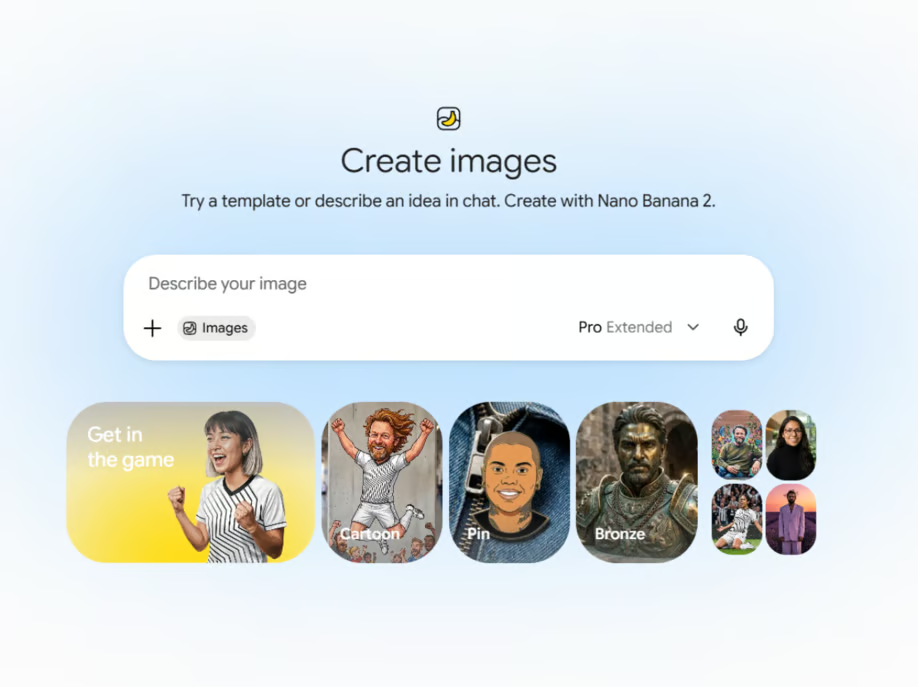
Google Gemini released Nano Banana 2, officially Gemini 3.1 Flash Image, on February 26, 2026. Its free allowance is easier to understand than most credit-based tools in this list.
Free users in the Gemini app get approximately 20 images per day using Nano Banana 2 at up to 1K resolution. Nano Banana Pro, the paid-tier model, is limited to around 2 images per day on the free tier. Developers using Google AI Studio get roughly 50 API requests per day without a credit card.
The model handles complex text rendering in over 10 languages and produces clean results across a wide range of styles. All outputs carry Google's SynthID invisible watermark and C2PA content credentials.
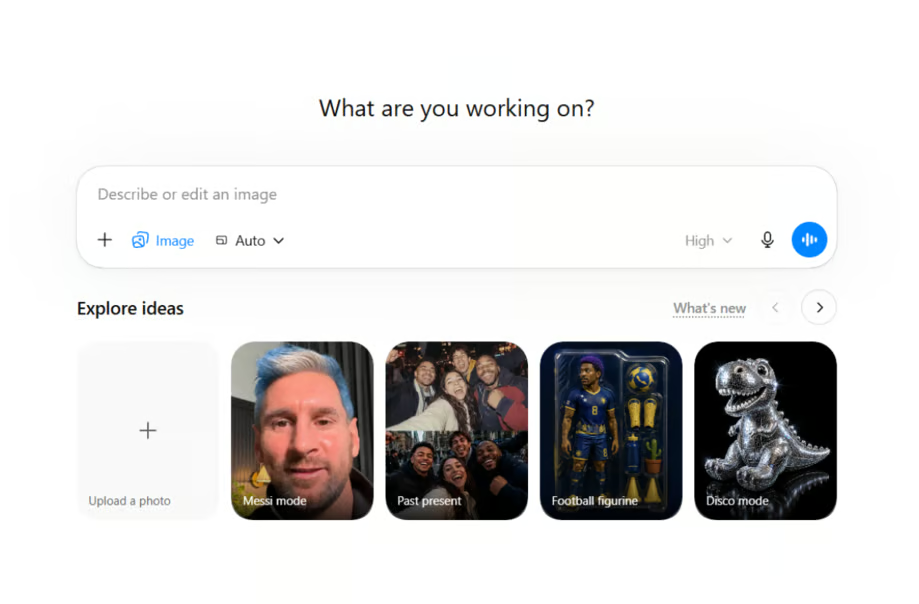
If you already use ChatGPT for writing or research, you may have image generation built in without realizing it. OpenAI launched ChatGPT Images 2.0, powered by the gpt-image-2 model, on April 21, 2026. DALL-E 3 was deprecated on May 12, 2026. Any article still citing DALL-E 3 as the current ChatGPT image model is out of date.
The free tier gives you around 2 to 3 images in a 24-hour rolling window. OpenAI has not published an exact number, but that figure is consistent across community reports.
The cap is tight, but the interface is simple. You describe what you want in plain language, iterate in the same thread, and use follow-up edits like "make the lighting warmer" without starting over. The model also handles text rendering well and supports resolutions up to 2K.
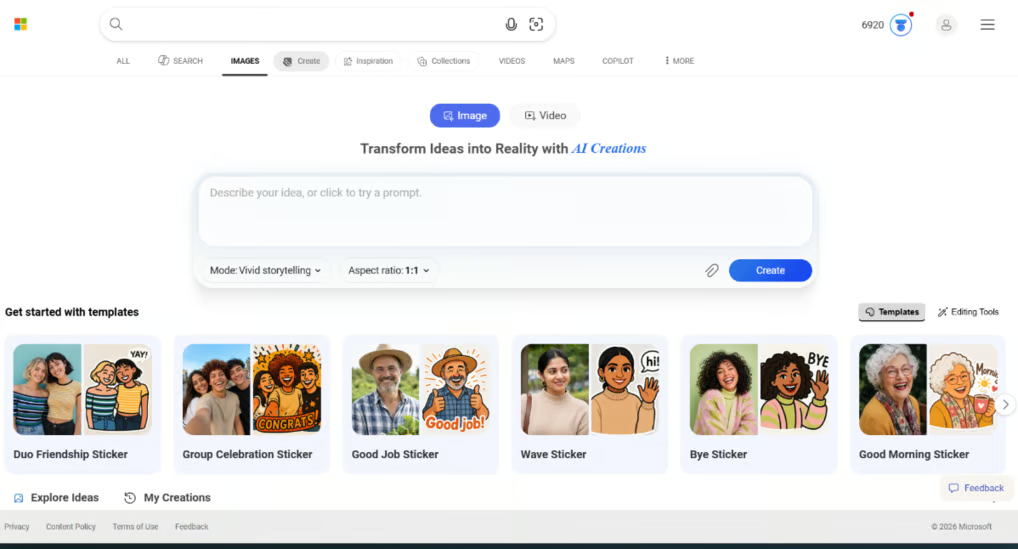
Microsoft Designer and Bing Image Creator are effectively the same generation pipeline in different interfaces. Microsoft describes Bing Image Creator as "formerly known as Image Creator from Designer," and Bing Image Creator is the simpler free entry point.
You get 15 fast creations per day. After those run out, generation continues at a slower standard speed with no hard cap. The tool now offers a choice of models: MAI-Image-2e (Microsoft's own model, released March 2026), GPT-4o, and DALL-E 3. DALL-E 3 is actively being phased out; a retirement notice was visible on the interface at the time of writing.
A personal Microsoft account is required. Work and school accounts (Microsoft Entra ID) are not supported. The service is not available in Russia and China. Outputs are at 1024x1024 and carry a visible watermark. Free outputs are restricted to non-commercial personal use under Microsoft's current terms.
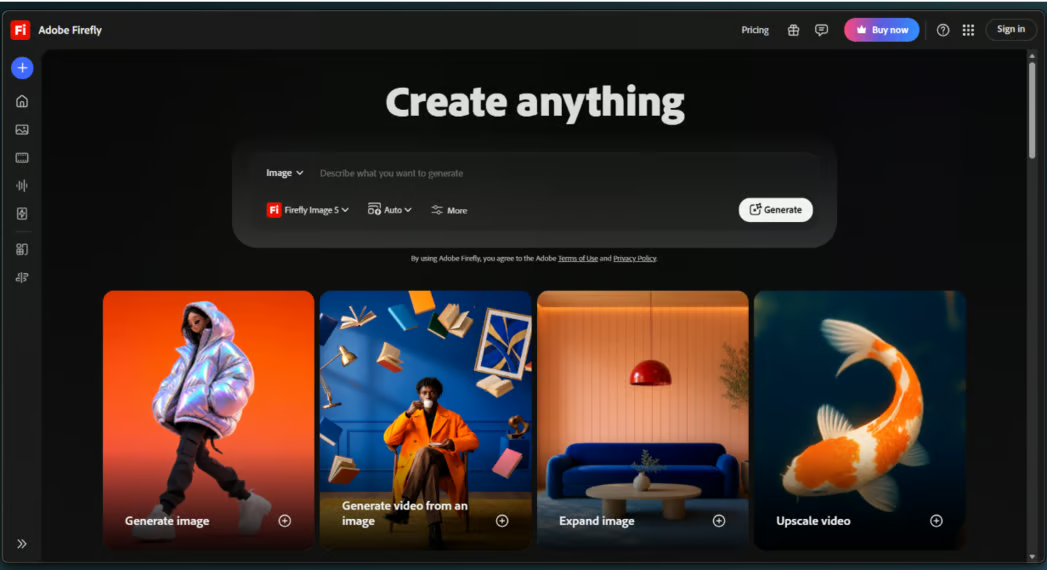
Adobe Firefly's main argument is legal safety. Its first image model was trained on licensed Adobe Stock images and public domain content, so its training provenance is easier to explain than most tools here. That does not make it the right choice for every creative task, but it does matter for client work.
Firefly is primarily a paid product. Adobe gives free users a small set of generative credits when they first use a Firefly feature, and those credits expire one month later. Paid plans start at $9.99 per month.
One nuance matters: Adobe's IP indemnification applies only to paid subscribers. Free users can use outputs commercially, but they do not get Adobe's legal defense if a claim arises.
Leonardo AI gives free users 150 tokens per day, refreshed every 24 hours with no rollover. A standard 1024x1024 image costs roughly 4 to 6 tokens depending on model and settings, yielding around 25 to 37 standard images per day. That can exceed Gemini's count, but the trade-off is token math. Features like the Consistent Character Engine cost more per generation.
The platform hosts its own Phoenix model, Leonardo Diffusion XL, and FLUX variants, alongside image-to-image editing, ControlNet, and upscaling tools.
Free users receive a non-exclusive, royalty-free license to use images commercially. Leonardo can still use, reproduce, and distribute free-plan images, and those images are public by default. Paid plans include full ownership and private generation.
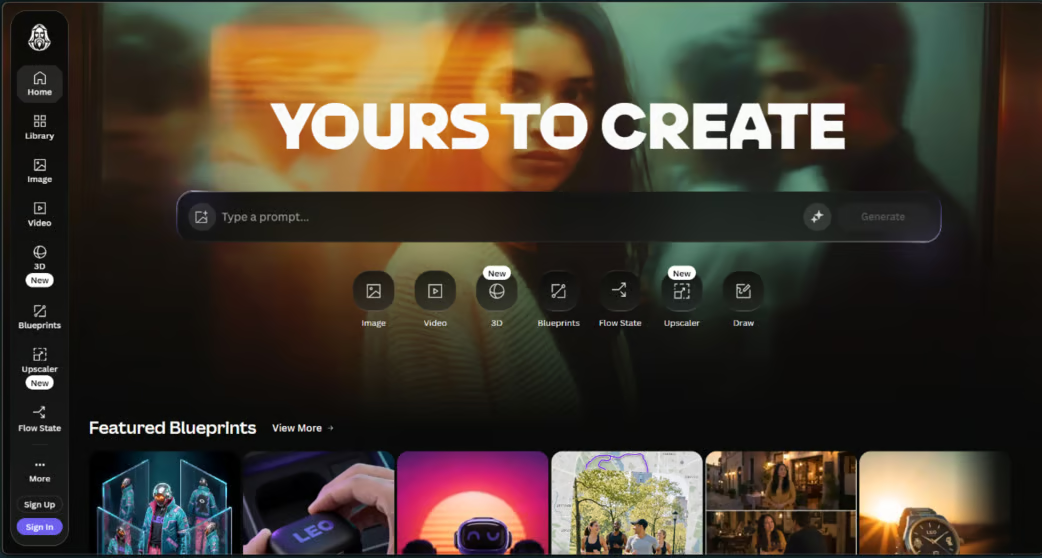
Ideogram built its reputation on readable text inside generated images. For posters, thumbnails, and social graphics with visible words, it is one of the main tools to compare.
The free tier provides 10 slow credits per week, resetting every Saturday at midnight UTC. Each credit covers up to four image variations, giving roughly 40 images per week at the cheapest settings. The word "slow" is doing real work here: wait times can stretch to 20 minutes or more during peak hours, with only one concurrent generation allowed.
On June 3, 2026, Ideogram released Ideogram 4.0 as an open-weight model. It's now available on Hugging Face, ComfyUI, Replicate, and other platforms for local or API deployment. Commercial use is permitted on the free tier, with one exception: outputs cannot be used to train competing image models.
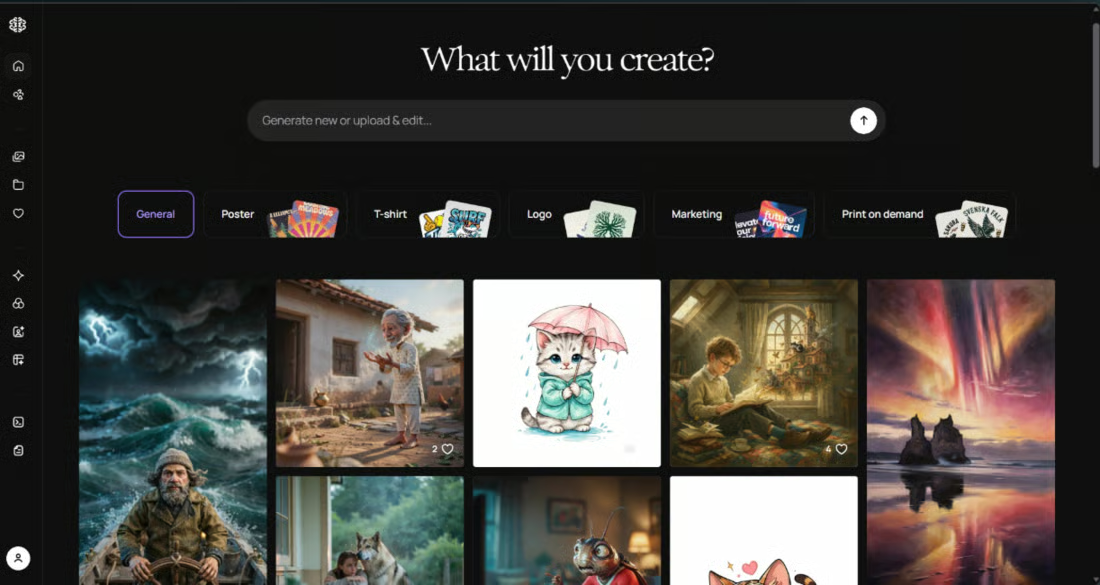
Stable Diffusion has no website to sign into and no credit system. You download the model weights, install a frontend, and run everything locally. Once set up, there are no platform usage limits, watermarks, or internet requirements.
The current version is Stable Diffusion 3.5, released in late 2024. The three variants are Large (8.1 billion parameters), Large Turbo (faster distilled version), and Medium (2.5 billion parameters, optimized for consumer hardware). SD 3.5 Medium needs approximately 10GB of VRAM. The Large version requires around 18GB at full FP16 precision, though FP8 quantization reduces that considerably. Our guide on how to run Stable Diffusion covers the setup details.
For the frontend, ComfyUI is the main option in 2026, with better memory efficiency than AUTOMATIC1111. Forge is often used for lower-VRAM setups.
The Stability AI Community License permits free commercial use for individuals and organizations with annual revenues under $1 million. Larger organizations need an enterprise license.
The trade-off is setup. A working local environment requires Python, GPU drivers, and patience for troubleshooting. If that sounds annoying, it is. The reward is uncapped local generation once everything works.
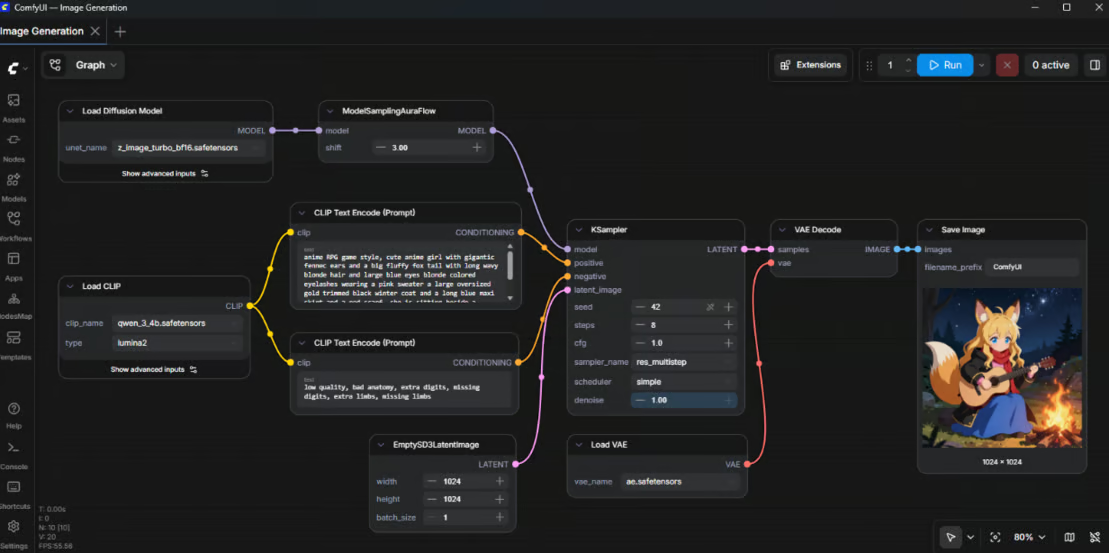
Source: Comfy-Org
Best for: Developers and power users who want full control, no usage limits, and no dependency on any external service.
Free plan limitations: No platform usage limit, but compatible hardware and technical setup are required.
FLUX comes from Black Forest Labs, founded by researchers behind the original Stable Diffusion models. It is often compared with Stable Diffusion for photorealism and hand rendering.
The FLUX.2 family launched in November 2025: Dev is a 32-billion-parameter open-weight model; Klein is faster and designed for consumer hardware; Pro is API-only. From the original FLUX.1 family, Schnell remains widely used. Both FLUX.1 Schnell and FLUX.2 Klein (4B) are Apache 2.0 licensed, meaning they allow free commercial use. The dev variants across both families carry non-commercial licenses, so verify which variant a platform is using before using it in a project.
You don't need a local GPU to access FLUX. Mage.Space and Hugging Face Spaces offer browser-based Flux generation with no installation, and Hugging Face requires no account for many demos. NightCafe is another option, giving users 5 free credits per day and supporting Flux on some model tiers.
Best for: Technical users who want open-weight image generation, either locally or through free platforms.
Free plan limitations: Licensing varies by model variant. Local use also depends on VRAM, especially for full-precision FLUX.2 Dev.
Canva's image generator makes the most sense if you already use Canva for design work. It is not a standalone generator; it is one feature inside a broader design platform. I would judge it as part of that workflow, not against a local ComfyUI setup.
Magic Media is built into the design canvas. You generate an image and drop it straight into a layout for social posts, branded graphics, or presentations.
The free tier provides an AI credit allowance that resets daily for standard AI features. Premium AI features, including Magic Media image generation, are more constrained. In practice, the free image generation works better as a supplement than as a primary workflow.
One limitation that matters here: Canva's text rendering inside generated images is weaker than Ideogram or ChatGPT. If readable words inside your image are part of the design, this is not the right tool.
One limitation that matters here: Canva's text rendering inside generated images is weaker than Ideogram or ChatGPT. If readable words inside your image are part of the design, this is not the right tool.
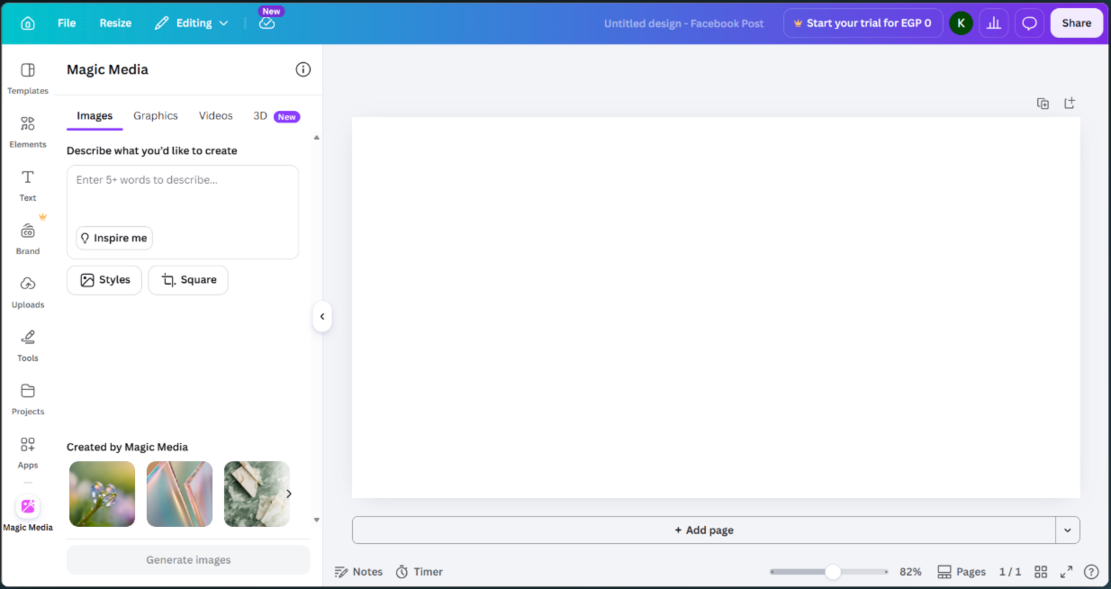
Best for: People already working in Canva who want occasional AI image generation without switching platforms.
Free plan limitations: The main limits are the credit allowance, weaker text rendering, and lower output detail than dedicated generators.
A few tools are relevant enough for specific situations, even if they do not need a full entry.
Craiyon is unlimited and requires no account. Output detail is lower than anything else on this list, and downloads carry visible watermarks, but it works for quick casual brainstorming without signing up.
Mage.Space (mentioned in the FLUX section above as a free Flux platform) is another starting point for browser-based Stable Diffusion generation with no setup. Limits tighten in late 2025, so check the current free tier before assuming "unlimited."
NightCafe gives users 5 free credits per day through daily activity, which can accumulate over time. There's a community layer with challenges that makes it more social than most tools here. Free credits work on standard models; accessing Flux or premium architectures generally requires paid credits. NightCafe introduced credit expiry dates in early 2026, a real shift if you had accumulated a large balance.
For context: Grok's AI image generation is no longer free. xAI removed free image generation in March 2026. It now requires a paid SuperGrok subscription.
The differences become clearer side by side. The table below condenses the details covered above: free access, best use case, open-weight status, commercial rights, and setup effort. "Commercial use" reflects what the free plan specifically allows, not what a paid plan might add later.
|
Tool |
Free Access |
Best For |
Open-weight? |
Commercial Use? |
Setup Effort |
|
ChatGPT Images 2.0 |
~2-3 images/day |
Conversational generation |
No |
Verify current OpenAI terms |
Low |
|
Google Gemini (Nano Banana 2) |
~20 images/day (app) |
Fixed app allowance |
No |
Verify Google terms |
Low |
|
Bing Image Creator |
15 fast creations/day |
Quick casual generation |
No |
Non-commercial only |
Low |
|
Adobe Firefly |
Small monthly credit allocation |
Commercial-use-sensitive work |
No |
Yes (no IP indemnification) |
Low |
|
Leonardo AI |
150 tokens/day |
Token-based daily volume |
No |
Limited (Leonardo retains rights) |
Moderate |
|
Ideogram |
10 slow credits/week |
Text in images |
Yes (4.0) |
Yes (except competitor training) |
Low |
|
Stable Diffusion 3.5 |
Unlimited (local) |
Local control, no limits |
Yes |
Yes (under $1M revenue) |
High |
|
FLUX.2 / Platforms |
Via platforms or local |
Open-weight models |
Yes (some variants) |
Apache 2.0 for some |
Medium to high |
|
Canva AI (Magic Media) |
Limited daily AI credits |
Design workflow |
No |
Verify by feature/model |
Low |
|
Craiyon |
Unlimited |
Quick casual brainstorming |
No |
Verify current terms |
Low |
"High" setup effort refers to getting started, not day-to-day use after setup. Stable Diffusion and FLUX are simpler once the local environment is working.
Google Gemini is the best free AI image generator for most users, but the right choice changes by use case. Here is the direct pick for each common situation.
The best free AI image generator for beginners is ChatGPT. The limit is tight, but the plain-language interface makes the first few generations less confusing.
The best free AI image generator for professional designers is Adobe Firefly. Firefly's main difference is its training provenance and paid-plan IP indemnification, not free volume.
The best free AI image generator for marketing content is Canva. Magic Media is useful when the image needs to sit inside a Canva layout rather than live as a standalone output.
The best free AI image generator for open-source enthusiasts is Stable Diffusion 3.5 with ComfyUI. The trade-off is setup, but the local workflow gives you control without platform caps.
The best free AI image generator for photorealistic images is ChatGPT Images 2.0. The free limit is tight, so it makes more sense for occasional outputs than volume work.
The best free AI image generator for text in images is Ideogram. This is the tool to compare first when readable words inside the image matter.
The phrase "free tier" often hides the actual catch. Here is what you give up on most free plans.
A paid plan becomes relevant when you keep hitting the same limits, need private generation, need cleaner commercial rights, or rely on gated editing features.
A few questions narrow the choice quickly.
If ease of use is the priority, start with ChatGPT or Bing Image Creator. Both require only a standard account.
If daily volume matters more than anything else, compare Gemini and Leonardo rather than assuming one clear winner. Gemini is easier to count; Leonardo can stretch further depending on token settings. For local generation, the platform cap disappears, but hardware becomes the limit.
If documented training provenance is the requirement, start with Adobe Firefly, with the paid-plan caveat mentioned earlier.
If text inside images is central to your work, start with Ideogram.
If you're a developer who wants local control, compare FLUX.1 Schnell (Apache 2.0) with Stable Diffusion 3.5.
One simple test works well: run the same prompt through two tools. The one that gets closest without making you fight the interface is probably the right starting point.
This section is here near the end because the main answer matters first. Once you have a shortlist, these are the factors I would check before committing to one tool.
Google Gemini is the best free AI image generator for most users in 2026. The range of free options is wider than it used to be, but the biggest split is still between capped cloud tools and local or open-weight options where hardware matters more than credits.
That said, "free" still comes with real trade-offs: slow queues, public galleries, tight daily limits, or the one-time cost of compatible hardware. The right choice depends on your use case and what you're actually building.
Use the same-prompt test from the previous section if you are torn between two tools. For a free tool roundup beyond image generation, see our best free AI tools guide.
Learn with DataCamp
Course
Course
Course
blog
Rajesh Kumar
15 min
blog
Vinod Chugani
10 min
blog
Matt Crabtree
15 min
blog
Dr Ana Rojo-Echeburúa
9 min
Tutorial
François Aubry
10 min
Tutorial
Bexruz (Bex) Tuychiev
15 min