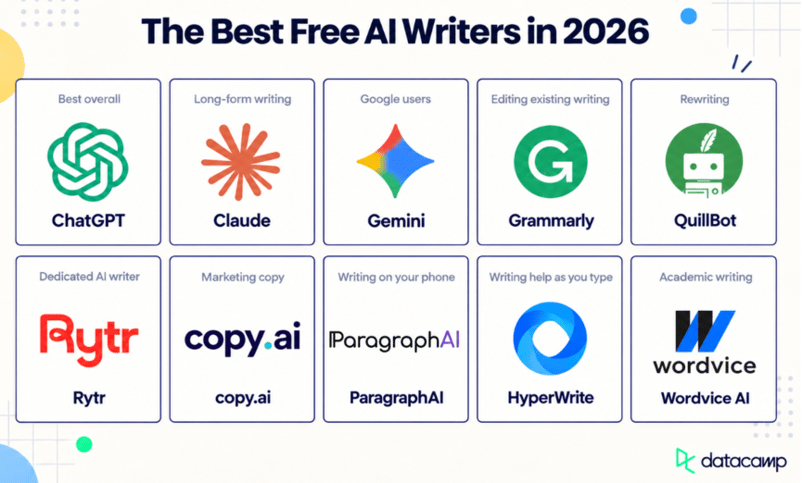
ChatGPT comes first on this best free AI writers list because it’s where most people start, and its free plan covers almost any writing task.
In my professional opinion, Claude is better for long-form drafts, and Grammarly is best for editing a draft you already have.
But I want you to decide for yourself. Below, I compare each tool on writing quality and on how much it lets you do before you have to pay.
Not every “free” plan works the same way. Some tools give you a monthly allowance that resets. Others offer only a one-time trial that runs out.
Best Free AI Writers at a Glance
The right free AI writer depends on what you write. This table compares all 10 tools on what you get without paying.
|
Tool
|
Best for
|
Free plan
|
Free limit
|
Standout feature
|
|
ChatGPT
|
Everyday writing
|
Unlimited text
|
Unlimited plain-text chats; uploads, images, and voice limited
|
Edits drafts in rounds through conversation
|
|
Claude
|
Long-form writing
|
Resets every 5 hours
|
No fixed message count; long chats use it up faster
|
Keeps long documents in view while editing
|
|
Gemini
|
Google users
|
Resets every 5 hours
|
Five-hour limit, with a weekly cap
|
Canvas, a side-by-side drafting editor
|
|
Grammarly
|
Editing existing writing
|
Unlimited checks
|
Unlimited grammar and spelling checks; 100 AI prompts a month
|
Works inside Gmail, Google Docs, and Word
|
|
QuillBot
|
Rewriting and paraphrasing
|
Unlimited uses
|
100 words per paraphrase, two modes
|
Synonym slider that controls how much changes
|
|
Rytr
|
Dedicated AI writing
|
Monthly allowance
|
10,000 characters a month
|
40+ ready-made writing formats
|
|
copy.ai
|
Marketing copy
|
Free generators
|
Dozens of single-purpose generators, no sign-up
|
One generator per job, like ads or subject lines
|
|
ParagraphAI
|
Writing on your phone
|
Daily allowance
|
5 uses a day, up to 1,000 characters each
|
AI keyboard that works in any app
|
|
HyperWrite
|
Writing help as you type
|
Monthly allowance
|
Limited monthly credits on a basic model
|
TypeAhead sentence suggestions
|
|
Wordvice AI
|
Academic writing
|
Monthly allowance
|
5,000 words a month, 500 per submission
|
Proofreader built for academic writing
|
The Best Free AI Writers in 2026
Let’s explore 10 free AI writers in detail:
1. ChatGPT: Best for everyday writing
ChatGPT is OpenAI’s general-purpose AI assistant, and for most people, it’s the first AI writer they try. Its most useful free feature for writing is one a lot of people never set up: custom instructions.
You tell ChatGPT once how you write, like your usual tone, the phrases you never use, and who you’re writing for, and it applies that to every new chat. You don’t have to explain your style each time.
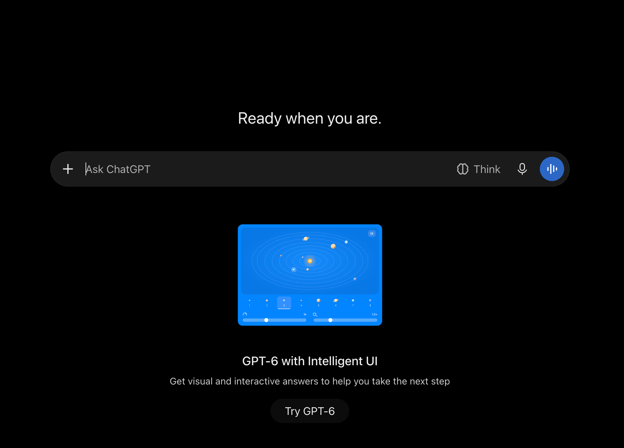
ChatGPT AI writer interface prompt box. Image by Author
Writing quality
ChatGPT writes clean, well-organized first drafts and is quick to change tone. However, its weak spot is generic phrasing. A vague prompt gets you safe, predictable sentences that you’ll need to edit so they sound like you. But a specific prompt fixes most of this, and I show how to write one later in this article.
Standout writing features
ChatGPT’s best writing feature is editing in rounds. Each request builds on the last draft. You can ask it to “cut this to 120 words,” then to “make the subject line less salesy,” without starting over. You can also use it to:
- Brainstorm headlines, outlines, and angles
- Rewrite the same text for a different audience
- Pull in current facts with web search
- Keep files and instructions together in Projects for writing you come back to
What you get for free
The free plan includes unlimited plain-text chats, so typing back and forth with it has no message cap. File uploads, voice chats, and image creation each have separate limits, so if you paste drafts in as files, you can hit a wall within the hour.
Main limitation
The free plan can only take in about 12 pages of text at once. You can upload a longer report as a file, but ChatGPT may skip parts of it when it answers, so editing long documents is hit or miss.
Best for
Anyone who wants one free tool for everyday writing, like emails, social posts, outlines, rewrites, and first drafts.
Claude is Anthropic’s general-purpose AI assistant and the best free AI writer for long pieces. Unlike ChatGPT, with Claude you can upload a few pieces you’ve written, and its Styles feature builds a custom style from them that you can turn on in any chat.
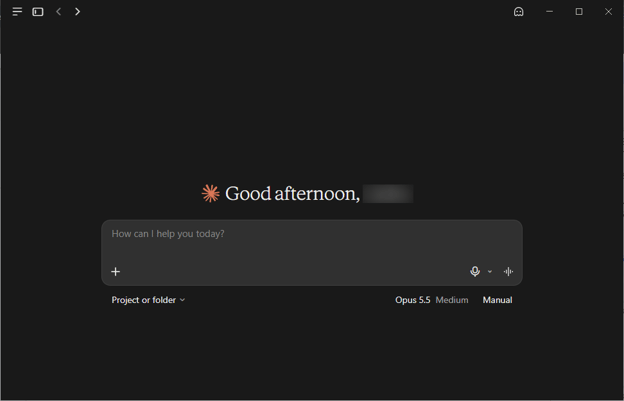
Claude interface with prompt box. Image by Author
Writing quality
On long drafts, Claude keeps track of details that often get missed in AI writing. It remembers what your introduction asked for, uses the same term for the same thing all the way through, and sticks to the structure you agreed on. When I gave it a 3,000-word draft, it flagged a point I’d made three times.
It’s even better at editing than drafting. Give it a messy section and it will tighten paragraphs, fix flow, cut repetition, and match the tone of a sample you paste in.
Standout writing features
Claude’s best writing feature is how much text it can keep in view. Even on the free plan, its context window goes up to 1 million tokens, depending on the model. That’s roughly 750,000 words. In practice, you can paste a full report and edit it section by section without re-pasting the earlier parts.
You can also:
- Set up to five projects, each with its own files and instructions, for pieces you write regularly
- Draft in Claude Docs instead of copying text out of the chat
What you get for free
The free plan includes the Sonnet and Haiku models, web search, memory, file creation, artifacts, Claude Docs, and up to five projects. Anthropic doesn’t publish a fixed message count, and your usage resets every five hours.
Main limitation
The free plan’s usage limit is much lower than the paid plans’, and Anthropic doesn’t publish a number for it. How far it goes depends on how long and complex your conversations are, and on demand at the time. Long chats use it up fastest. Every new message in a long chat costs more, because Claude rereads everything above it.
The limit works on a five-hour window that starts with your first message. Once you use up your allowance, you’re locked out until those five hours are over, and then the limit resets in full. So if you start at 9 a.m. and hit the limit at 10:30, you wait until 2 p.m. If you’re editing a long draft, start a new chat for each section and paste in only what that section needs.
Best for
Writers working on long or detailed pieces, like reports, ebooks, long blog posts, and multi-section documents, who need the AI to keep the whole draft in mind.
3. Gemini: Best for Google users
Gemini is Google’s general-purpose AI assistant, and it works with the Google account you already have. Its most helpful free feature is a shortcut from research to a Google Doc. All you have to do is run Deep Research on a topic, refine the report in Canvas, and export it to Google Docs in one click.
Know this upfront: the free Gemini app is separate from Gemini inside Gmail and Google Docs, which needs a paid plan.
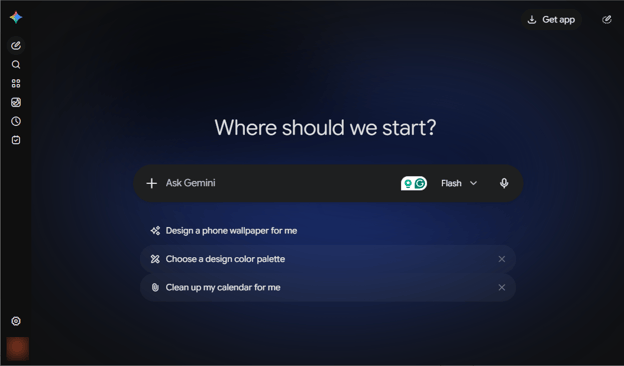
Gemini AI writer interface. Image by Author
Writing quality
Gemini writes clear, easy-to-read drafts for everyday tasks like emails and summaries. However, its drafts go flat when the writing needs detail or has to persuade someone. Part of that is the model.
The free app runs on Flash-Lite, the lightest model in Google’s lineup, so for longer or harder pieces, give it detailed instructions and plan on more editing.
Standout writing features
Gemini’s best writing feature is Canvas, a side-by-side editor where you draft a document and refine it with quick editing tools. You can expand a section or change the tone of the whole draft without rewriting your prompt.
You can also:
- Edit your Deep Research plan before it runs, so the report covers the part you need
- Save your writing instructions in Gems, custom versions of Gemini, so you don’t have to repeat them every time
What you get for free
The free plan includes the Gemini app with the Flash-Lite model, Canvas, Deep Research, Gems, Gemini Live, and image generation.
Google doesn’t publish a fixed limit. Your usage depends on how complex your prompts are, which features you use, and how long your chat is. The limit refreshes every five hours until you reach a weekly cap, so you can run out before the week ends even if you pace yourself.
Main limitation
Gemini’s writing tools inside Google’s own apps aren’t free. “Help me write” in Docs, which drafts and shortens text right in your document, needs a paid plan. So do Gmail replies that draw on your email thread.
For free users, the separate Gemini app is the whole product.
Deep Research is also the first thing to go when demand is high. Google says free users may lose access to compute-heavy features like it during busy periods. And Canvas formatting edits only work in the desktop web app, not on mobile.
Best for
Google users who want a free assistant for everyday drafting and research-backed writing.
4. Grammarly: Best for editing existing writing
Grammarly was checking people’s writing long before ChatGPT existed. It launched in 2009 as a grammar checker, and for most of its history it only caught mistakes in writing you’d already done.
Generative AI came later, added on top of that checker. In 2025, its parent company even renamed itself Superhuman and started building AI agents.
Grammarly can now draft from a blank page too, but it’s still at its best with a draft you already have, and it runs inside the apps where you already write, like Gmail, Google Docs, Microsoft Word, and Slack.
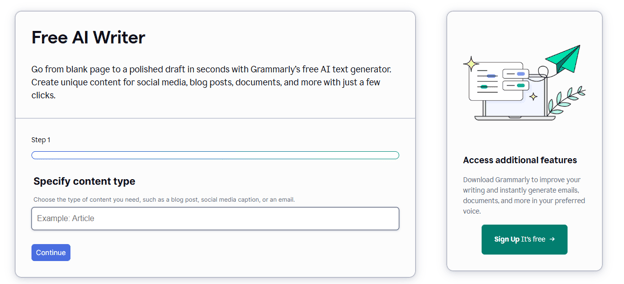
Grammarly free AI writer. Image by Author
Each suggestion comes with a short explanation, so you can see why it flagged something and ignore it when the “fix” doesn’t sound like you.
When I ran this article through Grammarly, it caught a “the the” I’d read past three times and an “it’s” that should have been “its.” Neither would have shown up in a spellcheck I was skimming.
In addition to checking existing drafts, its free AI Writer can turn a few rough points and a chosen tone into a short draft, like an email or a social caption. The drafts are usable, but they’re not why you’d choose Grammarly.
Standout writing features
Grammarly’s best feature is that it works where you already write. It underlines problems as you type in Gmail, Google Docs, Microsoft Word, and Slack, so you fix them on the spot, without pasting your draft into a chat and copying the result back.
You can also:
- Check how your writing sounds before you send it, for example, whether an email comes across as friendly or too direct
- Generate or rewrite short pieces of text with AI prompts inside your document
What you get for free
The free plan corrects spelling, grammar, and punctuation, flags wordy sentences, and shows the tone of your writing. It has no word limit on these checks. You also get 100 AI prompts a month, which works out to about three a day. Each prompt is one request, like “shorten this paragraph.”
Main limitation
The free plan finds mistakes but doesn’t fix your style.
One-click full-sentence rewrites, tone adjustments, plagiarism checker, AI text detector, and suggestions that make your English sound more natural aren’t on the free plan.
You can still rewrite text with AI prompts, but 100 a month runs out fast if you edit every day.
Best for
Anyone who already has a draft, whether they wrote it or another AI tool did, and wants it clean before sending or publishing.
5. QuillBot: Best for rewriting and paraphrasing
QuillBot is an AI writing tool for rewriting text you already have. It lets you rework one sentence and leave the rest of your draft alone. In addition, it also has a grammar checker, a summarizer, and a free AI Writer for drafting from scratch.
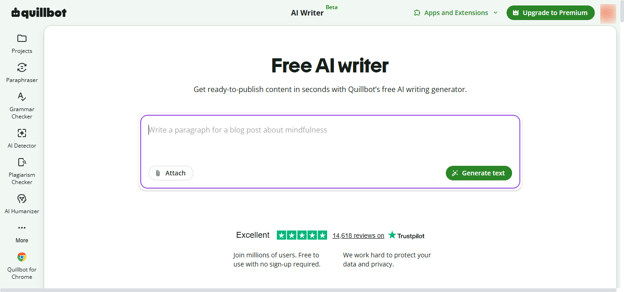
QuillBot free AI writer interface. Image by Author
Writing quality
QuillBot’s rewrites keep your meaning while changing the wording and sentence structure. That helps most when a sentence sounds clunky, or you’ve used the same phrase three times in one paragraph.
Sometimes it shifts the meaning more than you intended, so read every rewrite before you use it. When I tested it, “The survey found no clear link between screen time and sleep” came back as “The survey failed to prove that screen time affects sleep.” That reads fine, but it’s a different claim.
The AI Writer works like a chat. It’s fine for short pieces like emails and blog intros, but it’s not the reason to use QuillBot.
Standout writing features
QuillBot’s best writing feature is control over how much it changes. A synonym slider sets how many words get swapped, so you can make a light touch-up or a full rewording. You can also freeze words or phrases you want to keep, like a technical term.
Beyond the paraphraser, you can:
- Summarize a long article into key points before you write about it
- Fix basic grammar and spelling mistakes
- Rewrite in more than 20 languages, not just English
- Use it in your browser, Google Docs, Microsoft Word, or its desktop and mobile apps
What you get for free
The free plan lets you paraphrase up to 100 words at a time in two modes, Standard and Fluency, with partial access to the synonym slider. There’s no daily cap, so you can paraphrase as many times as you want.
The grammar checker, a basic summarizer, and the AI Writer are free too.
Main limitation
The 100-word limit is about one paragraph, so rewriting a full essay means pasting it piece by piece. The other seven modes, including Formal, Academic, Shorten, and Expand, are Premium-only, and so are custom modes and your paraphrase history.
A note for students: paraphrasing helps you put your understanding into clearer words, but it doesn’t replace citing your sources. So if you reword someone else’s work without giving credit, it’s still plagiarism. Many schools also have their own rules on AI-assisted writing, so check yours first.
Best for
Writers and students who want to reword clunky sentences in short chunks.
6. Rytr: Best dedicated free AI writer
Rytr is an AI tool built only for writing, and its free plan gives you a fresh writing allowance every month. Instead of a blank chat box, you choose what you’re writing, like an email or a blog post, select a tone, and Rytr turns your idea into a draft.
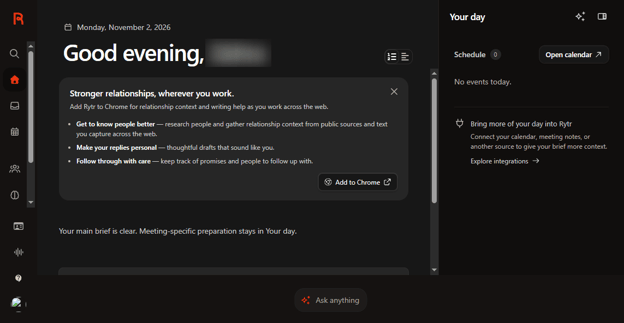
Rytr AI writer. Image by Author
Writing quality
Rytr’s drafts follow a set format and tone, so the output stays consistent, which helps when you write the same kind of content every week.
Longer or more detailed pieces usually need real editing before they’re ready to publish.
I asked it for a product description for a water bottle aimed at cyclists, in an enthusiastic tone. It returned three short variants in a few seconds, and all three were usable.
Those three drafts also used close to a quarter of my monthly allowance, which tells you most of what you need to know about the free plan.
Standout writing features
Rytr’s best feature is its ready-made use cases. You select the type of writing, like a LinkedIn post, ad, headline, product page, or outline, and Rytr shapes the draft to fit, so you don’t have to work out the right prompt.
You can also:
- Select a tone, from warm and direct to playful or formal
- Set voice rules once, like words to avoid, or how you sign off, so every draft follows them
- Improve, shorten, expand, or continue text you’ve already written
- Write inside Gmail, Notion, and other editors with the Rytr browser extension
What you get for free
The free plan gives you 10,000 characters a month, roughly 1,500 to 2,000 words, plus 40+ use cases. It’s free forever, and you don’t need a credit card to start.
Main limitation
10,000 characters run out fast. One full blog post can use most of a month’s allowance, and every regenerated draft counts against it.
So why use Rytr when ChatGPT’s free plan has no message cap? The answer is the templates. If you don’t want to write prompts and only need a few short pieces a month, Rytr is faster to get started with. If you need volume, it isn’t the right tool.
Best for
People who write a few short pieces a month, like emails and product descriptions, and want a simple tool instead of a chatbot.
7. copy.ai: Best for marketing copy
copy.ai offers a library of free AI writing generators, mainly for marketing and sales copy. Each generator does one job, like writing an ad or a cold email, and you don’t even need an account.
Note that copy.ai’s main product is now a paid AI platform for sales and marketing teams, and that app has no free plan. For free users, the generators are the whole product.
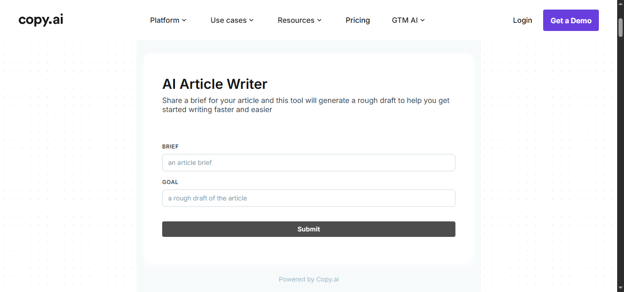
copy.ai free AI article writer. Image by Author
Writing quality
The generators produce short, punchy copy that’s ready to edit, like subject lines, hooks, slogans, and calls to action. Each generator is built for one format, so a cold email reads like a cold email and an ad reads like an ad.
I asked the subject line generator for options for a newsletter about free AI writing tools (basically this article). Out of ten options, two were usable as written, and three started with “Unlock,” a word I’d have cut from any draft.
Standout writing features
copy.ai’s best feature is the size of its free library. There are dozens of generators, most of them for marketing and sales. Some of the more useful ones include:
- Sales: cold emails (you can paste in a prospect’s LinkedIn URL to personalize one), sales emails, and elevator pitches
- Marketing: ad copy, product descriptions, value propositions, and calls to action
- Social: Instagram captions, LinkedIn posts, hooks, and hashtags
- Business: press releases, case studies, and blog outlines
What you get for free
Every generator on copy.ai’s free tools page is free to use, with no sign-up or credit card. copy.ai says the generators come with no trial period.
Main limitation
Each generator writes one piece at a time, with no ongoing chat. You can’t ask it to revise a draft, and it won’t remember your brand from one generator to the next. Those features are in copy.ai’s paid app.
Best for
Marketers and small business owners who need quick one-off copy, like an ad or a product description, without paying for a full platform.
8. ParagraphAI: Best for writing on your phone
ParagraphAI is an AI writing assistant built for the short messages you write every day. It’s mainly a mobile app with its own AI keyboard, and it also has a web app and a Chrome extension. That makes it different from most tools on this list, which live in a browser tab.
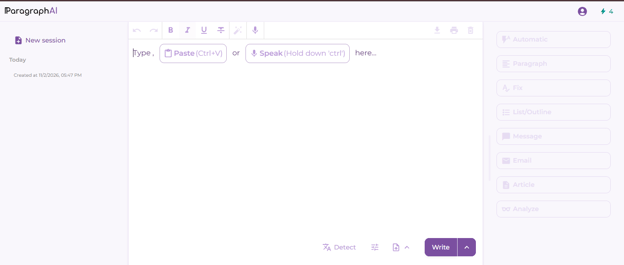
ParagraphAI free AI writer. Image by Author
Writing quality
ParagraphAI is good at cleaning up the way people actually type on a phone, with missing apostrophes, shorthand like “lmk,” and no capital letters.
I typed a rushed text to a client, “hey sorry cant make it tmrw, something came up. can we do thursday instead? lmk,” and asked ParagraphAI to make it more formal. It came back as “I’m sorry, but I won’t be able to make it tomorrow. Would Thursday work for you instead?” That’s the kind of quick fix it’s built for.
Standout writing features
ParagraphAI’s best feature is its AI keyboard. It replaces your phone’s keyboard, so you can fix or rewrite a message inside WhatsApp or Gmail without copying it into another app.
You can also:
- Draft a full reply to an email or message from a few words
- Write and translate in more than 40 languages
- Save templates for messages you send often
What you get for free
The free plan gives you five uses a day across ParagraphAI’s main tools: Create, Fix, Reply, and Edit. Each request can be up to 1,000 characters, and your usage resets at midnight GMT.
You also get basic keyboard and basic tone editing for formality and friendliness.
Main limitation
Five uses a day runs out fast if you write a lot of messages, and the 1,000-character cap rules out anything longer than a short email.
Note: The keyboard also sees everything you type, so check ParagraphAI’s privacy settings before you use it for sensitive messages.
Best for
People who write most of their emails and messages on their phone and want quick fixes and replies without switching apps.
9. HyperWrite: Best for writing help as you type
HyperWrite is an AI writing assistant that lives in your browser. Its Chrome extension suggests the next words as you type in websites like Gmail and Google Docs, and its free AI Writer turns a short request into a draft.
That makes it Grammarly’s opposite: Grammarly fixes what you’ve already written, and HyperWrite suggests what to write next.
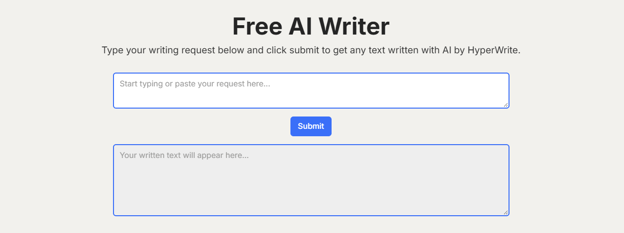
HyperWrite free AI writer. Image by Author
Writing quality
HyperWrite’s AI Writer handles short drafts fine, but its as-you-type suggestions are the more interesting part. They follow the tone of what you’ve already written, which helps when you’re stuck mid-sentence.
But they do tend to play it safe. Halfway through my “Sorry for the delay” email, it suggested, “I appreciate your patience and understanding.” That’s fine, but it’s the line everyone writes. The suggestions get better when there’s more of your own writing on the page for them to follow.
Standout writing features
HyperWrite’s best feature is TypeAhead, which suggests how to finish your sentence as you type. It works like autocomplete on your phone, but for full sentences.
You can also:
- Turn a few words into a full email reply in Gmail
- Rewrite, summarize, or simplify text with a library of ready-made AI tools
What you get for free
You can try the AI Writer, rewriter, and summarizer on HyperWrite’s website without an account. After a few uses, you’ll need a free account. That gives you a limited number of AI credits on HyperWrite’s basic model, and the credits renew every month.
Main limitation
Unlimited TypeAhead suggestions are a Premium feature, along with cited answers with real-time information and custom personas that make the AI write like you.
Free credits also run out fast if you write every day.
Best for
People who write a lot in their browser, like emails and quick replies, and want light AI help without switching apps.
10. Wordvice AI: Best for academic writing
Wordvice AI is an AI writing assistant for students and researchers who write in English, especially non-native speakers. It proofreads, paraphrases, translates, and summarizes, and it has research tools like a citation generator and a PDF chat tool.
Wordvice also runs a human editing service for academic writing, and its AI tools are for the same audience too.
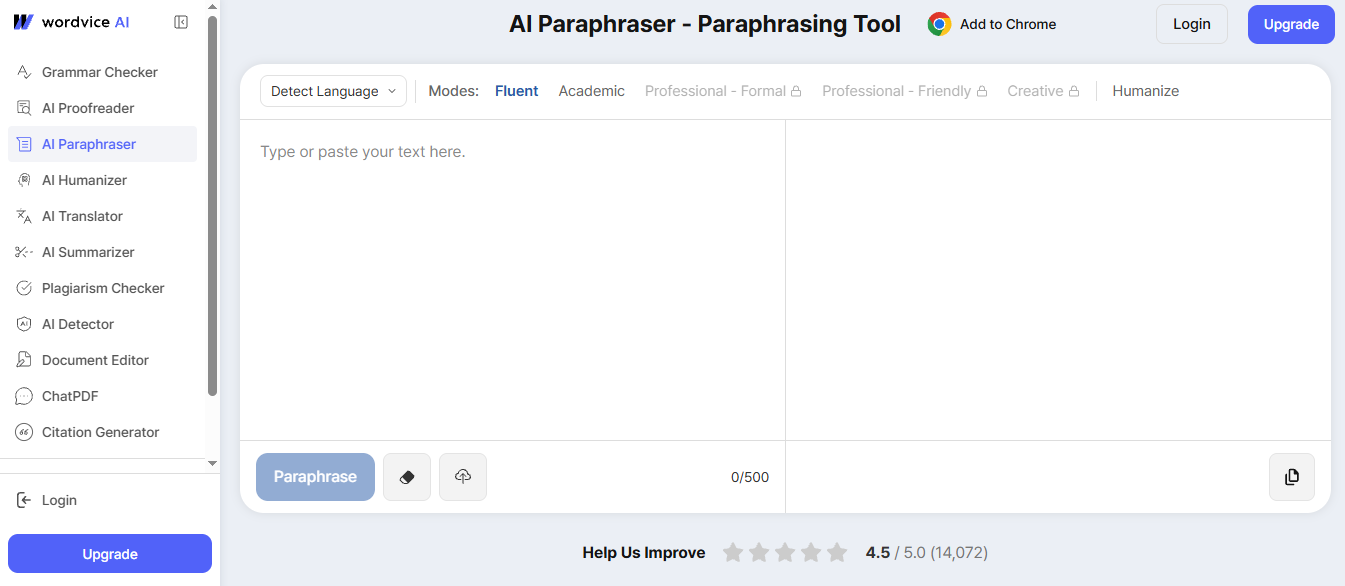
Wordvice AI free AI paraphraser. Image by Author
Writing quality
Wordvice AI is strongest at polishing writing that’s already drafted. Its proofreader fixes grammar, suggests more natural wording, and explains style problems, which helps non-native speakers sound fluent.
Because it’s tuned for academic and professional writing, its edits lean formal. That’s right for a thesis and wrong for an Instagram caption.
I gave it a sentence that sounds like a typical first draft: “In this study, we have made an analysis of the effects of sleep on memory.” It came back as “In this study, we analyzed how sleep impacts memory.”
That’s the same fix a good human editor would make, using the verb and cutting the padding.
Standout writing features
Wordvice AI’s best feature is its AI Proofreader, which suggests more natural vocabulary and explains each change. Grammarly does something similar, but Wordvice’s suggestions are aimed at academic writing.
You can also:
- Summarize long papers, or chat with a PDF to pull out key points
- Generate citations in APA, MLA, Chicago, and other styles
- Use it in Chrome or Microsoft Word through its extensions
What you get for free
The free Basic plan gives you 5,000 words a month, up to 500 words per submission, with the basic proofreading and paraphrasing modes. The allowance renews every month.
Main limitation
The 500-word cap means a 3,000-word essay goes in six chunks, and 5,000 words a month covers roughly one long paper. The deeper editing modes are Premium-only, along with the plagiarism checker.
Wordvice also doesn’t write first drafts from a prompt, so you’ll need another tool to get started.
A note for students: Wordvice markets its paraphraser as a way to avoid plagiarism. As I said in the QuillBot section, rewording a source still means citing it.
Best for
Students and non-native English speakers who want to proofread and polish academic writing, like essays and research papers.
Which AI Writers Are Actually Free?
All 10 tools on this list have free plans you can keep using. Three of them give you unlimited everyday use of their core features, and the other seven ration it with an allowance that resets.
For contrast, I’ve also included two popular tools that only offer a trial, which is why they didn’t make the list.
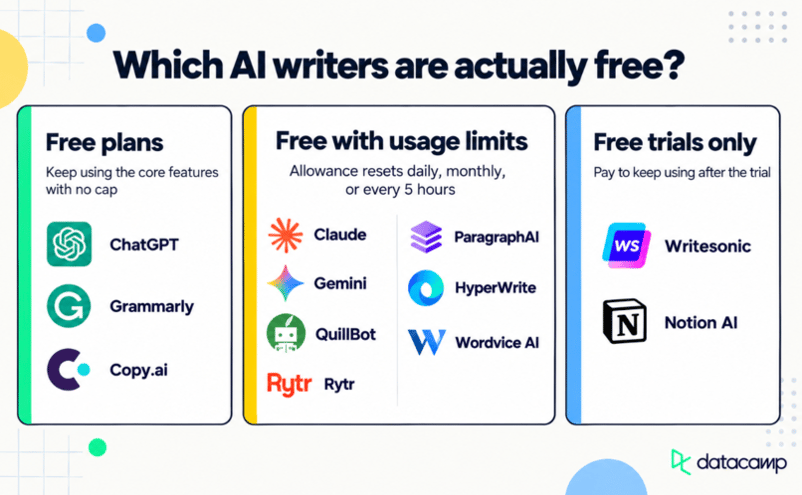
Free plans
These tools give you ongoing free access to their core writing features, with no cap on everyday use.
- ChatGPT: unlimited plain-text chats. File uploads, images, and voice each have their own cap.
- Grammarly: grammar, spelling, and tone checks with no word limit. AI prompts are capped at 100 a month.
- copy.ai: dozens of single-purpose generators for emails, ads, and social posts, free on its website with no sign-up. copy.ai’s full app is paid.
Free with usage limits
These tools are free to keep using, but they give you a set allowance that renews on a schedule:
- Claude: usage resets every five hours, and long conversations use it up faster.
- Gemini: usage resets every five hours, up to a weekly limit.
- QuillBot: up to 100 words per paraphrase in two of its nine modes, but no limit on how many times you paraphrase.
- Rytr: 10,000 characters a month, roughly 1,500 to 2,000 words.
- ParagraphAI: five uses a day, up to 1,000 characters each, resetting at midnight GMT.
- HyperWrite: a limited number of monthly credits on its basic AI model.
- Wordvice AI: 5,000 words a month, up to 500 words at a time.
Free trials only
These tools let you try them for free, but you have to pay to keep using them:
- Writesonic: a 7-day free trial, then paid plans starting at $99 a month.
- Notion AI: a one-time batch of AI responses on Notion’s free plan. Ongoing access requires the Business plan at $20 per member a month, billed annually.
Why “free to try” isn’t the same as free
A tool isn’t a free AI writer just because its homepage says “Try for free.” Many AI writing tools let you generate a few drafts before asking you to sign up, pay, or start a trial that turns into a subscription.
Old marketing doesn’t help either. Some of copy.ai’s tool pages still advertise “2,000 free words per month,” a leftover from a free plan its pricing page no longer lists.
Before you build a tool into your routine, check the pricing page for what happens after the first week or the first few uses, not just what the landing page promises.
Best Free AI Writers by Use Case
The best free AI writer depends on what you’re writing. Here’s my one pick for each job. The full reviews above cover the limits.
Best for everyday writing: ChatGPT
Use ChatGPT for the quick jobs, from a two-line email to a draft you’ll rework over five rounds. Plain-text chats are uncapped on the free plan, so you won’t run out halfway through a task.
Claude keeps the whole draft in view while you edit, so it notices when page 18 repeats page 3. Just start a new chat for each section, or the free limit will cut you off mid-edit.
Best for editing: Grammarly
Use Grammarly for editing, because you never have to leave your draft. It checks your writing inside Gmail, Google Docs, and Word, which also means it catches mistakes in writing you’d never think to paste into a chatbot.
Best for rewriting: QuillBot
For one clunky sentence, QuillBot beats asking a chatbot. Its synonym slider decides how much changes, so you can fix the phrasing without losing your meaning. Anything longer than a paragraph needs a different tool.
Best for blog posts: Gemini
Gemini is the only free tool here that takes you from research to draft in one place: run Deep Research on your topic, then turn the report into a draft in Canvas. Expect to rewrite the draft, since the free model writes flat prose, but the research is the hard part.
If you’re willing to pay, Writesonic’s article writer is built for SEO blog posts. I left it off the list because it’s trial-only.
Best for marketing copy: copy.ai
copy.ai’s generators each do one job, so a subject line comes out shaped like a subject line without you writing a prompt. But treat the results as a shortlist, not finished copy.
Best for students: Wordvice AI
Wordvice is built for academic writing. The proofreader leans formal, and the citation generator saves you a separate tool. The free plan covers about one long paper a month, so save it for final drafts.
Best for business writing: HyperWrite
HyperWrite suggests sentences as you type and can turn a few words into a full Gmail reply. The free credits won’t last a busy week, though. If most of that email happens on your phone, use ParagraphAI instead.
What Can You Use a Free AI Writer For?
You can use a free AI writer for almost any everyday writing task, from drafting a blog post to proofreading a cover letter. Most tasks fall into three types:
- Creating new text
- Improving text you already have
- Specialized jobs like marketing copy
Each type has its own best tools.
Creating new text
General-purpose assistants like ChatGPT, Claude, and Gemini are strongest here, because you can describe exactly what you want and revise the draft through conversation:
- Blog drafts: Give the AI your topic, audience, and main points, and it writes a first draft you can edit. For example: “Write a 1,000-word blog post for beginner gardeners on growing tomatoes in pots.” That prompt is decent. I’ll show how to make it better later.
- Outlines: Ask for a structure before writing anything, like the main sections of a report or the talking points for a presentation. This is the most underrated use on the list, because a bad outline is cheap to throw away and a bad draft isn’t.
- Emails: Turn a few notes into a full message, like a polite follow-up after a job interview. If you write most emails on your phone, ParagraphAI does this from your keyboard.
- Brainstorming: Generate headline options or angles for a pitch, then select the strongest one.
Improving existing text
Editing tools like Grammarly, QuillBot, and Wordvice AI are strongest here, because they work on what you’ve already written instead of starting over:
- Rewriting: Rephrase a clunky sentence or change the tone of a paragraph, like making a formal memo sound casual.
- Proofreading: Catch typos and grammar mistakes before you send.
- Summaries: Condense a long report or a set of meeting notes into the key points.
Specialized writing jobs
Dedicated tools like copy.ai and Rytr are strongest here, because they give you ready-made formats instead of a blank chat box:
- Social posts: Write captions and LinkedIn posts at the right length for each platform.
- Product descriptions: Turn a list of features into a short description that sells, like an online store listing.
Most people get the best results by using two or three tools together. Here’s how:
- Separate writing from checking: Draft with a chatbot, then check with an editor. For example, if you are creating a cover letter, draft it in ChatGPT, tailored to the job posting, then run it through Grammarly before you send it. Grammarly flags problems without rewriting your sentences.
- Get a second opinion: Don’t ask the tool that wrote a draft to judge it. Paste it into a different one and ask what’s weak, like a point you repeated or a claim with nothing to back it up.
- Stretch your free limits: Spreading the work across tools keeps you going when one plan runs out. Claude and Gemini reset every five hours, while ChatGPT has no cap on plain-text chats, so if you hit Claude’s limit mid-draft, you can paste your outline into ChatGPT and keep going.
How to Choose a Free AI Writer
To choose a free AI writer, start with what you write most often, then check whether a tool’s free plan covers it.
A student proofreading essays and a marketer writing ad copy need very different tools, even if both want something free. If you only answer one of the questions below, answer the first. It narrows the list more than the rest put together.
1. Decide if you need a first draft or help with your own writing
If you start from a blank page, you need a tool that generates drafts, like ChatGPT, Claude, or Gemini. If you write your own drafts and want them cleaner, an editing tool like Grammarly, QuillBot, or Wordvice AI is the better fit.
Most people need both, and they don’t realize it until a chatbot “fixes” their draft by rewriting it in its own voice. Chatbots are great at writing and only okay at leaving your writing alone. Editors are the reverse.
For short pieces like emails and captions, almost any tool here works, but Rytr and copy.ai give you ready-made formats. For reports or ebooks, use a tool that keeps the whole draft in view, which means Claude.
Watch the per-use caps: QuillBot’s 100 words, Wordvice’s 500, and ParagraphAI’s 1,000 characters all get tedious on a long document.
3. Check that the free allowance lasts through your month
Estimate how much you write, then compare it with the free limit. Rytr’s 10,000 characters cover a handful of short emails and posts, but one long blog post can use most of it.
If you write every day, ChatGPT’s uncapped plain-text chats are the safest bet. Claude and Gemini reset every five hours, which is fine until you’re mid-draft at the wrong moment.
4. Look for web search or file uploads if your drafts need sources
If your writing depends on current facts, use a tool with web search, like ChatGPT, Claude, or Gemini, and check every fact it brings back.
If you’re working from your own files, check how much the free plan can read at once. ChatGPT’s free plan, for example, takes in about 12 pages, so it may skip parts of a long report.
A tool that works where you already write saves the most time. Grammarly and HyperWrite run inside Gmail and Google Docs through browser extensions, and ParagraphAI replaces your phone’s keyboard.
With chat-based tools, you’ll copy the result into another app, so check that headings and lists survive the paste.
6. Check what happens to the text you paste in
Check each tool’s privacy settings before pasting in client work or personal information. Your school or employer may also have rules about which AI tools you can use. I cover this in more detail in the limitations section below.
7. Test if the output sounds like you
Give a few tools the same request, like “Write a 100-word email declining a meeting, friendly but firm,” and compare the results. Use the one that needs the least editing to sound like you. That test will tell you more in ten minutes than any review.
General-purpose AI assistants like ChatGPT, Claude, and Gemini can handle any writing task. You just tell them what you want in a chat. Dedicated AI writers like copy.ai, Rytr, and QuillBot do one kind of job, such as marketing copy or paraphrasing.
A few years ago, dedicated tools usually wrote better but that’s no longer true. Many of them now use the same AI models as the general assistants.
copy.ai’s paid app, for example, lets you choose between OpenAI, Anthropic, and Google models. So choose a tool based on how you like to work, not on whether it calls itself an “AI writer.”
| |
General-purpose AI assistants
|
Dedicated AI writers
|
|
How you use it
|
Describe what you want in a chat
|
Select a template and fill in a few details
|
|
Best at
|
Any format, long drafts, editing in several rounds
|
One specific job, done quickly
|
|
What you need to know
|
How to write clear instructions
|
Almost nothing
|
|
Free tools on this list
|
ChatGPT, Claude, Gemini
|
copy.ai, Rytr, QuillBot, Grammarly, HyperWrite, ParagraphAI, Wordvice AI
|
General-purpose AI assistants
These are chat tools that can write, edit, and research almost anything you ask. They’re good for three reasons:
- One tool does it all: The same assistant can write a cover letter, outline a report, and draft a LinkedIn post in one afternoon.
- Edit by asking: You improve a draft by telling it what to change, like “make the second paragraph shorter” or “sound less formal.” You don’t have to start over.
- Can think through your writing: They can plan an argument, point out gaps in your logic, or explain why a paragraph doesn’t work. Dedicated tools still can’t do this as well.
The downside is the empty chat box. You have to know what to ask for, and vague requests get bland results.
Dedicated AI writers
These tools are built for one writing job, like marketing copy, paraphrasing, or editing. They’re good for two reasons:
- You don’t have to write instructions: You select a format, like a product description, and fill in a few details, and the tool handles the rest.
- They work inside the apps you already use: Grammarly checks your writing in Gmail and Word, and ParagraphAI works from your phone’s keyboard.
The downside is that a tool built for one job is usually bad at other jobs, or can’t do them at all.
The two types are becoming more alike
Gemini now has one-click editing buttons, and Grammarly can write text from a prompt. Each year, chat assistants add more writing tools, and writing tools add more chat.
So start with a general assistant. Add a dedicated tool only if it saves you real time on a specific job. For most people, that means an editor like Grammarly, not a second tool for writing drafts.
How to Get Better Results from an AI Writer
To get better results from an AI writer, give it the same details you’d give a human writer: what the piece is for, who will read it, and what it must include.
Include the following in your prompt:
- Purpose: what the writing needs to do, like persuade, inform, or apologize
- Audience: who will read it and how much they already know
- Tone: friendly, formal, direct, or playful
- Important facts: names, dates, numbers, or details the AI can’t guess
- Examples: a sample of writing you like, so the AI can match its style
- Format: email, bullet list, blog post, table, or something else
- Length: a word count or number of paragraphs
- Constraints: anything to avoid, like jargon, exclamation marks, or certain phrases
Earlier, I used this prompt as an example: “Write a 1,000-word blog post for beginner gardeners on growing tomatoes in pots.” It’s decent. Here’s how to make it better.
Weak prompt:
|
Write a 1,000-word blog post for beginner gardeners on growing tomatoes in pots.
|
Improved prompt:
|
Write a blog post for beginner gardeners living in apartments who only have a balcony.
Topic: growing tomatoes in pots.
Purpose: help them get their first harvest, not teach them everything about tomatoes.
Include: what size pot to use, which tomato varieties grow well in pots, how often to water in hot weather, and the most common beginner mistake (overwatering).
Tone: friendly and encouraging, no gardening jargon.
Format: a short intro, four or five sections with headings, and a checklist at the end.
Length: about 1,000 words.
|
The first prompt makes the AI guess who’s reading and what matters to them, so you get a generic post that tries to cover everything. The second tells it exactly who the reader is and what they need, so the draft only needs a light edit.
Your first draft is rarely the final one. Read it, then ask for specific changes instead of starting over.
For example:
- “Make the intro two sentences shorter.”
- “Cut the section on soil types.”
- “Add a tip for what to do if the leaves turn yellow.”
Two or three rounds of small, specific changes usually work better than one long, perfect prompt.
Limitations of Free AI Writers
Free AI writers save time, but none of them is reliable enough to use without checking. Before you publish or submit anything, keep these limits in mind:
- They make up facts: AI writers can state wrong facts with full confidence, including statistics, quotes, and sources that don’t exist. Ask for “three studies on remote work productivity,” and you may get realistic titles for studies no one wrote. Check every name, number, and citation against the original source.
- They can be out of date: AI models learn from data up to a certain date. Web search helps, but the tools don’t always search and can misread what they find. Check prices, laws, and statistics against a current source.
- Free limits can cut you off mid-task: Check a tool’s limits before you rely on it for deadline work.
- What you paste in may be stored: Turn off model training in your settings, and don’t paste in client documents, passwords, or health details.
- Your school or employer may have rules: Some ban AI for graded work, some allow it if you disclose it, and some limit which tools you can use with company data. Check before you submit anything under your name.
- AI detectors aren’t reliable: They can flag human writing as AI-generated, especially writing by non-native English speakers, and they miss AI text that’s been edited. Follow the rules of whoever receives your work, not a detector.
A Word of Warning
Don't use AI-generated writing without editing!
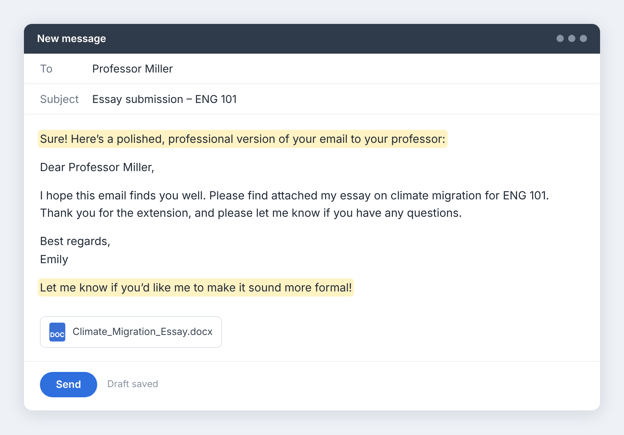
AI is great at a fast first draft, but it can’t tell whether a fact is true, whether the draft sounds like you, or whether it works for your reader. Only you can.
Be especially careful about a thing that seems to trip everyone up: When you paste a chatbot’s reply straight into an email, check to remove the opening and closing lines:
Final Thoughts
Most people start with ChatGPT, and for everyday writing, it’s a good place to start. It handles almost any writing task, and plain-text chats have no cap. But no single tool does everything well.
At some point you’ll want a second tool for the jobs ChatGPT struggles with. The fastest way to find that second tool is to test it. Give ChatGPT and one tool from this list the same short request, like “Write a 100-word email declining a meeting, friendly but firm,” and keep whichever draft needs less editing.
Once you’ve found your pair, our list of the best free AI tools shows what else you can do with AI for free.












ChatGPT comes first on this best free AI writers list because it’s where most people start, and its free plan covers almost any writing task.
In my professional opinion, Claude is better for long-form drafts, and Grammarly is best for editing a draft you already have.
But I want you to decide for yourself. Below, I compare each tool on writing quality and on how much it lets you do before you have to pay.
Not every “free” plan works the same way. Some tools give you a monthly allowance that resets. Others offer only a one-time trial that runs out.
Best Free AI Writers at a Glance
The right free AI writer depends on what you write. This table compares all 10 tools on what you get without paying.
Tool
Best for
Free plan
Free limit
Standout feature
ChatGPT
Everyday writing
Unlimited text
Unlimited plain-text chats; uploads, images, and voice limited
Edits drafts in rounds through conversation
Claude
Long-form writing
Resets every 5 hours
No fixed message count; long chats use it up faster
Keeps long documents in view while editing
Gemini
Google users
Resets every 5 hours
Five-hour limit, with a weekly cap
Canvas, a side-by-side drafting editor
Grammarly
Editing existing writing
Unlimited checks
Unlimited grammar and spelling checks; 100 AI prompts a month
Works inside Gmail, Google Docs, and Word
QuillBot
Rewriting and paraphrasing
Unlimited uses
100 words per paraphrase, two modes
Synonym slider that controls how much changes
Rytr
Dedicated AI writing
Monthly allowance
10,000 characters a month
40+ ready-made writing formats
copy.ai
Marketing copy
Free generators
Dozens of single-purpose generators, no sign-up
One generator per job, like ads or subject lines
ParagraphAI
Writing on your phone
Daily allowance
5 uses a day, up to 1,000 characters each
AI keyboard that works in any app
HyperWrite
Writing help as you type
Monthly allowance
Limited monthly credits on a basic model
TypeAhead sentence suggestions
Wordvice AI
Academic writing
Monthly allowance
5,000 words a month, 500 per submission
Proofreader built for academic writing
The Best Free AI Writers in 2026
Let’s explore 10 free AI writers in detail:
1. ChatGPT: Best for everyday writing
ChatGPT is OpenAI’s general-purpose AI assistant, and for most people, it’s the first AI writer they try. Its most useful free feature for writing is one a lot of people never set up: custom instructions.
You tell ChatGPT once how you write, like your usual tone, the phrases you never use, and who you’re writing for, and it applies that to every new chat. You don’t have to explain your style each time.
ChatGPT AI writer interface prompt box. Image by Author
Writing quality
ChatGPT writes clean, well-organized first drafts and is quick to change tone. However, its weak spot is generic phrasing. A vague prompt gets you safe, predictable sentences that you’ll need to edit so they sound like you. But a specific prompt fixes most of this, and I show how to write one later in this article.
Standout writing features
ChatGPT’s best writing feature is editing in rounds. Each request builds on the last draft. You can ask it to “cut this to 120 words,” then to “make the subject line less salesy,” without starting over. You can also use it to:
What you get for free
The free plan includes unlimited plain-text chats, so typing back and forth with it has no message cap. File uploads, voice chats, and image creation each have separate limits, so if you paste drafts in as files, you can hit a wall within the hour.
Main limitation
The free plan can only take in about 12 pages of text at once. You can upload a longer report as a file, but ChatGPT may skip parts of it when it answers, so editing long documents is hit or miss.
Best for
Anyone who wants one free tool for everyday writing, like emails, social posts, outlines, rewrites, and first drafts.
2. Claude: Best for long-form writing
Claude is Anthropic’s general-purpose AI assistant and the best free AI writer for long pieces. Unlike ChatGPT, with Claude you can upload a few pieces you’ve written, and its Styles feature builds a custom style from them that you can turn on in any chat.
Claude interface with prompt box. Image by Author
Writing quality
On long drafts, Claude keeps track of details that often get missed in AI writing. It remembers what your introduction asked for, uses the same term for the same thing all the way through, and sticks to the structure you agreed on. When I gave it a 3,000-word draft, it flagged a point I’d made three times.
It’s even better at editing than drafting. Give it a messy section and it will tighten paragraphs, fix flow, cut repetition, and match the tone of a sample you paste in.
Standout writing features
Claude’s best writing feature is how much text it can keep in view. Even on the free plan, its context window goes up to 1 million tokens, depending on the model. That’s roughly 750,000 words. In practice, you can paste a full report and edit it section by section without re-pasting the earlier parts.
You can also:
What you get for free
The free plan includes the Sonnet and Haiku models, web search, memory, file creation, artifacts, Claude Docs, and up to five projects. Anthropic doesn’t publish a fixed message count, and your usage resets every five hours.
Main limitation
The free plan’s usage limit is much lower than the paid plans’, and Anthropic doesn’t publish a number for it. How far it goes depends on how long and complex your conversations are, and on demand at the time. Long chats use it up fastest. Every new message in a long chat costs more, because Claude rereads everything above it.
The limit works on a five-hour window that starts with your first message. Once you use up your allowance, you’re locked out until those five hours are over, and then the limit resets in full. So if you start at 9 a.m. and hit the limit at 10:30, you wait until 2 p.m. If you’re editing a long draft, start a new chat for each section and paste in only what that section needs.
Best for
Writers working on long or detailed pieces, like reports, ebooks, long blog posts, and multi-section documents, who need the AI to keep the whole draft in mind.
3. Gemini: Best for Google users
Gemini is Google’s general-purpose AI assistant, and it works with the Google account you already have. Its most helpful free feature is a shortcut from research to a Google Doc. All you have to do is run Deep Research on a topic, refine the report in Canvas, and export it to Google Docs in one click.
Know this upfront: the free Gemini app is separate from Gemini inside Gmail and Google Docs, which needs a paid plan.
Gemini AI writer interface. Image by Author
Writing quality
Gemini writes clear, easy-to-read drafts for everyday tasks like emails and summaries. However, its drafts go flat when the writing needs detail or has to persuade someone. Part of that is the model.
The free app runs on Flash-Lite, the lightest model in Google’s lineup, so for longer or harder pieces, give it detailed instructions and plan on more editing.
Standout writing features
Gemini’s best writing feature is Canvas, a side-by-side editor where you draft a document and refine it with quick editing tools. You can expand a section or change the tone of the whole draft without rewriting your prompt.
You can also:
What you get for free
The free plan includes the Gemini app with the Flash-Lite model, Canvas, Deep Research, Gems, Gemini Live, and image generation.
Google doesn’t publish a fixed limit. Your usage depends on how complex your prompts are, which features you use, and how long your chat is. The limit refreshes every five hours until you reach a weekly cap, so you can run out before the week ends even if you pace yourself.
Main limitation
Gemini’s writing tools inside Google’s own apps aren’t free. “Help me write” in Docs, which drafts and shortens text right in your document, needs a paid plan. So do Gmail replies that draw on your email thread.
For free users, the separate Gemini app is the whole product.
Deep Research is also the first thing to go when demand is high. Google says free users may lose access to compute-heavy features like it during busy periods. And Canvas formatting edits only work in the desktop web app, not on mobile.
Best for
Google users who want a free assistant for everyday drafting and research-backed writing.
4. Grammarly: Best for editing existing writing
Grammarly was checking people’s writing long before ChatGPT existed. It launched in 2009 as a grammar checker, and for most of its history it only caught mistakes in writing you’d already done.
Generative AI came later, added on top of that checker. In 2025, its parent company even renamed itself Superhuman and started building AI agents.
Grammarly can now draft from a blank page too, but it’s still at its best with a draft you already have, and it runs inside the apps where you already write, like Gmail, Google Docs, Microsoft Word, and Slack.
Grammarly free AI writer. Image by Author
Each suggestion comes with a short explanation, so you can see why it flagged something and ignore it when the “fix” doesn’t sound like you.
When I ran this article through Grammarly, it caught a “the the” I’d read past three times and an “it’s” that should have been “its.” Neither would have shown up in a spellcheck I was skimming.
In addition to checking existing drafts, its free AI Writer can turn a few rough points and a chosen tone into a short draft, like an email or a social caption. The drafts are usable, but they’re not why you’d choose Grammarly.
Standout writing features
Grammarly’s best feature is that it works where you already write. It underlines problems as you type in Gmail, Google Docs, Microsoft Word, and Slack, so you fix them on the spot, without pasting your draft into a chat and copying the result back.
You can also:
What you get for free
The free plan corrects spelling, grammar, and punctuation, flags wordy sentences, and shows the tone of your writing. It has no word limit on these checks. You also get 100 AI prompts a month, which works out to about three a day. Each prompt is one request, like “shorten this paragraph.”
Main limitation
The free plan finds mistakes but doesn’t fix your style.
One-click full-sentence rewrites, tone adjustments, plagiarism checker, AI text detector, and suggestions that make your English sound more natural aren’t on the free plan.
You can still rewrite text with AI prompts, but 100 a month runs out fast if you edit every day.
Best for
Anyone who already has a draft, whether they wrote it or another AI tool did, and wants it clean before sending or publishing.
5. QuillBot: Best for rewriting and paraphrasing
QuillBot is an AI writing tool for rewriting text you already have. It lets you rework one sentence and leave the rest of your draft alone. In addition, it also has a grammar checker, a summarizer, and a free AI Writer for drafting from scratch.
QuillBot free AI writer interface. Image by Author
Writing quality
QuillBot’s rewrites keep your meaning while changing the wording and sentence structure. That helps most when a sentence sounds clunky, or you’ve used the same phrase three times in one paragraph.
Sometimes it shifts the meaning more than you intended, so read every rewrite before you use it. When I tested it, “The survey found no clear link between screen time and sleep” came back as “The survey failed to prove that screen time affects sleep.” That reads fine, but it’s a different claim.
The AI Writer works like a chat. It’s fine for short pieces like emails and blog intros, but it’s not the reason to use QuillBot.
Standout writing features
QuillBot’s best writing feature is control over how much it changes. A synonym slider sets how many words get swapped, so you can make a light touch-up or a full rewording. You can also freeze words or phrases you want to keep, like a technical term.
Beyond the paraphraser, you can:
What you get for free
The free plan lets you paraphrase up to 100 words at a time in two modes, Standard and Fluency, with partial access to the synonym slider. There’s no daily cap, so you can paraphrase as many times as you want.
The grammar checker, a basic summarizer, and the AI Writer are free too.
Main limitation
The 100-word limit is about one paragraph, so rewriting a full essay means pasting it piece by piece. The other seven modes, including Formal, Academic, Shorten, and Expand, are Premium-only, and so are custom modes and your paraphrase history.
A note for students: paraphrasing helps you put your understanding into clearer words, but it doesn’t replace citing your sources. So if you reword someone else’s work without giving credit, it’s still plagiarism. Many schools also have their own rules on AI-assisted writing, so check yours first.
Best for
Writers and students who want to reword clunky sentences in short chunks.
6. Rytr: Best dedicated free AI writer
Rytr is an AI tool built only for writing, and its free plan gives you a fresh writing allowance every month. Instead of a blank chat box, you choose what you’re writing, like an email or a blog post, select a tone, and Rytr turns your idea into a draft.
Rytr AI writer. Image by Author
Writing quality
Rytr’s drafts follow a set format and tone, so the output stays consistent, which helps when you write the same kind of content every week.
Longer or more detailed pieces usually need real editing before they’re ready to publish.
I asked it for a product description for a water bottle aimed at cyclists, in an enthusiastic tone. It returned three short variants in a few seconds, and all three were usable.
Those three drafts also used close to a quarter of my monthly allowance, which tells you most of what you need to know about the free plan.
Standout writing features
Rytr’s best feature is its ready-made use cases. You select the type of writing, like a LinkedIn post, ad, headline, product page, or outline, and Rytr shapes the draft to fit, so you don’t have to work out the right prompt.
You can also:
What you get for free
The free plan gives you 10,000 characters a month, roughly 1,500 to 2,000 words, plus 40+ use cases. It’s free forever, and you don’t need a credit card to start.
Main limitation
10,000 characters run out fast. One full blog post can use most of a month’s allowance, and every regenerated draft counts against it.
So why use Rytr when ChatGPT’s free plan has no message cap? The answer is the templates. If you don’t want to write prompts and only need a few short pieces a month, Rytr is faster to get started with. If you need volume, it isn’t the right tool.
Best for
People who write a few short pieces a month, like emails and product descriptions, and want a simple tool instead of a chatbot.
7. copy.ai: Best for marketing copy
copy.ai offers a library of free AI writing generators, mainly for marketing and sales copy. Each generator does one job, like writing an ad or a cold email, and you don’t even need an account.
Note that copy.ai’s main product is now a paid AI platform for sales and marketing teams, and that app has no free plan. For free users, the generators are the whole product.
copy.ai free AI article writer. Image by Author
Writing quality
The generators produce short, punchy copy that’s ready to edit, like subject lines, hooks, slogans, and calls to action. Each generator is built for one format, so a cold email reads like a cold email and an ad reads like an ad.
I asked the subject line generator for options for a newsletter about free AI writing tools (basically this article). Out of ten options, two were usable as written, and three started with “Unlock,” a word I’d have cut from any draft.
Standout writing features
copy.ai’s best feature is the size of its free library. There are dozens of generators, most of them for marketing and sales. Some of the more useful ones include:
What you get for free
Every generator on copy.ai’s free tools page is free to use, with no sign-up or credit card. copy.ai says the generators come with no trial period.
Main limitation
Each generator writes one piece at a time, with no ongoing chat. You can’t ask it to revise a draft, and it won’t remember your brand from one generator to the next. Those features are in copy.ai’s paid app.
Best for
Marketers and small business owners who need quick one-off copy, like an ad or a product description, without paying for a full platform.
8. ParagraphAI: Best for writing on your phone
ParagraphAI is an AI writing assistant built for the short messages you write every day. It’s mainly a mobile app with its own AI keyboard, and it also has a web app and a Chrome extension. That makes it different from most tools on this list, which live in a browser tab.
ParagraphAI free AI writer. Image by Author
Writing quality
ParagraphAI is good at cleaning up the way people actually type on a phone, with missing apostrophes, shorthand like “lmk,” and no capital letters.
I typed a rushed text to a client, “hey sorry cant make it tmrw, something came up. can we do thursday instead? lmk,” and asked ParagraphAI to make it more formal. It came back as “I’m sorry, but I won’t be able to make it tomorrow. Would Thursday work for you instead?” That’s the kind of quick fix it’s built for.
Standout writing features
ParagraphAI’s best feature is its AI keyboard. It replaces your phone’s keyboard, so you can fix or rewrite a message inside WhatsApp or Gmail without copying it into another app.
You can also:
What you get for free
The free plan gives you five uses a day across ParagraphAI’s main tools: Create, Fix, Reply, and Edit. Each request can be up to 1,000 characters, and your usage resets at midnight GMT.
You also get basic keyboard and basic tone editing for formality and friendliness.
Main limitation
Five uses a day runs out fast if you write a lot of messages, and the 1,000-character cap rules out anything longer than a short email.
Note: The keyboard also sees everything you type, so check ParagraphAI’s privacy settings before you use it for sensitive messages.
Best for
People who write most of their emails and messages on their phone and want quick fixes and replies without switching apps.
9. HyperWrite: Best for writing help as you type
HyperWrite is an AI writing assistant that lives in your browser. Its Chrome extension suggests the next words as you type in websites like Gmail and Google Docs, and its free AI Writer turns a short request into a draft.
That makes it Grammarly’s opposite: Grammarly fixes what you’ve already written, and HyperWrite suggests what to write next.
HyperWrite free AI writer. Image by Author
Writing quality
HyperWrite’s AI Writer handles short drafts fine, but its as-you-type suggestions are the more interesting part. They follow the tone of what you’ve already written, which helps when you’re stuck mid-sentence.
But they do tend to play it safe. Halfway through my “Sorry for the delay” email, it suggested, “I appreciate your patience and understanding.” That’s fine, but it’s the line everyone writes. The suggestions get better when there’s more of your own writing on the page for them to follow.
Standout writing features
HyperWrite’s best feature is TypeAhead, which suggests how to finish your sentence as you type. It works like autocomplete on your phone, but for full sentences.
You can also:
What you get for free
You can try the AI Writer, rewriter, and summarizer on HyperWrite’s website without an account. After a few uses, you’ll need a free account. That gives you a limited number of AI credits on HyperWrite’s basic model, and the credits renew every month.
Main limitation
Unlimited TypeAhead suggestions are a Premium feature, along with cited answers with real-time information and custom personas that make the AI write like you.
Free credits also run out fast if you write every day.
Best for
People who write a lot in their browser, like emails and quick replies, and want light AI help without switching apps.
10. Wordvice AI: Best for academic writing
Wordvice AI is an AI writing assistant for students and researchers who write in English, especially non-native speakers. It proofreads, paraphrases, translates, and summarizes, and it has research tools like a citation generator and a PDF chat tool.
Wordvice also runs a human editing service for academic writing, and its AI tools are for the same audience too.
Wordvice AI free AI paraphraser. Image by Author
Writing quality
Wordvice AI is strongest at polishing writing that’s already drafted. Its proofreader fixes grammar, suggests more natural wording, and explains style problems, which helps non-native speakers sound fluent.
Because it’s tuned for academic and professional writing, its edits lean formal. That’s right for a thesis and wrong for an Instagram caption.
I gave it a sentence that sounds like a typical first draft: “In this study, we have made an analysis of the effects of sleep on memory.” It came back as “In this study, we analyzed how sleep impacts memory.”
That’s the same fix a good human editor would make, using the verb and cutting the padding.
Standout writing features
Wordvice AI’s best feature is its AI Proofreader, which suggests more natural vocabulary and explains each change. Grammarly does something similar, but Wordvice’s suggestions are aimed at academic writing.
You can also:
What you get for free
The free Basic plan gives you 5,000 words a month, up to 500 words per submission, with the basic proofreading and paraphrasing modes. The allowance renews every month.
Main limitation
The 500-word cap means a 3,000-word essay goes in six chunks, and 5,000 words a month covers roughly one long paper. The deeper editing modes are Premium-only, along with the plagiarism checker.
Wordvice also doesn’t write first drafts from a prompt, so you’ll need another tool to get started.
A note for students: Wordvice markets its paraphraser as a way to avoid plagiarism. As I said in the QuillBot section, rewording a source still means citing it.
Best for
Students and non-native English speakers who want to proofread and polish academic writing, like essays and research papers.
Which AI Writers Are Actually Free?
All 10 tools on this list have free plans you can keep using. Three of them give you unlimited everyday use of their core features, and the other seven ration it with an allowance that resets.
For contrast, I’ve also included two popular tools that only offer a trial, which is why they didn’t make the list.
Free plans
These tools give you ongoing free access to their core writing features, with no cap on everyday use.
Free with usage limits
These tools are free to keep using, but they give you a set allowance that renews on a schedule:
Free trials only
These tools let you try them for free, but you have to pay to keep using them:
Why “free to try” isn’t the same as free
A tool isn’t a free AI writer just because its homepage says “Try for free.” Many AI writing tools let you generate a few drafts before asking you to sign up, pay, or start a trial that turns into a subscription.
Old marketing doesn’t help either. Some of copy.ai’s tool pages still advertise “2,000 free words per month,” a leftover from a free plan its pricing page no longer lists.
Before you build a tool into your routine, check the pricing page for what happens after the first week or the first few uses, not just what the landing page promises.
Best Free AI Writers by Use Case
The best free AI writer depends on what you’re writing. Here’s my one pick for each job. The full reviews above cover the limits.
Best for everyday writing: ChatGPT
Use ChatGPT for the quick jobs, from a two-line email to a draft you’ll rework over five rounds. Plain-text chats are uncapped on the free plan, so you won’t run out halfway through a task.
Best for long-form writing: Claude
Claude keeps the whole draft in view while you edit, so it notices when page 18 repeats page 3. Just start a new chat for each section, or the free limit will cut you off mid-edit.
Best for editing: Grammarly
Use Grammarly for editing, because you never have to leave your draft. It checks your writing inside Gmail, Google Docs, and Word, which also means it catches mistakes in writing you’d never think to paste into a chatbot.
Best for rewriting: QuillBot
For one clunky sentence, QuillBot beats asking a chatbot. Its synonym slider decides how much changes, so you can fix the phrasing without losing your meaning. Anything longer than a paragraph needs a different tool.
Best for blog posts: Gemini
Gemini is the only free tool here that takes you from research to draft in one place: run Deep Research on your topic, then turn the report into a draft in Canvas. Expect to rewrite the draft, since the free model writes flat prose, but the research is the hard part.
If you’re willing to pay, Writesonic’s article writer is built for SEO blog posts. I left it off the list because it’s trial-only.
Best for marketing copy: copy.ai
copy.ai’s generators each do one job, so a subject line comes out shaped like a subject line without you writing a prompt. But treat the results as a shortlist, not finished copy.
Best for students: Wordvice AI
Wordvice is built for academic writing. The proofreader leans formal, and the citation generator saves you a separate tool. The free plan covers about one long paper a month, so save it for final drafts.
Best for business writing: HyperWrite
HyperWrite suggests sentences as you type and can turn a few words into a full Gmail reply. The free credits won’t last a busy week, though. If most of that email happens on your phone, use ParagraphAI instead.
What Can You Use a Free AI Writer For?
You can use a free AI writer for almost any everyday writing task, from drafting a blog post to proofreading a cover letter. Most tasks fall into three types:
Each type has its own best tools.
Creating new text
General-purpose assistants like ChatGPT, Claude, and Gemini are strongest here, because you can describe exactly what you want and revise the draft through conversation:
Improving existing text
Editing tools like Grammarly, QuillBot, and Wordvice AI are strongest here, because they work on what you’ve already written instead of starting over:
Specialized writing jobs
Dedicated tools like copy.ai and Rytr are strongest here, because they give you ready-made formats instead of a blank chat box:
Combine tools
Most people get the best results by using two or three tools together. Here’s how:
How to Choose a Free AI Writer
To choose a free AI writer, start with what you write most often, then check whether a tool’s free plan covers it.
A student proofreading essays and a marketer writing ad copy need very different tools, even if both want something free. If you only answer one of the questions below, answer the first. It narrows the list more than the rest put together.
1. Decide if you need a first draft or help with your own writing
If you start from a blank page, you need a tool that generates drafts, like ChatGPT, Claude, or Gemini. If you write your own drafts and want them cleaner, an editing tool like Grammarly, QuillBot, or Wordvice AI is the better fit.
Most people need both, and they don’t realize it until a chatbot “fixes” their draft by rewriting it in its own voice. Chatbots are great at writing and only okay at leaving your writing alone. Editors are the reverse.
2. Match the tool to the length of your writing
For short pieces like emails and captions, almost any tool here works, but Rytr and copy.ai give you ready-made formats. For reports or ebooks, use a tool that keeps the whole draft in view, which means Claude.
Watch the per-use caps: QuillBot’s 100 words, Wordvice’s 500, and ParagraphAI’s 1,000 characters all get tedious on a long document.
3. Check that the free allowance lasts through your month
Estimate how much you write, then compare it with the free limit. Rytr’s 10,000 characters cover a handful of short emails and posts, but one long blog post can use most of it.
If you write every day, ChatGPT’s uncapped plain-text chats are the safest bet. Claude and Gemini reset every five hours, which is fine until you’re mid-draft at the wrong moment.
4. Look for web search or file uploads if your drafts need sources
If your writing depends on current facts, use a tool with web search, like ChatGPT, Claude, or Gemini, and check every fact it brings back.
If you’re working from your own files, check how much the free plan can read at once. ChatGPT’s free plan, for example, takes in about 12 pages, so it may skip parts of a long report.
5. Choose a tool that works where you write
A tool that works where you already write saves the most time. Grammarly and HyperWrite run inside Gmail and Google Docs through browser extensions, and ParagraphAI replaces your phone’s keyboard.
With chat-based tools, you’ll copy the result into another app, so check that headings and lists survive the paste.
6. Check what happens to the text you paste in
Check each tool’s privacy settings before pasting in client work or personal information. Your school or employer may also have rules about which AI tools you can use. I cover this in more detail in the limitations section below.
7. Test if the output sounds like you
Give a few tools the same request, like “Write a 100-word email declining a meeting, friendly but firm,” and compare the results. Use the one that needs the least editing to sound like you. That test will tell you more in ten minutes than any review.
General-Purpose AI vs. Dedicated AI Writing Tools
General-purpose AI assistants like ChatGPT, Claude, and Gemini can handle any writing task. You just tell them what you want in a chat. Dedicated AI writers like copy.ai, Rytr, and QuillBot do one kind of job, such as marketing copy or paraphrasing.
A few years ago, dedicated tools usually wrote better but that’s no longer true. Many of them now use the same AI models as the general assistants.
copy.ai’s paid app, for example, lets you choose between OpenAI, Anthropic, and Google models. So choose a tool based on how you like to work, not on whether it calls itself an “AI writer.”
General-purpose AI assistants
Dedicated AI writers
How you use it
Describe what you want in a chat
Select a template and fill in a few details
Best at
Any format, long drafts, editing in several rounds
One specific job, done quickly
What you need to know
How to write clear instructions
Almost nothing
Free tools on this list
ChatGPT, Claude, Gemini
copy.ai, Rytr, QuillBot, Grammarly, HyperWrite, ParagraphAI, Wordvice AI
General-purpose AI assistants
These are chat tools that can write, edit, and research almost anything you ask. They’re good for three reasons:
The downside is the empty chat box. You have to know what to ask for, and vague requests get bland results.
Dedicated AI writers
These tools are built for one writing job, like marketing copy, paraphrasing, or editing. They’re good for two reasons:
The downside is that a tool built for one job is usually bad at other jobs, or can’t do them at all.
The two types are becoming more alike
Gemini now has one-click editing buttons, and Grammarly can write text from a prompt. Each year, chat assistants add more writing tools, and writing tools add more chat.
So start with a general assistant. Add a dedicated tool only if it saves you real time on a specific job. For most people, that means an editor like Grammarly, not a second tool for writing drafts.
How to Get Better Results from an AI Writer
To get better results from an AI writer, give it the same details you’d give a human writer: what the piece is for, who will read it, and what it must include.
Include the following in your prompt:
Earlier, I used this prompt as an example: “Write a 1,000-word blog post for beginner gardeners on growing tomatoes in pots.” It’s decent. Here’s how to make it better.
Weak prompt:
Write a 1,000-word blog post for beginner gardeners on growing tomatoes in pots.
Improved prompt:
Write a blog post for beginner gardeners living in apartments who only have a balcony.
Topic: growing tomatoes in pots.
Purpose: help them get their first harvest, not teach them everything about tomatoes.
Include: what size pot to use, which tomato varieties grow well in pots, how often to water in hot weather, and the most common beginner mistake (overwatering).
Tone: friendly and encouraging, no gardening jargon.
Format: a short intro, four or five sections with headings, and a checklist at the end.
Length: about 1,000 words.
The first prompt makes the AI guess who’s reading and what matters to them, so you get a generic post that tries to cover everything. The second tells it exactly who the reader is and what they need, so the draft only needs a light edit.
Your first draft is rarely the final one. Read it, then ask for specific changes instead of starting over.
For example:
Two or three rounds of small, specific changes usually work better than one long, perfect prompt.
Limitations of Free AI Writers
Free AI writers save time, but none of them is reliable enough to use without checking. Before you publish or submit anything, keep these limits in mind:
A Word of Warning
Don't use AI-generated writing without editing!
AI is great at a fast first draft, but it can’t tell whether a fact is true, whether the draft sounds like you, or whether it works for your reader. Only you can.
Be especially careful about a thing that seems to trip everyone up: When you paste a chatbot’s reply straight into an email, check to remove the opening and closing lines:
Final Thoughts
Most people start with ChatGPT, and for everyday writing, it’s a good place to start. It handles almost any writing task, and plain-text chats have no cap. But no single tool does everything well.
At some point you’ll want a second tool for the jobs ChatGPT struggles with. The fastest way to find that second tool is to test it. Give ChatGPT and one tool from this list the same short request, like “Write a 100-word email declining a meeting, friendly but firm,” and keep whichever draft needs less editing.
Once you’ve found your pair, our list of the best free AI tools shows what else you can do with AI for free.