A no-code AI tool lets you build AI-powered apps, workflows, or agents without traditional code. You use visual builders, drag-and-drop logic, and natural-language prompts instead.
No single tool wins across every category so the right tool depends on what you want to build. In this article, we compare 10 of the best no-code tools so you can choose the one that fits your use case.
The table breaks down all 10 tools so you can compare them at a glance before reading the full reviews.
|
Tool
|
Best for
|
Key AI capabilities
|
Free plan
|
Starting price
|
Learning curve
|
|
Zapier
|
Fast automation for business teams
|
Zapier Canvas, AI by Zapier, Zapier Agents, and MCP
|
Yes (100 tasks/mo)
|
$29.99/mo
|
Low
|
|
Make
|
Branching and complex workflows
|
Maia, Make AI Agents, MCP Server
|
Yes (1,000 credits/mo)
|
$10.59/mo
|
Medium
|
|
n8n
|
Technical teams building deep AI agents
|
Custom AI agent logic and MCP both ways
|
Yes (self-hosted)
|
$24/mo (cloud)
|
High
|
|
Bubble
|
Founders building a real product
|
AI Agent builds and edits your app
|
Yes (dev only, no live site)
|
$69/mo
|
High
|
|
Replit
|
Speed over no-code purity
|
Replit Agent 4 writes and fixes code
|
Yes
|
$20/mo
|
Medium
|
|
Power Platform
|
Microsoft 365 teams
|
AI Builder and Copilot Studio
|
Yes (Power BI only, others have a 30-day free trial)
|
Priced per product
|
High
|
|
AppSheet
|
Google Sheets users on a budget
|
Gemini-assisted builds and OCR
|
Yes (up to 10 users)
|
$5/user/mo
|
Low
|
|
Voiceflow
|
Dedicated conversational agents
|
Per-step model choice
|
Trial only (no self-serve free plan)
|
Not publicly listed
|
Medium
|
|
Lindy
|
Individuals and small teams who want an AI teammate
|
40+ skills and editable plain-text memory
|
No (7-day trial)
|
$29.99/user/mo
|
Low
|
|
Gumloop
|
Teams needing AI judgment calls
|
Per-agent model choice and self-improving agents
|
No (14-day trial)
|
$37/mo
|
Medium
|
Here's a closer look at each tool, including what it does, what stands out, where it falls short, and who it fits best.
1. Zapier
Zapier connects your apps and automates the small repetitive tasks between them. For example, a new lead in your CRM can trigger a Slack message.
You can build:
- Lead-routing pipelines
- Personalized email sequences
- Content workflows that carry a draft all the way to a published post
What actually sets Zapier apart is how deep the AI reaches into the workflow itself. Zapier Canvas takes a plain-English description and turns it into a working multi-step workflow. AI by Zapier drops AI steps directly into a Zap so a single automation can sort a support ticket and draft the reply.
Zapier Agents goes further and lets you build an assistant that runs across your connected apps on its own schedule. Then there's Zapier MCP, which connects tools like Claude, ChatGPT, and Cursor to Zapier's 9,000+ apps and 40,000+ actions.
That's the difference between an AI assistant that talks about sending an email and one that actually sends it.
However, none of this comes free, and costs increase quickly once you're running real task volume.
Best for: business teams who want automation running today.
Pricing
Costs scale with how many tasks you run each month:
- Free: 100 tasks/month, two-step Zaps only, and includes Zapier Copilot
- Professional ($29.99/month): multi-step Zaps, unlimited premium apps, and AI fields
- Team ($103.50/month): 25 users, shared workspaces and app connections, and SAML SSO
- Enterprise (custom pricing): unlimited users, advanced admin controls and deployment options
2. Make
Make (formerly Integromat) is a visual automation platform to create workflows that need real logic. You work on a canvas where you connect apps with branches, loops, and conditions, and see the entire path data takes from start to finish.
What makes Make different is how much complexity that canvas can actually hold. Maia by Make turns a plain conversation into a working automation or agent, so you don't need to know the underlying logic to get started.
Make AI Agents goes a step further. It's a dedicated system for agents that take real action across Make's 3,000+ connected apps, not an ordinary chatbot. The Library of Agents gives you ready-made agents to deploy without building from scratch, and Make MCP Server lets outside AI tools reach into your connected apps and act there directly.
However, routers, iterators, aggregators, and data structures take real time to learn, and Make is more difficult than Zapier. Team features are also locked behind a higher tier. Shared scenarios, roles, and multi-user collaboration all require the Team plan, so a solo builder on the Free plan doesn't get them.
Best for: teams that need branching logic, multiple conditions, or more complex workflows than a simple trigger-action tool can handle.
Pricing
Make's plans run on credits:
- Free: 1,000 credits/month, 3,000+ apps, routers and filters, capped at 2 active scenarios
- Core ($10.59/month): 10,000 credits/month, unlimited active scenarios, and access to the Make API
- Pro ($18.82/month): 10,000 credits/month, priority execution, custom variables, and full-text execution log search
- Teams ($34.12/month): 10,000 credits/month, team roles, and shared scenario templates
- Enterprise (custom pricing): 24/7 Enterprise support, advanced security features, and access to the Value Engineering team
Prices shown are for the 10,000-credits-a-month tier, billed monthly. It grows as you add more credits, and paying annually gives you 15% off.
3. n8n
n8n is a workflow automation tool, and you own the code that runs your automations. It calls this "fair-code," not open source. Use it, modify it, and even build client work on it, but you can't resell your own hosted version. Self-host it for free, or let n8n's cloud plan handle hosting for you.
You can build:
- AI agents that check and revise their own output
- Tools that answer questions from your own documents
- Bots that find leads without you touching them
- A daily team schedule summary pulled from Google Calendar and written by AI
But what sets n8n apart is that you can write JavaScript or Python inside any workflow. That's why technical teams choose it when they want real depth in their AI agents.
Built-in AI Agent blocks connect straight to OpenAI and other providers. n8n MCP works both ways too — Claude can build and edit your n8n workflows through it, and your n8n agents can call out to any other MCP-compatible tool.
If you self-host, n8n is cheaper. In fact, it doesn't charge you per task the way some tools do, so a team running heavy AI agent workloads gets more for their money with n8n than almost anywhere else on this list.
However, you'll pay for that strength in setup time. n8n dropped its free cloud plan in 2025, so unless you self-host, you pay from day one. The interface also expects more from you as it's built for developers, not beginners.
Best for: technical teams, or non-technical teams willing to spend a few hours learning it, who want strong AI agent features without paying per task.
Pricing
n8n pricing splits into two paths: self-hosting or using n8n's cloud.
- Community Edition (free): self-hosted, source code on GitHub, and no execution limit since you're running it yourself
- Starter ($24/month): 2,500 executions/month, 2,300 AI credits/month, 5 concurrent executions, and unlimited users
- Pro ($60/month): 10,000 executions/month, up to 13,700 AI credits/month, 20 concurrent executions, and admin roles with workflow history
- Business ($960/month, self-hosted): 40,000 executions/month, SSO/SAML/LDAP, Git version control and AI assistant preview
- Enterprise (custom pricing): custom execution volume, hosted or self-hosted, and dedicated support with SLA
4. Bubble
Bubble generates apps with AI, but every change is visible and editable in a normal visual editor, unlike AI coding tools that hand you a codebase you can't read. It builds full web apps like real multi-page apps with a database, user accounts, and logic behind them.
You can use Bubble to build:
- An app that needs its own database and its own interface
- A chat-based AI Agent (beta) that edits your app's design, logic, and data from a prompt
- A native mobile app (beta) that publishes to the App Store and Google Play, with in-app purchases built in
- Workflows that call OpenAI, Anthropic, and thousands of other services directly from inside your app
Bubble’s unique edge is that it's building a product, not connecting one tool to another. Its AI Agent generates your app and troubleshoots errors too when something degrades, which is closer to having a developer look over your shoulder.
That depth is also why Bubble takes longer to learn than other automation tools on this list. You've to learn how a database and app logic actually work. The AI Agent and mobile app builder are still in beta, so expect some bugs along the way.
Best for: founders and small teams building an actual product.
Pricing
Bubble's pricing now covers both web and native mobile together, but web-only and mobile-only are priced individually.
- Free: development version only, no live website, 50,000 workload units/month, and includes both the web and native mobile editors
- Starter ($69/month): adds a live website with your own custom domain, plus 5 mobile build submissions/month, and 175,000 workload units/month
- Growth ($249/month): built for team collaboration — 2 app editors, 10 custom branches, and 250,000 workload units/month
- Team ($649/month): 5 app editors, 25 custom branches, and 500,000 workload units/month
- Enterprise (custom pricing): custom workload limits, choice of hosting location, and dedicated support
5. Replit
Replit is a vibe coding tool that builds apps for you, so you don't write the code yourself. Describe what you want, and Replit Agent writes it, tests it in a live browser, and pushes it online.
Unlike other tools on this list, Replit still writes real code behind the scenes. You just don't have to write it yourself. Calling it "no-code" is a bit of a stretch, as it's closer to AI doing the coding for you than a tool with no code at all.
You can use it to build:
- Full apps, internal tools, dashboards, and data pipelines
- A native iOS app, previewed on your phone and submitted to the App Store, all from the same place
- Slide decks, generated from a single prompt
Speed sets Replit apart from other tools. You can go from an idea to a live working app in one go, and for simple apps, it really does deliver. Setup and hosting come bundled with the code, and Replit Agent 4 pushes that further — it can work on its own for a while, testing its own output in a browser and fixing mistakes before you ever see them.
However, that speed comes at a cost. Since there's real code underneath, if the Agent makes a mistake, fixing it can take actual programming knowledge; it won’t be a drag-and-drop fix.
Best for: people who want to trade some no-code purity for speed, and don't mind reading code they didn't write.
Pricing
Replit offers four pricing plans:
- Starter (free): daily agent credits, built-in database, 1 published live project, and one background task at a time
- Core ($20/month): $20/month toward the most capable models, plus a separate "Free Mode" allowance and unlimited workspaces
- Pro ($100/month): everything in Core plus $100/month toward the most capable models, 10 parallel agents running at once, up to 15 collaborators, 50 invited viewers, 28-day database rollback, and premium support
- Enterprise (custom pricing): custom seat limits, SAML SSO, single-tenant environments, and static outbound IPs
Power Platform is Microsoft's set of tools for building business apps, automating workflows, and now, building AI agents, all inside the ecosystem most large enterprises already run on. It's five connected tools bundled under one name:
- Power Apps
- Power Automate
- Power BI
- Power Pages
- Copilot Studio
You can use Power Platform to build:
- Onboarding hubs that combine tasks and AI-guided steps in one place
- Customer service apps that triage requests and draft responses across channels
- Finance approval hubs that flag anomalies automatically, and inventory tools that forecast shortages before they happen
- Field service systems where dispatchers run a live command center, agents predict issues early, and Copilot guides technicians on-site
- Data-driven external websites through Power Pages, built on the same governed data as your internal apps
What sets Power Platform apart is that it plugs deep into Microsoft 365 and adds over 1,500 connectors to Salesforce, SAP, ServiceNow, and other business systems most enterprises already run.
You don't technically need Microsoft 365 to use Power Platform, but it's built to pay off most alongside it.
Best for: teams already embedded in Microsoft 365 who want AI-powered business apps without procuring a separate platform.
Pricing
Power BI, Power Apps, Power Automate, Power Pages, and Copilot Studio each have their own separate pricing. Microsoft's pricing hub has links to all five if you need one of those.
For a big company-wide deal, talk to a Microsoft salesperson as they haven’t publicly listed that price.
7. Google AppSheet
AppSheet unifies scattered data into one app. It pulls from Office 365, Salesforce, BigQuery, SQL databases, and REST APIs, and turns whichever one you connect into a working mobile and web app without you ever touching a database.
It's the most literal "no-code" tool on this list: if you can build a spreadsheet, you can build an AppSheet app.
You can use it to build:
- Apps for project management, field work, HR, sales, and marketing, on desktop or mobile
- Data capture forms with barcodes, location, signatures, and photos, saved straight to AppSheet's built-in database
- Automated workflows with triggers, conditions, and branches, plus email, SMS, and push notifications
- One-click Google Chat apps, and Smart Chips that show live app data inside Google Docs
The best part of AppSheet is how little setup it needs to get started. Point it at a spreadsheet, and the AppSheet Editor builds a working app prototype automatically, with smart suggestions for quick fixes before you even open the AI assistant.
Gemini works as a built-in AI helper on top of that. You describe what you want, and it builds a starting app for you.
But its AI features have a downside too. Machine learning and OCR need the Enterprise Plus plan, and even Gemini-assisted building requires a paid Workspace license. None of it is on the cheaper tiers. In addition to these limitations, you can’t share regular AppSheet apps with random public users; only your team or specific emails can get access to it.
Best for: small businesses and teams that already work in Google Sheets and want a real app without a real budget.
Pricing
AppSheet plans scale per user:
- Free: build and test with up to 10 users
- Starter ($5/user/month): basic features, connects to spreadsheets and cloud file storage, and 5 databases at up to 2,500 rows each
- Core ($10/user/month): adds barcode scanning, automated webhooks, security controls, and role-based user management, and 10 databases at up to 2,500 rows each
- Enterprise Plus ($20/user/month): adds machine learning, OCR, Salesforce/BigQuery/Apigee/OData connectors, and governance controls, and 200 databases at up to 200,000 rows each
- Publisher Pro ($50/month per app): a separate add-on for apps that need to be fully public, with no sign-in required and unlimited users
8. Voiceflow
Voiceflow builds conversational AI agents like chatbots and voice assistants, using a visual flow editor instead of raw code. It's built specifically for conversation design, not general app building or task automation.
You can use it to build:
- A single agent that runs the same conversation across web, app, WhatsApp, SMS, and voice, instead of rebuilding it per channel
- Agents grounded in your own documents, connected to apps like Salesforce, Zendesk, Shopify, and HubSpot
- Compliant agents for regulated industries like SOC 2 Type II, ISO 27001, GDPR, and HIPAA
Voiceflow allows you to choose a different model per step like GPT, Claude, Gemini, Llama, Grok, or your own. For example, if you're building a support agent, you could use a cheaper, faster model to handle simple FAQ lookups, then switch to a stronger model only for the step where the agent has to reason through a refund policy.
However, the model choice alone doesn't tell you the full lock-in story. Check where your data lives and how the agent runs outside Voiceflow too, before you commit.
In addition, Voiceflow’s pricing model is worth planning around before you commit. Credits have a hard stop: run out mid-month, and your agent stops responding instead of racking up charges. Editor seats also cost extra on top of the base plan, so the sticker price isn't the full picture once a team is actually building together.
Best for: teams building a dedicated support or voice agent as the actual product.
Pricing
Voiceflow's public pricing page no longer lists self-serve dollar amounts at all. It splits into two paths instead:
- Agencies and partners: a free trial with no credit card required, then usage-based billing once you're building for clients
- Businesses: no listed price on the website. Book a demo or request pricing directly from Voiceflow's sales team.
9. Lindy
Lindy has repositioned itself as an AI teammate that lives inside Slack. Everyone on the team gets a private version in their DMs, and the whole team shares one in channels. It answers questions with sources, drafts real work, and runs routines on a schedule.
You can use Lindy to:
- Connect to Gmail, Slack, Notion, and 1,000+ other apps, plus any MCP server
- Join meetings over Zoom, Meet, or Teams as a named participant, then transcribe and file them into a searchable library
- Run scheduled routines for the things your team does on repeat like a morning brief
What sets Lindy apart is how it handles teaching and memory. It ships with 40+ built-in skills for research, data analysis, decks, and dashboards, and if you teach it a new skill yourself, the whole team gets it too.
However, its limitation is that there's no permanent free plan, only a 7-day trial, and even that only starts if someone joins through a Slack @mention.
Best for: individuals and small teams who want an AI assistant.
Pricing
There's no free tier, so all plans are paid:
- Plus ($29.99/user/month): 3,000 credits per user per month
- Pro ($99.99/user/month): 15,000 credits per user per month
- Max ($199.99/user/month): 35,000 credits per user per month
- Enterprise (custom pricing): everything in Max, and HIPAA compliance with a signed BAA, SSO, audit logs, and dedicated support
10. Gumloop
Gumloop works as a "multiplayer" AI agent builder. One person builds an agent, and the rest of the company can use it in their own chats, with IT controlling exactly who can see or edit what.
You can use Gumloop to:
- Build agents that search a shared "Company Brain," which pulls in knowledge from Gmail, Salesforce, and Linear
- Deploy agents where your team already works like Slack or Gmail instead of a separate app people have to remember to open
- Run agents inside your own AWS, Azure, or Google Cloud account, with SSO, activity logs, and spending limits with approval steps built in
Gumloop's unique point is that you can choose the AI model per agent, whether that's Claude, GPT, Gemini, Grok, DeepSeek, or an open-source model, and admins can restrict which ones the team can use. Agents also improve over time by reviewing their own past runs, with built-in checks to catch mistakes early.
However, its credit system is limited. Go over your 20,000 monthly credits and your agents stop working until you turn on pay-as-you-go, which isn't on by default; once it is, extra usage runs $0.005 per credit. Unused credits don't roll over either — the 20,000 resets every billing period whether you used them or not.
Best for: teams whose work genuinely needs AI judgment calls
Pricing
Gumloop dropped its old Free/Solo/Team tiers for a simpler two-plan structure:
- Pro (starts at $37/month, 14-day free trial): 20,000 credits per month included, unlimited agents and seats, 35+ AI models with the option to bring your own API key, Company Brain included, 1 hosted MCP server, with an 8% orchestration fee on top of credit usage
- Enterprise (custom pricing): everything in Pro, plus single sign-on, audit logs, role-based access control, optional private cloud deployment, org-wide guardrails, custom MCP hosting, and discounted orchestration fees
Find your use case below and go with the tool next to it.
Best for AI automation
- n8n: lower cost per run and better AI agent features, once you learn the interface.
- Zapier: running in 20 minutes, and more people on your team can maintain it without help.
Best for building AI apps
- Bubble: a real multi-user product with a database behind it.
- Replit: AI writes the code for you, faster than a no-code builder can work.
Best for AI agents
- Lindy: an AI teammate in your team's Slack that handles requests across your tools.
- Voiceflow: an agent whose whole job is holding a conversation with a customer.
Best for business teams
- Microsoft Power Platform: worth the learning curve if you already run on Microsoft 365.
- Zapier: more apps, less setup, if you're not on Microsoft 365.
Best for conversational AI
- Voiceflow: it's the only tool on this list built just for designing conversations.
- Make: 1,000 free credits a month beats Zapier's 100 free tasks.
- AppSheet: a real working app with up to 10 users for free. Bubble's free plan won't even let you go live.
Best for beginners
- Zapier and AppSheet: Both get you a working result with almost no experience.
It depends on the type of tool you use. Since automation platforms and app builders solve different problems, here's what you can build with each:
- Customer-support agents: a Voiceflow agent that talks directly with customers and hands off to a human when it can't help. Or a Lindy teammate that sorts your internal support queue so your team reaches the right tickets faster.
- Internal knowledge assistants: an n8n pipeline that answers questions from your own documents. Gumloop's Company Brain does the same by pulling from Gmail, Salesforce, and Linear, and Power Platform's Copilot Studio answers from SharePoint and Dynamics. All three cost less to run than a dedicated enterprise search tool.
- Lead qualification workflows: Zapier or Make can score new leads against your CRM data and send the good ones straight to a rep's calendar.
- Document-processing systems: Power Platform's AI Builder or an n8n pipeline can pull structured data out of PDFs and invoices.
- AI-powered web apps: Bubble, Replit, or AppSheet fit here, since they need their own interface and database instead of a connection between tools.
- Content workflows: Make or Zapier can take a content brief through drafting, formatting, and publishing.
- Data extraction and reporting: AppSheet pulls data from forms into a dashboard, and Power BI turns that data into a report.
- Email and CRM automation: Zapier or Lindy can keep your contact records current, so no one updates fields by hand.
To choose a no-code AI tool, follow these steps:
Identify what you're building
Figure out what you want as the result. Is it an app, an automation, an agent, or an assistant? Since all these point to a different kind of tool, your answer decides everything else on this list.
For example, if you're building something with its own database, Bubble is the right choice.
Check your existing stack
Look at what your team already pays for and already works inside of. If you're already on Microsoft 365, a tool that integrates straight into it will beat a "better" tool you'd have to set up from scratch.
Check which AI models it supports
Find out if the platform locks you into one AI provider or lets you choose. Some tools, like n8n, let you choose a different model for each step instead of forcing one on you.
Weigh the learning curve
Consider how long it takes someone else on your team to understand what you built and keep it running. For example, Zapier will take an afternoon to understand but n8n may take a real week.
Find the customization ceiling
Every no-code tool hits a wall where the visual builder can't do what you need anymore. Some, like n8n, hand you code but others just leave you stuck.
Confirm the deployment option you need
Check where the finished product actually has to run, whether that's a web app, a mobile app, or a background process nobody sees.
Run the pricing math for your volume
Don't go by the sticker price. Some tools bill per task, others bill per execution, and those scale very differently as your usage grows.
Review security and data requirements
If you handle regulated data, check for single sign-on, where your data lives, and audit logs before anything else. On several tools, all three are included in the most expensive plan.
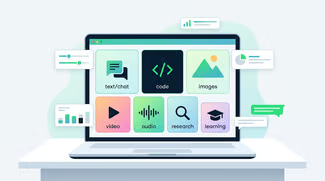
No-code AI tools let you build apps, automations, and agents using visual interfaces and natural-language instructions instead of writing code. Low-code AI tools cut down how much code you write, but they still expect it once you go past the basics.
Difference between no-code and low-code AI tools. Image by Author.
However, the line between these two tools is blurrier. For example:
- Bubble calls itself no-code, but its expression editor and API connector let you write logic that's really just code in a different box.
- n8n calls itself low-code, yet most workflows never touch the JavaScript step at all.
- AppSheet's "spreadsheet-like expressions" are the same code escape hatch, just dressed up as a formula.
- Zapier markets itself as no-code, but Code by Zapier lets you write real JavaScript or Python, even on the free plan.
Let’s look at the advantages and disadvantages of no-code AI tools:
| |
Advantages
|
Limitations
|
|
Speed
|
Idea to working demo in hours
|
Debugging gets harder as workflows grow
|
|
Access
|
Non-engineers can build without waiting on a dev team
|
You're limited to what the platform allows
|
|
Building
|
Visual flow catches mistakes buried in text-based code
|
A missing integration means waiting on the platform
|
|
Cost
|
Most integrations to popular apps already exist
|
Usage-based pricing climbs fast once you scale
|
|
Iteration
|
Testing a new approach costs an afternoon
|
Complex workflows eventually need real code
|
Use no-code AI when you:
- Want to test an idea with real users before you invest in a custom-built product
- Need a small internal tool for a handful of people on your team
- Already do a task manually and want to automate it
- Run a small business that needs a working app or workflow, not a custom-built one
- Have no engineers on staff to build and maintain custom software
- Want to prove an AI feature works before you spend engineering time building it properly
Go with regular software development when:
- You need a specific feature no visual builder offers
- Your system has to handle heavy, real-world traffic without slowing down
- Your security or compliance needs go further than what a shared platform gives you by default
- Your system is complex enough to need real software architecture
Final Thoughts
Once you know whether no-code fits your project, sign up for the right tool depending on your use case and run one actual task through it this week.
If you get stuck rewriting the same instructions to get Replit Agent or Zapier Canvas to do what you meant, maybe something’s wrong with your prompt. Check out our Understanding Prompt Engineering course to get better at writing first attempts.



%22%3E%0A%20%20%20%20%20%20%20%20%3Crect%20fill%3D%22%23EFEBE4%22%20height%3D%22180%22%20width%3D%22336%22%20%2F%3E%0A%20%20%20%20%20%20%20%20%3Crect%0A%20%20%20%20%20%20%20%20%20%20fill%3D%22%23FF931E%22%0A%20%20%20%20%20%20%20%20%20%20height%3D%22106.6%22%0A%20%20%20%20%20%20%20%20%20%20transform%3D%22rotate(-30%20-208.588%20220.18)%22%0A%20%20%20%20%20%20%20%20%20%20width%3D%22456.125%22%0A%20%20%20%20%20%20%20%20%20%20x%3D%22-208.588%22%0A%20%20%20%20%20%20%20%20%20%20y%3D%22220.18%22%0A%20%20%20%20%20%20%20%20%2F%3E%0A%20%20%20%20%20%20%20%20%3Crect%0A%20%20%20%20%20%20%20%20%20%20fill%3D%22%23F7F3EB%22%0A%20%20%20%20%20%20%20%20%20%20height%3D%2235.875%22%0A%20%20%20%20%20%20%20%20%20%20transform%3D%22rotate(-30%20-208.588%20220.18)%22%0A%20%20%20%20%20%20%20%20%20%20width%3D%22347.576%22%0A%20%20%20%20%20%20%20%20%20%20x%3D%22-208.588%22%0A%20%20%20%20%20%20%20%20%20%20y%3D%22220.18%22%0A%20%20%20%20%20%20%20%20%2F%3E%0A%20%20%20%20%20%20%20%20%3Crect%0A%20%20%20%20%20%20%20%20%20%20fill%3D%22%23000820%22%0A%20%20%20%20%20%20%20%20%20%20height%3D%2235.875%22%0A%20%20%20%20%20%20%20%20%20%20transform%3D%22rotate(-30%20-226.525%20189.111)%22%0A%20%20%20%20%20%20%20%20%20%20width%3D%22347.576%22%0A%20%20%20%20%20%20%20%20%20%20x%3D%22-226.525%22%0A%20%20%20%20%20%20%20%20%20%20y%3D%22189.111%22%0A%20%20%20%20%20%20%20%20%2F%3E%0A%20%20%20%20%20%20%20%20%3Crect%0A%20%20%20%20%20%20%20%20%20%20fill%3D%22%23000820%22%0A%20%20%20%20%20%20%20%20%20%20height%3D%22106.6%22%0A%20%20%20%20%20%20%20%20%20%20transform%3D%22rotate(-30%2085.5879%20256.055)%22%0A%20%20%20%20%20%20%20%20%20%20width%3D%22456.125%22%0A%20%20%20%20%20%20%20%20%20%20x%3D%2285.5879%22%0A%20%20%20%20%20%20%20%20%20%20y%3D%22256.055%22%0A%20%20%20%20%20%20%20%20%2F%3E%0A%20%20%20%20%20%20%20%20%3Crect%0A%20%20%20%20%20%20%20%20%20%20fill%3D%22%23D87300%22%0A%20%20%20%20%20%20%20%20%20%20height%3D%2235.875%22%0A%20%20%20%20%20%20%20%20%20%20transform%3D%22rotate(-30%2085.5879%20256.055)%22%0A%20%20%20%20%20%20%20%20%20%20width%3D%22184.5%22%0A%20%20%20%20%20%20%20%20%20%20x%3D%2285.5879%22%0A%20%20%20%20%20%20%20%20%20%20y%3D%22256.055%22%0A%20%20%20%20%20%20%20%20%2F%3E%0A%20%20%20%20%20%20%20%20%3Crect%0A%20%20%20%20%20%20%20%20%20%20fill%3D%22%23FF931E%22%0A%20%20%20%20%20%20%20%20%20%20height%3D%2235.875%22%0A%20%20%20%20%20%20%20%20%20%20transform%3D%22rotate(-30%20227.432%20132.736)%22%0A%20%20%20%20%20%20%20%20%20%20width%3D%22271.625%22%0A%20%20%20%20%20%20%20%20%20%20x%3D%22227.432%22%0A%20%20%20%20%20%20%20%20%20%20y%3D%22132.736%22%0A%20%20%20%20%20%20%20%20%2F%3E%0A%20%20%20%20%20%20%3C%2Fg%3E%0A%20%20%20%20%20%20%3Cdefs%3E%0A%20%20%20%20%20%20%20%20%3CclipPath%20id%3D%22clip%22%3E%0A%20%20%20%20%20%20%20%20%20%20%3Crect%20fill%3D%22white%22%20height%3D%22180%22%20width%3D%22336%22%20%2F%3E%0A%20%20%20%20%20%20%20%20%3C%2FclipPath%3E%0A%20%20%20%20%20%20%3C%2Fdefs%3E%0A%20%20%20%20%3C%2Fsvg%3E)
%22%3E%3Cpath%20fill-rule%3D%22evenodd%22%20clip-rule%3D%22evenodd%22%20d%3D%22M11.317%208.464v3.392L7.72%2013.908V6.4l3.598%202.064zm1.165%207.126v-3.057l4.818-2.75-1.172-.671-3.646%202.08V8.125c-.001-.208-.112-.4-.293-.505L7.8%205.104a.84.84%200%200%200-1.244.738v8.622a.841.841%200%200%200%201.21.76l.033-.018%203.517-2.007v2.735c0%20.208.112.401.293.505L16.121%2019l1.172-.672-4.811-2.738z%22%20fill%3D%22%2305192D%22%2F%3E%3C%2Fg%3E%3Cdefs%3E%3CclipPath%20id%3D%22clip0_1241_7486%22%3E%3Cpath%20fill%3D%22%23fff%22%20transform%3D%22translate(5%205)%22%20d%3D%22M0%200H14V14H0z%22%2F%3E%3C%2FclipPath%3E%3C%2Fdefs%3E%3C%2Fsvg%3E)
%22%3E%0A%20%20%20%20%20%20%20%20%3Crect%20fill%3D%22%2305192D%22%20height%3D%22180%22%20width%3D%22336%22%20%2F%3E%0A%20%20%20%20%20%20%20%20%3Crect%0A%20%20%20%20%20%20%20%20%20%20fill%3D%22%23B08EFF%22%0A%20%20%20%20%20%20%20%20%20%20height%3D%22106.6%22%0A%20%20%20%20%20%20%20%20%20%20transform%3D%22rotate(-30%20-208.588%20220.18)%22%0A%20%20%20%20%20%20%20%20%20%20width%3D%22456.125%22%0A%20%20%20%20%20%20%20%20%20%20x%3D%22-208.588%22%0A%20%20%20%20%20%20%20%20%20%20y%3D%22220.18%22%0A%20%20%20%20%20%20%20%20%2F%3E%0A%20%20%20%20%20%20%20%20%3Crect%0A%20%20%20%20%20%20%20%20%20%20fill%3D%22%237933FF%22%0A%20%20%20%20%20%20%20%20%20%20height%3D%2235.875%22%0A%20%20%20%20%20%20%20%20%20%20transform%3D%22rotate(-30%20-208.588%20220.18)%22%0A%20%20%20%20%20%20%20%20%20%20width%3D%22347.576%22%0A%20%20%20%20%20%20%20%20%20%20x%3D%22-208.588%22%0A%20%20%20%20%20%20%20%20%20%20y%3D%22220.18%22%0A%20%20%20%20%20%20%20%20%2F%3E%0A%20%20%20%20%20%20%20%20%3Crect%0A%20%20%20%20%20%20%20%20%20%20fill%3D%22%2372E5FE%22%0A%20%20%20%20%20%20%20%20%20%20height%3D%2235.875%22%0A%20%20%20%20%20%20%20%20%20%20transform%3D%22rotate(-30%20-226.525%20189.111)%22%0A%20%20%20%20%20%20%20%20%20%20width%3D%22347.576%22%0A%20%20%20%20%20%20%20%20%20%20x%3D%22-226.525%22%0A%20%20%20%20%20%20%20%20%20%20y%3D%22189.111%22%0A%20%20%20%20%20%20%20%20%2F%3E%0A%20%20%20%20%20%20%20%20%3Crect%0A%20%20%20%20%20%20%20%20%20%20fill%3D%22%235EB1FF%22%0A%20%20%20%20%20%20%20%20%20%20height%3D%22106.6%22%0A%20%20%20%20%20%20%20%20%20%20transform%3D%22rotate(-30%2085.5879%20256.055)%22%0A%20%20%20%20%20%20%20%20%20%20width%3D%22456.125%22%0A%20%20%20%20%20%20%20%20%20%20x%3D%2285.5879%22%0A%20%20%20%20%20%20%20%20%20%20y%3D%22256.055%22%0A%20%20%20%20%20%20%20%20%2F%3E%0A%20%20%20%20%20%20%20%20%3Crect%0A%20%20%20%20%20%20%20%20%20%20fill%3D%22%23B08EFF%22%0A%20%20%20%20%20%20%20%20%20%20height%3D%2235.875%22%0A%20%20%20%20%20%20%20%20%20%20transform%3D%22rotate(-30%2085.5879%20256.055)%22%0A%20%20%20%20%20%20%20%20%20%20width%3D%22184.5%22%0A%20%20%20%20%20%20%20%20%20%20x%3D%2285.5879%22%0A%20%20%20%20%20%20%20%20%20%20y%3D%22256.055%22%0A%20%20%20%20%20%20%20%20%2F%3E%0A%20%20%20%20%20%20%20%20%3Crect%0A%20%20%20%20%20%20%20%20%20%20fill%3D%22%2372E5FE%22%0A%20%20%20%20%20%20%20%20%20%20height%3D%2235.875%22%0A%20%20%20%20%20%20%20%20%20%20transform%3D%22rotate(-30%20227.432%20132.736)%22%0A%20%20%20%20%20%20%20%20%20%20width%3D%22271.625%22%0A%20%20%20%20%20%20%20%20%20%20x%3D%22227.432%22%0A%20%20%20%20%20%20%20%20%20%20y%3D%22132.736%22%0A%20%20%20%20%20%20%20%20%2F%3E%0A%20%20%20%20%20%20%3C%2Fg%3E%0A%20%20%20%20%20%20%3Cdefs%3E%0A%20%20%20%20%20%20%20%20%3CclipPath%20id%3D%22clip%22%3E%0A%20%20%20%20%20%20%20%20%20%20%3Crect%20fill%3D%22white%22%20height%3D%22180%22%20width%3D%22336%22%20%2F%3E%0A%20%20%20%20%20%20%20%20%3C%2FclipPath%3E%0A%20%20%20%20%20%20%3C%2Fdefs%3E%0A%20%20%20%20%3C%2Fsvg%3E)

%22%3E%0A%20%20%20%20%20%20%20%20%3Crect%20fill%3D%22%23F7F3EB%22%20height%3D%22180%22%20width%3D%22336%22%20%2F%3E%0A%20%20%20%20%20%20%20%20%3Crect%0A%20%20%20%20%20%20%20%20%20%20fill%3D%22%23000820%22%0A%20%20%20%20%20%20%20%20%20%20height%3D%22106.6%22%0A%20%20%20%20%20%20%20%20%20%20transform%3D%22rotate(-30%20-208.588%20220.18)%22%0A%20%20%20%20%20%20%20%20%20%20width%3D%22456.125%22%0A%20%20%20%20%20%20%20%20%20%20x%3D%22-208.588%22%0A%20%20%20%20%20%20%20%20%20%20y%3D%22220.18%22%0A%20%20%20%20%20%20%20%20%2F%3E%0A%20%20%20%20%20%20%20%20%3Crect%0A%20%20%20%20%20%20%20%20%20%20fill%3D%22%2300C74E%22%0A%20%20%20%20%20%20%20%20%20%20height%3D%2235.875%22%0A%20%20%20%20%20%20%20%20%20%20transform%3D%22rotate(-30%20-208.588%20220.18)%22%0A%20%20%20%20%20%20%20%20%20%20width%3D%22347.576%22%0A%20%20%20%20%20%20%20%20%20%20x%3D%22-208.588%22%0A%20%20%20%20%20%20%20%20%20%20y%3D%22220.18%22%0A%20%20%20%20%20%20%20%20%2F%3E%0A%20%20%20%20%20%20%20%20%3Crect%0A%20%20%20%20%20%20%20%20%20%20fill%3D%22%23FF931E%22%0A%20%20%20%20%20%20%20%20%20%20height%3D%2235.875%22%0A%20%20%20%20%20%20%20%20%20%20transform%3D%22rotate(-30%20-226.525%20189.111)%22%0A%20%20%20%20%20%20%20%20%20%20width%3D%22347.576%22%0A%20%20%20%20%20%20%20%20%20%20x%3D%22-226.525%22%0A%20%20%20%20%20%20%20%20%20%20y%3D%22189.111%22%0A%20%20%20%20%20%20%20%20%2F%3E%0A%20%20%20%20%20%20%20%20%3Crect%0A%20%20%20%20%20%20%20%20%20%20fill%3D%22%23D87300%22%0A%20%20%20%20%20%20%20%20%20%20height%3D%22106.6%22%0A%20%20%20%20%20%20%20%20%20%20transform%3D%22rotate(-30%2085.5879%20256.055)%22%0A%20%20%20%20%20%20%20%20%20%20width%3D%22456.125%22%0A%20%20%20%20%20%20%20%20%20%20x%3D%2285.5879%22%0A%20%20%20%20%20%20%20%20%20%20y%3D%22256.055%22%0A%20%20%20%20%20%20%20%20%2F%3E%0A%20%20%20%20%20%20%20%20%3Crect%0A%20%20%20%20%20%20%20%20%20%20fill%3D%22%23000820%22%0A%20%20%20%20%20%20%20%20%20%20height%3D%2235.875%22%0A%20%20%20%20%20%20%20%20%20%20transform%3D%22rotate(-30%2085.5879%20256.055)%22%0A%20%20%20%20%20%20%20%20%20%20width%3D%22184.5%22%0A%20%20%20%20%20%20%20%20%20%20x%3D%2285.5879%22%0A%20%20%20%20%20%20%20%20%20%20y%3D%22256.055%22%0A%20%20%20%20%20%20%20%20%2F%3E%0A%20%20%20%20%20%20%20%20%3Crect%0A%20%20%20%20%20%20%20%20%20%20fill%3D%22%2300C74E%22%0A%20%20%20%20%20%20%20%20%20%20height%3D%2235.875%22%0A%20%20%20%20%20%20%20%20%20%20transform%3D%22rotate(-30%20227.432%20132.736)%22%0A%20%20%20%20%20%20%20%20%20%20width%3D%22271.625%22%0A%20%20%20%20%20%20%20%20%20%20x%3D%22227.432%22%0A%20%20%20%20%20%20%20%20%20%20y%3D%22132.736%22%0A%20%20%20%20%20%20%20%20%2F%3E%0A%20%20%20%20%20%20%3C%2Fg%3E%0A%20%20%20%20%20%20%3Cdefs%3E%0A%20%20%20%20%20%20%20%20%3CclipPath%20id%3D%22clip%22%3E%0A%20%20%20%20%20%20%20%20%20%20%3Crect%20fill%3D%22white%22%20height%3D%22180%22%20width%3D%22336%22%20%2F%3E%0A%20%20%20%20%20%20%20%20%3C%2FclipPath%3E%0A%20%20%20%20%20%20%3C%2Fdefs%3E%0A%20%20%20%20%3C%2Fsvg%3E)





A no-code AI tool lets you build AI-powered apps, workflows, or agents without traditional code. You use visual builders, drag-and-drop logic, and natural-language prompts instead.
No single tool wins across every category so the right tool depends on what you want to build. In this article, we compare 10 of the best no-code tools so you can choose the one that fits your use case.
Best No-Code AI Tools at a Glance
The table breaks down all 10 tools so you can compare them at a glance before reading the full reviews.
Tool
Best for
Key AI capabilities
Free plan
Starting price
Learning curve
Zapier
Fast automation for business teams
Zapier Canvas, AI by Zapier, Zapier Agents, and MCP
Yes (100 tasks/mo)
$29.99/mo
Low
Make
Branching and complex workflows
Maia, Make AI Agents, MCP Server
Yes (1,000 credits/mo)
$10.59/mo
Medium
n8n
Technical teams building deep AI agents
Custom AI agent logic and MCP both ways
Yes (self-hosted)
$24/mo (cloud)
High
Bubble
Founders building a real product
AI Agent builds and edits your app
Yes (dev only, no live site)
$69/mo
High
Replit
Speed over no-code purity
Replit Agent 4 writes and fixes code
Yes
$20/mo
Medium
Power Platform
Microsoft 365 teams
AI Builder and Copilot Studio
Yes (Power BI only, others have a 30-day free trial)
Priced per product
High
AppSheet
Google Sheets users on a budget
Gemini-assisted builds and OCR
Yes (up to 10 users)
$5/user/mo
Low
Voiceflow
Dedicated conversational agents
Per-step model choice
Trial only (no self-serve free plan)
Not publicly listed
Medium
Lindy
Individuals and small teams who want an AI teammate
40+ skills and editable plain-text memory
No (7-day trial)
$29.99/user/mo
Low
Gumloop
Teams needing AI judgment calls
Per-agent model choice and self-improving agents
No (14-day trial)
$37/mo
Medium
The Best No-Code AI Tools in 2026
Here's a closer look at each tool, including what it does, what stands out, where it falls short, and who it fits best.
1. Zapier
Zapier connects your apps and automates the small repetitive tasks between them. For example, a new lead in your CRM can trigger a Slack message.
You can build:
What actually sets Zapier apart is how deep the AI reaches into the workflow itself. Zapier Canvas takes a plain-English description and turns it into a working multi-step workflow. AI by Zapier drops AI steps directly into a Zap so a single automation can sort a support ticket and draft the reply.
Zapier Agents goes further and lets you build an assistant that runs across your connected apps on its own schedule. Then there's Zapier MCP, which connects tools like Claude, ChatGPT, and Cursor to Zapier's 9,000+ apps and 40,000+ actions.
That's the difference between an AI assistant that talks about sending an email and one that actually sends it.
However, none of this comes free, and costs increase quickly once you're running real task volume.
Best for: business teams who want automation running today.
Pricing
Costs scale with how many tasks you run each month:
2. Make
Make (formerly Integromat) is a visual automation platform to create workflows that need real logic. You work on a canvas where you connect apps with branches, loops, and conditions, and see the entire path data takes from start to finish.
What makes Make different is how much complexity that canvas can actually hold. Maia by Make turns a plain conversation into a working automation or agent, so you don't need to know the underlying logic to get started.
Make AI Agents goes a step further. It's a dedicated system for agents that take real action across Make's 3,000+ connected apps, not an ordinary chatbot. The Library of Agents gives you ready-made agents to deploy without building from scratch, and Make MCP Server lets outside AI tools reach into your connected apps and act there directly.
However, routers, iterators, aggregators, and data structures take real time to learn, and Make is more difficult than Zapier. Team features are also locked behind a higher tier. Shared scenarios, roles, and multi-user collaboration all require the Team plan, so a solo builder on the Free plan doesn't get them.
Best for: teams that need branching logic, multiple conditions, or more complex workflows than a simple trigger-action tool can handle.
Pricing
Make's plans run on credits:
Prices shown are for the 10,000-credits-a-month tier, billed monthly. It grows as you add more credits, and paying annually gives you 15% off.
3. n8n
n8n is a workflow automation tool, and you own the code that runs your automations. It calls this "fair-code," not open source. Use it, modify it, and even build client work on it, but you can't resell your own hosted version. Self-host it for free, or let n8n's cloud plan handle hosting for you.
You can build:
But what sets n8n apart is that you can write JavaScript or Python inside any workflow. That's why technical teams choose it when they want real depth in their AI agents.
Built-in AI Agent blocks connect straight to OpenAI and other providers. n8n MCP works both ways too — Claude can build and edit your n8n workflows through it, and your n8n agents can call out to any other MCP-compatible tool.
If you self-host, n8n is cheaper. In fact, it doesn't charge you per task the way some tools do, so a team running heavy AI agent workloads gets more for their money with n8n than almost anywhere else on this list.
However, you'll pay for that strength in setup time. n8n dropped its free cloud plan in 2025, so unless you self-host, you pay from day one. The interface also expects more from you as it's built for developers, not beginners.
Best for: technical teams, or non-technical teams willing to spend a few hours learning it, who want strong AI agent features without paying per task.
Pricing
n8n pricing splits into two paths: self-hosting or using n8n's cloud.
4. Bubble
Bubble generates apps with AI, but every change is visible and editable in a normal visual editor, unlike AI coding tools that hand you a codebase you can't read. It builds full web apps like real multi-page apps with a database, user accounts, and logic behind them.
You can use Bubble to build:
Bubble’s unique edge is that it's building a product, not connecting one tool to another. Its AI Agent generates your app and troubleshoots errors too when something degrades, which is closer to having a developer look over your shoulder.
That depth is also why Bubble takes longer to learn than other automation tools on this list. You've to learn how a database and app logic actually work. The AI Agent and mobile app builder are still in beta, so expect some bugs along the way.
Best for: founders and small teams building an actual product.
Pricing
Bubble's pricing now covers both web and native mobile together, but web-only and mobile-only are priced individually.
5. Replit
Replit is a vibe coding tool that builds apps for you, so you don't write the code yourself. Describe what you want, and Replit Agent writes it, tests it in a live browser, and pushes it online.
Unlike other tools on this list, Replit still writes real code behind the scenes. You just don't have to write it yourself. Calling it "no-code" is a bit of a stretch, as it's closer to AI doing the coding for you than a tool with no code at all.
You can use it to build:
Speed sets Replit apart from other tools. You can go from an idea to a live working app in one go, and for simple apps, it really does deliver. Setup and hosting come bundled with the code, and Replit Agent 4 pushes that further — it can work on its own for a while, testing its own output in a browser and fixing mistakes before you ever see them.
However, that speed comes at a cost. Since there's real code underneath, if the Agent makes a mistake, fixing it can take actual programming knowledge; it won’t be a drag-and-drop fix.
Best for: people who want to trade some no-code purity for speed, and don't mind reading code they didn't write.
Pricing
Replit offers four pricing plans:
6. Microsoft Power Platform
Power Platform is Microsoft's set of tools for building business apps, automating workflows, and now, building AI agents, all inside the ecosystem most large enterprises already run on. It's five connected tools bundled under one name:
You can use Power Platform to build:
What sets Power Platform apart is that it plugs deep into Microsoft 365 and adds over 1,500 connectors to Salesforce, SAP, ServiceNow, and other business systems most enterprises already run.
You don't technically need Microsoft 365 to use Power Platform, but it's built to pay off most alongside it.
Best for: teams already embedded in Microsoft 365 who want AI-powered business apps without procuring a separate platform.
Pricing
Power BI, Power Apps, Power Automate, Power Pages, and Copilot Studio each have their own separate pricing. Microsoft's pricing hub has links to all five if you need one of those.
For a big company-wide deal, talk to a Microsoft salesperson as they haven’t publicly listed that price.
7. Google AppSheet
AppSheet unifies scattered data into one app. It pulls from Office 365, Salesforce, BigQuery, SQL databases, and REST APIs, and turns whichever one you connect into a working mobile and web app without you ever touching a database.
It's the most literal "no-code" tool on this list: if you can build a spreadsheet, you can build an AppSheet app.
You can use it to build:
The best part of AppSheet is how little setup it needs to get started. Point it at a spreadsheet, and the AppSheet Editor builds a working app prototype automatically, with smart suggestions for quick fixes before you even open the AI assistant.
Gemini works as a built-in AI helper on top of that. You describe what you want, and it builds a starting app for you.
But its AI features have a downside too. Machine learning and OCR need the Enterprise Plus plan, and even Gemini-assisted building requires a paid Workspace license. None of it is on the cheaper tiers. In addition to these limitations, you can’t share regular AppSheet apps with random public users; only your team or specific emails can get access to it.
Best for: small businesses and teams that already work in Google Sheets and want a real app without a real budget.
Pricing
AppSheet plans scale per user:
8. Voiceflow
Voiceflow builds conversational AI agents like chatbots and voice assistants, using a visual flow editor instead of raw code. It's built specifically for conversation design, not general app building or task automation.
You can use it to build:
Voiceflow allows you to choose a different model per step like GPT, Claude, Gemini, Llama, Grok, or your own. For example, if you're building a support agent, you could use a cheaper, faster model to handle simple FAQ lookups, then switch to a stronger model only for the step where the agent has to reason through a refund policy.
However, the model choice alone doesn't tell you the full lock-in story. Check where your data lives and how the agent runs outside Voiceflow too, before you commit.
In addition, Voiceflow’s pricing model is worth planning around before you commit. Credits have a hard stop: run out mid-month, and your agent stops responding instead of racking up charges. Editor seats also cost extra on top of the base plan, so the sticker price isn't the full picture once a team is actually building together.
Best for: teams building a dedicated support or voice agent as the actual product.
Pricing
Voiceflow's public pricing page no longer lists self-serve dollar amounts at all. It splits into two paths instead:
9. Lindy
Lindy has repositioned itself as an AI teammate that lives inside Slack. Everyone on the team gets a private version in their DMs, and the whole team shares one in channels. It answers questions with sources, drafts real work, and runs routines on a schedule.
You can use Lindy to:
What sets Lindy apart is how it handles teaching and memory. It ships with 40+ built-in skills for research, data analysis, decks, and dashboards, and if you teach it a new skill yourself, the whole team gets it too.
However, its limitation is that there's no permanent free plan, only a 7-day trial, and even that only starts if someone joins through a Slack @mention.
Best for: individuals and small teams who want an AI assistant.
Pricing
There's no free tier, so all plans are paid:
10. Gumloop
Gumloop works as a "multiplayer" AI agent builder. One person builds an agent, and the rest of the company can use it in their own chats, with IT controlling exactly who can see or edit what.
You can use Gumloop to:
Gumloop's unique point is that you can choose the AI model per agent, whether that's Claude, GPT, Gemini, Grok, DeepSeek, or an open-source model, and admins can restrict which ones the team can use. Agents also improve over time by reviewing their own past runs, with built-in checks to catch mistakes early.
However, its credit system is limited. Go over your 20,000 monthly credits and your agents stop working until you turn on pay-as-you-go, which isn't on by default; once it is, extra usage runs $0.005 per credit. Unused credits don't roll over either — the 20,000 resets every billing period whether you used them or not.
Best for: teams whose work genuinely needs AI judgment calls
Pricing
Gumloop dropped its old Free/Solo/Team tiers for a simpler two-plan structure:
Best No-Code AI Tools by Use Case
Find your use case below and go with the tool next to it.
Best for AI automation
Best for building AI apps
Best for AI agents
Best for business teams
Best for conversational AI
Best free no-code AI tool
Best for beginners
What Can You Build with No-Code AI Tools?
It depends on the type of tool you use. Since automation platforms and app builders solve different problems, here's what you can build with each:
How to Choose a No-Code AI Tool
To choose a no-code AI tool, follow these steps:
Identify what you're building
Figure out what you want as the result. Is it an app, an automation, an agent, or an assistant? Since all these point to a different kind of tool, your answer decides everything else on this list.
For example, if you're building something with its own database, Bubble is the right choice.
Check your existing stack
Look at what your team already pays for and already works inside of. If you're already on Microsoft 365, a tool that integrates straight into it will beat a "better" tool you'd have to set up from scratch.
Check which AI models it supports
Find out if the platform locks you into one AI provider or lets you choose. Some tools, like n8n, let you choose a different model for each step instead of forcing one on you.
Weigh the learning curve
Consider how long it takes someone else on your team to understand what you built and keep it running. For example, Zapier will take an afternoon to understand but n8n may take a real week.
Find the customization ceiling
Every no-code tool hits a wall where the visual builder can't do what you need anymore. Some, like n8n, hand you code but others just leave you stuck.
Confirm the deployment option you need
Check where the finished product actually has to run, whether that's a web app, a mobile app, or a background process nobody sees.
Run the pricing math for your volume
Don't go by the sticker price. Some tools bill per task, others bill per execution, and those scale very differently as your usage grows.
Review security and data requirements
If you handle regulated data, check for single sign-on, where your data lives, and audit logs before anything else. On several tools, all three are included in the most expensive plan.
No-Code vs Low-Code AI Tools
No-code AI tools let you build apps, automations, and agents using visual interfaces and natural-language instructions instead of writing code. Low-code AI tools cut down how much code you write, but they still expect it once you go past the basics.
Difference between no-code and low-code AI tools. Image by Author.
However, the line between these two tools is blurrier. For example:
What Are the Advantages and Limitations of No-Code AI Tools?
Let’s look at the advantages and disadvantages of no-code AI tools:
Advantages
Limitations
Speed
Idea to working demo in hours
Debugging gets harder as workflows grow
Access
Non-engineers can build without waiting on a dev team
You're limited to what the platform allows
Building
Visual flow catches mistakes buried in text-based code
A missing integration means waiting on the platform
Cost
Most integrations to popular apps already exist
Usage-based pricing climbs fast once you scale
Iteration
Testing a new approach costs an afternoon
Complex workflows eventually need real code
When Should You Use a No-Code AI Tool?
Use no-code AI when you:
Go with regular software development when:
Final Thoughts
Once you know whether no-code fits your project, sign up for the right tool depending on your use case and run one actual task through it this week.
If you get stuck rewriting the same instructions to get Replit Agent or Zapier Canvas to do what you meant, maybe something’s wrong with your prompt. Check out our Understanding Prompt Engineering course to get better at writing first attempts.