
コース
開発者のための AI 支援コーディング
1時間30分
11.7K
Thinking Machines Lab is an AI research and product company founded by Mira Murati, OpenAI’s former Chief Technology Officer and briefly its interim CEO. After leaving OpenAI in September 2024, Murati assembled a team of experienced AI researchers and raised approximately $2 billion at a $12 billion valuation. The scale of the funding and talent created strong expectations that Thinking Machines could become a serious competitor to established AI labs such as OpenAI.
Inkling is the company’s first major in-house model release and the first model in a planned family. It is an open-weights multimodal model designed for reasoning, coding, tool use, and customization, providing the first clear look at what Murati and her team have been building.
In this guide, I will show you how to run Inklink locally, first by testing Inkling through the free Tinker Playground. I will then show you how to download an Unsloth GGUF quantization, build the experimental Inkling branch of llama.cpp, run the model across four NVIDIA RTX PRO 6000 GPUs, and interact with it through the built-in Web UI and OpenAI-compatible API.
Inkling is an open-weights, general-purpose multimodal model from Thinking Machines Lab.
It uses a Mixture-of-Experts architecture with 975 billion total parameters and 41 billion active parameters, supports text, image, and audio inputs, and offers a context window of up to one million tokens.
The model is designed for reasoning, coding, tool use, instruction following, and fine-tuning across different domains.
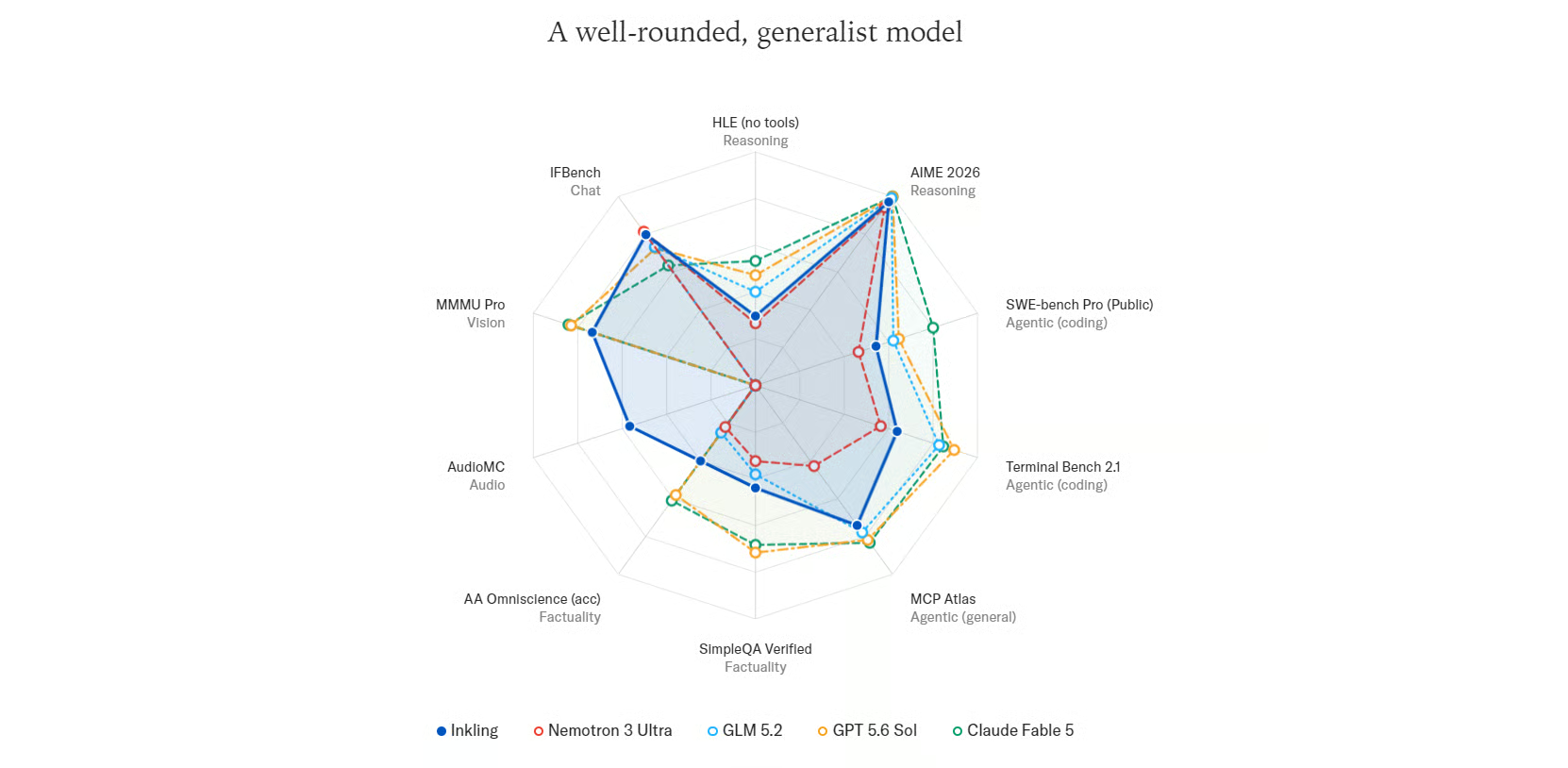
Source: Inkling - Thinking Machines Lab
Inkling is a well-rounded generalist model, delivering balanced performance across reasoning, agentic coding, factuality, vision, and audio benchmarks.
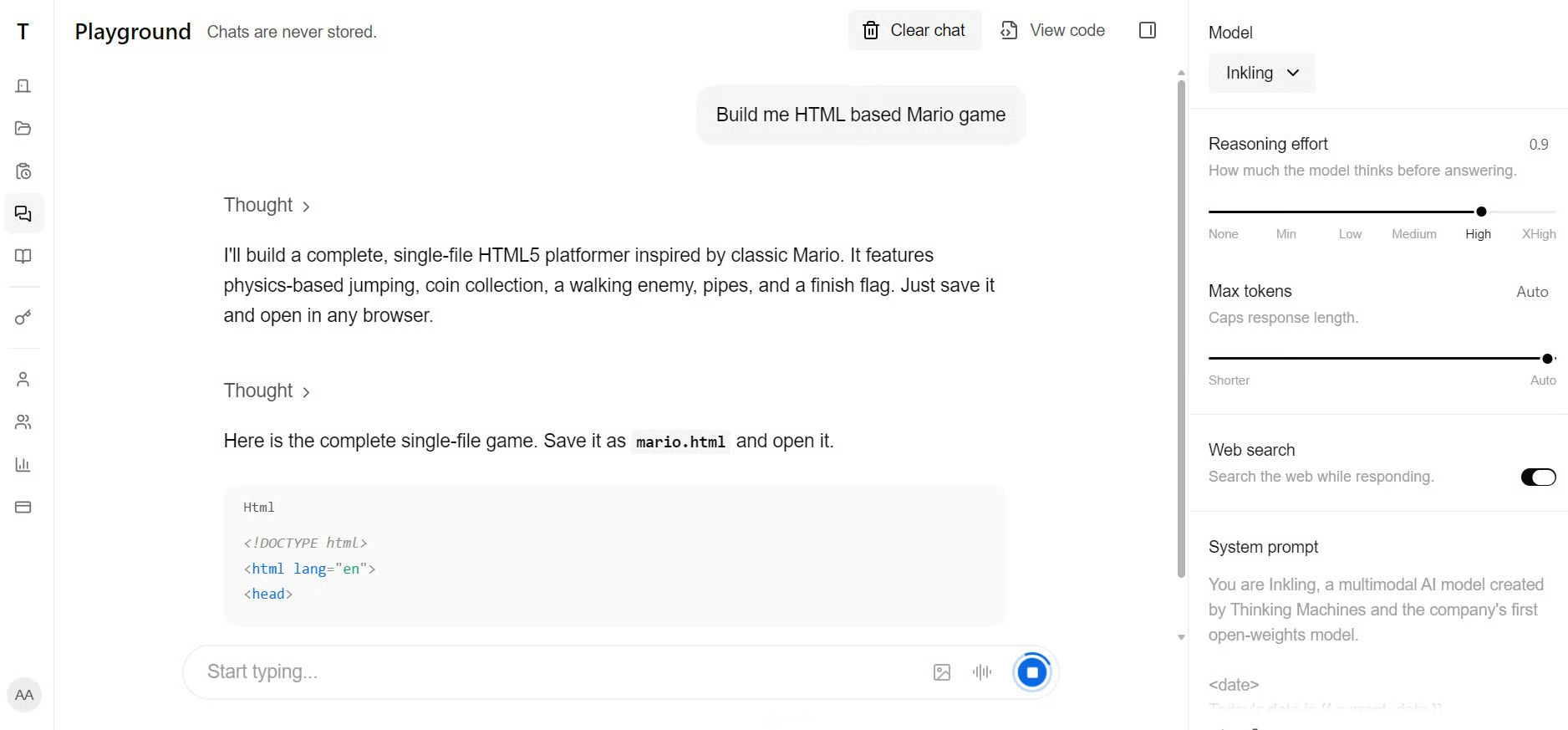
Before running Inkling locally, try it through the Inkling Playground to explore its responses and understand how the model works. Free access is currently available for a limited time.
Running Inkling locally requires enterprise-grade hardware.
Unsloth’s UD-Q4_K_XL quantization is approximately 587 GB, while the full-precision BF16 model requires around 1.89 TB.
This memory can come from combined RAM and VRAM, unified memory, or RAM alone, although CPU-only inference will be much slower.
Additional memory is also needed for the context window and runtime overhead.
For this guide, we use the smaller UD-Q2_K_XL quantization, which is approximately 317 GB, on a RunPod server configured with:
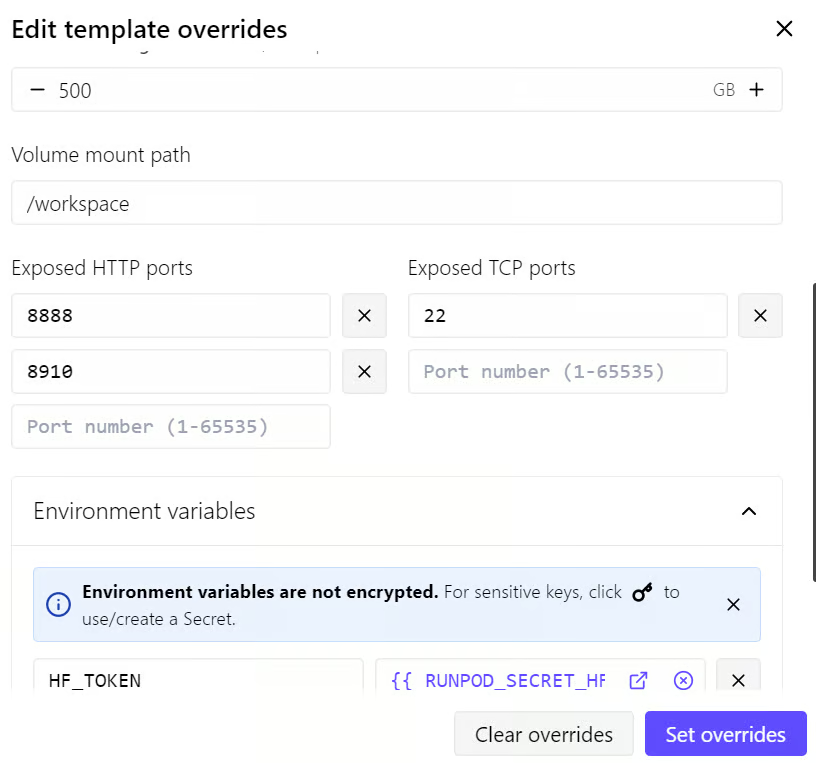
The large model files and Hugging Face cache will be stored on the 500 GB volume disk so they remain available if the Pod restarts.
The 100 GB container disk will be used for system packages, build dependencies, and other runtime requirements.
We will also configure a Hugging Face access token before downloading Inkling.
Authenticated downloads help avoid anonymous rate limits and can provide faster, more reliable download speeds, which is important when downloading a model of this size.
The standard llama.cpp binaries installed through the usual curl command will not work with Inkling because support for its architecture has not yet been merged into the main branch.
Inkling support is currently available through experimental pull request #25731, so llama.cpp must be compiled from that branch.
After deploying the RunPod Pod, open the Connect tab and click the Jupyter Notebook link.
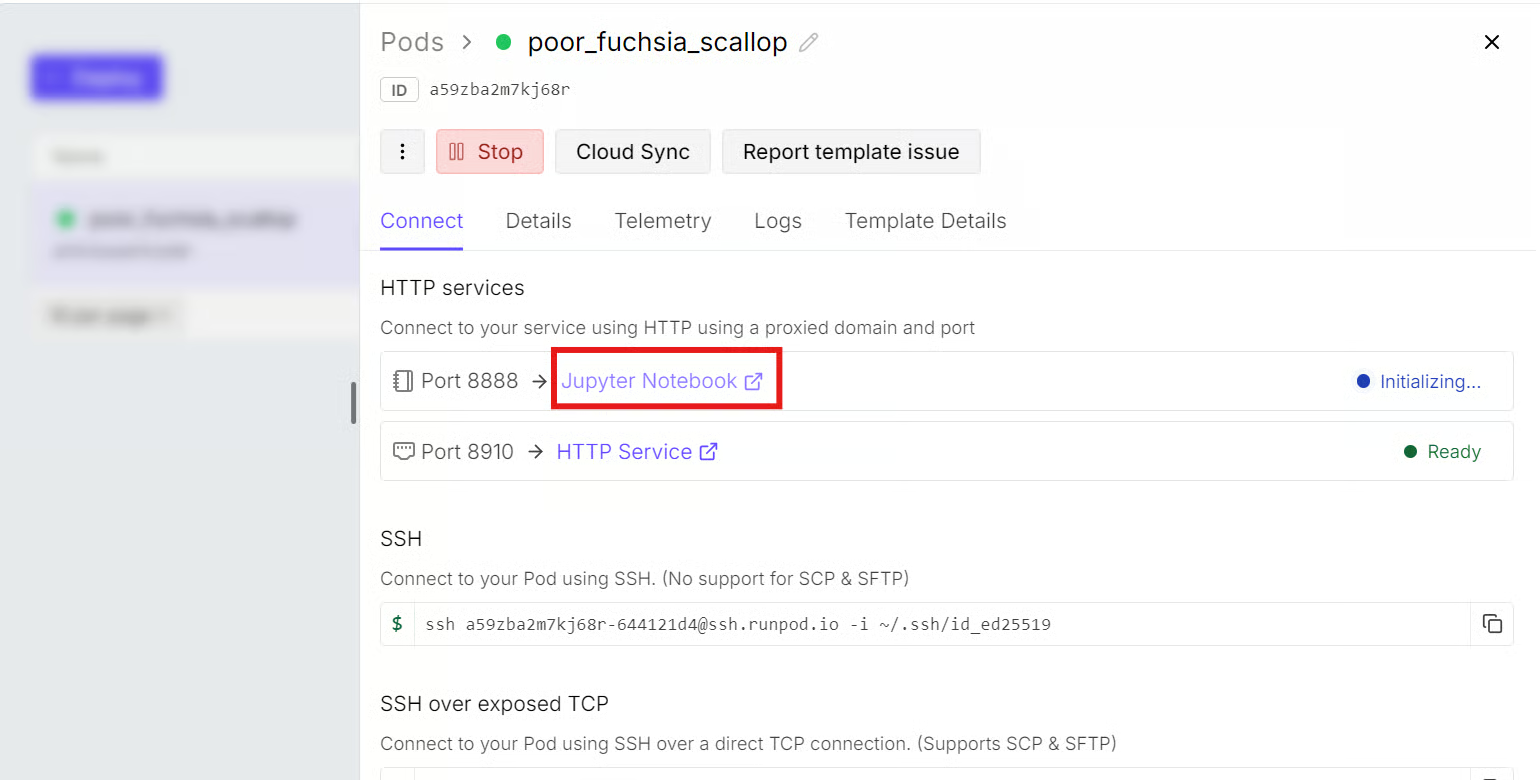
From JupyterLab, launch a new terminal and install the required system packages:
apt-get update
apt-get install pciutils build-essential cmake curl libcurl4-openssl-dev -y
Next, clone llama.cpp into the /workspace volume and switch to the branch containing Inkling support:
cd /workspace

git clone https://github.com/ggml-org/llama.cpp
cd llama.cpp
Inkling support is currently available through an experimental draft pull request rather than the main llama.cpp branch. Fetch and switch to that branch:
git fetch origin pull/25731/head:inkling
git switch inkling
Build llama.cpp with CUDA acceleration enabled:
cmake -S /workspace/llama.cpp \
  -B /workspace/llama.cpp/build \
  -DBUILD_SHARED_LIBS=OFF \
  -DGGML_CUDA=ON \
  -DCMAKE_BUILD_TYPE=Release
Compile the command-line interface, multimodal interface, server, and GGUF utilities:
cmake --build /workspace/llama.cpp/build \
  --config Release \
  --clean-first \
  --target llama-cli llama-mtmd-cli llama-server llama-gguf-split \
  -j "$(nproc)"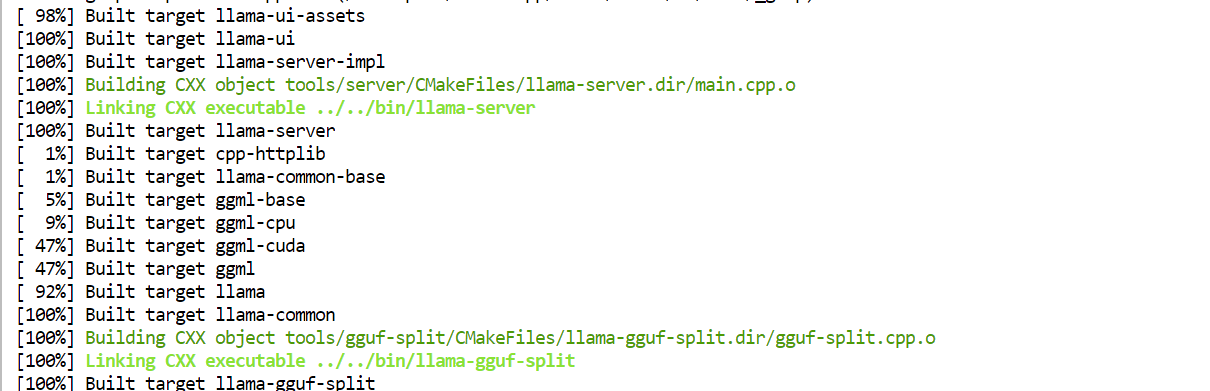
Finally, copy the compiled executables into the main llama.cpp directory so they are easier to access:
cd /workspace
cp llama.cpp/build/bin/llama-* llama.cpp/Install the Hugging Face CLI and Xet download support:
pip install -U huggingface_hub hf_xetThe Hugging Face token was already added to the RunPod environment variables when the Pod was deployed, so no additional login is required.
Create directories on the 500 GB volume disk for the Hugging Face cache and Inkling model:
mkdir -p /workspace/models/huggingface
mkdir -p /workspace/models/inkling-GGUF
Set the cache location and enable high-performance downloads:
export HF_HOME=/workspace/models/huggingface
export HF_XET_HIGH_PERFORMANCE=1
Download only the UD-Q2_K_XL quantization:
hf download unsloth/inkling-GGUF \
  --include "UD-Q2_K_XL/*" \
  --local-dir /workspace/models/inkling-GGUF
The download time will depend on your internet connection.
My download speed was limited to approximately 130 MB/s, and the model took around 42 minutes to download.

Run the following command to load Inkling across all four GPUs and launch an OpenAI-compatible inference server:
CUDA_VISIBLE_DEVICES=0,1,2,3 \
/workspace/llama.cpp/llama-server \
  -m /workspace/models/inkling-GGUF/UD-Q2_K_XL/inkling-UD-Q2_K_XL-00001-of-00008.gguf \
  --alias inkling-local \
  --host 0.0.0.0 \
  --port 8910 \
  --gpu-layers all \
  --split-mode layer \
  --tensor-split 1,1,1,1 \
  --ctx-size 8192 \
  --parallel 1 \
  --flash-attn on \
  --jinja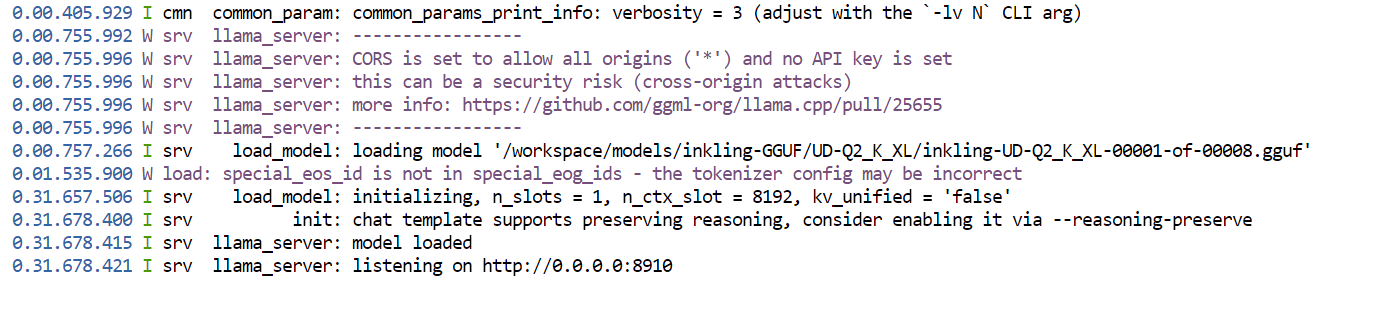
The command:
llama.cpp automatically detects and loads the other seven shards.8910.Open another Jupyter terminal and check GPU usage:
nvidia-smi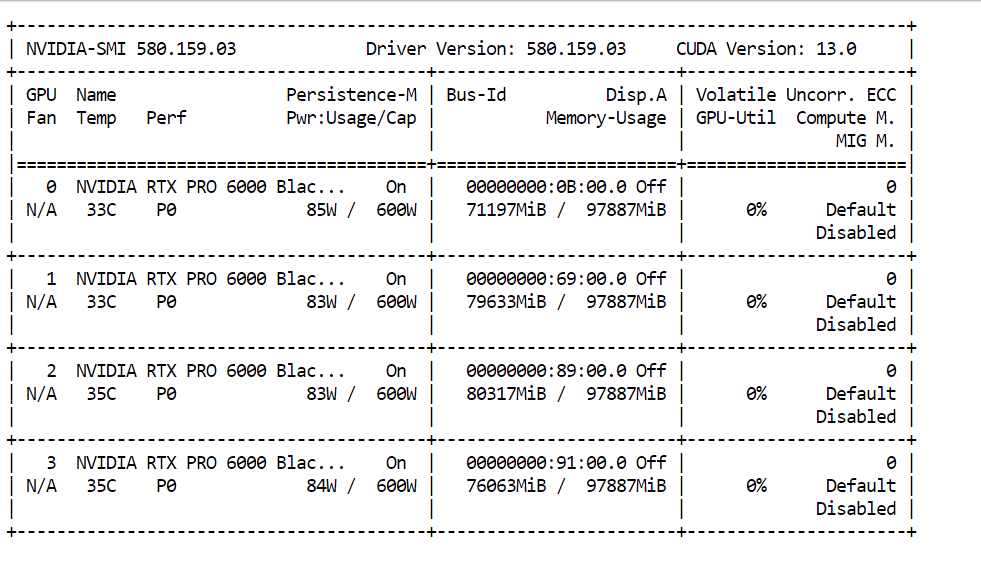
In this setup, approximately 85% of the available GPU memory was used after loading the model with an 8,192-token context window.
Larger context windows require additional KV-cache memory, so running Inkling with a context such as 100,000 tokens would require considerably more available memory.
The local OpenAI-compatible API is available at:
http://127.0.0.1:8910/v1Before testing Inkling through the Web UI, first confirm that the inference server is running and returning responses. Open a new terminal and send a test request to the local API:
curl http://127.0.0.1:8910/v1/chat/completions \
  -H "Content-Type: application/json" \
  -d '{
    "model": "inkling-local",
    "messages": [
      {
        "role": "user",
        "content": "Write a Python function to calculate the Fibonacci sequence."
      }
    ],
    "max_tokens": 1024,
    "temperature": 0.2
  }'
The API returned successfully, processing the prompt at 81.1 tokens per second and generating at 37.2 tokens per second.
It used 25 prompt tokens and 256 completion tokens, but stopped because it reached the output limit before producing the final answer. Increasing max_tokens allows the model to complete its response.
Return to the RunPod dashboard, open the Connect tab, and click the link listed under HTTP Services for port 8910.
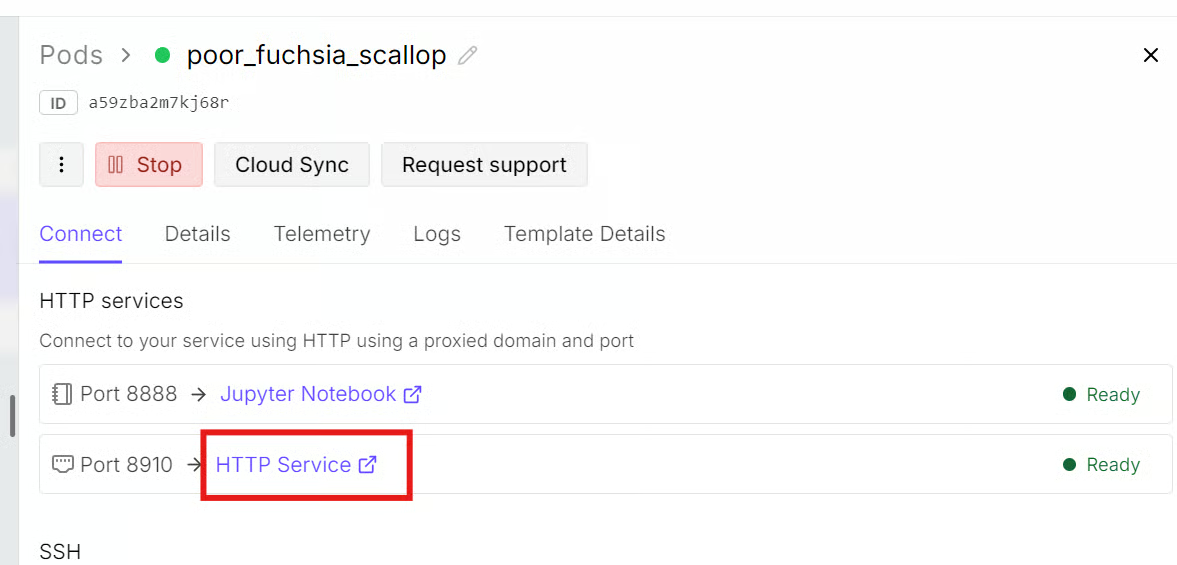
The built-in llama.cpp Web UI provides a simple ChatGPT-style interface for sending prompts, adjusting generation settings, and viewing responses.
The same server also exposes an OpenAI-compatible API for connecting external applications and tools.
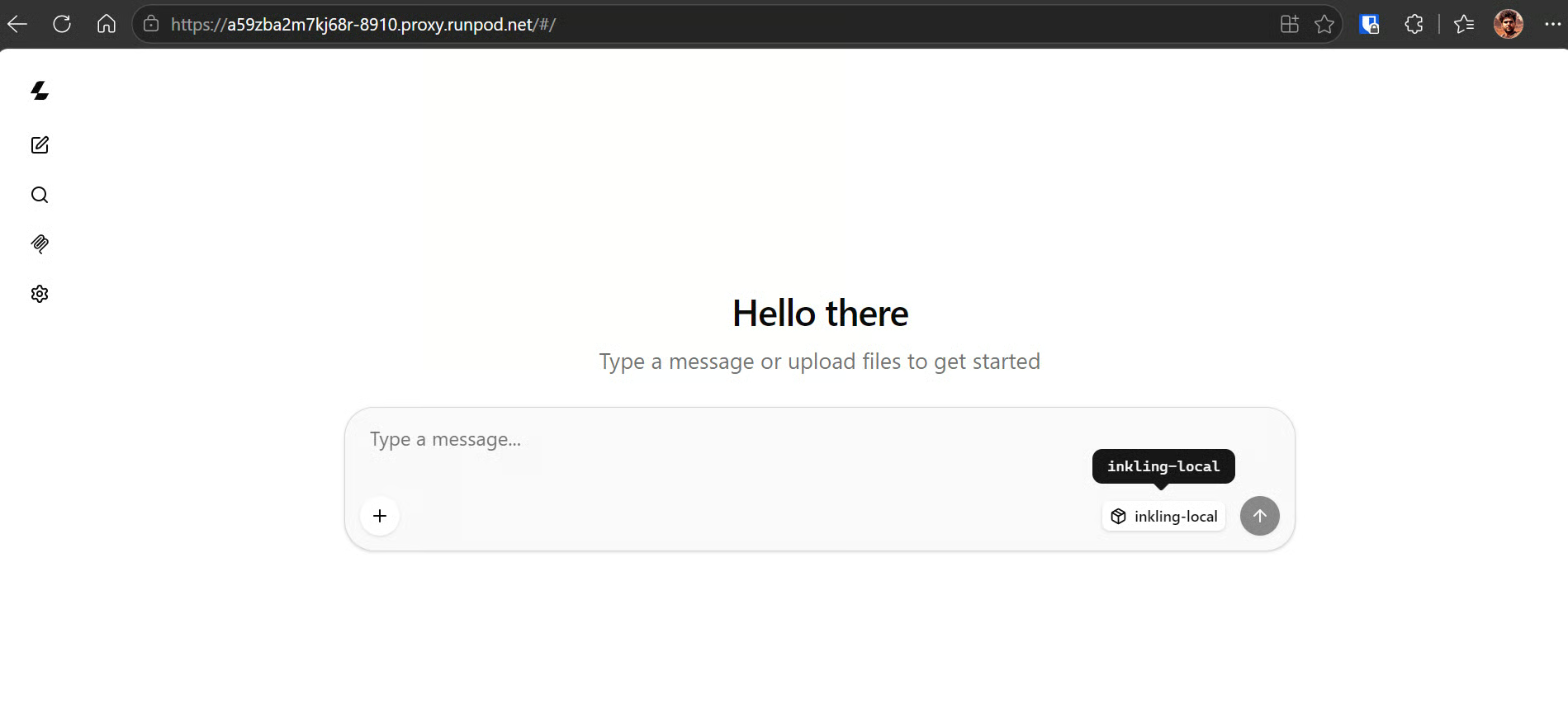
Start with a coding prompt:
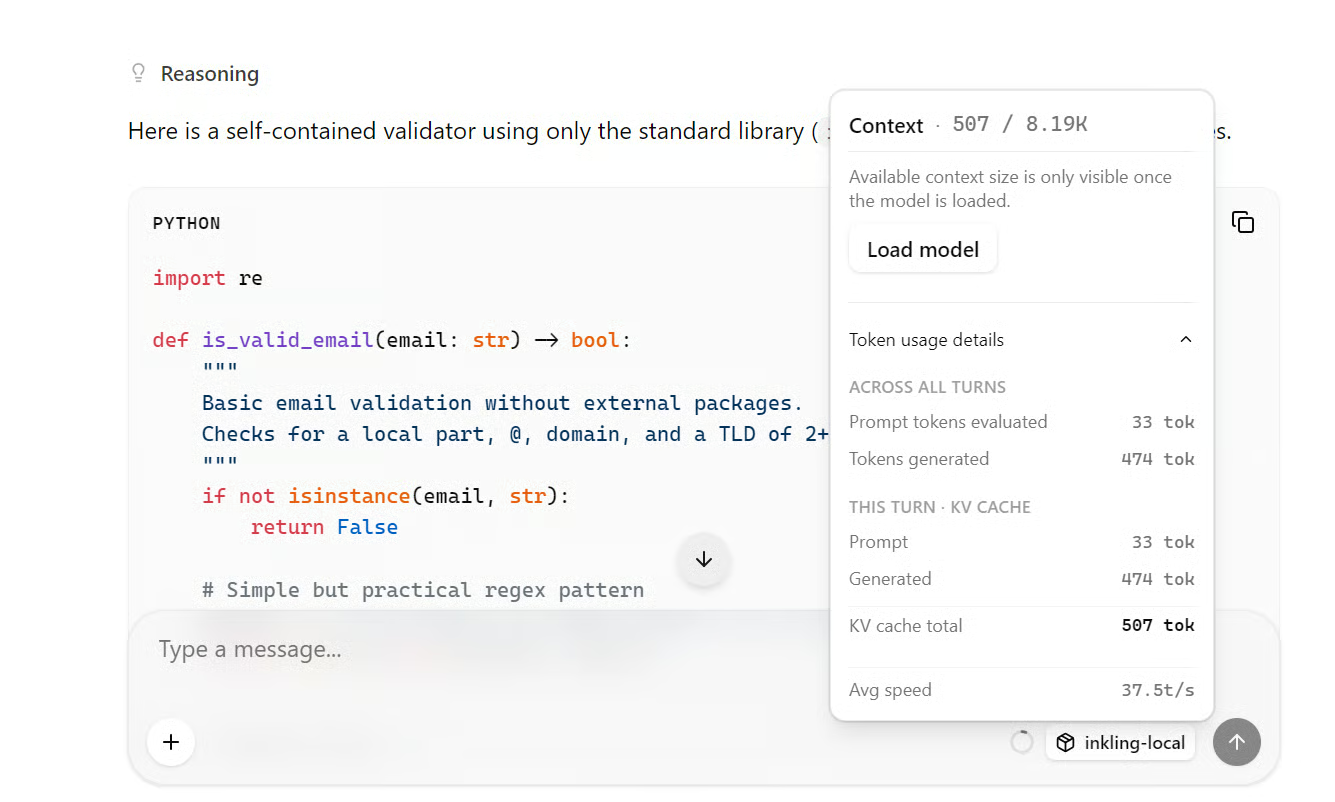
Write a Python function that validates an email address without external packages.
Include three pytest tests.
Inkling generated a complete explanation and working code at an average speed of approximately 37.5 tokens per second.
Next, I asked it to create a personal website. Despite using a heavily quantized model, Inkling produced a polished layout, clean interface, and functional website code.

Inkling did not impress me in either the local setup or the online Playground.
The responses were usable but average, and several smaller open-source models produced better results for similar tasks.
However, Inkling is not designed to dominate a single category.
It is a balanced, general-purpose model that combines coding, writing, reasoning, multilingual, vision, and audio capabilities. It performs reasonably across many benchmarks rather than leading one specific area.
For dedicated coding, research, or writing tasks, stronger open-source and closed-source alternatives are available.
Inkling’s value lies in its flexibility: it is open-weight, multimodal, customizable, and can be trained or fine-tuned through Tinker, Thinking Machines’ open-source platform for model training and customization.
This release may have reduced some of the initial hype, but it also clarified the company’s direction.
Thinking Machines does not appear to be competing only for the highest benchmark scores. Instead, it is building a broader ecosystem around adaptable models that organizations can fine-tune and use across many different tasks.
Top DataCamp Courses
コース
コース
コース
チュートリアル
Abid Ali Awan
8 分
チュートリアル
Abid Ali Awan
11 分
チュートリアル
Abid Ali Awan
9 分
チュートリアル
Abid Ali Awan
9 分
チュートリアル
Abid Ali Awan
10 分
チュートリアル
Abid Ali Awan
10 分