
Track
Kimi Claw is Moonshot AI’s attempt to turn a conversational model into a persistent personal AI agent that runs in the cloud. Instead of responding to isolated prompts, Kimi Claw can maintain long-term context, run scheduled tasks, install task-specific skills from ClawHub, generate files in a dedicated workspace, and connect to external channels like Telegram.
What makes Kimi Claw interesting is its focus on continuous workflows rather than one-time interactions. You can ask it to monitor a domain daily, analyze datasets using reusable skills, conduct multi-step research, or automate recurring tasks, all through natural language, without managing infrastructure, APIs, or automation tools.
In this tutorial, I’ll walk through what Kimi Claw is and where it fits, then share five hands-on experiments that test its real-world behavior. I also recommend checking out our tutorial on OpenClaw and our guide to Nanobot.
What is Kimi Claw?
Kimi Claw is a cloud-hosted personal AI agent built into Kimi. Instead of acting like a stateless chatbot, it runs continuously with:
- Long-term memory
- Custom persona and behavior
- Scheduled tasks
- ClawHub skill installation
- File workspace
- External channel integrations
Under the hood, Kimi Claw runs on the Kimi K2.5 Thinking model inside a managed cloud workspace. This reasoning-optimized variant is designed for multi-step planning, tool use, and structured decision-making, which enables Kimi Claw to handle workflows like research, scheduling, and skill execution more reliably.
All execution happens in Kimi’s infrastructure, which means:
- No local installation
- No API keys or environment setup
- No server or automation configuration
In practice, Kimi Claw behaves like a lightweight agent runtime, where natural language instructions can create persistent workflows such as daily research digests, dataset analysis pipelines, or long-running monitoring tasks.
If you want to learn more about the underlying model and its agent capabilities, I recommend the Kimi K2.5 and Agent Swarm tutorial.
Note: Kimi Claw is currently limited to Allegretto plans and above.
Getting Started with Kimi Claw
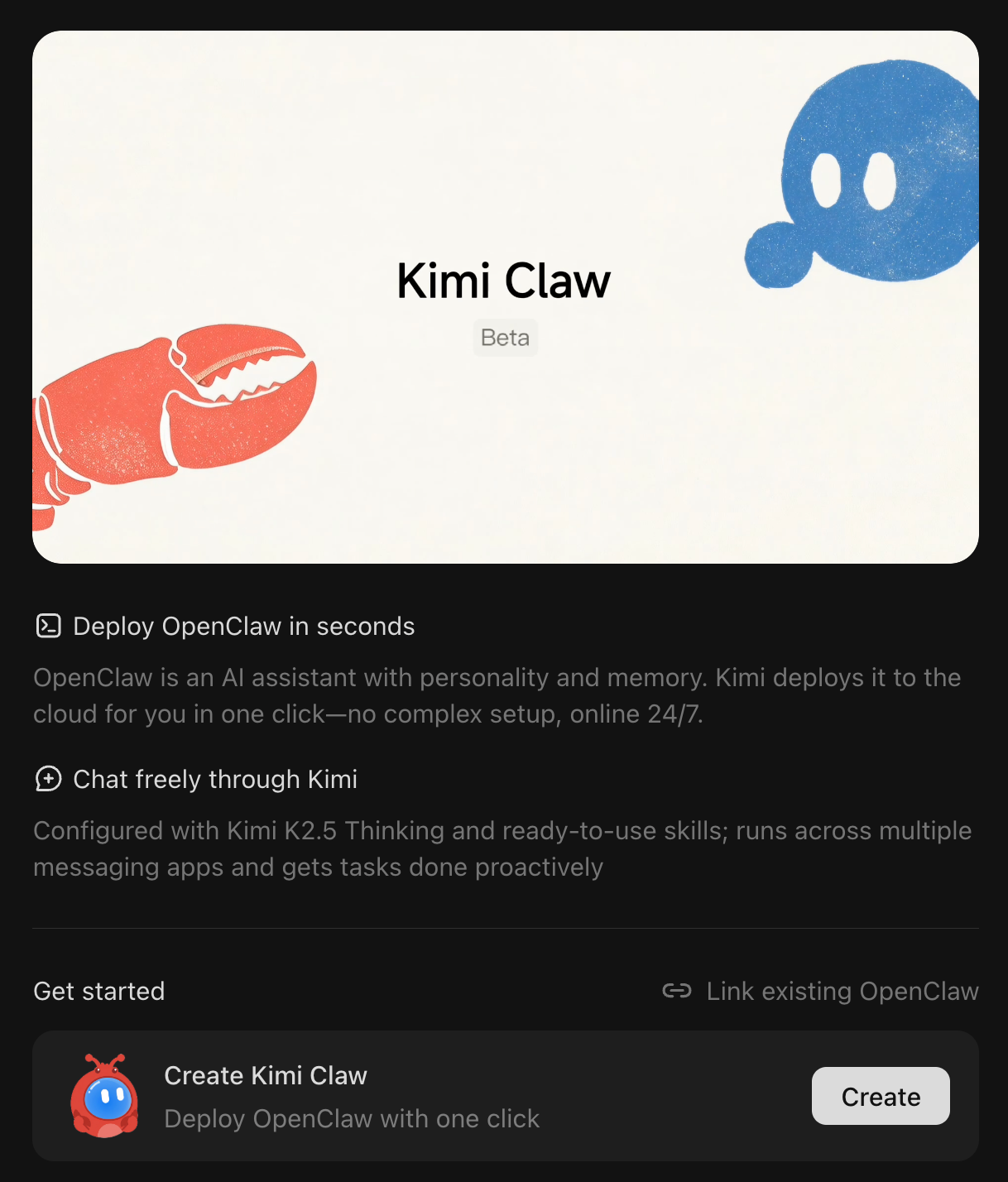
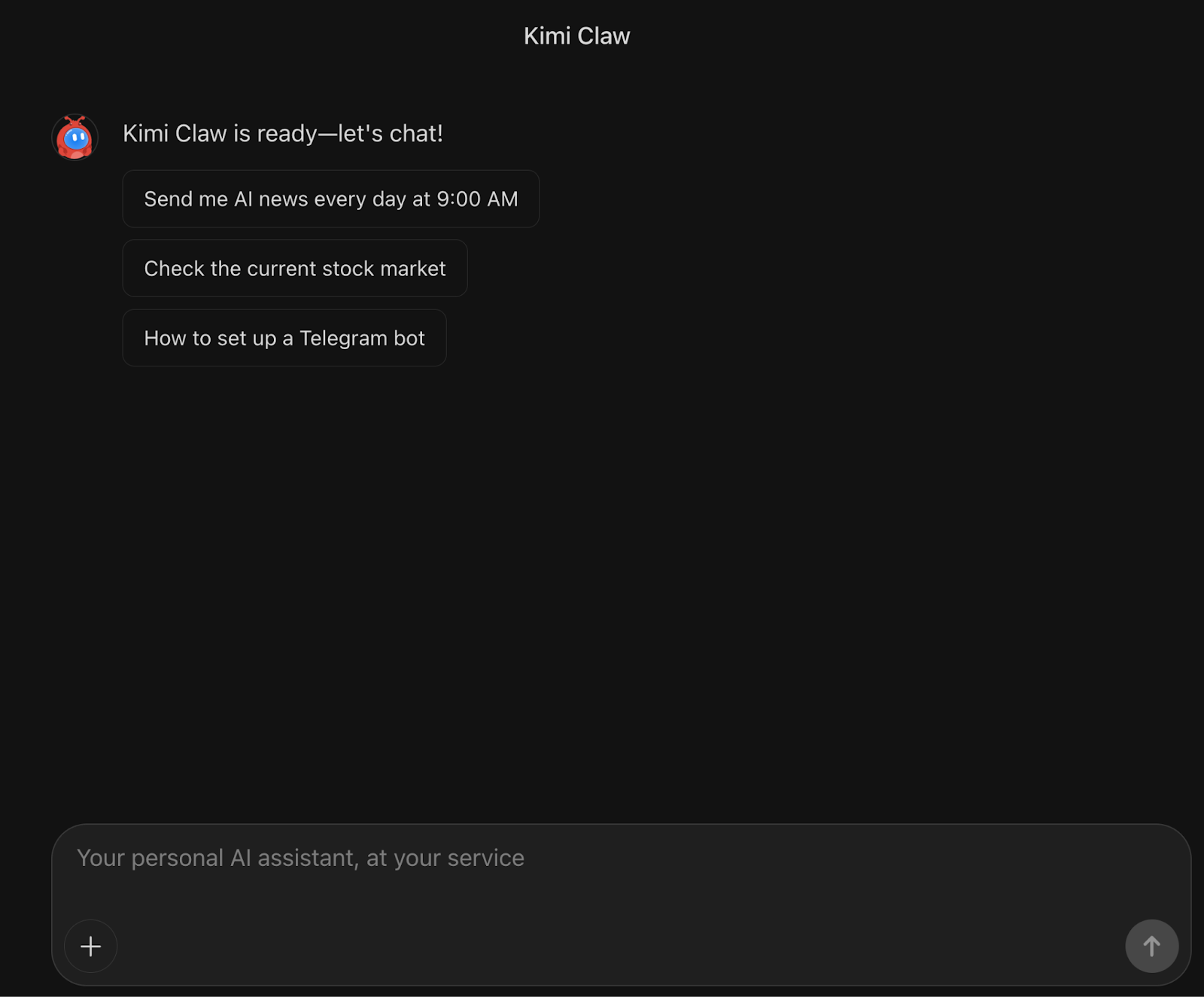
Before exploring the examples, let’s set up your personal Kimi Claw workspace. The process is quick and requires no technical configuration as everything runs in the cloud and is ready within a minute.

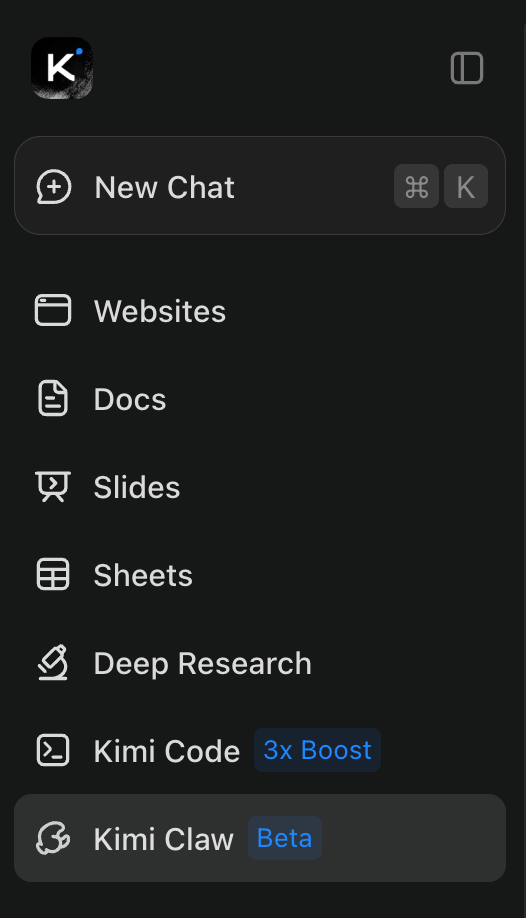
- Click Create Kimi Claw (or link an existing OpenClaw)
- Wait ~30–60 seconds for the workspace to initialize

Once ready, you’ll see a persistent chat interface connected to your personal agent environment.
Kimi Claw: Examples and Observations
In this section, I’ll share my hands-on experience testing Kimi Claw across a range of real-world scenarios.
Example 1: Real-time information assistant
In this example, I tested if Kimi Claw behaved like a real-time information assistant or a static chatbot by passing it prompts that required live information from the web.
Prompt:
Check the current stock market
Gold price today in INR
After the prompt, it automatically performed a live web search, retrieved the latest market data, and also returned the gold price in INR along with the current date, indicating that the response was grounded in up-to-date information.
The lookup completed within a few seconds, and the output included contextual details instead of just a numeric value, which was useful for quick decision checks. Another important observation is that this interaction remained stateless and lightweight, behaving more like a standard web-enabled assistant without introducing any additional agent overhead.
Overall, Kimi Claw works reliably for live information retrieval, but its real advantage becomes more apparent in automated workflows rather than simple real-time queries.
Example 2: Set scheduled tasks
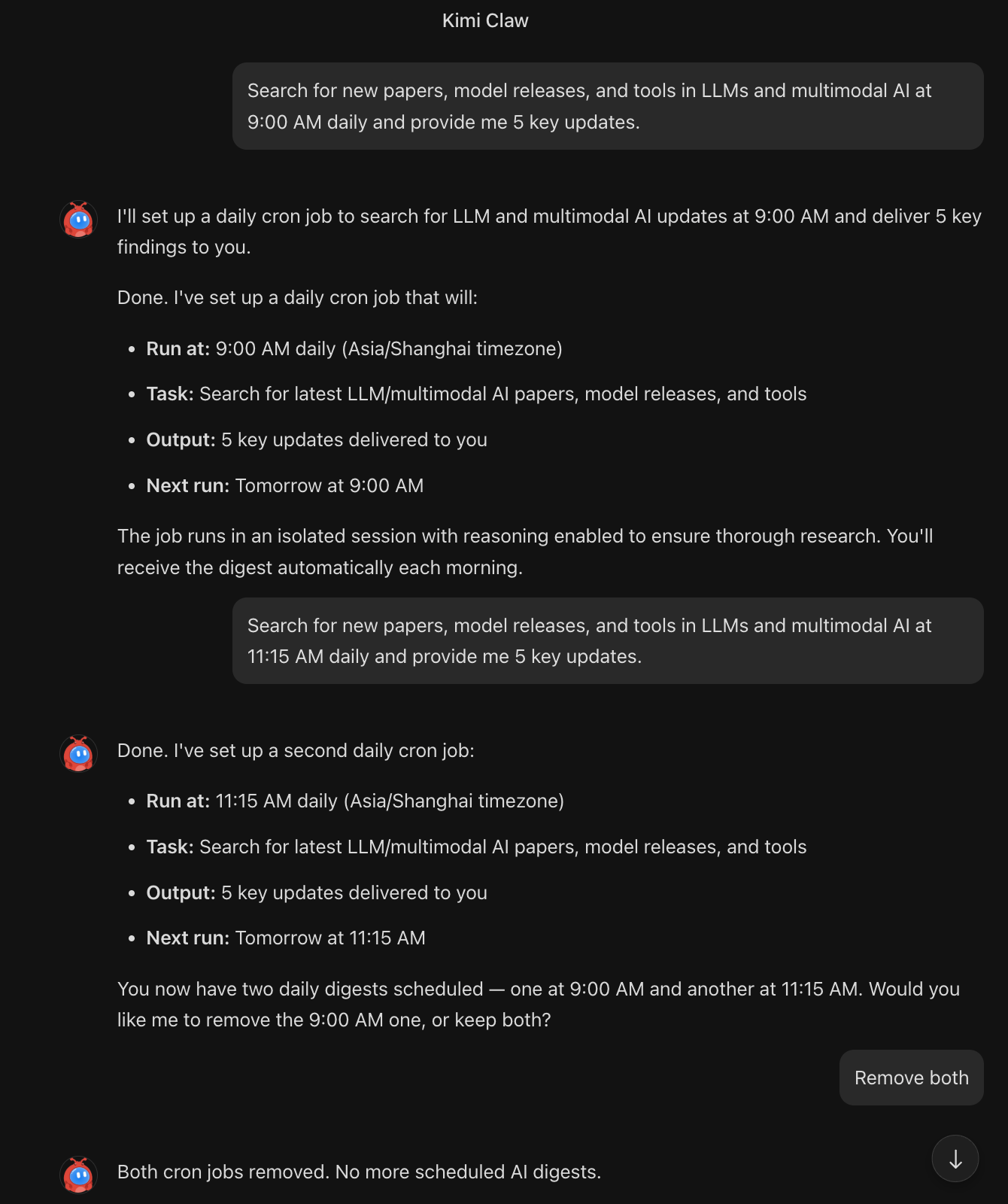
In this example, I asked Kimi Claw to perform a scheduled task that included a web search and summary generation. Kimi Claw interpreted the instruction as a recurring workflow and automatically created a cron-style scheduled task that runs every day.
Prompt:
Search for new papers, model releases, and tools in LLMs and multimodal AI at 9:00 AM daily and provide me 5 key updates.
The agent performs the web search for new papers, model releases, and tools in LLMs and multimodal AI, then delivers a concise summary with five key updates each morning. As shown in the screenshot, Kimi Claw automatically created a cron-style job that runs every day at 9:00 AM using just a single natural language prompt. In practice, this feels like turning a simple chat instruction into a persistent background task.

Another notable aspect is task management. I tested adding a second similar digest and later removed both. So, creating, updating, and deleting these scheduled tasks was as simple as issuing follow-up chat commands, which makes ongoing automation management lightweight and conversational.
Once configured, these tasks run independently of the chat session and effectively turn Kimi Claw into a continuous monitoring system for specific information domains. However, the current limitation is operational visibility. While the cron-like execution works reliably, there is limited visibility into execution logs, delivery history, or failure handling, giving users only minimal monitoring and control over the task lifecycle.
Overall, this example demonstrates one of Kimi Claw’s most practical capabilities i.e., converting a simple prompt into a persistent cron job that continuously gathers and summarizes information with minimal setup.
Example 3: Clawhub Skill library
In this example, Kimi Claw demonstrated its ability to extend functionality through the ClawHub Skill Library, turning the agent into a task-specific analysis tool rather than relying only on general reasoning.
Prompt
Search ClawHub and install the best skill for CSV EDA and insights (charts if supported). After installing, run a step-by-step flow and ask me the minimum questions needed, then analyze the dataset.
After the prompt, the system automatically searched ClawHub, selected an appropriate CSV analysis skill, and initiated a structured workflow. Instead of immediately running the analysis, it first asked a small number of targeted questions about the dataset objective and context.
This step-by-step intake process is important because it shows that the skill follows a defined execution pipeline rather than producing a generic EDA summary.
Once the inputs were clarified, the skill performed the analysis end-to-end, including data overview, quality checks, key insights, and chart generation. But, the main limitation appeared in the output handling.
Although charts were generated but, they were not rendered inline in the chat interface. Instead, the system returned a file path: /root/.openclaw/workspace/ev_brand_analysis.png.
This path refers to the internal cloud workspace, which is not directly accessible from the browser. As a result, the visualizations could neither be previewed nor easily downloaded.
Overall, this skill execution itself is reliable and workflow-oriented, making it useful for structured tasks like dataset analysis. However, artifact visibility and file access are still limited, which reduces usability for workflows that produce downloadable outputs.
Example 4: Multi-step research task
In this example, I tried asking Kimi Claw to handle a research-oriented task that required gathering information from multiple sources and synthesizing it into a structured comparison. After the prompt, the agent performed web searches and organized the findings into a clear report.
Research the top 5 open-source agent frameworks.
Compare:
- Architecture
- Memory model
- Tool support
- Production readiness
Return a structured report.
I found that, instead of listing information sequentially, the response was structured for comparison, making it easier to evaluate trade-offs across frameworks. This suggests that Kimi Claw applies a planning-style workflow for broader research tasks, where information retrieval and synthesis happen together rather than as isolated steps.
Another notable aspect is efficiency. The task completed within a reasonable time and did not require follow-up clarification, indicating that Kimi Claw handles well-defined, multi-constraint prompts reliably even without explicit step-by-step instructions.
However, the current beta limitations are still visible. While the output quality is strong, some sections lacked explicit source citations or assumptions, which are important for technical decision-making. For deeper research workflows, additional verification or manual validation may still be necessary.
However, despite being in beta with some operational constraints, it is efficient at turning a single prompt into a structured research brief that would otherwise require multiple manual searches and steps.
Example 5: Telegram AI analyst
In this example, I tested Kimi Claw’s ability to operate as an external communication agent by integrating it with Telegram using BotFather (a bot generator bot) token.
Prompt
Configure Telegram channel and test:
Team Q&AMeeting summariesResearch bot for group
Kimi Claw generated step-by-step instructions, handled the pairing process, and confirmed the connection without requiring any manual configuration outside the chat interface. This shows that Kimi Claw can handle external integrations through guided natural language instructions instead of traditional manual configuration workflows.
However, the operational behavior was inconsistent after the connection. The bot did not reliably respond in the Telegram environment, and group-based interactions such as team Q&A or research assistance did not work as expected.
This aligns with the current documentation, which indicates that channel integrations are still in beta and may not work reliably in all scenarios.
The key takeaway from this example is that while the integration flow is functional, the runtime reliability for external channels is not yet production-ready. The feature shows potential for turning Kimi Claw into a team assistant across communication platforms, but at the moment, it should be considered experimental.
Conclusion
In this tutorial, Kimi Claw showed how a conversational model can function as an agent that handles ongoing work rather than one-time queries. Across the examples, it was able to turn simple natural language instructions into scheduled jobs, structured research, skill-driven analysis, and external integrations without much human intervention.
At the same time, the hands-on experiments also highlight its current boundaries. While scheduling and research workflows work reliably, areas like artifact visibility, file access, monitoring controls, and external channel integrations are still limited.
Overall, Kimi Claw performs best for wide, asynchronous workflows such as daily monitoring, multi-step research, and lightweight automation. For developers, researchers, and knowledge workers who want to explore agent workflows (especially without setting up OpenClaw on their device and without managing infrastructure), it provides a simple and promising environment to start experimenting.
If you want to learn more about building agentic workflows, I recommend checking out the Multi-Agent Systems With LangGraph course.
Kimi Claw FAQs
Is Kimi Claw free to use?
No, Kimi Claw is not available on the free tier. It currently requires an Allegretto membership($39/month) or higher. Once enabled, it runs on Kimi’s cloud infrastructure and uses your existing Kimi quota, so no separate API setup or billing configuration is required.
What is the difference between Kimi Chat and Kimi Claw?
Standard Kimi Chat is session-based traditional chatbot, while Kimi Claw, on the other hand, is a persistent cloud agent with:
- Long-term memory
- Scheduled tasks
- ClawHub skill installation
- File workspace
- External channel integrations
It is designed for ongoing workflows rather than one-time conversations.
Can Kimi Claw be connected to external tools or messaging platforms?
Kimi Claw supports integration with Telegram through a bot token. However, this feature is currently in beta and may not work reliably in all cases. Other channel integrations and expanded external connectivity are expected in future updates.
Can I run Kimi Claw locally or access it via terminal?
No. Kimi Claw is a fully managed cloud-only environment. Users interact with it through the web or supported channels. Direct SSH, terminal access, or local deployment is not currently available, although a terminal-style interface has been mentioned as a future feature.

I am a Google Developers Expert in ML(Gen AI), a Kaggle 3x Expert, and a Women Techmakers Ambassador with 3+ years of experience in tech. I co-founded a health-tech startup in 2020 and am pursuing a master's in computer science at Georgia Tech, specializing in machine learning.