Course
Introduction to Python
4 hr
7M
The best way to learn Python is to build familiarity through repetition, experimentation, and problem‑solving. This is why the “learn by doing” philosophy sits at the core of how effective programmers are trained.
Writing code, making mistakes, and fixing them is how you can build real skills for yourself.
In this article, we’ll work through a structured set of Python exercises designed specifically for beginners. The exercises start with simple variables and gradually move to functions, data structures, and small data projects.
Before you read any further, here is a challenge for you: try to solve the first three exercises in this article immediately, without looking ahead at the explanations. Even if you get stuck, the act of trying is where most of the learning happens.
If you prefer a more guided experience, DataCamp courses automatically check your syntax and logic step‑by‑step. This prevents small mistakes from blocking progress and is especially helpful for beginners. A good starting point is the Introduction to Python course.
Before jumping into the exercises, you need a basic environment to write and run Python code. Fortunately, getting started is easier than ever.
To run Python locally, install a beginner‑friendly code editor such as Visual Studio Code.
A typical setup looks like this:
Install Python from the official website
Install Visual Studio Code
Add the Python extension inside VS Code
Create a new .py file and start coding
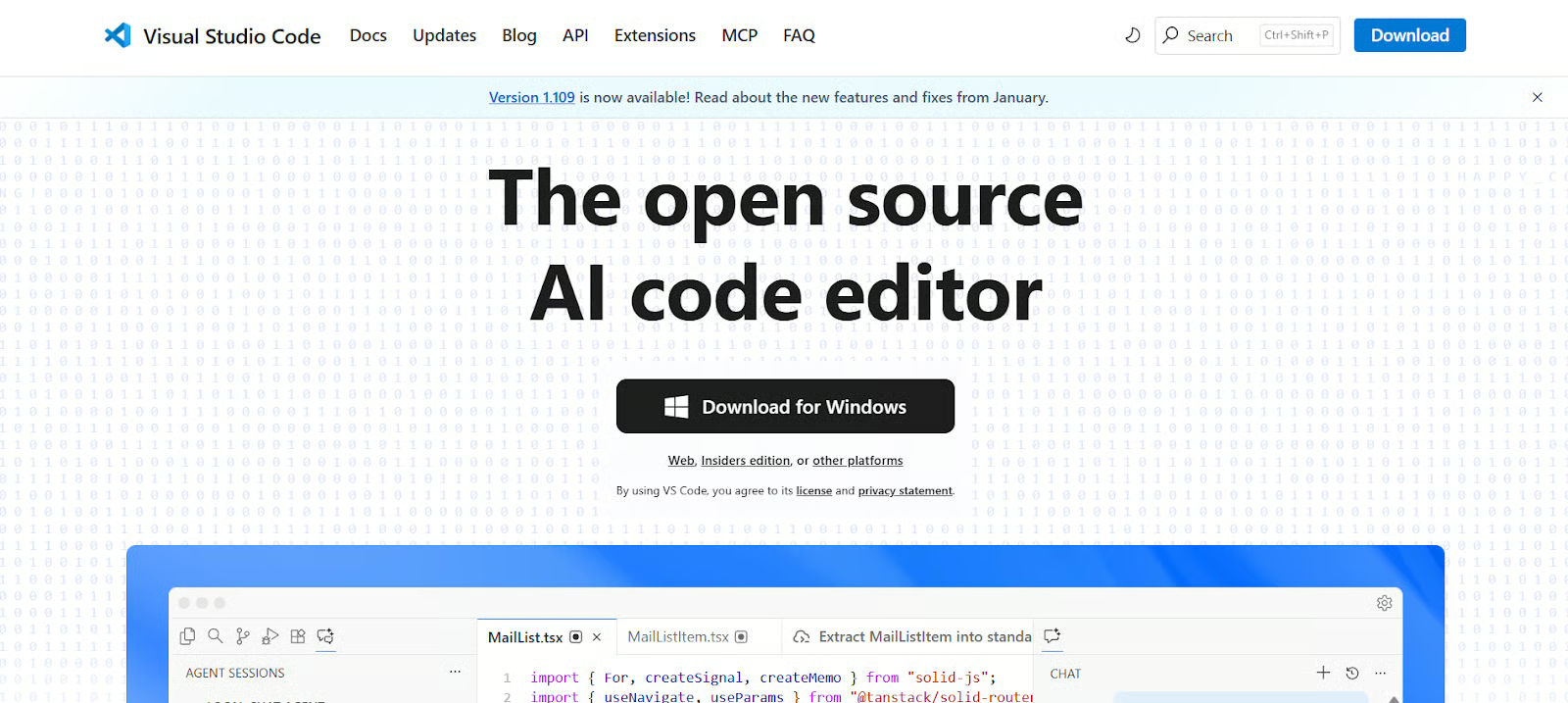
VS Code is a good place to start coding, as it’s open-source and free to use. You can visit their download page to download the software. Go ahead and install it once the download is complete.
If you prefer not to install anything, you can use DataLab, a browser‑based environment that lets you run Python (and SQL) code instantly. It is ideal for following along with tutorials, testing snippets, and experimenting without worrying about setup issues.
To maximise your learning, each exercise in this article is designed to be attempted before reading the solution or explanation.
Here’s the best way to make full use of these exercises:
A complete answer key for all exercises is available in a linked DataLab workbook here. This allows you to compare your approach with a working solution and understand alternative ways of solving the same problem.
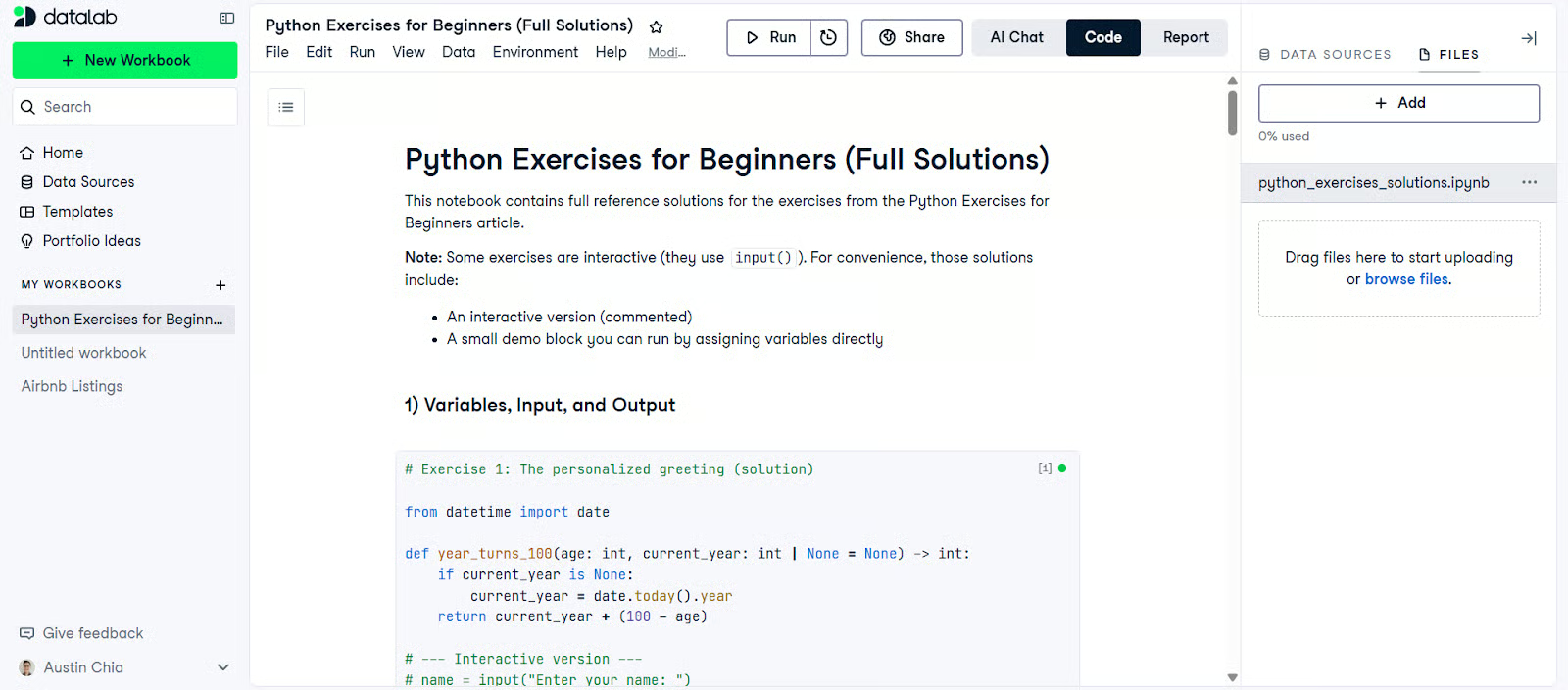
Let’s start off with some basic exercises that focus on basic building blocks: storing values, reading user input, and printing output to the screen.
To start, let’s look at a simple Python exercise that prints a personalized message.
Write a program that:
Asks the user for their name using input()
Asks the user for their age using input()
Prints a greeting message using formatted strings
Calculates the year the user turns 100
Before writing any code, it helps to think about how information flows through a simple program like this. The user provides raw input as text, Python stores that input in variables, and you then transform those values into something meaningful.
This exercise mirrors many real programs, where user input is rarely usable in its original form and must be validated or converted first.
Here’s some starter code to guide you through:
# Task: Ask for the user's name
name = input("Enter your name: ")

# Task: Ask for the user's age (note: input() returns a string)
age_str = input("Enter your age: ")

# Task: Convert age_str to an int
# age = ...

# Task: Calculate the year the user turns 100
# Tip: you'll need the current year
# current_year = ...
# year_turn_100 = ...

# Task: Print a personalized message using an f-string
# print(...)input() always returns a string
Converting strings to integers using int()
Basic arithmetic with numbers
String formatting using f-strings
This exercise teaches you that user input often needs to be transformed before it can be used in calculations.
Let’s apply your Python skills to some basic unit conversions.
Write a program that:
Asks the user for a temperature in Celsius
Converts it to Fahrenheit using the formula: F = (C × 9/5) + 32
Prints the converted temperature
Here’s some starter code to guide you through:
# Task: Ask the user for a Celsius temperature
celsius_str = input("Temperature in Celsius: ")

# Task: Convert the input to a float
# celsius = ...

# Task: Apply the conversion formula
# fahrenheit = ...

# Task: Print the result (consider formatting to 1–2 decimal places)
# print(...)Floating‑point numbers
Arithmetic expressions
Type casting with float()
This exercise reinforces that not all numeric inputs are whole numbers and that Python handles decimals naturally.
This exercise looks trivial, but all too often, beginners like to think of variables as boxes that must be emptied and refilled step by step. Let’s look at how we can do a value swap in Python.
You are given two variables: a = 5 and b = 10. Swap their values without manually reassigning them value‑by‑value.
Python allows a more expressive way to think about assignment, where values can be unpacked and reassigned in a single operation.
Here’s some starter code to guide you through:
a = 5
b = 10

# Task: Swap a and b
# Hint: Try a temporary variable first.
# Then try the Pythonic approach (tuple unpacking).

# Task: Print the swapped values to verify
# print("a:", a)
# print("b:", b)This introduces tuple unpacking, a feature that makes Python both concise and expressive.
For more information on basics, check out our Python Cheat Sheet.
Control flow allows your programs to make decisions and repeat actions based on conditions.
A common use case of the modulo operator is to do an odd/even check. Let’s try this below.
Write a program that:
Asks the user for a number
Uses the modulo operator %
Prints whether the number is even or odd
Here’s some starter code to guide you through:
# Task: Ask the user for a number
num_str = input("Enter a whole number: ")

# Task: Convert to int
# num = ...

# Task: Use modulo (%) to decide even vs odd
# if ...:
#     print("Even")
# else:
# print("Odd")Modulo operator
Boolean logic
This is often the first example where beginners see how conditions control program behavior.
One common programming challenge done by many is the FizzBuzz challenge. Let’s look at what this exercise entails.
Print numbers from 1 to 100 with the following rules:
Multiples of 3 print Fizz
Multiples of 5 print Buzz
Multiples of both print FizzBuzz
This exercise trains you to think carefully about decision trees and edge cases, which is a crucial skill when writing real programs.
Here’s some starter code to guide you through:
# Task: Loop from 1 to 100
for n in range(1, 101):
    # Task: Check multiples of 3 AND 5 first
    # if ...:
    #     print("FizzBuzz")

    # Task: Then multiples of 3
    # elif ...:
    #     print("Fizz")

    # Task: Then multiples of 5
    # elif ...:
    #     print("Buzz")

    # Task: Otherwise, print the number
    # else:
    #     print(n)
passfor loops
Conditional ordering
Logical operators
This exercise is a rite of passage for programmers and is commonly used to teach structured thinking in control flow. Read more on loops in our Python Loop tutorial.
This exercise introduces interactive programs that respond dynamically to user input.
Write a program that:
Generates a random number (importing random)
Uses a while loop to ask for guesses
Prints "Too high" or "Too low" feedback after every guess
Stops when the correct number is guessed
This is often the first exercise where beginners experience a program that feels interactive rather than linear. Unlike earlier scripts that run from top to bottom and exit, this program keeps running until a condition is met.
The key conceptual leap here is understanding loop termination.
Here’s some starter code to guide you through:
import random

# Task: Pick a random number in a reasonable range
# target = random.randint(1, 100)

# Task: Use a while loop to keep asking until correct
# while ...:
#     guess_str = input("Your guess (1–100): ")
#     # guess = ...
#     # if guess > target:
#     #     print("Too high")
#     # elif guess < target:
#     #     print("Too low")
#     # else:
#     #     print("Correct!")
# # breakImporting modules (random)
while loops
Loop termination conditions
Lists allow you to work with collections of values, while loops let you process them efficiently.
This pattern appears frequently in data processing and analytics workflows.
Write a program that sums all numbers in a list without using the built‑in sum() function. The program itself should perform the summation logic explicitly in a loop rather than relying on other aggregation helpers.
Here’s some starter code to guide you through:
numbers = [3, 7, 2, 9, 4]

# Task: Create an accumulator variable
# total = ...

# Task: Loop through numbers and add each value to total
# for ...:
#     ...

# Task: Print the final total
# print(total)Initializing an accumulator variable
Iterating with for loops
Updating values step‑by‑step
For more list-related examples, check out our guide on the Most Common Python List Questions.
The next exercise is a bit similar to the previous one, but it works differently within the loop. It reinforces algorithmic thinking and mirrors how built‑in functions work internally.
Challenge the user to find the largest number in a list without using max().
Here’s some starter code to guide you through:
numbers = [12, 5, 27, 3, 19]

# Task: Initialize current_max using the first element
# current_max = numbers[0]

# Task: Loop through the remaining elements and update current_max
# for ...:
#     if ...:
#         current_max = ...

# Task: Print the largest number
# print(current_max)Real-world data is messy, and messy data often involves duplicate data points. The following exercise prepares you for data cleaning tasks.
Turn a list containing duplicate elements into a new list with only unique items.
At first glance, this problem may seem simple, but it introduces the idea of tracking what you have already seen. This is a foundational concept in data processing, where identifying and removing duplicate records is a routine task.
Here’s some starter code to guide you through:
data = ["apple", "banana", "apple", "orange", "banana", "kiwi"]

# Task: Create a new list for unique items
# unique = []

# Task: Loop through data and append items you haven't seen yet
# for item in data:
#     if ...:
#         ...

# Task: Print or return the unique list
# print(unique)Membership checks using in
Building new lists
Understanding data uniqueness
Dictionaries and strings are essential for organizing and transforming textual data. Let’s take a look at how to handle them.
This exercise teaches you how to build frequency tables, a common data analysis task.
Take a string input and return a dictionary counting how often each character appears.
This exercise represents a major conceptual step: building a data structure dynamically as your program runs. Instead of working with a predefined list or dictionary, you create and update entries based on the data you encounter.
Here’s some starter code to guide you through:
text = input("Enter some text: ")

# Task: Create an empty dictionary
# counts = {}

# Task: Loop over each character and update counts
# for ch in text:
#     # Option A: counts[ch] = counts.get(ch, 0) + 1
#     # Option B: if ch in counts: ... else: ...
#     pass

# Task: Print the frequency table
# print(counts)Dictionaries
.get() method
Conditional initialization
This exercise touches on dictionary logic, which forms the foundation for understanding tabular data structures later on.
Create a program that stores names and numbers in a dictionary and allows the user to search by name.
This exercise introduces the idea of using a program as a persistent lookup tool rather than a one‑off calculation. You are modeling a simplified version of how many applications store and retrieve information.
Here’s some starter code to guide you through:
phonebook = {
    # "Alice": "9123 4567",
    # "Ben": "9876 5432",
}

# Task: (Optional) add entries via input()
# name = input("Name to add: ")
# number = input("Number to add: ")
# phonebook[name] = number

# Task: Search loop (one lookup is fine for a start)
query = input("Search name: ")

# Task: Print the number if found, otherwise print a friendly message
# if ...:
#     print(...)
# else:
# print("Not found")If you want to dive deeper into dictionaries, I recommend reading our comprehensive guide on Python Dictionary Methods.
This exercise combines text processing with logical comparison by looking at palindromes.
A palindrome is any word, phrase, number, or sequence of characters that reads the same backward as forward. Create a script that checks if a string reads the same backward and forward (ignoring case and spaces).
Here’s some starter code to guide you through:
text = input("Enter a word or phrase: ")

# Task: Normalize (lowercase + remove spaces)
# normalized = ...

# Task: Reverse using slicing
# reversed_text = ...

# Task: Compare and print a result message
# if ...:
#     print("Palindrome")
# else:
# print("Not a palindrome")String methods (lower(), replace())
String slicing ([::-1])
Functions allow you to write reusable, organized code instead of repeating logic.
The factorial calculator will help you understand return values, which are critical for building larger programs.
Define a function that takes an integer and returns its factorial using a loop.
The distinction between printing a value and returning a value is especially important. Returning results allows your function to be composed with other code, which is essential when programs grow beyond a single file.
Here’s some starter code to guide you through:
def factorial(n: int) -> int:
    """Return n! (factorial of n) using a loop."""
    # Task: Decide how to handle n < 0

    # Task: Initialize result
    # result = ...

    # Task: Multiply result by each integer from 1 to n
    # for ...:
    #     ...

    # Task: Return the computed factorial
    # return result
    pass

# Optional quick test
# print(factorial(5)) # expected: 120Read more on functions in our Python functions tutorial.
We’ll look at a prime number validator function next. This will help you learn how to make reusable functions.
Write a function that returns True if a number is prime and False otherwise.
Prime checking also demonstrates how functions can encapsulate logic cleanly. Once written, the function can be reused anywhere without needing to understand its internal details.
Here’s some starter code to guide you through:
def is_prime(n: int) -> bool:
    """Return True if n is prime, otherwise False."""
    # Task: Handle small cases (n <= 1)

    # Task: Check divisibility from 2 up to an appropriate limit
    # for ...:
    #     if ...:
    #         return False

    # Task: If no divisors found, return True
    # return True
    pass

# Optional quick tests
# print(is_prime(2))   # expected: True
# print(is_prime(15)) # expected: FalseThis introduces advanced function signatures used in many Python libraries.
Create a function that accepts any number of arguments using *args and prints them one by one.
This exercise exposes you to one of Python’s more flexible features: variable‑length arguments. It shifts your thinking away from fixed inputs and toward functions that can adapt to different usage patterns.
Understanding *args makes it easier to read and use real‑world Python libraries, where functions often accept a flexible number of parameters for convenience and extensibility.
Here’s some starter code to guide you through:
def print_args(*args) -> None:
    """Print each positional argument on its own line."""
    # Task: Loop over args and print each one
    # for ...:
    #     print(...)
    pass

# Optional quick test
# print_args("hello", 42, True)Exercises build skills, but projects turn those skills into confidence.
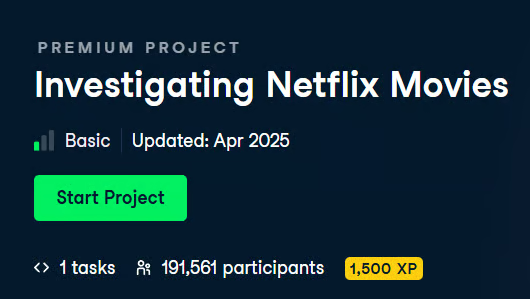
The Investigating Netflix Movies guided project asks a deceptively simple question: Are movies getting shorter over time? To answer it, you’ll work with a real dataset of Netflix titles and gradually transform raw rows of data into a clear, visual insight.
What makes this project powerful is that it bridges the gap between beginner Python fundamentals and applied data analysis. You see how simple logic scales up when combined with the right tools, all without needing to install anything locally.

The Dr. Semmelweis and the Importance of Handwashing project places you in the role of a data analyst investigating a real historical problem. In the mid‑19th century, Dr. Ignaz Semmelweis observed unusually high mortality rates in one hospital ward compared to another, but lacked the computational tools to prove why.
Using historical records, you’ll analyze mortality data before and after the introduction of handwashing. The project focuses on manipulating tabular data with pandas, calculating rates, and comparing averages across time periods.
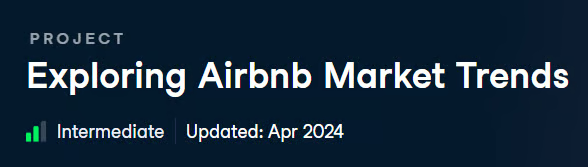
In the Exploring Airbnb Market Trends project, you step into a scenario that closely mirrors real‑world analytics work: messy, inconsistent data that needs significant cleaning before any meaningful analysis can begin.
The dataset contains rental listings with prices stored as strings, missing review scores, and inconsistent formatting.
Your primary task is to clean and standardize the data. The project reinforces the idea that data preparation is not a preliminary chore but a core analytical skill. Often, the majority of data practitioners’ time is spent cleaning data, and this project is a great practical checkpoint for that competency.
You started with simple variables and user input, then progressed through control flow, data structures, functions, and finally applied everything in guided projects. These exercises should have given you a good glimpse of how Python is used in real‑world environments.
Your natural next step is structured learning. Consistent practice paired with a structured, guided instruction is the fastest way to turn exercises into expertise. I recommend enrolling in our Python Programming or Data Scientist track to get started.
Python Courses for Beginners
Course
Course
Course
blog
Moez Ali
15 min
cheat-sheet
Karlijn Willems
4 min
Tutorial
Matthew Przybyla
12 min
Tutorial
Oluseye Jeremiah
15 min
Tutorial
Allan Ouko
10 min
Tutorial
Karlijn Willems
7 min