Course
Claude Code 101
3 hr
28.3K
Most AI tools answer questions. OpenClaw was built to take actions. It is a self-hosted runtime that connects an AI model to your terminal, files, browser, and messaging apps. Send it a WhatsApp message, and it can search your disk, run a shell script, check a web page, and reply in the same thread. A chatbot does none of that.
That difference is what got it noticed. Within months of launching, OpenClaw passed Linux on the GitHub all-time star list.
However, as I’ve discovered first-hand, the reality is messier than it sounds. OpenClaw takes real technical setup and its security record has some serious. I’ll discuss those things alongside coverage of how it works and what it is good for.
OpenClaw is free, open-source (MIT licensed), and designed to run on hardware you own. It was created by Peter Steinberger, an Austrian developer known for PSPDFKit, and launched in November 2025 as Clawdbot. Anthropic sent a trademark complaint over the name, and it became Moltbot on January 27, 2026, then OpenClaw three days later because, in Steinberger's words, "Moltbot never quite rolled off the tongue." The lobster mascot, Molty, survived all the name changes.
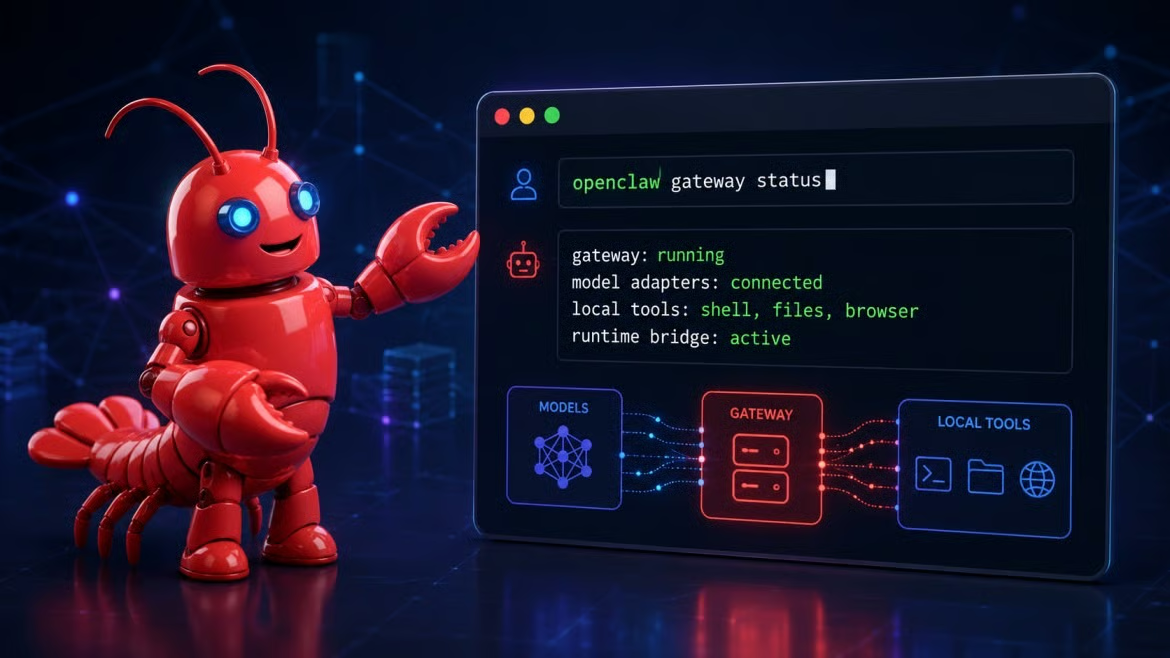
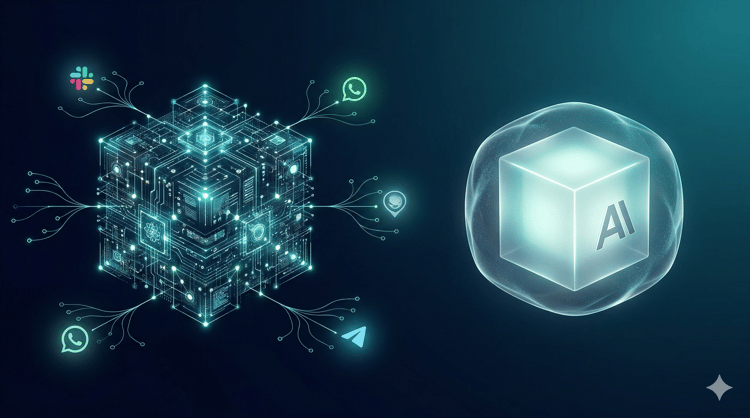
OpenClaw connects models to local tools. Image by Author.
One thing that trips people up early: OpenClaw is not an AI model. It connects to a separately configured provider, cloud or local, and that model does the reasoning while OpenClaw handles routing, memory, and tool execution.
The core is a Node.js service called the Gateway. It runs in the background on port 18789, routes messages between your chat apps and the model, runs any tool calls, and holds your API keys so connected apps never touch them directly.
All this makes it a lot different than a chatbot. OpenClaw can run shell commands, read and write files, control a browser, and run tasks on a schedule while you are not looking.
OpenClaw went from 9,000 GitHub stars on day one to over 195,000 within 66 days, reportedly 18 times faster than Kubernetes.
Developers had wanted this for a while: an assistant that completes tasks rather than just answering, runs on your own hardware, and connects to apps.
By April 2026, the project had passed 346,000 stars. Steinberger announced he was joining OpenAI on February 15, 2026, and the project moved toward a foundation structure with OpenAI backing. It stayed MIT-licensed and community-held, not acquired in the traditional sense.
Opinion is mixed. Some users like the idea. Others run into setup, reliability, and cost issues. Complex automation disappoints more than it delivers and token costs surprise people. Also, the setup is not beginner-friendly.
Everything routes through the Gateway, and that single point of control is what separates OpenClaw from a plain model wrapper.
When you send a message, the Gateway picks it up from whatever channel you are using, attaches context from the agent's memory files and loaded skills, and passes the package to the configured AI model. If the model wants to take an action (run a command, visit a page, read a file), it signals that intent back to the Gateway. The Gateway runs the action on the host system, or inside a sandbox if you have set one up, and returns the result. It can chain several steps before producing a final reply.
The model never talks directly to your file system or terminal.
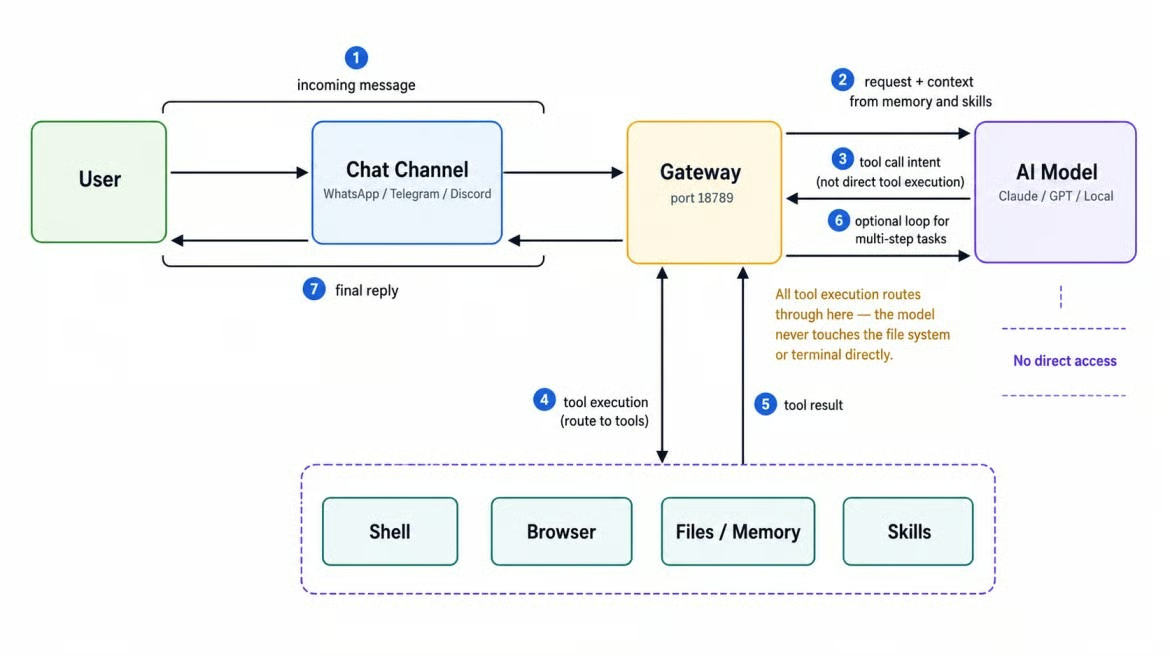
All actions route through the Gateway. Image by Author.
OpenClaw stores memory in plain Markdown files in the agent workspace (~/.openclaw/workspace). The main file, MEMORY.md, holds durable facts and preferences that load at the start of each session. SOUL.md defines personality and tone. AGENTS.md stores behavioral rules. Because the model reads all of these at session start, edits you make persist across restarts.
Scheduling runs on two tracks. Heartbeats are periodic check-ins in the main session, every 30 minutes by default for most providers. A HEARTBEAT.md checklist tells the agent what to review each time. Cron jobs run at exact times in isolated sessions, which is what you want when the timing actually matters, like a daily report. Both burn tokens with every execution, so (pro tip) open-ended tasks really should have a clear stopping condition.
OpenClaw is not tied to one model provider. It works with Anthropic, OpenAI, Google, AWS Bedrock, and local servers via Ollama or LM Studio. Local models need at least a 64,000-token context window because of how much context OpenClaw injects at session start. On the channel side, it supports WhatsApp, Telegram, Discord, Slack, Google Chat, Signal, iMessage, Matrix, Microsoft Teams, and more.
How useful it is depends on how tightly you define the task. Broad requests drift. Narrow, repeatable tasks with clear inputs tend to work.
.env file that happened to be in scope.Skills are how users extend OpenClaw past its built-in capabilities. They are also how the project got hit by a serious supply chain attack in the open-source agent space.
A skill is a folder containing a SKILL.md file with YAML frontmatter and a Markdown body. The frontmatter declares the skill's name, description, required binaries, and environment variables. Below that, the Markdown body is natural language: instructions the agent follows when it decides the skill fits the current task.
An optional references/ folder holds API docs, and an optional scripts/ folder holds helper scripts. Because skills are text rather than compiled code, you can read them before running anything.
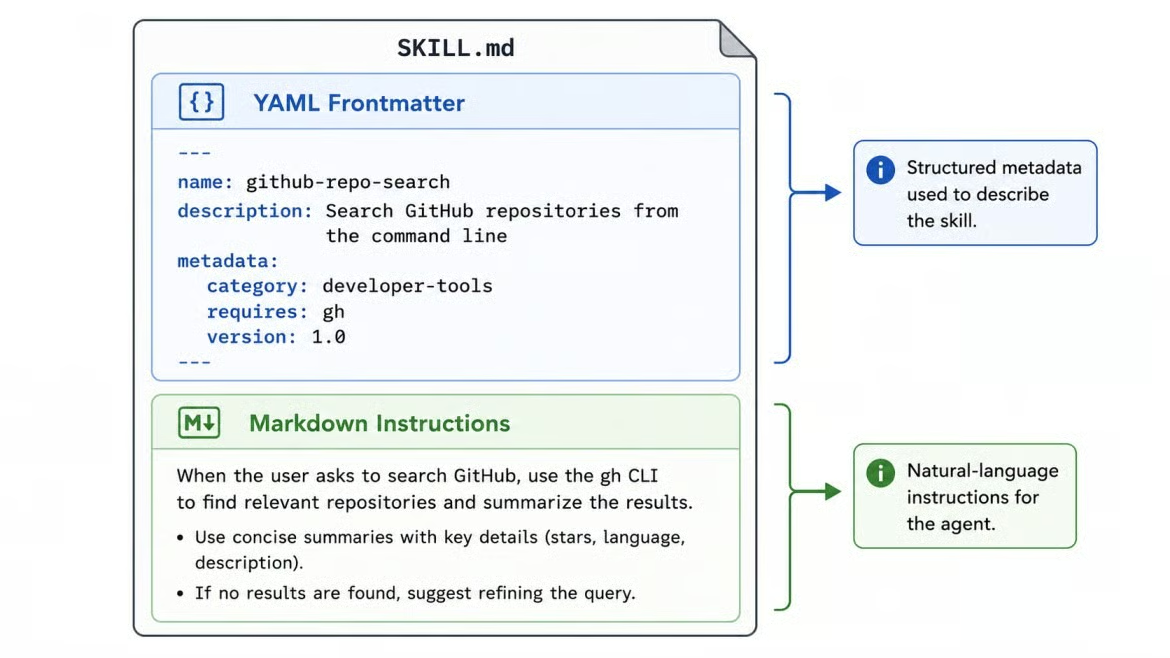
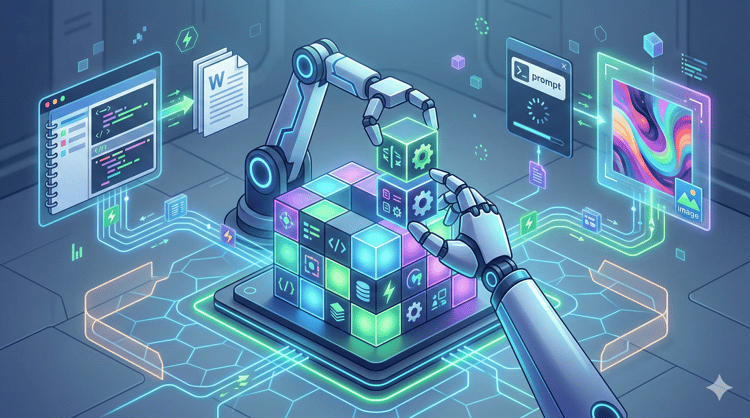
Every skill follows this two-part format. Image by Author.
Skills follow the AgentSkills open standard, so the format also works with Claude Code, Cursor, and similar tools. In practice, most skills on ClawHub are written specifically for OpenClaw's gateway model and rely on tool access those other environments do not expose.
ClawHub, the public registry at clawhub.ai, uses vector-based semantic search, so you can find skills with natural language queries. Publishing requires a GitHub account at least a week old. The registry grew to over 44,000 skills by early 2026.
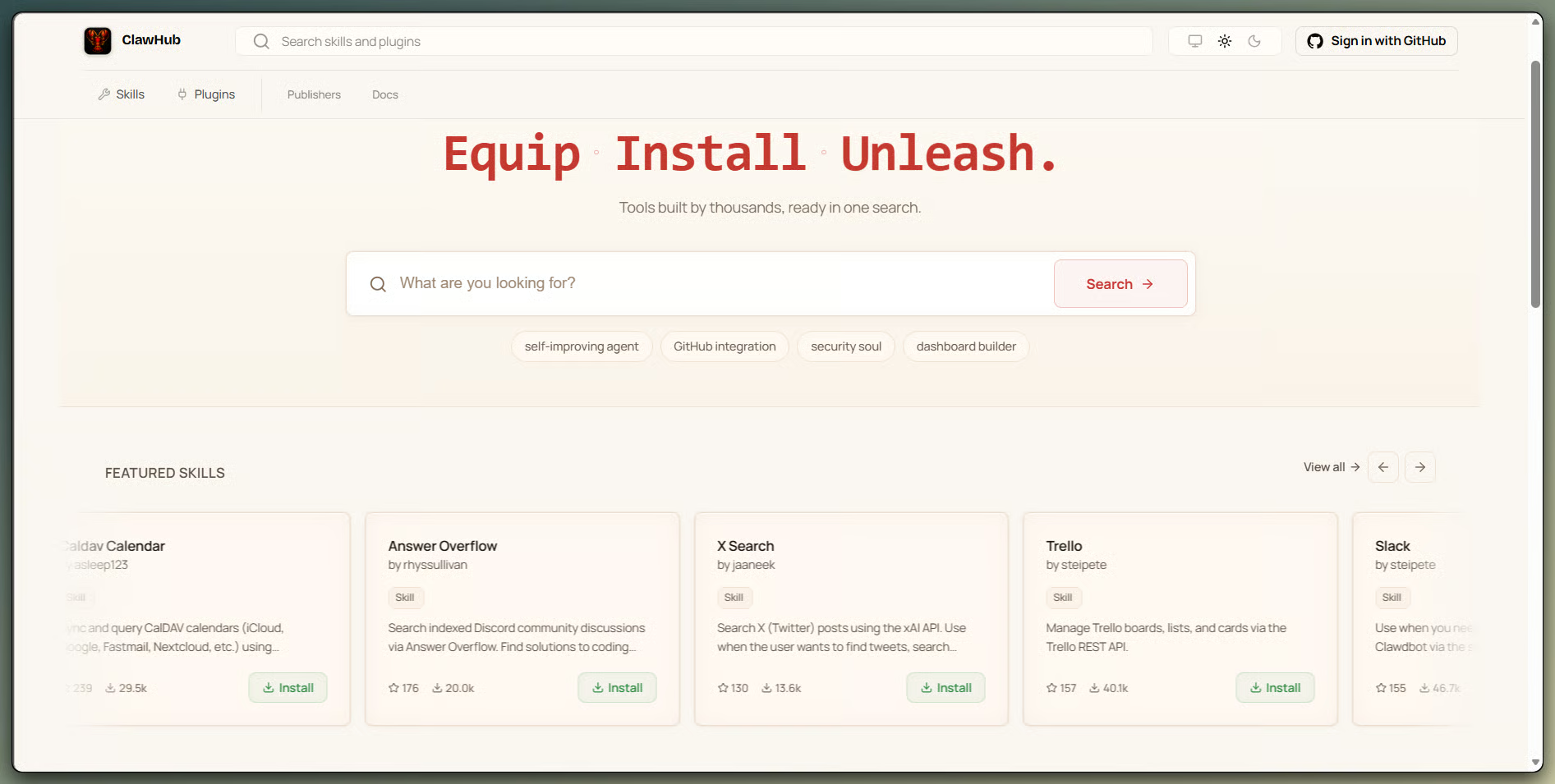
ClawHub's skill registry, organized by category. Image by Author.
On February 1, 2026, Koi Security researcher Oren Yomtov audited all 2,857 skills on ClawHub and found 341 malicious, 335 of them from a single coordinated campaign called ClawHavoc. It used social engineering: a fake "Prerequisites" section told users to paste shell commands. On macOS the payload was the Atomic macOS Stealer, which harvests browser passwords, keychain entries, cryptocurrency wallets, SSH keys, and Telegram session data.
It kept climbing. By mid-February the registry passed 10,700 skills, and later analysis put the malicious total over 1,000 across multiple accounts. A broader audit of 31,000+ skills flagged about 7.6% as risky, and a Snyk scan found 36% contained detectable prompt injection.
ClawHub now runs automated scans and has a VirusTotal integration, which catches a lot, but prompt injection in instruction text can still slip through. Read the SKILL.md before installing anything, and if it tells you to paste commands or install binaries outside the normal process, skip it. Do not load up on third-party skills on day one either. Start with the minimum you need and keep unknown skills away from sensitive files and accounts.
Both formats use the same SKILL.md structure. The difference is in where the skill executes. Claude Skills run inside Anthropic's managed infrastructure. OpenClaw skills run on your machine, inside the agent's full trust boundary, with access to local files, shell commands, and browser sessions. That gap in blast radius is why the supply chain risk matters more here than in a hosted environment.
The steps below cover the high-level flow. If you want screenshots and step-by-step commands, our OpenClaw tutorial walks through the full process from scratch.
You need Node.js 24 (Node 22.19 works too) and either an API key from a supported model provider or a local model server that meets the 64,000-token context minimum I mentioned earlier. On Windows, WSL2 with Ubuntu is the recommended path; native Windows has limitations around the gateway daemon. Hardware needs are light for basic use, though local model setups are a different story.
One decision to make first: where will this run? A local machine is fine for experimenting, but for anything always-on, use a dedicated VPS or a separate machine rather than your primary workstation.
curl -fsSL https://openclaw.ai/install.sh | bashThen run the onboarding wizard:
openclaw onboard --install-daemonThis walks through model provider selection, API key setup, and Gateway configuration. After it finishes, confirm the Gateway is running:
openclaw gateway statusThen open the dashboard:
openclaw dashboardSend a test message from a low-stakes channel before connecting anything sensitive.
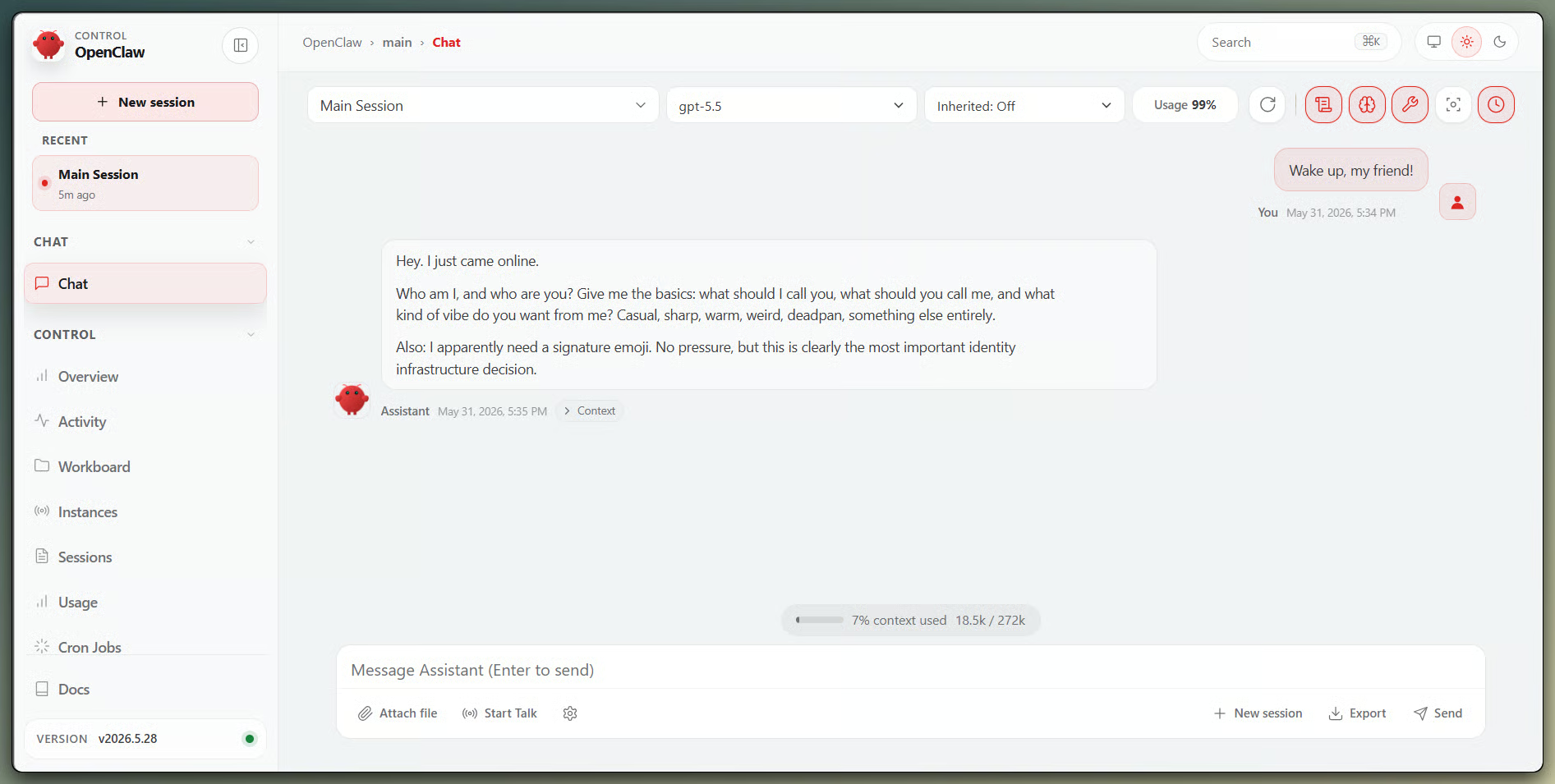
The Control UI at port 18789. Image by Author.
Two firewall commands matter more than any of the others. Run them before you do anything else:
openclaw config set gateway.bind localhost
sudo ufw deny 18789/tcp
The first binds the Gateway to loopback only. The second blocks the port externally. Over 220,000 OpenClaw instances were publicly reachable from the internet at peak, most because users skipped this step following older tutorials. Use a dedicated browser profile for any browser automation. Run openclaw security audit --deep after installing any skill. Use authentication tokens. Keep sensitive files out of the workspace root.
Running locally does not mean running safely. A local instance with shell access, file access, and connected messaging apps is a real attack surface regardless of where the model runs.
These risks are specific to OpenClaw, and several of the incidents below were exploited against real users.
CVE-2026-25253 (CVSS 8.8) is the one that was actively exploited. Before version 2026.1.29, a malicious link could silently redirect the control interface's WebSocket connection to an attacker-controlled server. The victim's authentication token and device keys were sent automatically during the handshake, so one click on a crafted link was enough. An attacker holding them had full control of the Gateway and could run arbitrary shell commands. The 2026.1.29 patch added a confirmation prompt to close it.
CVE-2026-32922 (CVSS 9.9) was disclosed on March 29, 2026. A caller with a minimal token scope could escalate to full admin access and achieve remote code execution across all connected nodes. Patched in 2026.3.11. If your instance is older than 2026.3.11, update it now. Over 60 security advisories have been filed against the project since launch.
As mentioned earlier, over 220,000 instances were publicly exposed at peak, with more than 17,500 vulnerable to the CVE-2026-25253 class of attack. The current default binds to loopback, but older configs and community tutorials do not always reflect that.
Prompt injection is the subtler problem. OpenClaw reads web pages, emails, documents, and logs as part of doing its job. If any of those contain malicious instructions, the agent can follow them. The Promptfoo case study from March 2026 showed an agent checking what it could access, reading local files, writing files, and sending unauthorized messages, all triggered by visiting one web page. It worked because browsing, file access, and outbound messaging shared one trust boundary with no separation.
Worse, instructions from malicious source plants in SOUL.md or AGENTS.md survive across sessions and restarts. The agent carries them forward without any external trigger.
Most of this is the safe defaults from earlier: update regularly, keep the Gateway on localhost with the port blocked, use auth tokens, keep sensitive files outside the workspace, and audit after changes. Use Docker sandboxing for tasks that touch external input, use fine-grained API tokens with expiry dates, and treat SOUL.md and AGENTS.md as config files you monitor, not text you ignore.
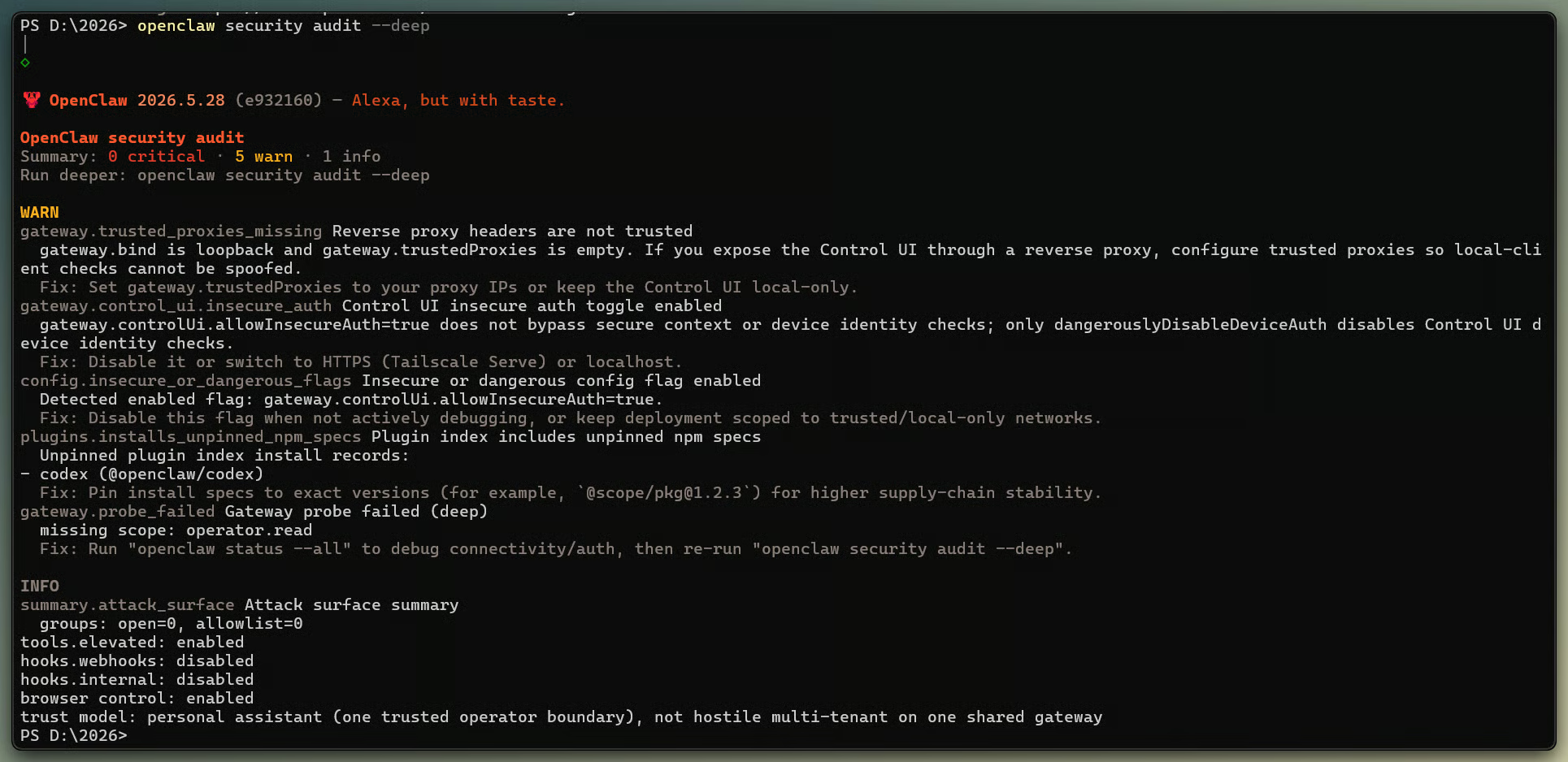
Audit output after a skill install. Image by Author.
OpenClaw is not risky because it is open source. It is risky because it can perform privileged actions if you configure it that way.
This part is my own read, not a factual claim. Agents that take actions instead of just answering are a different category from chatbots, and OpenClaw is a clear example.
Whether it is worth it depends almost entirely on who is using it. A developer comfortable with terminal tools, logs, API monitoring, and sandboxing can make it useful in narrow workflows. As I covered earlier, the setups that hold up are the narrow ones. The ones that fail are where someone wires up every tool, installs a dozen skills without reading them, and leaves heartbeats running on open-ended prompts, expecting good behavior.
My read: Complex automation can cost more maintenance than it saves, and the most reliable use case may be a daily news summary. That is a thin return for the setup effort. The right framing is infrastructure, not as an assistant. Treat it that way, start small, and keep strict limits. If you want a smart consumer app, this is not it yet.
ChatGPT and Claude are stateless chat interfaces: no persistent scheduled tasks, no local file access by default.
Claude Code and Cursor are scoped to software development inside a repository; they are better at code than OpenClaw, but that is all they do. Claude Code also added a cloud-hosted scheduling feature called Routines in April 2026, which covers some of what OpenClaw's HEARTBEAT does without the infrastructure overhead.
Zapier and n8n are deterministic workflow tools where every step is predefined, which makes them more auditable but less able to handle fuzzy requests than an agent interpreting natural language.
|
Tool type |
Good fit |
Core strength |
Primary weakness |
When to choose it |
|
ChatGPT or Claude |
General questions, writing, one-off analysis |
No setup, familiar interface |
Stateless; no local access or scheduled tasks |
When no real-world action is needed |
|
Claude Code or Cursor |
Coding tasks inside a repository |
Deep code context, automated edits |
Limited to coding workflows |
When the task is purely software development |
|
Zapier or n8n |
Predictable, auditable workflow automation |
Deterministic execution, broad integrations |
Struggles with fuzzy or context-driven tasks |
For high-stakes flows where mistakes cost money |
|
OpenClaw |
Cross-tool personal automation on your own hardware |
Persistent memory, local tool access, multi-channel |
High setup complexity, user-managed security |
For technical personal automation where you own the blast radius |
One framing from the 2026 community is useful here: OpenClaw as the reasoning layer for ambiguous tasks, n8n or Zapier as the execution layer for high-volume, predictable ones, connected through webhooks. The two are not always in competition.
Developers who automate recurring technical workflows and researchers studying tool-using agents are the clearest fit. Homelab users who already manage self-hosted services will find the setup familiar.
Anyone who is not comfortable with terminal commands, file permissions, and API key management should wait. The setup is not beginner-friendly.
Also, anyone handling sensitive files without a sandboxed environment should hold off. Teams with compliance requirements may need managed alternatives like AWS Bedrock Agents. And if you are not willing to inspect community skill code before installing, it is best not to run ClawHub skills on a machine with real credentials on it.
OpenClaw matters because it shows what personal AI agents look like when they can do things: not smarter chatbots, but systems with access to your files, your shell, your browser, and your messaging apps.
The risks are real for the same reason. The access that makes a morning briefing or a PR review workflow possible is the same access that ClawHavoc turned into credential theft.
Start with one task. Run it in an isolated environment. Set limits. As mentioned earlier, review skills before installing them. OpenClaw is not a product you deploy and forget. It is infrastructure, and treating it like infrastructure from the start is what keeps the experiment from becoming an incident.
For related reading, our OpenClaw projects guide and ClawHub skills guide cover what people are building. The AI-Assisted Coding for Developers course covers broader agent skills.
Learn AI with DataCamp
Course
Course
Course
blog
Derrick Mwiti
8 min
blog
Derrick Mwiti
8 min
blog
Khalid Abdelaty
15 min
cheat-sheet
DataCamp Team
5 min
Tutorial
Bexruz (Bex) Tuychiev
11 min
Tutorial
Austin Chia
12 min