Course
Claude Code 101
3 hr
29.1K
Practice and track your progress.
Continue with GoogleClaude Code templates are reusable configuration files that customize how Claude Code behaves in a project or across your local environment.
The important thing to understand is that templates are file-based. You do not install them through a typical settings GUI and then click through configuration screens. Instead, Claude Code discovers specific files and folders, loads the relevant metadata into context, and uses that information to decide how to behave.
In practice, they are usually Markdown, JSON, or shell-based files stored in project-level folders such as .claude/, or packaged into plugin-style directories for sharing.
A typical project-level structure might look like this:
my-app/
├── CLAUDE.md
├── .mcp.json
└── .claude/
    ├── skills/
    │   └── database-migration/
    │       └── SKILL.md
    ├── agents/
    │   └── security-auditor.md
    ├── commands/
    │   └── summarize-pr.md
└── settings.jsonCLAUDE.md is still important, but it serves a different role. Think of CLAUDE.md as the project briefing: what the project is, which commands matter, what coding standards apply, and what architecture conventions Claude should remember.
For a deeper walkthrough, see our CLAUDE.md writing guide.
Templates are more modular:
This is also where templates connect with broader Claude Code workflow design. Strong templates work best when paired with good habits in planning, testing, and context handoff.
More of such practices are detailed in our best practices guide.
Custom commands are also covered by the skills system, although the legacy .claude/commands/ format still works. The recommended new format is .claude/skills/<name>/SKILL.md, which supports slash-command invocation and automatic invocation by Claude.
The Claude Code template ecosystem is typically organized into six categories: skills, agents, commands, hooks, MCP integrations, and plugins.
The first five change Claude’s behavior directly. Plugins are slightly different: they are a distribution format that can bundle skills, agents, hooks, commands, MCP servers, and other components into a reusable package.
We’ll look into each of these categories below.
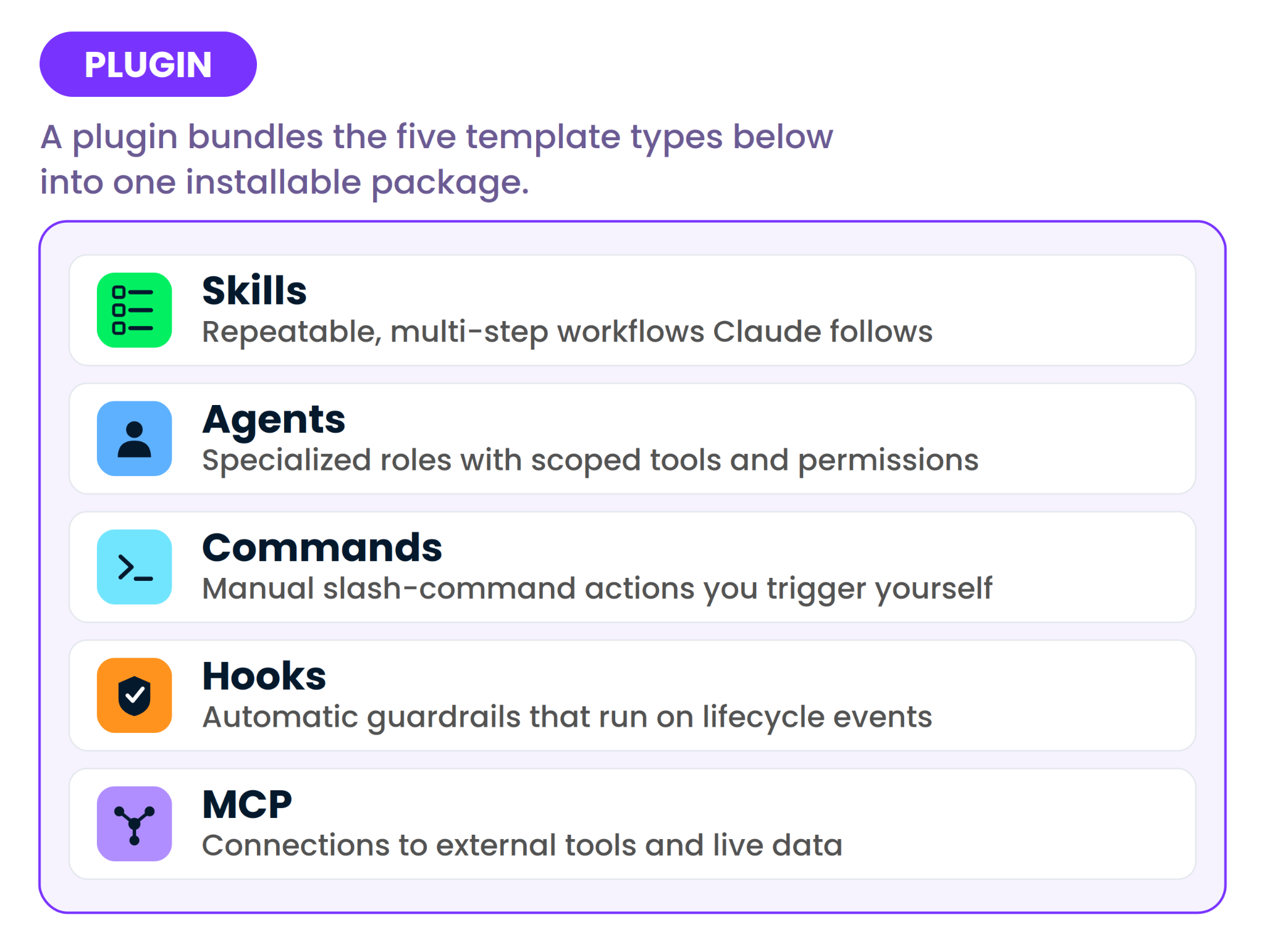
Skills are instruction bundles for repeatable, multi-step tasks. A skill is usually a folder containing a SKILL.md file with YAML frontmatter and a Markdown body.
The frontmatter describes what the skill does and how it should behave; the body tells Claude what steps to follow. For a dedicated deep dive, see more in this Claude Skills guide.
Claude uses the skill’s description to decide when the skill is relevant. By default, both the user and Claude can invoke a skill: you can type /skill-name, or Claude can load it automatically when the current task matches the skill description. You can also disable automatic model invocation for workflows where you want manual control, such as deployment.
Here’s an short example of a file: .claude/skills/database-migration/SKILL.md
---
name: database-migration
description: Use when creating, reviewing, or modifying database migrations. Ensures migrations are reversible, tested, and checked before and after execution.
allowed-tools:
  - Read
  - Write
  - Bash
---

# Database Migration Skill

When working on a database migration:

1. Inspect the existing schema and migration history before writing changes.
2. Confirm whether the migration is additive, destructive, or data-transforming.
3. Create a reversible migration whenever the framework supports rollback.
4. Run the project’s migration check command before applying the migration.
5. Run tests that cover the affected models, queries, or API endpoints.
6. After writing the migration, summarize:
   - schema changes
   - rollback behavior
   - affected tables
   - test commands run
This is useful because the instructions are procedural. You are not just telling Claude to “be careful with migrations.” You are giving it a repeatable checklist.
Skills are best for anything you would otherwise paste into Claude more than twice: generating API endpoints, writing changelogs, scaffolding tests, creating release notes, reviewing pull requests, or performing migration checks.
For broader inspiration on what developers are turning into reusable AI workflows, see our Agent Skills list.
Agents, more precisely custom subagents in Claude Code, are specialized AI assistants with their own Markdown definition, YAML frontmatter, tool restrictions, model choice, and system prompt.
They can live in .claude/agents/ for project scope or ~/.claude/agents/ for personal scope. Agents are created by asking Claude or editing markdown files in the .claude/agents/ folder directly.
There’s actually a difference between skills and agents. A skill defines how to perform a task. An agent defines who Claude should be while performing work: its role, focus, permissions, and boundaries.
Let’s have a look at this example of an agent:
---
name: security-auditor
description: Reviews code for security vulnerabilities and produces a findings report without modifying files.
tools: Read, Glob, Grep, Bash
model: sonnet
---

You are a security auditor.

Your task is to inspect the codebase for vulnerabilities, risky patterns, and missing safeguards.

Rules:
- Do not edit files.
- Do not suggest broad rewrites unless directly tied to a security issue.
- Focus on authentication, authorization, input validation, secrets, dependency risk, and unsafe shell or SQL usage.
- Produce a findings report with severity, affected files, evidence, and recommended next steps.
This agent is helpful because it gives Claude clear boundaries. In a general session, Claude might drift into fixing issues as soon as it finds them. A security auditor agent is told to inspect and report only, and avoid modifications.
Agents are best for specialized domains such as security auditing, documentation review, architecture review, data engineering, or code quality checks, where context isolation and permission boundaries matter.
Agents are also useful when paired with specialized skills. For example, a security auditor agent might call a findings-report skill, while a frontend reviewer agent might use a component-testing skill.
Commands are slash-invoked shortcuts such as /generate-tests, /check-deps, or /summarize-pr. Historically, custom commands were stored as Markdown files under .claude/commands/, with the filename serving as the command name.
Claude Code still supports this legacy format, but I recommend using skills for new command-like workflows, as they support the same /name invocation and automatic invocation when appropriate.
Commands are best when you want the trigger to be explicit. A skill might activate automatically when Claude detects a matching task, but a command should run only when you choose. That makes commands useful for checkpoints: “generate tests now,” “summarize this PR now,” “check dependencies now,” or “prepare a commit message now.”
Hooks are automation rules that run in response to Claude Code lifecycle events. They are user-defined shell commands that execute at specific points in Claude Code’s lifecycle, giving deterministic control over behavior.
The difference between hooks and the other templates we covered so far is that they are not triggered by what you ask, but by what Claude does.
In simple terms, you do not have to hope Claude remembers to format a file after editing it; a hook can do it automatically.
Current hook event names include events such as PreToolUse, PostToolUse, Notification, and Stop.
Example: run a formatter after Claude edits or writes a file:
{
  "hooks": {
    "PostToolUse": [
      {
        "matcher": "Edit|Write",
        "hooks": [
          {
            "type": "command",
            "command": "jq -r '.tool_input.file_path' | xargs npx prettier --write"
          }
        ]
      }
    ]
  }
}

Example: block risky shell commands before Claude runs them:
{
  "hooks": {
    "PreToolUse": [
      {
        "matcher": "Bash",
        "hooks": [
          {
            "type": "command",
            "command": "python3 .claude/hooks/block-dangerous-bash.py"
          }
        ]
      }
    ]
  }
}
Hooks are best for rules Claude should not be able to skip: running a linter, formatting edited files, blocking protected file edits, checking generated code, or sending notifications when Claude needs input.
For an in-depth tutorial, read our Claude Code Hooks Guide.
MCP integrations connect Claude Code to external tools, data sources, and APIs through the Model Context Protocol. MCP acts as a connector layer between AI systems and external tools. In Claude Code, this means Claude can go beyond local files and shell commands.
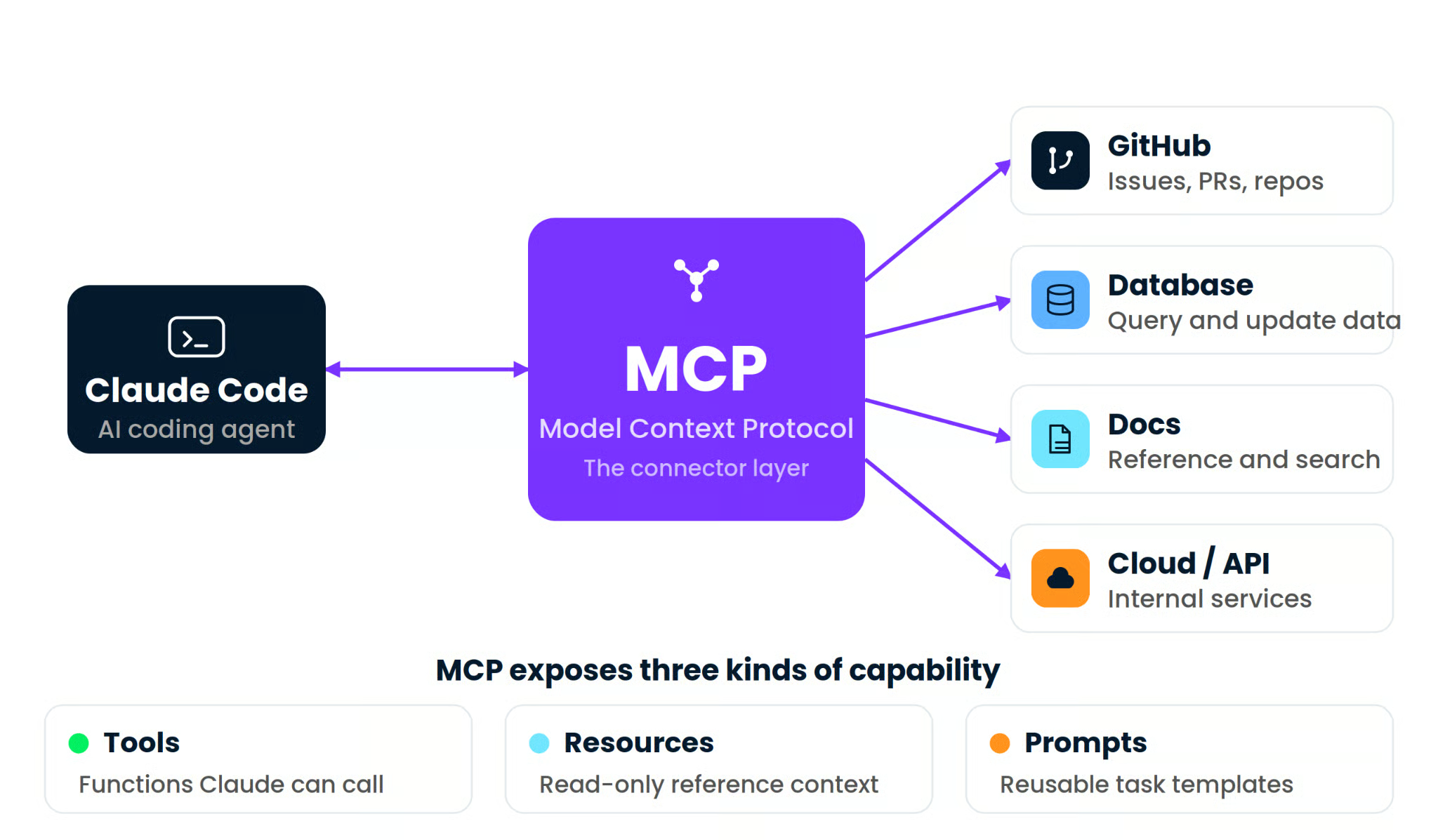
It lets Claude interact with external services such as GitHub, databases, documentation systems, cloud platforms, or internal APIs, depending on which MCP servers you configure. For a complete explanation and demo project, see our Model Context Protocol tutorial.
An MCP server can expose three broad kinds of capability:
A project-level .mcp.json might configure multiple servers side by side:
{
  "mcpServers": {
    "github": {
      "type": "stdio",
      "command": "npx",
      "args": ["-y", "@modelcontextprotocol/server-github"],
      "env": {
        "GITHUB_PERSONAL_ACCESS_TOKEN": "${GITHUB_TOKEN}"
      }
    },
    "sqlite": {
      "type": "stdio",
      "command": "npx",
      "args": [
        "-y",
        "@modelcontextprotocol/server-sqlite",
        "./data/app.db"
      ]
    }
  }
}
This matters because Claude can only reason from the context and tools it can access. Without MCP, it may inspect local files but not your issue tracker, database, cloud environment, or internal API.
An MCP is best when Claude needs to work with the real stack rather than a static code snapshot and when it needs access to external data.
Plugins are packaged bundles. They can include skills, agents, hooks, MCP configurations, commands, and other components within a single installable structure.
In Claude Code, a plugin typically includes a .claude-plugin/plugin.json manifest and component folders such as skills/, agents/, hooks/, and .mcp.json at the plugin root.
Example plugin structure:
frontend-workflow-plugin/
├── .claude-plugin/
│   └── plugin.json
├── skills/
│   └── component-test/
│       └── SKILL.md
├── agents/
│   └── frontend-reviewer.md
├── hooks/
│   └── hooks.json
└── .mcp.json
Example of a plugin json:
{
  "name": "frontend-workflow",
  "displayName": "Frontend Workflow",
  "version": "1.0.0",
  "description": "Frontend development workflow with review agents, test skills, and formatting hooks",
  "author": {
    "name": "Your Team"
  }
}
Plugins do not add a new behavior type. They make the other types portable. Use plugins when you want to share a complete setup across a team, reuse the same workflow across projects, or install a community-maintained bundle instead of manually creating each file.
To build one from scratch, see DataCamp’s Claude Code Plugins Step-by-Step Guide.
I can fully understand; all these types can get confusing. They can all change how Claude behaves. The difference is mostly how they are triggered and what kind of control they provide.
To make things clearer, here’s a comparison between them:
|
Template type |
Triggered by |
Best for |
Not suited for |
Example use case |
|
Skill |
Claude automatically or user via |
Repeatable multi-step workflows |
One-off tasks |
Auto-apply a migration checklist when Claude edits schema files |
|
Agent |
User request or Claude delegation |
Domain expertise and permission isolation |
General-purpose sessions |
A security auditor who can read files but should not edit them |
|
Command |
User slash command |
On-demand actions and workflow checkpoints |
Automatic guardrails |
/generate-tests when you are ready to test |
|
Hook |
Claude lifecycle event |
Automated guardrails and quality gates |
Interactive reasoning tasks |
Format files after every edit |
|
MCP |
Claude tool call |
External system access |
Simple local-only workflows |
Query PostgreSQL or create a GitHub issue |
|
Plugin |
Installation or enablement |
Team distribution and bundled workflows |
Single-purpose local tweaks |
A frontend workflow bundle with agents, skills, and hooks |
A simple decision rule helps:
In real projects, these types are usually combined. A security plugin might bundle a security-auditor agent, an audit-findings skill, a dependency-check command, and a pre-commit hook. The agent defines the role, the skill defines the report structure, the command gives you an explicit checkpoint, and the hook enforces the guardrail.
For workflows where Claude should follow a formal plan before implementation, spec-driven development is often a better fit than ad hoc prompting.
There are three practical sources: Anthropic, community collections, and yourself.
First, start with official Anthropic resources and documentation. Anthropic’s Claude Code documentation covers skills, subagents, hooks, MCP, and plugins, and it is the best place to verify current file formats and behavior before publishing anything production-facing.
Second, use community collections. The most visible community hub is aitmpl.com, which describes itself as a catalog of ready-to-use configurations for Claude Code projects. Its live navigation currently includes Skills, Agents, Commands, Settings, Hooks, MCPs, and Plugins.
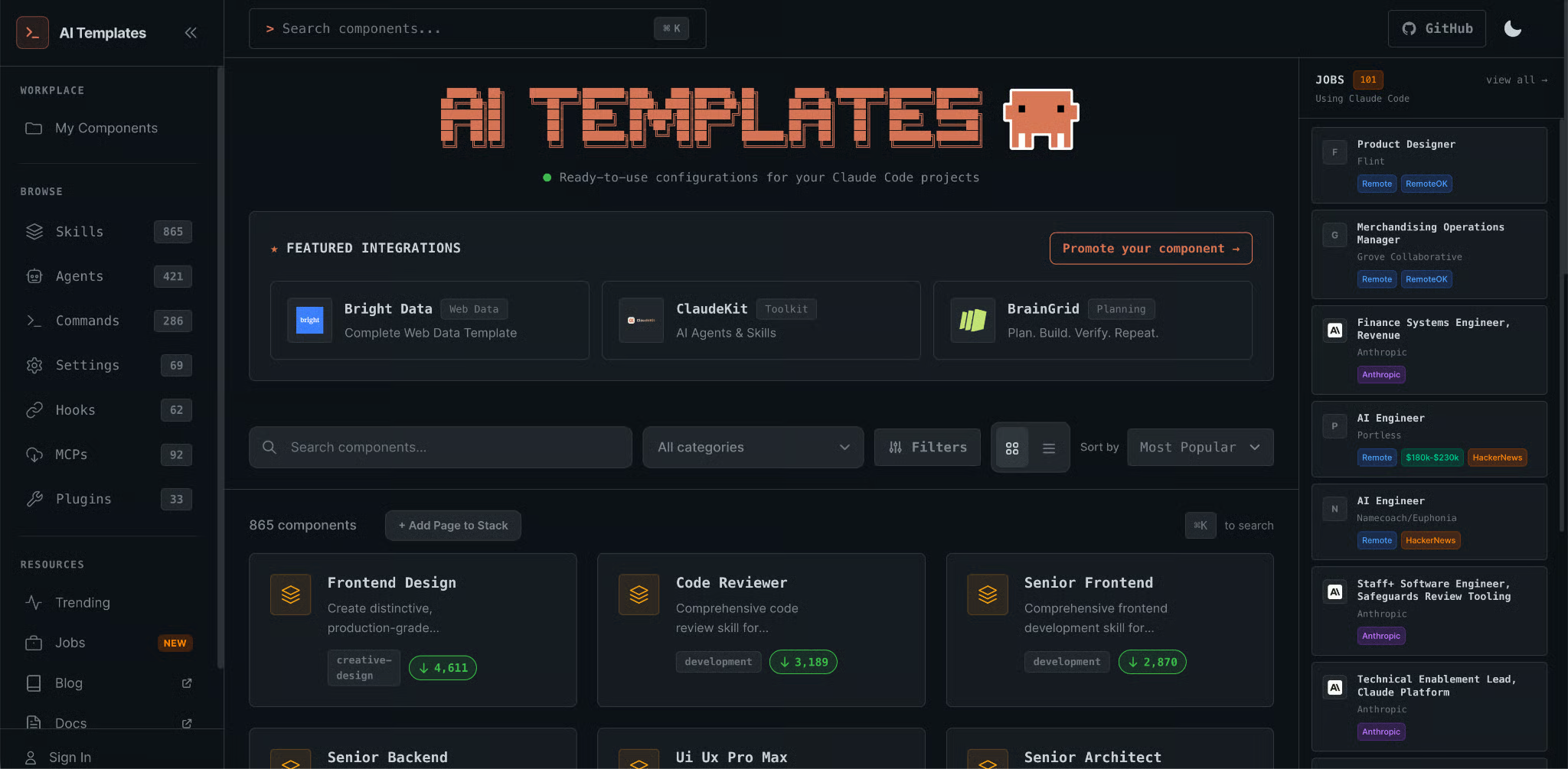
The current interactive install command is:
npx claude-code-templates@latestThe project documentation also shows a shorter alias:
npx cct@latestFor specific components, the live GitHub README shows installation commands such as:
npx claude-code-templates@latest --agent development-tools/code-reviewer --yes
npx claude-code-templates@latest --command performance/optimize-bundle --yes
npx claude-code-templates@latest --hook git/pre-commit-validation --yes
npx claude-code-templates@latest --mcp database/postgresql-integration --yes
It also shows batch installation of a full stack using multiple flags in a single command.
When evaluating community templates, check a few quality signals:
Is the description specific enough for Claude to trigger the skill or agent correctly?
Are allowed-tools scoped narrowly, or does the template request broad write and bash permissions unnecessarily?
Has the repository been maintained recently?
Does the template explain what it changes?
Does it include hooks or MCP servers that execute code you have not reviewed?
Third, write your own. This is usually the right answer for workflows tightly coupled to your stack. A community template can give you a useful baseline, but it cannot know your internal migration policy, naming conventions, data model, or deployment risk tolerance.
Claude Code templates are how Claude Code moves from a session-by-session assistant to a persistent development environment.
The six categories I’ve mentioned are actually layers: skills encode workflows, agents define roles, commands create explicit actions, hooks enforce guardrails, MCP connects external systems, and plugins package everything for reuse.
The best place to start is not a huge plugin stack. I would start with one skill for your most repeated workflow. Once you see where Claude’s default behavior still creates friction, add an agent for specialized review, a hook for enforcement, or an MCP server for live system access.
For more learning on Claude Code, check out our Claude Code 101 and Claude Code in Action courses.
Learn Using Claude Code with DataCamp!
Course
Course
Practice and track your progress.
Continue with GoogleTutorial
Dario Radečić
15 min
Tutorial
Bexruz (Bex) Tuychiev
15 min
Tutorial
Bexruz (Bex) Tuychiev
9 min
Tutorial
Dario Radečić
15 min
Tutorial
Dario Radečić
15 min
Tutorial
Dario Radečić
15 min