
Track
Associate AI Engineer for Developers
29 hr
It is a 125B-parameter main MoE model, but only about 6B parameters are activated per token. It also includes an additional 51B parameters in n-gram embeddings.
The architecture introduces several ideas that Qwen is exploring for Qwen4:
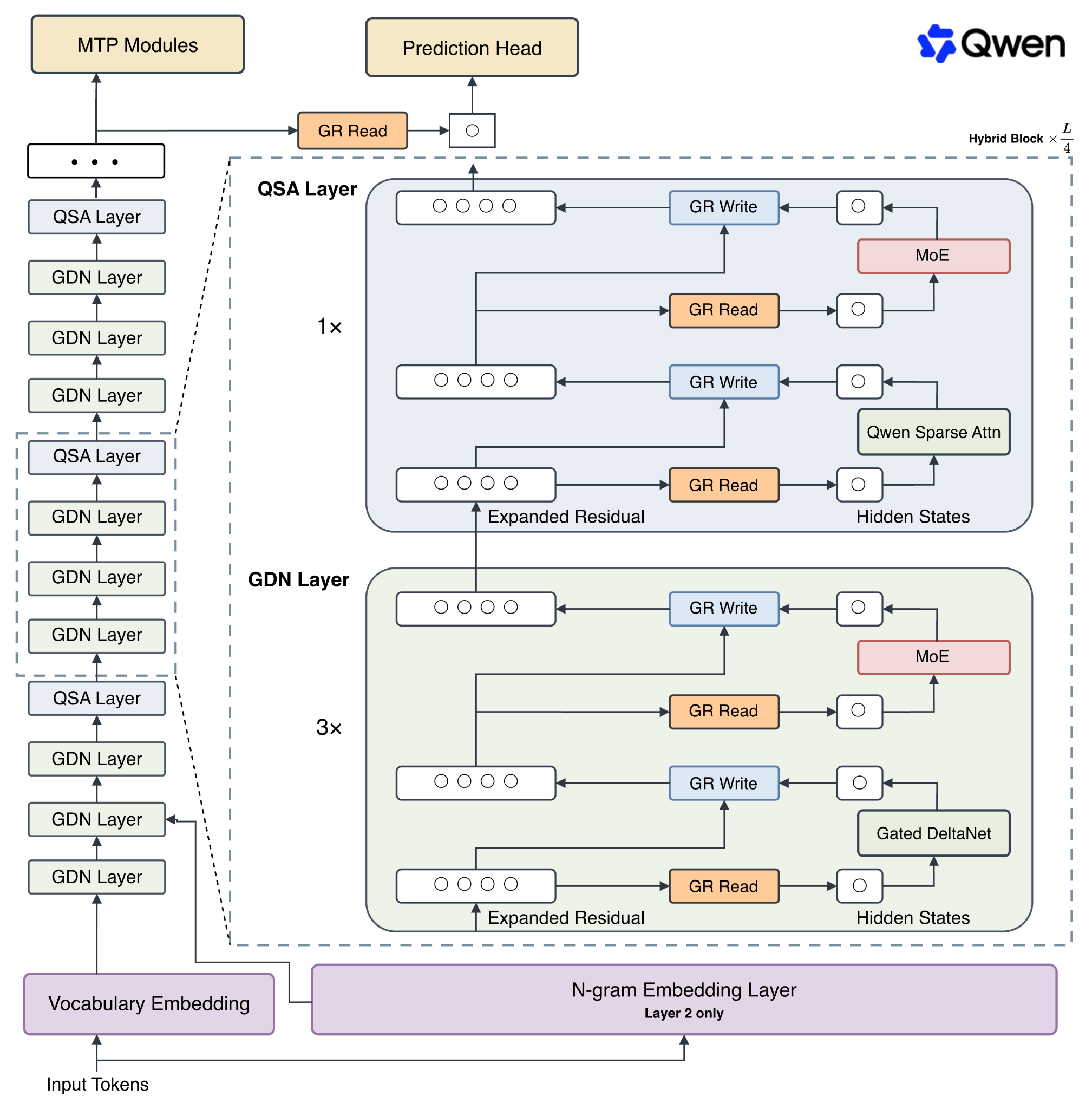
Source: Qwen
The model has a native context window length of 262,144 tokens and can theoretically be extended to 1 million tokens using YaRN.
It is also surprisingly strong at coding. These are some of Qwen's own reported results compared with Qwen3.8-27B:
|
Benchmark |
Qwen3.8-Flash-Next |
Qwen3.8-27B |
|
DeepSWE 1.1 |
58.7 |
42.2 |
|
SWE-bench Pro |
62.5 |
61.7 |
|
SWE-bench Multilingual |
81.0 |
73.8 |
|
Toolathlon Verified |
73.5 |
67.1 |
These are Qwen's own evaluations, so I would still treat them as vendor-reported results, but they align quite well with my experience using the model for coding.
I used an RTX PRO 6000 with 96GB of VRAM, but you do not necessarily need that much VRAM.
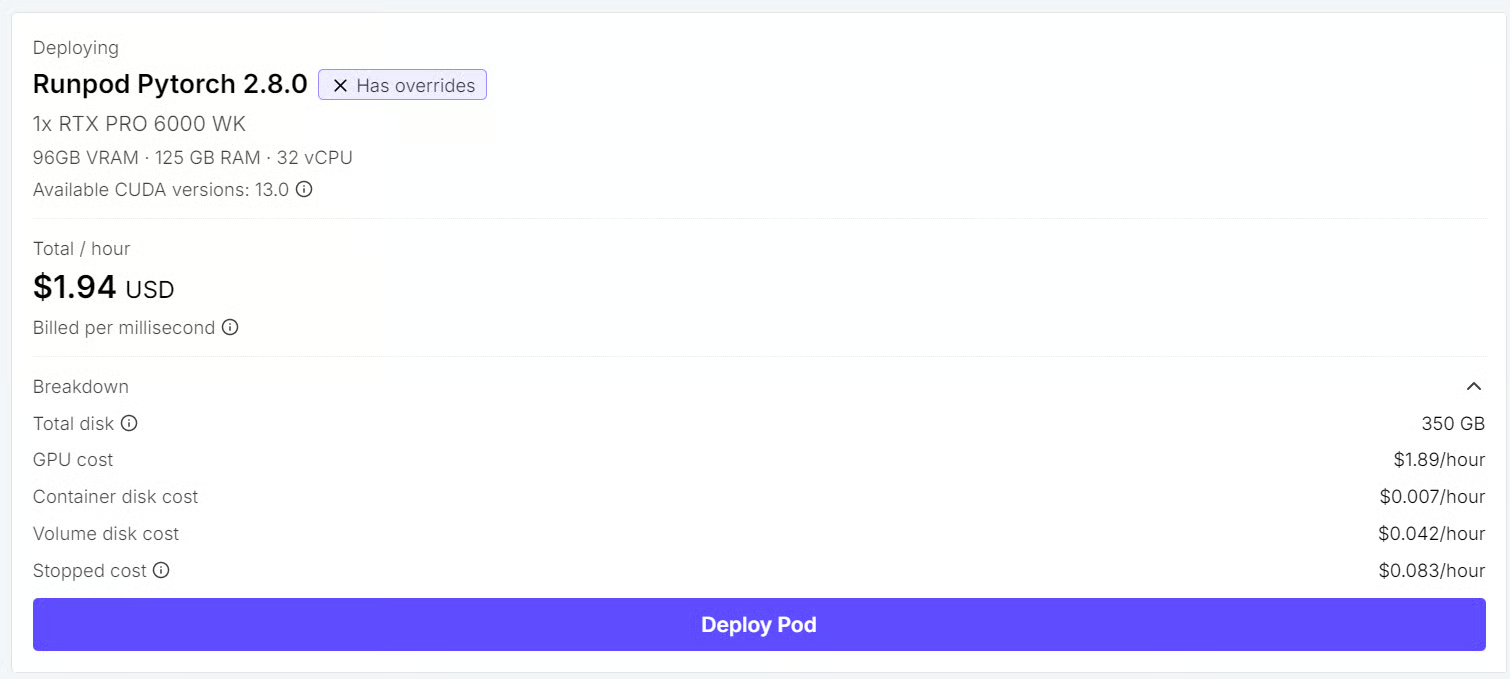
This is actually one of the interesting parts of Qwen3.8-Flash-Next. Because llama.cpp can offload parts of the model to system RAM, you can use a GPU with less VRAM as long as you have plenty of RAM available.
The Unsloth UD-Q4_K_XL quantization we are using is around 111GB and is split across four GGUF files.
For my setup, I would recommend having at least 140GB of combined usable RAM and VRAM to ensure there is enough room for the model, context, KV cache, and runtime overhead.
If you have something like an H200, you could keep practically everything on the GPU. I went for the middle ground instead.
Start by checking your GPU:
nvidia-smi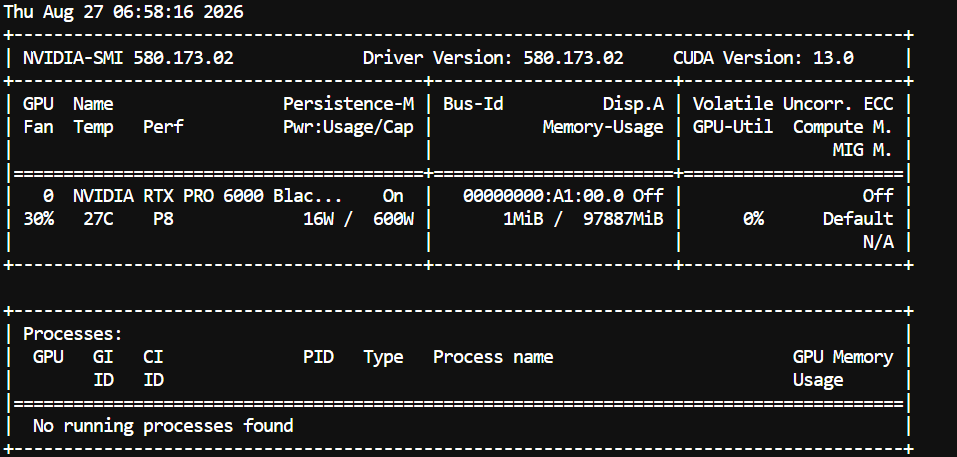
You should see your GPU, driver version, CUDA version, and available VRAM.
Next, install the required packages:
sudo apt update

sudo apt install -y \
  git \
  cmake \
  build-essential \
  curl \
  libcurl4-openssl-dev \
python3-pipQwen3.8-Flash-Next uses the new qwen4_exp architecture, which is very different from simply loading another Qwen3.8 model.
Support is still extremely new, so I used the Qwen3.8-Flash-Next branch maintained by Unsloth rather than relying on an older llama.cpp build that might not recognize the architecture. The corresponding llama.cpp work adds the new qwen4exp architecture, QSA, n-gram embeddings, and other model-specific components.
Move into the workspace:
cd /workspaceClone the Unsloth branch:
git clone \
  --branch qwen4exp/qwen3.8-flash-next \
  https://github.com/unslothai/llama.cpp.git
Enter the directory:
cd llama.cppBuild llama.cpp with CUDA:
cmake -B build \
  -DGGML_CUDA=ON \
  -DCMAKE_BUILD_TYPE=Release

cmake --build build \
  --config Release \
  -j"$(nproc)"
Finally, confirm that llama-server was built correctly:
./build/bin/llama-server --versionMy build returned:
version: 0.3.0-dev (build 10656, commit 035e22731)
built with GNU 13.3.0 for Linux x86_64
Downloading the model was actually one of the most annoying parts of this setup.
I first tried ModelScope, but the speed was not great. On Hugging Face, the download initially reached decent speeds and then suddenly dropped into KB/s territory.
Hugging Face now uses its Xet backend for large model downloads and normally enables adaptive concurrency automatically. It also provides HF_HUB_DISABLE_XET to disable Xet when it causes problems.
In my case, disabling Xet and downloading the four GGUF shards in parallel worked much better.
Install the Hugging Face CLI:
pip install -U huggingface_hubDisable Xet for this download:
export HF_HUB_DISABLE_XET=1
unset HF_XET_HIGH_PERFORMANCE
unset HF_XET_NUM_CONCURRENT_RANGE_GETS
unset HF_HUB_ENABLE_HF_TRANSFER
HF_HUB_ENABLE_HF_TRANSFER is now deprecated anyway, since Hugging Face has moved large transfers to Xet.
Create the model directory:
cd /workspace
mkdir -p Qwen3.8-Flash-Next-GGUF
Now, download all four shards in parallel:
for i in 1 2 3 4; do
  shard=$(printf "%05d" "$i")

  hf download unsloth/Qwen3.8-Flash-Next-GGUF \
    "UD-Q4_K_XL/Qwen3.8-Flash-Next-UD-Q4_K_XL-${shard}-of-00004.gguf" \
    --local-dir Qwen3.8-Flash-Next-GGUF &
done

wait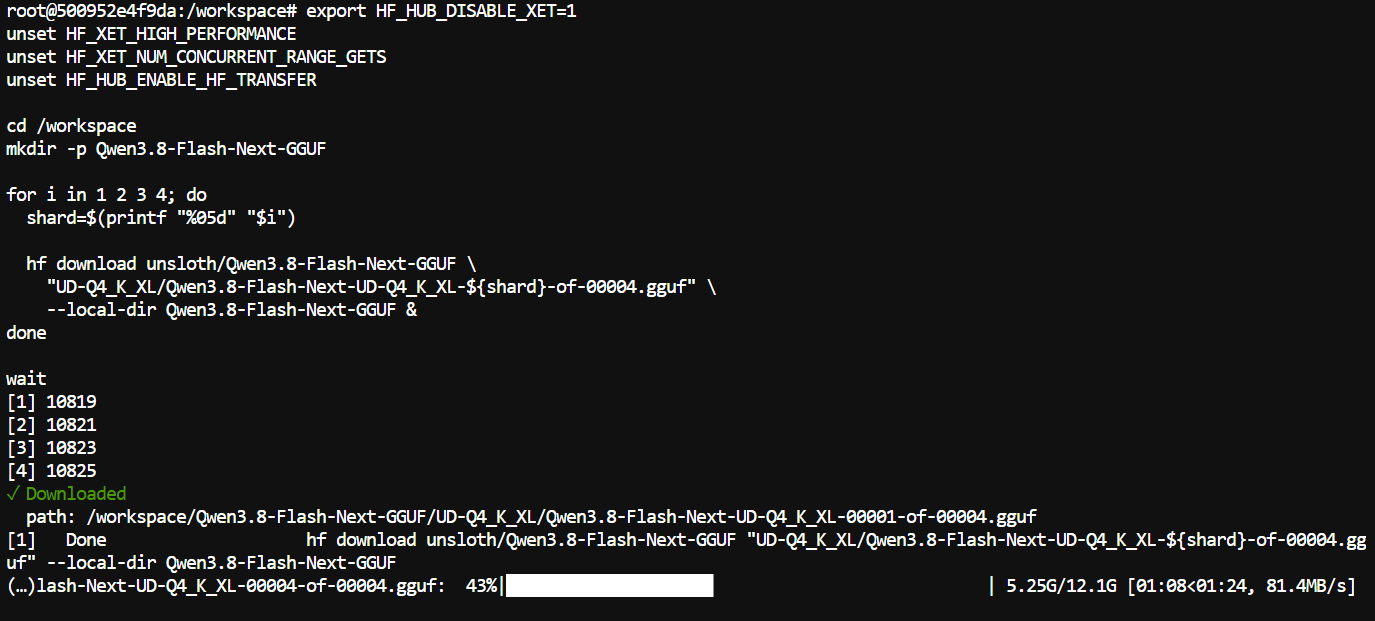
The complete UD-Q4_K_XL quant is approximately 111GB.
Return to the llama.cpp directory:
cd /workspace/llama.cppStart the server:
./build/bin/llama-server \
  -m /workspace/Qwen3.8-Flash-Next-GGUF/UD-Q4_K_XL/Qwen3.8-Flash-Next-UD-Q4_K_XL-00001-of-00004.gguf \
  --alias qwen3.8-flash-next \
  --host 0.0.0.0 \
  --port 8080 \
  --ctx-size 131072 \
  --parallel 1 \
  --flash-attn on \
  --fit on \
  --fit-target 4096 \
  --jinja \
  --batch-size 1024 \
  --ubatch-size 512 \
  --temp 1.0 \
  --top-p 0.95 \
  --top-k 20 \
  --min-p 0.0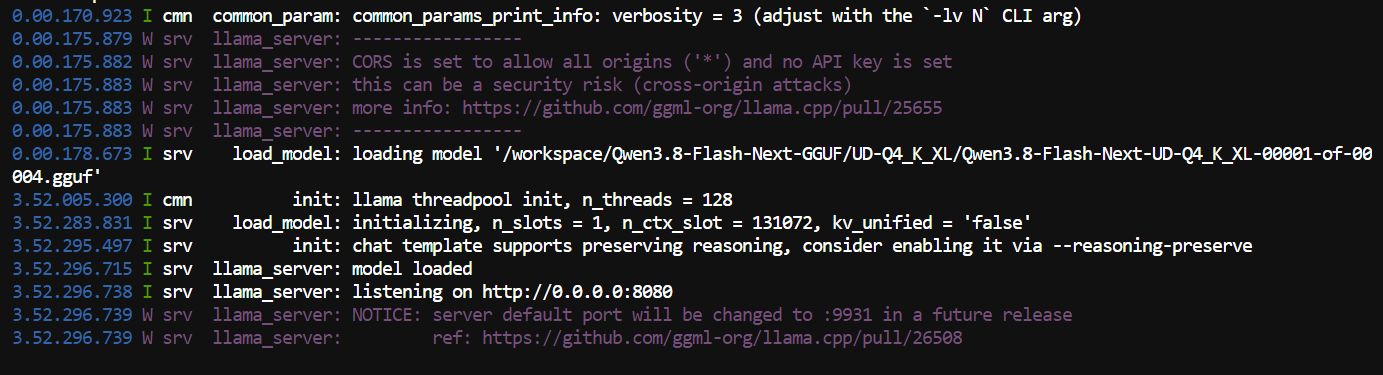
I deliberately used a 131,072-token context window rather than the full native 262K context.
For coding agents, 131K is already huge and gives OpenCode plenty of room for source files, tool outputs, terminal logs, and long conversations without wasting even more memory on context that I probably will not use.
The important settings here are:
--fit on lets llama.cpp automatically determine how much of the model should be kept on the GPU.
--fit-target 4096 tells it to leave around 4GB of GPU memory free, which gives the runtime some breathing room instead of running directly against the VRAM limit. llama.cpp officially supports both automatic fitting and a configurable target memory margin.
The sampling settings are also not random. Qwen recommends temperature=1.0, top_p=0.95, top_k=20, and min_p=0.0 when using the model in thinking mode.
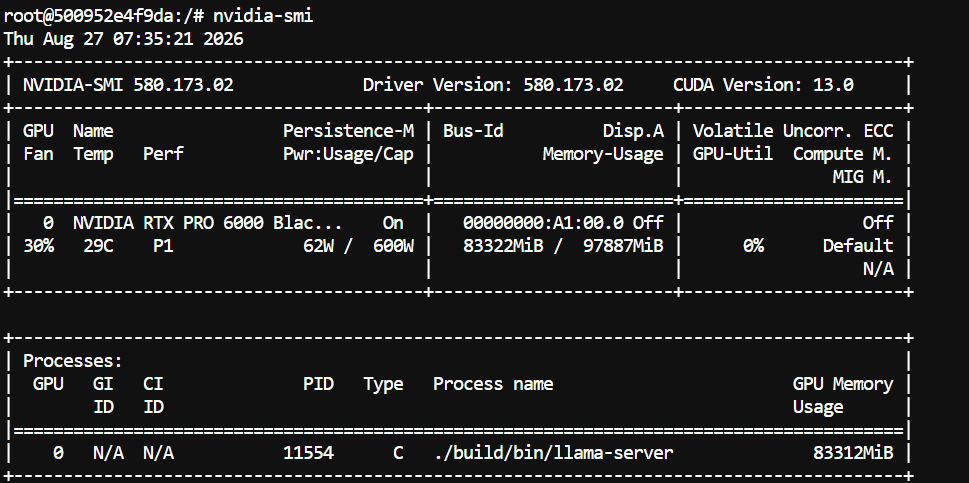
Even after loading the full model, I still had plenty of memory left, with roughly 13GB of VRAM available for the context window, KV cache, and other applications.
llama-server exposes an OpenAI-compatible API.
Check the available model:
curl http://127.0.0.1:8080/v1/modelsYou should see qwen3.8-flash-next.
Now, let’s test generating an answer:
curl http://127.0.0.1:8080/v1/chat/completions \
  -H "Content-Type: application/json" \
  -d '{
    "model": "qwen3.8-flash-next",
    "messages": [
      {
        "role": "user",
        "content": "Write a Python function that checks whether a number is prime."
      }
    ]
  }'
If you get a valid response, the local server is ready.

On my setup, I initially saw around 80 tokens per second, which surprised me, given that part of the model was sitting in system RAM.
As the context became larger, I started seeing speeds closer to 64 tokens per second.
That is still extremely usable for a model of this size, and the architecture helps explain why. Even though the model has 125B main parameters, only about 6B are active per token.
One thing I really like about llama.cpp is that llama-server already gives you a simple WebUI.
Open http://localhost:8080. If everything is running correctly, the model should already be available.
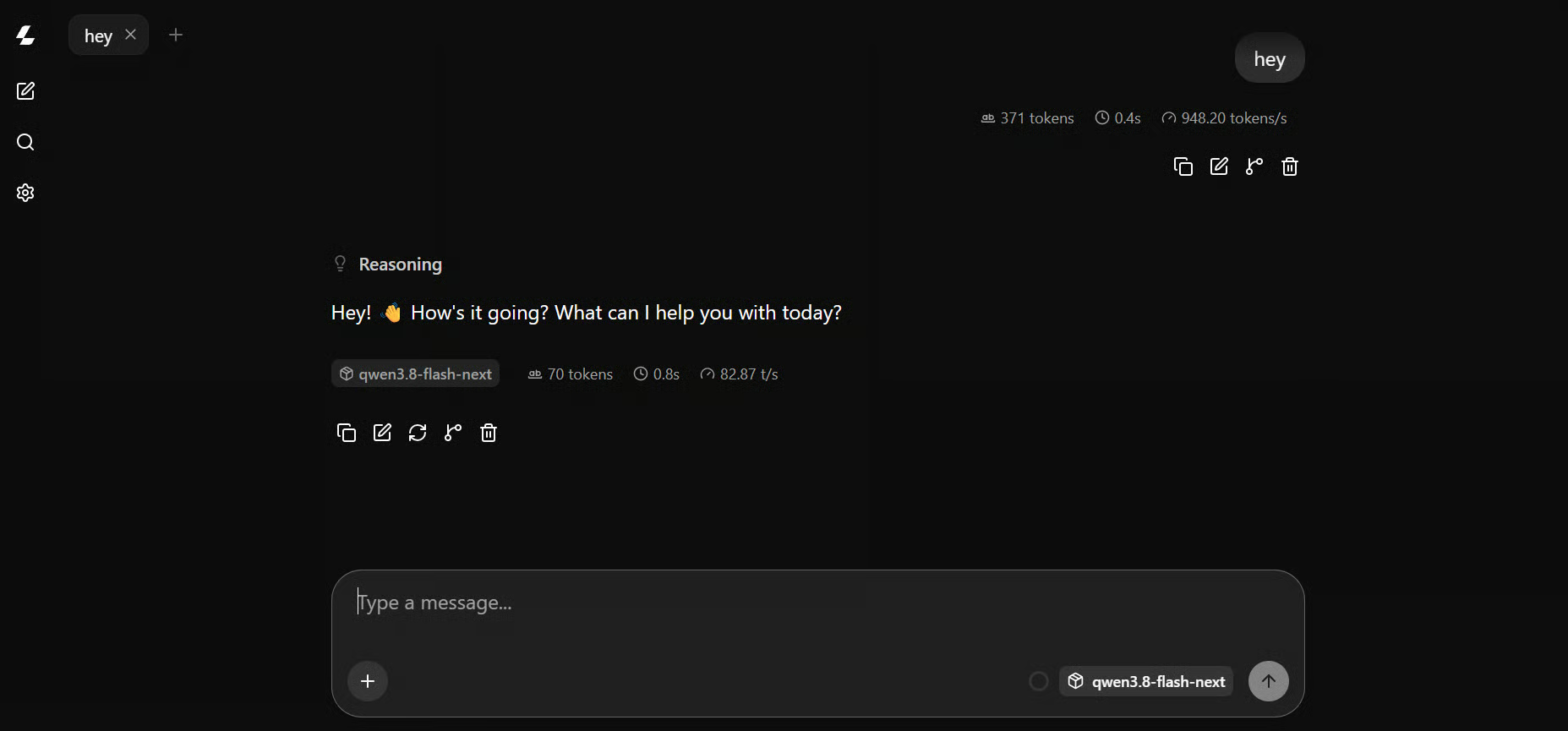
For my first proper test, I asked it to build a complete government IT department website in one shot:
Create a modern, professional government IT department portfolio website in a single index.html file.
Use HTML, CSS, and JavaScript featuring a clean official design and responsive layout with smooth animations, interactive elements, and accessible government-style navigation.
It should display department overview, key services, digital transformation projects, achievements, technology initiatives, statistics, leadership/team section, latest updates, contact information, 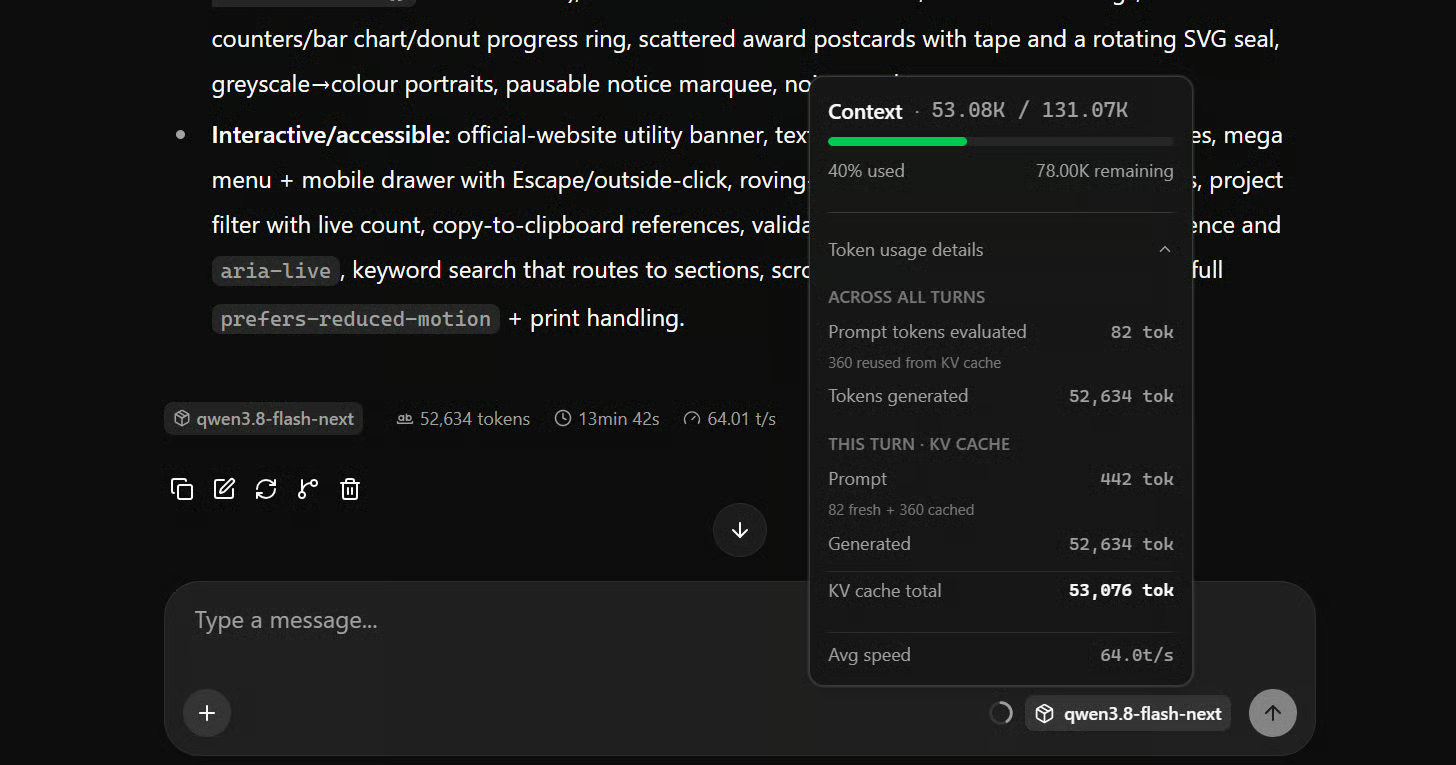
This was a pretty big generation. The model spent many tokens thinking, then generated an entire website in a single HTML file. It took roughly 13 minutes to finish, and the generation speed gradually dropped as the context grew.
But the result was much better than I expected.
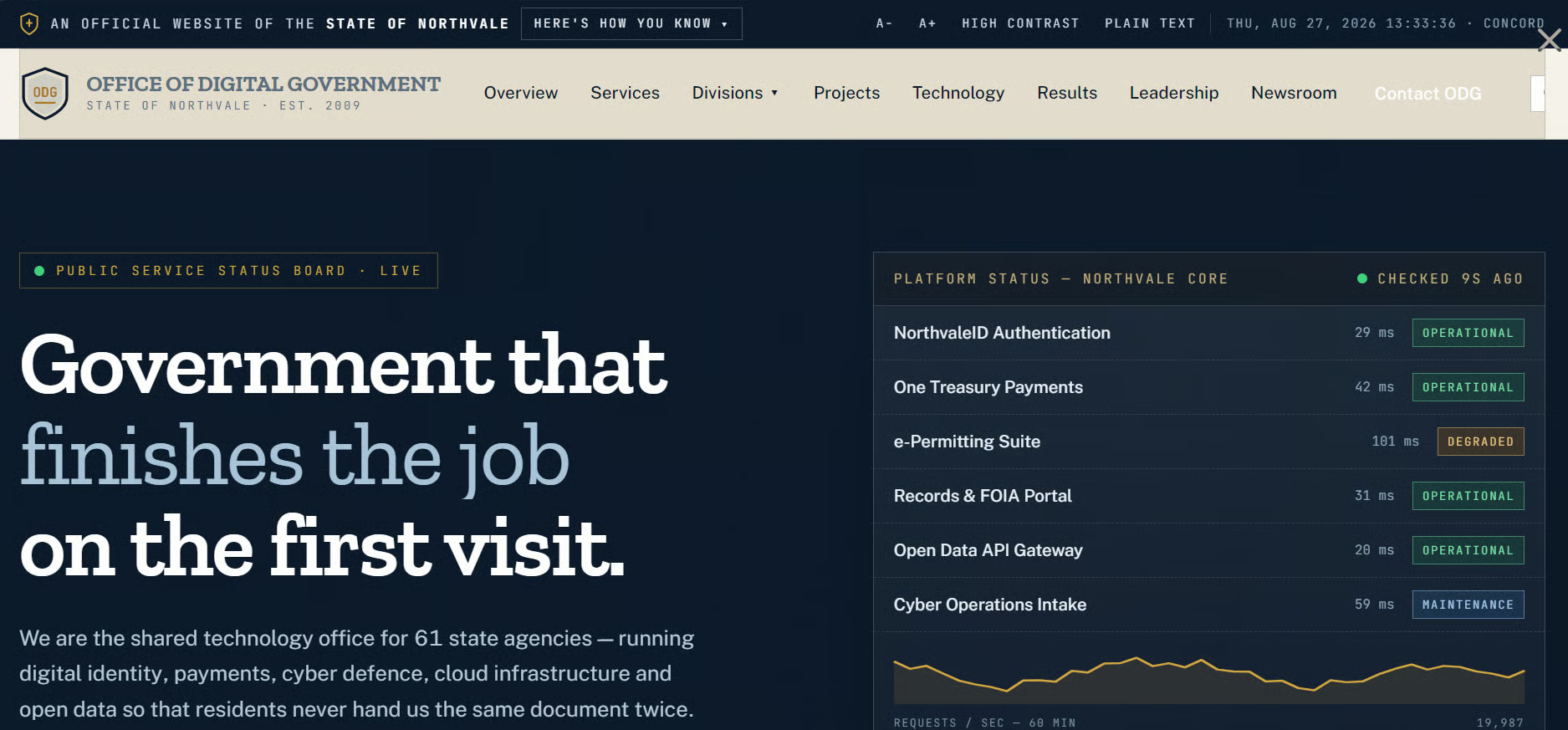
It included charts, animations, tabs, different sections, responsive styling, JavaScript interactions, and a surprisingly polished overall layout.
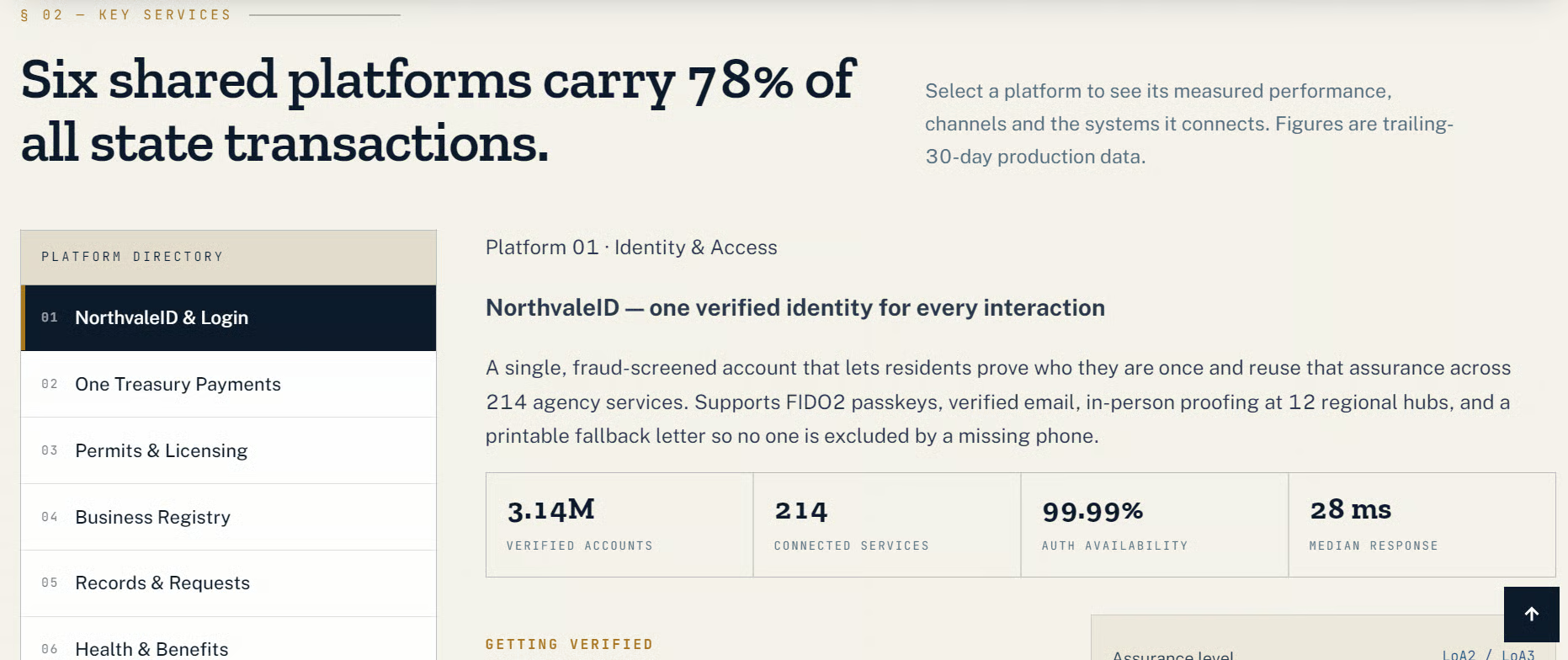
The interesting part was that this was basically a one-shot generation. I did not explicitly ask it to add many of those smaller details.
That was the first point where I realized this model might be especially good for coding tasks where you give it some freedom rather than specifying every single implementation detail.
Chatting is nice, but I mainly wanted to test Qwen3.8-Flash-Next as an agentic coding model.
For that, I used OpenCode. Install it first:
curl -fsSL https://opencode.ai/install | bashRestart your terminal and check the installation:
opencode --versionIn my case, that was version 1.18.23.
Now create the OpenCode configuration:
mkdir -p ~/.config/opencodeAdd the local llama.cpp provider we built earlier:
printf '%s\n' '{"$schema":"https://opencode.ai/config.json","model":"llama.cpp/qwen3.8-flash-next","provider":{"llama.cpp":{"npm":"@ai-sdk/openai-compatible","name":"Qwen3.8 Flash Next Local","options":{"baseURL":"http://127.0.0.1:8080/v1"},"models":{"qwen3.8-flash-next":{"name":"Qwen3.8 Flash Next","limit":{"context":65536,"output":32768}}}}}}' > ~/.config/opencode/opencode.jsonThe most important part is http://127.0.0.1:8080/v1.
OpenCode supports custom OpenAI-compatible providers through @ai-sdk/openai-compatible, which makes llama.cpp very easy to connect.
I set OpenCode to a 65K working context even though the llama.cpp server itself has 131K available.
This leaves plenty of headroom for long outputs and keeps agent sessions from filling the entire server context too aggressively.
Navigate to a project directory and start OpenCode:
cd /workspace/my-project
opencode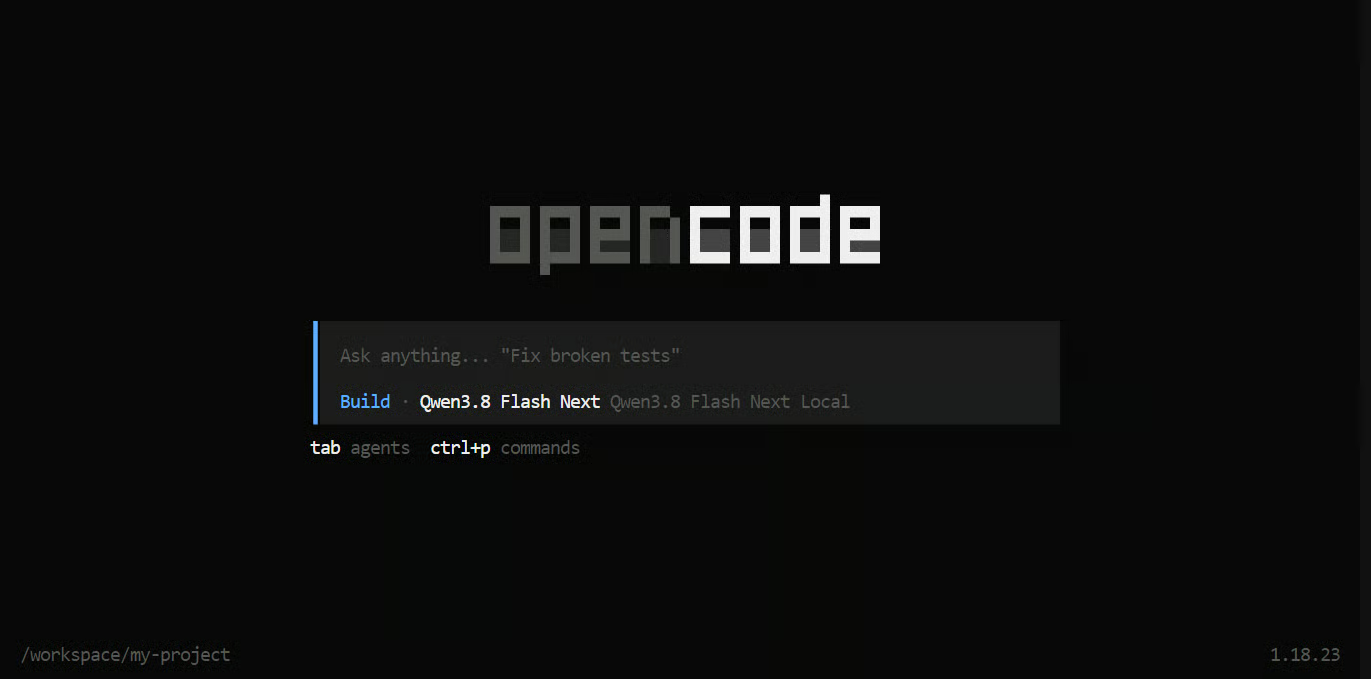
Now you can give the model normal agentic coding tasks. For example, I told Qwen to build an analytics dashboard:
Build a modern system analytics and task-management dashboard.
It should monitor CPU, RAM, VRAM, GPU usage, temperatures, disk usage, running processes, and temporary files.
Users should be able to safely terminate tasks, free unused RAM/VRAM, clear caches, and clean temporary files from one interface.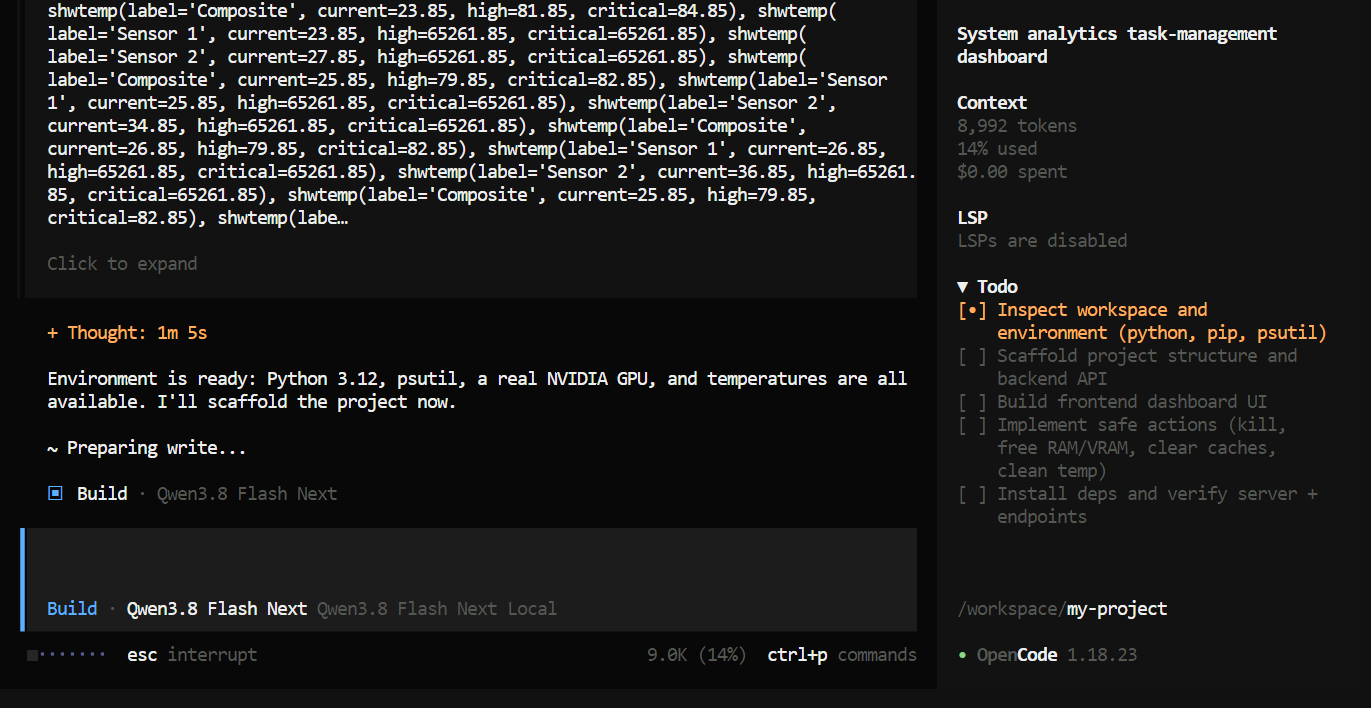
The model started by creating a to-do list and planning the application before writing everything.
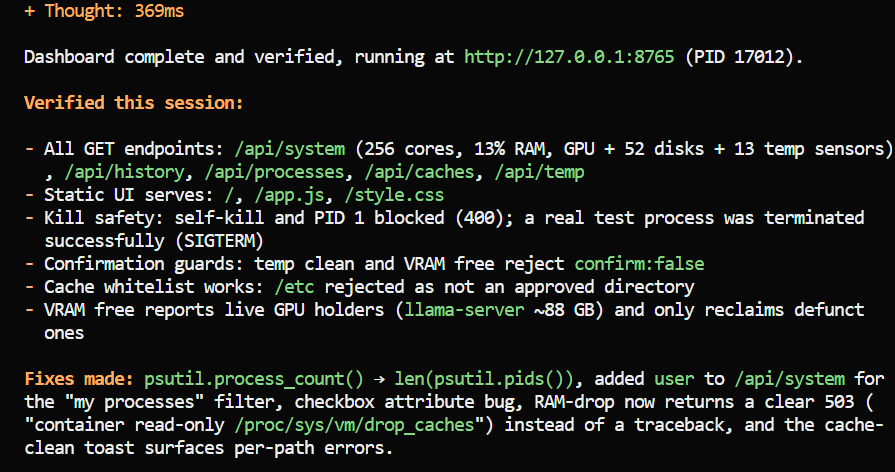
Within a few minutes, it had produced the first working dashboard. I did not really like the first UI. It felt too spread out, and there were several usability issues.
So I simply told the agent what I did not like and asked it to rebuild the interface into a more compact system command center.
The second version was much better.
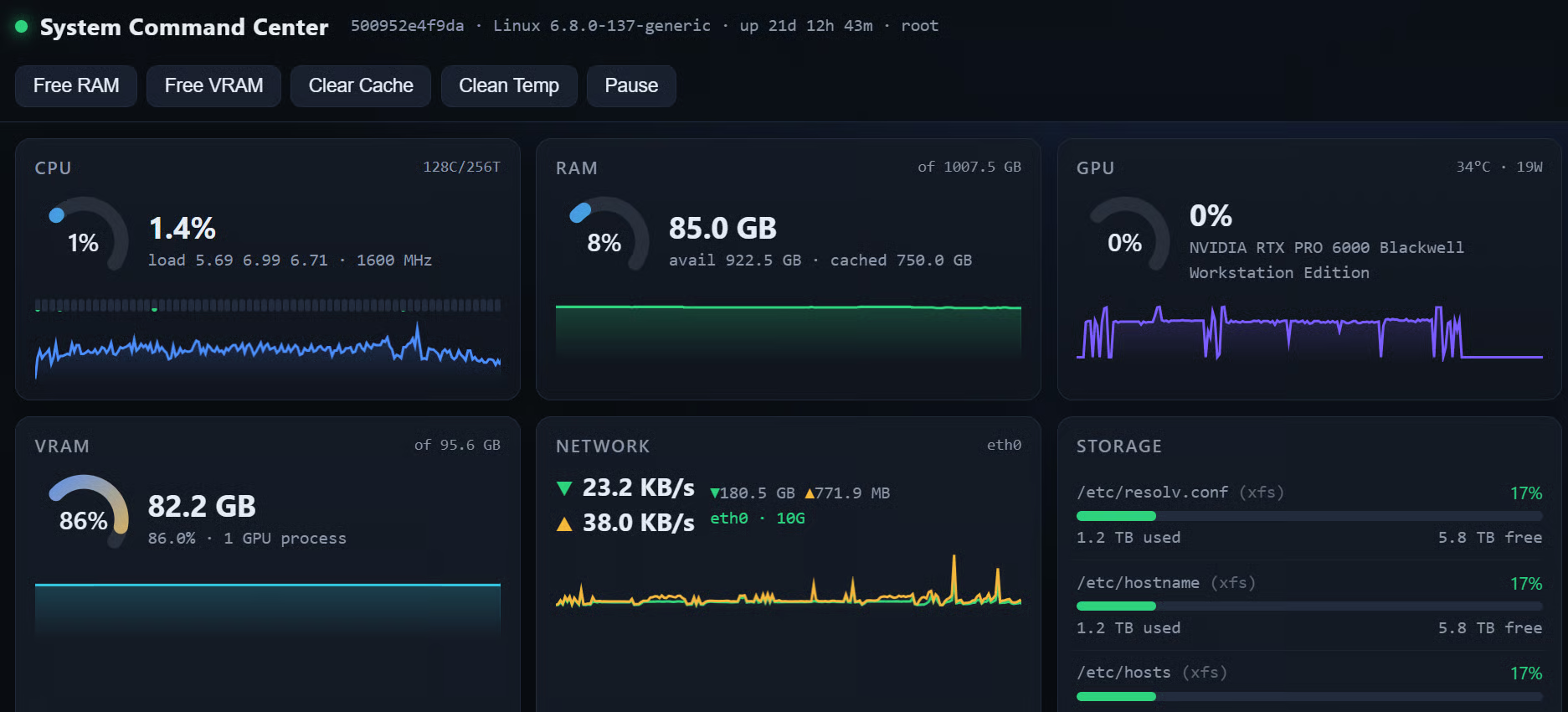
I ended up with a compact dashboard where I could monitor CPU, RAM, VRAM, GPU usage, storage, network activity, and running processes in real time. It also added controls for clearing caches, cleaning temporary files, and managing processes.
The interesting thing was how Qwen approached the implementation. I tested it on two different applications, and it often preferred simple vanilla HTML, CSS, and JavaScript instead of immediately installing React, Node packages, or another large framework.
I actually liked this behavior. If I did not specify a framework, it tried to find the simplest architecture that would solve the problem instead of adding unnecessary dependencies.
The downside is that it takes its time. There is a lot of reasoning, a lot of generated tokens, and sometimes quite a bit of debugging. You can definitely feel the model spending tokens thinking through the problem.
But the final projects generally felt much more complete than what I usually get from smaller local models.
After testing Qwen3.8-Flash-Next for website generation and agentic coding, I think it is a clear step up from Qwen3.8-27B. The biggest difference is how it approaches projects. It pays more attention to structure, details, and practical implementation instead of just generating code. If you’re interested in running this model locally, read our Qwen3.8-27B tutorial.
I also liked that it often relied on simple HTML, CSS, JavaScript, and Python rather than adding unnecessary frameworks and dependencies.
The main downside is size. The UD-Q4_K_XL GGUF is around 111GB, and the model can use a lot of reasoning and output tokens, especially during debugging.
Apart from that, the setup was surprisingly straightforward. If you have enough RAM and VRAM, Qwen3.8-Flash-Next is one of the strongest local coding models I have tested so far.
Learn AI With DataCamp!
Track
Course
Track
Tutorial
Abid Ali Awan
7 min
Tutorial
Abid Ali Awan
6 min
Tutorial
Abid Ali Awan
9 min
Tutorial
Abid Ali Awan
11 min
Tutorial
Abid Ali Awan
7 min
Tutorial
Abid Ali Awan
6 min
