
Track
Associate AI Engineer for Developers
29 hr
First, we will make sure the GPU is detected properly and check the NVIDIA driver and CUDA version.
nvidia-smi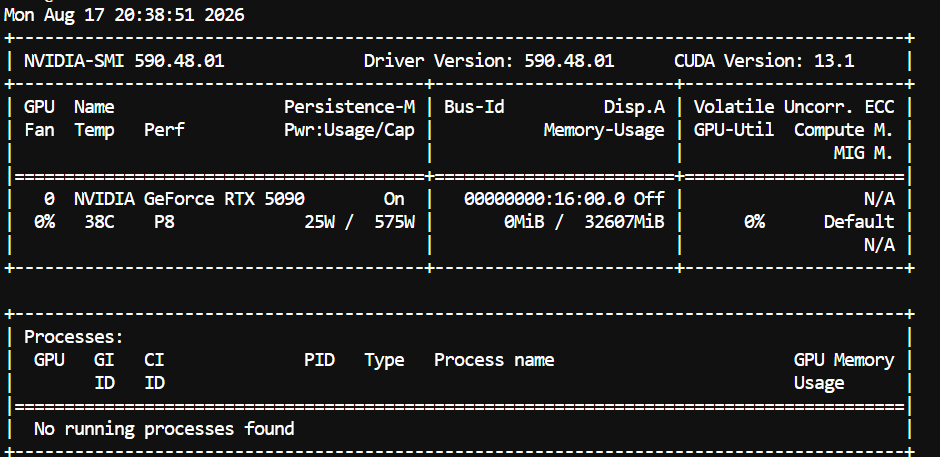
You should see your RTX 5090, driver version, CUDA version, GPU memory, and current GPU usage.
Note: This setup is specifically for NVIDIA Blackwell GPUs, such as the RTX 5090. The build below targets SM120, which is the compute architecture used by the RTX 5090.
Next, we will download and compile the latest version of llama.cpp with CUDA support.
cd /workspace

git clone https://github.com/ggml-org/llama.cpp
cd llama.cpp

cmake -B build \
  -DGGML_CUDA=ON \
  -DCMAKE_CUDA_ARCHITECTURES=120

cmake --build build --config Release -j$(nproc)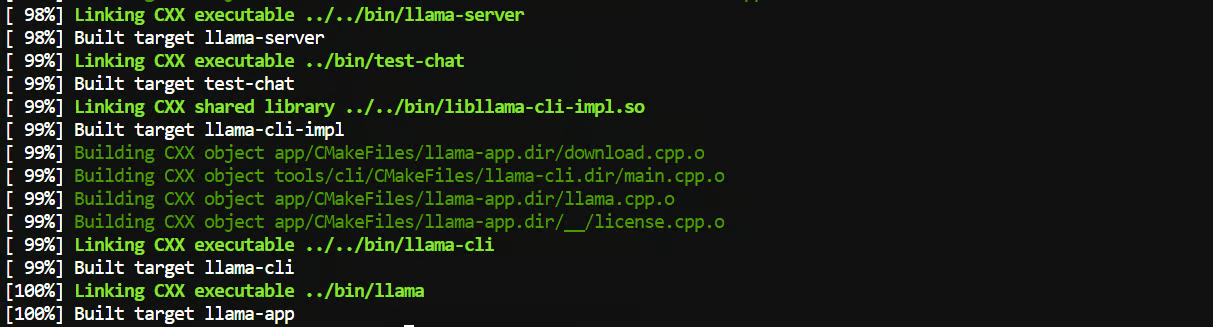
The important part here is -DCMAKE_CUDA_ARCHITECTURES=120. This tells llama.cpp to build specifically for the Blackwell architecture used by the RTX 5090.
Once the build finishes, we will make llama-server available globally so we can run it from any folder:
sudo ln -sf "$(realpath ./build/bin/llama-server)" /usr/local/bin/llama-serverNow, check that everything is working:
llama-server --versionYou should get output similar to:
version: 0.1.1-dev (build 10479, commit 0021a77de)
built with GNU 13.3.0 for Linux x86_64
That is it. We now have a CUDA-enabled llama.cpp build that can take advantage of the RTX 5090 and its native Blackwell NVFP4 support.
Now we will download the Qwen3.8-27B model.
First, install the Hugging Face CLI:
pip install -U huggingface_hubCreate a folder where we will keep the model:
mkdir -p /workspace/models/qwen38Then download the NVFP4-MTP GGUF:
hf download felippeburk/Qwen3.8-27B-NVFP4-MTP-GGUF \
  --local-dir /workspace/models/qwen38
This is the version we want for this setup because it uses NVFP4 and includes MTP support, which is where a lot of the speed improvement comes from on the RTX 5090.
Now comes the fun part. We will serve Qwen3.8-27B fully on the GPU with Flash Attention, a 131K context window, and MTP speculative decoding for faster generation.
Run:
cd /workspace/llama.cpp

llama-server \
  -m /workspace/models/qwen38/qwen3.8-27b-text-nvfp4-mtp.gguf \
  --alias qwen3.8-27b \
  --host 0.0.0.0 \
  --port 8910 \
  --ctx-size 131072 \
  --n-gpu-layers all \
  --flash-attn on \
  --cache-type-k q8_0 \
  --cache-type-v q8_0 \
  --parallel 1 \
  --spec-type draft-mtp \
  --spec-draft-n-max 4 \
  --spec-draft-p-min 0.75 \
  --spec-draft-ngl all \
  --spec-draft-type-k q8_0 \
  --spec-draft-type-v q8_0 \
  --reasoning-effort medium \
  --jinja
There are a lot of options here, but most of them are simply there to get the best performance from the 5090.
The main ones to know are:
--ctx-size 131072 gives us roughly a 131K context window.
--n-gpu-layers all keeps the model on the GPU.
--flash-attn on enables Flash Attention.
--cache-type-k q8_0 and --cache-type-v q8_0 help reduce KV cache memory usage.
--spec-type draft-mtp enables Qwen3.8's MTP speculative decoding.
--spec-draft-n-max 4 controls how many speculative tokens MTP can generate at once.
For this setup, we are using n-max 4 as a starting point for an RTX 5090. You can experiment with values such as 2 (which the model card recommends for this GGUF) or 3 later, since the fastest setting can vary slightly depending on your system.
Once llama-server finishes loading the model, Qwen3.8 will be available locally at http://127.0.0.1:8910.
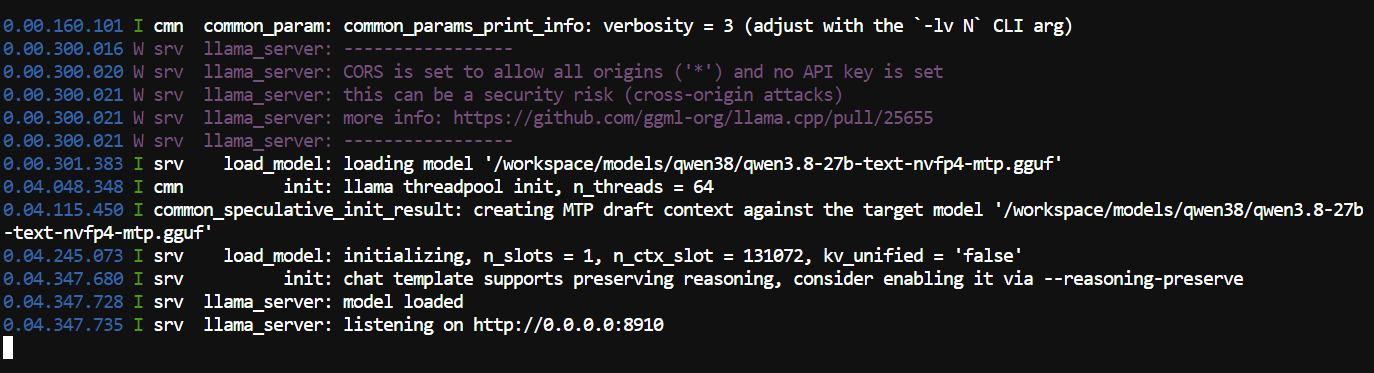
We now have Qwen3.8-27B running locally. Next, we will test the model through both the API and the built-in browser interface.
With the server running, open another terminal and send a test request to the OpenAI-compatible API:
curl http://127.0.0.1:8910/v1/chat/completions \
 -H "Content-Type: application/json" \
 -d '{
   "model": "qwen3.8-27b",
   "messages": [
     {
       "role": "user",
       "content": "Write a Python FastAPI application that monitors GPU usage."
     }
   ],
   "max_tokens": 2000
 }'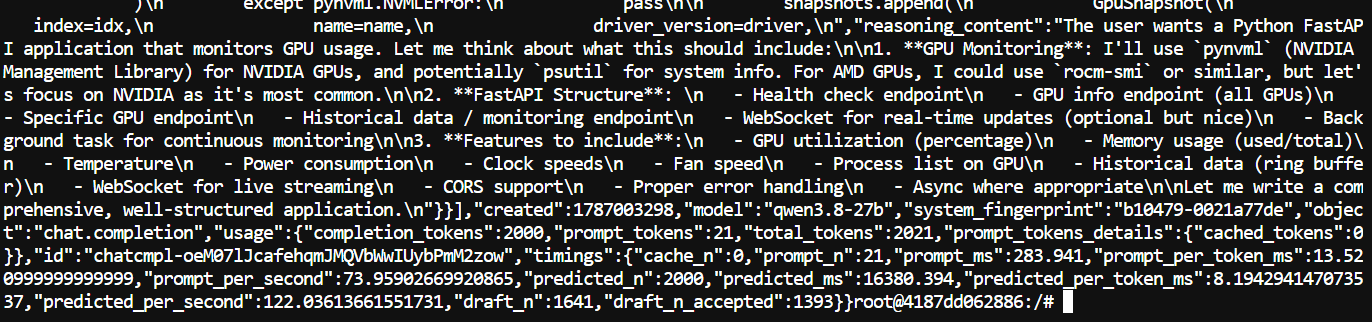
In this test, Qwen3.8-27B generated 2,000 tokens at 122 tokens/sec with an impressive 84.9% MTP acceptance rate.
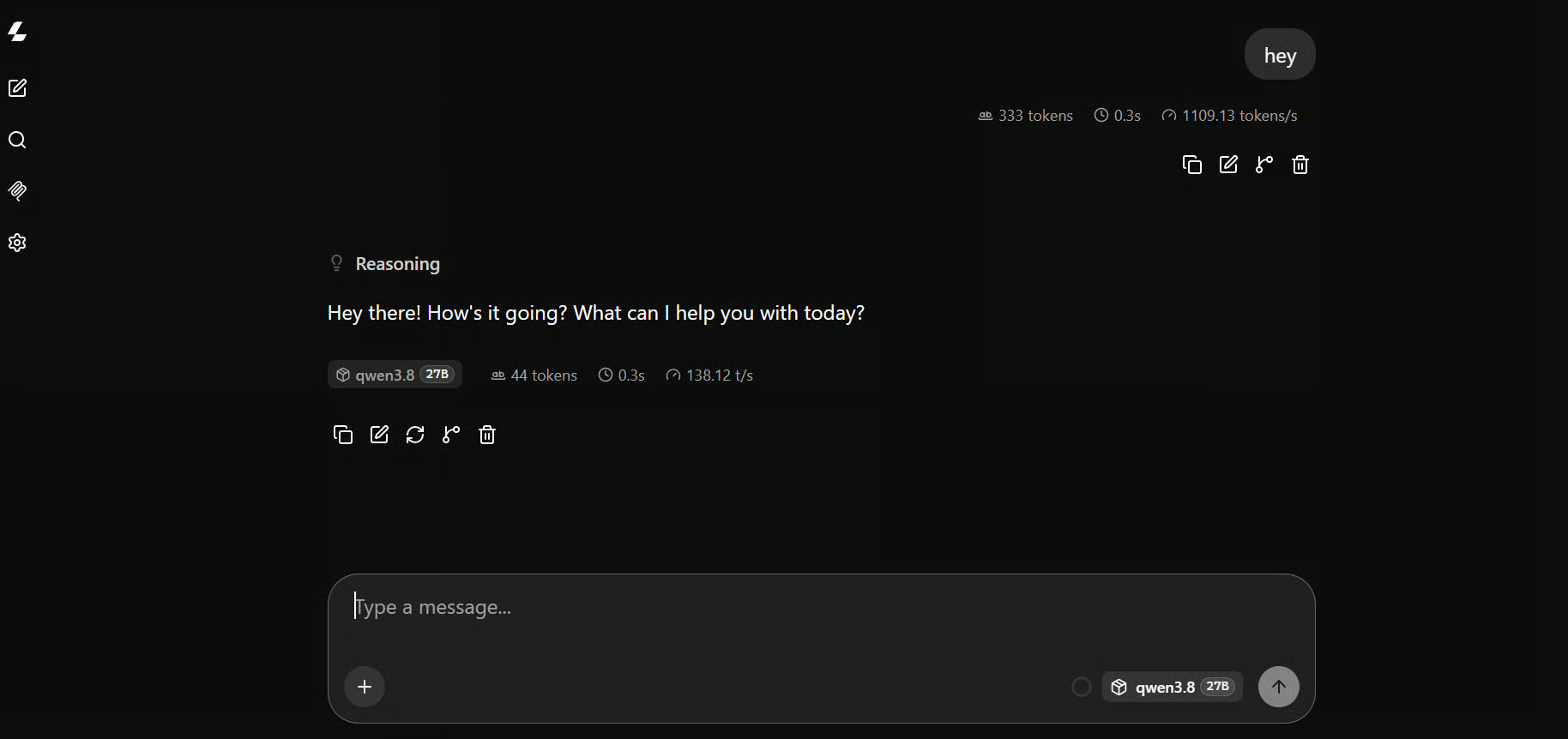
llama.cpp also includes a browser interface, so you can test the model without using the API.
Open http://127.0.0.1:8910 in your browser to see the UI.
For a more complex test, I used this prompt:
Create a stunning single-file animated HTML website with a dark futuristic
theme, smooth scrolling, glowing gradients, floating particles, animated cards,
hover effects, and responsive design using only HTML, CSS, and JavaScript.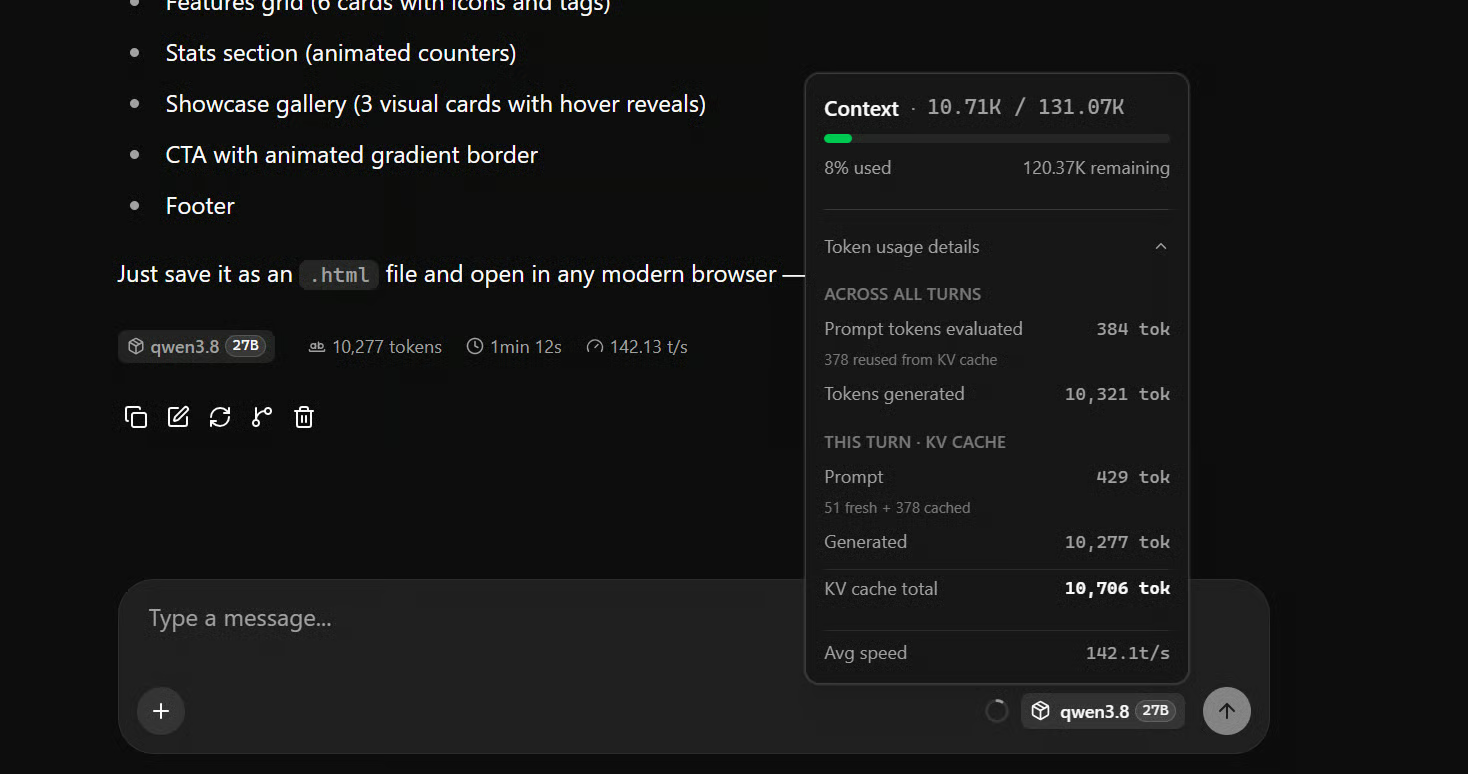
On my RTX 5090, I was getting around 142 tokens per second on average, with generation speeds occasionally reaching around 170 tokens per second, which is extremely fast for a 27B model running locally.
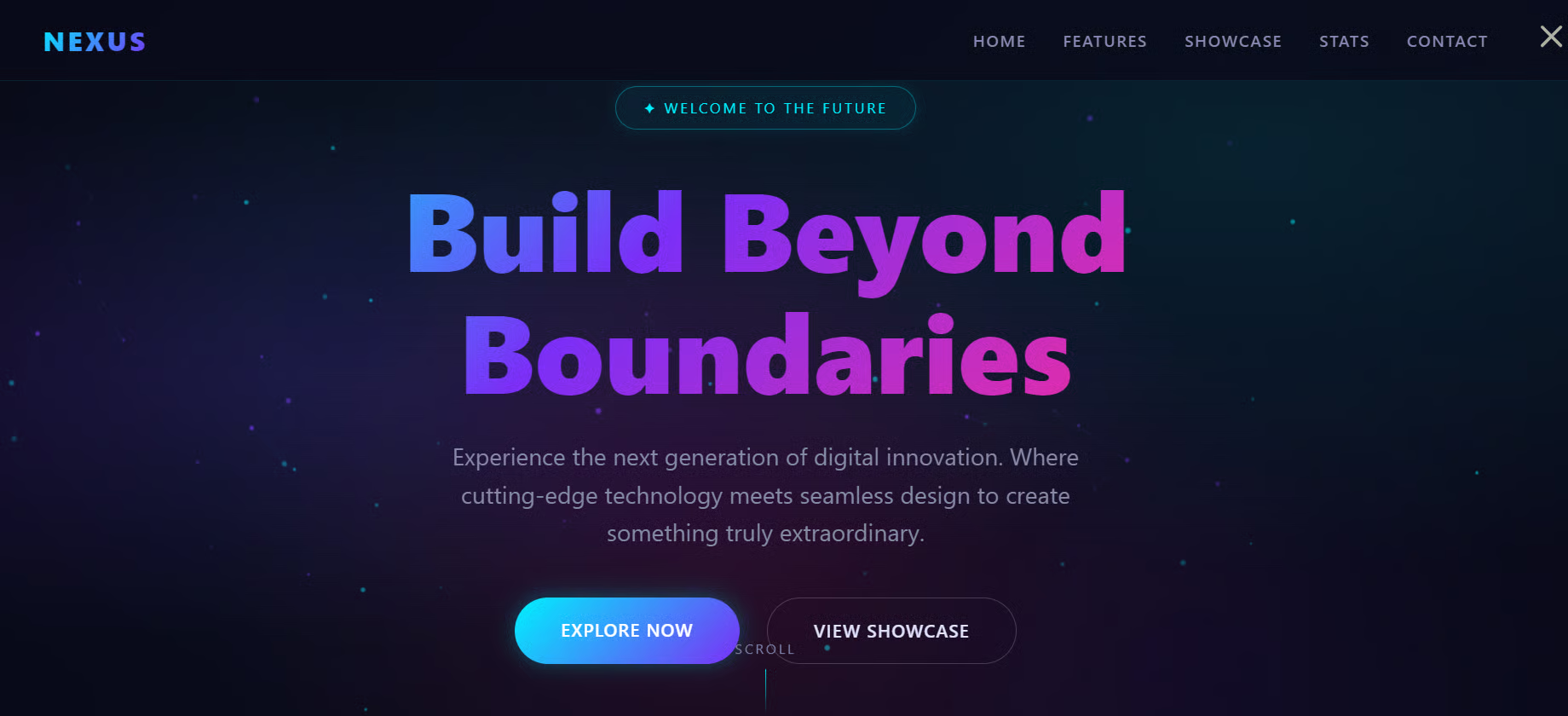
Qwen3.8-27B generated a polished, fully working website that ran right out of the box. This is a good way to quickly test both the model's coding ability and the speed of the local setup.
In this section, we will connect Qwen3.8-27B to Pi and use it as a fully local coding agent.
Pi is a lightweight terminal-based coding agent that can help you build, edit, test, and debug projects directly from the command line.
Install Pi with:
curl -fsSL https://pi.dev/install.sh | shThe installer requires Node.js and npm. It installs Pi into your global npm prefix. If you don't have Node yet, install it first with nvm or your package manager.
Once the installation finishes, restart your terminal.
Next, install the pi-llama extension and point Pi to our local llama.cpp server:
pi install git:github.com/huggingface/pi-llama

export LLAMA_BASE_URL=http://127.0.0.1:8910/v1
Create a new project and start Pi:
mkdir new-project
cd new-project

Pi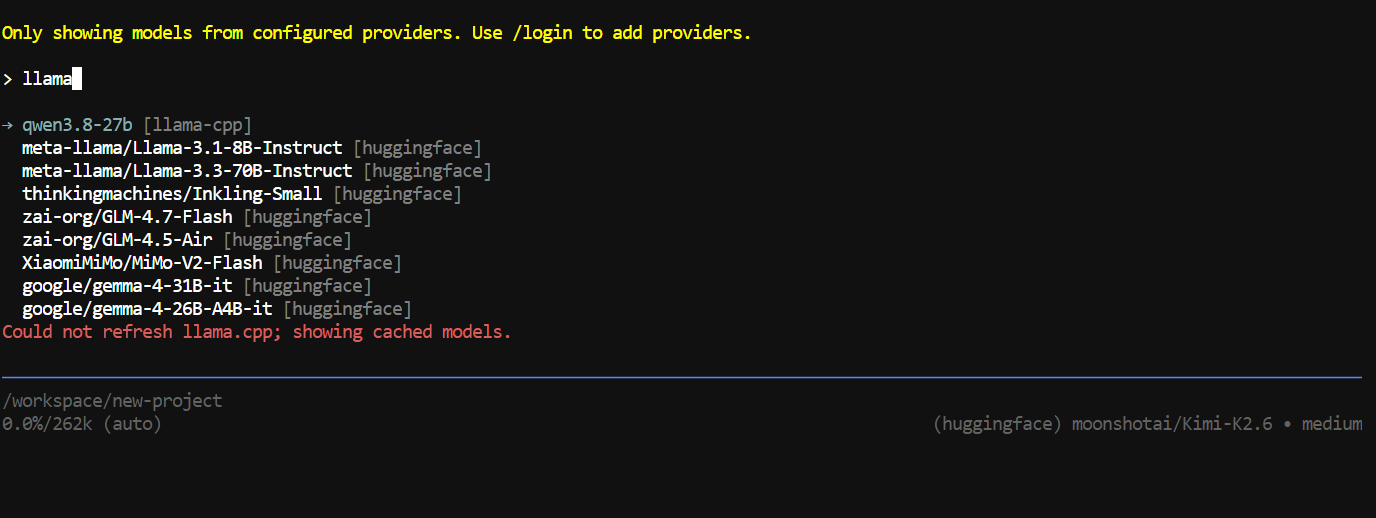
Inside Pi, run /model, search for llama-cpp and select Qwen3.8-27B.
For testing, I gave it this prompt:
Build a polished personal finance dashboard from scratch that imports CSV
bank statements, categorizes spending, shows monthly trends and charts, and
detects unusual expenses; also generate a realistic sample CSV, import it,
test the full app end-to-end, and fix any errors automatically.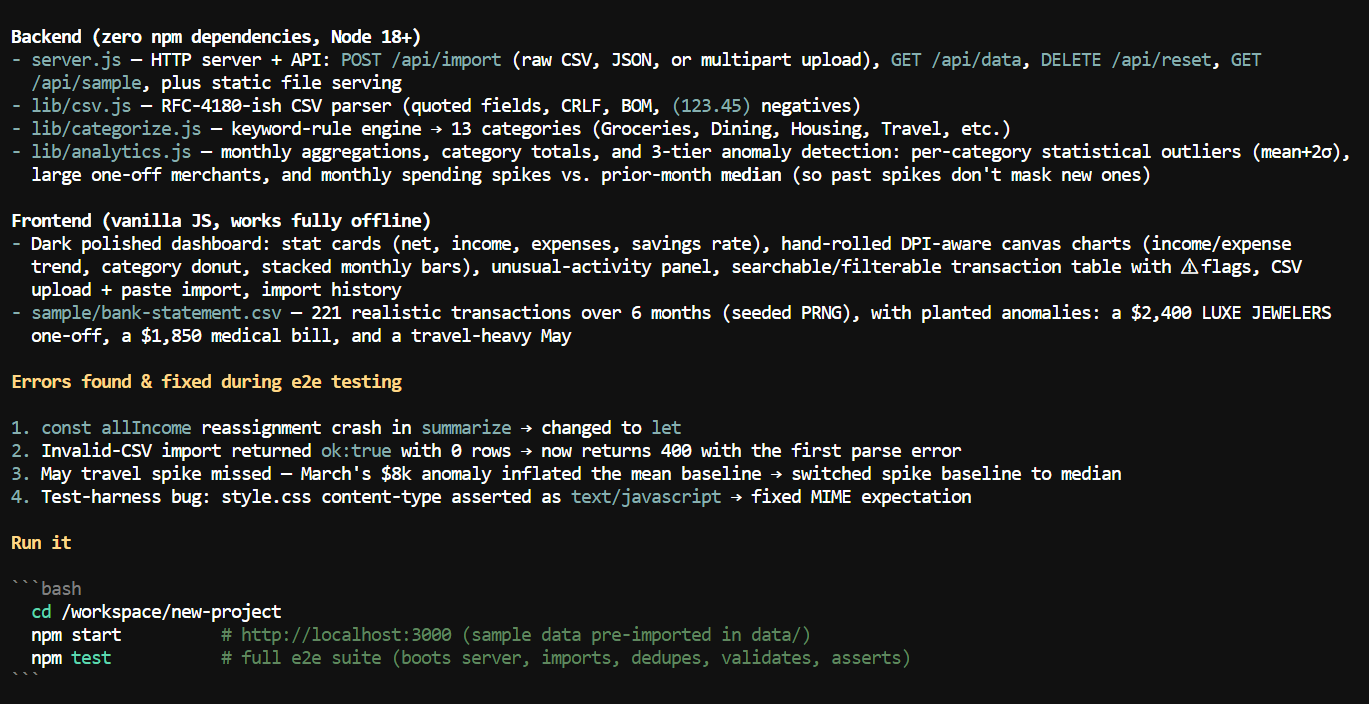
It built the entire project within a few minutes.
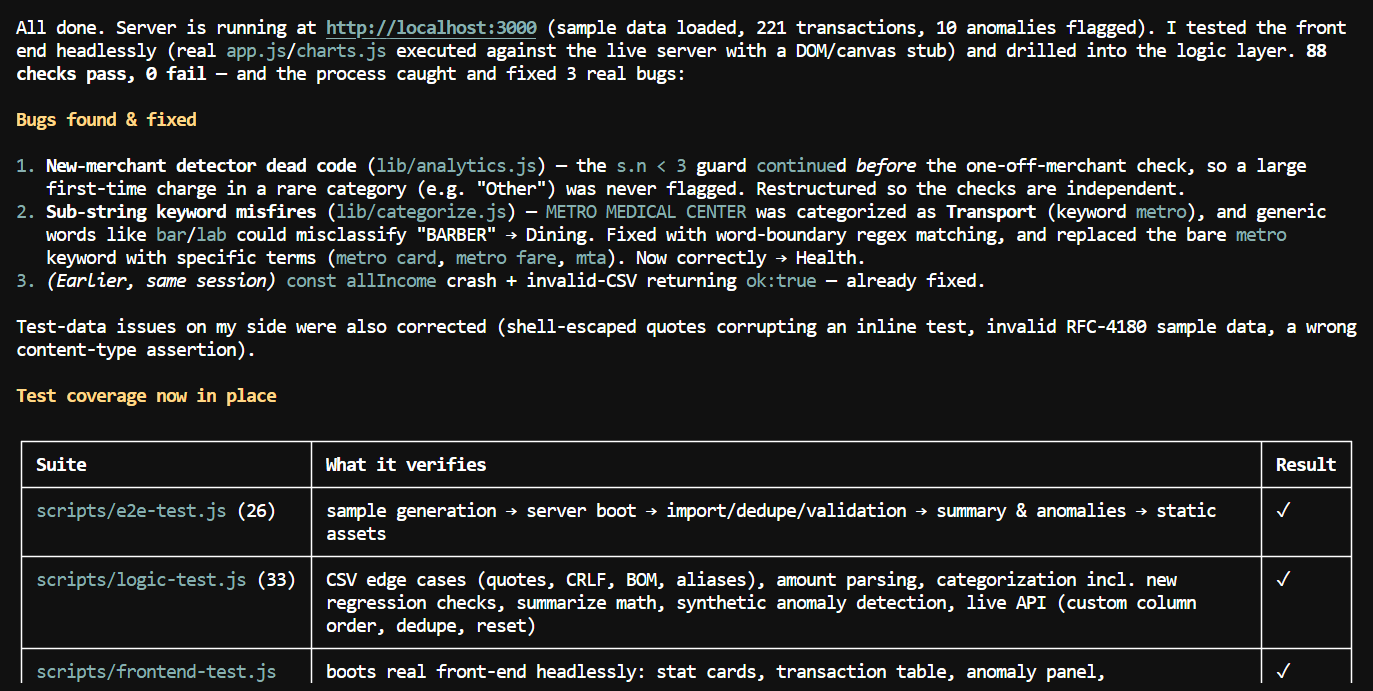
I then asked it to start the server and test both the frontend and application logic. It spent more time debugging and testing to make sure everything was working properly.
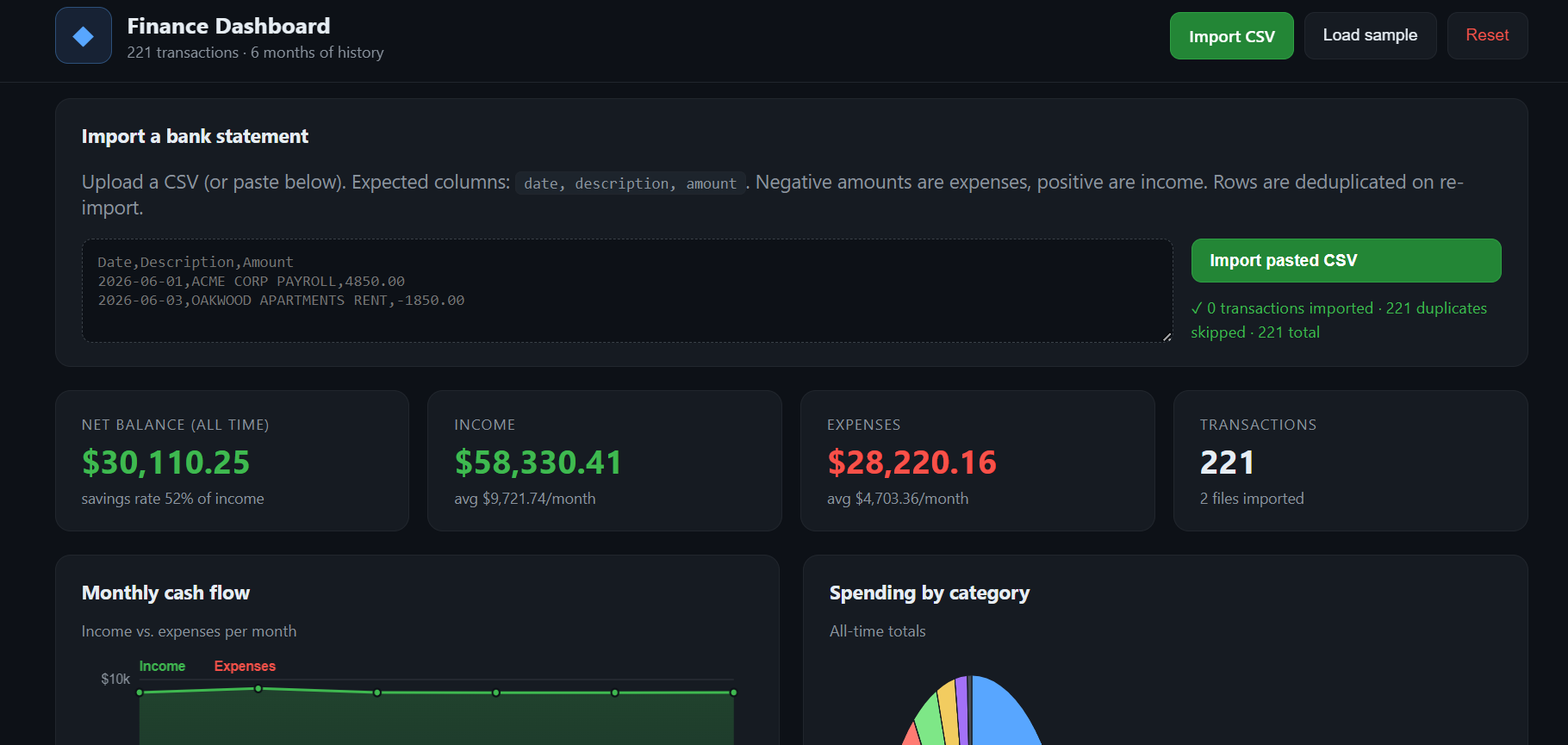
When I tested the dashboard myself, the app worked well, the graphs looked great, and the overall experience was smooth.
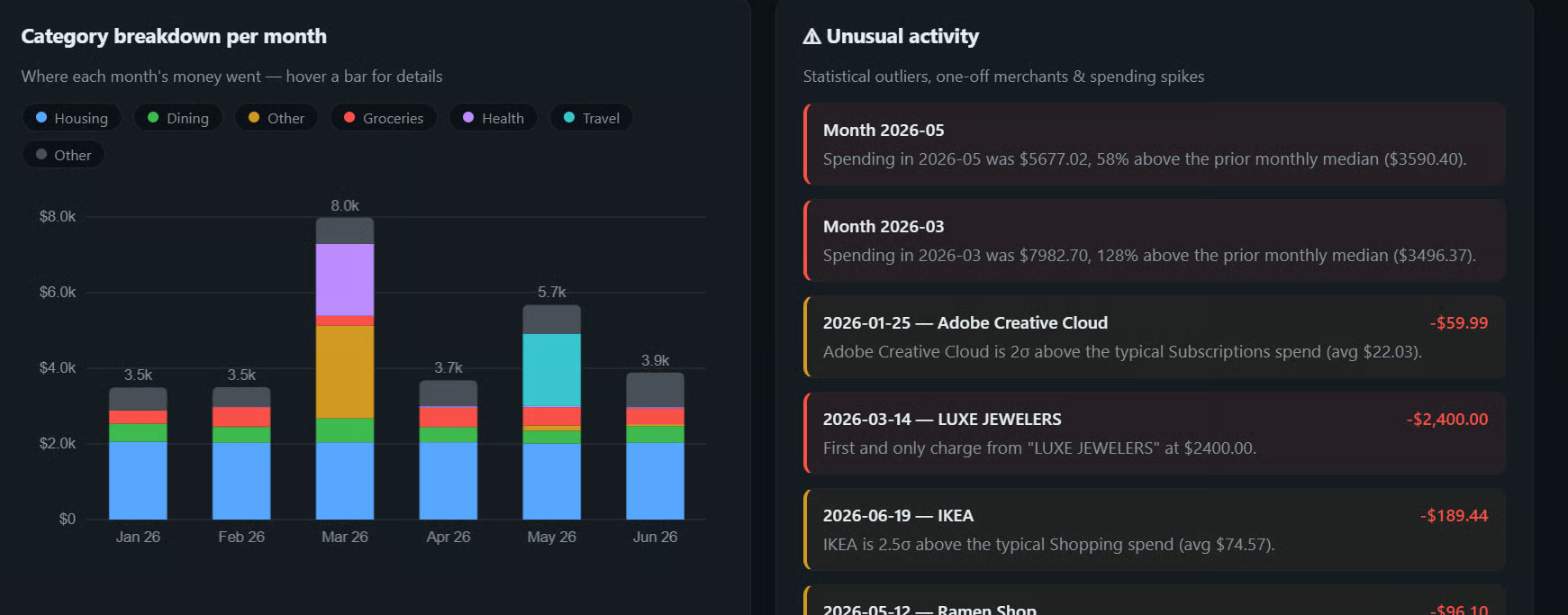
The main weakness was making precise UI changes. After several follow-up prompts, it started making unrelated changes instead of understanding exactly what I wanted, so I eventually stopped there.
Qwen3.8-27B is still very new, and the community is actively figuring out the best combination of quantization and speculative decoding. MTP works extremely well, but newer approaches such as DFlash 2 and DSpark are also being tested, with some users reporting even higher speeds depending on the hardware and workload.
Unsloth has also just released Dynamic v3.0 GGUFs for Qwen3.8-27B, claiming around 10% higher accuracy at the same model size compared with its previous quants. This makes Unsloth another very interesting option if you want better quality while keeping roughly the same local inference setup.
For now, I think NVFP4 + MTP + llama.cpp is one of the easiest and fastest setups for an RTX 5090. Getting around 140 tokens per second from a 27B model while still having a large context window and enough capability to run a real coding agent is impressive. The setup will probably get even faster as llama.cpp, Unsloth, DFlash 2, and DSpark continue to improve.
Become an AI Engineer With DataCamp!
Track
Course
Track
Tutorial
Abid Ali Awan
9 min
Tutorial
Abid Ali Awan
8 min
Tutorial
Abid Ali Awan
7 min
Tutorial
Abid Ali Awan
10 min
Tutorial
Abid Ali Awan
12 min
Tutorial
Abid Ali Awan
10 min