
Track
Runway ML recently released Runway 4.5, the latest iteration of its text-to-video AI generation model. They claim their model is the best text-to-video model to date.
Despite their impressive trailer, I'm always skeptical that the examples video AI generation companies use to showcase their models are cherry-picked and that reality often doesn't match the hype.
In this article, I’ll teach you how to use Runway 4.5 and show unfiltered examples to see if Runway 4.5 truly delivers on the promise.
What is Runway 4.5?
Runway 4.5 is a text-to-video AI generation model from Runway ML. While Runway 4 focused on generating videos from images, Runway 4.5 focuses on text prompts. The new model currently doesn't yet support sound, but it should be rolling out soon, according to Runway.
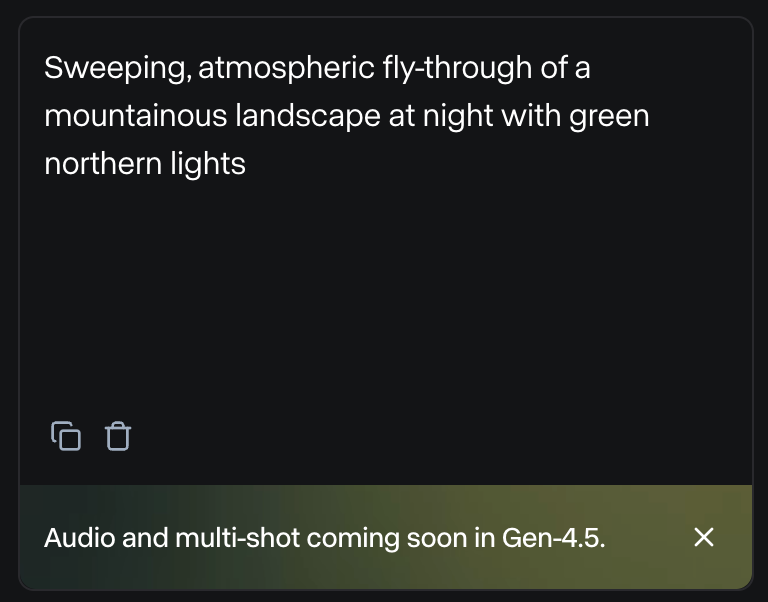
The lack of audio support also means that the sounds in their launch trailer were made externally and not generated by Runway 4.5.
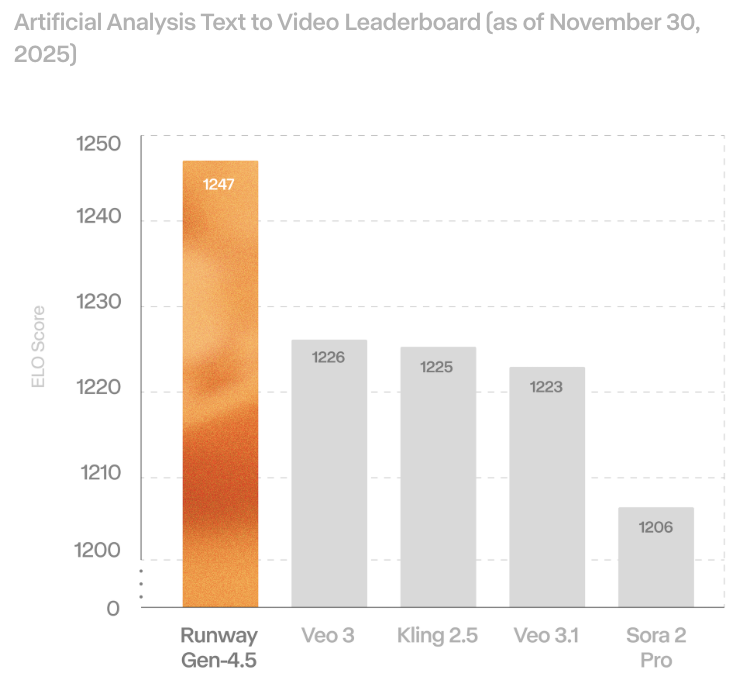
While the new model beats other existing models in text-to-video benchmarks, this feels like a step backward because their previous models had good sound and image support.
From my experience, image support is fundamental to creating a consistent story because even if a model can adhere to a text prompt fully, it would be impossible to maintain character consistency using text alone.
If you're new to Runway, we recommend you check our other articles on Runway ML:
- Runway Gen 4: A Guide With Practical Examples
- What is Runway Gen-3 Alpha? How it Works, Use Cases, Alternatives & More
- Runway Act-One Guide: I Filmed Myself to Test It
How to Access Runway 4.5?
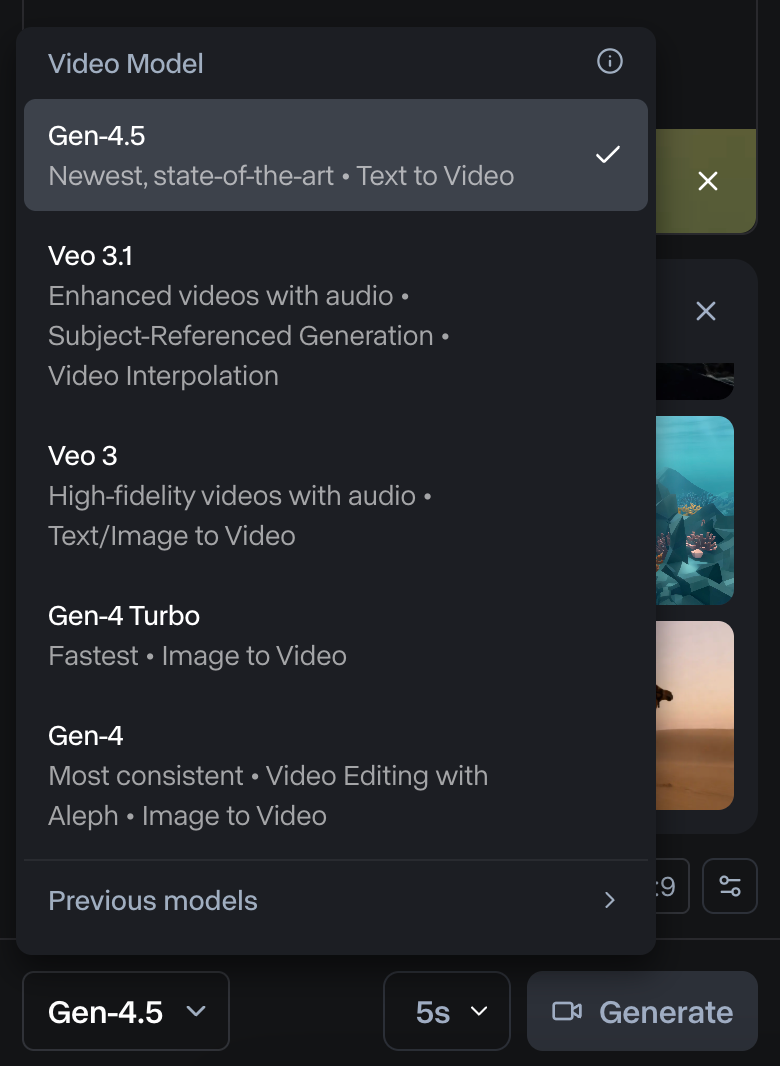
Runway 4.5 is accessible through their web app.
Using it isn't free and requires a subscription. For more details, see their pricing page.
Each second of video generation for Gen 4.5 costs 25 credits. Their cheapest subscription comes with 625 credits, which only allows generating 25 seconds of video.
What's New in Runway Gen-4.5?
Let’s check out the new features of Runway Gen 4.5:
Precise prompt adherence
In their release article, they claim that Runway 4.5 can adhere to complex prompts with a high degree of accuracy. Namely, it can:
- Render complex multi-element scenes with precision.
- Handle detailed compositions, allowing precise placement of objects and fluid motion of characters and objects in the scene.
- Accurately handle physical interactions with believable collisions and natural movement.
- Generate expressive characters with nuanced emotions, natural gestures, and lifelike details.
The video below is a compilation of one example for each of these features taken from their official website:
Stylistic control and visual consistency
Similar to modern text-to-video models like Veo3.1, Gen-4.5 supports a broad spectrum of visual styles, from lifelike cinematic imagery to highly stylized animation, while preserving a consistent and unified visual identity. In particular, we can:
- Generate videos that are indistinguishable from real-world footage, complete with lifelike detail and accuracy.
- Create stylized, expressive motion with artistic freedom unconstrained by realism.
- Make videos that look and feel like everyday life.
- Render videos with striking depth and cinematic polish.
Below are examples taken from their official announcement showcasing each of the features mentioned above:
Testing Runway 4.5
The examples shown above were taken from the official website. These look quite impressive, but it's often the case with AI video generation models that we need to generate a bunch of videos using the same prompt before we get anything good.
It's important to keep in mind that usually the results we see in the announcement of a new model are carefully selected as the best videos among many generated examples.
In this section, I show the results of my own experiments using Runway 4.5. While conducting these experiments, I didn't cherry-pick. For each idea I had, I generated a single video and didn't attempt to generate multiple versions until I got something acceptable.
To generate a good prompt, I recommended following their prompting guide, which suggests the following structure:
[Camera] shot of [a subject/object] [action] in [environment]. [Supporting component descriptions]
Physical accuracy
My first test for Runway 4.5 was to see if the model understands physics.
For this, I had the idea of putting an elephant and a mouse on a see-saw and seeing which way it tilted. I didn't want to include in the prompt what would happen to see if the model has learned to generate realistic physics without them being described.
Instead of generating a single video, I decided to generate two videos:
- The mouse is alone on the see-saw, and the elephant jumps on the other side. I expected the mouse to go flying away.
- The elephant is alone on the see-saw, and the mouse jumps on the other side. I expected nothing to happen as the elephant is much heavier.
Here are the prompts I used:
Side-on static camera shot of a mouse sitting alone on one end of a wooden see-saw as an elephant falls onto the opposite end in an open grassy field.
The full see-saw and pivot remain visible, the fall completes within the shot, the motion is shown in real-time, and the take is continuous with no cuts.
Side-on static camera shot of an elephant sitting alone on one end of a wooden see-saw as a mouse falls onto the opposite end in an open grassy field.
The full see-saw and pivot remain visible, the fall completes within the shot, the motion is shown in real-time, and the take is continuous with no cuts.
And here's the result:
Although the result isn't exactly what I imagined, I feel that, in terms of physics, Runway 4.5 handles it relatively well.
In the first video, the elephant doesn't really fall on the see-saw, but when it steps on it, it does lift the mouse, even if there are some minor inconsistencies.
In the second video, as expected, the mouse falling on the see-saw doesn't have any effect, which is good.
Character emotions
Next, I wanted to see if I could evoke some strong emotions in characters. At first, I wanted to see if it could generate an awkward moment by having two people stare at each other, having nothing to do after a conversation ends. I used this prompt:
Two-shot eye-level camera shot of two people holding eye contact after a conversation ends in a small elevator.
Neither speaks, the doors remain closed, and the moment extends slightly longer than comfortable in real time.
Here's the video generated by Runway Gen 4.5:
The video didn't give me a feeling of awkwardness. I know I didn't explicitly request that emotion in the prompt, and maybe it's subjective that it would be the emotion coming from the long stare.
Despite not being what I expected, I felt that the video delivered consistent facial expressions with the situation. To me, it felt more like the characters were getting ready to handle a tough situation.
I did a second experiment where a woman received a sad text message and reacted to it. This was the prompt I used:
Locked-off close-up camera shot of a young woman reading a very sad message on her phone and slowly lowering it in a quiet subway station.
Her face remains fully visible, background movement continues naturally, and the moment plays out in a single continuous take.Generating complex scenes
One of the things I've seen AI models consistently fail to do is generate busy scenes with lots of people. Usually, there are a lot of artifacts, with people and objects vanishing or appearing out of thin air.
To test Runway's 4.5 ability to generate a complex scene, I asked it to generate a video of a crowded night market using this prompt:
A crowded open-air night market just after a sudden rainstorm.
Steam rises from food stalls while neon signs in different languages reflect in puddles on the ground.
Dozens of people move through the narrow aisles: vendors cooking, customers eating, children weaving through the crowd, a street musician performing near an intersection.
Some people carry umbrellas, others shake water from their clothes.
Plastic tarps flutter overhead, partially blocking strings of warm lights.
In the background, scooters pass by, and apartment windows glow at different heights.
The scene feels alive, messy, and authentic, with many small interactions happening at once.
This was the result:
Overall, the result isn't too bad. The people in the front remain consistent, and the video includes most of the requested elements.
However, it does suffer from the same problem other models have of having trouble maintaining movement consistency.
For example, at some point, there's a scooter in the background that disappears. The same happens with some of the people.
Generating life-like scenes
One of the claims in the announcement is the model's ability to generate a simple everyday life scene. To test that, I asked it to generate one of the most common daily life scenes I could think of: someone checking out at the supermarket.
This was the prompt I used:
Eye-level handheld camera shot of a customer placing items on a checkout counter and waiting in a small local grocery store.
The cashier scans items off-screen, the line behind shifts slightly, and ambient motion continues.
Even though the result isn't too bad, I do feel that the model really struggled to adhere to the prompt:
There is no visible line of customers, and the items roll down the conveyor belt in a strange way and just gather at the end. The scene looks unnatural and very AI-generated to me.
Generating fantasy worlds
There’s something I’ve been wanting to generate for a while that kept failing with all the models I tried, so I decided to give it a go with Runway 4.5. I wanted to create a character with a magic paintbrush that he uses to get out of situations.
For example, he could be running away from bad people and use it to draw a ladder to escape a dead-end alleyway.
I asked Runway 4.5 to generate this scene using this prompt:
A fantastical world where painted objects can become real.
A lone character carrying a glowing magical paintbrush runs through a surreal alley as shadowy pursuers close in behind him.
He reaches a dead end: a tall, blank wall with no exits.
Panicked but focused, he turns, presses the brush against the wall, and quickly paints a ladder.
As the final stroke is completed, the painted ladder transforms into a physical object attached to the wall.
The character climbs the ladder and escapes upward just as the pursuers reach the wall below.
The environment feels dreamlike and imaginative, with subtle magical effects reinforcing that art and reality blend together in this world.The video has some inconsistencies, like the bad guys actually running away from the main character at the start, and the bad guys at the end not climbing the ladder. Despite that, having tried this idea on other models, I have to say it's the first time I've gotten anything remotely close to what I wanted.
Generating cinematic videos
As a last experiment, I tried generating a video with a cinematic look and feel. This is the prompt I used:
A cinematic sequence at dusk in a vast desert landscape.
A solitary figure walks along a windswept ridge as the sky shifts from deep blue to burning orange.
The camera begins wide and slowly pushes in, revealing dust catching the light and fabric moving in the wind.
The character stops, turns toward the horizon, and exhales as distant thunder rolls.
Subtle lens flares, natural motion blur, and layered sound cues suggest scale and tension.
The moment feels quiet, dramatic, and intentional, like a scene from a high-budget film.
Here's the result:
In terms of look and feel, I think it's very accurate and feels very cinematic. The only thing that I didn't like was that the character was running instead of walking. I feel this changes the whole feeling of the video.
Runway 4.5 vs Veo 3.1 Comparison
I tried a few examples using the same prompts on both Runway 4.5 and what I feel is its more direct competitor, Veo 3.1 (note that the videos generated by Veo 3.1 are slightly longer).
I was a bit surprised at how much better Runway 4.5 performed on all three examples. Here's a comparison between the videos generated by both models for the see-saw example with the elephant sitting on it:
The Veo 3.1 video has a lot of mistakes. For example, a second mouse appears out of nowhere when the mouse is falling. Then it looks like the see-saw is hitting the elephant, but after that, the elephant is actually in front of it.
I tried one last example with complex movement and physical interactions:
Slow-motion dolly shot of a line of shopping carts colliding one after another in a steep supermarket parking garage.
Each impact transfers momentum unevenly, carts crumple differently, loose items fly forward, and the final cart barely moves.
In this case, both models failed, but Veo 3.1 failed harder:
Conclusion
In this walkthrough, I showed how to use Runway 4.5 and stress-tested it with unfiltered prompts across physics, emotions, complex crowds, everyday moments, a fantasy escape, and a cinematic scene. I also compared Runway 4.5 directly with Veo 3.1.
Runway 4.5 can absolutely generate good-looking, coherent videos with solid prompt adherence and occasional standout moments, but nothing here felt truly groundbreaking.
Runway 4.5 still has clear limitations, most notably the lack of native sound, which they say should roll out soon, alongside the lingering consistency quirks we saw in busy or fine-grained interactions.
Overall, based on my experiments and their published benchmarks, Runway 4.5 appears stronger than Veo 3.1 right now.
If you’re eager to learn more about the techniques used in AI video generation, I recommend checking out our guide to the top video generation models and our AI Fundamentals skill track.
Runway Gen 4.5 FAQs
How do I access Runway 4.5?
You can access Runway 4.5 through the Runway web app. A paid subscription is required.
How much does one Runway 4.5 generation cost?
It costs 25 credits per second; the cheapest plan includes 625 credits (about 25 seconds total).
Does Runway 4.5 support audio?
Not at the time of writing; audio in the launch trailer was added externally, with native sound promised soon.Not yet; audio in the launch trailer was added externally, with native sound promised soon.
How does Runway 4.5 compare to Veo 3.1?
In our side-by-side comparisons, Runway 4.5 produced cleaner, more coherent results, though both stumble on intricate chain‑reaction physics.
How should I prompt Runway 4.5?
Use the recommended structure—camera + subject/object + action + environment + supporting details—and specify continuity (single take, real time, framing).
