Cours
Introduction aux modèles Claude
3 h
15K
S'entraîner et cursus vos progrès.
Continuer Avec GoogleDeux outils agents open source se disputent votre ordinateur. L'un a gagné des centaines de milliers d'étoiles en une semaine, l'autre propose une alternative épurée en 4 000 lignes. Il s'agit d'OpenClaw, développé par Peter Steinberger, et de Nanobot, conçu par des chercheurs de l'Université de Hong Kong. Les deux prennent en charge des messageries populaires comme WhatsApp et Telegram, mais reposent sur deux philosophies très différentes.
Dans cet article, je détaille leurs différences et lequel vous devriez vraiment utiliser.
Si vous voulez vous lancer avec l'un (ou les deux) de ces outils, je vous recommande de consulter le tutoriel OpenClaw et le tutoriel Nanobot.
Peter Steinberger, développeur autrichien, a créé OpenClaw comme projet personnel. Il l'avait d'abord baptisé Clawdbot. Un différend de marque avec Anthropic a forcé Peter à le renommer Moltbot, avant de retenir définitivement OpenClaw. Le projet est rapidement devenu l'un des dépôts open source à la croissance la plus rapide de l'histoire de GitHub.
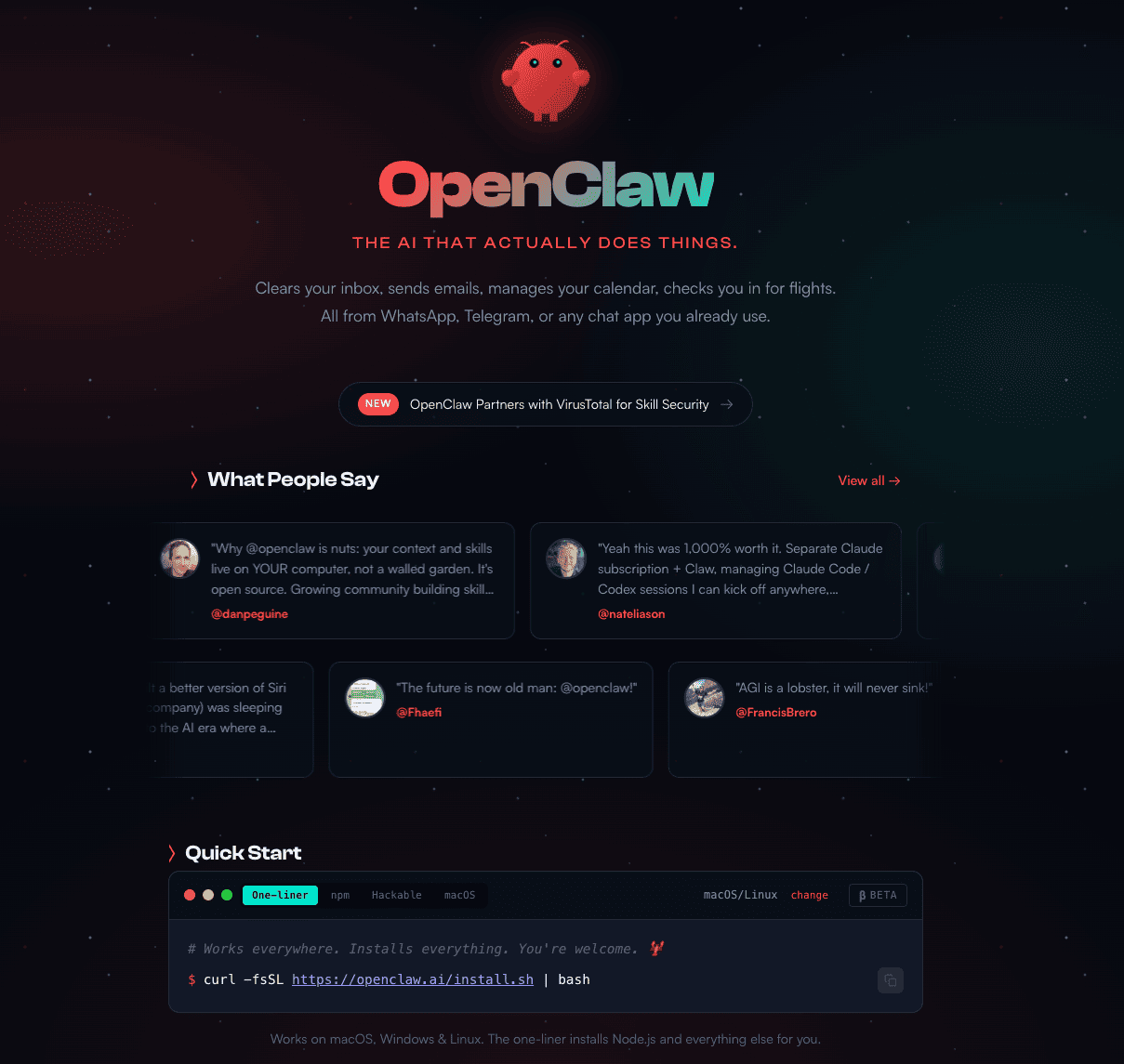
Le cœur d'OpenClaw est une passerelle locale qui s'exécute sur votre ordinateur tout en se connectant aux applications de messagerie de votre choix. Vous envoyez un message depuis l'une des apps prises en charge, et OpenClaw agit en conséquence.
Si votre objectif principal est d'utiliser des agents pour le développement, vous devriez clairement envisager Claude Code. Je vous recommande d'apprendre comment utiliser Claude Code pour améliorer vos workflows de développement logiciel à travers un exemple pratique avec la bibliothèque Supabase en Python.
L'un des principaux atouts d'OpenClaw est d'être agnostique au modèle. Vous êtes libre d'utiliser un modèle open source comme MiniMax M2.5 ou un modèle privatif tel que GPT-5.3 Codex ou Sonnet 4.6.
Concrètement, vous pouvez l'exécuter entièrement gratuitement si vous servez des modèles via des outils comme Ollama.
Des skills OpenClaw personnalisés créés par la communauté ajoutent des fonctions : navigation web, gestion de calendriers, pilotage d'applications tierces comme Trello, etc.

Sur macOS, iOS et Android, OpenClaw propose une écoute permanente avec détection d'un mot d'activation et un mode appuyer-pour-parler en direct. Il s'appuie pour cela sur des applications compagnons dans la barre de menu macOS ou sur votre téléphone.
Malgré sa gratuité et l'engouement en ligne, OpenClaw a suscité des controverses, principalement autour de la sécurité.
Des acteurs majeurs comme CrowdStrike et Bitdefender ont alerté sur les risques d'empoisonnement d'outils et de skills malveillants. Par exemple, un individu malintentionné peut publier un skill qui exfiltre des données.
Autre problème majeur : l'injection de prompts. Comme OpenClaw possède un accès étendu à votre système d'exploitation, un prompt malveillant peut être injecté pour copier des clés secrètes, effacer tout le disque dur ou supprimer massivement vos e-mails.

Comme nous l'expliquons dans notre tutoriel Nanobot, Nanobot est une alternative légère à OpenClaw, 98 % plus petite tout en assurant les fonctions essentielles d'un agent. Comme OpenClaw, il tourne sur votre ordinateur et se connecte à vos messageries favorites.
Tout comme l'agent OpenClaw, votre agent Nanobot peut également rejoindre le réseau social Moltbook, comme nous le montrons dans notre guide de démarrage sur Moltbook .
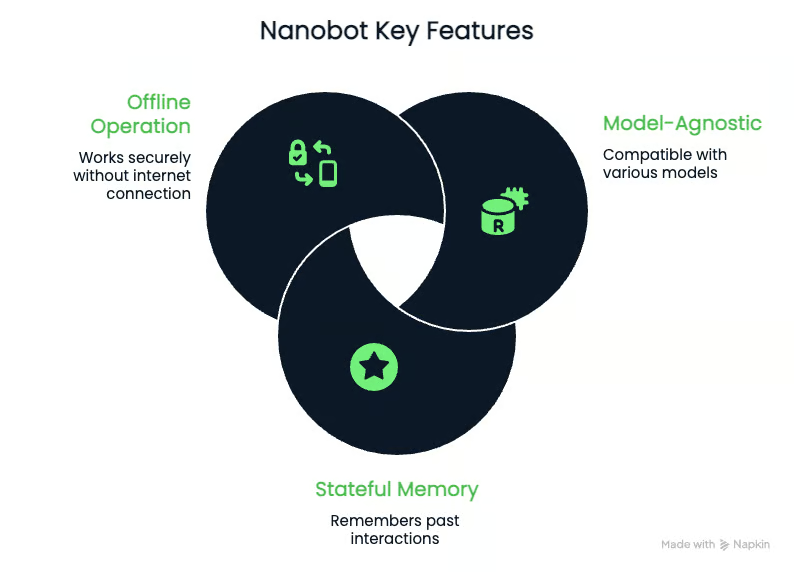
Nanobot est agnostique au modèle tout comme OpenClaw. Vous pouvez l'exécuter avec des modèles privatifs ou open source. Vous n'êtes donc enfermé dans aucun fournisseur particulier.
Nanobot dispose d'une mémoire étatique, ce qui signifie qu'il peut se souvenir de ce sur quoi vous travaillez plus tard. Il le fait en enregistrant dans des fichiers Markdown.
Nanobot peut aussi fonctionner entièrement hors ligne, un point clé pour les personnes soucieuses de leur confidentialité. Pour y parvenir, vous le connectez à un modèle local comme Qwen via vLM.
Si vous privilegiez la lisibilité et le contrôle, Nanobot est aujourd'hui le meilleur outil agentique open source. Sa petite taille le rend également beaucoup plus simple à faire évoluer qu'OpenClaw.
Sa compacité implique toutefois qu'il n'intègre pas certaines fonctionnalités d'OpenClaw, comme les apps compagnons. L'écosystème de skills est aussi bien plus réduit, et Nanobot prend en charge moins de plateformes intégrées qu'OpenClaw.
Un autre outil pour automatiser vos workflows est Claude Code Hooks. Découvrez le fonctionnement de l'automatisation par hooks et commencez à utiliser les Claude Code hooks pour automatiser des tâches de code comme les tests, le formatage et les notifications.
Après avoir vu les avantages et limites d'OpenClaw et de Nanobot, comparons-les pour déterminer lequel convient le mieux à vos usages.
OpenClaw compte plus de 430 000 lignes, principalement en JavaScript et TypeScript. Nanobot avoisine 4 000 lignes de code, principalement en Python. Comprendre Nanobot et y apporter des modifications est bien plus simple qu'avec OpenClaw.
OpenClaw se connecte à plus de 12 plateformes : WhatsApp, Telegram, Signal, Discord, Google Chat, iMessage via BlueBubbles, Microsoft Teams, Slack, Matrix, Zalo, WebChat, et plus encore. Il vise les utilisateurs qui jonglent avec de nombreuses apps et veulent un agent unique pour toutes.
Nanobot prend en charge plus de 8 plateformes : Telegram, Discord, WhatsApp, Feishu, Mochat, DingTalk, Slack, Email et QQ. Une bonne couverture, mais plus légère, notamment sur les outils business occidentaux.
Les deux outils sont agnostiques au modèle et prennent en charge les principaux fournisseurs. OpenClaw fonctionne avec Claude, GPT, Gemini, DeepSeek et des modèles locaux via Ollama. Nanobot prend en charge ceux-ci, plus Groq, Zhipu, DashScope, Moonshot, VolcEngine, AiHubMix et vLLM : une couverture légèrement plus large pour les besoins de fournisseurs spécifiques, en particulier en Asie-Pacifique.
Avantage OpenClaw :
Nanobot couvre l'essentiel :
Il lui manque en revanche le contrôle du navigateur, un espace de travail visuel et la richesse des apps compagnons d'OpenClaw.
Nanobot est nettement plus léger qu'OpenClaw. Il démarre plus vite et consomme une fraction de la RAM, ce qui en fait un choix pratique pour du matériel modeste. OpenClaw fonctionne comme un démon en arrière-plan de longue durée, avec plusieurs processus compagnons et une passerelle WebSocket, et nécessite sensiblement plus de mémoire pour tourner avec aisance.
Si vous l'exécutez sur un Raspberry Pi, un serveur domestique basique ou un VPS d'entrée de gamme, Nanobot est le choix judicieux.
Les deux outils stockent les données en local. Les deux requièrent des clés API. Les deux sont vulnérables aux attaques par injection de prompts si un acteur malveillant parvient à altérer le prompt.
OpenClaw présente une surface d'attaque plus large en raison de ses intégrations étendues et de son écosystème de skills tiers. Cisco a documenté un cas réel où un skill communautaire a exfiltré des données à l'insu de l'utilisateur. CrowdStrike a publié des recommandations détaillées à l'attention des équipes sécurité en entreprise, spécifiquement pour la gestion des déploiements OpenClaw.
La taille plus réduite et l'architecture plus simple de Nanobot signifient moins à auditer ; pour autant, la simplicité ne garantit pas la sécurité par défaut. Les deux outils nécessitent une gestion rigoureuse des permissions.

|
Fonctionnalité |
OpenClaw |
Nanobot |
|
Taille du code |
430 000 + lignes (JS/TS) |
~ 4 000 lignes (Python) |
|
Plateformes de messagerie |
12 + |
8 + |
|
Automatisation du navigateur |
Oui (Chromium via CDP) |
Non |
|
Support vocal |
Oui (mot d'activation, push-to-talk) |
Transcription vocale sur Telegram |
|
Apps compagnons |
macOS, iOS, Android |
CLI uniquement |
|
Écosystème de skills |
100 + via ClawHub |
Modulaire, communauté plus restreinte |
|
Temps de démarrage |
8–12 secondes (cold start) |
~ 0,8 seconde |
|
Consommation mémoire |
200–400 Mo + |
~ 45 Mo |
|
Support MCP |
Oui |
Oui |
|
Support des modèles locaux |
Oui (via Ollama) |
Oui (via vLLM/llama.cpp) |
|
Langage |
JavaScript/TypeScript |
Python |
|
Utilisateur idéal |
Power users, besoins d'intégrations larges |
Développeurs, chercheurs, minimalistes |
Pour conclure, répondons à la question essentielle : lequel des deux choisir ?
Un autre outil aux fonctionnalités voisines de Nanobot et d'OpenClaw est Claude Cowork. Découvrez Claude Cowork et comment l'utiliser pour l'organisation de fichiers, la génération de documents et l'automatisation du navigateur.
Après la décision de Steinberger de rejoindre OpenAI, il a annoncé le passage d'OpenClaw sous l'égide d'une fondation open source. Cela pourrait apporter davantage de stabilité et attirer des contributions d'entreprises. Le projet pourrait aussi perdre le côté « frondeur » qui lui a valu 100 000 étoiles en une semaine. Quoi qu'il en soit, OpenClaw se dirige vers plus de stabilité, d'autant qu'OpenAI est désormais partie prenante.
Nanobot souhaite se concentrer sur le cœur fonctionnel de l'agent tout en laissant les développeurs bâtir le reste par-dessus. L'idée est de garder un noyau minimal et stable, et de laisser la communauté construire l'écosystème. De par sa compacité, Nanobot pourrait devenir l'outil de référence des développeurs pour comprendre les agents.
Seul l'avenir dira quelle abstraction l'emportera : « batteries incluses » comme OpenClaw, ou minimaliste comme Nanobot. Mon pari : l'outil gagnant sera assez petit pour être compris, mais assez puissant pour être utile.
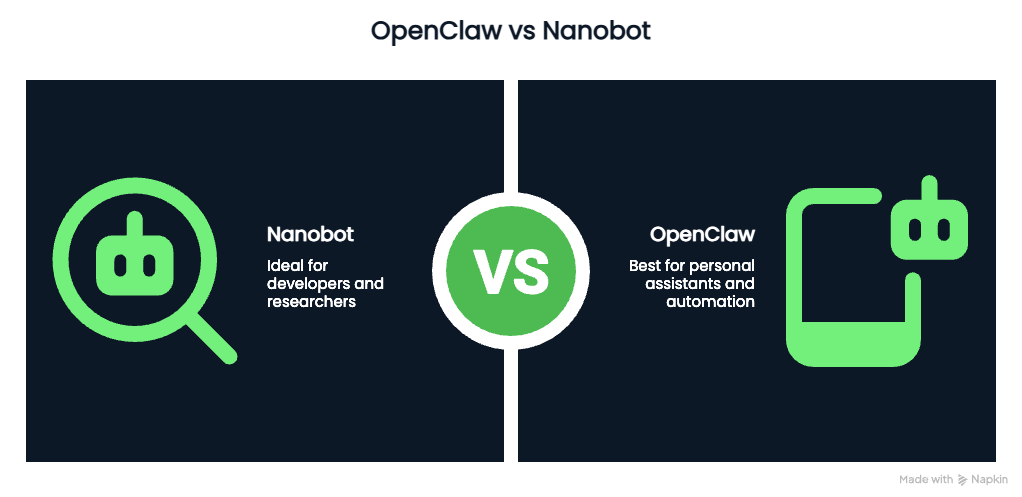
L'idée de base, tant pour Nanobot que pour OpenClaw, est la même : un agent IA personnel exécuté en local. OpenClaw est très complet, avec plus de 100 skills, dont le navigateur et la voix. Nanobot est une alternative plus épurée qui se concentre sur l'essentiel.
Si vous voulez la puissance et acceptez la complexité, choisissez OpenClaw. Si vous préférez une solution minimale avec une base de code facile à inspecter, Nanobot est tout indiqué.
Pour aller plus loin avec les outils d'IA, consultez notre guide des meilleurs outils d'IA gratuits. Pour renforcer vos compétences en code avec l'IA, essayez notre cours AI-Assisted Coding for Developers pour développer les compétences qui rendent les assistants IA plus fiables dans vos workflows de développement.
Meilleurs cours DataCamp
Cours
Cursus
S'entraîner et cursus vos progrès.
Continuer Avec Googleblog
blog
Lynn Heidmann
blog
Kurtis Pykes
9 min
blog
Zoumana Keita
15 min
blog
Kurtis Pykes
15 min
Tutoriel