Course
Software Development with Cursor
1 hr 30 min
4.3K
Another advantage is model flexibility. Cursor supports Claude, GPT, Gemini, xAI, and DeepSeek, plus its own built-in Composer model, purpose-built for agentic coding. The latest version, Composer 2.5, ties Claude Opus 4.7 on SWE-Bench Multilingual (79.8% vs 80.5%) and Terminal-Bench 2.0 (69.3% vs 69.4%) and edges it on Cursor's own CursorBench v3.1, at roughly a tenth of the per-token cost on the standard tier. It runs only inside Cursor and is built on Moonshot's open-weight Kimi K2.5.
One honest caveat on that "tenth of the cost" number: it holds for Composer's standard tier, but the Fast tier Cursor uses by default for interactive work is $3/$15 per million tokens, closer to half a frontier model's price than a tenth.
Cursor leads developer sentiment in some areas and trails Claude Code in others. In Pragmatic Engineer's early 2026 survey, Claude Code took 46% "most loved" against Cursor's 19%, so the visual workspace is the trade-off you accept for a gentler learning curve.
Cursor's credit system makes cost planning fiddly. Auto mode is unlimited and doesn't touch your credit pool, but the moment you manually pick a frontier model or switch on Max Mode, you draw against a monthly pool equal to your plan price, with no precise real-time meter. Developers who run frequent agent sessions on Pro report actual spend closer to $40 to $50 a month once overages kick in. The $20 figure is the floor, not the typical bill.
Codex is OpenAI's agentic coding platform, and it takes the opposite approach to Claude Code. Where Claude Code works through a problem with you and approves each step, Codex is built for delegation: you describe a task, it works in a sandbox, and you review the diff it hands back. We compare the two directly in Codex vs. Claude Code, and our Codex CLI for data workflows tutorial walks through it in your terminal.
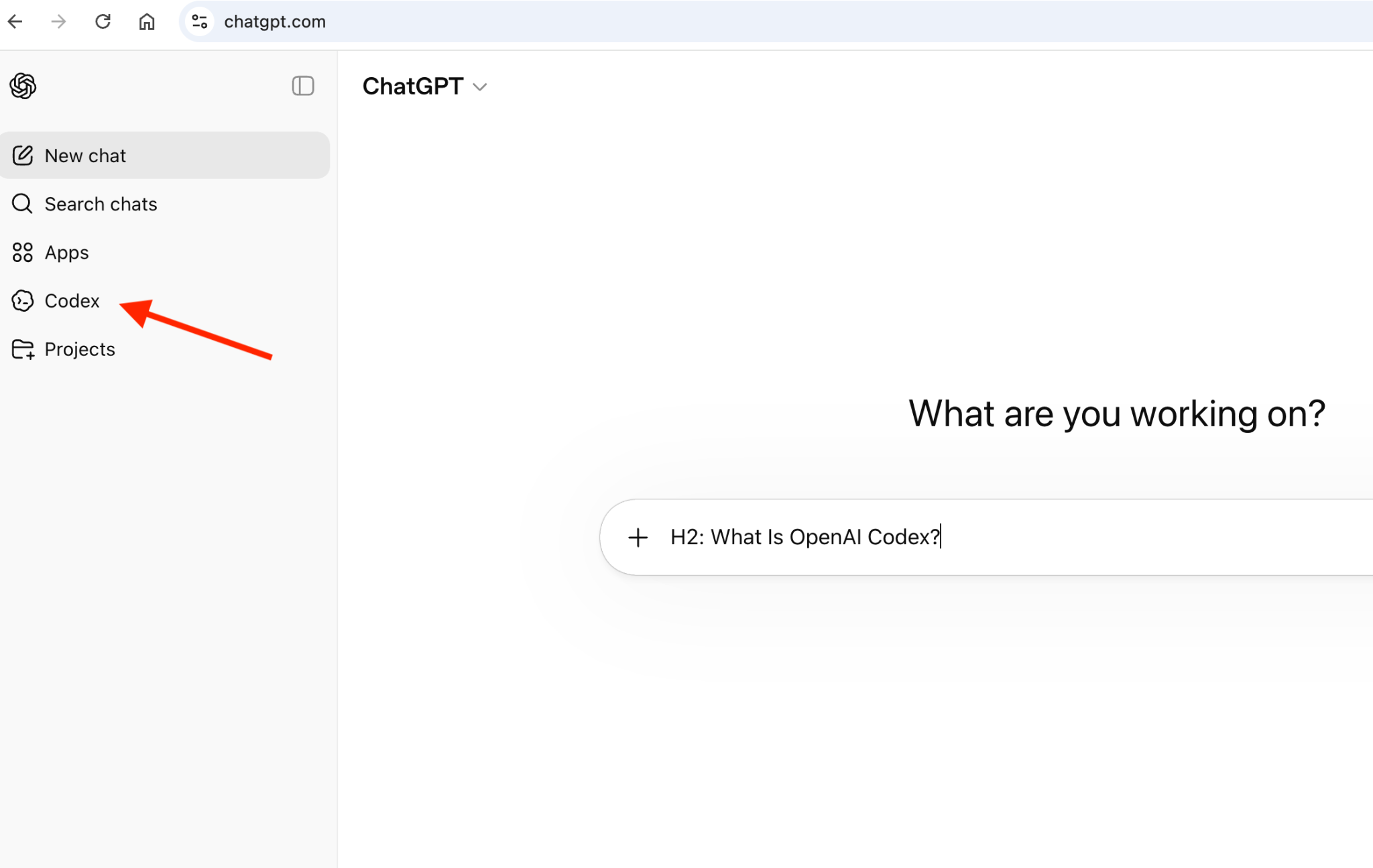
"Codex" is a platform, not a single tool, which lets you reach the same agent in many ways:
All of them run on GPT-5.5 by default, with the cheaper GPT-5.3-Codex as an option. The CLI itself is open source under Apache-2.0, the same category as OpenCode and Aider, so the lock-in here is the model, not the client.
The advantage that shows up in real use is token efficiency. Codex tends to use far fewer tokens per task than Claude Code, because Claude Code narrates its reasoning as it works. In one documented Figma-style task, Claude Code used 6.2 million tokens against Codex's 1.5 million, roughly 4x. If you bill through an API and watch spend, that gap matters, though fewer tokens can also mean lighter coverage of edge cases.
On benchmarks, the two trade blows: GPT-5.5 leads terminal-heavy work at 82.7% against Claude's 69.4% on Terminal-Bench 2.0, while Opus 4.8 leads real-world code resolution on SWE-bench Pro. For the model-level comparison, see our Claude Opus 4.8 vs GPT-5.5 guide.
@openai/codex CLI is Apache-2.0 and runs locally in your terminal.Codex has no standalone price. It's bundled into ChatGPT plans, with usage metered as token-based credits since April 2026:
The delegation style is a poor fit if you prefer to steer the agent turn by turn.
And because Codex runs on GPT models only, you get the same single-vendor lock-in you were trying to escape with Claude Code, just pointed at a different vendor.
Grok Build is xAI's terminal coding agent, and it's the alternative to try if you want to run a rival flagship agent on a repo you've already set up for Claude Code. Its standout is zero-config Claude Code compatibility: it reads your existing CLAUDE.md, .claude/rules/, skills, plugins, MCP servers, and hooks with no setup, so you can point it at a Claude Code project and it just runs. We walk through it end-to-end in our Grok Build tutorial.
It runs on Grok 4.6 by default and reaches parity with Claude Code on the agentic essentials: plan mode, subagents in isolated worktrees, hooks, MCP, and headless CI runs. Where it splits from Codex is model flexibility: instead of locking you to one vendor, a config block lets it drive any OpenAI-compatible endpoint, so the same CLI can run Grok, GPT, or a local model.
Zero-config Claude Code compatibility: Reads your existing CLAUDE.md, .claude/rules/, skills, plugins, MCP servers, agents, and hooks, so an existing Claude Code repo works with no changes.
Custom model endpoints: A model block in ~/.grok/config.toml points the CLI at any OpenAI-compatible endpoint, selectable with /model, so one tool spans Grok, GPT, and local models.
Plan mode and subagents: Edits are blocked until you approve a plan, and subagents run in isolated git worktrees so parallel work doesn't collide.
Hooks and MCP: Lifecycle hooks (gated behind /hooks-trust) and full MCP support for connecting external tools and live data.
Headless and embeddable: -p with --output-format streaming-json for CI, plus the Agent Client Protocol (ACP) so other applications can embed it.
/skillify: Captures a completed session as a reusable skill, a workflow Claude Code has no direct equivalent for.
Grok Build doesn't solve the paid-entry problem that pushes people off Claude Code. Usable access needs a paid X subscription, so it isn't the free escape that OpenCode, Aider, or Cline offer, and it's terminal-first with no visual IDE or desktop surface (Grok Bot, xAI's cloud agent, is a separate product, not this CLI).
The Claude Code compatibility also runs one way: Grok Build reads Claude Code's files, but Claude Code won't read Grok's .grok/ files, so a Grok-first setup doesn't transfer back. And as a May 2026 release still in beta, its failure patterns are less cataloged than Claude Code's.
GitHub Copilot is Microsoft and GitHub's AI coding assistant, and it's the alternative to pick if you want inline autocomplete plus deep GitHub integration at the lowest entry price. We compare it head-to-head with the anchor tool in Claude Code vs. GitHub Copilot.
Claude Code has no inline autocomplete; Copilot does, and for developers who rely on code appearing as they type, that's the comparison in a nutshell. We cover the terminal side in our GitHub Copilot CLI tutorial.
The execution model differs from Claude Code, too. Claude Code is agent-first, routing every interaction through a plan-execute-verify loop. Copilot is platform-first, offering inline autocomplete, chat, agent mode, and cloud agents as separate surfaces across eight editors plus GitHub.com.
Copilot's GitHub.com integration is native: its cloud agent works directly on pull requests and issues, where Claude Code reaches GitHub.com through an MCP server. Through Agent HQ, you can even run Claude and Codex as first-party agents inside GitHub itself, billed through Copilot. If your team's workflow centers on PRs and issue triage, that native integration removes a layer of setup.
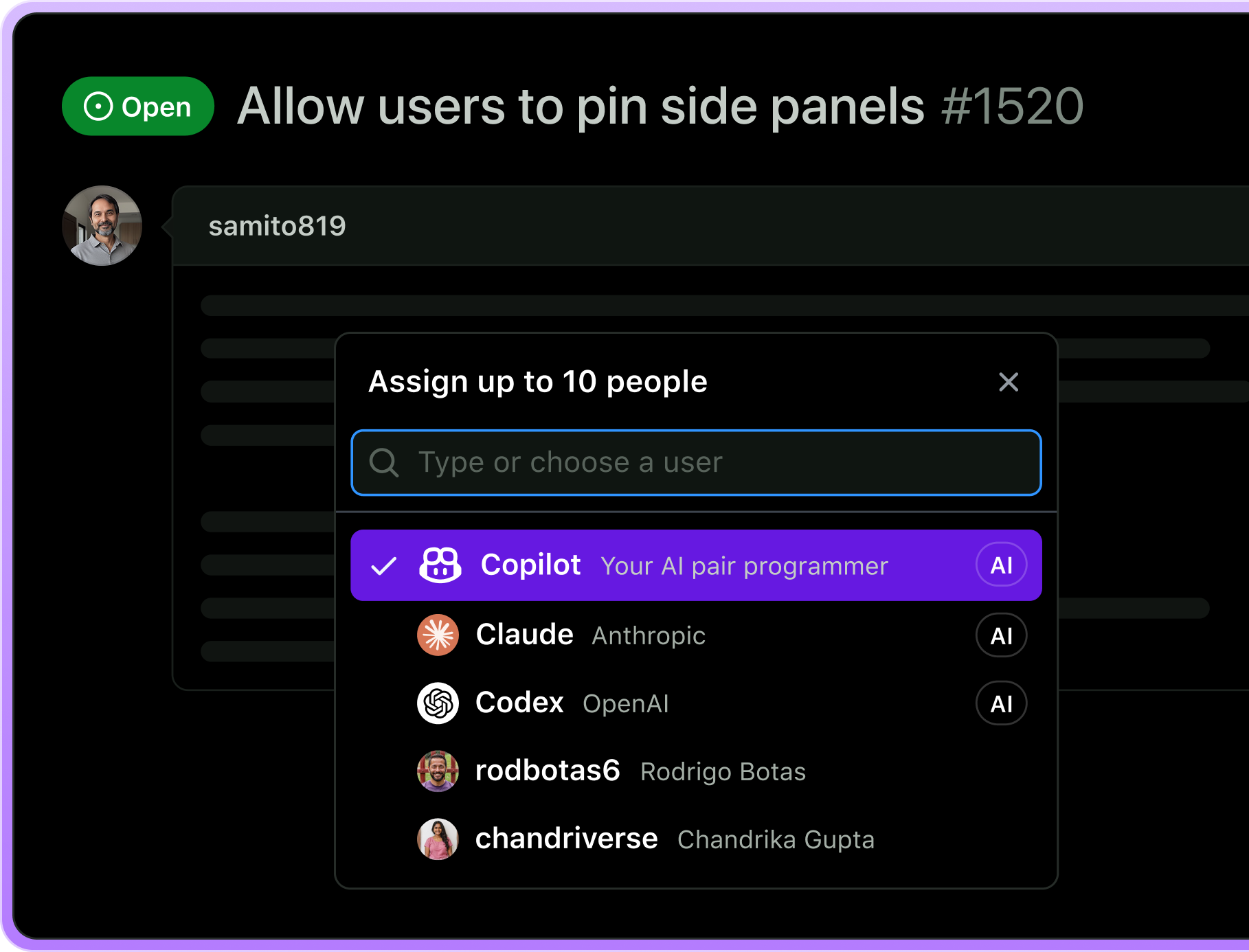 Source: GitHub
Copilot moved to usage-based billing on June 1, 2026, replacing premium requests with GitHub AI Credits (1 credit = $0.01), metered by token usage. Base prices held steady, and completions and Next Edit suggestions stay included without drawing on credits.
Note that Enterprise requires an active GitHub Enterprise Cloud subscription at $21 per user per month, so the true Enterprise minimum is $60 per user per month. Our Copilot Plans guide breaks down what each tier actually buys.
The switch to token-metered credits makes cost planning harder than the flat price suggests. Completions stay free, but agent mode, chat, and code review all draw from your credit pool, and frontier models like Claude Opus and GPT-5.5 drain it fast. The old fallback to a cheaper model when you ran out is gone, so heavy agentic use can push your bill well past the sticker price. Set the budget controls before you lean on agent mode.
For deep cross-file refactors where dependencies are not obvious upfront, Claude Code's single in-session context window still has an edge over Copilot's retrieval-based context.
Antigravity is Google's agent-first development platform, and it's the alternative to pick if you want to run several agents in parallel instead of working through one task at a time. Google Antigravity 2.0, launched at I/O 2026, turned it from a coding IDE into a full platform for building, deploying, and managing cohorts of agents. We covered the launch in our Google I/O 2026 recap and put it head-to-head with Claude Code in Claude Code vs. Antigravity.
Where Claude Code works through one task sequentially in your terminal, Antigravity 2.0 spreads work across four surfaces:
agy, the successor to Gemini CLI)It runs on Gemini 3.5 Flash by default. We walk through a full parallel multi-agent pipeline in our Antigravity CLI tutorial.
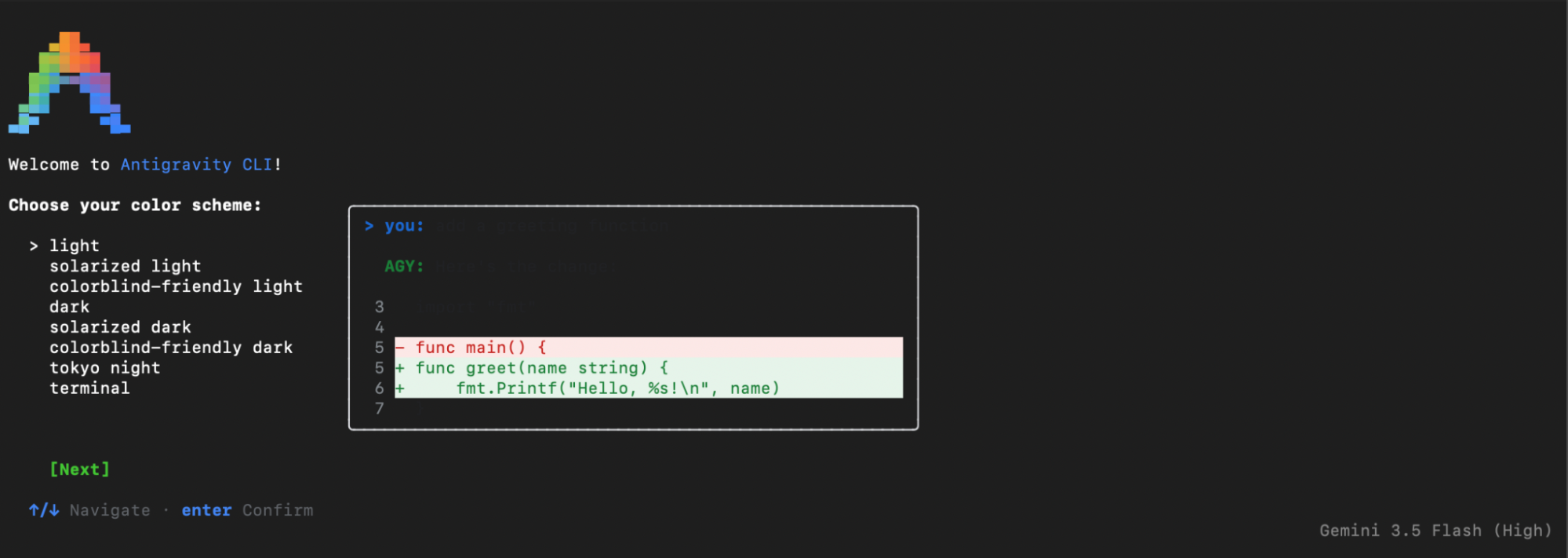
The defining feature is dynamic subagents. You hand the orchestrator a goal, and it profiles the task, defines specialized subagents on the fly, and runs them in parallel, each in its own isolated context window, so the work never pollutes the main agent's context. That parallelism suits decomposable jobs, like cleaning, then analyzing, then visualizing a dataset, where Claude Code's sequential approach suits deep refactors and CI/CD automation.
Dynamic subagents: The orchestrator defines and spawns specialized subagents on the fly, running them in parallel with isolated context and inherited permissions, with long-running work handled asynchronously so it doesn't block the agent loop.
Slash commands and voice input: /goal runs autonomously to completion, /grill-me asks clarifying questions first, /schedule sets a recurring run, and /browser opts in to browser use, plus live voice transcription for prompts.
Scheduled tasks: Cron-style prompts for recurring runs like daily PR digests or hourly deployment checks.
Projects with Git worktrees: Agents are organized by project rather than repository, with per-project permission scoping and native Git worktree support.
JSON hooks: Attach shell scripts at lifecycle stages, before or after tool and model calls, to log, customize, or inject instructions.
Managed Agents API: Spin up the same agent harness through a single Gemini API call, running in a persistent, isolated Linux environment. Check out our Managed Agents in the Gemini API tutorial for a walkthrough.
Antigravity usage is gated through Google AI subscription tiers:
Antigravity is newer, so its failure patterns are less cataloged than Claude Code's, and early feedback flags that the Managed Agents docs for complex flows and error handling are still sparse, with rate limits a friction point.
Additionally, there's no checkpoint or rollback: subagents run in isolation, so a failed one doesn't undo work that already finished, but your recourse is to re-run with tighter instructions or use /grill-me to align first.
The deeper trade-off is lock-in, since the Gemini default and the Google Cloud deployment layer are both differentiators and dependencies. I wouldn't rely on either tool to self-verify anything touching production data or security-critical logic.
OpenCode is an open-source coding agent, and it's the top pick if your priority is privacy or model flexibility. With Claude Code, you're locked into Anthropic's models and pay a premium for them. OpenCode is model-agnostic: run a cheap model for documentation, an expensive one for hard logic, or a local LLM to keep data off the cloud entirely. We compare the two directly in our OpenCode vs. Claude Code article.
The privacy angle is the real differentiator. Because OpenCode can run local LLMs through a tool like Ollama, it suits regulated industries where code cannot leave the building, while Claude Code sends your code to Anthropic's servers. We walk through that kind of setup in our guide to running GLM 4.7 Flash locally with OpenCode.
Source: Aider
Like OpenCode, Aider is model-agnostic. It works with Claude, GPT, Gemini, and local or open-source models through custom endpoints, and you can switch models mid-session, so you're never tied to one vendor's pricing. The CLI is free; you pay only for the LLM API usage you bring. For a hands-on example, our Run GLM-5 locally tutorial drives a local model through Aider.
Because Aider edits files on disk and commits to git rather than living inside an editor, it works alongside whatever you already use, from VS Code to Vim over SSH.
Diff-first, git-native workflow: Every change is shown as a diff and saved as its own atomic commit with a descriptive message, with easy undo through standard git.
Architect/editor mode: A reasoning model plans the change and an editor model applies it, which improves results on complex, multi-file edits.
Watch-mode AI comments: Add an AI! comment in your own editor and Aider picks it up and makes the change, no terminal context-switch needed.
Repo map: A tree-sitter map of your codebase gives the model context without loading every file.
Auto lint and test: Runs your linters and tests after each edit and fixes the failures it finds.
Multi-provider support: Works with Claude, GPT, Gemini, and custom or local endpoints, with mid-session model switching.
Aider is free and open source. Cost comes entirely from the LLM API usage you connect, billed at each provider's rates. There are no plan tiers for the tool itself.
Aider is CLI-first with no real GUI, so if you want a visual editor, it isn't the tool. Output quality also depends heavily on the model behind it: a weak backend model produces weak results regardless of Aider's own strengths.
And unlike Codex or OpenHands, Aider runs directly on your filesystem with no sandbox, so you're responsible for reviewing what it runs.
Cline is an open-source AI coding agent that runs as a VS Code extension, browsing and editing files, running commands, and handling multi-step tasks inside the editor. It's arguably the most popular open-source agent in this space.
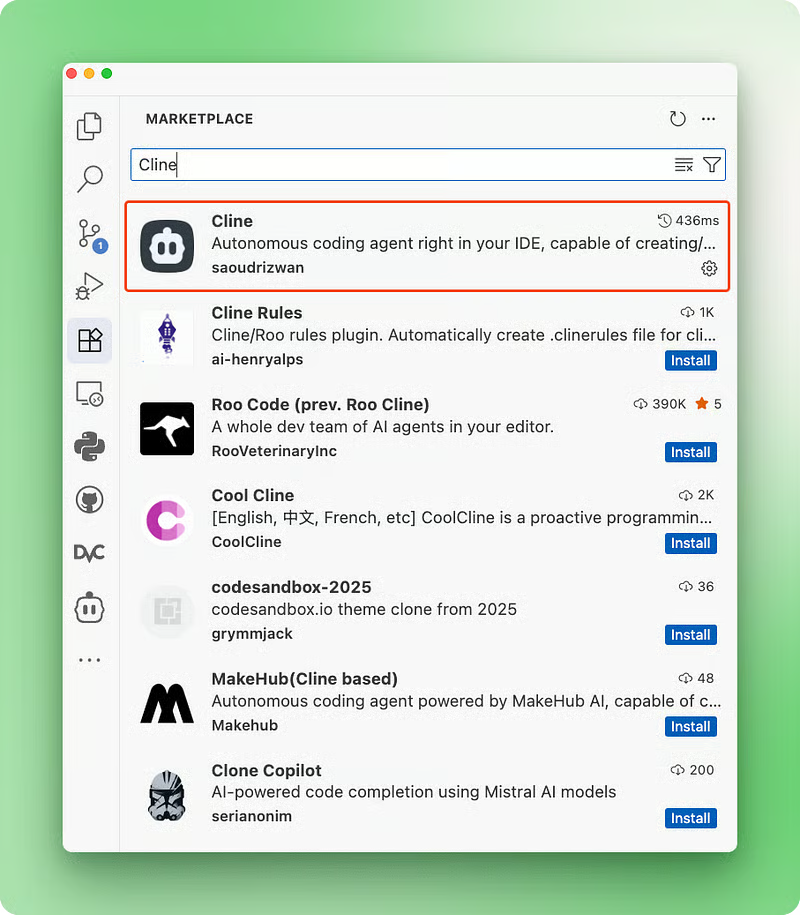
The reason to choose it over Claude Code is control: Cline asks for your confirmation before it acts, so a human stays in the loop on anything that touches your system. It runs in any VS Code fork, too, and you can add it to Cursor or Windsurf through the marketplace.
It's model-agnostic, supporting Claude, GPT, Gemini, and open-source or local models via endpoints such as Ollama. The extension is free, so your only cost is the LLM API usage you connect to, the same as OpenCode and Aider. We cover it hands-on in our Cline guide with nine examples, and compare it head-to-head in Cline vs. Cursor.
Cline key features
Cline pricing
The Cline extension is free. Cost comes from the LLM APIs you connect to, billed at each provider's rates. There are no plan tiers for the extension itself.
Main limitations of Cline
Initial setup can be fiddly when wiring up multiple providers, and there's no tab completion, so it doesn't replace Cursor's predictive autocomplete. Users also report quirks on very long tasks or file watchers, so it suits discrete editing tasks better than long-running autonomous sessions.
The right tool comes down to your interface preference, your model flexibility needs, and how much control you want over the agent. Here's how I would match common scenarios to tools.
| If you need... | Go with | Why |
|---|---|---|
| A visual IDE with multi-model agents | Cursor | VS Code fork with a built-in Composer model and access to Claude, GPT, and Gemini |
| To try a rival agent on your existing Claude Code repo | Grok Build | Reads CLAUDE.md, .claude/, skills, and MCP with zero configuration |
| Inline autocomplete plus GitHub integration | GitHub Copilot | Native GitHub.com cloud agent and unlimited completions from $10/month |
| To keep code off the cloud | OpenCode | Runs local LLMs for regulated or privacy-sensitive work |
| Frontend work with browser testing | Antigravity | Built-in Chromium subagent and parallel multi-agent runs |
| A clean git audit trail of every change | Aider | Atomic commit per edit with clean, reversible git history |
| Lower per-task token cost | Codex | Uses fewer tokens per task than Claude Code in practice |
| Approval gates before commands run | Cline | Confirmation prompts before any command execution inside VS Code |
| To hand off scoped tasks and review the result | Codex | Built for delegation: describe a task, review the diff it returns |
| To stay the most capable agent for hard problems | Claude Code | Strongest at untangling subtle bugs and unfamiliar codebases, if you can absorb the cost and model lock-in |
The closest decisions are usually Cursor versus OpenCode and Copilot versus Codex.
Cursor wins if you want a polished visual workspace and will pay for it; OpenCode wins if you value control, model switching, and the option to run locally.
For the Copilot versus Codex call, pick Copilot if your team lives on GitHub and wants inline completions, and Codex if you mainly hand off scoped tasks through an API and care about token efficiency.
And it's worth saying plainly: for genuinely hard problems, a tricky bug or an unfamiliar codebase, Claude Code is still the tool many developers reach for first. The alternatives here win on price, openness, model choice, or interface (and usually only on one or two of those), not on raw capability at the hard end.
If your work is split between backend and frontend, consider running two tools. Claude Code's sequential file-level approach suits complex backend refactoring and CI/CD automation, while Antigravity's parallel agents and browser testing work well for frontend builds. Many developers combine two or three of these rather than picking one.
Claude Code is still the default for terminal-first developers who want a single agent that reasons across the whole codebase and runs commands with few hallucinations. But it is no longer the only serious option, and its Claude-only models and paid-only entry point push many people toward the alternatives above.
My top two picks depend on your interface preference, which usually comes down to where you spend your time and how much control you want.
All of these tools are moving fast, and the features separating them today may look different in a few months. If you want to build the skills that make any of these tools more useful, our AI-Assisted Coding for Developers course covers the prompting and review habits that matter, regardless of which tool you end up using.
Learn AI-Assisted Programming with DataCamp!
Course
Course
Course
blog
Derrick Mwiti
8 min
blog
Derrick Mwiti
10 min
blog
Khalid Abdelaty
10 min
blog
Tom Farnschläder
15 min
Tutorial
Tim Lu
15 min
Tutorial
Vikash Singh
10 min