Track
OpenAI Fundamentals
15 hr
OpenAI has recently released o3, its most advanced reasoning model yet. In this tutorial, I will show you how to make the best of the o3 model directly in the ChatGPT application.
Let’s take a look at five examples of how o3 can be used to build, learn, write, or help with day-to-day tasks.
We keep our readers updated on the latest in AI by sending out The Median, our free Friday newsletter that breaks down the week’s key stories. Subscribe and stay sharp in just a few minutes a week:
This example is quite popular on social media, so I decided to test o3 on a few photos I took.
I started with a picture I took on holiday last year, and o3 found the exact location in Budapest in just 28 seconds!
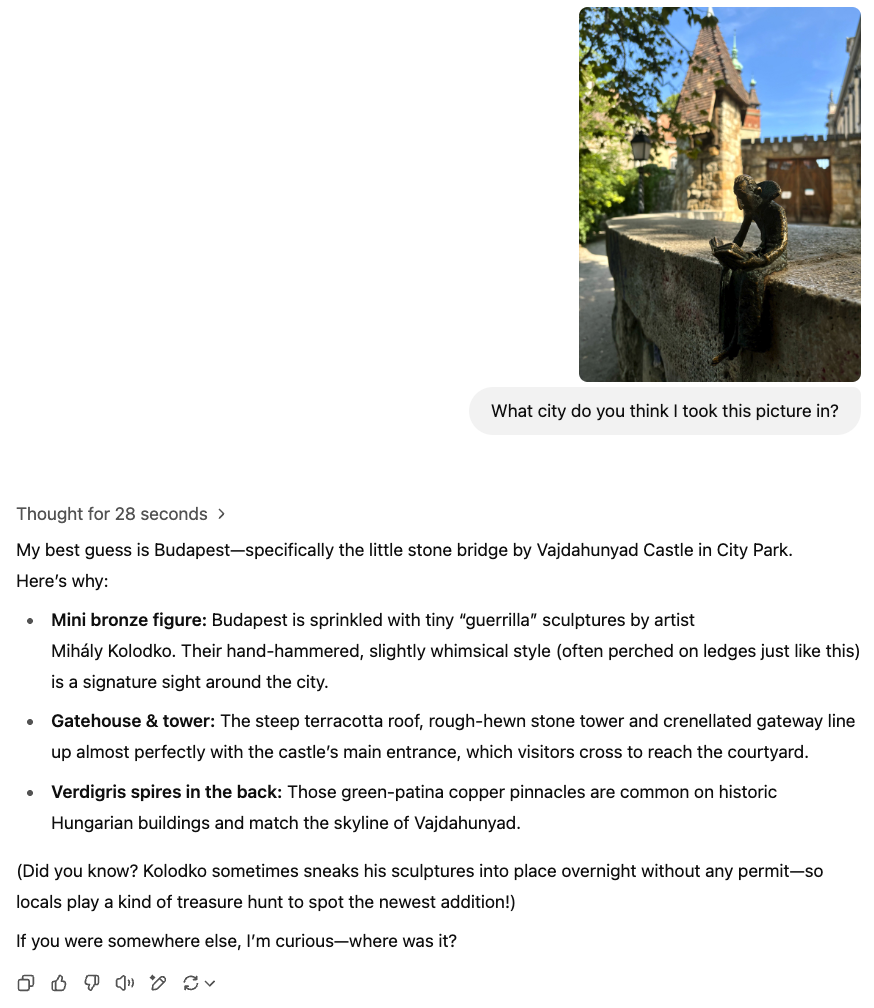
I decided to give it another go, with a picture that I thought was less identifiable.
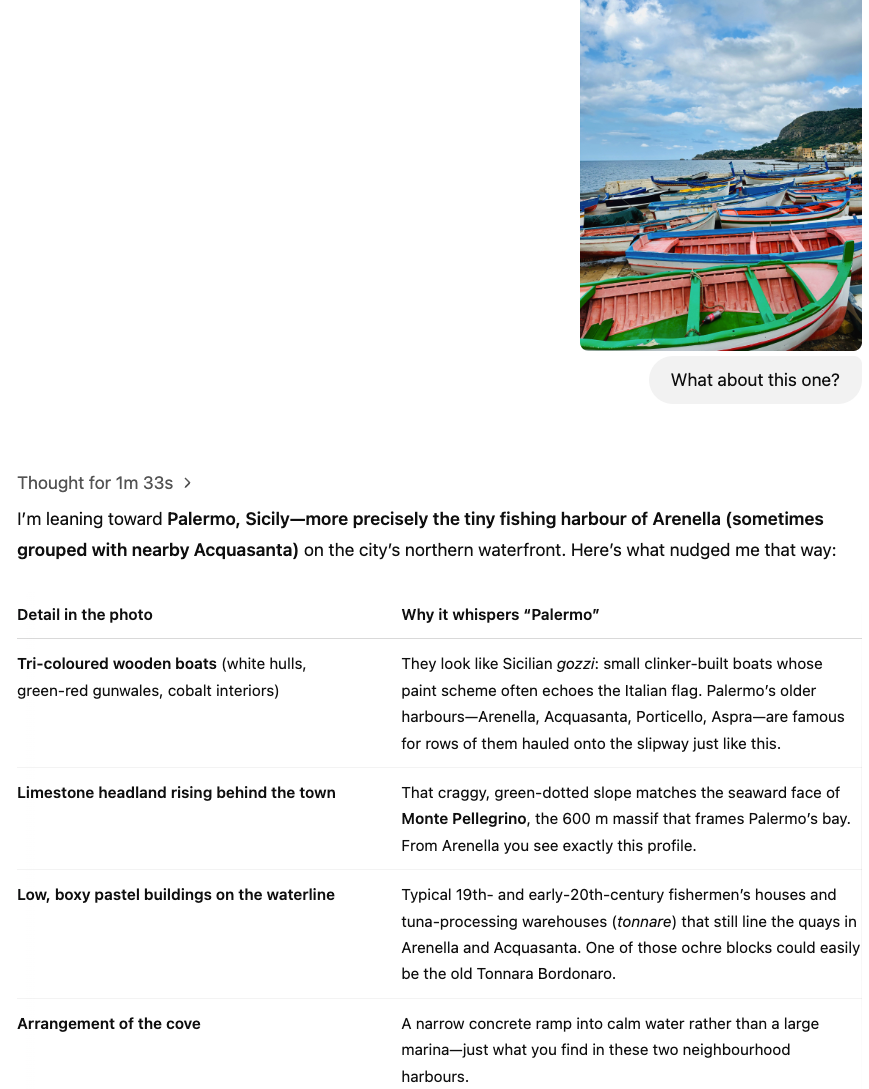
Although it thought for one minute and 33 seconds, it got this one wrong. I was in Aspra when I took this picture. However, it did mention Aspra in its reasoning as one of the four possible options it evaluated.
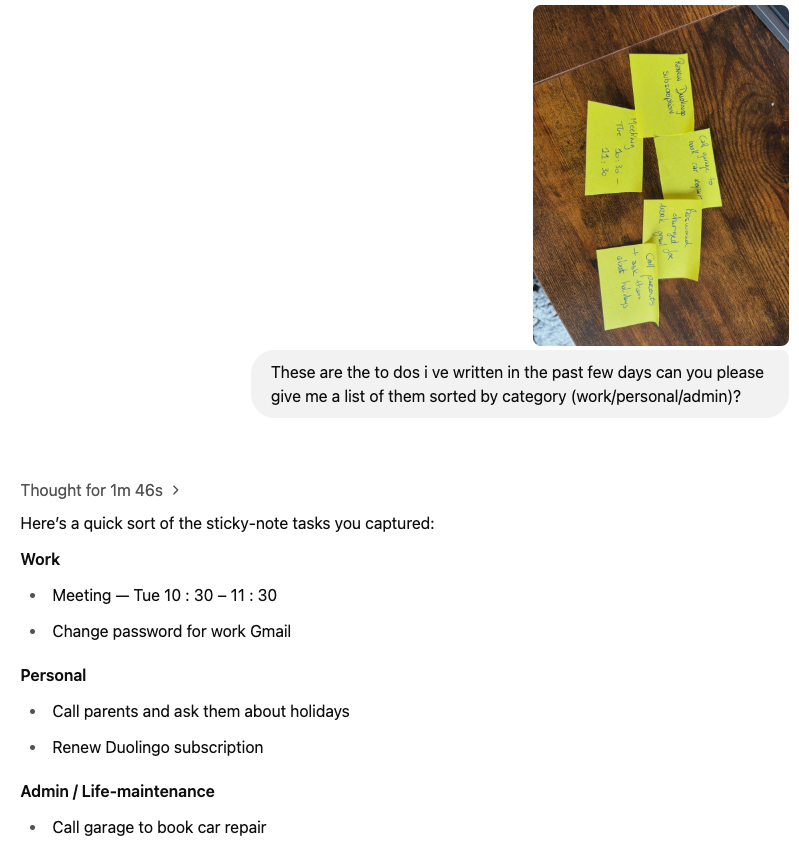
I have a bad tendency to write stuff on tiny post-it notes, which accumulate on my desk all through the week, before I clear them on a Sunday. I am often in a rush, which leads to my handwriting being hard to read. I uploaded a picture of the last few notes I had lying on my desk and asked o3 to sort them into categories. It read the handwriting perfectly fine!
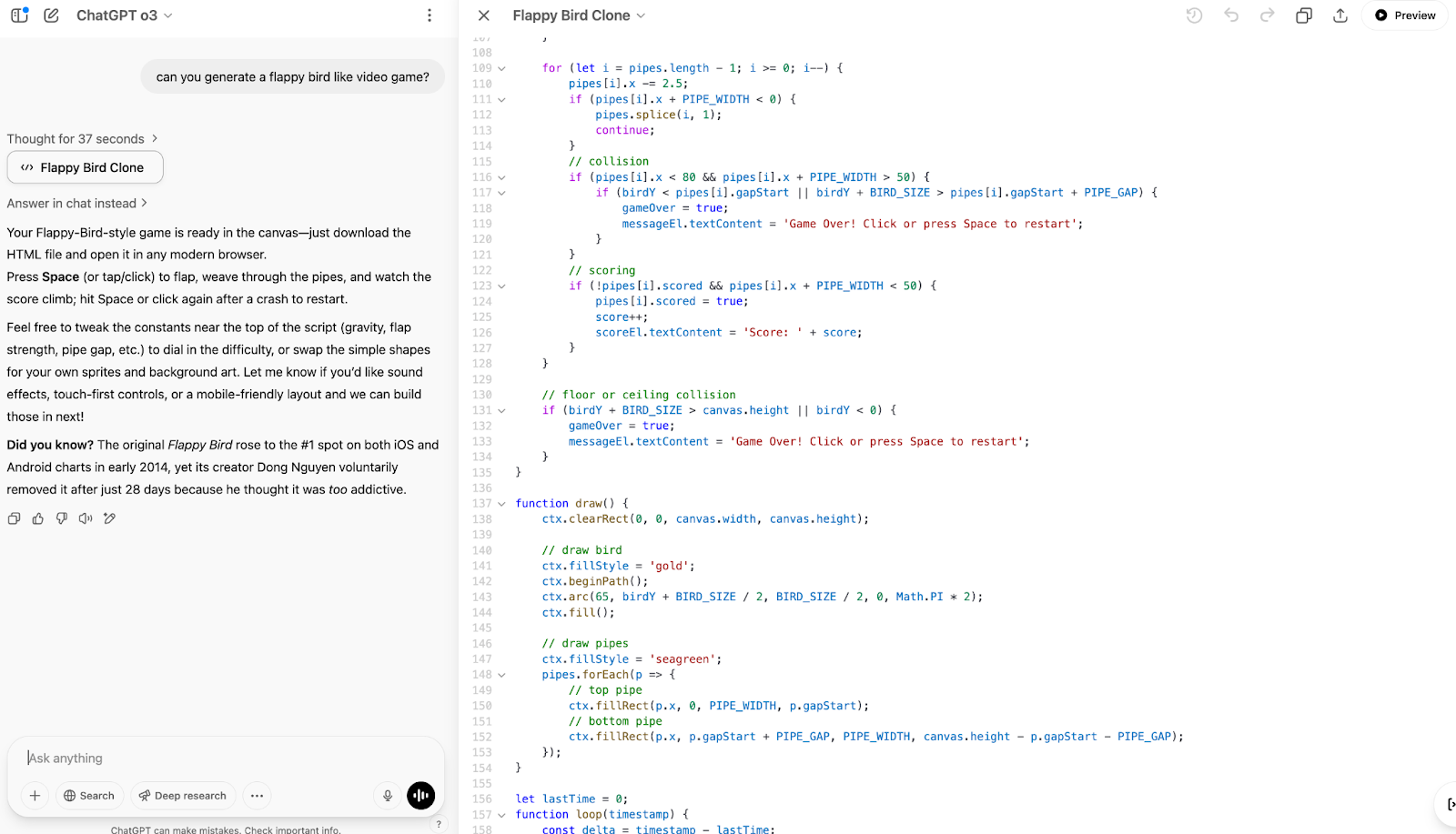
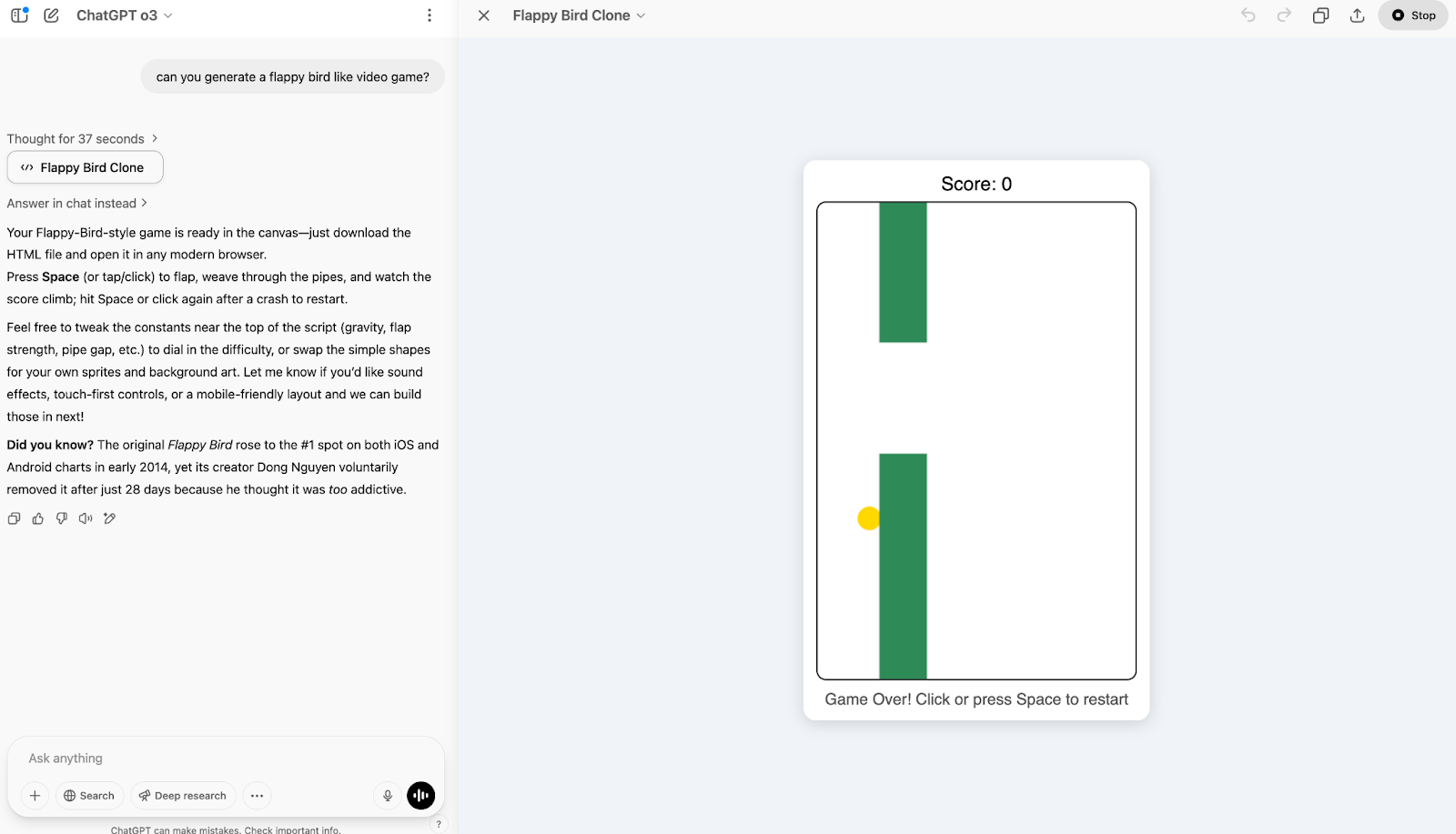
I remember spending hours playing Flappy Bird when I was younger. Well, I asked o3 to generate a clone of the game, and within a few seconds, I was presented with the code, as well as a preview of the game, playable right in the app. Pretty cool!
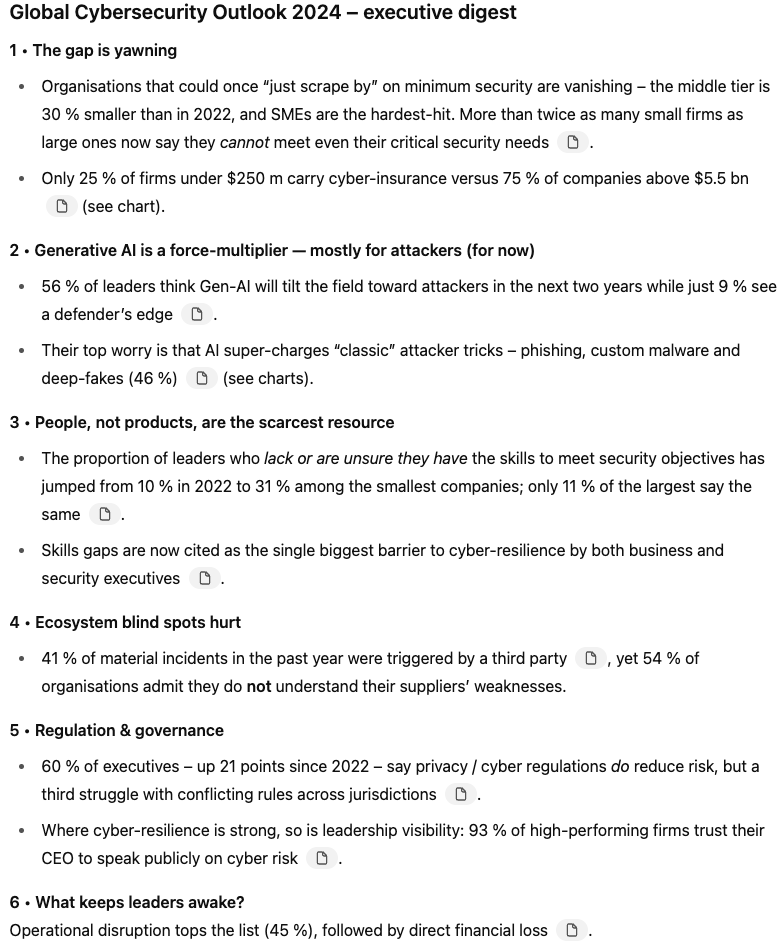
I was interested to see what data o3 could summarize from a long (and let’s be honest, quite dry) report on the state of Cybersecurity in 2024. You can find the PDF I uploaded on the World Economic Forum website.
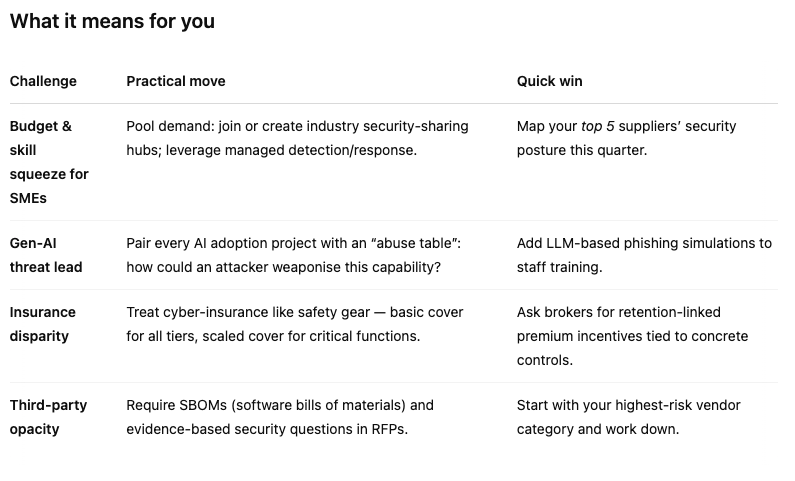
The model generated a summary, a “What it means for you” section that I found quite helpful, and some graphs to accompany the data it pulled from the report.
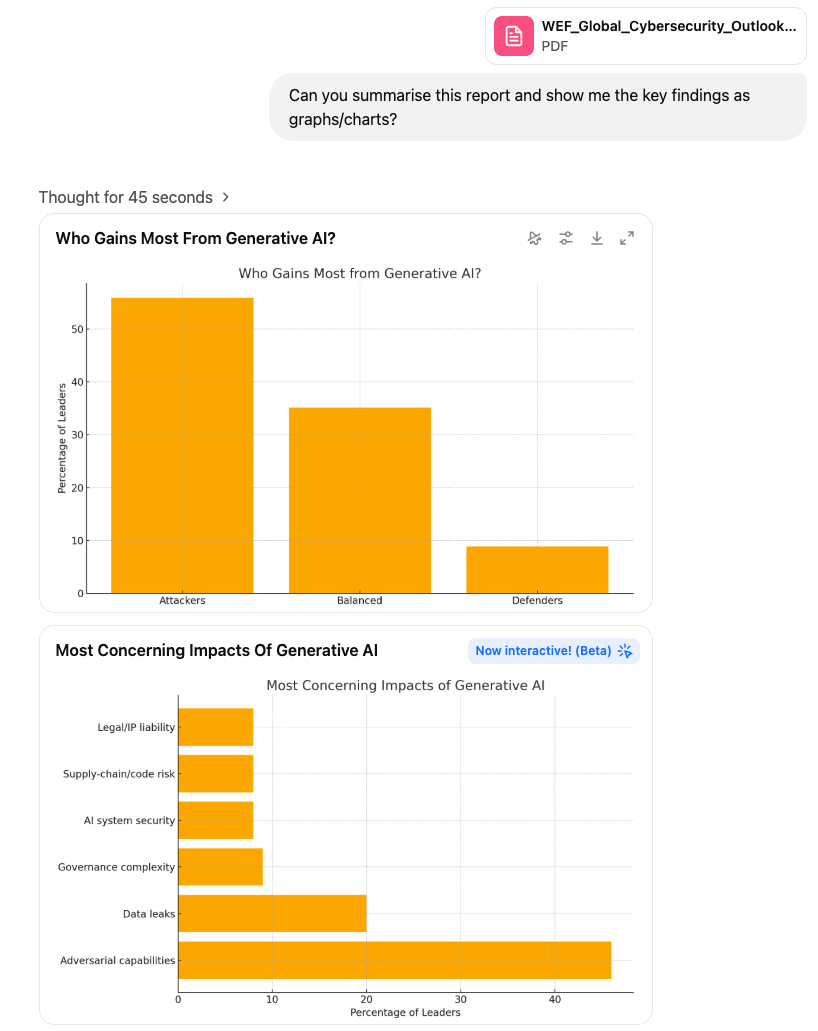
The graphs were somewhat interactive, and I was able to change the colours.
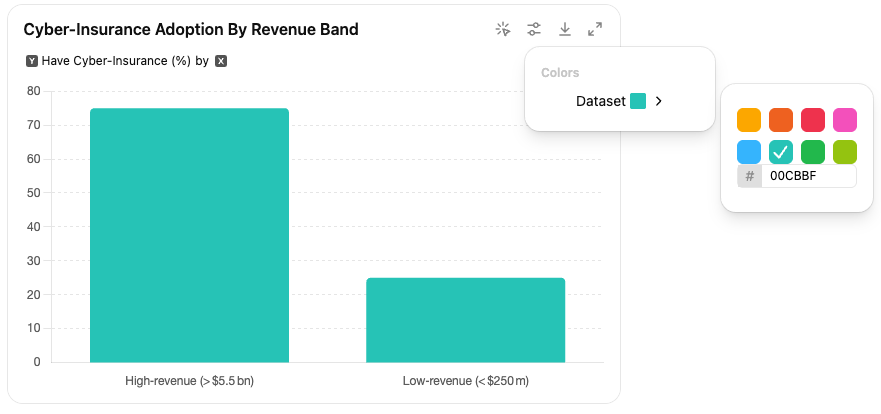
The executive summary and the “What it means for you” section were both helpful:
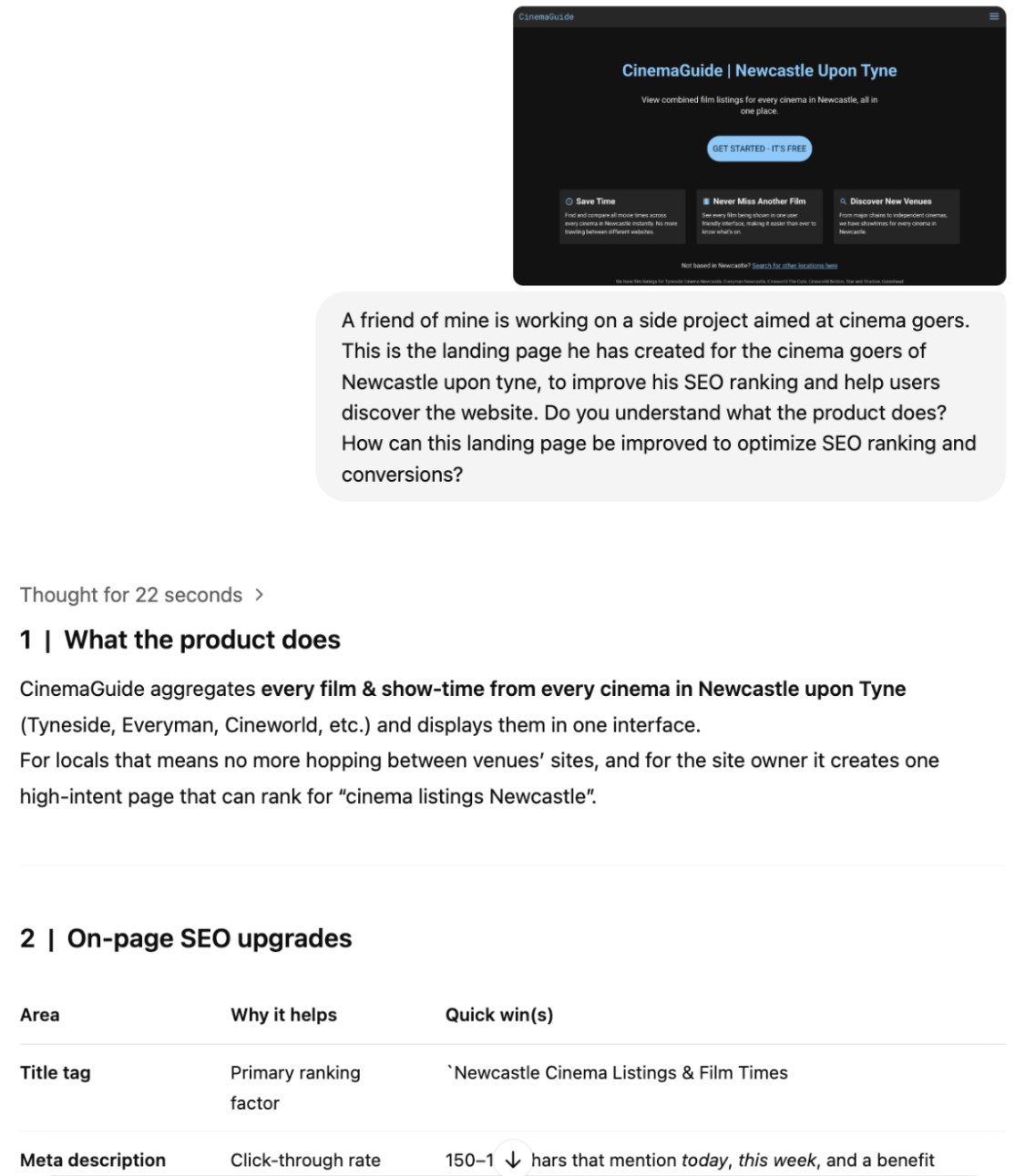
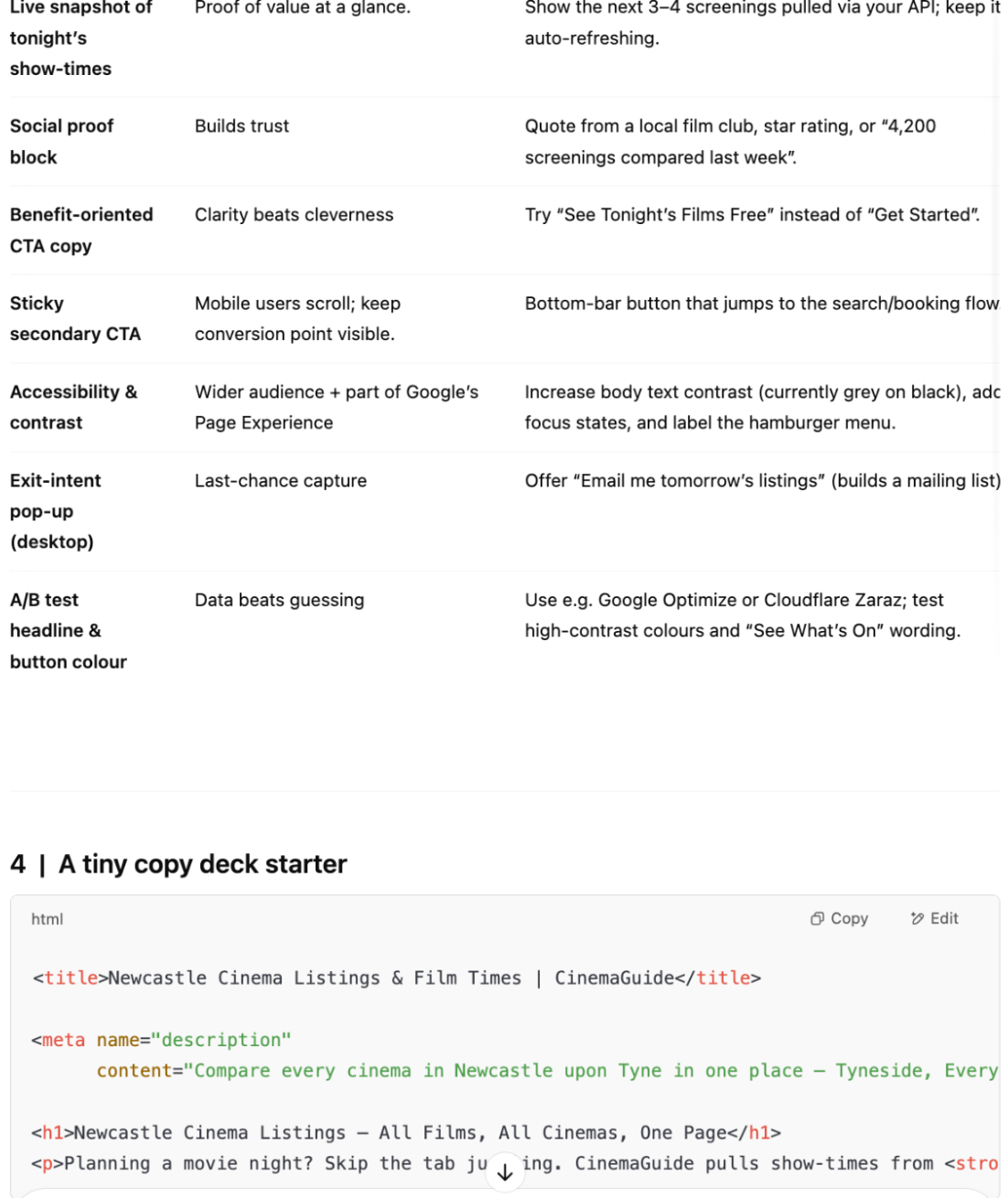
A friend of mine is currently working on CinemaGuide, a side project aimed at movie enthusiasts. His goal is to aggregate every cinema listing in the UK, so users can browse every film showing within a certain radius, instead of looking per venue. One of his recent obstacles has been the SEO ranking: his website just isn’t discoverable via organic search, and there is only so far a developer can go when it comes to marketing.
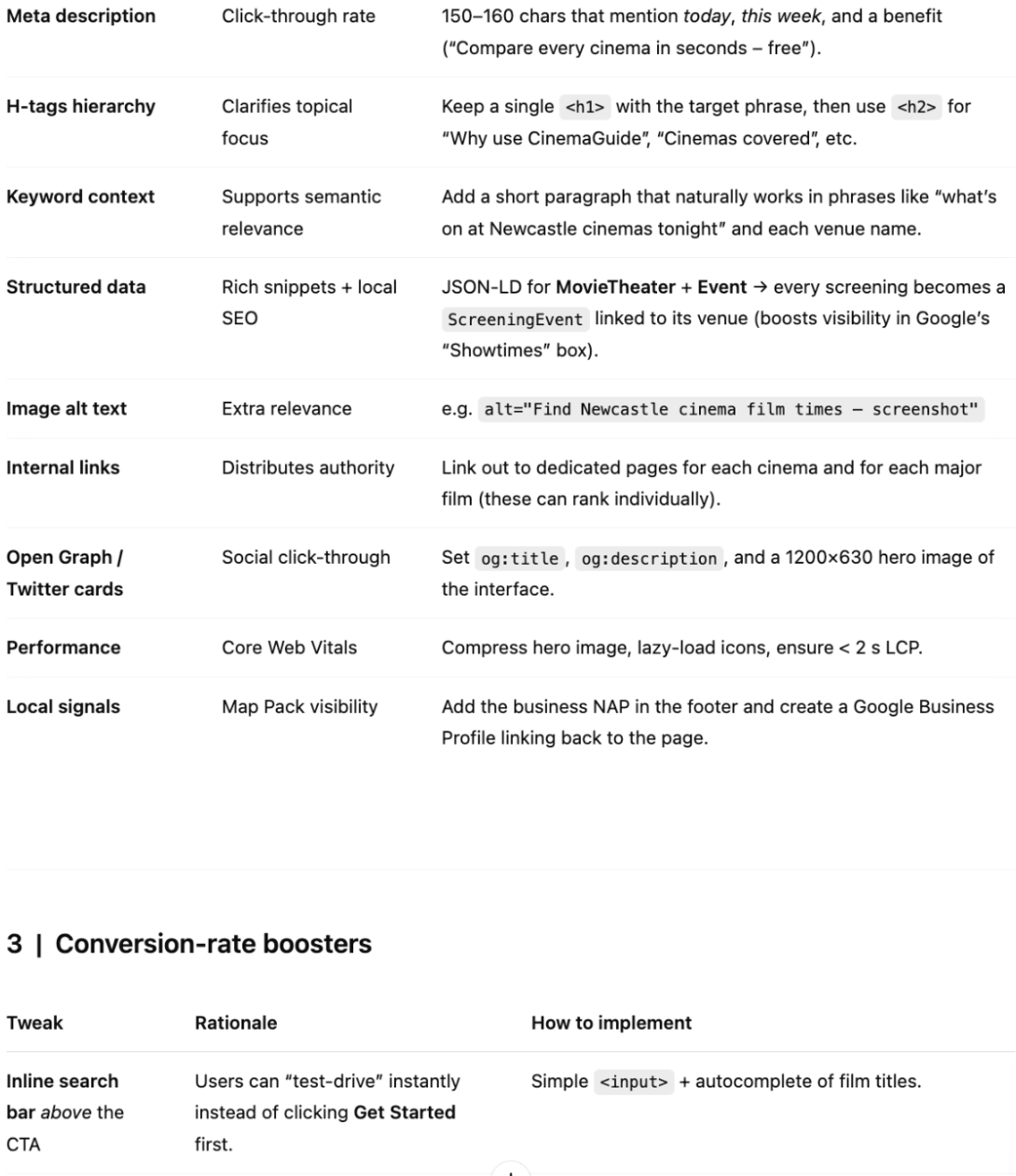
This seemed like a perfect use case for o3. With his permission, I asked o3 how to improve his landing page for SEO and conversion. The instructions it gave to improve the page are pretty clear, although the model perhaps did not fully understand the product. This, however, might say more about the copy than the model itself: given the size of the project and lack of sources referencing it online, the model could only infer the website’s objective from the content on this landing page.
All in all, o3 is a great new addition to OpenAI’s array of models, and is definitely worth using if you need help with tasks that require advanced reasoning.
To learn more about OpenAI’s latest additions, check out these blogs:
Learn AI with these courses!
Track
Course
Track
blog
Richie Cotton
8 min
blog
Alex Olteanu
8 min
Tutorial
Aashi Dutt
8 min
Tutorial
François Aubry
8 min
Tutorial
François Aubry
8 min
code-along
Richie Cotton