
Course
Understanding Cloud Computing
2 hr
253.8K
Data scientists, ML engineers, and LLM engineers are very different beasts, but most of us want the same thing from infrastructure: as little of it as possible. We don't want to spend hours configuring cloud environments or navigating complex AWS services. We want to click a couple of buttons, open a terminal or Jupyter Notebook, pick a template, and start training, fine-tuning, or serving a model.
The providers in this guide were chosen with that in mind. They offer user-friendly dashboards, preconfigured environments, notebooks, terminals, container templates, and clear setup guides; where Jupyter isn't available by default, most let you install it within minutes.
Still, they don't all serve the same user. Some are marketplaces built around price and hardware choice; others offer predictable virtual machines, serverless GPU execution, managed inference, or enterprise-scale clusters for distributed training. We compare ten of them across four categories: GPU marketplaces and flexible capacity networks, self-serve AI GPU clouds, enterprise-scale AI clouds, and developer-first, notebook-friendly platforms.
GPT marketplaces are designed around flexible access to distributed GPU capacity. They are useful for experiments, batch jobs, short-lived fine-tuning, and whenever hardware choice and cost matter most.
Vast.ai is the platform I use most often to find an affordable GPU for model serving and LLM fine-tuning.
Its marketplace offers a large selection of GPU machines that you can compare by hardware, VRAM, reliability, location, and price. Each listing clearly breaks down the compute and storage costs, so you know what you are paying for.
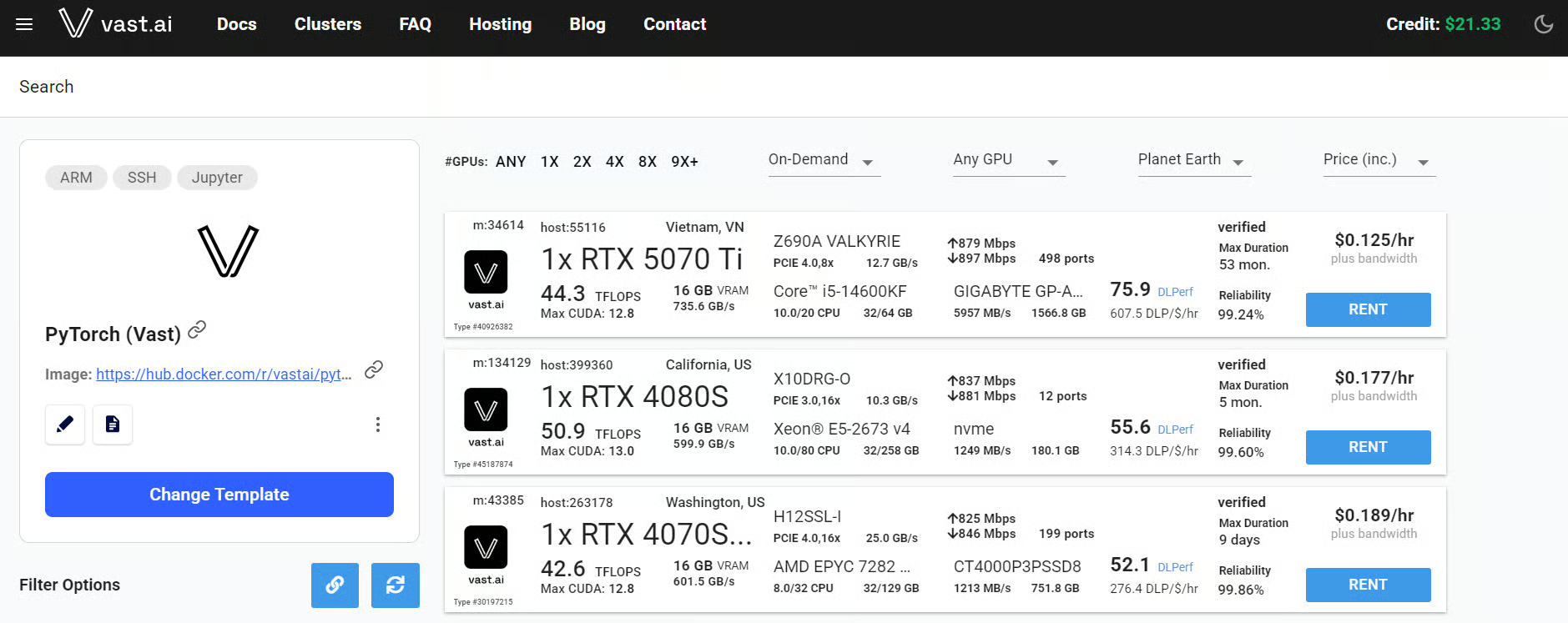
Instances support Jupyter Notebook, browser-based terminals, SSH, and VS Code connections. For quick tests, I often spend only a few cents before shutting the instance down. However, machine availability and reliability can vary because the hardware comes from different marketplace hosts.
Best for: Affordable experimentation, model serving, LoRA fine-tuning, and batch inference.
RunPod is my favorite GPU platform, and I have spent hundreds of dollars using it for LLMs fine-tuning and inference.
It is faster and easier to use than Vast.ai, though good machines can be expensive once compute and storage costs are factored in. RunPod works almost perfectly out of the box, with ready-made templates, JupyterLab, a web terminal, SSH, and VS Code integration.
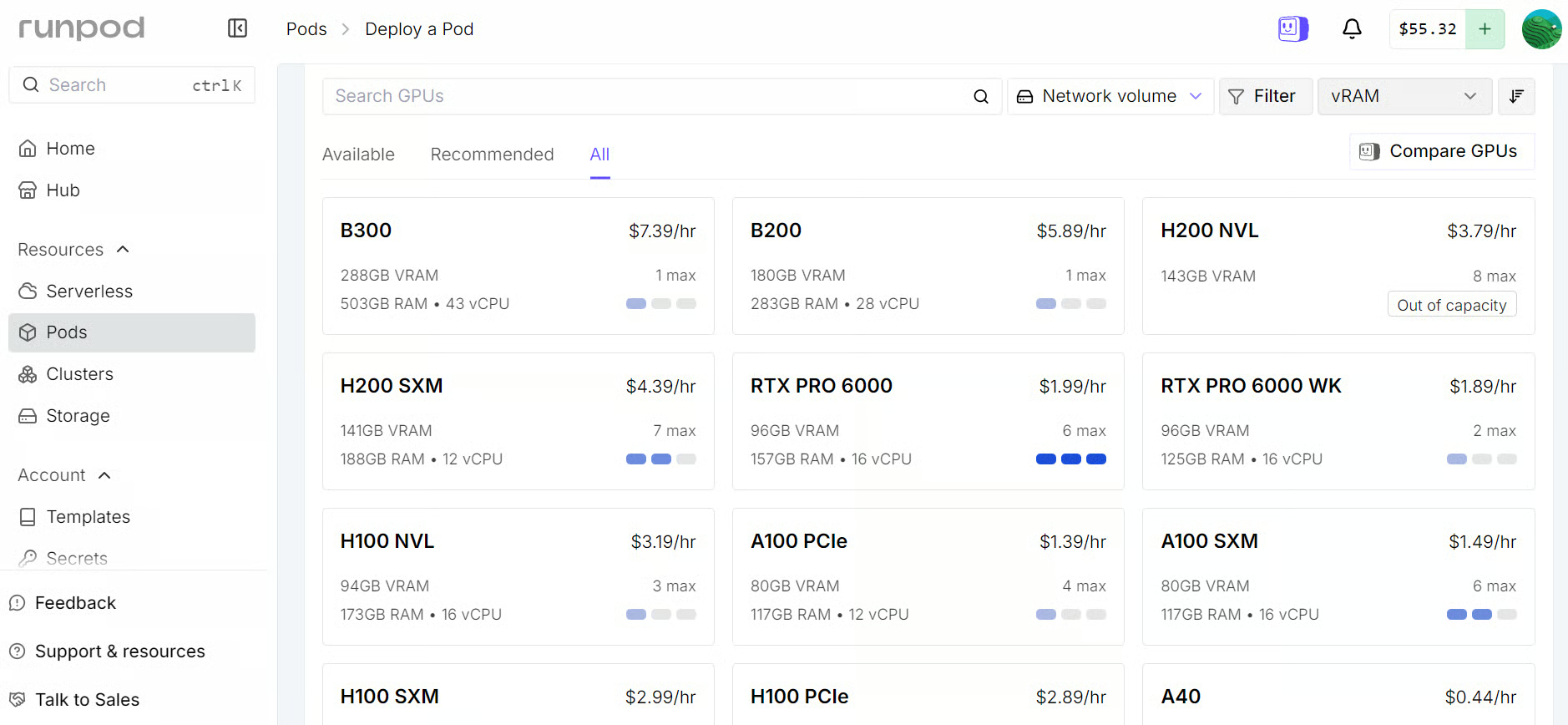
My only recent issue has been GPU availability. Popular machines are sometimes unavailable, forcing me to wait or choose a more expensive option. Despite this, RunPod remains one of the best platforms for data scientists who want to train or serve models without learning complex cloud infrastructure.
I put RunPod to work in two of our recent tutorials, fine-tuning DiffusionGemma for biomedical QA and fine-tuning Gemma 4, both of which run start to finish on a single RunPod GPU pod.
Best for: Beginners, data scientists, LLM fine-tuning, model serving, and anyone who wants a GPU environment that simply works.
Spheron is a good option for accessing affordable, high-end GPUs without dealing with AWS or long-term contracts.
It brings GPU capacity from multiple data-center providers into one dashboard, with VM and bare-metal machines, full root SSH access, transparent pricing, and per-minute billing.
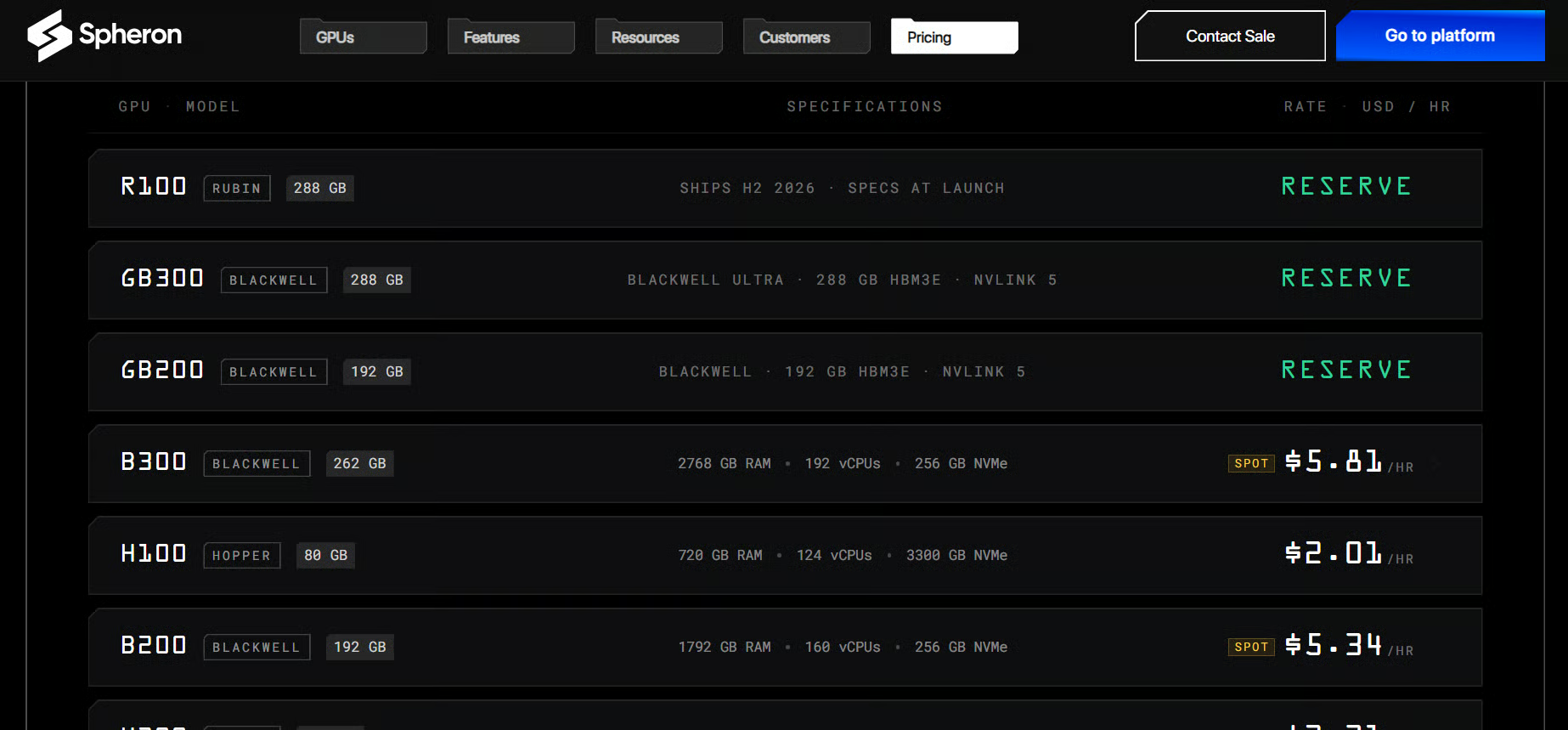
It offers everything from RTX 4090 and A100 machines to H100, H200, and B200 GPUs. For larger workloads, you can also deploy multi-GPU and multi-node clusters with NVLink, InfiniBand, or RoCE networking. It is slightly more infrastructure-focused than RunPod, but it gives serious LLM teams much more flexibility for distributed training.
Best for: Affordable high-end GPUs, multi-GPU LLM training, distributed workloads, and teams that need VM or bare-metal access.
TensorDock is an affordable GPU marketplace for launching complete virtual machines.
You select your GPU, CPU, RAM, storage, location, and operating system, and it gives you a machine with root access. It offers a huge range of hardware, from cheaper consumer GPUs to powerful A100 and H100 machines.
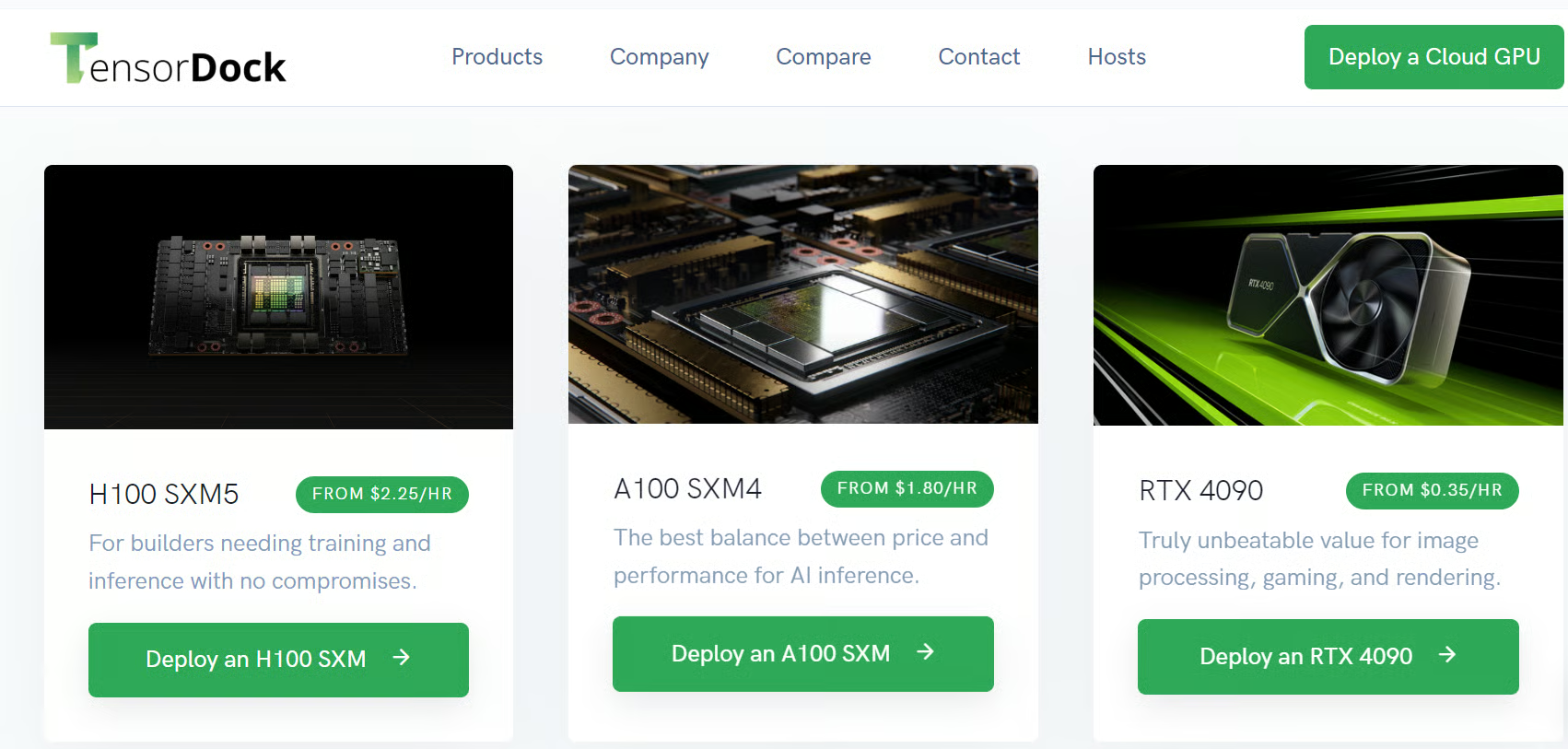
It is not as ready-made as RunPod. You normally connect through SSH and configure your own environment, although Docker is included with its VM templates, and Jupyter can be set up through the available ports. This gives you more control, but you should be comfortable installing and managing your own tools.
Best for: Affordable GPU virtual machines, custom PyTorch training, and self-managed vLLM or TGI deployments.
These platforms are less like open marketplaces and more like renting a proper cloud machine. You select the GPU, launch a VM, connect through SSH or VS Code, and create your own environment for training, fine-tuning, or model serving.
Hyperstack gives you predictable GPU infrastructure without forcing you into AWS, Azure, or a complicated enterprise contract.
You select the GPU configuration, region, operating system image, and SSH key, then launch a complete virtual machine within minutes. It offers on-demand, spot, and reserved capacity across multiple data-center regions.
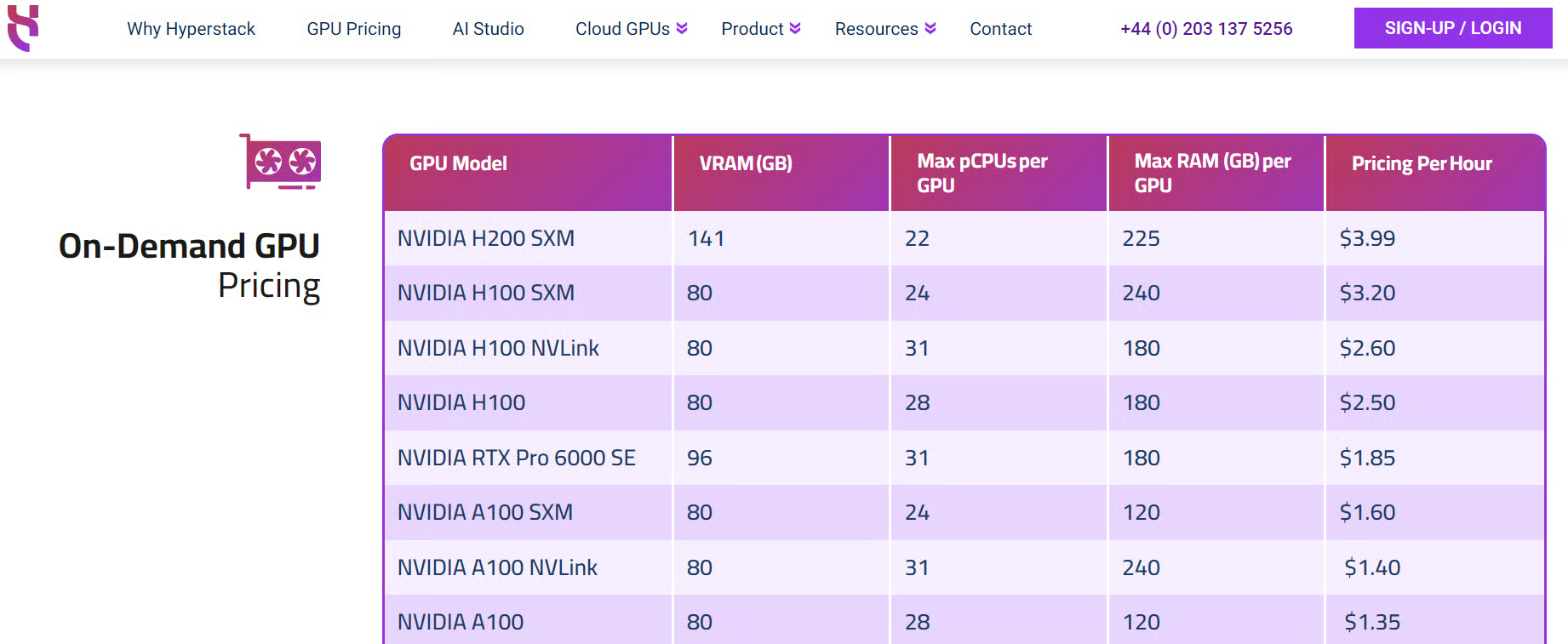
It is a good option when you want a reliable machine for a longer training job or self-managed inference deployment. You still need to configure your environment, but the experience is much more straightforward than building everything through a traditional hyperscaler.
Best for: Predictable GPU VMs, long-running training jobs, custom environments, and self-managed model serving.
I have spent hundreds of dollars on Hyperbolic, and I still love using it. For me, it has often been one of the fastest and cheapest ways to access high-end GPUs. The machines are reliable, launch quickly, and I can connect directly through VS Code, which makes the whole experience feel almost like working locally.
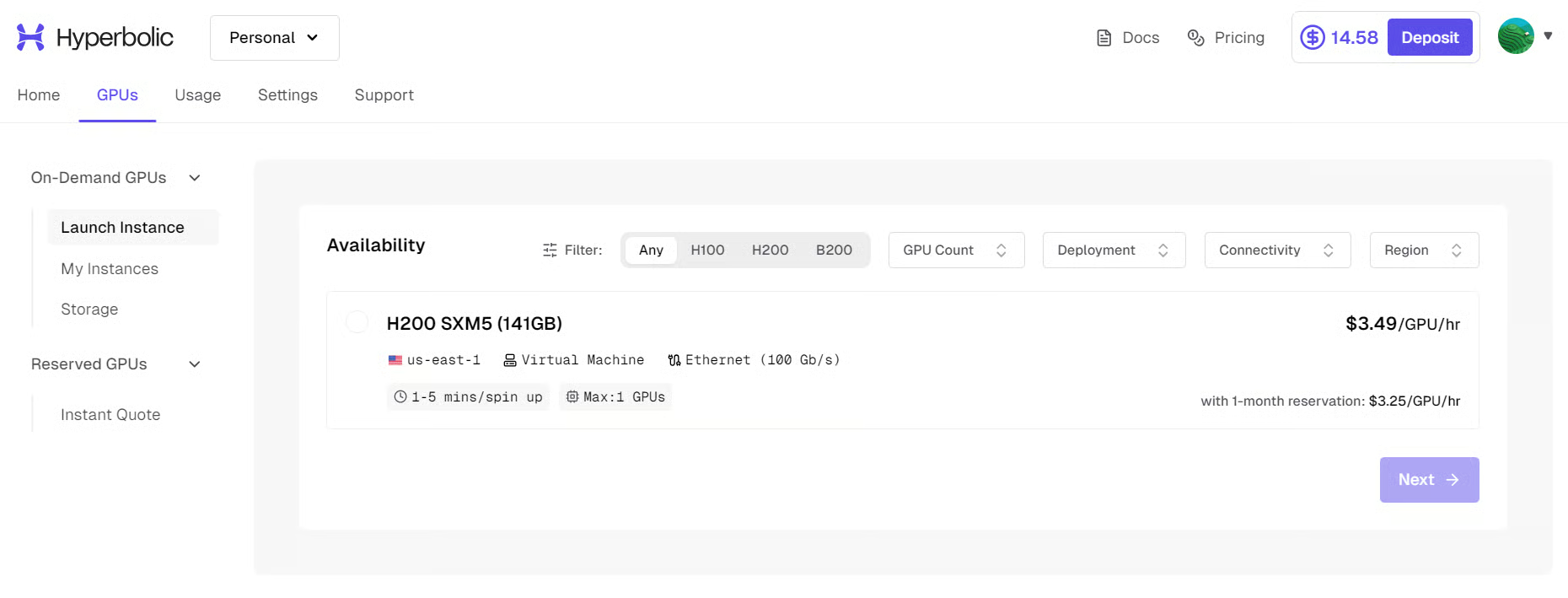
Hyperbolic offers on-demand GPU instances, reserved clusters, private-cloud infrastructure, and an OpenAI-compatible inference API. This means you can use it for a quick fine-tuning experiment and later move to dedicated capacity or managed inference without changing platforms.
My biggest problem is availability. It used to be much easier to find affordable single H100 or A100 machines. Recently, those cheaper options have often been unavailable when I need them. I may find an individual H200, but many available configurations are 4x or 8x GPU clusters, which are far too expensive and powerful for my normal workload.
Best for: Affordable high-end GPU compute, LLM fine-tuning, VS Code users, managed inference, and teams that may later require reserved clusters.
These providers are for serious AI workloads. We are talking about dedicated GPU clusters, high-speed networking, scalable storage, reserved capacity, and infrastructure that can run reliably for months rather than a few hours.
I love Nebius. I have mainly used its Token Factory for inference, and it is fast, reliable, and extremely easy to use through its OpenAI-compatible API. It gives you access to more than 60 open models without needing to manage the underlying infrastructure.
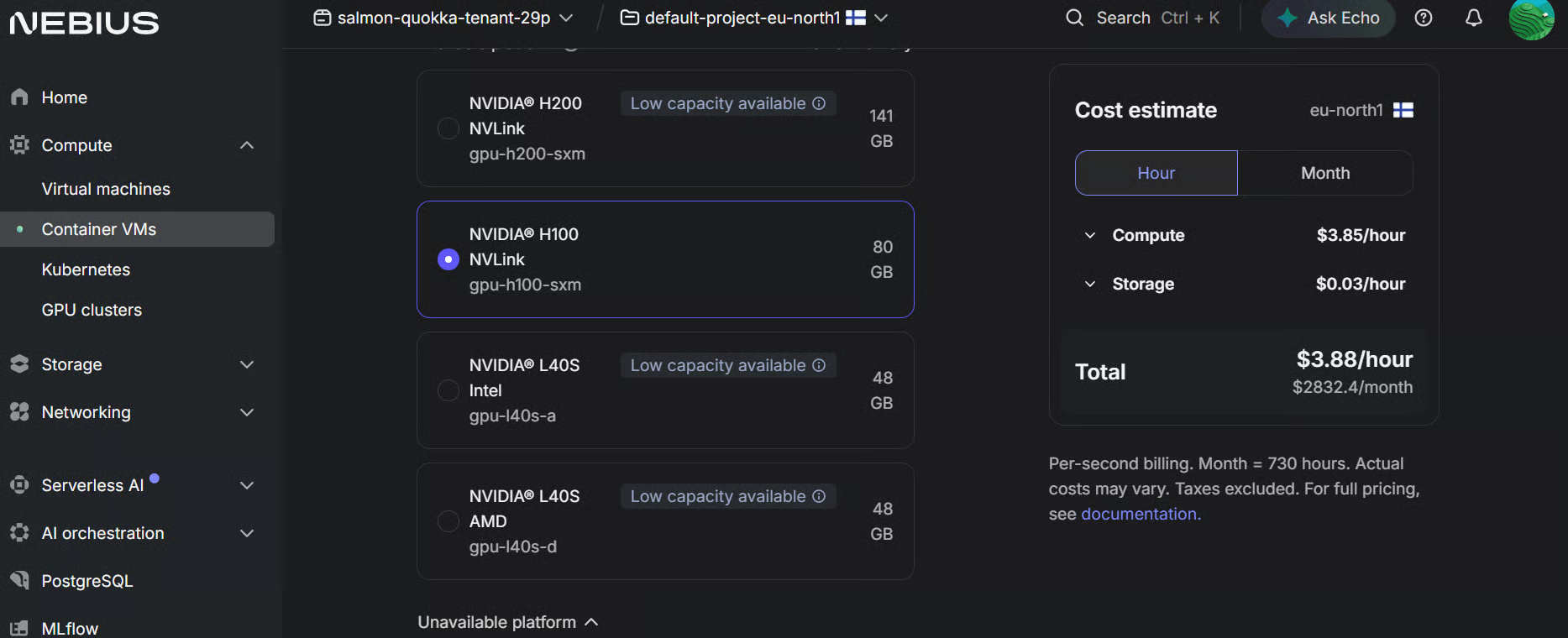
I only recently started exploring the GPU cloud side, and it is equally impressive. You can launch individual GPU machines or build long-running clusters with managed Kubernetes, storage, and high-speed networking. Nebius also offers discounts for reserving large clusters for several months.
This is not just a platform for small experiments. Large companies are already using it for serious workloads. For example, Revolut runs training and inference across more than 200 NVIDIA H100 GPUs on Nebius, while Recraft trained its 20-billion-parameter model using the platform.
Best for: Reliable inference, long-running GPU clusters, distributed training, managed Kubernetes, and production-scale AI workloads.
Together AI is much more than an inference API. It provides managed inference, fine-tuning, dedicated endpoints, and self-service GPU clusters on one platform. You can train, customize, and deploy open-weight models without moving between several different providers.
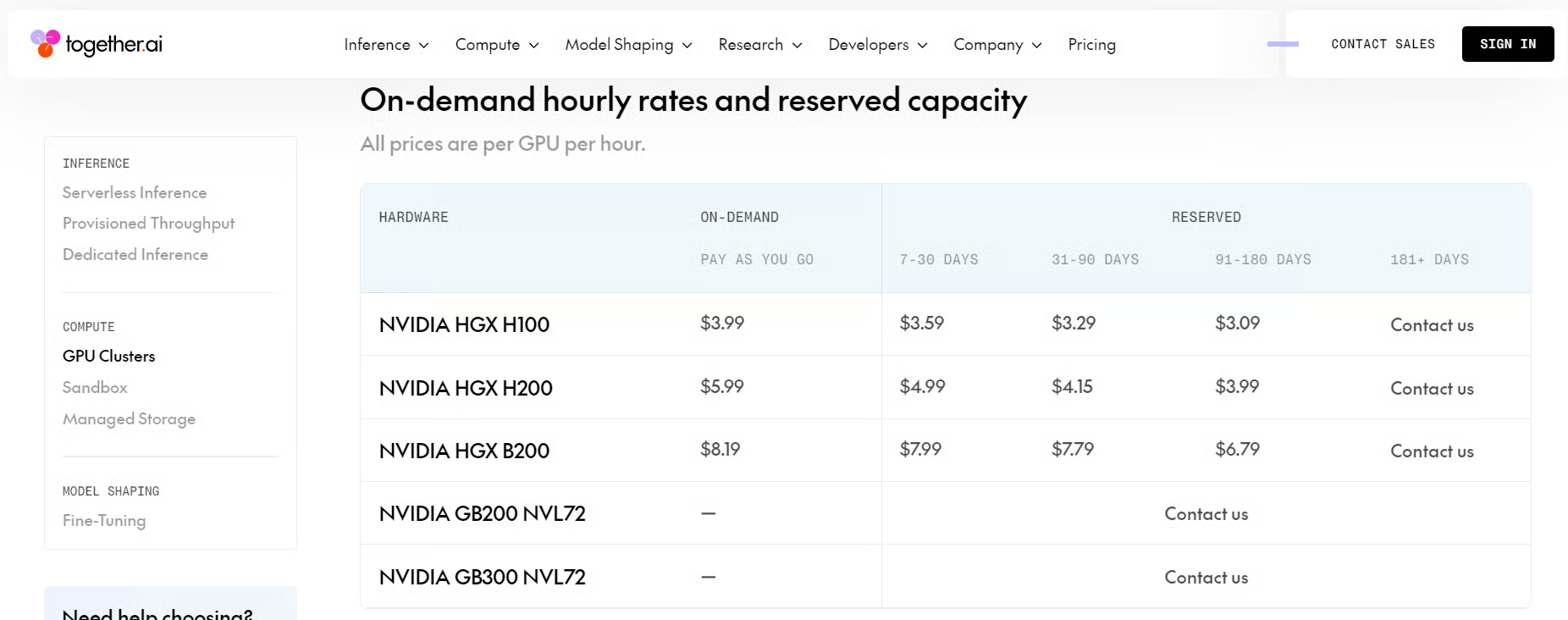
Its GPU clusters include high-end hardware such as H100, H200, B200, and GB200 GPUs, with InfiniBand networking, persistent storage, and support for Kubernetes and Slurm. Clusters can be launched on demand or reserved for longer workloads.
This is probably too much for someone who only needs one affordable GPU for a quick experiment. However, it makes a lot of sense for companies that want reliable infrastructure for training, fine-tuning, and serving models at scale.
Best for: Enterprise GPU clusters, large-scale model training, managed fine-tuning, dedicated inference, and companies building production AI systems.
These platforms are built for developers who want to focus on their code rather than spend hours managing cloud infrastructure. They provide familiar tools such as notebooks and VS Code while handling much of the GPU provisioning behind the scenes.
Modal is completely different from renting a normal GPU machine. You write Python code, select the GPU you need, and Modal runs it inside a serverless container. It can automatically scale from zero to multiple GPUs, and you are charged based on the time your code actually uses the resources.
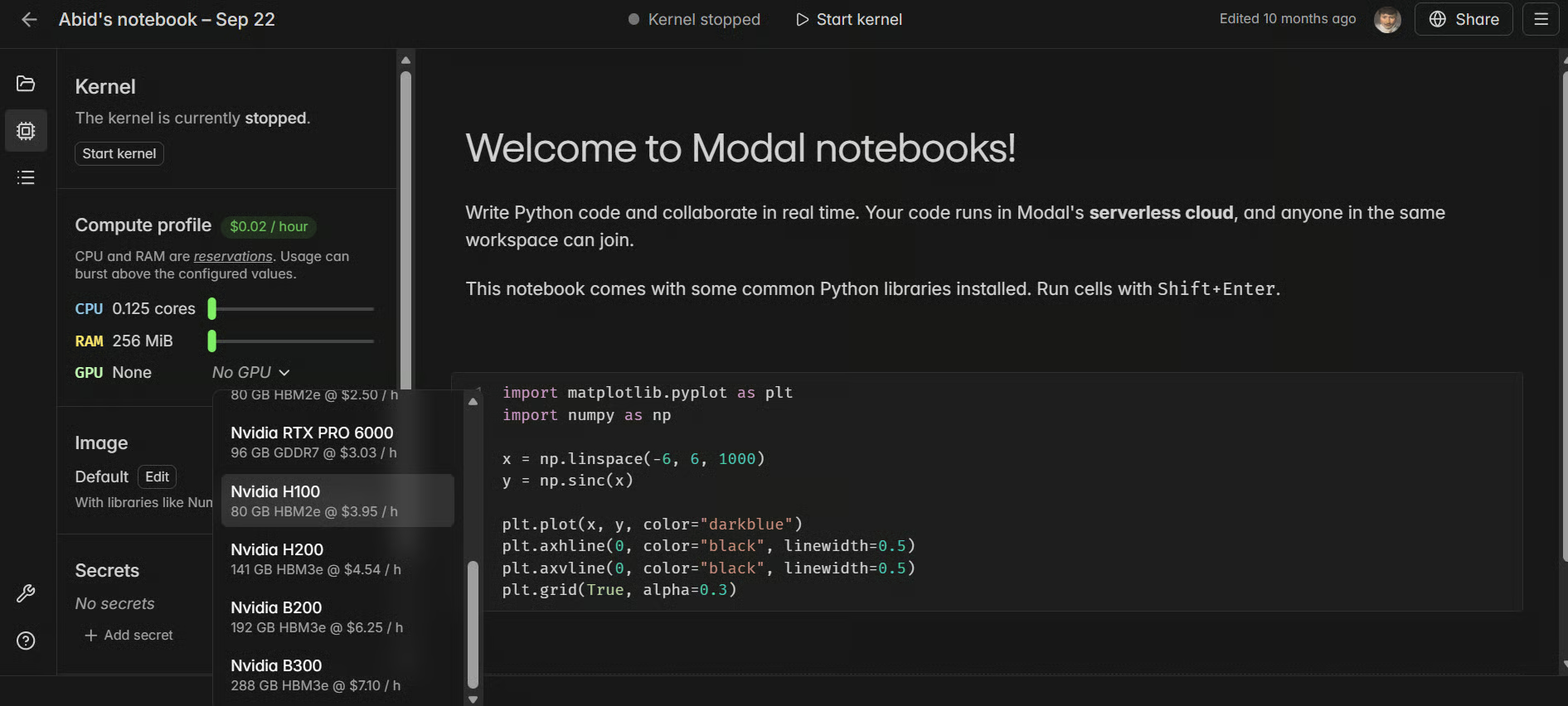
It is great for deploying inference APIs, running evaluation pipelines, fine-tuning models, and handling workloads that suddenly need more GPUs. Modal also offers GPU notebooks that launch within seconds, support custom environments, and can use up to eight A100 or H100 GPUs.
The only thing to understand is that Modal requires a different mindset. You are not simply opening a VM and using it like a remote computer. You define your infrastructure in Python, which may feel unusual at first, but becomes extremely powerful once you understand it.
Best for: Serverless inference, model evaluation, automated pipelines, fine-tuning, and workloads that need to scale up and down automatically.
Thunder Compute is almost exactly what many data scientists want from a GPU cloud. You launch a machine and connect to it directly through VS Code, Cursor, Windsurf, the command line, or Jupyter Notebook. JupyterLab is already installed, so you can start experimenting without spending hours configuring the environment.
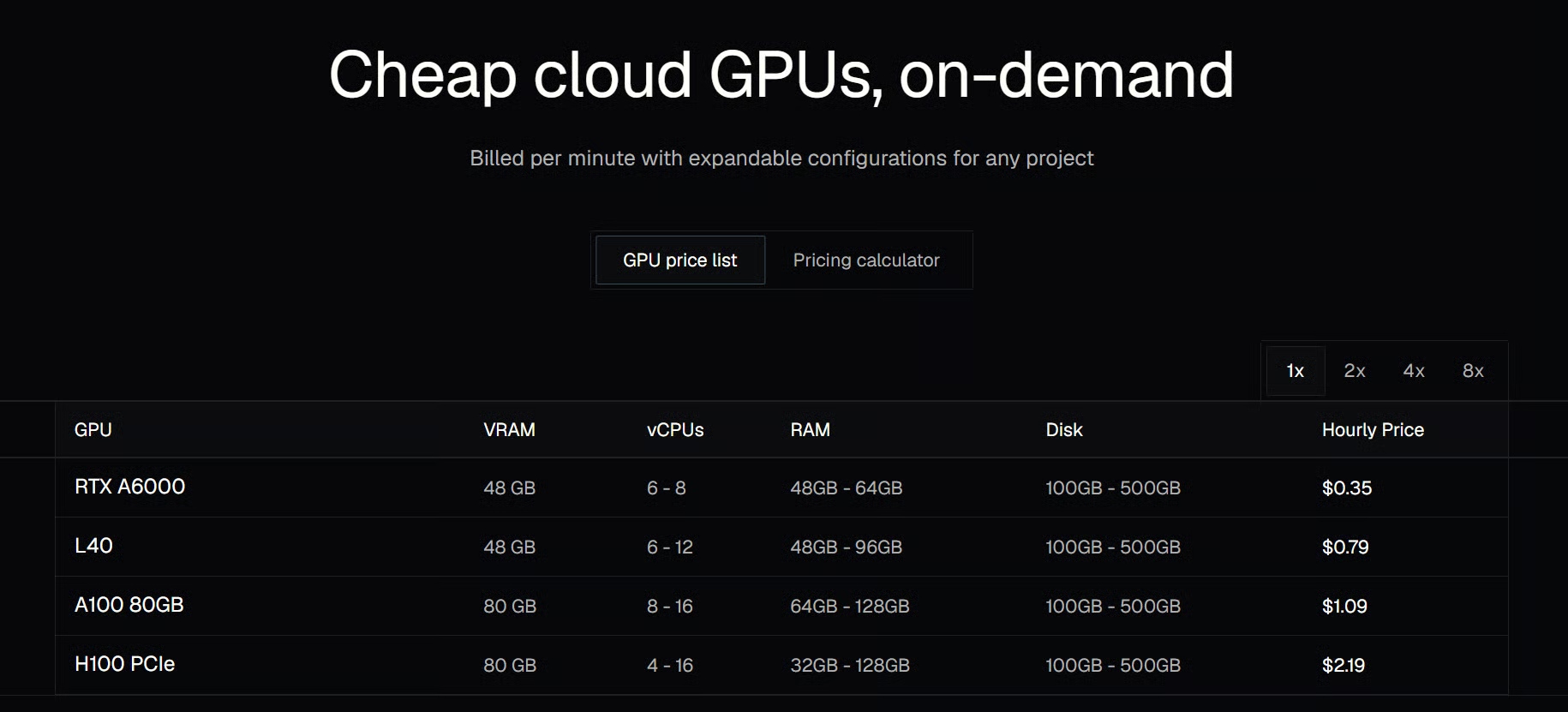
I particularly like the idea of its VS Code extension. Instead of constantly switching between a cloud dashboard, SSH terminal, and local editor, you can create and open the GPU instance as a remote workspace directly inside your editor. It feels much closer to working on your own computer, except that you now have access to a powerful cloud GPU.
Thunder Compute offers separate prototyping and production modes. You can begin with a simple machine for experimentation and later move to production configurations with persistent storage and support for multiple GPUs.
Best for: Jupyter-based research, VS Code users, model experimentation, interactive data-science work, and anyone looking for a more powerful alternative to Google Colab.
There is no single best GPU provider. The right choice depends on GPU availability, price, ease of use, storage costs, and whether you need a notebook, a VM, serverless inference, or a full GPU cluster:
I mostly use Vast.ai, RunPod, Hyperbolic, and Modal because they are easy to use, flexible, and relatively affordable. Vast.ai is usually my first choice for finding the cheapest machine. RunPod is the easiest platform to use, Hyperbolic is fast and reliable when GPUs are available, and Modal is excellent for serverless inference and automated workloads.
For very small experiments, I still use Google Colab or a local Jupyter Notebook. However, Colab is limited, often slow, and not something I would recommend for serious LLM fine-tuning, model serving, or long-running training jobs.
The best platform is ultimately the one that lets you start working quickly without forcing you to become a cloud infrastructure engineer. In case you want to become one anyway (or know what’s going on behind the scenes), I recommend starting with our Understanding Cloud Computing course.
Top Cloud Courses
Course
Track
Course
blog
Bhavishya Pandit
8 min
blog
Abid Ali Awan
13 min
Tutorial
Abid Ali Awan
12 min
Tutorial
Abid Ali Awan
12 min
Tutorial
François Aubry
12 min
Tutorial
Bexruz (Bex) Tuychiev
13 min