
Programa
Fundamentos de agentes de IA
6 h
La idea de agentes locales autónomos como OpenClaw resulta muy atractiva. Contar con un agente que pueda leer, escribir y ejecutar en tu sistema de archivos es potente. Pero la autonomía tiene contrapartidas.
En este artículo, exploraremos alternativas a OpenClaw desde una óptica práctica y técnica. Compararemos categorías de reemplazo, daremos ejemplos concretos de herramientas y trazaremos una hoja de ruta de migración.
A lo largo del artículo, analizaremos un marco de decisión clave: seguridad frente a flexibilidad.
Para iniciarte con agentes potenciados por LLM, te recomendamos nuestro curso Introduction to AI Agents.
OpenClaw (antes conocido como Clawdbot y, brevemente, Moltbot) es un framework de agentes de IA autónomos y de código abierto, en rápido crecimiento, diseñado para ejecutar tareas en nombre del usuario, no solo sugerirlas.
Utiliza una interfaz de agente local con herramientas, que conecta un modelo de lenguaje con capacidades a nivel de sistema como E/S de archivos, comandos de shell y control del navegador. Así, amplía las capacidades del agente más allá de responder por chat para pasar a actuar sobre tareas.
¿Quieres saber más sobre OpenClaw? Nuestra guía de OpenClaw Projects y el tutorial Using OpenClaw with Ollama son el mejor punto de partida.
Antes de ver alternativas, es importante entender los pros y contras de usar OpenClaw.
La arquitectura de OpenClaw resulta atractiva por tres motivos principales:
Este diseño resulta especialmente interesante para:
Además, como el agente opera a nivel de SO, puede orquestar flujos de trabajo complejos y de varios pasos como:
Para creadores individuales, esto genera un ciclo de feedback muy ágil y potente. El modelo pasa de sugerir código a ejecutarlo.
Sin embargo, ejecutar localmente código generado por LLM sin un sandbox por defecto introduce un riesgo significativo.
Algunos ejemplos:
Un aficionado individual puede aceptar este riesgo como parte de la experimentación. En un entorno enterprise, es inaceptable. Las organizaciones que operan bajo SOC2, ISO 27001 o marcos similares requieren:
El "radio de impacto" de un error en una configuración de agente local depende del acceso a archivos, shell y APIs que tenga el agente; con permisos amplios, puede abarcar todo tu equipo. En entornos regulados, ese radio debe reducirse a un runtime aislado y desechable.
Para un análisis más profundo de la seguridad, consulta estas guía completa sobre OpenClaw security.
Más allá de la seguridad, la fragilidad operativa es otro detonante habitual a la hora de buscar alternativas a OpenClaw.
Problemas comunes:
Aunque los bucles autónomos lucen en las demos, los agentes al estilo OpenClaw pueden sufrir en producción si no se encapsulan en contenedores, capas de logging y límites estrictos de habilidades. Para lograr comportamiento determinista y repetible hace falta más orquestación.
Por ejemplo, un bucle que funciona 9 de cada 10 veces impresiona en un cuaderno de investigación. En una nómina, donde los errores no se toleran, no hay margen para la fragilidad.
La brecha entre la autonomía apta para demos y la fiabilidad de producción se hace evidente cuando los equipos intentan escalar OpenClaw más allá del portátil de un solo desarrollador.
Bien, entonces, ¿qué alternativas hay?
Necesitas claridad sobre qué quieres optimizar. La mayoría de reemplazos se sitúan en un espectro entre "libertad agentic" y "control del proceso".
Antes de seguir, identifica tu restricción principal:
Tu restricción determina la categoría de alternativa.
Ahora, veamos algunas áreas clave de este marco.
Hay dos grandes modos de optimización.
La generación creativa se beneficia de agentes probabilísticos con autonomía.
La consistencia operativa se beneficia de flujos de trabajo deterministas con guardarraíles estrictos.
Ahora, crea una matriz de decisión sencilla usando:
Esto te ayudará a fijar prioridades.
Por ejemplo, una startup de dos personas que construye herramientas internas puede priorizar la flexibilidad. Un banco que automatiza informes de cumplimiento debe priorizar el control y la auditabilidad.
Para producción, hay tres funciones innegociables.
También es importante diferenciar entre agentes probabilísticos y automatización determinista.
Agentes probabilísticos:
Automatización determinista:
Las pilas maduras suelen encajar agentes probabilísticos dentro de flujos deterministas, combinando razonamiento exploratorio con rutas de ejecución controladas.
En esta sección, te ofrecemos una lista práctica agrupada por perfil, con ejemplos reales.
Aquí tienes una tabla sencilla que resume las alternativas.
|
Categoría |
Modelo de despliegue |
Seguridad / sandboxing |
Mejor caso de uso |
Complejidad de configuración |
|
OpenClaw (referencia) |
Runtime local |
Mínima por defecto |
Prototipado, investigación |
Baja |
|
Agentes de codificación para desarrolladores |
IDE o CLI |
Acotado al repo |
Refactorización de código |
Baja-media |
|
Plataformas de automatización de workflows |
En la nube |
Aislamiento gestionado |
Flujos de negocio |
Media |
|
Plataformas de agentes enterprise |
Runtime gestionado en la nube |
Aislamiento fuerte + RBAC |
Entornos regulados |
Alta |
|
Runners locales minimalistas |
CLI local |
Aislamiento limitado |
Workflows de hacker |
Baja |
Estos agentes están optimizados específicamente para tareas del ciclo de vida del desarrollo software. A diferencia de OpenClaw, normalmente no tienen acceso sin restricciones al SO. Operan dentro de los límites de un repositorio y del contexto del IDE.
Ejemplos:
Ventajas clave:
Ejemplo de flujo en Cursor:
Este modelo basado en aprobación reduce significativamente el radio de impacto frente a la ejecución autónoma a nivel de SO.
Ideal para: equipos que necesitan refactorización profunda de código más que control general del ordenador.
Para una comparación detallada de ambos enfoques, consulta nuestra guía OpenClaw vs Claude Code.
Estas plataformas sustituyen los bucles autónomos por cadenas estructuradas de disparadores y condiciones.
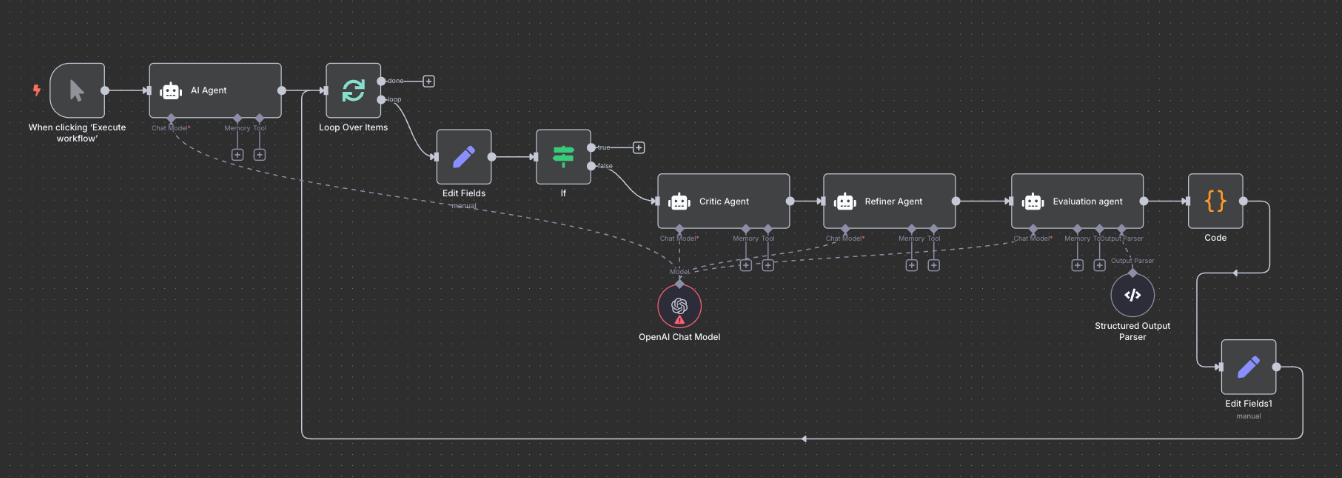
Fuente: n8n
Ejemplos:
En lugar de permitir que un agente decida su siguiente acción de forma probabilística, defines: Disparador > Condición > Acción > Log
Por ejemplo, un flujo en n8n:
Temporal va más allá con ejecución duradera y flujos con estado. Si un proceso falla a mitad, se reanuda desde el último estado conocido.
Ideal para: operaciones de negocio que requieren fiabilidad, reintentos, observabilidad y trazabilidad.
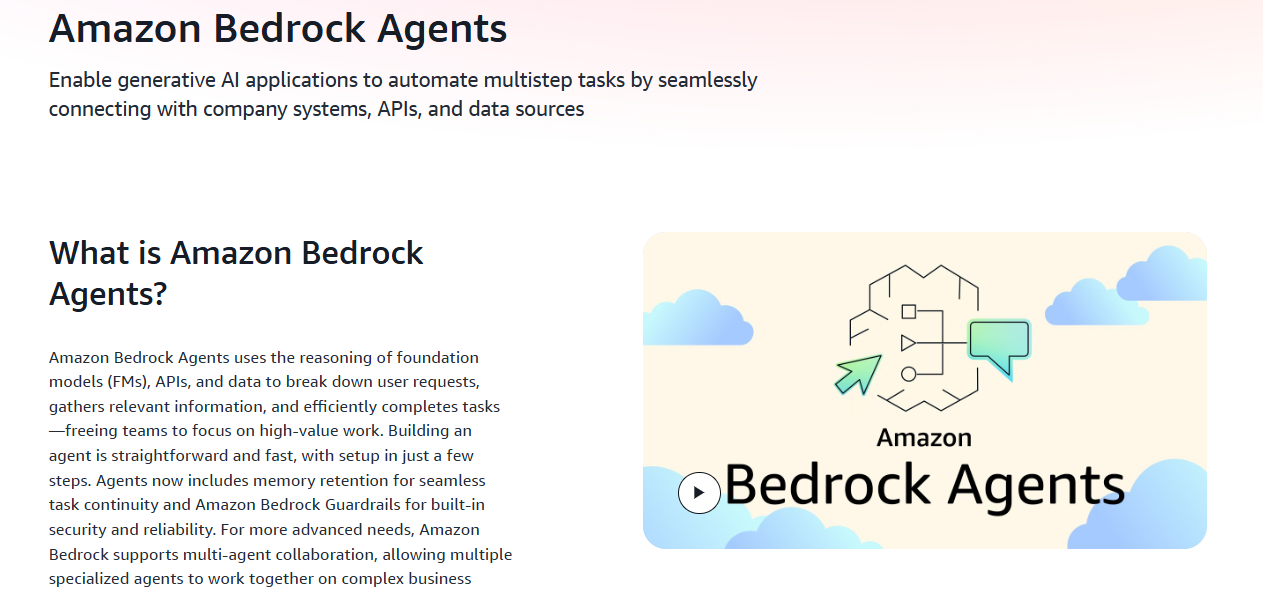
Estas capas proporcionan entornos de ejecución gestionados donde los agentes se ejecutan en contenedores aislados o runtimes orquestados.
Fuente: Amazon Bedrock Agents
Ejemplos:
Funciones enterprise habituales:
Por ejemplo, AWS Bedrock Agents se integra directamente con políticas IAM, garantizando que un agente solo pueda llamar a APIs aprobadas. La ejecución ocurre dentro de un perímetro gestionado, no en el portátil de un desarrollador.
LangGraph, cuando se despliega en Docker o Kubernetes, permite crear grafos de agentes estructurados con transiciones de estado controladas y límites claros de herramientas.
Ideal para: industrias reguladas y equipos que manejan datos sensibles.
Estos runners ofrecen una autonomía "amable para hackers" similar, pero pueden ser más ligeros o modulares que OpenClaw.
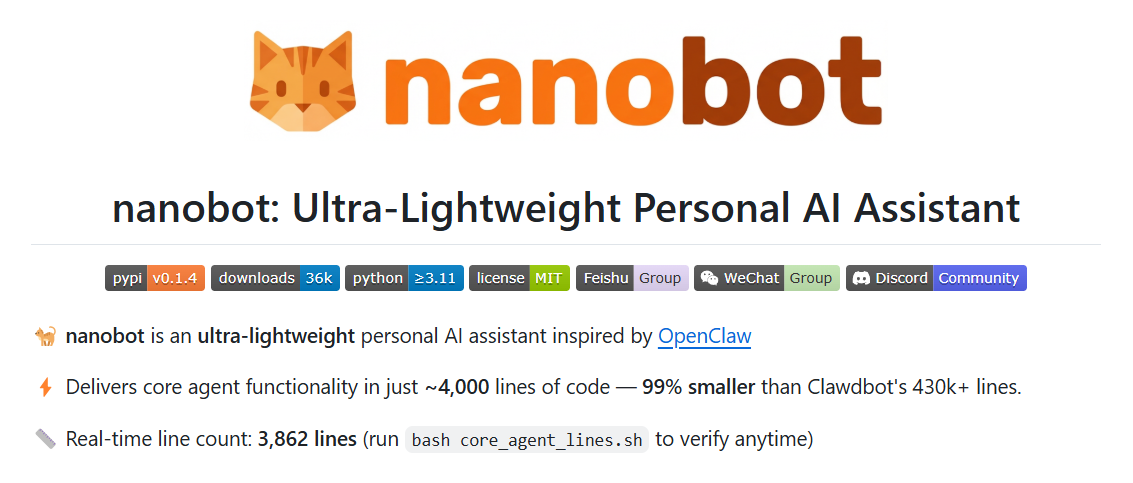
Fuente: nanobot
Ejemplos:
En comparación con OpenClaw, pueden:
Por ejemplo, Open Interpreter se centra en ejecutar código de forma interactiva con confirmación del usuario.
Ideal para: desarrolladores que quieren experimentar y tener autonomía, pero con un poco más de estructura.
Al pasar de prototipo a producción, la arquitectura importa más que las funciones. Veamos cómo se compara la autonomía al estilo OpenClaw con las plataformas de agentes de corte enterprise.
El sandboxing efímero suele referirse a ejecutar tareas del agente en entornos aislados y de corta vida.
Algunas alternativas enterprise y despliegues a medida aprovisionan un runtime nuevo para cada ejecución del agente y lo descartan inmediatamente después, como pilas de agentes basadas en Kubernetes o sandboxes de seguridad con contenedores efímeros.
Implementaciones comunes:
Esto contrasta con la configuración habitual de OpenClaw, donde un agente local de larga ejecución puede persistir entre sesiones y acumular estado en tu máquina. La ejecución efímera evita:
Las configuraciones al estilo OpenClaw suelen conceder permisos amplios a sistema de archivos o shell porque el agente vive en tu equipo. En cambio, las plataformas de workflow y enterprise imponen puertas de herramientas, permisos de API acotados e inyección de secretos desde vaults, limitando qué puede tocar cada agente.
El control de acceso basado en roles se vuelve crítico al pasar del portátil de un desarrollador individual a un equipo. Se pueden insertar revisiones humanas para acciones de alto riesgo:
Este enfoque híbrido combina la flexibilidad de la IA con la supervisión humana y es mucho más común en plataformas enterprise que en agentes locales al estilo OpenClaw.
En sistemas de producción, no basta con capturar la salida final. Debe existir una traza de auditoría de cómo se llegó a ese resultado. El logging estructurado permite depurar, cumplir auditorías y responder a incidentes. Incluye registrar:
Los agentes al estilo OpenClaw pueden configurarse para registrar localmente, pero ese logging suele estar en manos de desarrolladores y ser inconsistente.
Por el contrario, las plataformas enterprise y las herramientas de workflow se construyen desde el inicio en torno a entradas de herramientas, trazas de razonamiento, marcas de tiempo de ejecución y aprobaciones, lo que las hace mucho más adecuadas cuando necesitas trazar el comportamiento de un agente bajo SOC2, ISO 27001 u otros marcos.
La utilidad de un agente depende de su capacidad para comunicarse de forma fiable con otros sistemas. Por eso, contar con un ecosistema muy conectado también es clave.
OpenClaw brilla cuando quieres conectar scripts a medida, APIs locales y herramientas de nicho. Puedes integrarte con servicios internos mediante funciones a medida o envoltorios HTTP, pero esa flexibilidad conlleva mantenimiento continuo y carga de seguridad.
En cambio, plataformas de workflow como n8n, Zapier y Retool, o plataformas de agentes gestionadas como AWS Bedrock Agents, ofrecen integraciones nativas con:
Guardar claves API localmente es sencillo pero inseguro. Los flujos basados en OAuth permiten revocar, rotar y limitar el alcance, y son más comunes en plataformas enterprise que en despliegues bare‑metal de OpenClaw.
Las integraciones nativas reducen la necesidad de definir herramientas personalizadas y, aun así, te permiten crear funciones propias cuando realmente necesites flexibilidad.
Algunos agentes dependen de la automatización de "uso del ordenador" basada en visión. Puede ser potente para scripts puntuales, pero también es frágil. Al fin y al cabo, los diseños de UI cambian, se rompen los selectores CSS y los retrasos de renderizado provocan clics erróneos.
Las plataformas enterprise y las herramientas de workflow suelen preferir la automatización API‑first siempre que sea posible. Se integran con webhooks, APIs REST o conectores específicos de SaaS, que son más estables y mantenibles que el control basado en UI.
Cuando la automatización de UI es inevitable, dichas plataformas la envuelven con lógica de reintentos robusta y logging claro, tratándola como último recurso, no como patrón por defecto.
Pasar de OpenClaw requiere una hoja de ruta estructurada y bien planificada. Aquí van algunas buenas prácticas.
Empieza mapeando tus scripts actuales. Esto te muestra todas las áreas expuestas y el inventario que tienes.
Localiza todos los scripts y ordénalos por tipo de tarea:
Puedes mantener las tareas exploratorias en sistemas agentic, pero las de mayor riesgo (p. ej., escrituras en BBDD, cambios de infraestructura, POST externos) deberían acotarse explícitamente o moverse a scripts deterministas o workflows gestionados.
El patrón "strangler fig" es una técnica para sustituir gradualmente un sistema legado (monolito) por uno nuevo (microservicios) construyendo alrededor de él.
Aplicarlo implica reemplazar un flujo cada vez.
Por ejemplo:
Desmantela el agente local solo cuando valides la paridad. Esta estrategia incremental reduce la disrupción.
Tras pasarte a la nueva plataforma, tendrás que reforzar la seguridad aplicando medidas de hardening.
Después de la migración:
Aprovecha la migración para fortalecer tu arquitectura y elevar la seguridad.
No hay una alternativa perfecta a OpenClaw para todos los casos. La elección correcta depende de tu tolerancia a la autonomía frente a tu necesidad de control.
Si tu principal necesidad es generar y refactorizar código, los agentes de codificación para desarrolladores encajan mejor. Si tu prioridad es la fiabilidad de procesos de negocio, las plataformas de workflow son alternativas más sólidas. Si operas en entornos regulados o enterprise, las plataformas de agentes gestionadas son esenciales.
Código equivale a herramientas de desarrollador. Proceso equivale a herramientas de workflow. Escala equivale a plataformas enterprise. Revisa tus principales casos de uso de OpenClaw y determina a qué categoría pertenecen realmente. Así encontrarás la mejor alternativa.
Para quienes prefieren un programa estructurado frente a la IA agentic, recomendamos inscribirte en nuestro itinerario AI Agent Fundamentals.
Cursos sobre agentes de IA
Programa
Curso
Curso
blog
Abid Ali Awan
9 min
blog
Abid Ali Awan
8 min
blog
Abid Ali Awan
10 min
blog
Matt Crabtree
12 min
blog
Dr Ana Rojo-Echeburúa
9 min
blog
Javier Canales Luna
14 min