
Course
Working with the OpenAI API
3 hr
172.6K
The GPT-OSS 20B is an open-weight language model from OpenAI’s gpt-oss series, designed for low-latency and specialized use cases. It has 21 billion parameters (3.6B active) and is optimized to run efficiently on consumer hardware, requiring only about 16GB of memory thanks to MXFP4 quantization.
Despite being smaller than the GPT-OSS 120B, it still supports advanced features like configurable reasoning levels (low, medium, high), full chain-of-thought access for debugging and transparency, and agentic capabilities such as function calling, web browsing, and code execution.
In this guide, I will guide you through the complete process of setting up and fine-tuning GPT-OSS 20B. This includes:
Remember that this tutorial is for research and education and not for patient diagnosis or treatment.

Image by Author
Although the GPT-OSS model has 21 billion parameters, it still requires significant GPU memory, at least 80GB of VRAM to handle the model comfortably. A quick way to get started is by launching a RunPod H100 instance or a similar high-memory GPU environment.

Once the environment is ready, install all the required Python packages for data processing, model fine-tuning, and experiment tracking:
%%capture
%pip install -U accelerate
%pip install -U peft
%pip install -U trl
%pip install -U bitsandbytes
%pip install -U transformers
%pip install -U trackio
%pip install -U openai-harmony
%pip install -U tiktoken
%pip install -U pyctcdecode
Finally, log in to the Hugging Face Hub using your API key. This will allow you to save and share the fine-tuned model and tokenizer directly to your Hugging Face account:
from huggingface_hub import notebook_login

notebook_login()Next, we load the GPT-OSS 20B with MXFP4 quantization but immediately dequantize weights to bfloat16 on load, using eager attention, cache disabled, and automatic device placement.
import torch
from transformers import AutoModelForCausalLM, Mxfp4Config

quantization_config = Mxfp4Config(dequantize=True)
model_kwargs = dict(
    attn_implementation="eager",
    torch_dtype=torch.bfloat16,
    quantization_config=quantization_config,
    use_cache=False,
    device_map="auto",
)

model = AutoModelForCausalLM.from_pretrained("openai/gpt-oss-20b", **model_kwargs)
In addition to the model, we also need the tokenizer from the same repository. The tokenizer is responsible for converting text into tokens (IDs) that the model can process, and then decoding the model’s outputs back into human-readable text.
from transformers import AutoTokenizer
tokenizer = AutoTokenizer.from_pretrained("openai/gpt-oss-20b")OpenAI Harmony is a specialized response format used by the GPT-OSS models to structure conversations, reasoning outputs, and function calls in a consistent way.
It defines how messages are organized between roles (system, developer, user, assistant) and enables the model to output across multiple channels—for example, separating chain-of-thought reasoning, tool-calling preambles, and final user-facing responses.
In this section, we will create a function that will take a question and answer and format them into a Harmony-style conversation prompt. It uses the openai_harmony library to encode the conversation in a structured way.
from openai_harmony import (
    load_harmony_encoding, HarmonyEncodingName,
    Conversation, Message, Role,
    SystemContent, DeveloperContent, ReasoningEffort
)

enc = load_harmony_encoding(HarmonyEncodingName.HARMONY_GPT_OSS)

def render_pair_harmony(question, answer):
    convo = Conversation.from_messages([
        Message.from_role_and_content(
            Role.DEVELOPER,
            DeveloperContent.new().with_instructions(
                "You are a medical expert with advanced knowledge in clinical reasoning and diagnostics. "
                "Respond with ONLY the final diagnosis/cause in ≤5 words."
            )
        ),
        Message.from_role_and_content(Role.USER, question.strip()),
        Message.from_role_and_content(Role.ASSISTANT, answer.strip()),
    ])
    tokens = enc.render_conversation(convo)
    text = enc.decode(tokens)
return textWe will now load the medical Q&A dataset (FreedomIntelligence/medical-o1-verifiable-problem ) and apply the prompt_style_harmony function to each example. The transformed text is stored in a new column called "text", giving a clean, instruction-driven format that aligns with the developer’s prompt style.
from datasets import load_dataset

def prompt_style_harmony(examples):
    qs = examples["Open-ended Verifiable Question"]
    ans = examples["Ground-True Answer"]
    outputs = {"text": []}
    for q, a in zip(qs, ans):
        rendered = render_pair_harmony(q, a)
        outputs["text"].append(rendered)
    return outputs

dataset = load_dataset(
    "FreedomIntelligence/medical-o1-verifiable-problem",
    split="train[0:1000]"
)
dataset = dataset.map(prompt_style_harmony, batched=True)
print(dataset.column_names)

print(dataset[0]["text"])
The dataset now contains a new column "text", which holds the Harmony-formatted conversation. This includes:
['Open-ended Verifiable Question', 'Ground-True Answer', 'text']
<|start|>developer<|message|># Instructions

You are a medical expert with advanced knowledge in clinical reasoning and diagnostics. Respond with ONLY the final diagnosis/cause in ≤5 words.<|end|><|start|>user<|message|>An 88-year-old woman with osteoarthritis is experiencing mild epigastric discomfort and has vomited material resembling coffee grounds multiple times. Considering her use of naproxen, what is the most likely cause of her gastrointestinal blood loss?<|end|><|start|>assistant<|message|>Gastric ulcer<|end|>Before training the model, it is important to evaluate its baseline performance for comparison after fine-tuning. To do this, we define a helper function render_inference_harmony that prepares a Harmony-style prompt containing the developer’s strict instructions and the user’s question, but leaves the assistant’s response empty for the model to complete.
def render_inference_harmony(question):
    convo = Conversation.from_messages([
        Message.from_role_and_content(
            Role.DEVELOPER,
            DeveloperContent.new().with_instructions(
                "You are a medical expert with advanced knowledge in clinical reasoning and diagnostics. "
                "Respond with ONLY the final diagnosis/cause in ≤5 words."
            )
        ),
        Message.from_role_and_content(Role.USER, question.strip()),
    ])
    tokens = enc.render_conversation_for_completion(convo, Role.ASSISTANT)
    text = enc.decode(tokens)
    return text
Next, we take the first sample from the dataset, format it using this function, tokenize it, and pass it through the model to generate a response:
question = dataset[0]["Open-ended Verifiable Question"]

text = render_inference_harmony(question)

inputs = tokenizer(
    [text + tokenizer.eos_token], return_tensors="pt"
).to("cuda")
outputs = model.generate(
    input_ids=inputs.input_ids,
    attention_mask=inputs.attention_mask,
    max_new_tokens=20,
    eos_token_id=tokenizer.eos_token_id,
    use_cache=True,
)
response = tokenizer.batch_decode(outputs)
print(response[0])
In this test, the model’s output is noticeably longer and more descriptive than requested, even though the developer instructions explicitly asked for a concise diagnosis (≤5 words).
<|start|>developer<|message|># Instructions

You are a medical expert with advanced knowledge in clinical reasoning and diagnostics. Respond with ONLY the final diagnosis/cause in ≤5 words.<|end|><|start|>user<|message|>An 88-year-old woman with osteoarthritis is experiencing mild epigastric discomfort and has vomited material resembling coffee grounds multiple times. Considering her use of naproxen, what is the most likely cause of her gastrointestinal blood loss?<|end|><|start|>assistant<|return|>We have an old woman with NSAID use causing ulcer bleed. The question: "An 88
Instead of simply answering “Gastric ulcer” (the ground-truth label), the model produced a verbose explanation about NSAID use and ulcer bleeding.
dataset[0]["Ground-True Answer"]'Gastric ulcer'To fine-tune the model efficiently, we use LoRA (Low-Rank Adaptation), which allows us to train only a small subset of parameters while keeping the base model frozen. This drastically reduces memory usage and training cost.
We begin by defining a LoraConfig that specifies the rank, scaling factor, and the specific target layers where LoRA adapters will be inserted.
from peft import LoraConfig, get_peft_model

peft_config = LoraConfig(
    r=8,
    lora_alpha=16,
    target_modules="all-linear",
    target_parameters=[
        "7.mlp.experts.gate_up_proj",
        "7.mlp.experts.down_proj",
        "15.mlp.experts.gate_up_proj",
        "15.mlp.experts.down_proj",
        "23.mlp.experts.gate_up_proj",
        "23.mlp.experts.down_proj",
    ],
)
peft_model = get_peft_model(model, peft_config)
peft_model.print_trainable_parameters()
There are only ~15M parameters (≈0.07% of the full model) that are trainable, and the adapter size is around 16 MB, a huge efficiency gain compared to full fine-tuning.
trainable params: 15,040,512 || all params: 20,929,797,696 || trainable%: 0.0719Next, we configure the training setup using SFTConfig from the trl library. This includes hyperparameters such as learning rate, batch size, gradient accumulation, warmup ratio, and scheduler type:
from trl import SFTConfig

training_args = SFTConfig(
    learning_rate=2e-4,
    gradient_checkpointing=True,
    num_train_epochs=1,
    logging_steps=10,
    per_device_train_batch_size=4,
    gradient_accumulation_steps=4,
    max_length=2048,
    warmup_ratio=0.03,
    lr_scheduler_type="cosine_with_min_lr",
    lr_scheduler_kwargs={"min_lr_rate": 0.1},
    output_dir="gpt-oss-20b-medical-qa",
    report_to="trackio",
    push_to_hub=True,
)With the dataset prepared, LoRA adapter attached, and training arguments configured, we can now launch the fine-tuning process. We use the SFTTrainer from the trl library, which simplifies supervised fine-tuning by handling the model, tokenizer, dataset, and training loop in one place:
from trl import SFTTrainer

trainer = SFTTrainer(
    model=peft_model,
    args=training_args,
    train_dataset=dataset,
    processing_class=tokenizer,
)
trainer.train()
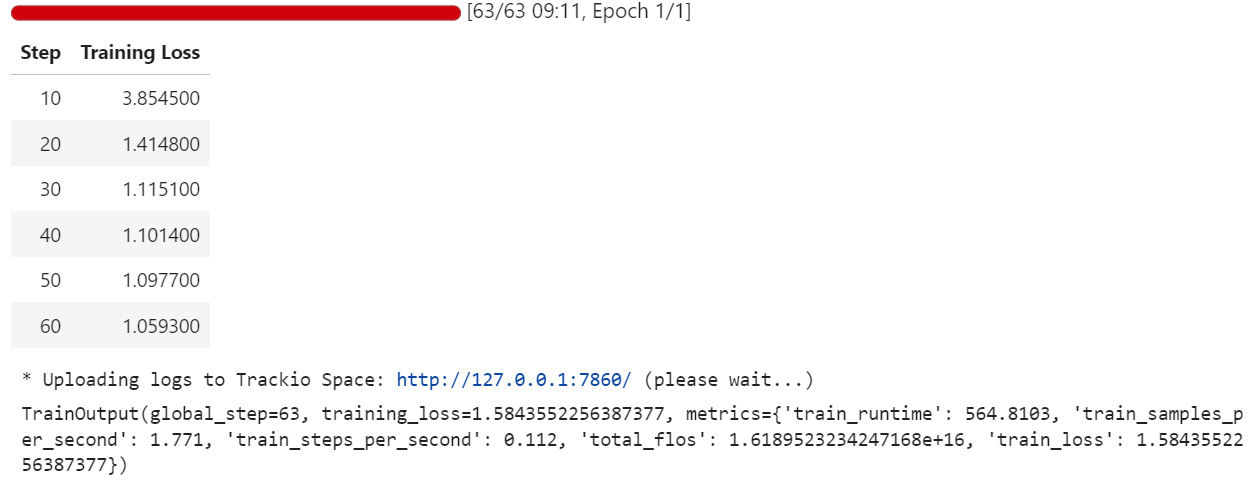
During training, the loss decreases gradually, indicating that the model is learning to align its responses with the Harmony-formatted medical Q&A dataset.
Once training is complete, we save the fine-tuned model locally and then push it to the Hugging Face Hub. Importantly, only the LoRA adapter weights (not the full 20B model) are uploaded, making the repository lightweight and easy to share:
trainer.save_model(training_args.output_dir)
trainer.push_to_hub(dataset_name="kingabzpro/gpt-oss-20b-medical-qa")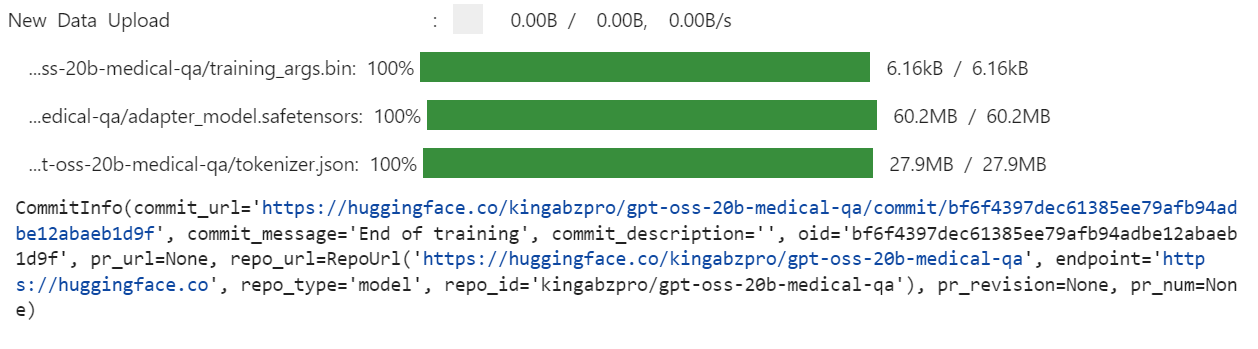
This creates a new model repository on Hugging Face under: kingabzpro/gpt-oss-20b-medical-qa.
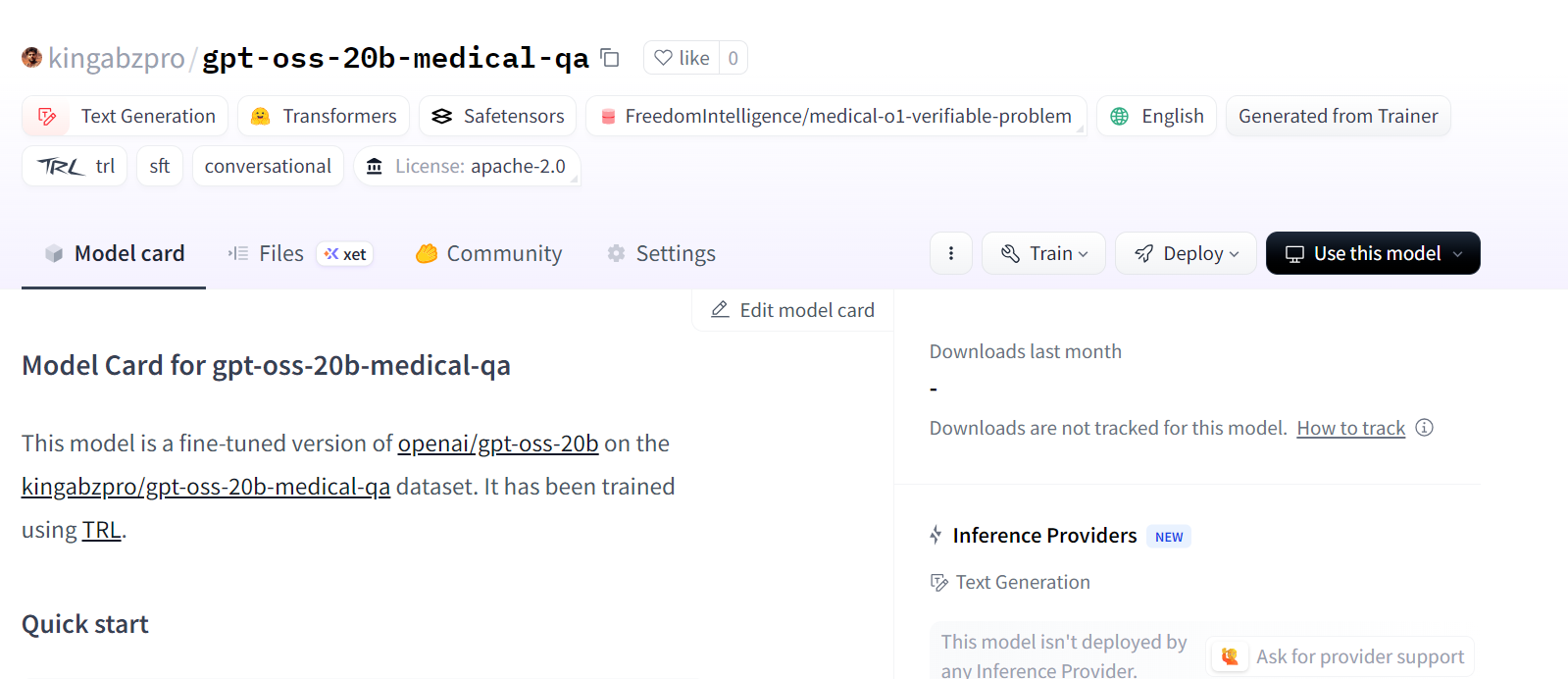
Source: kingabzpro/gpt-oss-20b-medical-qa
After fine-tuning, we can test the model to verify whether it now follows the developer’s instructions more closely. To do this, we first load the base GPT-OSS 20B model and then attach the fine-tuned LoRA adapters.
from transformers import AutoModelForCausalLM, AutoTokenizer
from peft import PeftModel

# Load the tokenizer
tokenizer = AutoTokenizer.from_pretrained("openai/gpt-oss-20b")

# Load the original model first
model_kwargs = dict(attn_implementation="eager", torch_dtype="auto", use_cache=True, device_map="auto")
base_model = AutoModelForCausalLM.from_pretrained("openai/gpt-oss-20b", **model_kwargs).cuda()

# Merge fine-tuned weights with the base model
peft_model_id = "gpt-oss-20b-medical-qa"
model = PeftModel.from_pretrained(base_model, peft_model_id)
model = model.merge_and_unload()
Next, we run inference on a sample from the dataset. The question is formatted into Harmony style, tokenized, passed through the model, and decoded back into text:
question = dataset[0]["Open-ended Verifiable Question"]

text = render_inference_harmony(question)

inputs = tokenizer(
    [text + tokenizer.eos_token], return_tensors="pt"
).to("cuda")
outputs = model.generate(
    input_ids=inputs.input_ids,
    attention_mask=inputs.attention_mask,
    max_new_tokens=20,
    eos_token_id=tokenizer.eos_token_id,
    use_cache=True,
)
response = tokenizer.batch_decode(outputs)
print(response[0])
The fine-tuned model now produces a short and accurate answer. This is much closer to the ground-truth label (“Gastric ulcer”) and follows the ≤5-word constraint.
<|start|>developer<|message|># Instructions

You are a medical expert with advanced knowledge in clinical reasoning and diagnostics. Respond with ONLY the final diagnosis/cause in ≤5 words.<|end|><|start|>user<|message|>An 88-year-old woman with osteoarthritis is experiencing mild epigastric discomfort and has vomited material resembling coffee grounds multiple times. Considering her use of naproxen, what is the most likely cause of her gastrointestinal blood loss?<|end|><|start|>assistant<|return|><|message|>Stomach ulcer<|end|><|return|>
We can also test another sample to confirm consistency:
question = dataset[10]["Open-ended Verifiable Question"]

text = render_inference_harmony(question)

inputs = tokenizer(
    [text + tokenizer.eos_token], return_tensors="pt"
).to("cuda")
outputs = model.generate(
    input_ids=inputs.input_ids,
    attention_mask=inputs.attention_mask,
    max_new_tokens=20,
    eos_token_id=tokenizer.eos_token_id,
    use_cache=True,
)
response = tokenizer.batch_decode(outputs)
print(response[0])
Perfect. The fine-tuned model has generated concise, accurate, and instruction-following responses.
<|start|>developer<|message|># Instructions

You are a medical expert with advanced knowledge in clinical reasoning and diagnostics. Respond with ONLY the final diagnosis/cause in ≤5 words.<|end|><|start|>user<|message|>What substance is primarily filtered in the renal tubules with minimal secretion or re-absorption?<|end|><|start|>assistant<|return|><|message|>creatinine<|end|><|return|>These are exciting times for the open-source AI community. Even though the new GPT-OSS models may not yet top the benchmarks, they show strong promise, especially in their respective parameter classes, where smaller models can still deliver impressive results.
In this tutorial, we fine-tuned the GPT-OSS 20B model for medical question answering using LoRA adapters and the Harmony prompt style. The results are encouraging: the fine-tuned model produces concise, accurate answers aligned with clinical reasoning tasks. With more training epochs, larger datasets, and refined system prompts, the performance can be improved even further.
If you’re looking for a hands-on course to get familiar with fine-tuning, be sure to check out Fine-Tuning With Llama 3.
Top OpenAI Courses
Course
Course
Track
Tutorial
Moez Ali
10 min
Tutorial
Abid Ali Awan
8 min
Tutorial
Abid Ali Awan
13 min
Tutorial
Dimitri Didmanidze
8 min
Tutorial
Abid Ali Awan
8 min
code-along
Zoumana Keita


