
Curso
Programação assistida por IA avançada para desenvolvedores
1 h 30 min
1.8K
Depois que Fable 5 e Mythos 5 foram descontinuados, desenvolvedores open source começaram a experimentar com modelos locais menores treinados em dados sintéticos de alta qualidade para código e comportamento agentic. O Fable 5–Enhanced Gemma 4 é um desses exemplos.
Ele é um fine-tune do Gemma 4 12B treinado em conjuntos de dados gerados por Fable 5 e Composer 2.5. A ideia é transferir comportamentos úteis de programação e de agente para um modelo menor que rode localmente.
O treinamento foca em fluxos práticos: entender a tarefa, ler arquivos, usar ferramentas, editar código, executar comandos e validar o resultado final.
Neste guia, vou mostrar como rodar o modelo Fable 5–enhanced Gemma 4 localmente em uma RTX 5070 Ti usando o llama.cpp.
Vamos instalar o llama.cpp, baixar o modelo GGUF e o draft MTP, iniciar um servidor local compatível com a API da OpenAI e testá-lo com cURL e a WebUI embutida.
Por fim, vamos conectar o modelo ao Pi Coding Agent e dar a ele uma tarefa de código real. A grande pergunta é se esse modelo compacto de 12B consegue entregar um comportamento útil de agente de código e competir com modelos locais maiores como o Qwen 3.6 27B ou o Gemma 4 31B.
Fable 5–Enhanced Gemma 4 é um modelo compacto para código e tarefas agentic baseado no Gemma 4 12B instruction do Google. Foi criado por Yuxin Lu e lançado em formato GGUF para uso local com o llama.cpp e outras ferramentas compatíveis.
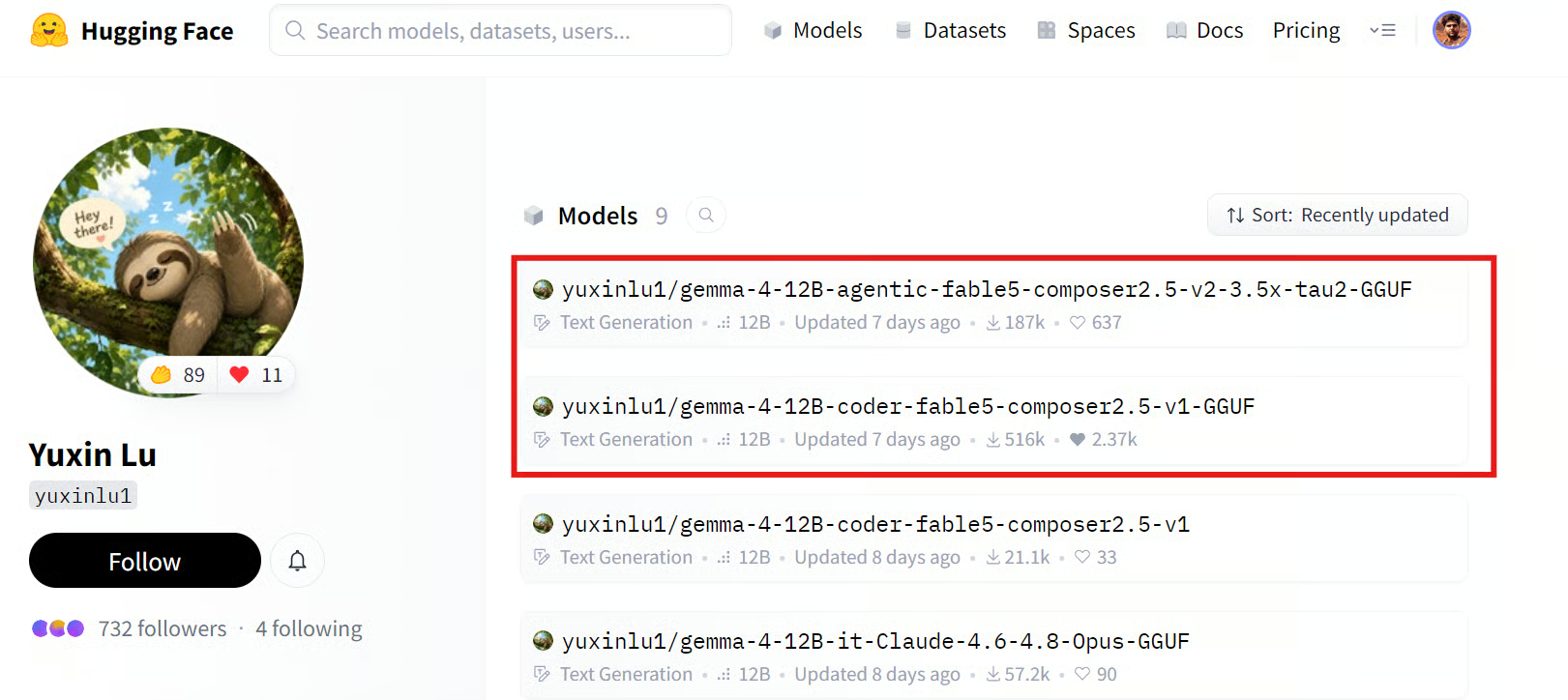
Fonte: yuxinlu1 (Yuxin Lu)
Este guia usa a versão v2. Ela dá continuidade ao modelo de código da v1, mas com foco mais forte em trabalho técnico agentic.
Em vez de apenas gerar código, ele foi projetado para inspecionar arquivos, raciocinar sobre problemas, usar ferramentas, editar código, executar comandos e verificar o resultado final.
O modelo original foi ajustado (fine-tuned) em dados verificados de programação em Python gerados por Composer 2.5 e Fable 5.
O principal conjunto de treino usa trilhas de raciocínio do Composer 2.5 e soluções de código para tarefas em Python com testes determinísticos. Apenas exemplos em que o código gerado passou nos testes foram mantidos.
O Fable 5 foi usado para tarefas mais difíceis onde o Composer 2.5 falhou. Ele gerou um novo processo de raciocínio e soluções corrigidas para esses exemplos, que também foram verificadas por execução antes de entrarem nos dados de treino.
Na v2, o modelo adiciona trajetórias multi-etapas de terminal e uso de ferramentas. Isso ensina o fluxo ler, raciocinar, agir e verificar, em vez de produzir uma resposta e parar.
Depois que o Fable 5 ficou indisponível, algumas trilhas de raciocínio no estilo Fable 5 que faltavam foram reconstruídas com o Opus 4.8.
--jinja ativado no llama.cpp para o modelo usar o template de chat e o formato de tool-call nativos do Gemma 4.Em uma comparação local (tau2-bench telecom), o modelo v2 atingiu cerca de 55%, contra aproximadamente 15% do Gemma 4 12B instruction base.
Isso sugere que a principal melhoria vem do comportamento agentic. O modelo ajustado é melhor em inspecionar a tarefa, tomar a próxima ação, usar ferramentas e verificar resultados — em vez de parar após a resposta inicial.
Este é o jeito mais rápido e simples de instalar o llama.cpp em uma máquina Linux. Em vez de clonar o repositório e compilar do zero, o instalador baixa um binário pré-compilado e faz a configuração para você.
Execute o comando abaixo no terminal:
curl -LsSf https://llama.app/install.sh | shEm poucos segundos, o instalador vai baixar o binário do llama.cpp e concluir a configuração.
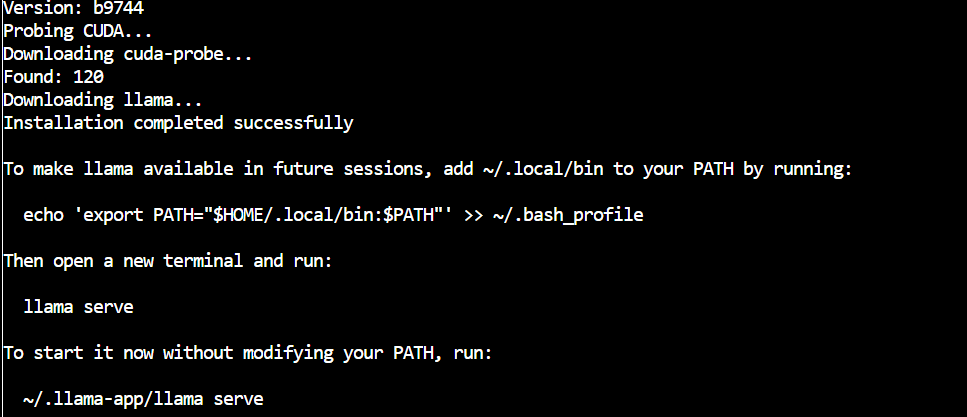
Depois, adicione o llama.cpp ao seu PATH para poder rodar o comando llama de qualquer pasta, mesmo após reiniciar o terminal:
echo 'export PATH="$HOME/.local/bin:$PATH"' >> ~/.bashrc
source ~/.bashrc
Por fim, confira se a instalação funcionou:
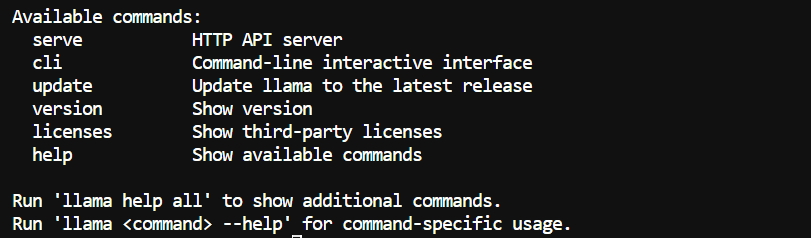
llama helpVocê deve ver agora os comandos disponíveis do llama.cpp.
Agora, instale a CLI do Hugging Face e o hf-xet. Com isso, você baixa os arquivos do modelo direto do Hugging Face, inclusive repositórios que usam armazenamento Xet para arquivos grandes.
pip install -U "huggingface_hub[cli]" hf-xet Crie uma pasta para os arquivos do modelo:
MODEL_DIR="/workspace/Fable5-Gemma4"
mkdir -p "$MODEL_DIR"
Habilite downloads Xet mais rápidos e, em seguida, baixe apenas os arquivos necessários para este guia:
export HF_XET_HIGH_PERFORMANCE=1


hf download \
  yuxinlu1/gemma-4-12B-agentic-fable5-composer2.5-v2-3.5x-tau2-GGUF \
  --include "gemma4-v2-Q4_K_M.gguf" \
  --include "MTP/gemma-4-12B-it-MTP-Q8_0.gguf" \
  --local-dir "$MODEL_DIR"
Isso baixa dois arquivos:
gemma4-v2-Q4_K_M.gguf, o modelo principal Fable 5 Enhanced Gemma 4.MTP/gemma-4-12B-it-MTP-Q8_0.gguf, o modelo draft usado depois para speculative decoding MTP.O modelo Q4_K_M tem cerca de 7 GB. O tempo de download depende da sua internet, mas usar Xet pode melhorar a transferência de arquivos grandes.
Quando terminar, os arquivos devem estar aqui:
/workspace/Fable5-Gemma4Agora, inicie o servidor local com o modelo principal e o draft MTP:
MODEL_DIR="/workspace/Fable5-Gemma4"

llama serve \
  --model "$MODEL_DIR/gemma4-v2-Q4_K_M.gguf" \
  --alias Fable5-Gemma4 \
  --model-draft "$MODEL_DIR/MTP/gemma-4-12B-it-MTP-Q8_0.gguf" \
  --spec-type draft-mtp \
  --spec-draft-n-max 2 \
  -ngl 99 \
  -ngld 99 \
  --ctx-size 262144 \
  --parallel 1 \
  --cache-type-k q8_0 \
  --cache-type-v q8_0 \
  --flash-attn on \
  --jinja \
  --temp 1.0 \
  --top-p 0.95 \
  --top-k 64 \
  --repeat-penalty 1.1 \
  --host 0.0.0.0 \
  --port 8910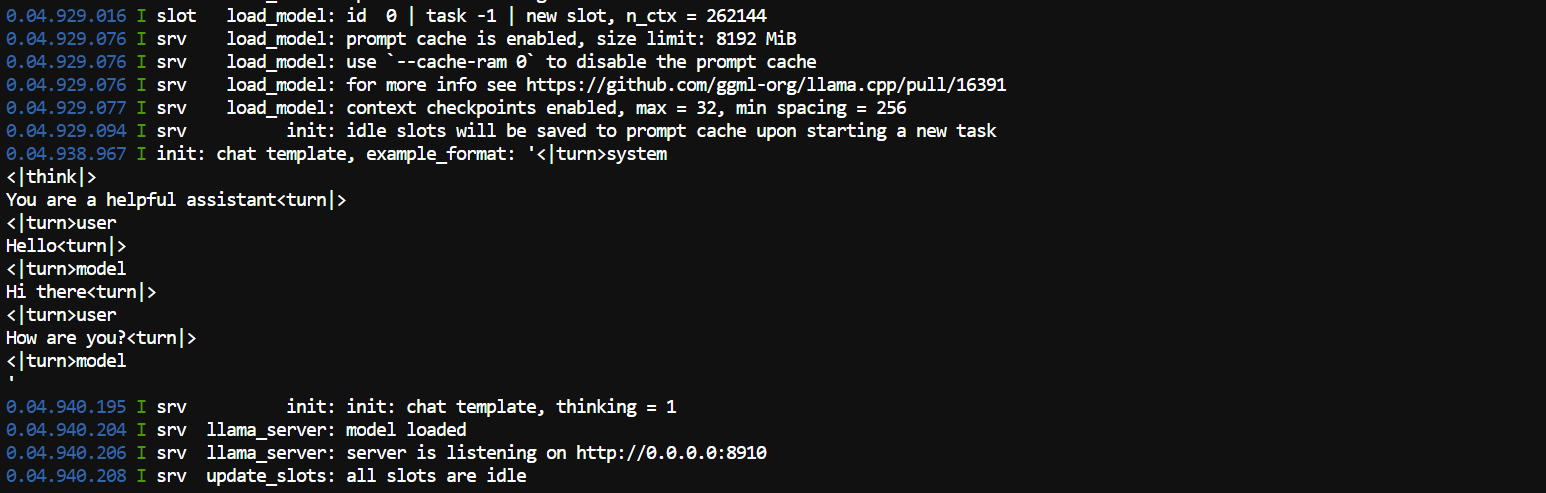
O argumento --model-draft carrega o modelo draft MTP.
MTP significa Multi Token Prediction. O draft menor prevê alguns tokens à frente e o modelo principal os verifica em paralelo. Isso pode acelerar a geração sem mudar o papel do modelo principal.
--spec-type draft-mtp ativa esse setup de speculative decoding MTP. --spec-draft-n-max 2 permite ao draft propor até dois tokens por vez. Dois é um bom ponto de partida, já que valores maiores nem sempre trazem ganho de velocidade.
-ngl 99 move o modelo principal para a GPU, enquanto -ngld 99 faz o mesmo para o draft MTP. O valor 99 significa simplesmente offload de todas as camadas disponíveis.
--ctx-size 262144 define uma janela de contexto máxima de 256K tokens. Útil para bases de código maiores e sessões longas no terminal, mas exige mais VRAM. --parallel 1 reserva todo o contexto para uma única requisição ativa em vez de dividir entre vários usuários.
As configurações de KV-cache em Q8 reduzem a memória exigida pelo contexto longo. --flash-attn on torna os cálculos de atenção mais eficientes, principalmente com prompts longos.
Mantenha --jinja ativado. Ele aplica o template de chat do modelo para que prompts, raciocínio e tool calls sejam formatados corretamente.
As demais configurações de amostragem controlam como o modelo gera texto. --temp 1.0, --top-p 0.95 e --top-k 64 permitem respostas variadas, enquanto --repeat-penalty 1.1 ajuda a reduzir repetições.
Quando o servidor carregar, abra a WebUI:
http://localhost:8910 Você também pode checar o uso da GPU em um segundo terminal:
nvidia-smi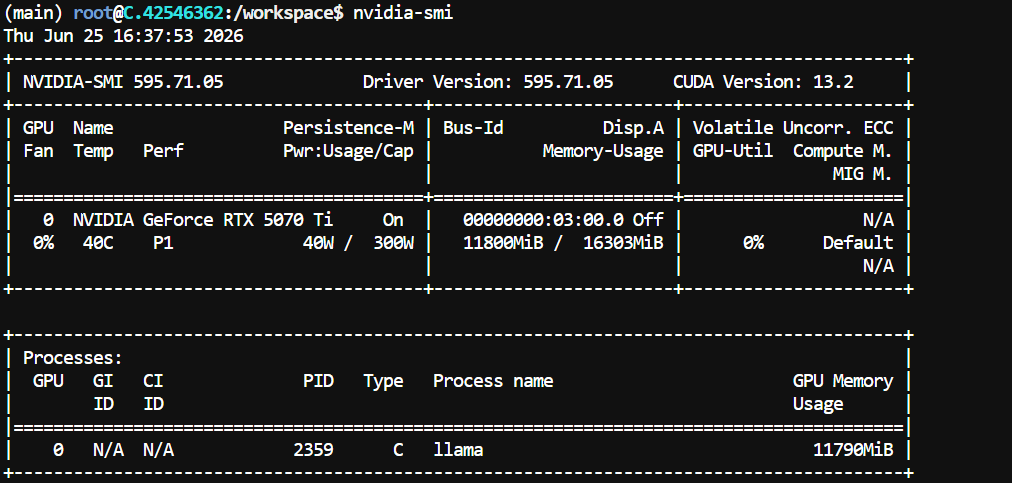
Na minha configuração com RTX 5070 Ti, o modelo usou cerca de 11,8 GB de VRAM com contexto 256K, deixando mais de 4 GB livres.
O uso de memória pode variar conforme a build do llama.cpp, o driver da GPU e as configurações de contexto.
Deixe o terminal com llama serve rodando e abra um terceiro terminal para testar a API local.
curl http://127.0.0.1:8910/v1/messages \
  -H "Content-Type: application/json" \
  -d '{
    "model": "Fable5-Gemma4",
    "max_tokens": 512,
    "messages": [
      {
        "role": "user",
        "content": "Create a simple Python script that prints Hello, I am running locally! "
      }
    ]
  }'
A resposta deve conter o texto gerado pelo modelo, junto com seu output de raciocínio. Neste teste, o modelo retornou o seguinte código Python:
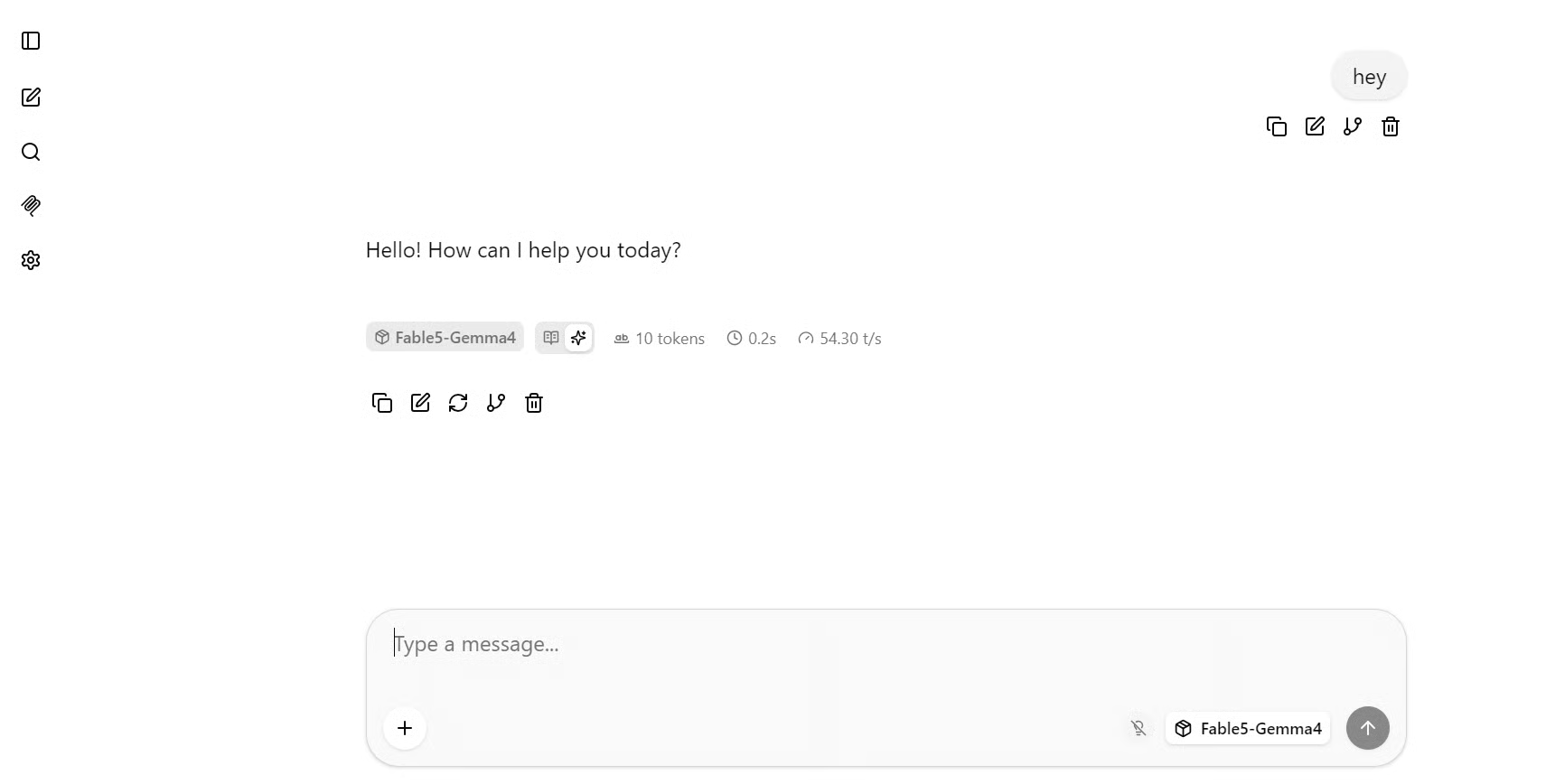
print("Hello, I am running locally!")Uma resposta em JSON confirma que o servidor local está ok. No meu teste rápido, o modelo gerou cerca de 54 tokens por segundo.
Você também pode usar a interface de chat embutida. Abra este endereço no navegador:
http://localhost:8910A WebUI funciona como um chat normal. Selecione o modelo Fable5-Gemma4, escreva um prompt e envie para o servidor local.
Para um teste maior de código, use este prompt:
Create a calming, premium spa treatment center website in one self-contained HTML file
with all CSS and JavaScript included inline, elegant booking CTAs, treatment packages,
therapist profiles, testimonials, and high-quality spa imagery.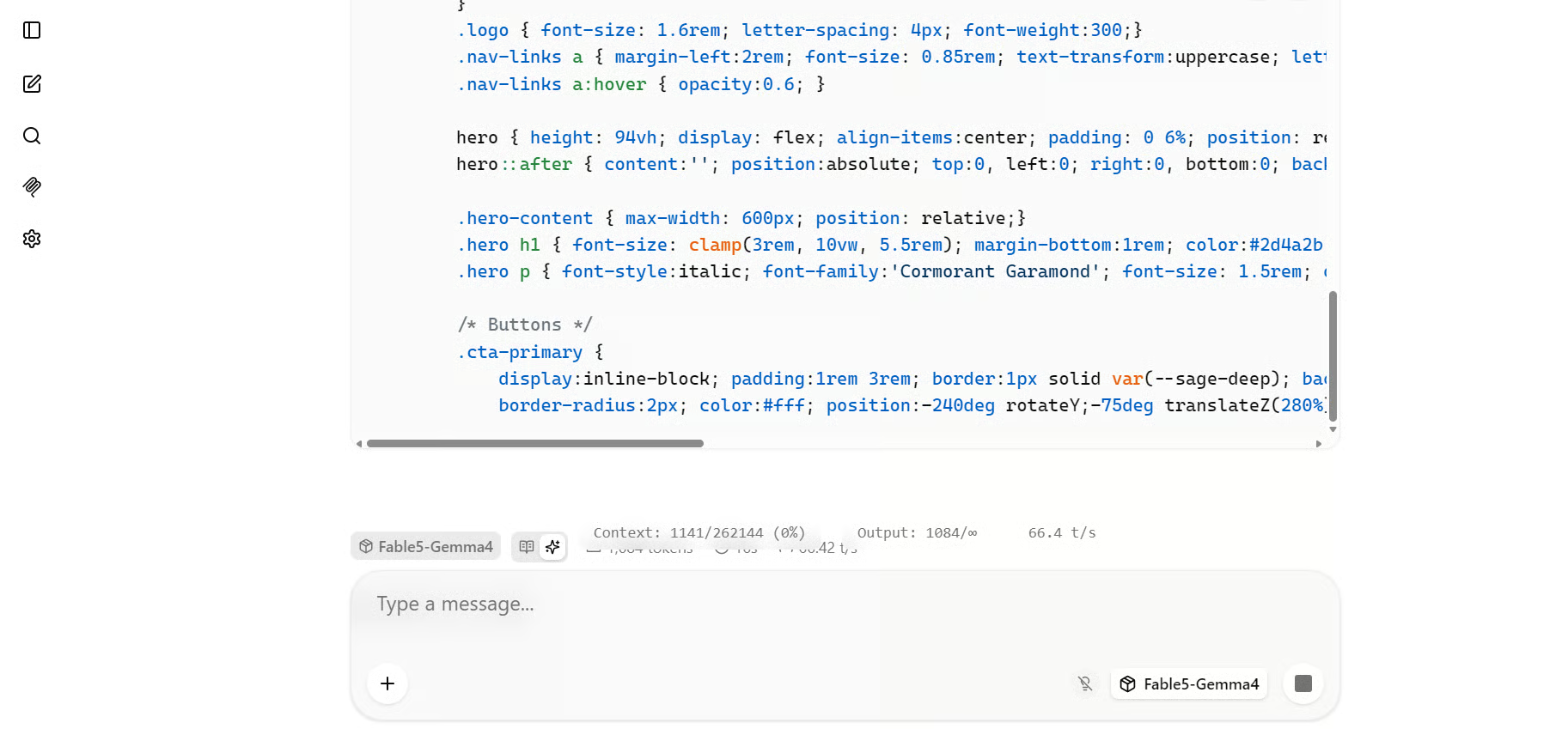
Para essa tarefa de geração de HTML mais longa, observei cerca de 66 a 70 tokens por segundo. Tarefas longas de código às vezes melhoram o desempenho do speculative decoding porque o modelo gera uma sequência mais contínua de tokens previsíveis.
O primeiro resultado abaixo foi gerado com raciocínio em médio. Ele criou uma landing page de spa limpa, com layout minimalista, navegação e um grande call to action de agendamento.

O segundo resultado foi gerado sem raciocínio. Ele produziu uma direção visual diferente, com título maior e um estilo mais editorial de landing page.

Os dois resultados ficaram visualmente caprichados, mas com raciocínio ativado o resultado foi mais estruturado neste teste.
A velocidade de tokens pode variar conforme o tamanho do prompt, o estilo de saída, a carga da GPU e a frequência com que o modelo principal aceita os tokens propostos pelo MTP.
Pi é um agente leve de programação via terminal. Ele pode se conectar ao servidor local do Fable 5–Enhanced Gemma 4 e usá-lo para ler arquivos, editar código, executar comandos e concluir tarefas de programação.
Abra um quarto terminal e instale o Pi:
curl -fsSL https://pi.dev/install.sh | sh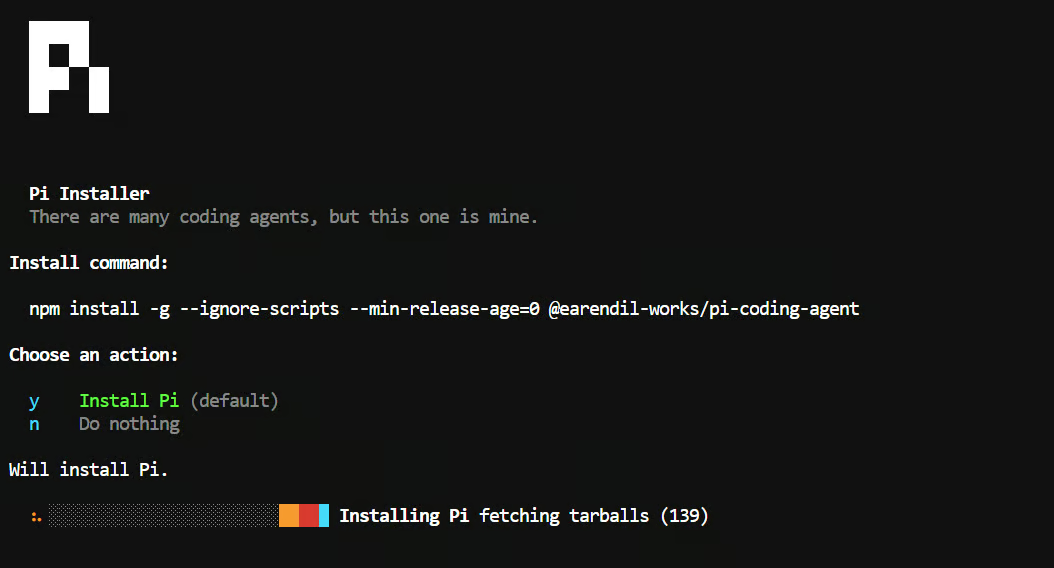 O instalador pode pedir para instalar o Node.js. Aceite e aguarde a conclusão.
Recarregue a configuração do terminal e confirme se o Pi está disponível:
source ~/.bashrc
pi --version
Depois, instale o plugin pi-llama:
pi install git:github.com/huggingface/pi-llamaEste plugin conecta o Pi a um servidor llama.cpp em execução e descobre automaticamente os modelos locais disponíveis.
Por padrão, o plugin procura o llama.cpp na porta 8080. Nosso servidor usa a porta 8910, então defina o endereço correto da API local antes de iniciar o Pi:
export LLAMA_BASE_URL="http://127.0.0.1:8910/v1"Crie uma nova pasta de projeto, inicialize o Git e inicie o Pi:
mkdir -p /workspace/data-app
cd /workspace/data-app
git init
pi
Dentro do Pi, digite:
/modelSelecione o modelo “Fable5-Gemma4”.
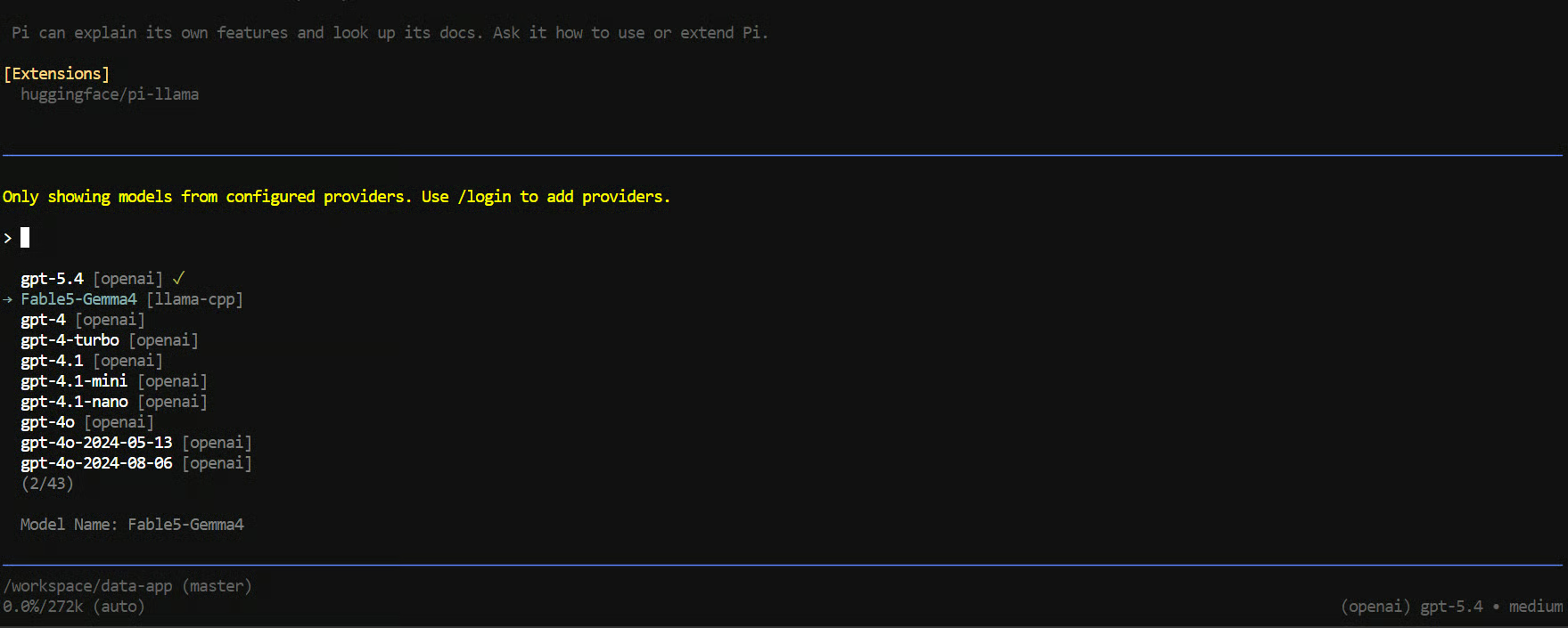
Em seguida, dê ao agente uma tarefa prática de código:
Create a simple data analytics dashboard using Streamlit that lets users
upload a CSV file, view the data, and explore clear visualizations.
Include a sample CSV file and test the full app to make sure it works correctly.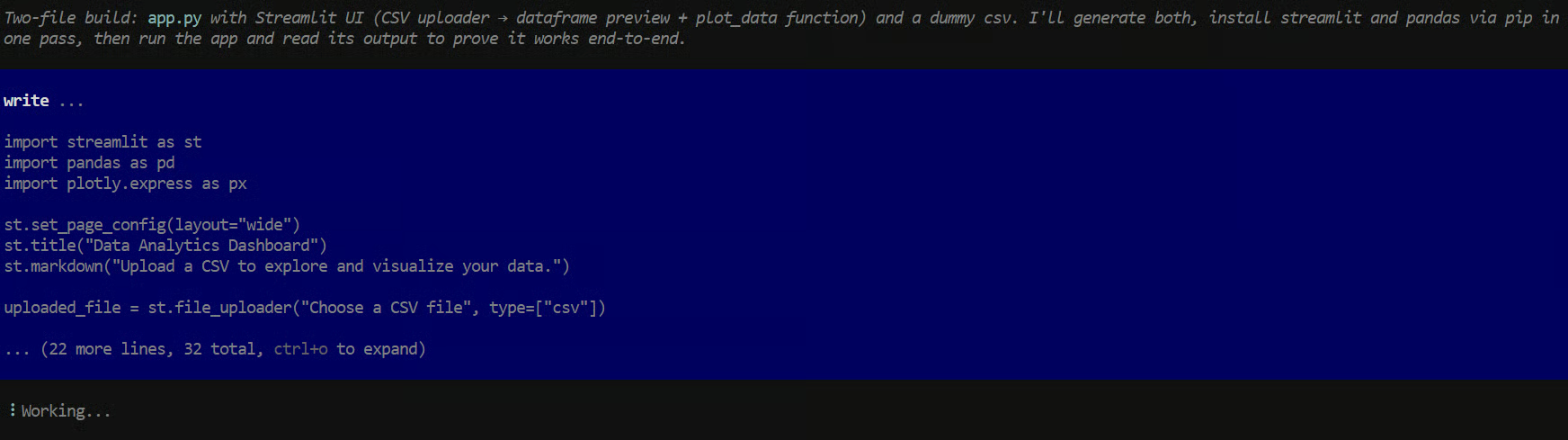
O modelo acabou criando um dashboard Streamlit funcional com upload de CSV e visualizações.
Porém, o processo foi bem mais difícil do que o esperado.
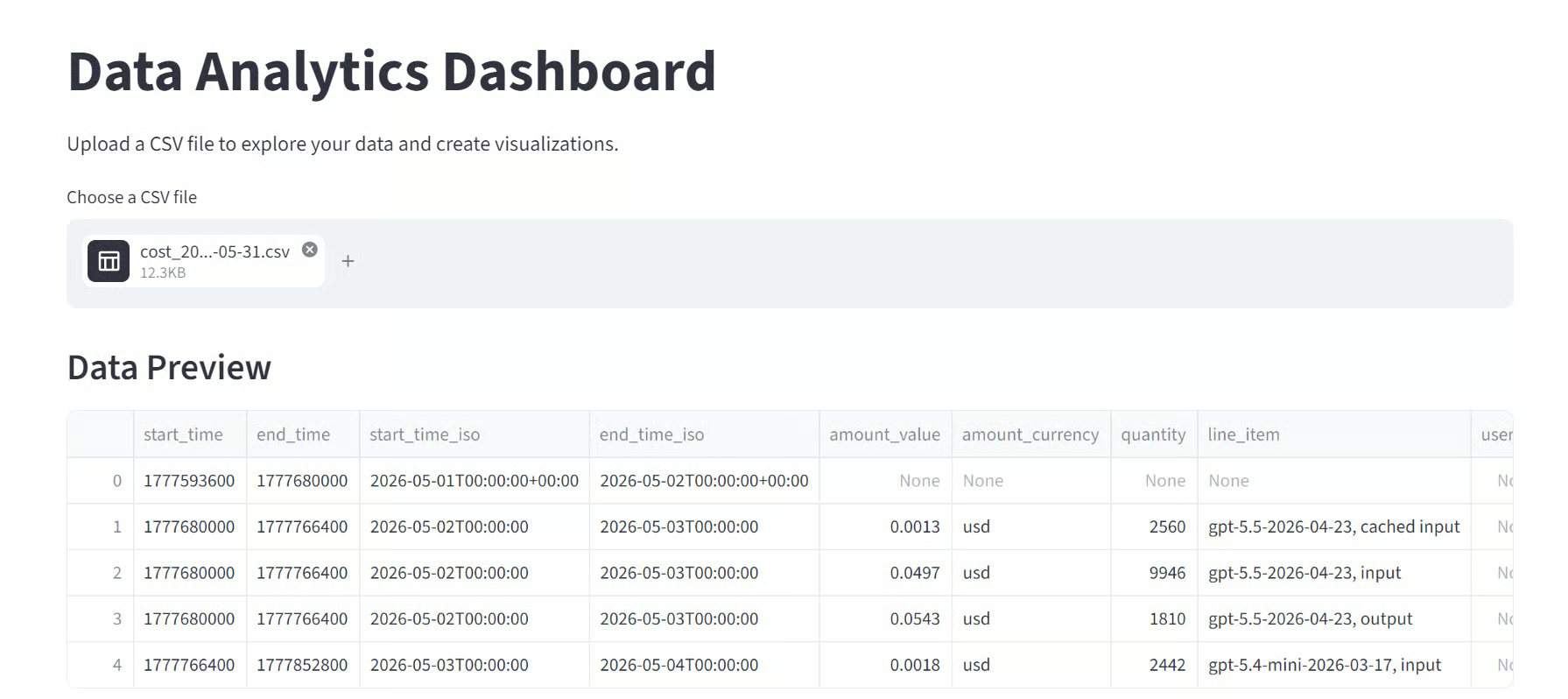
Ele teve dificuldades repetidas com tool calls, comandos de terminal e escrita de arquivos do projeto.
Muitas vezes não concluía a próxima ação após planejar o que fazer, e eu precisei orientá-lo pelos erros e refazer comandos várias vezes.
Não consegui confirmar se isso foi causado pelo modelo, pela integração com o Pi, por permissões locais ou por uma combinação desses fatores.
Após cerca de 20 minutos de tentativas, ele entregou um resultado funcional. Para uma tarefa relativamente simples em Streamlit, isso pareceu lento e pouco confiável.
A mesma tarefa levou cerca de um minuto com o GLM 5.2 em um teste separado.
Não é totalmente justo comparar um modelo local de 12B com um modelo de fronteira bem maior.
Mesmo assim, a diferença foi perceptível.
O Fable 5–Enhanced Gemma 4 consegue produzir código caprichado e ótimas respostas de turno único, mas seu desempenho real como agente foi inconsistente neste teste. Ele exigiu intervenção demais para uma tarefa que um agente de código competente deveria concluir de forma rápida e autônoma.
Minha conclusão: o modelo é interessante para experimentos locais, geração privada de código e fluxos leves.
Mas, com base neste teste, eu ainda não confiaria nele para tarefas de agente de múltiplas etapas de forma confiável.
Embora este guia traga um caminho simples para testar o modelo, você pode enfrentar problemas dependendo do hardware, do ambiente local e da build do llama.cpp.
Se o servidor travar ao carregar o draft MTP e exibir um erro como:
invalid vector subscriptO problema pode estar na sua build do llama.cpp, não nos arquivos do modelo.
O repositório do modelo relata que a build b9553 do llama.cpp funciona com o draft MTP do Gemma 4, enquanto builds mais novas como b9702 e b9717 podem falhar ao carregar o draft.
Como alternativa rápida, remova os argumentos do MTP do comando do servidor e rode apenas o modelo principal. O modelo continuará funcionando, mas a geração pode ficar mais lenta.
Remova estas linhas:
--model-draft "$MODEL_DIR/MTP/gemma-4-12B-it-MTP-Q8_0.gguf"
--spec-type draft-mtp
--spec-draft-n-max 2
-ngld 99Se você vir tokens como <|tool_call> ou <|channel> na resposta, o cliente não está aplicando corretamente o formato nativo de tool-call do Gemma 4.
Garanta que seu comando do servidor inclua:
--jinjaDepois reinicie o servidor. Isso aplica o template de chat correto para o raciocínio e as tool calls estruturadas do modelo.
Primeiro, confira se o servidor do llama.cpp ainda está rodando:
curl http://127.0.0.1:8910/v1/modelsVocê deve ver Fable5-Gemma4 na resposta.
Depois, garanta que o Pi aponte para a porta 8910 em vez da porta padrão 8080 do llama.cpp:
export LLAMA_BASE_URL="http://127.0.0.1:8910/v1"
pi
Execute ambos os comandos na mesma sessão de terminal.
Inicie o Pi dentro de uma pasta de projeto com permissão de escrita:
cd /workspace/data-app
pi
Você pode testar se a pasta atual permite criar arquivos:
touch write-test.txt && rm write-test.txtSe esse comando falhar, o problema é de permissão do workspace, não do modelo. Vá para uma pasta gravável antes de iniciar o Pi.
Se o modelo começar a repetir texto, números ou símbolos, confira as configurações de amostragem no comando do servidor.
Use estes valores:
--temp 1.0 \
--top-p 0.95 \
--top-k 64 \
--repeat-penalty 1.1
A penalidade de repetição é especialmente importante. Sem ela, o modelo pode gerar saída repetitiva ou confusa.
Uma janela de contexto de 256K exige um KV cache grande. Se o servidor ficar sem VRAM, reduza primeiro o tamanho do contexto:
--ctx-size 32768Você também pode desativar o draft MTP para liberar mais VRAM. Confira o uso atual de memória da GPU com:
nvidia-smiO modelo consegue gerar código forte, mas ainda pode ter dificuldades para concluir tarefas longas sem intervenção. Nos meus testes, às vezes ele planejava as ações corretas, mas falhava ao executar comandos, escrever arquivos ou continuar após um erro.
Para melhores resultados, divida solicitações grandes em tarefas menores:
Isso dá ao modelo um objetivo menor a cada etapa e facilita identificar se a falha vem do modelo, do Pi, do servidor ou de permissões do workspace.
Não acho que o hype em torno deste modelo se justifique totalmente, pelo menos pelos meus testes. Com e sem MTP, tive praticamente a mesma velocidade em tarefas gerais. Em tarefas de código, o MTP ajudou e vi cerca de 20% a 30% de ganho. Útil, mas não resolve o problema maior: confiabilidade.
Também testei o modelo na WebUI.
Às vezes, enquanto escrevia o código de um arquivo, ele simplesmente parava sem motivo claro. Quando eu pedia para continuar, escrevia a continuação como texto na próxima mensagem do chat em vez de continuar o arquivo de fato.
Também notei que ativar o thinking às vezes piorava a saída, o que foi surpreendente.
Testei ainda com o Claude Code, e a experiência foi ainda mais frustrante.
O modelo ficava criando arquivos extras, temporários e outras coisas desnecessárias para um projeto simples. No fim, concluiu a tarefa, mas exigiu orientação demais e tempo demais.
Sei que comparar um modelo local de 12B com GPT-5.5 ou GLM 5.2 não é totalmente justo. Mas mesmo em relação a modelos locais menores, não fiquei impressionado.
Na minha experiência, o Qwen3.6 27B é bem melhor para tarefas de código e agentic, embora seja maior.
Por enquanto, vejo este modelo mais como um experimento interessante do que como um agente de código confiável.
Também me interessa o próximo modelo Qwen3.6 27B ajustado com Fable do mesmo criador. Já vi outros contribuidores open source lançarem modelos de código destilados semelhantes, mas, até agora, não vi grande avanço em tarefas reais de agente de código.
O modelo gera código bonito e boas respostas de turno único. Mas quando você pede para agir como um agente — usar ferramentas, criar arquivos, corrigir erros e verificar o resultado — ele ainda soa inconsistente e frustrante de usar.
Top DataCamp Courses
Curso
Curso
Programa
blog
Abid Ali Awan
9 min
Tutorial
Ryan Ong
12 min
Tutorial
Tutorial
Moez Ali
11 min
Tutorial
Zoumana Keita
8 min
Tutorial
Zoumana Keita
11 min