
Programma
Nozioni di base sull'intelligenza artificiale
10 ore
Dopo il lancio della prima versione di LLaMA di Meta, è partita una nuova corsa agli armamenti per costruire Large Language Model (LLM) migliori, in grado di rivaleggiare con modelli come GPT-3.5 (ChatGPT). La community open source ha rilasciato rapidamente modelli sempre più potenti. Per gli appassionati di AI è stato come Natale, con novità annunciate di continuo.
Tuttavia, questi progressi avevano anche degli svantaggi. La maggior parte dei modelli open source prevede licenze restrittive, utilizzabili solo a fini di ricerca. In secondo luogo, solo grandi aziende o istituti di ricerca con budget consistenti potevano permettersi di eseguire il fine-tuning o addestrare i modelli. Infine, distribuire e mantenere modelli all’avanguardia di grandi dimensioni era costoso.
La nuova versione dei modelli LLaMA punta a risolvere questi problemi. Offre una licenza commerciale, rendendola accessibile a più organizzazioni. Inoltre, nuove metodologie permettono ora di fare fine-tuning su GPU consumer con memoria limitata.
Questa democratizzazione dell’AI è fondamentale per un’adozione diffusa. Superando le barriere d’accesso, anche le piccole aziende possono creare modelli personalizzati adatti alle loro esigenze e ai loro budget.
In questo tutorial, esploreremo Llama-2 e mostreremo come eseguire il fine-tuning su un nuovo dataset utilizzando Google Colab. Inoltre, vedremo nuove metodologie e tecniche di fine-tuning che aiutano a ridurre l’uso di memoria e ad accelerare l’addestramento.
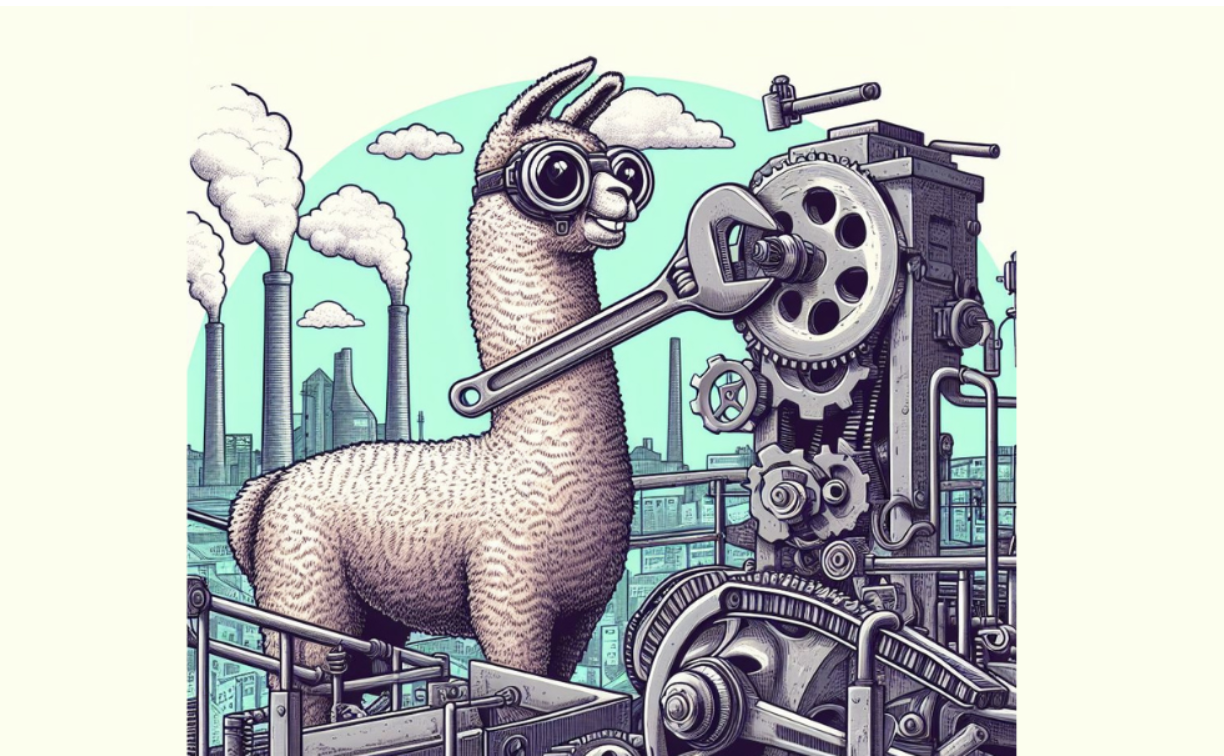
Immagine generata dall’autore con DALL-E 3
transformers, peft, trl, bitsandbytes)Llama 2 è una raccolta di LLM open source di seconda generazione di Meta con licenza commerciale. È progettato per gestire un’ampia gamma di compiti di elaborazione del linguaggio naturale, con modelli che vanno da 7 a 70 miliardi di parametri. Scopri di più sui modelli LLaMA leggendo il nostro articolo, Introduzione a LLaMA di Meta AI: favorire l’innovazione dell’AI.
Llama-2-Chat, ottimizzato per il dialogo, ha mostrato prestazioni simili a popolari modelli closed source come ChatGPT e PaLM. Possiamo persino migliorare le prestazioni del modello con il fine-tuning su un dataset conversazionale di alta qualità.
Il fine-tuning nel machine learning è il processo di regolazione dei pesi e dei parametri di un modello pre-addestrato su nuovi dati per migliorarne le prestazioni su un compito specifico. Comporta l’addestramento del modello su un nuovo dataset specifico per il compito in questione aggiornando i pesi per adattarsi ai nuovi dati. Leggi di più sul fine-tuning seguendo la nostra guida al fine-tuning di GPT 3.5.
Eseguire il fine-tuning degli LLM su hardware consumer è impegnativo a causa della VRAM e della potenza di calcolo limitate. Tuttavia, in questo tutorial supereremo queste sfide di memoria e calcolo e addestreremo il nostro modello usando la versione gratuita di Google Colab Notebook.
In questa parte vedremo tutti i passaggi necessari per ottimizzare il modello Llama 2 con 7 miliardi di parametri su una GPU T4. Puoi usare una GPU gratuita su Google Colab o Kaggle. Il codice funziona su entrambe le piattaforme.
La GPU T4 di Colab ha 16 GB limitati di VRAM. Sono appena sufficienti per contenere i pesi di Llama 2–7b, il che significa che il fine-tuning completo non è possibile e dobbiamo usare tecniche di fine-tuning efficienti in termini di parametri come LoRA o QLoRA.
Useremo la tecnica QLoRA per fare il fine-tuning del modello a precisione a 4 bit e ottimizzare l’uso della VRAM. Per farlo, useremo l’ecosistema di librerie LLM di Hugging Face: transformers, accelerate, peft, trl e bitsandbytes.
Partiremo installando le librerie necessarie.
%%capture
%pip install accelerate peft bitsandbytes transformers trl
Dopodiché caricheremo i moduli necessari da queste librerie.
import os
import torch
from datasets import load_dataset
from transformers import (
    AutoModelForCausalLM,
    AutoTokenizer,
    BitsAndBytesConfig,
    TrainingArguments,
    pipeline,
    logging,
)
from peft import LoraConfig
from trl import SFTTrainerPuoi accedere al modello Llama-2 ufficiale di Meta da Hugging Face, ma devi inviare una richiesta e attendere un paio di giorni per la conferma. Invece di aspettare, useremo come modello base il Llama-2-7b-chat-hf di NousResearch. È uguale all’originale ma facilmente accessibile.
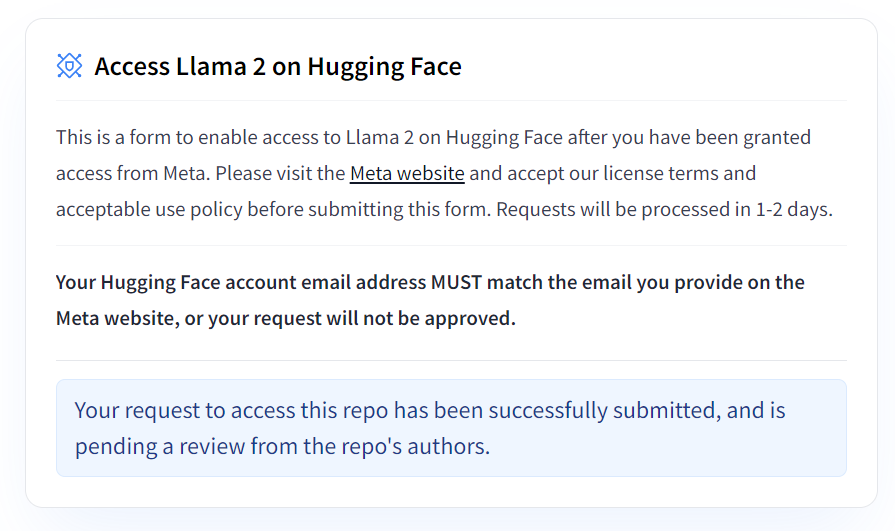
Immagine da Hugging Face
Faremo il fine-tuning del nostro modello base usando un dataset più piccolo chiamato mlabonne/guanaco-llama2-1k e indicheremo il nome per il modello ottimizzato.
# Model from Hugging Face hub
base_model = "NousResearch/Llama-2-7b-chat-hf"

# New instruction dataset
guanaco_dataset = "mlabonne/guanaco-llama2-1k"

# Fine-tuned model
new_model = "llama-2-7b-chat-guanaco"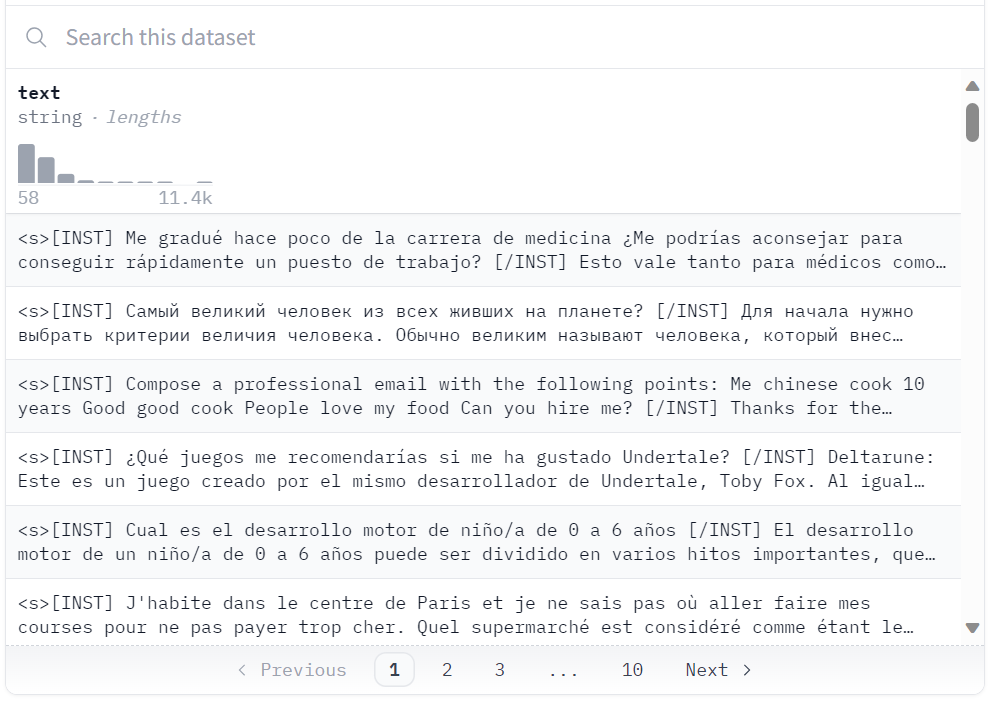
Dataset su Hugging Face
Caricheremo il dataset “guanaco-llama2-1k” dall’hub di Hugging Face. Il dataset contiene 1000 campioni ed è stato processato per adattarsi al formato di prompt di Llama 2; è un sottoinsieme dell’eccellente dataset timdettmers/openassistant-guanaco.
dataset = load_dataset(guanaco_dataset, split="train")Dataset parquet downloaded and prepared to /root/.cache/huggingface/datasets/parquet/mlabonne--guanaco-llama2-1k-f1f1134768f90029/0.0.0/0b6d5799bb726b24ad7fc7be720c170d8e497f575d02d47537de9a5bac074901. Subsequent calls will reuse this data.La quantizzazione a 4 bit tramite QLoRA consente un fine-tuning efficiente di enormi LLM su hardware consumer mantenendo alte prestazioni. Ciò migliora notevolmente accessibilità e usabilità per applicazioni reali.
QLoRA quantizza un modello linguistico pre-addestrato a 4 bit e ne congela i parametri. Al modello vengono poi aggiunti un numero ridotto di layer adattatori Low-Rank addestrabili.
Durante il fine-tuning, i gradienti vengono retropropagati attraverso il modello quantizzato a 4 bit congelato solo nei layer adattatori Low-Rank. Quindi, l’intero modello pre-addestrato rimane fisso a 4 bit, mentre vengono aggiornati solo gli adapter. Inoltre, la quantizzazione a 4 bit non compromette le prestazioni del modello.
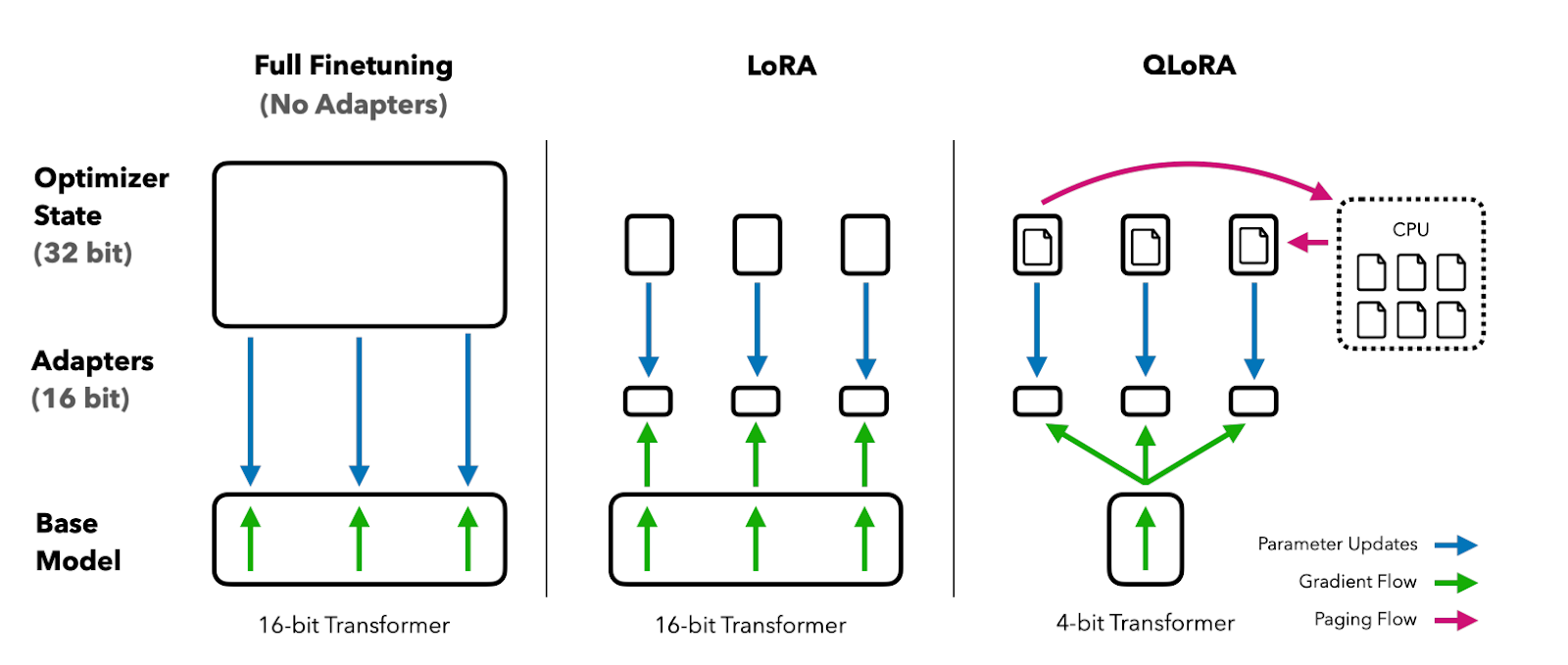
Immagine dall’articolo su QLoRA
Puoi leggere il paper per capirlo meglio.
| Caratteristica | Fine-tuning completo | LoRA | QLoRA |
|---|---|---|---|
| Parametri aggiornati | Tutti i parametri del modello | Piccole matrici adapter (~0,1-1%) | Piccole matrici adapter (~0,1-1%) |
| Precisione modello base | FP16 / BF16 | FP16 / BF16 | 4 bit (NF4) |
| VRAM per modello 7B | ~60+ GB | ~16 GB | ~6-8 GB |
| Compatibile con GPU consumer | No | Limitato | Sì (T4, RTX 3060+) |
| Qualità vs fine-tuning completo | Baseline | ~98-99% | ~96-98% |
| Velocità di training | Più lenta | Veloce | Veloce |
Nel nostro caso, creiamo la quantizzazione a 4 bit con configurazione di tipo NF4 usando BitsAndBytes.
compute_dtype = getattr(torch, "float16")

quant_config = BitsAndBytesConfig(
    load_in_4bit=True,
    bnb_4bit_quant_type="nf4",
    bnb_4bit_compute_dtype=compute_dtype,
    bnb_4bit_use_double_quant=False,
)Ora caricheremo un modello usando la precisione a 4 bit con compute dtype "float16" da Hugging Face per un addestramento più veloce.
model = AutoModelForCausalLM.from_pretrained(
    base_model,
    quantization_config=quant_config,
    device_map={"": 0}
)
model.config.use_cache = False
model.config.pretraining_tp = 1Successivamente, caricheremo il tokenizer da Hugging Face e imposteremo padding_side su “right” per risolvere il problema con fp16.
tokenizer = AutoTokenizer.from_pretrained(base_model, trust_remote_code=True)
tokenizer.pad_token = tokenizer.eos_token
tokenizer.padding_side = "right"Il fine-tuning tradizionale dei modelli linguistici pre-addestrati (PLM) richiede l’aggiornamento di tutti i parametri del modello, risultando costoso in termini computazionali e richiedendo enormi quantità di dati.
Il Parameter-Efficient Fine-Tuning (PEFT) funziona aggiornando solo un piccolo sottoinsieme dei parametri più influenti del modello, risultando molto più efficiente. Scopri i parametri leggendo la documentazione ufficiale di PEFT.
peft_params = LoraConfig(
    lora_alpha=16,
    lora_dropout=0.1,
    r=64,
    bias="none",
    task_type="CAUSAL_LM",
)Di seguito trovi un elenco di iperparametri che possono essere usati per ottimizzare il processo di training:
training_params = TrainingArguments(
    output_dir="./results",
    num_train_epochs=1,
    per_device_train_batch_size=4,
    gradient_accumulation_steps=1,
    optim="paged_adamw_32bit",
    save_steps=25,
    logging_steps=25,
    learning_rate=2e-4,
    weight_decay=0.001,
    fp16=False,
    bf16=False,
    max_grad_norm=0.3,
    max_steps=-1,
    warmup_ratio=0.03,
    group_by_length=True,
    lr_scheduler_type="constant",
    report_to="tensorboard"
)Il fine-tuning supervisionato (SFT) è un passaggio chiave nel reinforcement learning con feedback umano (RLHF). La libreria TRL di HuggingFace fornisce un’API semplice per creare modelli SFT e addestrarli sul tuo dataset con poche righe di codice. Include strumenti per addestrare modelli linguistici usando il reinforcement learning, partendo dal fine-tuning supervisionato, poi il reward modeling e infine la proximal policy optimization (PPO).
Forniremo a SFT Trainer il modello, il dataset, la configurazione Lora, il tokenizer e i parametri di training.
trainer = SFTTrainer(
    model=model,
    train_dataset=dataset,
    peft_config=peft_params,
    dataset_text_field="text",
    max_seq_length=None,
    tokenizer=tokenizer,
    args=training_params,
    packing=False,
)
Utilizzeremo .train() per fare il fine-tuning del modello Llama 2 su un nuovo dataset. Al modello è servita un’ora e mezza per completare 1 epoca.
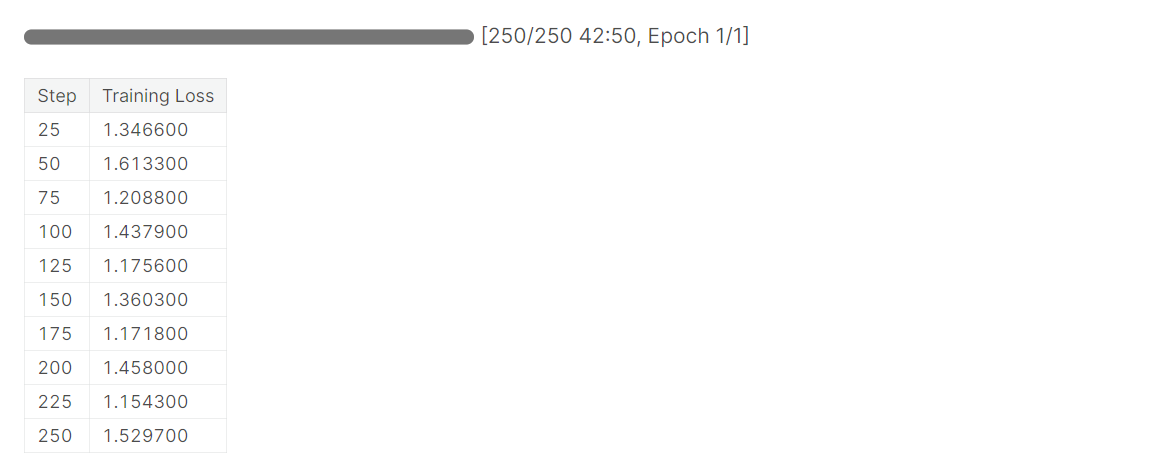
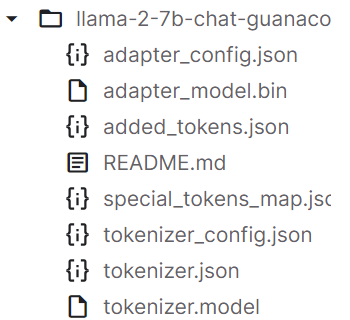
Dopo l’addestramento, salveremo l’adapter del modello e il tokenizer. Puoi anche caricare il modello su Hugging Face usando un’API simile.
trainer.model.save_pretrained(new_model)
trainer.tokenizer.save_pretrained(new_model)
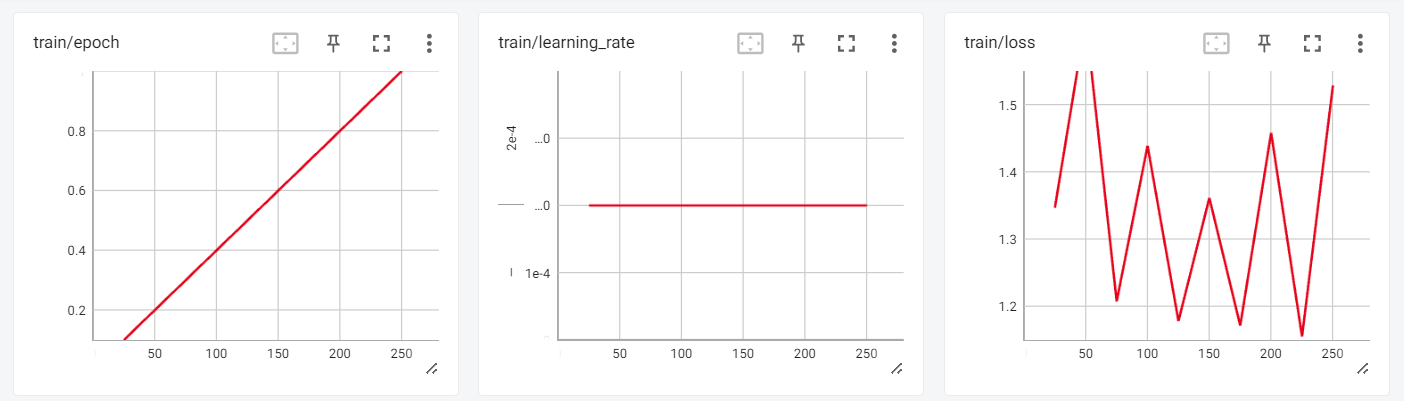
Ora possiamo rivedere i risultati del training nella sessione interattiva di Tensorboard.
from tensorboard import notebook
log_dir = "results/runs"
notebook.start("--logdir {} --port 4000".format(log_dir))
Per testare il nostro modello ottimizzato, useremo la pipeline di generazione del testo di transformers e faremo domande semplici come “Chi è Leonardo Da Vinci?”.
logging.set_verbosity(logging.CRITICAL)

prompt = "Who is Leonardo Da Vinci?"
pipe = pipeline(task="text-generation", model=model, tokenizer=tokenizer, max_length=200)
result = pipe(f"<s>[INST] {prompt} [/INST]")
print(result[0]['generated_text'])
Output:
Il modello genera una risposta coerente e dettagliata.
<s>[INST] Who is Leonardo Da Vinci? [/INST] Leonardo da Vinci (1452-1519) was an Italian polymath, artist, inventor, and engineer.

Da Vinci is widely considered one of the greatest painters of all time, and his works include the famous Mona Lisa. He was also an accomplished engineer, inventor, and anatomist, and his designs for machines and flight were centuries ahead of his time.

Da Vinci was born in the town of Vinci, Italy, and he was the illegitimate son of a local notary. Despite his humble origins, he was able to study art and engineering in Florence, and he became a renowned artist and inventor.

Da Vinci's work had a profound impact on the Renaissance, and his legacy continues to inspire artists, engineers, and inventors to this day. He
Facciamo un’altra domanda.
prompt = "What is DataCamp Career track?"
result = pipe(f"<s>[INST] {prompt} [/INST]")
print(result[0]['generated_text'])
Output:
Guanaco è un dataset di alta qualità che in passato è stato utilizzato per fare fine-tuning di LLM all’avanguardia. L’intero dataset Guanaco è disponibile su Hugging Face e ha il potenziale per ottenere prestazioni ancora maggiori su una varietà di compiti di linguaggio naturale.
<s>[INST] What is Datacamp Career track? [/INST] DataCamp Career Track is a program that offers a comprehensive learning experience to help you build your skills and prepare for a career in data science.

The program includes a range of courses, projects, and assessments that are designed to help you build your skills in data science. You will learn how to work with data, create visualizations, and build predictive models.

In addition to the technical skills, you will also learn how to communicate your findings to stakeholders and how to work with a team to solve complex problems.

The program is designed to be flexible, so you can learn at your own pace and on your own schedule. You will also have access to a community of learners and mentors who can provide support and guidance throughout the program.

Overall, DataCamp Career Track is a great way to build your skills and prepare for a career in
Ecco il Colab Notebook con il codice e gli output per aiutarti nel tuo percorso di coding.
Poi puoi usare LlamaIndex e creare la tua applicazione di AI usando il tuo nuovo modello addestrato seguendo il tutorial LlamaIndex: aggiungere dati personali agli LLM. Puoi trovare ispirazione per il tuo progetto consultando 5 progetti realizzati con modelli generativi e strumenti open source.
Dalla pubblicazione di Llama 2 a luglio 2023, Meta ha rilasciato diversi modelli più recenti con miglioramenti significativi. Llama 3 (aprile 2024) ha introdotto un vocabolario più ampio da 128K token e la grouped query attention (GQA) in tutte le dimensioni del modello. Llama 3.1 (luglio 2024) ha ampliato la lunghezza del contesto a 128K token e aggiunto una variante da 405B parametri. Llama 3.2 (settembre 2024) ha portato capacità multimodali e modelli leggeri da 1B/3B ottimizzati per dispositivi edge.
Anche l’ecosistema del fine-tuning si è evoluto notevolmente. Strumenti come Unsloth offrono training 2x più veloce e il 60% in meno di memoria rispetto al PEFT standard di Hugging Face, e strumenti con interfaccia grafica come LLaMA-Factory rendono il fine-tuning accessibile senza scrivere codice. I concetti di base di QLoRA e PEFT trattati in questo tutorial restano fondamentali — ti consigliamo di esplorare i nostri tutorial su fine-tuning di Llama 3.1 e fine-tuning di Llama 3.2 per gli approcci più recenti.
In questo tutorial, abbiamo visto come fare il fine-tuning del modello LLaMA 2 usando tecniche come QLoRA, PEFT e SFT per superare i limiti di memoria e calcolo. Sfruttando librerie Hugging Face come transformers, accelerate, peft, trl e bitsandbytes, siamo riusciti a fare il fine-tuning del modello LLaMA 2 da 7B parametri su una GPU consumer.
In generale, questo tutorial mostra come i progressi recenti abbiano permesso la democratizzazione e l’accessibilità dei grandi modelli linguistici, consentendo anche agli hobbisti di costruire AI all’avanguardia con risorse limitate.
Per continuare a imparare, segui il corso Fine-Tuning con Llama 3 per fare pratica con i modelli più recenti, oppure approfondisci l’ecosistema usato in questo tutorial con il corso Working with Hugging Face. Per le basi, inizia con Introduzione agli LLM in Python o il corso Large Language Models (LLM) Concepts, e scopri il percorso di competenze AI Fundamentals.
Inizia oggi il tuo percorso nell’AI!
Programma
Corso
Corso
blog
Abid Ali Awan
10 min
blog
Abid Ali Awan
15 min
blog
Tim Lu
12 min