Track
AI Agent Fundamentals
6 hr
You have a folder of interview transcripts to synthesize, a recurring Monday report nobody wants to assemble, and a laptop you would rather close at 6 pm. Two tools claim they can take that work off your hands: Claude Cowork, Anthropic's agentic mode inside the Claude desktop app, and OpenClaw, a self-hosted gateway that wires your messaging apps to AI agents.
They are competitors, but very different ones. Cowork sells you a permission-gated agent with subsidized usage that you download and sign into. OpenClaw hands you a Node process, an MIT license, and the entire responsibility for what happens next.
In this article, I'll compare Claude Cowork and OpenClaw across unattended persistence, security defaults, real cost at three usage levels, setup friction, model lock-in, and enterprise administration. For deeper individual coverage, see our Claude Cowork tutorial, our guide to OpenClaw, and our roundup of Claude Cowork alternatives.
Claude Cowork is Anthropic's agentic work mode: you give Claude a goal, it works inside the folders and connected tools you pick, and it hands back finished output for review. It runs on macOS, Windows (x64 and arm64), Linux, and ChromeOS, with web and mobile in beta. In the Claude desktop app, you'll find a slider underneath the prompt window, which lets you choose between Cowork and the usual chat mode.
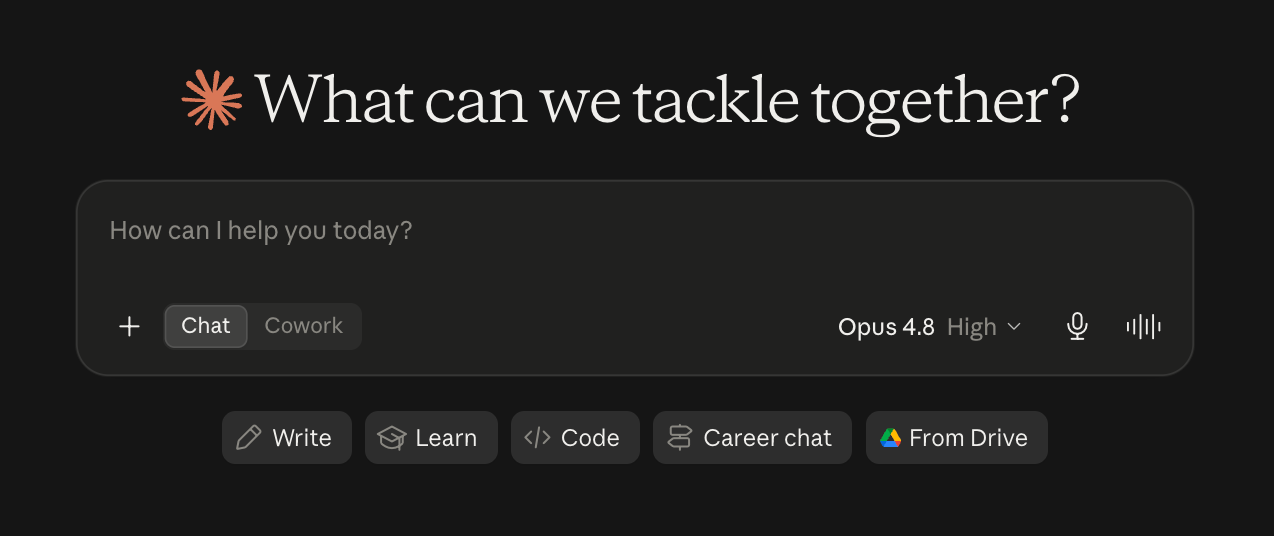
The design idea Anthropic repeats on the Cowork product page is "say what, not how." Claude reaches for connectors first, falls back to your browser when it has to, and only takes over your screen as a last resort (note that computer use is still in research preview). It also splits larger jobs into chunks that run in parallel, so drafting and research happen at the same time rather than sequentially.
Customization comes through plugins, which bundle skills (domain knowledge), connectors (Amplitude, Microsoft 365, Google Drive, Slack, and others), and sub-agents into a single install. Anthropic shipped private plugin marketplaces for admins on February 24, 2026, and enterprise deployment controls on April 9, 2026. We walk through file organization, batch conversions, and Chrome automation in our hands-on Cowork tutorial.
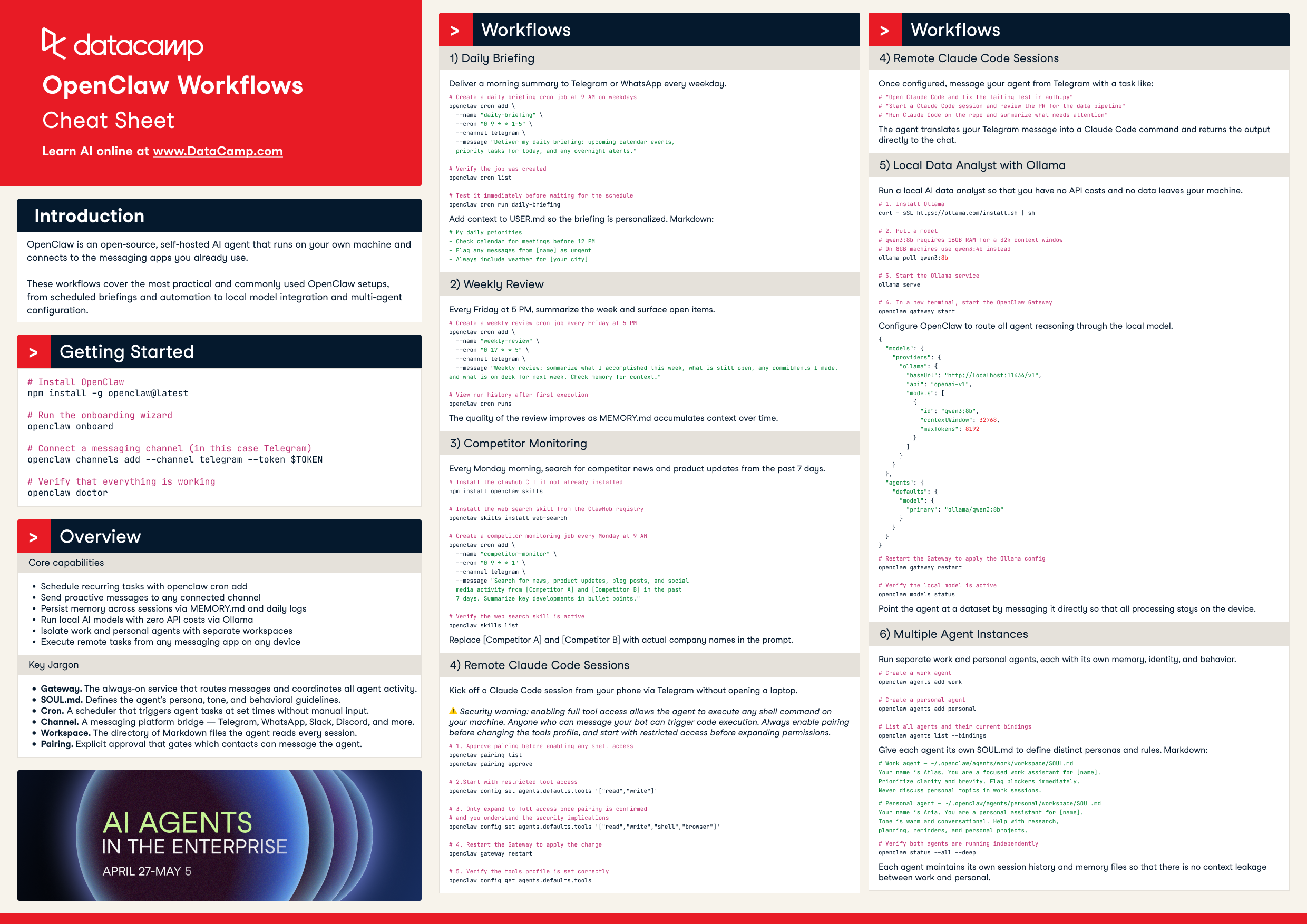
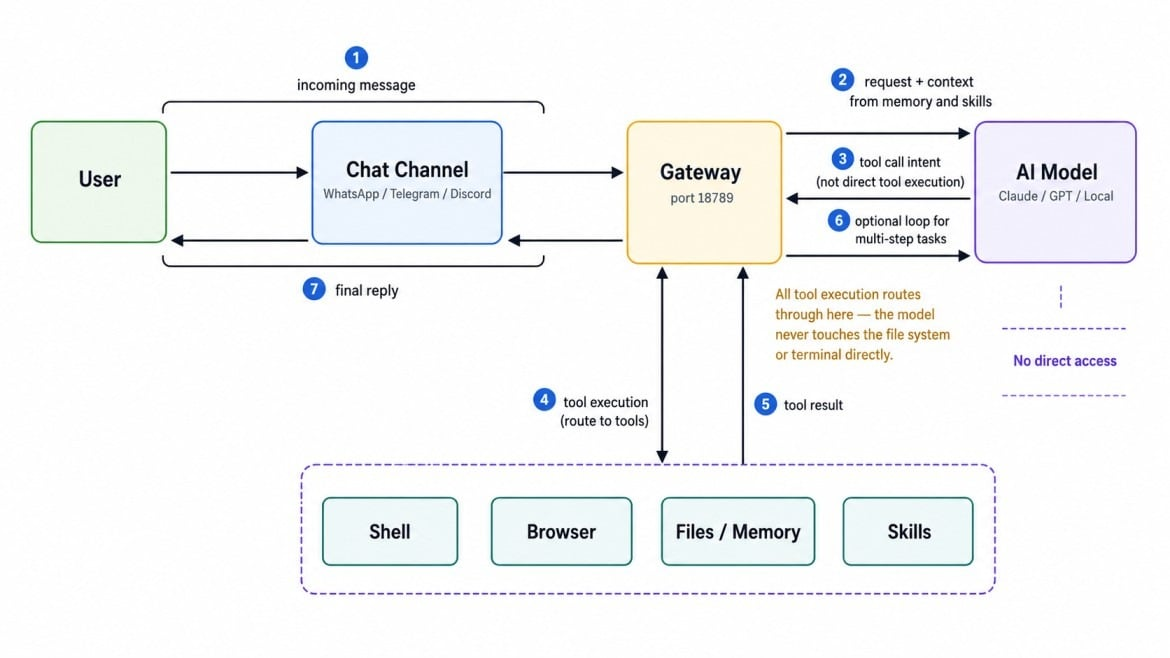
OpenClaw is a self-hosted gateway that connects chat apps to AI agents, developed in the open by the OpenClaw Foundation, a non-profit, under an MIT license. You run one Gateway process on your own machine or a server, and it becomes the bridge between an always-available agent and a big number of messaging services: Discord, Google Chat, iMessage, Matrix, Microsoft Teams, Signal, Slack, Telegram, WhatsApp, Zalo, and WebChat can all be used. The Gateway is the single source of truth for sessions, routing, and channel connections.
Configuration lives in a single file at ~/.openclaw/openclaw.json, and a browser Control UI runs locally at http://127.0.0.1:18789/. The docs are blunt about the audience: developers and power users who want a personal AI assistant they can message from anywhere without handing their data to a hosted service. TechRadar counts over 50 official integrations plus ClawHub, the community skills registry.
If you want to run it, our OpenClaw setup tutorial covers installation and channel pairing, and our OpenClaw with Ollama tutorial covers the fully local path.
Here is the short version before I get into the dimensions that actually decide it. Note how few of these rows are about capability.
| Dimension | Claude Cowork | OpenClaw |
|---|---|---|
| Unattended running | Scheduled tasks on the cloud path; web and mobile in beta. Desktop sessions are tied to your machine being awake | Always-on daemon with cron and webhooks |
| Default permissions | Folder-scoped, approval before significant actions, and deletion requires your approval | Full system access with high-level permissions by default |
| Setup | Download the desktop app, sign in, pick folders; QR pairing for mobile | Node 26 recommended (22.22.3+, 24.15+, or 25.9+), JSON config, WSL2 on Windows |
| Cost | $17/month Pro annual ($20 monthly), $100 Max 5x, $200 Max 20x, $20/seat Team | Free software; roughly $3 per million input tokens and $15 per million output on Claude Sonnet, plus hosting |
| Model choice | Anthropic models only | Claude, Gemini, GPT/Codex, Grok, Mistral, DeepSeek, Cohere, Qwen, plus Ollama, LM Studio, vLLM, SGLang |
| Where you talk to it | Claude desktop app; web and mobile in beta | Any paired messaging channel, plus the local Control UI |
| Enterprise administration | RBAC by team, spend limits, per-department tool permissions, OpenTelemetry to SIEM | Nothing built in; you own the hardening |
| License | Proprietary, subscription only | MIT, community-driven |
Cowork's product page says "Close your laptop, it keeps going" and advertises tasks you can schedule at any cadence to run unattended. That promise belongs to the cloud path, and the page itself labels web and mobile as beta.
The desktop app is the surface that reaches the folders and applications on your own computer, and Anthropic says as much in its own FAQ: the desktop app adds what web and mobile can't reach. Our hands-on coverage of Cowork Dispatch found that the desktop experience is session-based and stops the moment the Mac enters sleep. One of the tips we ended up writing is to go into System Settings and change your sleep timer.
OpenClaw has no equivalent asterisk. The Gateway installs as a service and runs as a background daemon, with cron and webhooks listed under its capabilities, so a 07:00 job fires whether you are at the desk or not. If your machine sleeps, that is your power settings, not a product limitation.
So the honest framing is this: if your work lives in local folders and you want it done overnight, OpenClaw does that today, and Cowork does it in beta on the cloud surface, where it cannot touch your local filesystem. Anthropic will close this gap, and the beta label suggests it is actively working to do so. Right now, though, the "hand it off and walk away" pitch is the weakest part of Cowork's story.
Cowork defaults to the cautious end of the spectrum:
OpenClaw, on the other hand, runs with high-level permissions by default. Our own comparison of Cowork Dispatch and OpenClaw described it plainly as providing full system access, which can become a security risk if you do not configure it carefully. That risk is not hypothetical: as we covered in our OpenClaw explainer, the ClawHavoc incident turned access to the skill marketplace into credential theft. Anything you install from ClawHub inherits the agent's reach, which includes your shell, your files, and your browser.
But Cowork does not get a clean pass here either. Its controls are configurable rather than automatic, so an admin who never touches the permission settings ships an agent that acts first. More awkwardly, Anthropic's own pricing page states that Cowork activity is not yet captured in audit logs or the Compliance API, which is a real hole underneath an enterprise pitch that includes RBAC, spend limits, and OpenTelemetry streaming to your SIEM.
My read: Cowork is deployable in an organization with a security team, and OpenClaw is deployable in an organization with a security team that has explicitly signed off on a sandboxed host. Those are very different sentences.
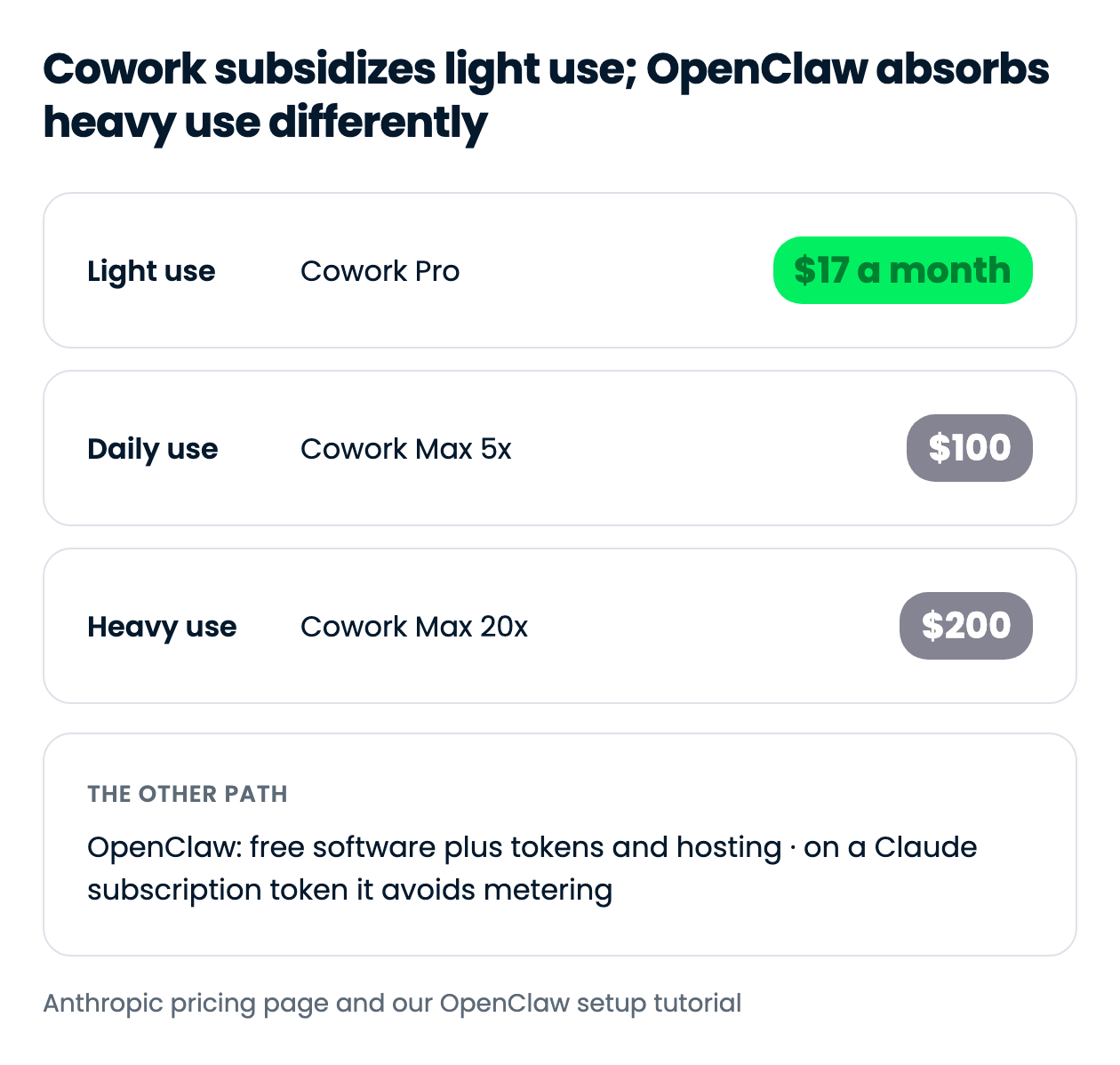
Cowork bills as a flat subscription:
Two lines matter more than the sticker prices. Anthropic warns that Cowork consumes limits faster than Chat because Claude coordinates sub-agents and tool calls. A single Cowork run that fans out across a folder of documents is worth far more than one chat message, which is why heavy users get steered up to Max 20x.
OpenClaw's software is free, and the cost is tokens plus hosting. Our setup tutorial puts Claude Sonnet at roughly $3 per million input tokens and $15 per million output, with Opus higher. Third-party managed hosting starts around $9.99/month if you do not want to run the box yourself, per our alternatives roundup.
The detail almost nobody surfaces: if you already pay for Claude Pro or Max, you can generate a setup token through the Claude Code CLI and run OpenClaw against your subscription instead of metered API billing. That partially collapses the cost argument, because you get OpenClaw's cron daemon and channel routing on the same subscription that funds Cowork. It is not a free lunch, since Anthropic's usage limits still apply, but it is the single most actionable fact in this comparison.
Cowork is locked to Anthropic. That is the deal you accept in exchange for subsidized usage, and it only becomes a problem if you need a specific non-Claude model or want to arbitrage token prices. Usually, one of the four Claude tiers (Fable, Opus, Sonnet, Haiku) will cover any use case you have in mind, with Sonnet as a reasonable default.
OpenClaw is model-agnostic by design. Its provider list spans Claude, Gemini, OpenAI/ChatGPT/Codex, Grok, Mistral, DeepSeek, Cohere, and Qwen, alongside routing layers like OpenRouter, LiteLLM, Amazon Bedrock, and Vertex AI. The genuinely differentiating part is local execution through Ollama, LM Studio, vLLM, and SGLang, which is the only way in this comparison to run an agent with no data leaving your hardware.
I would not oversell this dimension. Most people picking between these two will run Claude either way, and the docs themselves recommend using the strongest, latest-generation model available for quality and security. Model flexibility matters if you have a privacy constraint or a local-model workflow, and otherwise, it is a nice-to-have.
Cowork's setup is a download and a login. You grab the installer for macOS, Windows, Linux, or ChromeOS, sign into a paid plan, click the Cowork tab, and point it at a folder. Pairing your phone is a QR code.
OpenClaw asks for more:
Node 26 recommended (22.22.3+, 24.15+, or 25.9+ also work)
An API key
A config file at ~/.openclaw/openclaw.json
WSL2 on Windows (runs natively on macOS and Linux)
Our OpenClaw guide and our OpenClaw Ollama tutorial walk you through the setup process.
None of this is hard for anyone comfortable in a terminal, and openclaw onboard handles the guided path. It is a real gatekeeper for the non-technical knowledge worker Cowork is aimed at, and a non-issue for anyone who has installed a Node service before.
Cowork lives in the Claude desktop app, with web and mobile in beta, so the conversation happens in Anthropic's interface. OpenClaw meets you in whatever you already have open: Telegram, Slack, WhatsApp, Signal, iMessage, Discord, Microsoft Teams, Google Chat, or the local Control UI. Community plugins extend that to WeChat, Yuanbao, and Zalo.
This is more about convenience than capability. Messaging your agent from Signal is pleasant, and it does not make the agent better at reconciling a spreadsheet.
Cowork wins this by default, because OpenClaw does not compete here at all. Cowork gives admins the controls OpenClaw has no answer for:
Cowork and the Slack connector are included in Team Standard and Premium seats.
The caveat from the security section applies again: Cowork activity is not yet in audit logs or the Compliance API. If your compliance team requires immutable logs of every agent action, neither tool satisfies that today, which is worth saying out loud before someone signs a contract.
Several dimensions look like differentiators and are not. Both orchestrate sub-agents with isolated sessions. Both read and write local files, and Cowork's supported-format list (Word, Excel, PowerPoint, PDF, CSV, YAML, Jupyter notebooks, and most code files) is long but unremarkable for this class of tool.
Integration breadth is comparable in size and different in shape: Cowork has connectors plus a plugin marketplace bundling skills and sub-agents, OpenClaw has 50+ official integrations, ClawHub, and 10+ chat channels.
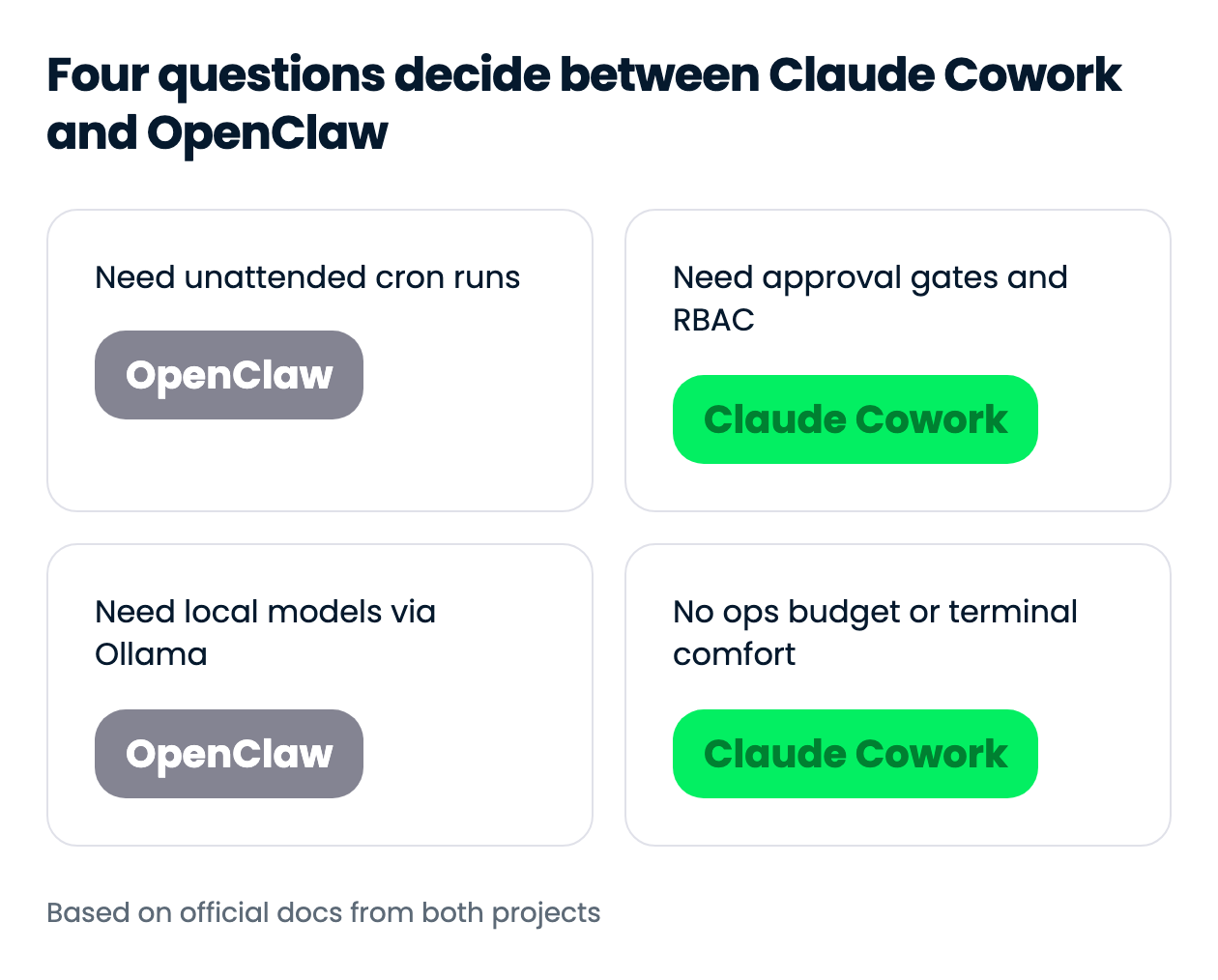
The decision is rarely about which agent is smarter. It is about whether you want a product with a support contract or infrastructure you maintain.
| Use case | Recommended | Why |
|---|---|---|
| Recurring overnight jobs on local files | OpenClaw | Always-on daemon with cron; Cowork's unattended path is the cloud beta |
| Non-technical team, no ops budget | Claude Cowork | Download, sign in, pick a folder; no Node runtime or config file |
| Regulated environment with a security review | Claude Cowork | Folder scoping, approval gates, RBAC, and OpenTelemetry to your SIEM |
| Running a local model with no data leaving the box | OpenClaw | Native support for Ollama, LM Studio, vLLM, and SGLang |
| Occasional folder cleanup and format conversions | Claude Cowork | Included in the $17/month Pro plan with usage subsidized |
| Messaging an agent from Signal or Telegram all day | OpenClaw | One Gateway serves 10+ channels simultaneously |
| Deploying to 100 seats with spend controls | Claude Cowork | Team plan at $20 per seat, admin toggles, per-department tool permissions |
Running both Claude Cowork and OpenClaw together is possible and actually a very good setup. They fail in opposite places, so pairing them covers ground neither manages alone.
The division of labor follows the persistence and security gaps from earlier in this comparison.
The part that makes this practical rather than expensive: run OpenClaw against a Claude subscription token generated through the Claude Code CLI, and one bill funds both tools. You are maintaining two systems instead of one, and Anthropic's usage limits still apply across both. But if Cowork closes its local-scheduling gap, this collapses back into a single tool, so treat the split as today's answer rather than a permanent setup.
If you want work done while you sleep and you can run a Node service safely, use OpenClaw. If you want an agent your legal team will tolerate and a bill you can forget about, use Claude Cowork. Everything else in this comparison is downstream of those two sentences.
My own setup, if you want the opinionated version: Cowork for anything touching client documents, because the approval gates are worth the lock-in, and OpenClaw on a Claude subscription token for the scheduled jobs Cowork cannot yet run locally. That combination costs one subscription and a bit of terminal time. It also means neither tool has to be the only answer, which is usually where these comparisons land once you actually run both.
Learn Using AI Agents with DataCamp!
Track
Course
Course
blog
Tom Farnschläder
15 min
blog
Derrick Mwiti
8 min
blog
Derrick Mwiti
8 min
blog
Austin Chia
12 min
cheat-sheet
DataCamp Team
5 min
Tutorial
Derrick Mwiti
8 min