

How We Picked and Checked These Tools
Every tool in the main list has a free plan with a recurring allowance, or it's open source. To make the cut, a tool also had to:
- Work without a credit card.
- Be usable for real work today, rather than only as a demo.
- Have its free limits published or confirmed on the vendor's own site.
Every limit, catch, and price comes from the vendor's official pricing or help pages, checked in November 2026.
Each tool carries one of these labels:
|
Label |
What it means |
Example |
|---|---|---|
|
Ongoing free plan |
A free allowance that renews daily, weekly, or monthly, with no end date |
ChatGPT, GitHub Copilot |
|
Open source |
Free and unlimited if you run it on your own hardware |
Whisper, Wan |
|
Trial |
One-time credits or a fixed trial period; listed only in the trials box |
Runway, Gamma |
Free tiers change often, and "ongoing" doesn't mean guaranteed. We re-check every tool against its official pages each month and update this article when a free plan changes.
All 44 Free AI Tools Compared
This table summarizes every tool in the main list, with the free models each one ran as of November 2026.
|
Tool |
Category |
Free type |
What's free |
Paid from (US) |
|---|---|---|---|---|
|
ChatGPT |
Chat |
Ongoing free plan |
Unlimited text chat on GPT-6 Luna; limited images, uploads, voice |
$8/month |
|
Claude |
Chat |
Ongoing free plan |
Sonnet 5.5 and Haiku 5.5; caps every 5 hours and weekly |
$20/month |
|
Gemini |
Chat |
Ongoing free plan |
Auto routing; 32K context |
$4.99/month |
|
DeepSeek |
Chat |
Ongoing free plan |
Web and app chat on DeepSeek V4.1 Flash |
No paid chat plan |
|
Mistral Vibe |
Chat |
Ongoing free plan |
Limited messages, web search, images, 100+ connectors |
$14.99/month |
|
Grammarly |
Writing |
Ongoing free plan |
Grammar checks, 100 AI prompts/month |
$12/month (annual) |
|
LanguageTool |
Writing |
Ongoing free plan |
2,000 characters per text, 3 AI rephrasings/day |
$5.83 (annual) |
|
QuillBot |
Writing |
Ongoing free plan |
125-word paraphrasing, 1,200-word summaries |
$8.33/month (annual) |
|
Lara Translate |
Translation |
Ongoing free plan |
60,000 characters/month across all features |
$9.99/month (annual) |
|
DeepL |
Translation |
Ongoing free plan |
5,000 characters per translation, 1 file per 30 days |
$8.74/month (annual) |
|
Google Translate |
Translation |
Ongoing free plan |
Nearly 250 languages, camera translation |
Free |
|
Doclingo |
Translation |
Ongoing free plan |
Documents up to 200 pages and 50 MB |
$4.35/month (annual) |
|
Perplexity |
Research |
Ongoing free plan |
Unlimited basic searches, 3 Pro Searches/day |
$20/month ($10 for students) |
|
Gemini Notebook |
Research |
Ongoing free plan |
100 notebooks, 50 sources each |
$4.99/month |
|
Consensus |
Research |
Ongoing free plan |
Unlimited searches, 10 Pro Analyses/month |
$11.99/month |
|
Humata |
Research |
Ongoing free plan |
60 pages/month |
$9.99/month |
|
ChatPDF |
Research |
Ongoing free plan |
2 documents/day |
$8.25/month (annual) |
|
Google Antigravity |
Coding |
Ongoing free plan |
Weekly agent quota on Gemini 3.8 Flash |
$19.99/month |
|
GitHub Copilot |
Coding |
Ongoing free plan |
2,000 completions/month plus AI Credits |
$10/month |
|
Cursor |
Coding |
Ongoing free plan |
Limited Agent, Chat, Tab on Cursor's own Grok and Composer models |
$8/month |
|
DataLab |
Coding |
Ongoing free plan |
3 workbooks, 15 AI prompts |
$13/month |
|
Google AI Studio |
App builders |
Ongoing free plan |
Free Build mode, up to 2 published apps |
Pay-as-you-go |
|
Lovable |
App builders |
Ongoing free plan |
5 build credits/day (max 30/month) |
$25/month |
|
Gemini API |
Developers |
Ongoing free plan |
Gemini 4 Hydrogen, Flash models up to 3.8, Gemini 3.5 Transcribe Live, Gemini 3.8 Live within rate limits |
Pay-as-you-go |
|
OpenRouter |
Developers |
Ongoing free plan |
50 requests/day on free models (1,000 with credits) |
Pay per token |
|
Ollama |
Developers |
Open source |
Unlimited local models |
$20/month (cloud) |
|
LM Studio |
Developers |
Ongoing free plan |
Full desktop app, free for work |
$20/month (cloud) |
|
Gemini (Nano Banana) |
Images |
Ongoing free plan |
Nano Banana 2 within Gemini app limits |
$4.99/month |
|
ChatGPT Images |
Images |
Ongoing free plan |
Limited image creation |
$8/month |
|
Leonardo.Ai |
Images |
Ongoing free plan |
150 tokens/day |
$12/month |
|
Recraft |
Images |
Ongoing free plan |
Free generation; non-commercial, Recraft owns output |
$12/month |
|
Adobe Firefly |
Images |
Ongoing free plan |
Limited daily generations |
$9.99/month |
|
Ideogram |
Images |
Ongoing free plan |
30 credits/week |
$20/month |
|
Google Flow |
Video |
Ongoing free plan |
50 credits/day on Omni Flash 1.2 and Veo 3.1 |
$19.99/month |
|
Seedance (Dreamina) |
Video |
Ongoing free plan |
120 credits/day (US) |
$15/month |
|
Wan |
Video |
Open source |
Wan 2.2, unlimited at up to 720p |
Free |
|
HeyGen |
Video |
Ongoing free plan |
3 videos/month, up to 1 minute |
$29/month |
|
Synthesia |
Video |
Ongoing free plan |
10 minutes/month, 9 avatars |
$19/month |
|
Otter.ai |
Audio |
Ongoing free plan |
300 minutes/month |
$16.99/month |
|
Whisper |
Audio |
Open source |
Unlimited local transcription with large-v3 turbo |
Free |
|
ElevenLabs |
Audio |
Ongoing free plan |
10,000 credits/month (~10 minutes) |
$6/month |
|
Gemini Live |
Audio |
Ongoing free plan |
Voice, camera, and screen sharing |
$4.99/month |
|
Adobe Podcast Enhance |
Audio |
Ongoing free plan |
1 hour/day |
$9.99/month |
|
Descript |
Editing |
Ongoing free plan |
60 media minutes/month |
$16/month |
What Are the Best Free AI Chat Assistants?
ChatGPT is the best free AI chat assistant for most people, and Claude is the better free writer. The big chatbots ration different things: ChatGPT rations features, Claude rations sessions, and Gemini now rations models, so pick by what you’ll run out of first.
1. ChatGPT
OpenAI's chatbot is the best free all-rounder in 2026, mainly because everyday text chat on the free plan has no cap.
- Free type: Ongoing free plan · Signup: Yes
- Free tier: Unlimited everyday text chats on OpenAI's Luna model, plus web search, data analysis, file uploads, image creation, voice, and deep research, each with its own limit.
- Catch: Ads may appear on the free plan in some countries, and OpenAI publishes no numbers for uploads, images, voice, or research.
- Paid from: ChatGPT Go (price varies by country, from $8/month in the US)
- Best for: Everyday chat, drafting, and quick questions
2. Claude
Anthropic's Claude writes the most natural prose of the free chatbots, and its free plan includes more than most people expect.
- Free type: Ongoing free plan · Signup: Yes
- Free tier: Claude's Sonnet and Haiku models, web search, memory, connectors, file creation and code execution, Artifacts, voice mode, Claude Docs, Slides, and Design, and up to 5 Projects.
- Catch: Usage caps reset every 5 hours and weekly, with no published message count. Opus, Claude Code, and Research are paid.
- Paid from: $20/month (Pro), or $17/month billed annually
- Best for: Writing, editing, and careful reasoning
3. Gemini
Google's Gemini app is still a solid free assistant, but it gave up the most ground this year.
- Free type: Ongoing free plan · Signup: Google account
- Free tier: Auto model selection (most prompts go to Gemini Flash-Lite, harder ones to a stronger model), a 32K-token context window, Nano Banana image generation, Deep Research, and Gemini Live.
- Catch: Since October 2026, free users can't choose Flash or Pro. There's no video generation, Deep Research may be unavailable at peak times, and limits refresh every 5 hours up to an unpublished weekly cap.
- Paid from: Google AI Plus (price varies by country, from $4.99 in the US)
- Best for: People who live in Gmail, Docs, and Drive
4. DeepSeek
DeepSeek is the only major chatbot here with no paid chat plan at all, and its models are open-weight under the MIT license.
- Free type: Ongoing free plan (open-weight models) · Signup: Yes
- Free tier: The web chat and the iOS and Android apps, running DeepSeek's V4.1 Flash model since October 2026.
- Catch: According to DeepSeek's privacy policy, your data is processed and stored in China and used to train its models, with no opt-out described. Rate limits exist but aren't published.
- Paid from: No paid chat plan; the API is pay-per-use
- Best for: Free chat on non-sensitive topics
5. Mistral Vibe
Mistral renamed Le Chat to Mistral Vibe in May 2026, and the free plan now leans into agents and connectors.
- Free type: Ongoing free plan · Signup: Yes
- Free tier: Limited messages and web searches, basic image generation and editing, 100+ connectors, limited coding sessions plus the Vibe CLI, and up to 5 scheduled tasks.
- Catch: Mistral uses your inputs for training by default until you opt out in settings, and it publishes no message limits.
- Paid from: $14.99/month (Pro), or $5.99/month for verified students
- Best for: A European alternative with lots of app connectors
What Are the Best Free AI Writing and Grammar Tools?
Grammarly is the best free grammar checker for English, and LanguageTool wins as soon as you write in more than one language. Unlike a general chatbot, these tools check your text as you write.
6. Grammarly
Grammarly checks grammar, spelling, and clarity across web, desktop, and mobile, and adds a monthly allowance of AI rewrites.
- Free type: Ongoing free plan · Signup: Yes
- Free tier: Grammar and spelling checks, a tone indicator, and 100 AI prompts per month.
- Catch: You can see your tone on the free plan but not adjust it; tone rewrites are Pro-only.
- Paid from: $12/month (Pro, billed annually)
- Best for: Polishing emails and reports in English
7. LanguageTool
LanguageTool checks spelling, grammar, and style in 30+ languages, which makes it the stronger pick for multilingual writers.
- Free type: Ongoing free plan · Signup: No
- Free tier: Spelling, basic grammar, and some style suggestions on texts up to 2,000 characters, plus 3 AI sentence rephrasings per day.
- Catch: The browser extensions are now Premium-only, so the free version works in LanguageTool's own editor. Advanced suggestions are also paid.
- Paid from: LanguageTool Premium
- Best for: Writing in German, French, Spanish, and other non-English languages
8. QuillBot
QuillBot is a paraphrasing tool first, useful when a sentence is correct but reads badly.
- Free type: Ongoing free plan · Signup: Optional
- Free tier: Paraphrasing up to 125 words in 2 modes, a humanizer up to 125 words, basic grammar fixes, summaries of up to 1,200 words, and a limited AI Detector.
- Catch: The 125-word cap means one paragraph at a time. Custom summary modes and longer inputs (up to 6,000 words) are Premium.
- Paid from: $8.33/month (Premium, billed annually)
- Best for: Rewording awkward sentences and condensing long reports
What Are the Best Free AI Translation Tools?
Lara Translate is the best free AI translator for volume, with 60,000 characters a month that also cover documents and audio. DeepL is the pick for short snippets you paste in. I’ve found both very high-quality, but their free plans ration very differently.
9. Lara Translate
Lara Translate is the most generous free translator here, because one monthly pool covers text, documents, images, audio, and its live interpreter.
- Free type: Ongoing free plan · Signup: Yes
- Free tier: 60,000 characters per month, shared across every feature, with no daily or per-feature caps.
- Catch: When the pool runs out, translation pauses until it resets on your billing date.
- Paid from: $9.99/month (Pro, billed annually)
- Best for: Translating whole documents
10. DeepL
DeepL remains the reference for text translation quality, but its free plan is built for snippets instead of files.
- Free type: Ongoing free plan · Signup: Optional
- Free tier: Up to 1,500 characters per translation without an account, or 5,000 with a free account, plus 1 file every 30 days (DOCX, PPTX, PDF, or RTF up to 5 MB; PNG or JPG up to 3 MB).
- Catch: Translated files carry a "Translated by DeepL" watermark diagonally across every page.
- Paid from: €7.49/month (DeepL Pro Individual, billed annually)
- Best for: Quick, high-quality translations of text you paste in
11. Google Translate
Google Translate covers nearly 250 languages and over 60,000 language pairs, far more than any other tool here.
- Free type: Ongoing free plan · Signup: No
- Free tier: Text, document, and camera translation, live translation through headphones, and pronunciation practice on Android (US and India, for now).
- Catch: It offers none of Lara's style or context controls.
- Paid from: Free for consumers
- Best for: Rare languages and translating signs or menus with your camera
12. Doclingo
Doclingo specializes in translating PDFs without breaking tables, charts, or two-column layouts.
- Free type: Ongoing free plan · Signup: No
- Free tier: Document translation for files up to 50 MB and 200 pages, with no login needed.
- Catch: Free jobs are queued, guests appear limited to 1 translation, and OCR on scanned files shows only a partial preview until you pay.
- Paid from: Doclingo membership
- Best for: Academic papers and reports with complex layouts
What Are the Best Free AI Research and Document Tools?
Gemini Notebook is the best free AI research tool for your own sources, while Perplexity and Consensus cover the web and published papers. Unlike chatbots, all three ground answers in sources you can check.
13. Perplexity
Perplexity answers questions with a written summary that cites the web pages it read.
- Free type: Ongoing free plan · Signup: Optional
- Free tier: Practically unlimited basic searches, 3 Pro Searches per day, 1 research query per month, and basic file uploads.
- Catch: Perplexity picks the model for you, and image generation is paid.
- Paid from: $20/month (Pro), or $10/month for verified students and educators (Education Pro)
- Best for: Quick, cited overviews of a topic or tool
14. Gemini Notebook
Gemini Notebook (formerly NotebookLM) answers only from the sources you upload, which keeps it grounded in your material.
- Free type: Ongoing free plan · Signup: Google account
- Free tier: 100 notebooks with 50 sources each, plus Audio Overviews (podcast-style discussions of your sources), study guides, and flashcards.
- Catch: Usage is compute-based, refreshing every 5 hours up to a weekly cap, so Google publishes no fixed number of Audio Overviews. Watermark removal is paid.
- Paid from: Google AI Plus (price varies by country, from $4.99/month in the US)
- Best for: Studying papers, documentation, or course notes
We cover Gemini Notebook step by step in our Practical AI with Google Gemini and NotebookLM course.
15. Consensus
Consensus searches over 200 million academic papers and summarizes what the research says.
- Free type: Ongoing free plan · Signup: Yes
- Free tier: Unlimited searches, unlimited research quality indicators, and 10 Pro Analyses per month.
- Catch: The deeper analyses run out after 10 a month.
- Paid from: $11.99/month (Premium), or $8.99/month billed annually
- Best for: Checking whether a claim holds up in the literature
16. Humata
Humata lets you ask questions about long PDFs and answers from the document itself.
- Free type: Ongoing free plan · Signup: Yes
- Free tier: 60 pages per month.
- Catch: The free plan has no OCR, so scanned documents won't work.
- Paid from: $9.99/month (Expert, 500 pages)
- Best for: Occasional questions about a long, text-based PDF
17. ChatPDF
ChatPDF is the lightweight option: upload a PDF and chat with it.
- Free type: Ongoing free plan · Signup: Optional
- Free tier: 2 documents per day.
- Catch: ChatPDF publishes no limits on questions or pages for the free plan.
- Paid from: ChatPDF Plus
- Best for: A quick look at a single paper or report
What Are the Best Free AI Coding Tools?
GitHub Copilot is the best free AI autocomplete, and Google Antigravity is the most capable free coding agent. Autocomplete speeds up code you write, while agents write and run code for you.
If you want to go deeper, see our overview of the best AI coding assistants.
18. Google Antigravity
Antigravity is Google's agent-first coding platform: you describe a task, and its agents plan, write, run, and test the code. It replaced Gemini CLI for free users in June 2026, so older guides pointing you to Gemini CLI's free tier are out of date.
- Free type: Ongoing free plan · Signup: Google account
- Free tier: The Antigravity app, CLI, IDE extensions, and Python SDK, with parallel background agents, subagents, browser use, and scheduled tasks, on a baseline quota that refreshes weekly.
- Catch: The free plan runs non-flagship Gemini models only, and Google publishes no quota numbers. Quota scales with the work an agent does, so small prompts barely dent it and big refactors drain it; type
/usagein the CLI to see what's left. - Paid from: Google AI Pro (price varies by country, from $19.99/month in the US)
- Best for: Building a working app without setting up an environment
19. GitHub Copilot
Copilot is the autocomplete most engineering teams use, and the free plan is enough to learn it properly.
- Free type: Ongoing free plan · Signup: GitHub account
- Free tier: 2,000 inline code completions per month, an allowance of GitHub AI Credits for chat and agent mode, and Copilot Chat on GitHub.com and mobile.
- Catch: Models are picked automatically, and GitHub doesn't publish the size of the free AI Credit allowance.
- Paid from: $10/month (Pro), free for verified teachers and maintainers of popular open-source projects
- Best for: Autocomplete inside VS Code
To use it well, take our course on Software Development with GitHub Copilot.
20. Cursor
Cursor is a full AI code editor whose agent can edit several files at once. Since its plans moved into The X Subscription, new users start on the same free plan as Grok.
- Free type: Ongoing free plan · Signup: Yes
- Free tier: Limited Agent, Chat, and Tab completions using Cursor's own Grok and Composer models.
- Catch: No Claude, GPT, or Gemini models on the free plan, no trial, and no published limits. The old Hobby plan is closed to new users.
- Paid from: $8/month (Plus)
- Best for: Multi-file edits across a codebase
We cover the workflow in our Software Development with Cursor course.
21. DataLab
Our DataLab is a browser-based notebook built for data work, so there's nothing to install.
- Free type: Ongoing free plan · Signup: DataCamp account
- Free tier: Up to 3 workbooks, 15 AI Assistant prompts, and 4 GB of RAM with 2 vCPUs.
- Catch: 15 AI prompts go quickly if you lean on the assistant.
- Paid from: DataLab Premium ($13/month)
- Best for: Analyzing CSVs and databases without managing Python environments
What Are the Best Free AI App Builders?
Lovable and Google AI Studio are the only AI app builders here with a real free plan; most others now offer one-time credits, which you’ll find in the trials box below. Both turn a plain-language description into a working web app, so you don’t write the code yourself.
22. Google AI Studio
Google AI Studio is Google's free playground for Gemini models, and its Build mode turns prompts into deployable apps.
- Free type: Ongoing free plan · Signup: Google account
- Free tier: AI Studio is free unless you link a paid API key. Eligible accounts can publish up to 2 full-stack apps on the Google Cloud Starter Tier without a billing account.
- Catch: Prompts sent on the free Gemini API tier are used to improve Google's products, and only some models are free.
- Paid from: Pay-as-you-go API (prepay from $5)
- Best for: Prototyping apps built on Gemini
23. Lovable
Lovable builds full-stack web apps from a chat, including the database and hosting.
- Free type: Ongoing free plan · Signup: Yes
- Free tier: 5 build credits per day (up to 30 a month), a daily chat allowance, 20 Cloud credits and 4 AI credits per month, private projects, unlimited workspace members, and public publishing.
- Catch: You don't know a build's credit cost before you send it. In SaaSCRMReview's October 2026 test, one build used about 2 of the 5 daily credits. Custom domains are paid.
- Paid from: $25/month (Pro), or $21/month billed annually; 50% off for verified students and teachers
- Best for: Turning an app idea into a working prototype in an afternoon
What Are the Free AI APIs and Local Models?
The Gemini API has the best free tier for hosted models, and Ollama or LM Studio are the best free ways to run models locally. Hosted APIs are faster to start; local models have no limits and keep your data on your machine.
24. Gemini API (free tier)
The Gemini API is the most generous free hosted API from a major lab, and you get a key in a few clicks from Google AI Studio.
- Free type: Ongoing free plan · Signup: Google account
- Free tier: Free access, up to per-model rate limits, to Gemini 4 Hydrogen, Gemini Flash models up to 3.8, and the Gemini 3.5 Transcribe Live and Gemini 3.8 Live models.
- Catch: Free-tier prompts and responses are used to improve Google's products; only the paid tier keeps them out.
- Paid from: Pay-as-you-go (prepay from $5)
- Best for: Prototyping an app or agent on a frontier-class model
25. OpenRouter (free models)
OpenRouter gives you one OpenAI-compatible API for hundreds of models, including a rotating set of :free variants.
- Free type: Ongoing free plan · Signup: Yes
- Free tier: 50 requests per day on free models, rising to 1,000 per day once you've bought at least 10 credits.
- Catch: Free models only route to providers that match your privacy settings, so some need the model-training toggle turned on.
- Paid from: Pay per token
- Best for: Testing many models without managing many API keys
OpenRouter is also one of the routes in our guide on how to use Claude Code for free.
26. Ollama
Ollama runs open-weight models on your own computer from the command line, with no account and no usage limits.
- Free type: Open source · Signup: No
- Free tier: Unlimited local use of any model your hardware can run.
- Catch: You need a capable GPU or a lot of RAM for larger models. Ollama's cloud models are pay-per-token, with no free cloud allowance.
- Paid from: $20/month (Pro, with $60 of cloud credits)
- Best for: Private, offline LLMs for coding and scripting
27. LM Studio
LM Studio is a desktop app for downloading and chatting with local models, no terminal needed.
- Free type: Ongoing free plan · Signup: No
- Free tier: The full app, free at home and at work since July 2025.
- Catch: Like Ollama, it's only as fast as your hardware.
- Paid from: Enterprise (contact sales)
- Best for: Trying local models through a graphical interface
What Are the Best Free AI Image Generators?
Adobe Firefly is the best free AI image generator for commercial work, and Gemini’s Nano Banana is the pick for everything else. With free image generators, rights matter more than quality: Firefly and Leonardo allow commercial use on the free plan, while Recraft doesn’t and keeps ownership of free images.
For a deeper comparison, see our guide to the best free AI image generators.
28. Gemini (Nano Banana)
Google's Nano Banana models generate images inside the Gemini app, with no separate account or tool.
- Free type: Ongoing free plan · Signup: Google account
- Free tier: Nano Banana image generation within the Gemini app's standard limits, which refresh every 5 hours up to a weekly cap.
- Catch: Images count as high-cost requests, so they use up your allowance faster than text, and Google publishes no image count. Redoing images with Nano Banana Pro is paid.
- Paid from: Google AI Plus (price varies by country, from $4.99/month in the US)
- Best for: Quick, photorealistic images for slides and mockups
29. ChatGPT Images
ChatGPT generates images in the same chat window, and you can edit them by describing the change.
- Free type: Ongoing free plan · Signup: Yes
- Free tier: Limited image creation, with its own limit separate from text chat.
- Catch: OpenAI publishes no number; once you hit the limit, you wait for the reset or upgrade.
- Paid from: ChatGPT Go (price varies by country, from $8/month in the US)
- Best for: Iterating on an image through conversation
30. Leonardo.Ai
Leonardo.Ai offers fine-grained creative control, including steering an image from your own sketch.
- Free type: Ongoing free plan · Signup: Yes
- Free tier: 150 tokens per day, resetting every 24 hours with no rollover.
- Catch: Everything you generate on the free plan is public.
- Paid from: Leonardo.Ai paid plans
- Best for: Artistic images you're allowed to use commercially
31. Recraft
Recraft specializes in icons, illustrations, and brand-style assets.
- Free type: Ongoing free plan · Signup: Yes
- Free tier: Free image generation (Recraft doesn't publish the credit amount).
- Catch: According to Recraft's terms, Recraft owns images made on the free plan, they're public in its community gallery, and they're not licensed for commercial use.
- Paid from: $12/month (Basic), or $10/month billed annually
- Best for: Testing design ideas before you pay for rights
32. Adobe Firefly
Adobe Firefly is the safest free choice for commercial work, because Adobe trains its own Firefly models on licensed content.
- Free type: Ongoing free plan · Signup: Adobe account
- Free tier: A limited number of free generations per day for images, video, and audio.
- Catch: The commercially-safe promise covers Firefly's own models, not the partner models also available in the app. Adobe doesn't publish the daily count.
- Paid from: $9.99/month (Firefly Standard, 2,000 credits)
- Best for: Images for client work or products you sell
33. Ideogram
Ideogram renders text inside images more reliably than most generators, which makes it the pick for posters and social graphics.
- Free type: Ongoing free plan · Signup: Google or Apple account
- Free tier: 30 credits per week, resetting every Saturday at 00:00 UTC.
- Catch: Everything on the free plan is public, and accounts created with email or Microsoft get no free credits.
- Paid from: $20/month (Plus), or $15/month billed annually
- Best for: Graphics with words in them
What Are the Best Free AI Video Generators?
Google Flow is the best free AI video generator, with 50 credits a day across its Omni Flash and Veo models. Video is the most expensive thing to generate, so it has the tightest free tiers and the most churn: Pika, Kling, and Invideo all dropped off this list in 2026. What’s left either gives you a small daily allowance or runs on your own GPU.
For a deeper comparison, see our guide to the best free AI text-to-video generators.
34. Google Flow
Google Flow is Google's AI filmmaking studio, and the free tier gives you access to both its Omni Flash and Veo video models.
- Free type: Ongoing free plan · Signup: Google account
- Free tier: 50 credits per day, with no rollover. Omni Flash costs 1 credit per second at 360p or 3 at 720p (clips up to 10 seconds), and Veo Lite costs 10 credits per clip, so 50 credits buys about 50 seconds of 360p video, about 16 seconds at 720p, or 5 Veo Lite clips.
- Catch: Free users may be blocked from generating video at peak times (roughly 2 to 5 PM UTC), and Veo Quality (100 credits per clip) is out of reach.
- Paid from: Google AI Pro (price varies by country, from $19.99/month in the US)
- Best for: Short, high-quality clips for presentations and social posts
35. Seedance (via Dreamina)
ByteDance's Seedance video models are among the most realistic available, and you can use them free through ByteDance's Dreamina app.
- Free type: Ongoing free plan · Signup: Yes
- Free tier: 120 credits per day for US accounts (other regions vary); Dreamina shows each clip's cost before you generate it.
- Catch: Free downloads are watermarked, and Dreamina doesn't state whether free clips can be used commercially.
- Paid from: $15/month (Dreamina Basic, 1,575 credits; US price)
- Best for: Realistic human motion
36. Wan
Alibaba's Wan models are open source under the Apache 2.0 license, so they're free and unlimited if you run them yourself.
- Free type: Open source · Signup: No
- Free tier: Unlimited generation with the newest open-weight release, at up to 720p. Its smaller 5B model runs on a GPU with 24 GB of VRAM, such as an RTX 4090.
- Catch: Newer Wan versions are hosted only, not open-weight, and you need a strong GPU plus some Python setup. Our Wan 2.1 tutorial covers the same setup.
- Paid from: Free (you pay for your own hardware)
- Best for: Unlimited video generation if you have the GPU
37. HeyGen
HeyGen creates talking-head videos with AI avatars and dubs existing videos into other languages with matching lip movement.
- Free type: Ongoing free plan · Signup: Yes
- Free tier: 3 videos per month, up to 1 minute each, with 1 custom video avatar, 500+ stock presenters, and translation into 30+ languages.
- Catch: Free videos are watermarked.
- Paid from: $29/month (Creator), or $24/month billed annually
- Best for: Short avatar videos and dubbing
38. Synthesia
Synthesia is built for business video: AI avatars presenting scripts, with translation into many languages.
- Free type: Ongoing free plan · Signup: Yes
- Free tier: 10 minutes of video or dubbing per month plus 500 credits, 9 AI avatars, and 140+ languages and voices.
- Catch: Free videos are watermarked.
- Paid from: $19/month (Starter), or $14/month billed annually
- Best for: Training and explainer videos
What Are the Best Free AI Audio and Editing Tools?
Whisper is the best free AI transcription tool if you can use a command line, and ElevenLabs makes the most realistic free voices. Audio has the most generous free options on this list, mostly because transcription is cheap to run.
39. Otter.ai
Otter.ai joins your meetings, transcribes them, and labels who said what.
- Free type: Ongoing free plan · Signup: Yes
- Free tier: 300 transcription minutes per month, up to 30 minutes per conversation, 20 AI Chat questions per month, and exports as MP3 or TXT.
- Catch: You get only 3 file imports for the lifetime of the account, and only your 25 most recent conversations stay in your history.
- Paid from: $16.99/month (Pro), or $8.33/month billed annually
- Best for: Meeting notes
40. Whisper
OpenAI's Whisper is an open-source speech recognition model under the MIT license, free for commercial use.
- Free type: Open source · Signup: No
- Free tier: Unlimited transcription on your own machine or a free Google Colab notebook. The default turbo model needs about 6 GB of VRAM; the tiny and base models run on about 1 GB.
- Catch: There's no interface, only Python or the command line, and you need ffmpeg installed. The turbo model isn't trained for translation.
- Paid from: Free
- Best for: Unlimited transcription for anyone comfortable with code
Speed isn't a problem on a GPU: in a community benchmark, Whisper turbo transcribed a 13-minute file in about 39 seconds.
41. ElevenLabs
ElevenLabs produces some of the most realistic AI voices available, with breaths, pauses, and natural intonation.
- Free type: Ongoing free plan · Signup: Yes
- Free tier: 10,000 credits per month (about 10 minutes of speech), covering text-to-speech, speech-to-text, sound effects, Voice Design, music, and 3 Studio projects.
- Catch: Free output can't be used commercially, and ElevenLabs requires "elevenlabs.io" or "11.ai" in the title when you publish it. Voice cloning is paid.
- Paid from: $6/month (Starter), $1 for the first month
- Best for: Voiceovers for demos and personal projects
42. Gemini Live
Gemini Live is a real-time voice mode in the Gemini mobile app: you talk, interrupt, and think out loud.
- Free type: Ongoing free plan · Signup: Google account
- Free tier: Voice conversations with camera and screen sharing and Google Search grounding, on Android and iOS.
- Catch: Usage is capped, and Live isn't available in the Gemini web app.
- Paid from: Google AI Plus (price varies by country, from $4.99/month in the US) for higher limits
- Best for: Talking through an idea while walking or commuting
43. Adobe Podcast Enhance
Adobe Podcast's Enhance Speech removes background noise and echo, so a laptop microphone sounds close to a studio setup.
- Free type: Ongoing free plan · Signup: Adobe account
- Free tier: 1 hour of enhancement per day, for files up to 30 minutes and 500 MB.
- Catch: Longer recordings need to be split into 30-minute files.
- Paid from: Adobe Podcast Premium, included in the Adobe Firefly Pro plan
- Best for: Rescuing badly recorded audio
44. Descript
Descript lets you edit audio and video by editing the transcript, so deleting a sentence cuts it from the recording.
- Free type: Ongoing free plan · Signup: Yes
- Free tier: 60 media minutes per month, text-based editing, 720p export, 5 GB of storage, and 100 AI credits.
- Catch: Exports are watermarked, and the 100 AI credits are one-time, not monthly.
- Paid from: $16/month (Hobbyist)
- Best for: Editing podcasts and talking-head videos
Free Trials Worth Knowing
These tools are worth a look, but their free access runs out, so they're not in the main list. Use them when you're ready to test properly, not to browse.
|
Tool |
Category |
What you get for free |
Why it's a trial |
|---|---|---|---|
|
v0 (Vercel) |
App builder |
$5 in credits for new users, 7 messages a day |
The credits don't renew for new sign-ups; the cheapest plan for new users is $30/user/month |
|
Gamma |
Presentations |
400 credits at signup, plus 200 per referral |
Credits never refresh |
|
Runway |
Video generation |
125 credits, a limited set of models, 5 GB of storage |
One-time credits; videos are watermarked |
|
Google Cloud |
Cloud AI APIs |
$300 in credits for 90 days for new customers |
Time-limited, and since March 2026 it no longer covers the Gemini API |
|
CapCut |
Video editing and generation |
7-day trial of the AI video generator |
Time-limited |
|
Grammarly Pro |
Writing and grammar |
Free trial of the Pro plan |
Time-limited; the free plan above stays |
|
Invideo Studio |
Video creation |
AI scripts, voiceovers, and templates for videos up to 15 minutes |
You can build a video but not export it on the free plan |
What Are the Limitations of Free AI Tools?
Free AI tools cost you something other than money: your data, your rights to the output, or your time. Here's what to watch for before you put any of them into real work.
Your data may train the model
The big chatbots train on free-plan chats too, unless you change a setting. A few examples:
- ChatGPT: OpenAI uses your conversations for training unless you opt out in Data Controls or its privacy portal. Business plans like ChatGPT Enterprise are excluded by default.
- Claude: Anthropic lets you choose under Settings > Privacy. If you allow training, chats are kept for 5 years; if you don't, 30 days.
- Gemini: While Gemini's History setting is on, Google uses your chats to train its models, and human reviewers read a subset, which Google keeps for up to 3 years even if you delete them.
- DeepSeek: Uses conversation data for model training, stores data in China, and does not offer an opt-out.
Never paste customer data, API keys, or unreleased financials into a free tool unless you've checked its data settings.
Limits are vague and shrink without notice
Anthropic, Google, OpenAI, and Mistral describe many free limits only as "limited" or "standard." They also change: in 2026 alone, Gemini's free users lost model choice, Antigravity's free plan dropped its Claude models, and Pika, Kling, and Invideo stopped offering usable free plans.
Free output often isn't yours to sell
Check the license before you ship anything:
- Ownership: Recraft owns images made on its free plan.
- Commercial use: ElevenLabs and Recraft ban it on free plans; Firefly and Leonardo allow it.
- Attribution: ElevenLabs requires "elevenlabs.io" or "11.ai" in the title of anything you publish.
- Watermarks: DeepL files, HeyGen, Synthesia, Dreamina, and Descript exports all carry one on the free plan.
- Visibility: Leonardo, Recraft, and Ideogram make free-plan images public.
Final Thoughts
You can do most everyday AI work in 2026 without paying, as long as you stack a few free plans instead of expecting one tool to do everything. ChatGPT for chat, Lara for translation, Copilot for code, and Whisper for transcription already covers a lot.
The interesting shift this year is who's giving what away. OpenAI made ChatGPT's text chat unlimited for free users, while Google, long the most generous, started narrowing its free tiers: no model choice in Gemini, Gemini-only agents in Antigravity. I expect more of that, which is exactly why we re-check this list every month.
Free access is only half of it, though. Knowing how these tools work, how to prompt them, and when to distrust their output is what makes them useful at work. If you're keen to build that foundation, I recommend our AI Fundamentals track, or Introduction to AI for Work if you want something shorter.
Free AI Tools FAQs
What is the best free AI in 2026?
ChatGPT is the best free AI for most people in 2026, because its free plan has no cap on everyday text chats and includes web search, file uploads, and some image generation. Claude's free plan is the better choice if you mainly write, though its usage caps reset every 5 hours.
Is ChatGPT, Gemini, or Claude free?
Yes, all three have ongoing free plans. ChatGPT's has no cap on everyday text chats, Claude's offers Sonnet and Haiku with caps that reset every 5 hours, and Gemini's routes prompts between its models automatically. Paid plans start at $8/month (ChatGPT Go), $4.99/month (Google AI Plus), and $20/month (Claude Pro), in US prices.
How do I get around the message limits on free tools?
Spread your work across tools. Use ChatGPT for everyday chat, since its text chat is uncapped, and save Claude and Gemini for what they do best. Send research to Perplexity, documents to Gemini Notebook, and coding to GitHub Copilot or Antigravity. For unlimited use, run open models locally with Ollama or LM Studio.
Which AI tools are completely free?
Open-source tools are the only ones with no limits at all: Whisper for transcription, Wan for video, and Ollama for running language models locally. Among hosted tools, Google Translate is free for consumers, and DeepSeek has no paid chat plan, though both have usage limits or data trade-offs.
Is there a free AI with no sign-up?
Yes. Google Translate, LanguageTool's web editor, and Doclingo work without an account, and Perplexity and QuillBot let you try basic features before signing up. Local tools like Whisper, Ollama, and LM Studio need no account at all, though you download them and run them on your own computer.
Is there a free AI API?
Google's Gemini API has the most useful free tier, covering Gemini 4 Hydrogen, Flash models up to 3.8, and Live models within per-model rate limits. OpenRouter also offers free model variants, capped at 50 requests a day unless you've bought credits. Note that Google uses free-tier prompts to improve its products.
What is the best free AI for coding?
GitHub Copilot Free is the best free autocomplete, with 2,000 completions a month. For building whole apps with agents, Google Antigravity is the most capable free option, though it now runs Gemini models only. If you want to work with data in the browser, our DataLab gives you 3 workbooks and 15 AI prompts for free.
What is the best free AI video generator?
Google Flow is the best free option for most people, with 50 credits a day across Google's Omni Flash and Veo Lite models: about 50 seconds of 360p video or 5 Veo Lite clips. With a 24 GB GPU, the open-source Wan is unlimited, and HeyGen and Synthesia cover avatar videos, with a watermark.
What is the best free AI transcription tool?
OpenAI's Whisper is the best fully free option. It's open source under the MIT license, so you can transcribe unlimited audio on your own machine or in a free Google Colab notebook, including for commercial use. It has no interface, though, so if you want transcripts of meetings without code, Otter.ai's free plan gives you 300 minutes a month.
Is Claude Code free?
No. Claude Code requires a paid Claude plan or pay-as-you-go API credits, and Claude's free plan doesn't include it. A few workarounds exist, such as pointing it at free models through OpenRouter, and our guide on how to use Claude Code for free walks through them.
Is my data private when using free AI tools?
Often not. ChatGPT trains on free-plan chats unless you opt out, Google's free Gemini API tier uses your prompts to improve its products, Mistral Vibe trains on inputs by default, and DeepSeek processes and stores data in China. Keep personal data, credentials, and confidential work out of free tools unless you've checked their data settings.
I am a data science content writer. I love creating content around AI/ML/DS topics. I also explore new AI tools and write about them.

Tom is a Data Science Editor at DataCamp. He writes and edits AI tutorials, compares new LLM releases, and builds AI-powered workflows. Previously, he worked in data science at Deutsche Telekom. Outside of work, he forecasts football matches with machine learning.







For most people, ChatGPT’s free plan is the best free AI tool in 2026: everyday text chat is unlimited, and it adds web search, file uploads, and some image generation. If you write a lot, Claude’s free plan is the better writer, with usage caps that reset every 5 hours.
The word "free" shifted a lot in 2026. Since August, ChatGPT's free plan puts no cap on everyday text chats. Since October, Gemini's free users can no longer pick Flash or Pro. Free plans now change monthly, so every limit here comes from the vendor's own pricing or help pages, checked in November 2026.
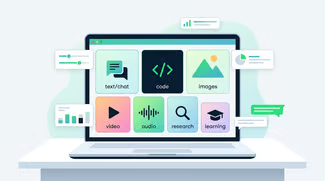
In this article, I'll cover 44 free AI tools across 10 categories, from chat assistants and coding to images, video, and audio. For each one, you get the free limits, the catch, and what upgrading costs. Tools that only offer a trial sit in a separate box. You can also see our guides to the best AI tools and the best AI coding assistants.
Free plans, limits, and prices last verified .