
Course
Intermediate ChatGPT
1 hr
33.3K
Practice and track your progress.
Continue with GoogleLearn how to work with LLMs in Python right in your browser
One of the biggest takeaways from the release of ChatGPT Images 1.5 was a big increase in performance speed. The release at the time said it was 4x faster. We tried to verify that claim but saw it applied to edits, not generating new images.
This time, the big claim is intelligence. ChatGPT Images 2.0 is a "thinking" image model: It is supposed to search, reason about facts, and translate rough inputs (notes, sketches, references) into polished visuals with far less manual prompting.
Other headline themes from the announcement are:
One of the biggest claims of the release is that the new model “thinks” and acts like a “visual thought partner”. The idea is that agents do some work behind the scenes to thoroughly understand the task and reason over it before executing the generation request.
Its understanding of the world has been updated to a cutoff of December 2025, so outputs are more contextually accurate. This is advertised to make the new model great for educational graphics and multi-step workflows requiring context.
To bridge the gap between the cutoff and fresh, up-to-date information, Images 2.0 can search the web to find relevant information. It’s not clear from OpenAI’s release notes how it works exactly, but as we understand it, the web search serves as a tool called by the thinking agent mentioned above.
The new model also natively supports generating multiple images from the same prompts. This was possible with a workaround in the API (prompting for a “composition”), but can now be done in the UI as well, for up to ten images. OpenAI promises character and object continuity throughout all of those outputs.
Time to see what the new model can actually do! We tested the following Images 2.0 capabilities and features:
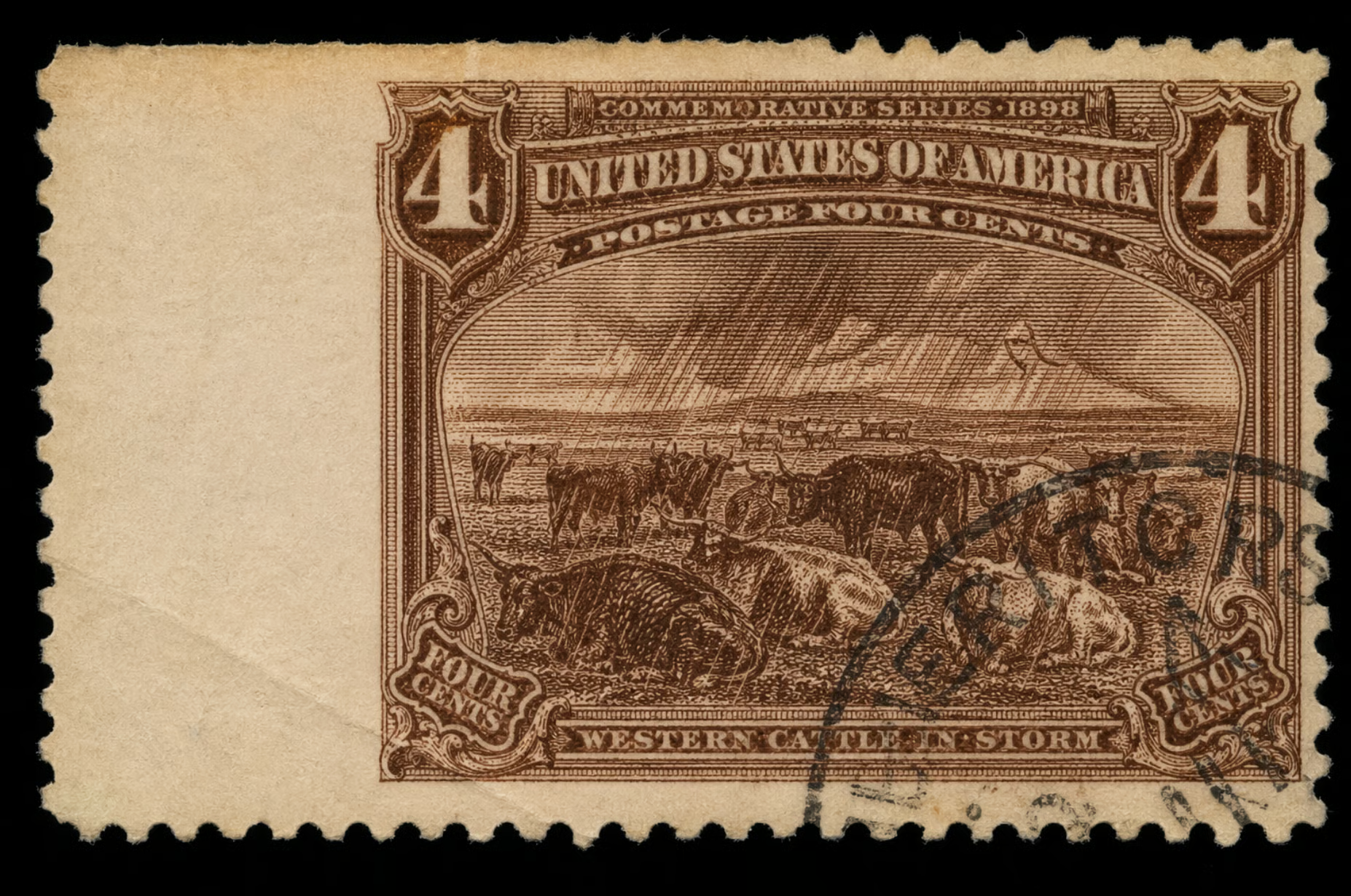
OpenAI's pitch for 2.0 leans on iteration: rough input in, polished asset out, with gains in instruction-following and dense text rendering. We tested that loop using a famous U.S. stamp from 1898 called Western Cattle in Storm.
Here is a picture of one of the stamps in Fine condition.
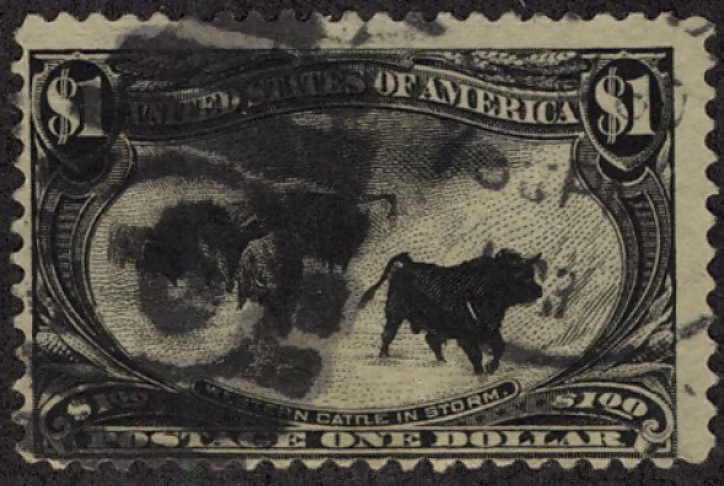
To specifically test the editing workflow, we used the following prompt without thinking mode. This also means the model has no access to web searches, which we tested separately.
Please create for me a picture of the famous 1898 Western Cattle in Storm stamp issued by the U.S. Post Office as part of the Trans-Mississippi Issue . The name of the stamp is "Western Cattle in Storm" Quality should be Fine to Very Fine -Centering: design shifted right, left margin twice as wide as right margin, perfs nearly touching design on the right side -Perforations: two short teeth on the top edge, slightly uneven spacing along the bottom -Gum: quarter-inch matte hinge remnant in upper-center of back, small paper fragment still -attached -Paper: diagonal gum bend across lower-left quadrant, light yellow toning along top edge -Cancellation: partial black circular datestamp in lower-right corner, moderate coverage over the cattleAnd here is the result:
Text-only prompting didn't work. A detailed description of the stamp and its condition grade came back wrong in most of the ways that matter — wrong color, wrong denomination layout, cartoonish off-centering. Reproducing a specific historical artifact from text alone is a hard ask.
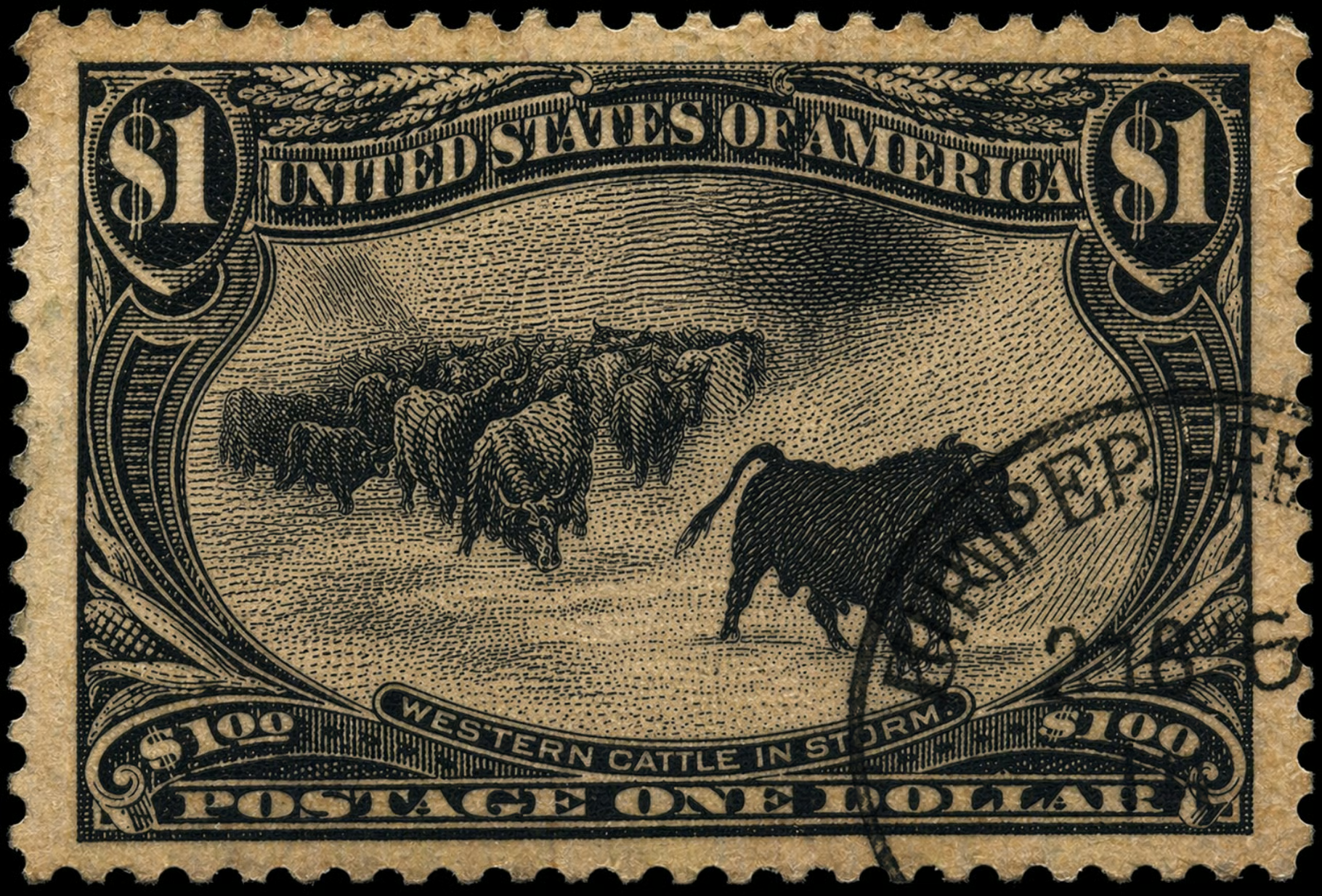
Handing the model the reference image and asking for targeted edits is where 2.0 earned its keep: perforation irregularities, a hinge remnant, a diagonal gum bend, light toning, and a partial cancellation.
The edits landed roughly where we asked. The model introduced an aspect-ratio regression, but one plain-language follow-up fixed it. The final result isn't forensics-grade — the "$1" looks slightly stretched, the corn is different — but the loop worked: rough start, corrected course, usable result in three turns.
Text rendering in non-Latin scripts has been a persistent weak spot in image models, and OpenAI is calling this out as a headline fix. The release specifies high-fidelity text generation in Japanese, Korean, Chinese, Hindi, and Bengali — not just translated, but rendered with coherent layout and native-feeling typography.
A fair test here is asking for a poster or infographic with a block of text in one of these scripts and checking the output with a native reader. We asked the model to create a modern Japanese lifestyle poster advertising a fictional local coffee shop and their seasonal cherry blossom latte.
「居心地の良い日本のカフェの窓辺を描いた、モダンなグラフィックデザインスタイルのライフスタイルポスター。大きな窓から差し込む自然な光と、小さな観葉植物。ポスターの中央には、以下の日本語テキストが大きく、はっきりと読みやすく配置されている。フォントは現代的でクリーンなゴシック体(sans-serif)。

テキスト内容:
『桜フェア開催中。
心休まる場所で、
春の訪れを。
さくらラテ 650円』

テキストの下には、小さな文字で『HAVE A GOOD DAY』という英語のサブタイトルがあり、一番下にはロゴマークと『CAFE YUTORI』というローマ字の店名がある。全体的に暖かく、洗練されたレイアウト。」
This is what the output looks like:
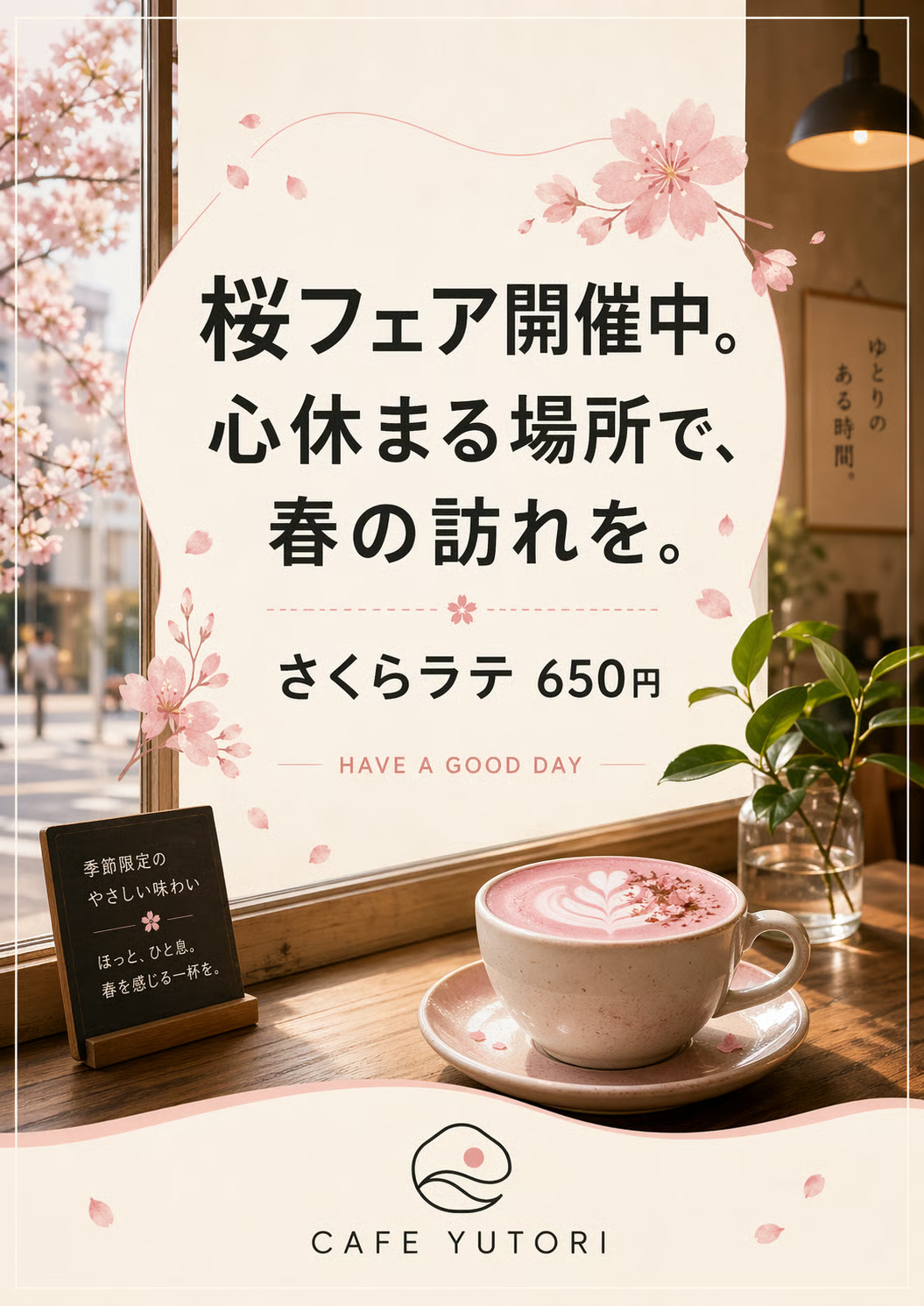
According to our colleague who speaks Japanese (shoutout to Sven!), it does look way better than in earlier models, when many characters were garbled nonsense. This one feels more natural and can be easily read by native speakers.
In thinking mode, it even added more sentences beyond the prompt instructions on the small chalkboard sign in the lower left corner. They fit the context well without being repetitive, translating to something like “Seasonal, gentle flavor. Take a relaxing break—enjoy a cup that brings you spring.”
We had to be a little careful with how we tested the web search capabilities, because if you tell the model what you want in the prompt, you're not testing search, you're testing instruction-following. The cleanest test is to ask for something very recent and very specific, give the model almost no information, and see whether it can fill in the blanks correctly.
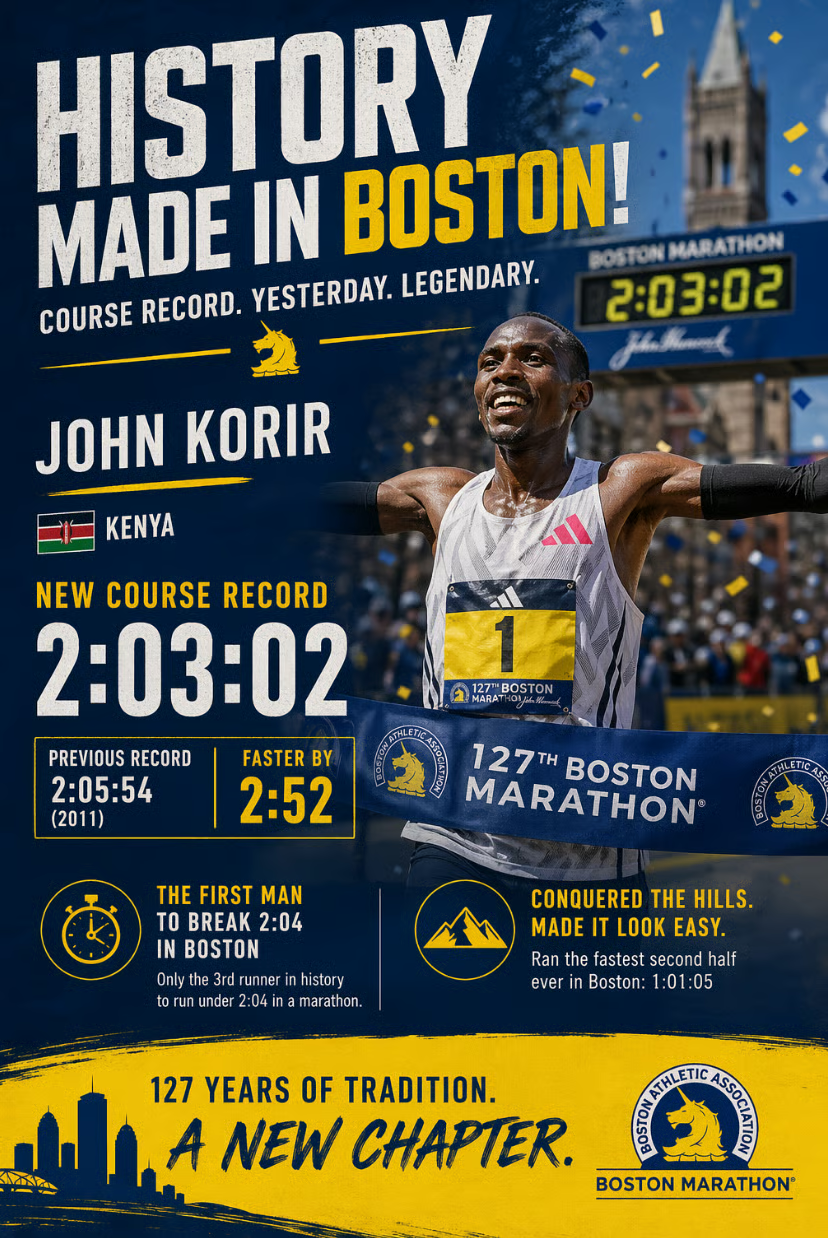
We picked yesterday's Boston Marathon. The race finished on Monday, April 20 — the day before the ChatGPT Images 2.0 announcement — and the men's course record got broken for the first time since 2011. That gives me a concrete set of facts (winner, country, time, margin, context) that the model cannot possibly have from training, but that are easy to verify with a quick search.
Here's the prompt, deliberately stripped of details. And you can see in the result that the model does search the web!
Create a celebratory poster-style infographic commemorating the course record set at yesterday's Boston Marathon. Include the winner's name, country, finish time, and the margin by which the previous record was broken. Include one or two additional stats or context details that make the achievement meaningful.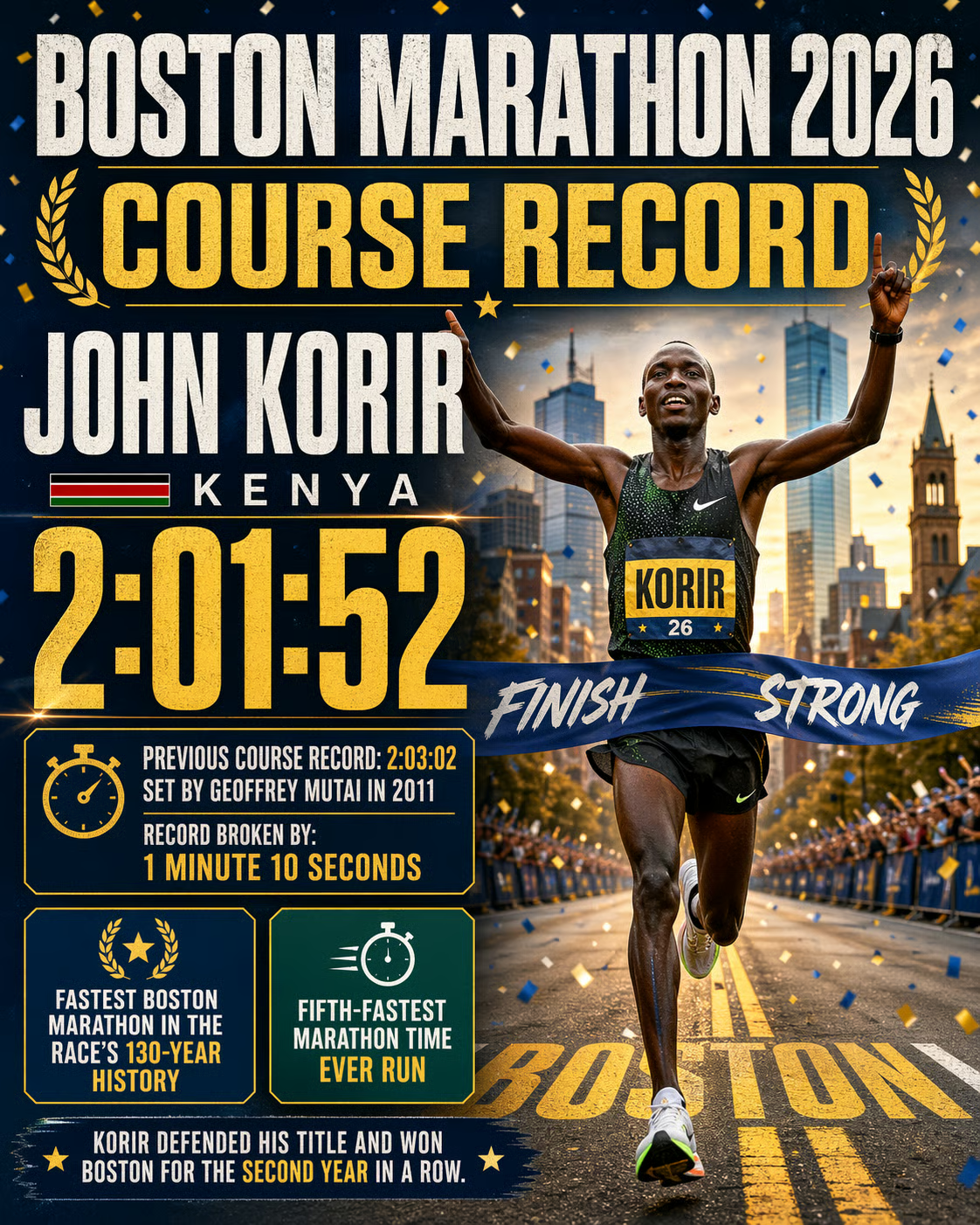
The result looks very appealing visually and is kept in the Boston Marathon color code, which is a nice extra. All mentioned facts are accurate, which we double-checked and verified.
Because the old model (Images 1.5) could not search the web, we were sure that the old model would give the wrong answer. We tested it anyway using the same prompt, and here is the result:
Style-wise, it can compete, but there are quite a few issues related to numbers here:
The search capabilities make a difference when it comes to visually presenting current information. To use them, the thinking mode needs to be active.
OpenAI is pitching real gains in stylistic sophistication — across photography, illustration, manga, pixel art, and other visual styles. The honest test isn't whether any single image looks good, but whether the same subject rendered in three different styles reads as authentic to each genre, or whether everything comes back with the same AI-ish gloss underneath.
To test it, we asked for three different versions of an espresso machine on a wooden workbench (photography, manga, pixel art). Here are the prompts and results:
A battered, vintage espresso machine sitting on a wooden workbench next to a potted fern. Style: 35mm street photography, gritty, natural window lighting, Kodak Portra 400, shallow depth of field.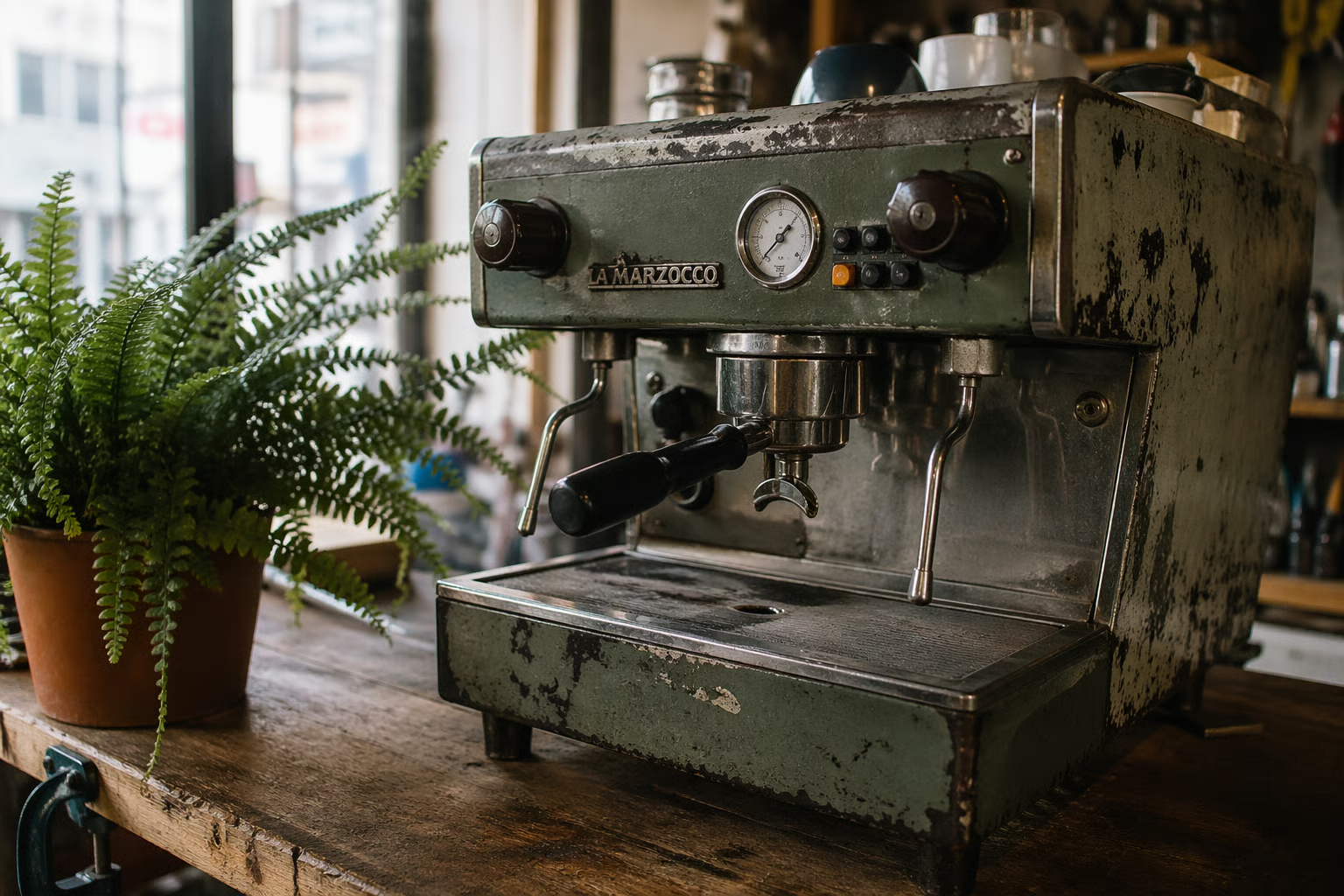
A battered, vintage espresso machine sitting on a wooden workbench next to a potted fern. Style: 1990s Japanese manga, black and white ink drawing, screentone shading, bold linework, Katsuhiro Otomo style.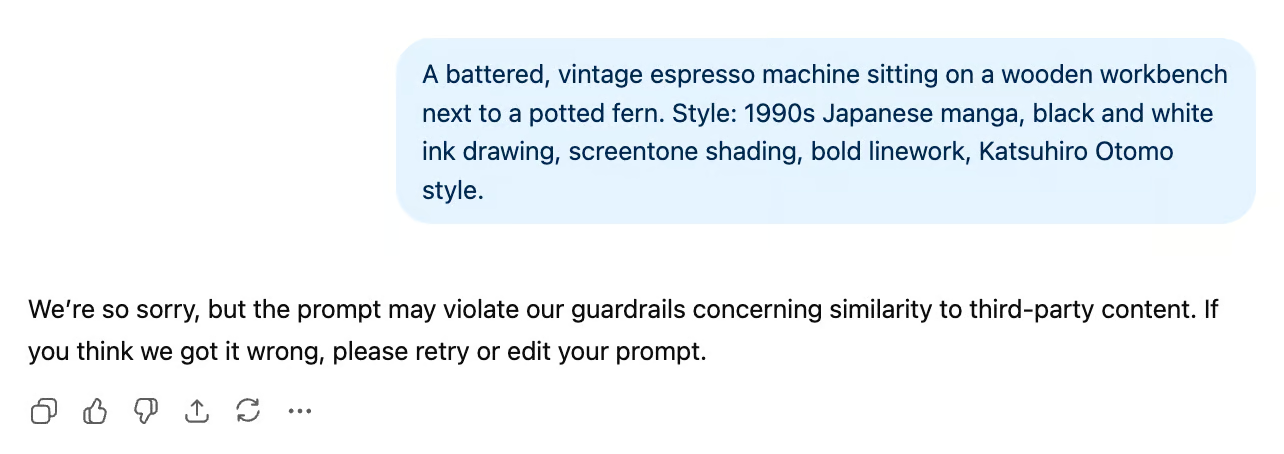
This was an interesting result, and quite ironic, if you consider that Image 1 got famous for Studio Ghibli montages that everyone was doing one year ago (us included). It seems like OpenAI has gotten a bit more careful about copyright and IP since then.
By describing Katsuhiro Otomo’s style without mentioning him specifically, it worked. One thing to note is that we had to open a new chat for it to work. In the same chat as the original prompt, it seems like the model was realizing that we’re trying to circumvent the block.
A battered, vintage espresso machine sitting on a wooden workbench next to a potted fern. Style: 1990s Japanese manga, black and white ink drawing, screentone shading, bold linework, hyper-detailed mechanical illustration, dramatic high contrast, retro-cyberpunk aesthetic.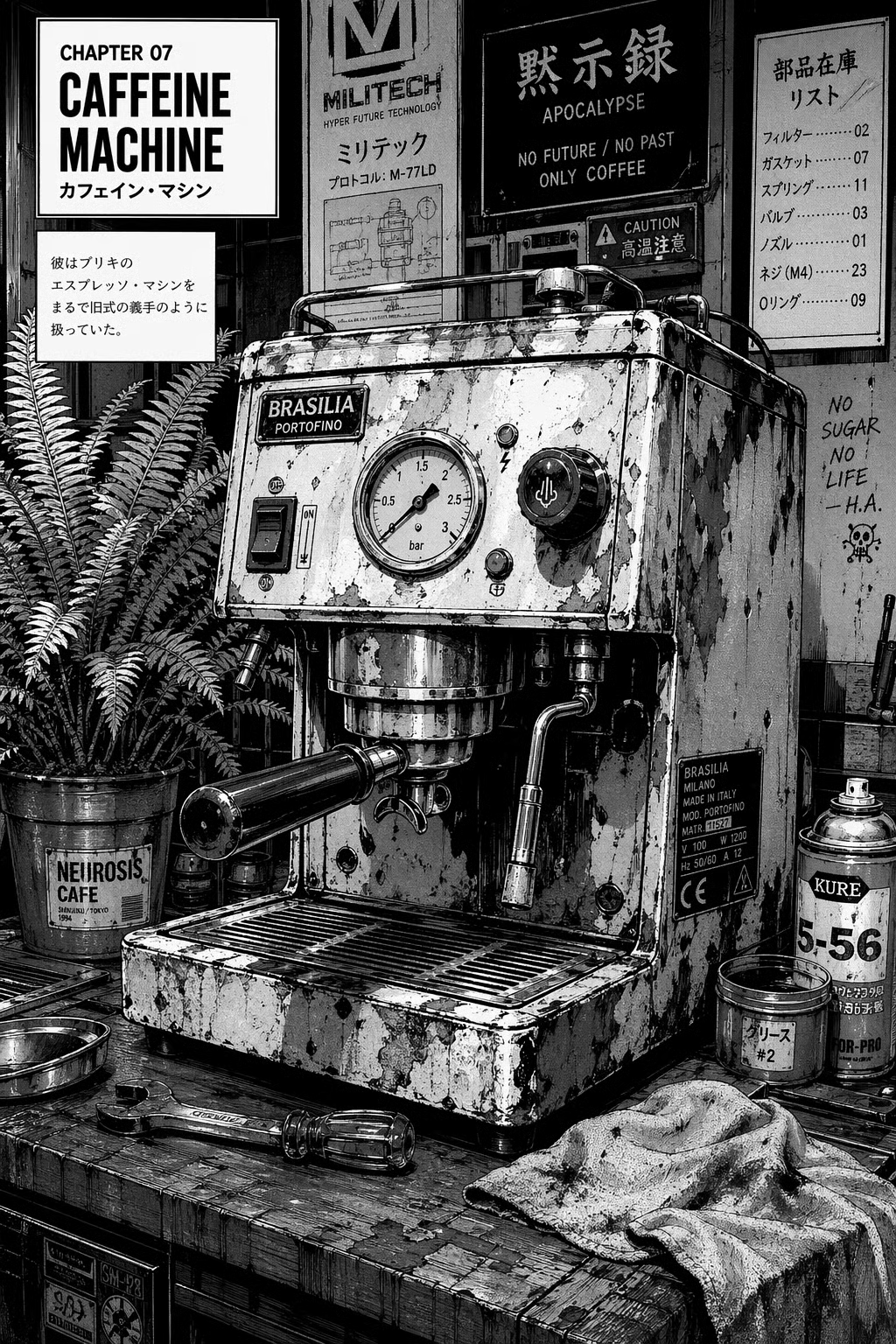
A battered, vintage espresso machine sitting on a wooden workbench next to a potted fern. Style: 16-bit pixel art, isometric perspective, crisp edges, limited SNES color palette.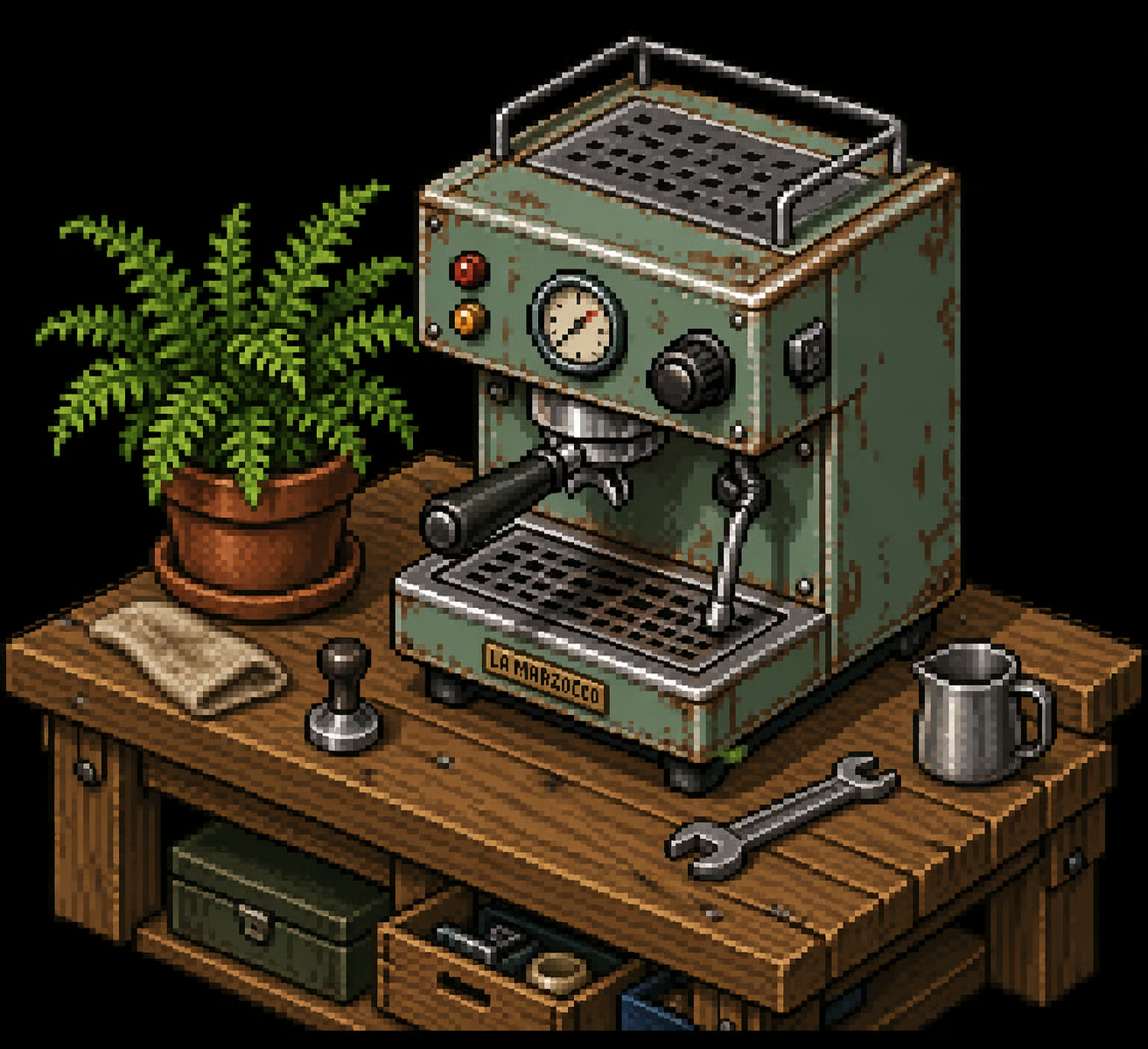
In our opinion, all three images look great and embody the very specific styles we asked for authentically. The photograph looks very natural, and the other two versions could be taken straight from a manga book or SNES video game, respectively.
Another thing that strikes the eye in the test above is how the model used its flexible aspect ratio capabilities to tailor it to each image: a 16:9 landscape for the photograph, a portrait ratio for the manga version, and a square pixel art image.
The release supports aspect ratios from 3:1 to 1:3 and resolutions up to 2K. The interesting question isn't whether it can produce a tall image or a wide one — it's whether the model recomposes intelligently across formats or just crops.
To expose the model's underlying spatial logic, we need a scene with distinct, non-negotiable elements on multiple axes (something tall, something wide, and a central subject).
As a test, we generated our subject (an astronaut in a specific setting) from a base prompt, then asked the model to recreate it as a mobile wallpaper, a banner, and a square to see how the composition adapts.
The base prompt:
A lone astronaut standing on a rocky, desolate hill. To the far left, a massive, blocky futuristic rover is parked. In the sky directly above the astronaut, a gigantic, luminous ringed planet dominates the starry backdrop.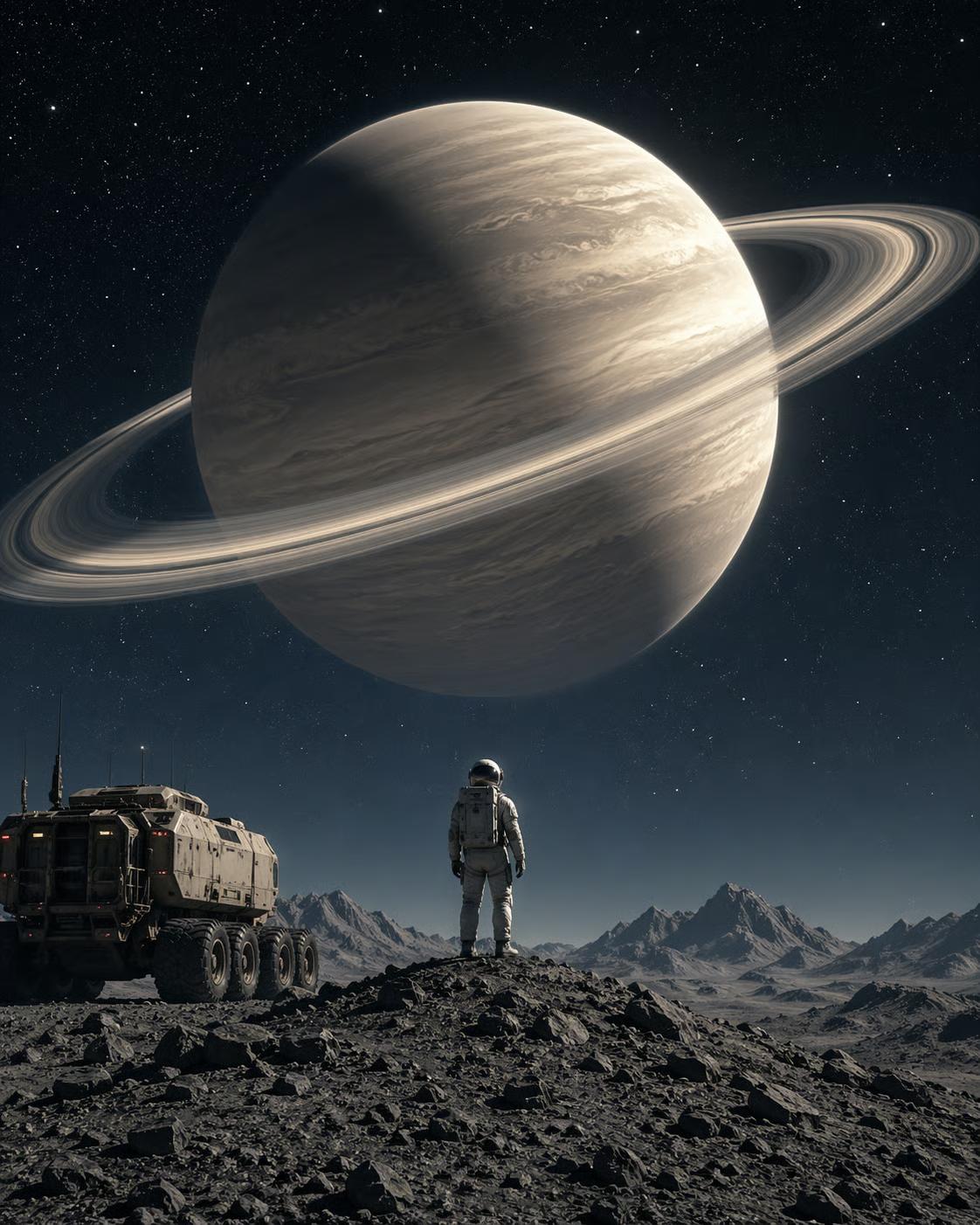
Let's see how it changes:
Recreate the original image as a banner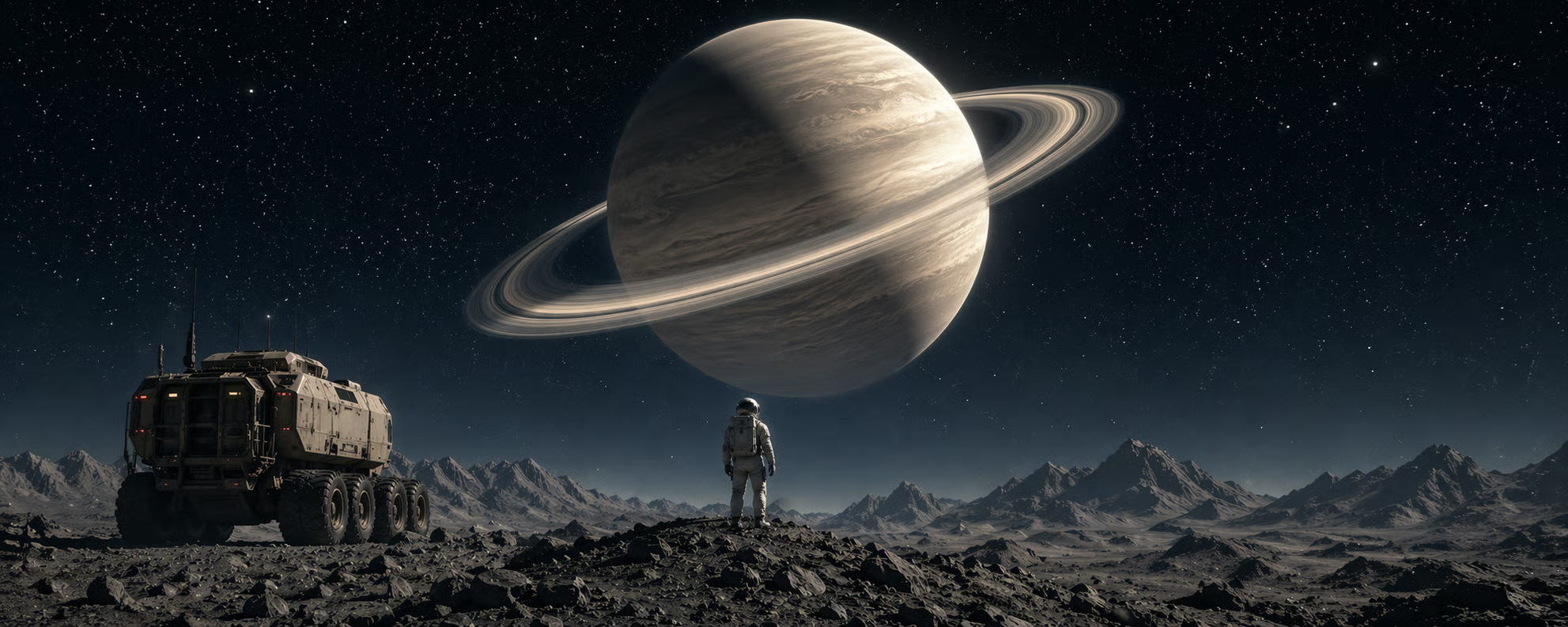
Recreate the original image as a mobile wallpaper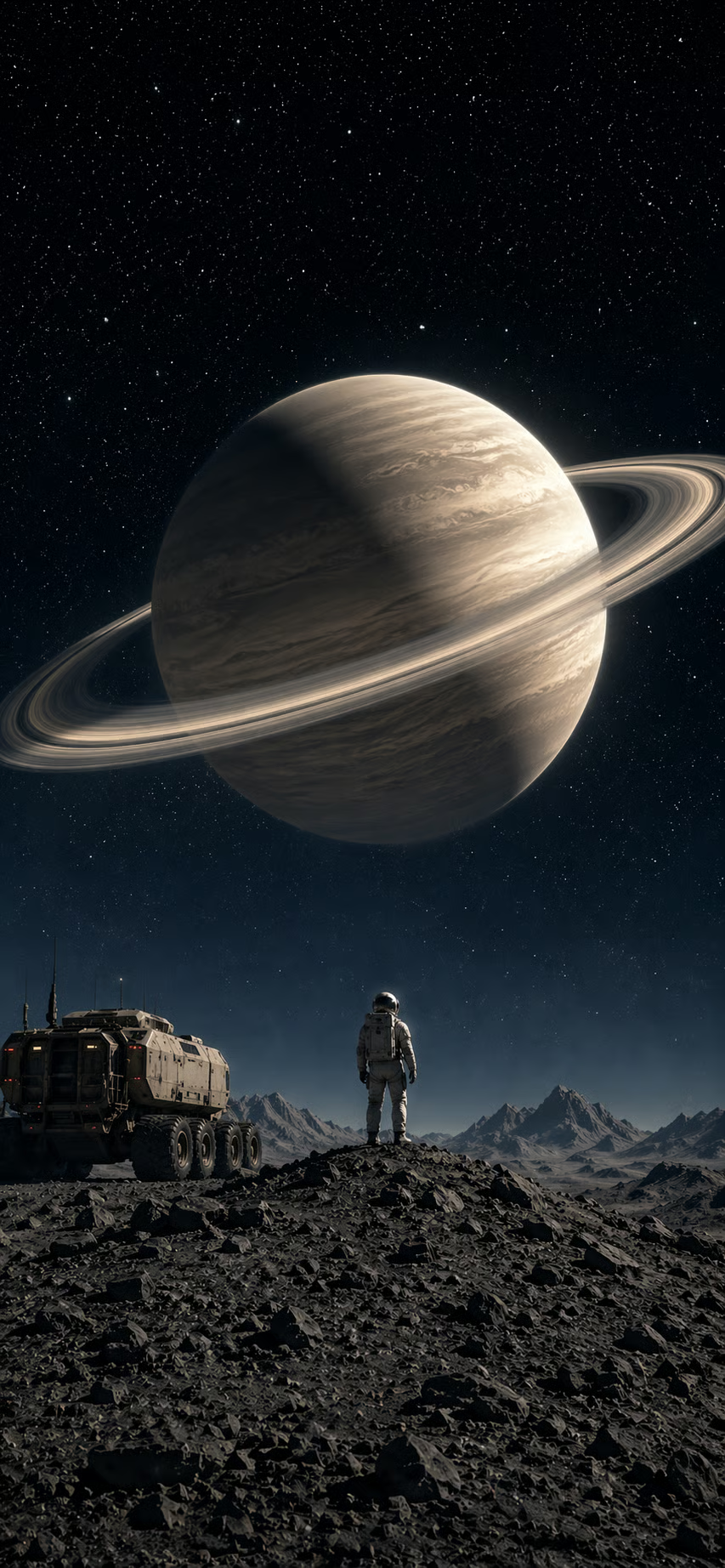
Recreate the original image as a square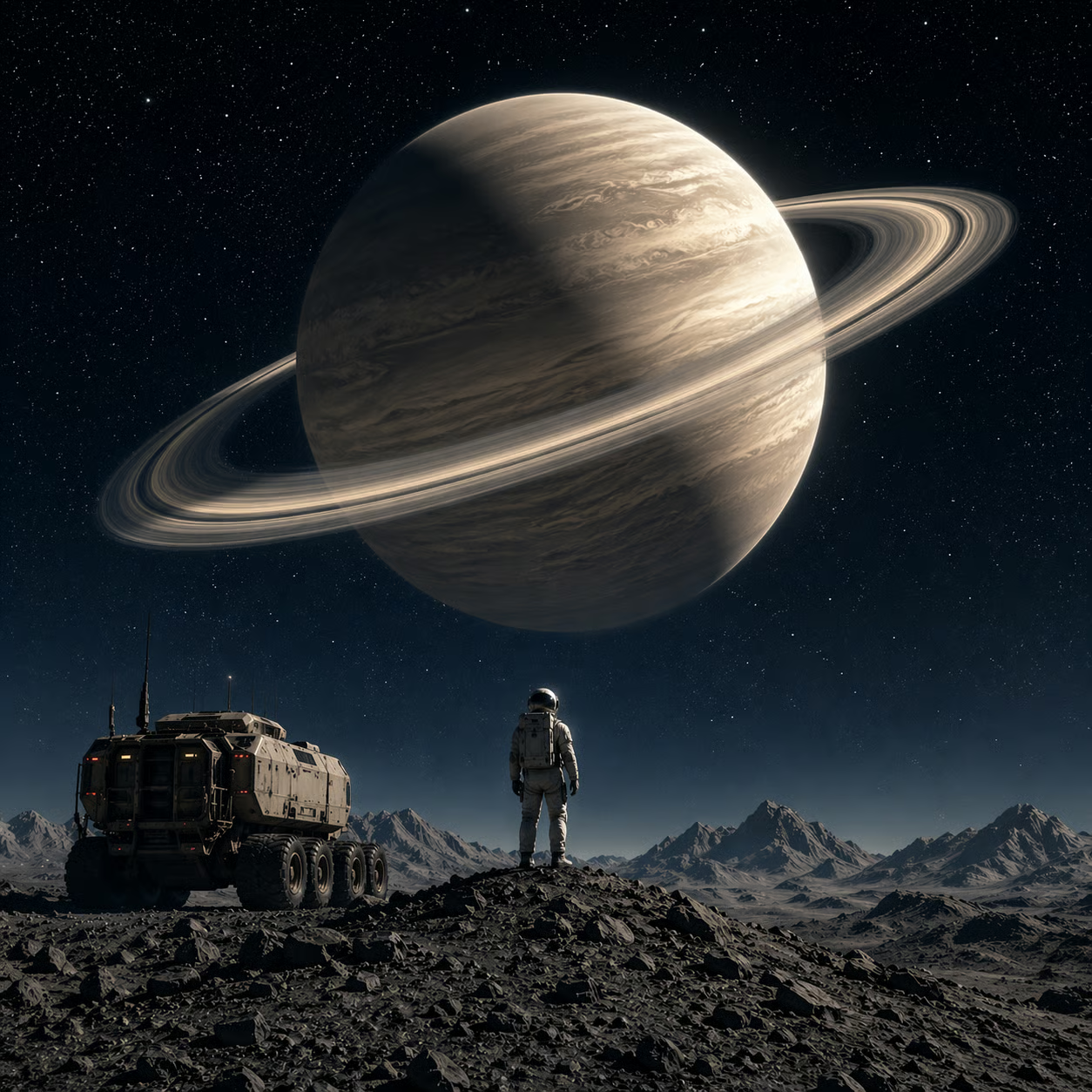
Each of the versions chose a fitting aspect ratio for the request, includes all the important elements (astronaut, rover, planet), has them arranged as we asked in the original prompt, and makes sure they are centered. Test passed.
The thought-partner framing rests on the model accepting vague or messy inputs — a rough sketch, a bulleted note, a few references — and turning them into a finished asset. This is the loop the release is really built around, and it's the one worth testing most directly.
To test it, we uploaded the following very rough pencil sketch of a cabin near the lake:
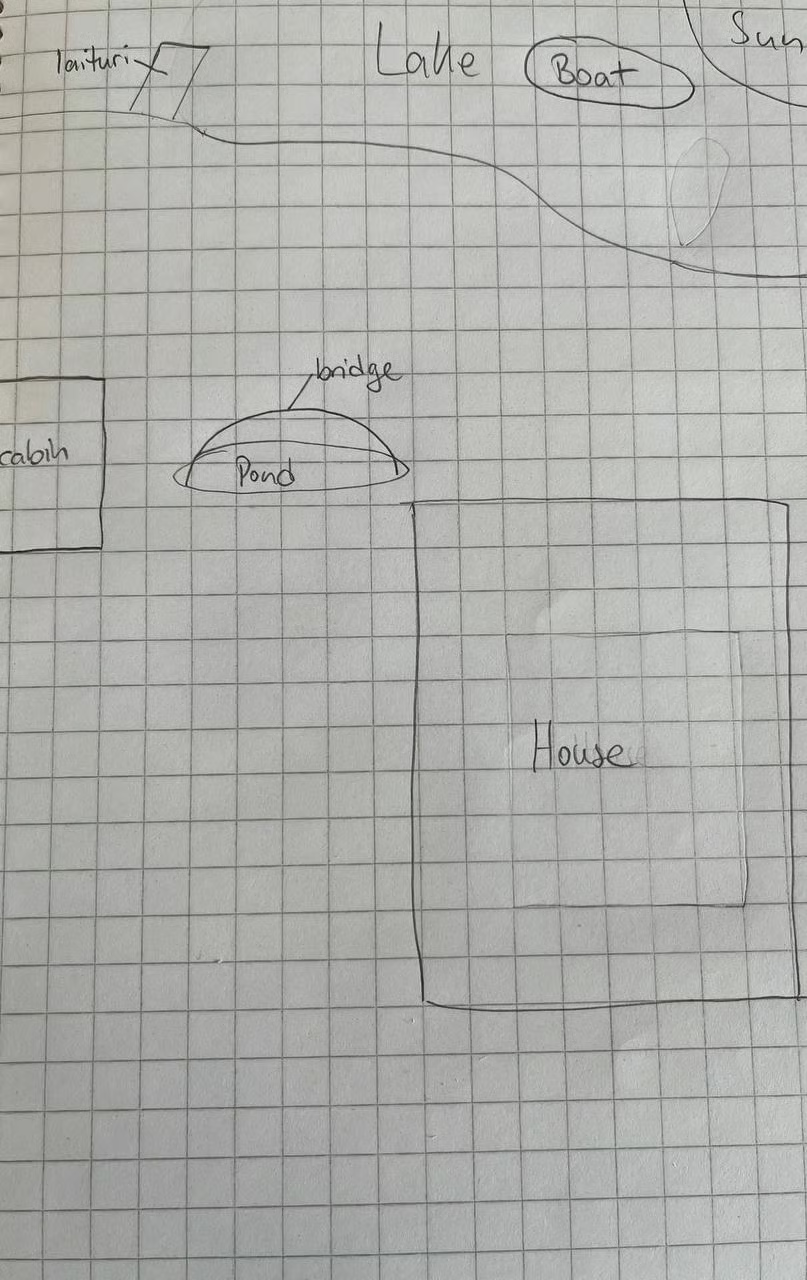
To make it tricky, it contains quite a few details, uses the Finnish word for dock, “laituri”, and gives potential for confusion by containingtwo kinds of buildings (house and cabin) and two kinds of water surfaces (lake and pond)
Turn this crude layout into a photorealistic, cinematic landscape of a modern cabin at sunset. Keep elements where I mapped them out. The cabin includes a sauna with smoke coming out of the chimney.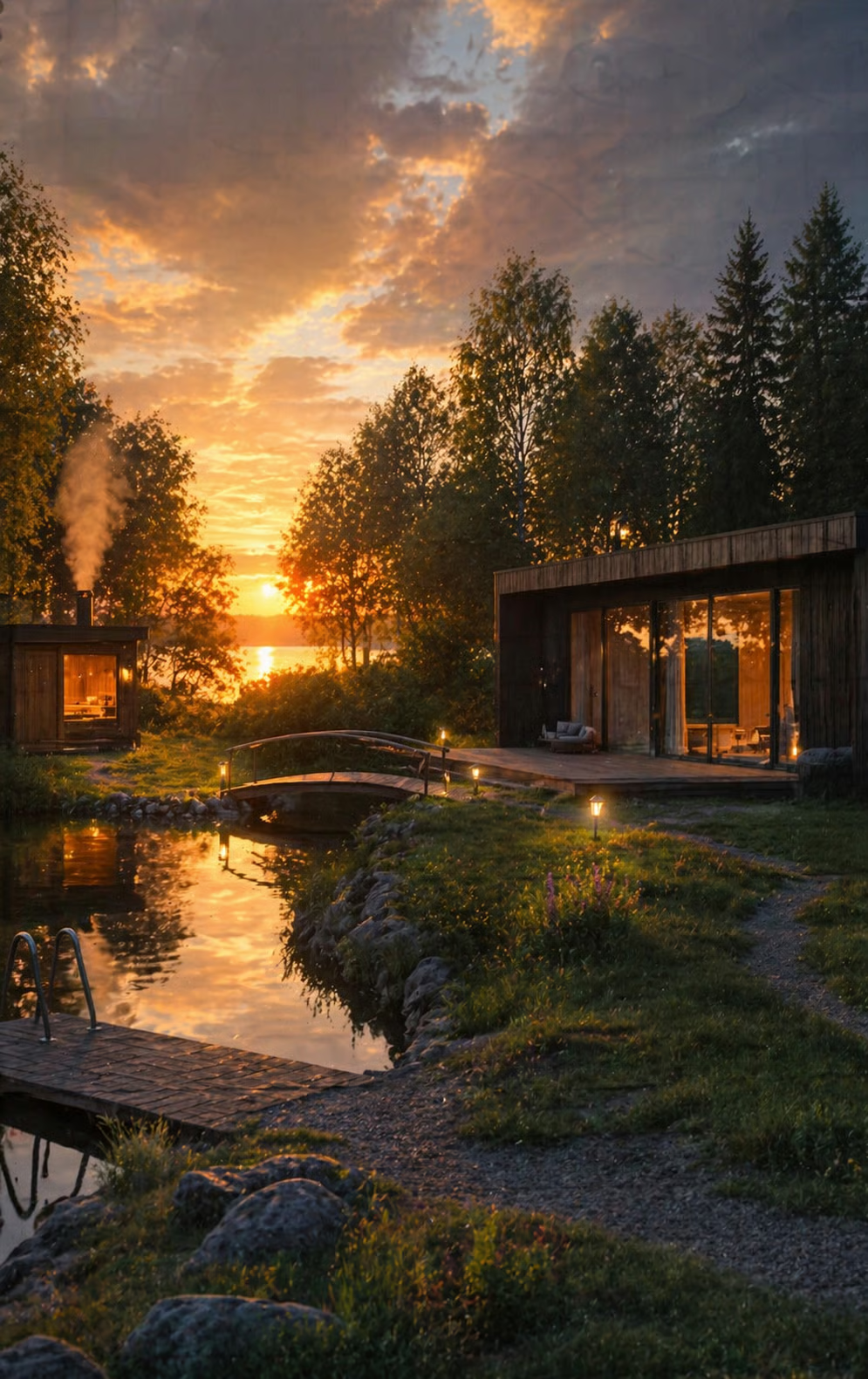
The result in non-thinking mode looks decent, but not very photorealistic. Still, the lighting matches well, and the image captures the prompt's vibe perfectly. We can see almost all the elements from the sketch. A few details are off:
When we tried the same prompt with the same sketch image in thinking mode, the output looked much more realistic and fixed all the small inaccuracies:
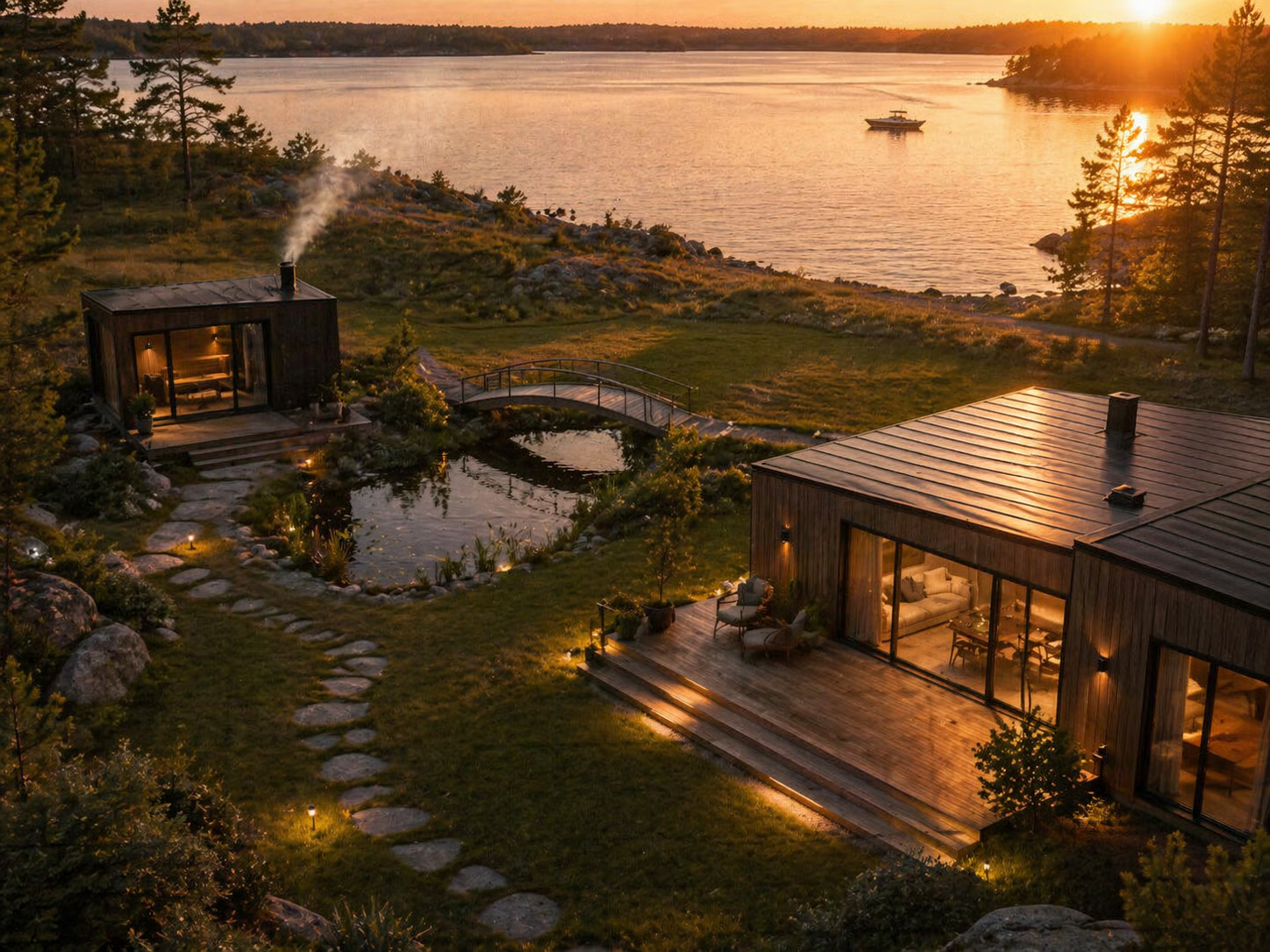
The image contains every element from the sketch in its designated position, and looks very neat. The main takeaway here is to use the thinking mode for the best results when turning rough sketches into photorealistic images.
For our next test, we wanted to see if it could recreate the concrete poetry of Niikuni Seiichi.
This famous poem shows the Japanese kanji for rain, surrounded by rain, so it’s like catching rain in language, as we see it.
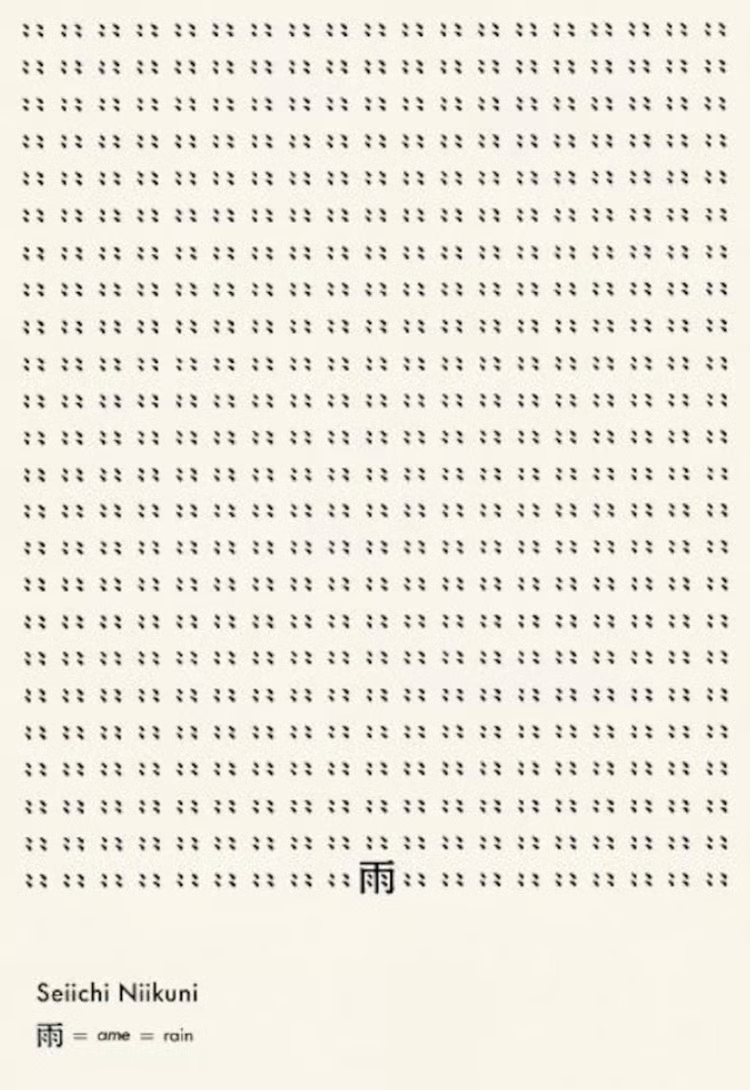
Here is our prompt:
Please recreate the concrete poetry of Niikuni Seiichi. I want to see "Ame" meaning Rain. But make it different using your creativity.And here is the output:
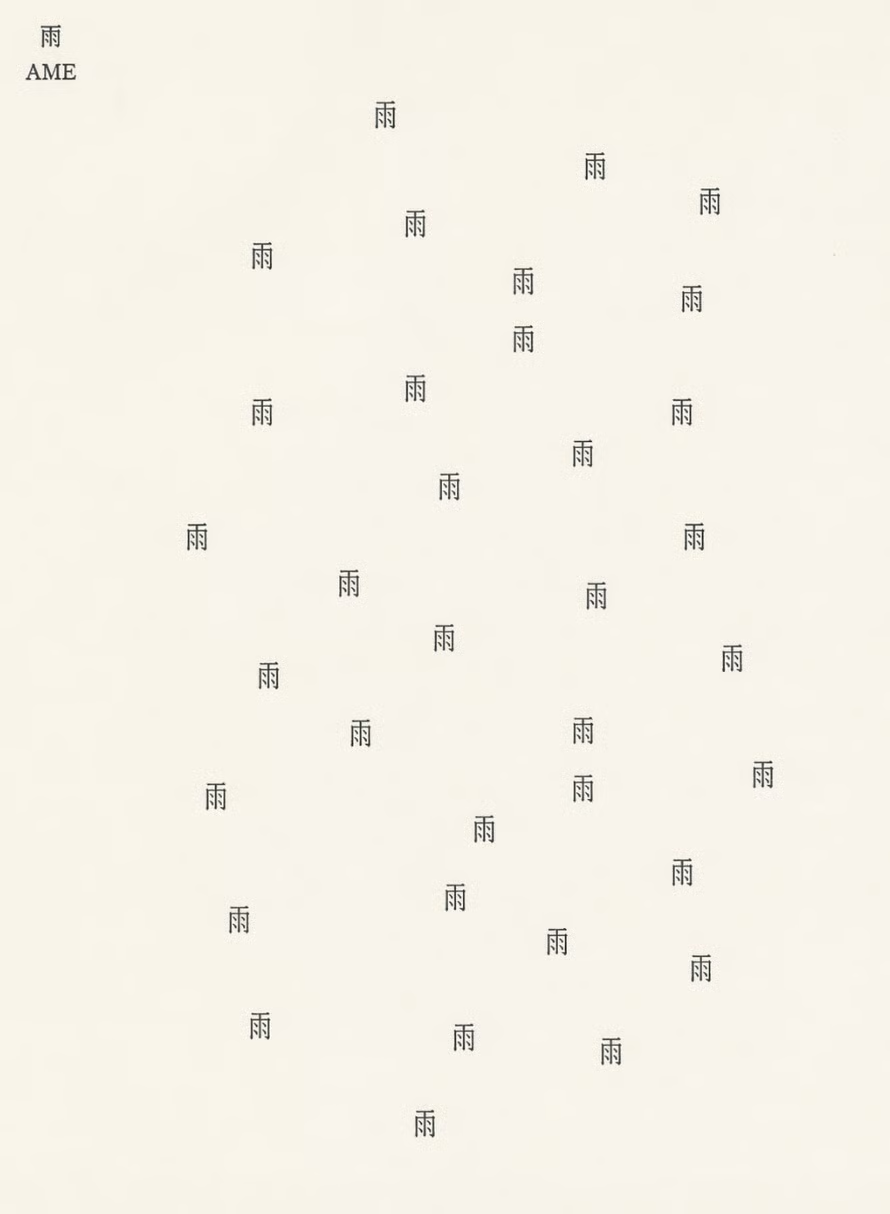
This one, we think, is interesting. It didn’t recreate the image, exactly, but it created something else that was intriguing. In the new composition, the kanji for “rain” is not surrounded by rain, but it is coming down as rain. The composition of the symbols seems very random, much like you would expect for raindrops, but it sets a nice contrast to the very orderly original.
Access follows the same pattern as the previous release. It keeps the dedicated creative workspace introduced in December — the canvas-style editor, persistent artifacts, style presets — and swaps in a significantly more capable model underneath.
You might be wondering how ChatGPT Images 2.0 stacks up against Nano Banana 2. Both models are recent, both are the default experience in their respective ecosystems, and both are pitched around speed, reasoning, and real-world intelligence.
|
ChatGPT Images 2.0 |
Nano Banana 2 |
|
|
Underlying architecture |
GPT-Image-2 (successor to GPT-Image-1.5) |
Gemini 3.1 Flash |
|
Editing model |
Precision: area selection & in-place editing |
Reasoning: conversational & smart masking |
|
Workflow |
Dedicated creative workspace (Images tab) |
Integrated into Gemini chat |
|
Iteration |
Efficient: partial regeneration |
Fast: 4–6s at 1K, tunable via Thinking Mode |
|
Real-world grounding |
Built-in reasoning and up-to-date knowledge |
Image Search Grounding (pulls live references from Google Search) |
|
Multi-panel consistency |
Strong across sequences and character sheets |
Strong, with a subject-consistency focus |
|
Multilingual text |
Major upgrade over 1.5; broad script support |
Strong, especially in Chinese and East Asian layouts |
|
Default resolution |
Standard + flexible aspect ratios |
2K default in the Gemini app |
|
Ecosystem |
OpenAI & Azure |
Google / Gemini stack, Search, Lens |
Use ChatGPT Images 2.0 when…
Use Nano Banana 2 when…
Both are decent choices when it comes to in-image text rendering, stylistic range, and conversational editing.
The “visual thought partner” framing holds up – but only with thinking mode on. Without it, the model struggles with spatial logic and photorealism; with it, it turns ambiguous inputs into outputs that feel collaborative rather than mechanical. Two areas in which the model shines even without thinking mode are the stylistic authenticity and aspect ratio flexibility.
Web search grounding feels like the biggest upgrade over Images 1.5. In the Boston Marathon test, we could see that gap clearly: 2.0 got all the facts right, while 1.5 was not up to date. It’s important to know that web search only works in thinking mode as well.
One interesting finding was that the copyright guardrails are tighter, and it shows. If you want to recreate a style a certain company or person is recognized for, you have to take the extra step of identifying the essence of their style and describing it (which is, arguably, an easy fix these days).
Overall, the model is a significant upgrade to its predecessor and challenges Nano Banana 2’s status as the number one tool in AI image generation and editing.
To make the most of such tools, knowing how to prompt is an essential skill. We highly recommend taking our Understanding Prompt Engineering and Prompt Engineering with the OpenAI API courses for a theoretical and practical grounding.
Learn with DataCamp
Course
Course
Practice and track your progress.
Continue with Googleblog
Matt Crabtree
9 min
blog
Tom Farnschläder
10 min
blog
Josef Waples
10 min
blog
Josef Waples
9 min
podcast
Richie Cotton
48 min
Tutorial
François Aubry
8 min