Kurs
Claude Code 101
3 Std.
27.6K
Bis vor Kurzem konntest du persönliche KI-Agenten nur nutzen, wenn du vor dem Computer saßt. Das hat sich mit dem Aufkommen persönlicher KI-Assistenten, mit denen du in deinen Lieblings-Messenger-Apps chatten kannst, schnell geändert. Diese Agenten arbeiten dann eigenständig am Computer weiter und erledigen Aufgaben wie E‑Mails lesen oder Webanwendungen erstellen.
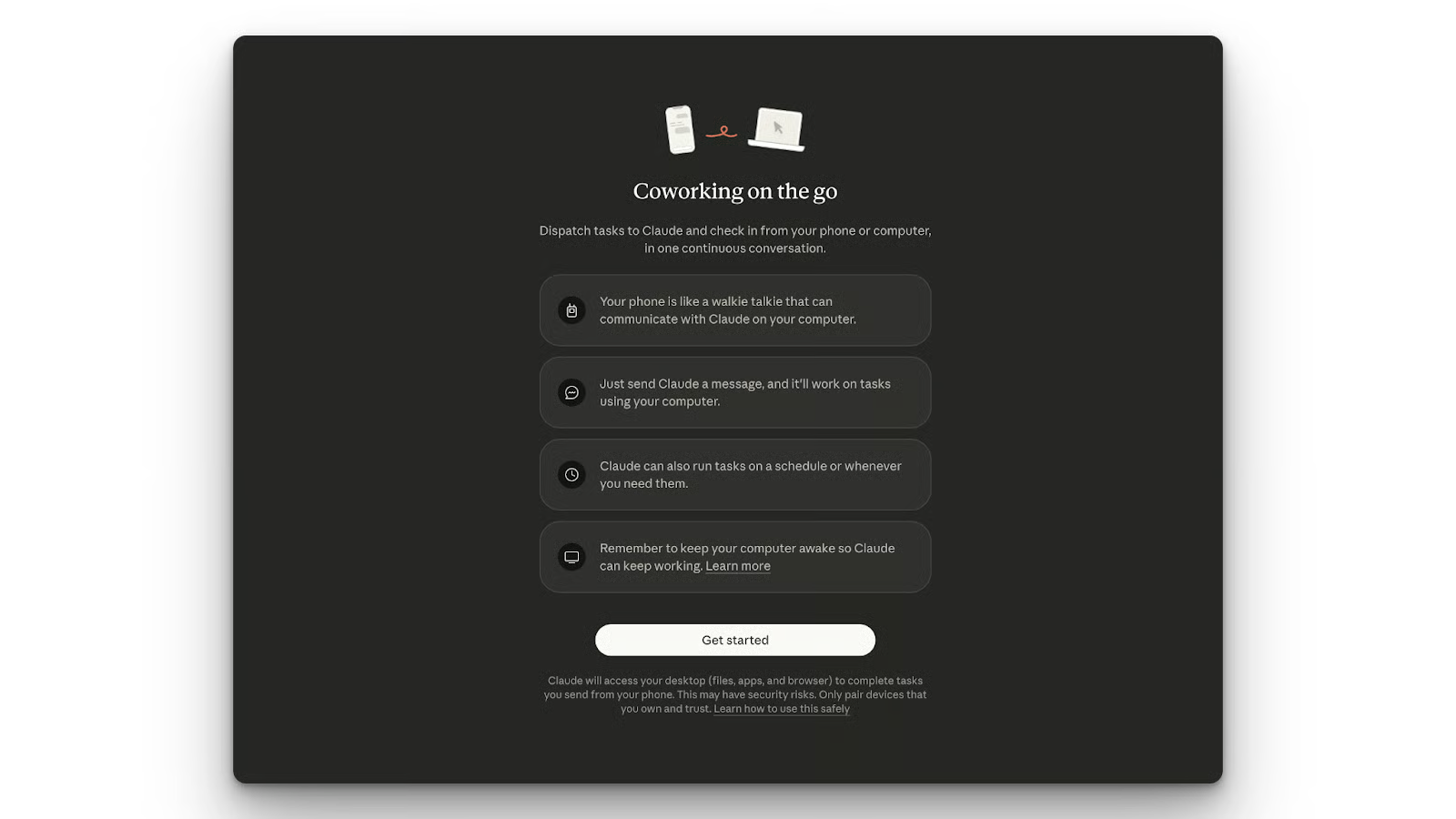
Mit Claude Cowork kannst du die agentischen Fähigkeiten von Claude auf deinem Desktop nutzen. Bisher musstest du dafür am Rechner sein – mit dem jüngsten Update von Anthropic geht das jetzt auch unterwegs auf dem Smartphone. Das Feature heißt Claude Cowork Dispatch.
Ich habe es seit der Ankündigung ausprobiert und teile in diesem Artikel meine Erkenntnisse: von der Einrichtung über Use Cases bis zum Vergleich mit anderen Agenten wie OpenClaw. Außerdem empfehle ich unsere Guides zu weiteren Remote-Funktionen von Claude, darunter Claude Code Channels und Claude Code Remote Control.
Claude Cowork Dispatch ist das neueste Update von Anthropic für Claude Cowork, das die Nutzung auf dem Smartphone ermöglicht.
Du kannst Aufgaben vom Handy aus absetzen, und der lokale Desktop-Agent greift sie auf und erledigt sie. Claude läuft auf deinem Computer und benachrichtigt dich, sobald das Ergebnis fertig ist. Möglich ist das, weil der Agent Zugriff auf deine lokalen Dateien, Connectoren und Plugins hat.
Claude Cowork Dispatch wird von einem dynamischen Multimodell-Netzwerk angetrieben. Es nutzt Claude Opus 4.8 für komplexes autonomes Reasoning, Claude Sonnet 5 für schnelle Alltagsaufgaben und Claude Fable 5 als Upgrade für anspruchsvollste Workloads.
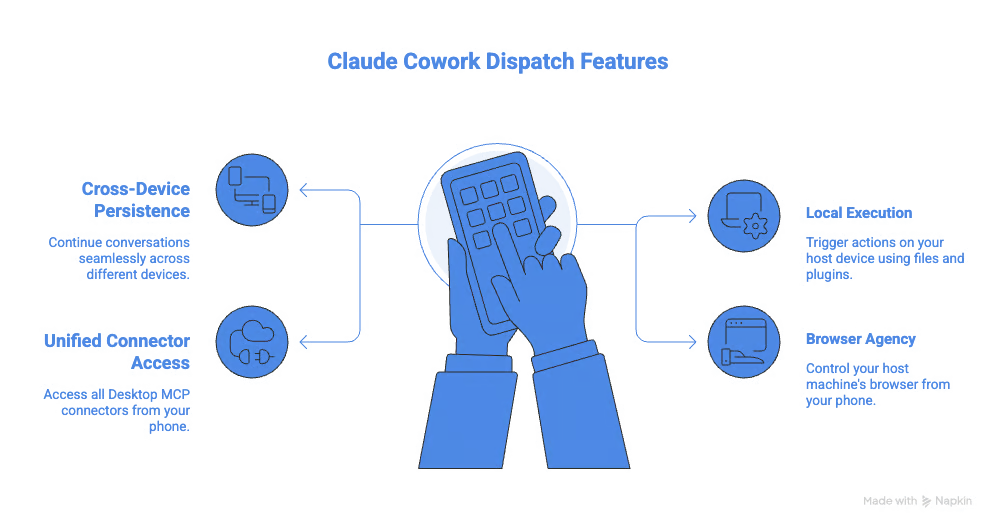
Schauen wir uns die zentralen Features und Fähigkeiten von Claude Cowork Dispatch an.
Besonders hilfreich fand ich die geräteübergreifende Persistenz.
Du kannst Claude vom Handy aus schreiben und das Gespräch später am Desktop fortsetzen. Möglich macht das ein durchgängiger, persistenter Thread, der den Kontext früherer Aufgaben beibehält.
Als Nächstes die lokale Ausführung: Deine Nachricht vom Handy stößt Aktionen auf dem Host-Gerät an. Claude erledigt Aufgaben mit deinen vorhandenen Dateien, Connectoren und Plugins. Ist er fertig, sendet er dir das Ergebnis – zum Beispiel eine Tabellenkalkulation.
Außerdem bietet Claude Cowork Dispatch einen einheitlichen Zugriff auf Connectoren. Es übernimmt alle Desktop-MCP-Connectoren – inklusive lokaler Dateien, Notion, Slack und Google Drive, sofern verbunden. Alles, was in der Desktop-App möglich ist, lässt sich jetzt auch vom Handy aus anstoßen.
Und schließlich die Browser-Steuerung: Auch vom Handy aus hast du volle Kontrolle über die Host-Maschine. Zum Beispiel kann Claude auf dein Gmail zugreifen und Antwortentwürfe erstellen, die du prüfen kannst.
So richtest du Claude Cowork Dispatch ein.
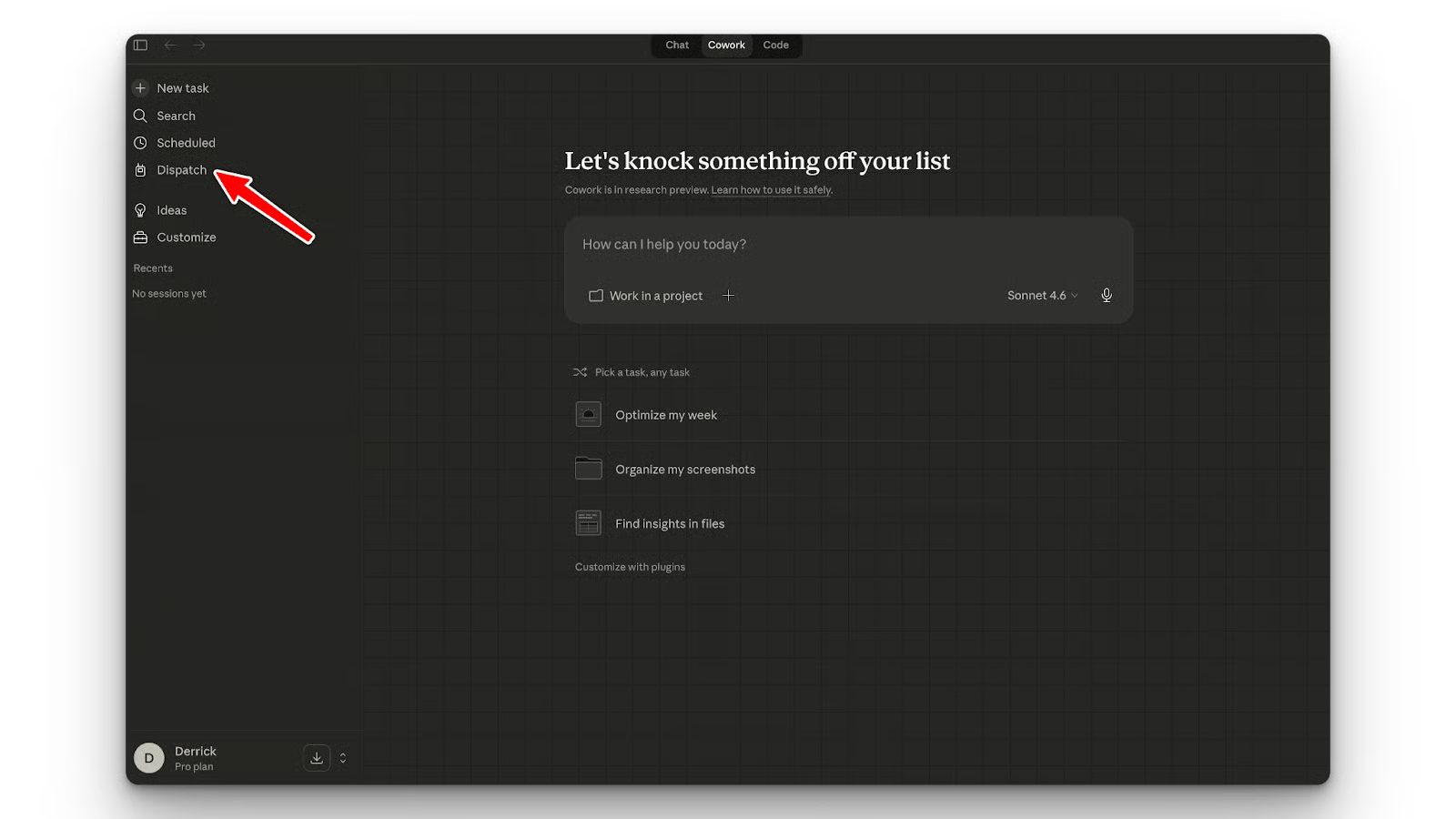
Für Claude Cowork Dispatch brauchst du die neueste Version von Claude Desktop. In der linken Seitenleiste siehst du den Tab Dispatch. Klicke darauf, um zu starten. Scanne den QR‑Code, um die Kopplung zu beginnen. Stelle sicher, dass die Claude-App auf deinem Handy installiert ist.
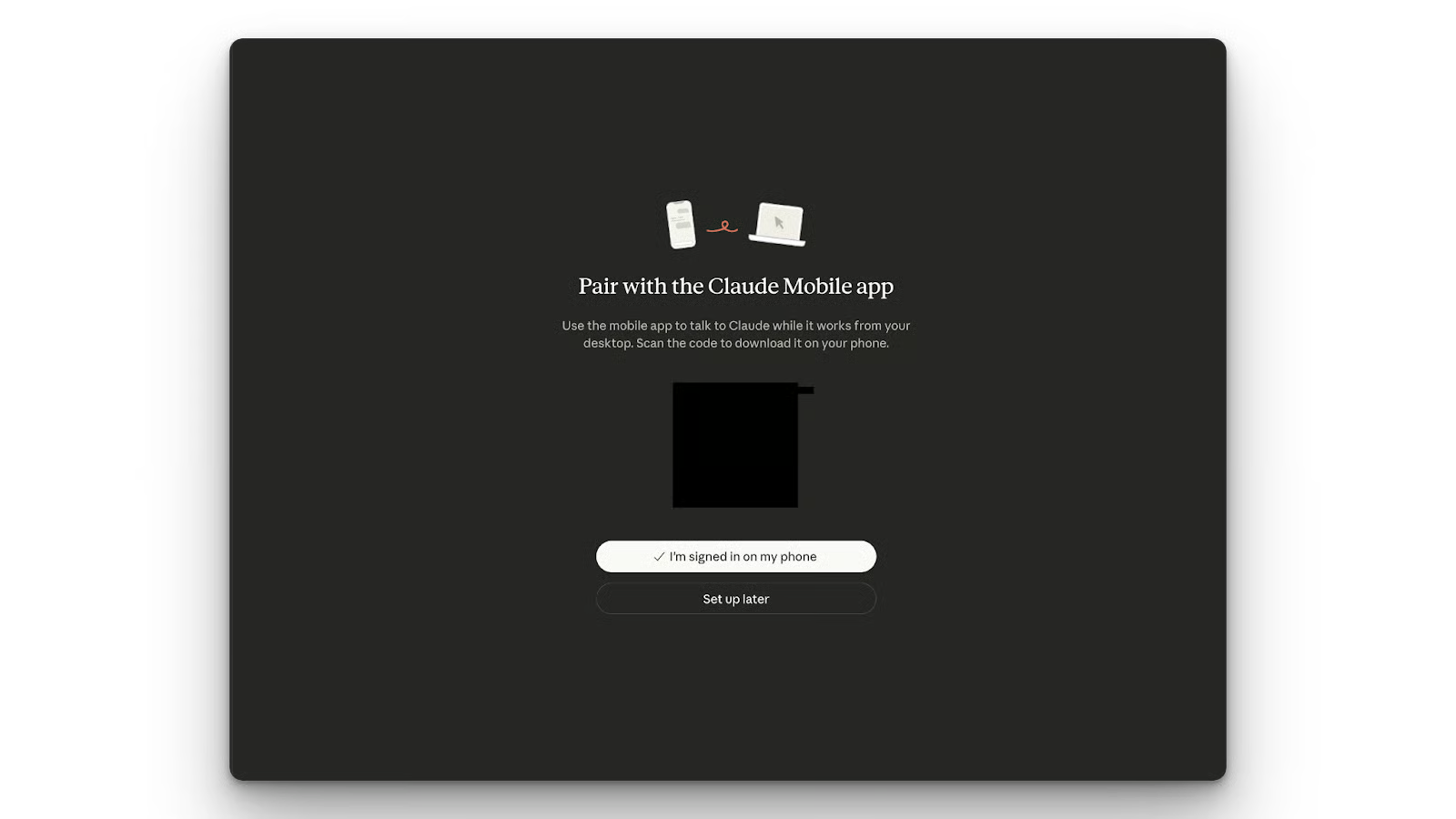
Aktiviere anschließend die Option, den Desktop wach zu halten, damit der Host-Rechner während Remote-Aufgaben nicht in den Schlafmodus geht.
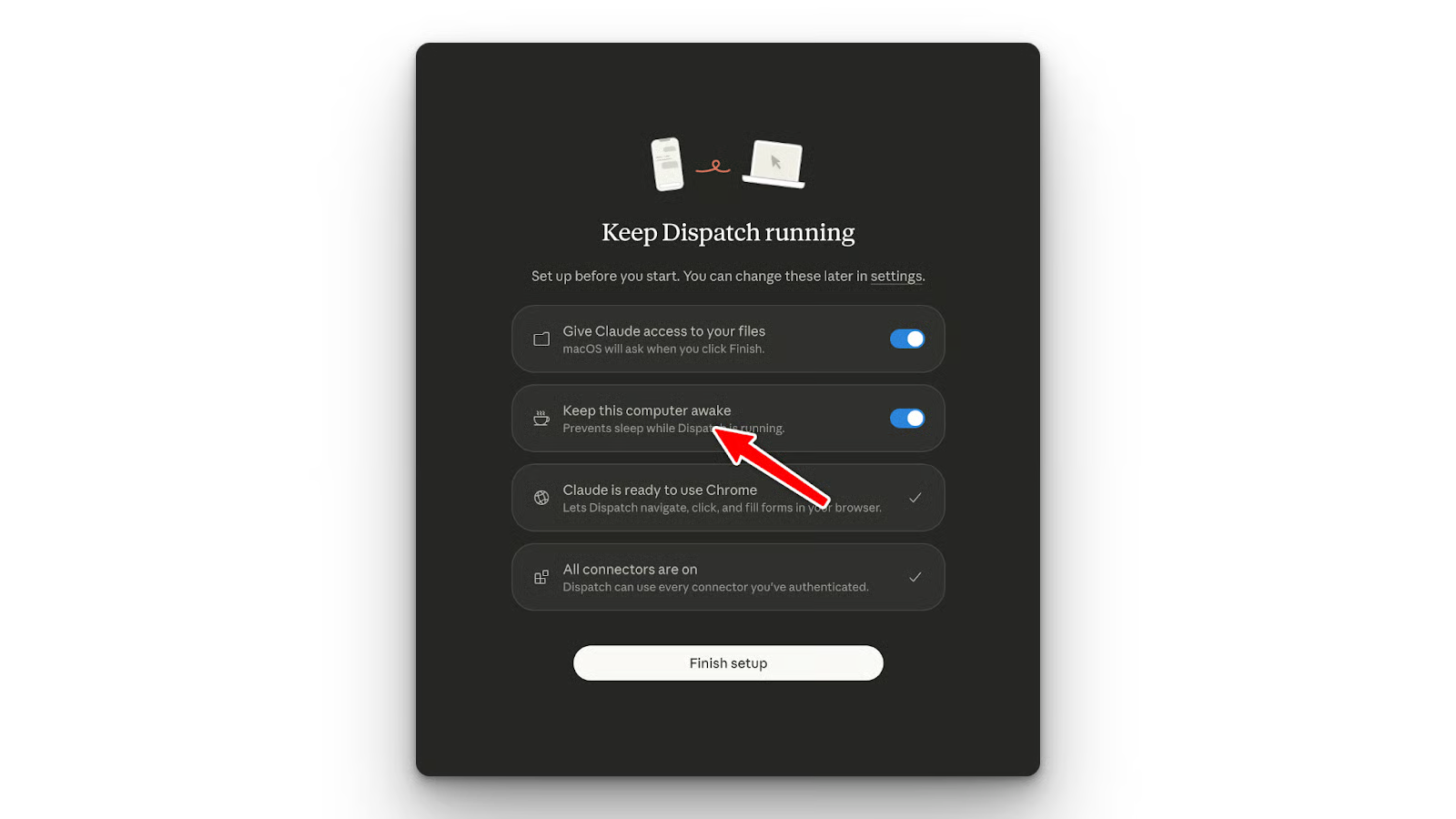
Erteile außerdem die nötigen Berechtigungen, zum Beispiel für den Zugriff auf lokale Verzeichnisse.
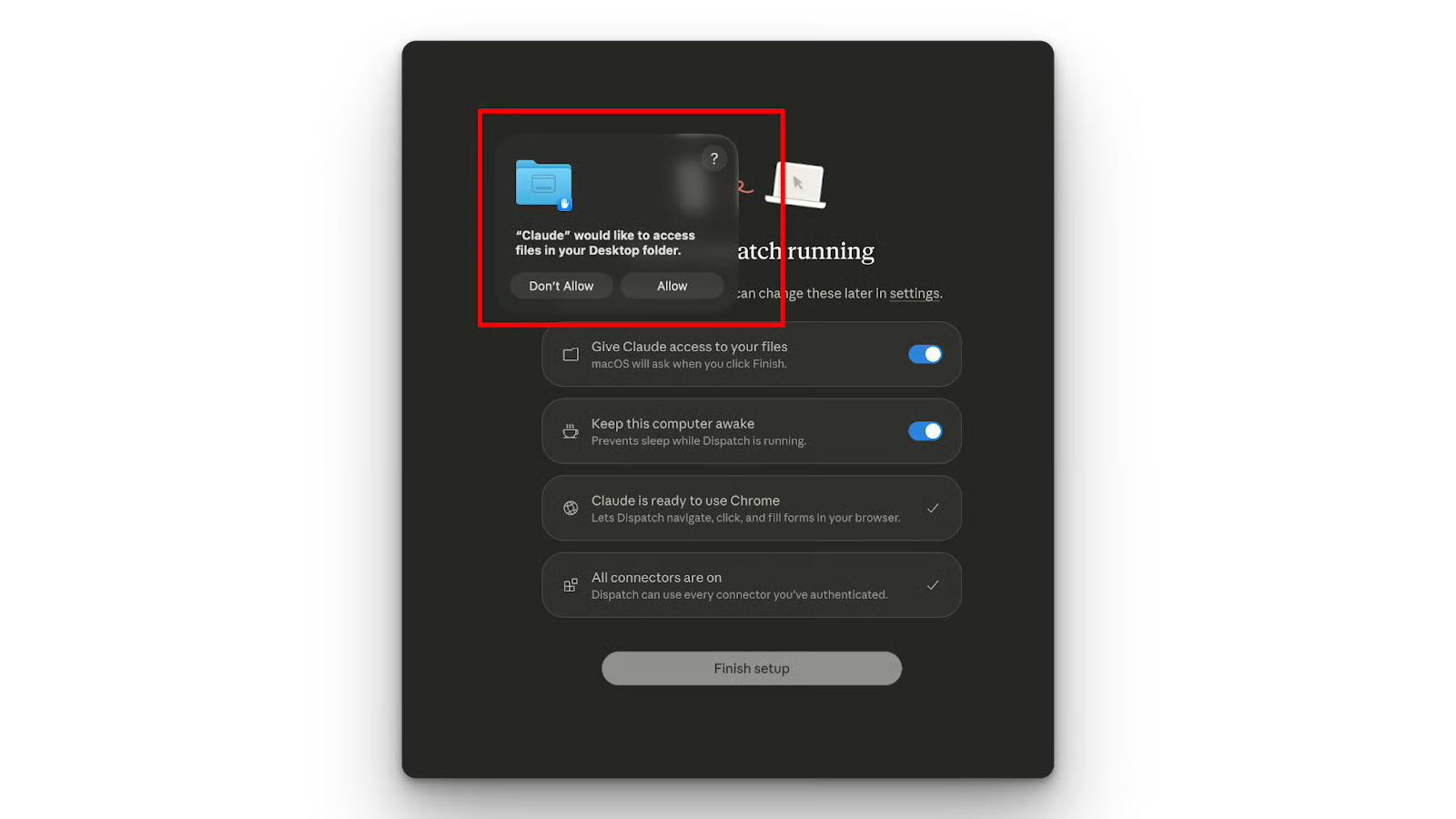
Claude Cowork Dispatch bietet vier Besonderheiten, die es klar von einem normalen Desktop-Chatbot abgrenzen.
Der persistente Thread in Claude Cowork Dispatch macht den Wechsel zwischen Desktop- und Mobile-App nahtlos. Du startest eine Aufgabe beim Spaziergang und setzt sie am Schreibtisch fort.
Claude Cowork Dispatch ermöglicht dir, vom Handy aus auf die Dateien deines Computers zuzugreifen. Du kannst Claude beispielsweise bitten, eine CSV-Datei aus deinem Downloads-Ordner zu analysieren – ohne dass die Daten die lokale Sandbox verlassen.
Mit der Remote-Browser-Steuerung kann Claude deine Browser-Tabs mit deinen authentifizierten Sitzungen nutzen. So kannst du per Chat vom Handy aus Aufgaben fertigstellen lassen, die du am Computer begonnen hast.
Ich habe Claude Cowork Dispatch in drei Workflows getestet: Browser-Automatisierung, lokale Code-Reviews und E‑Mail-Entwürfe. Diese Szenarien sind von Beispielen inspiriert, die andere nach dem Launch geteilt haben.
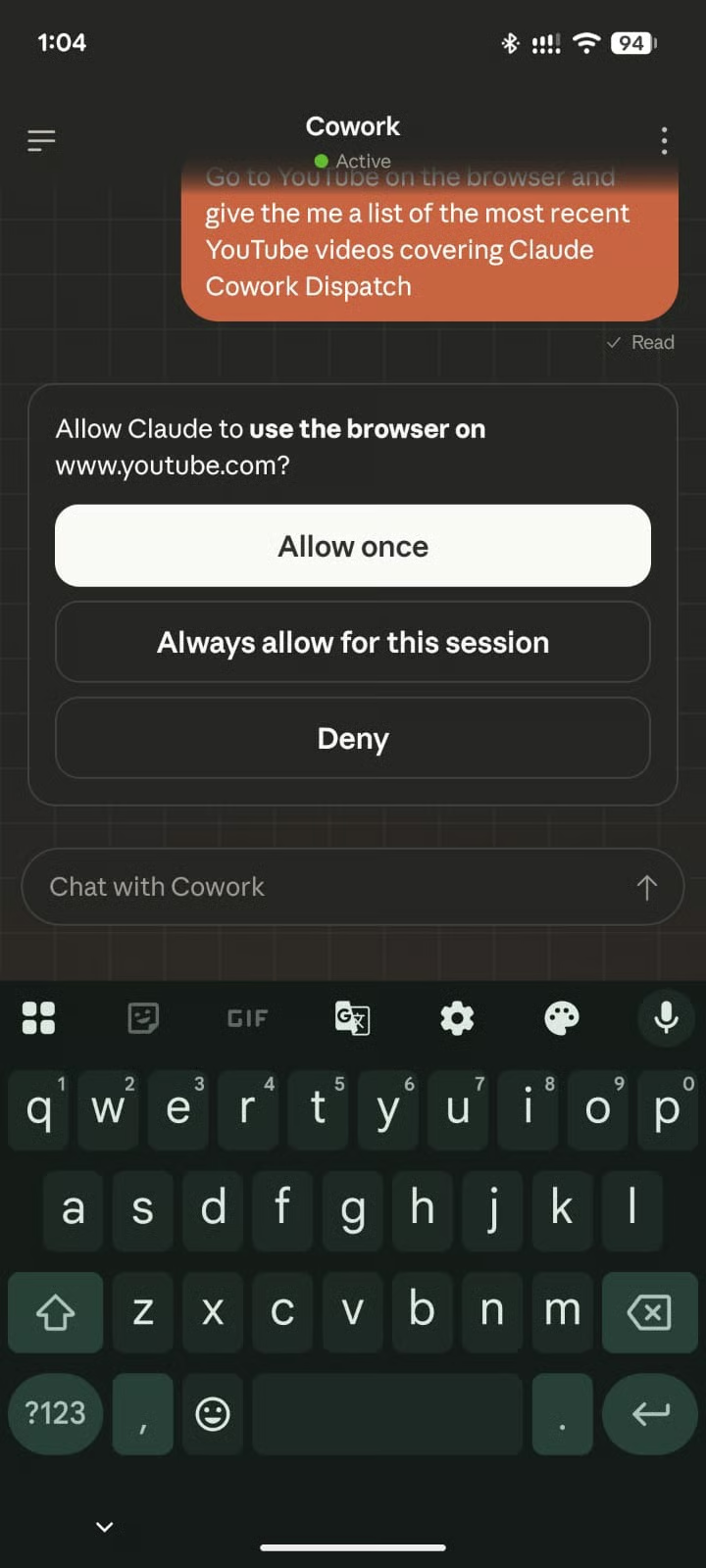
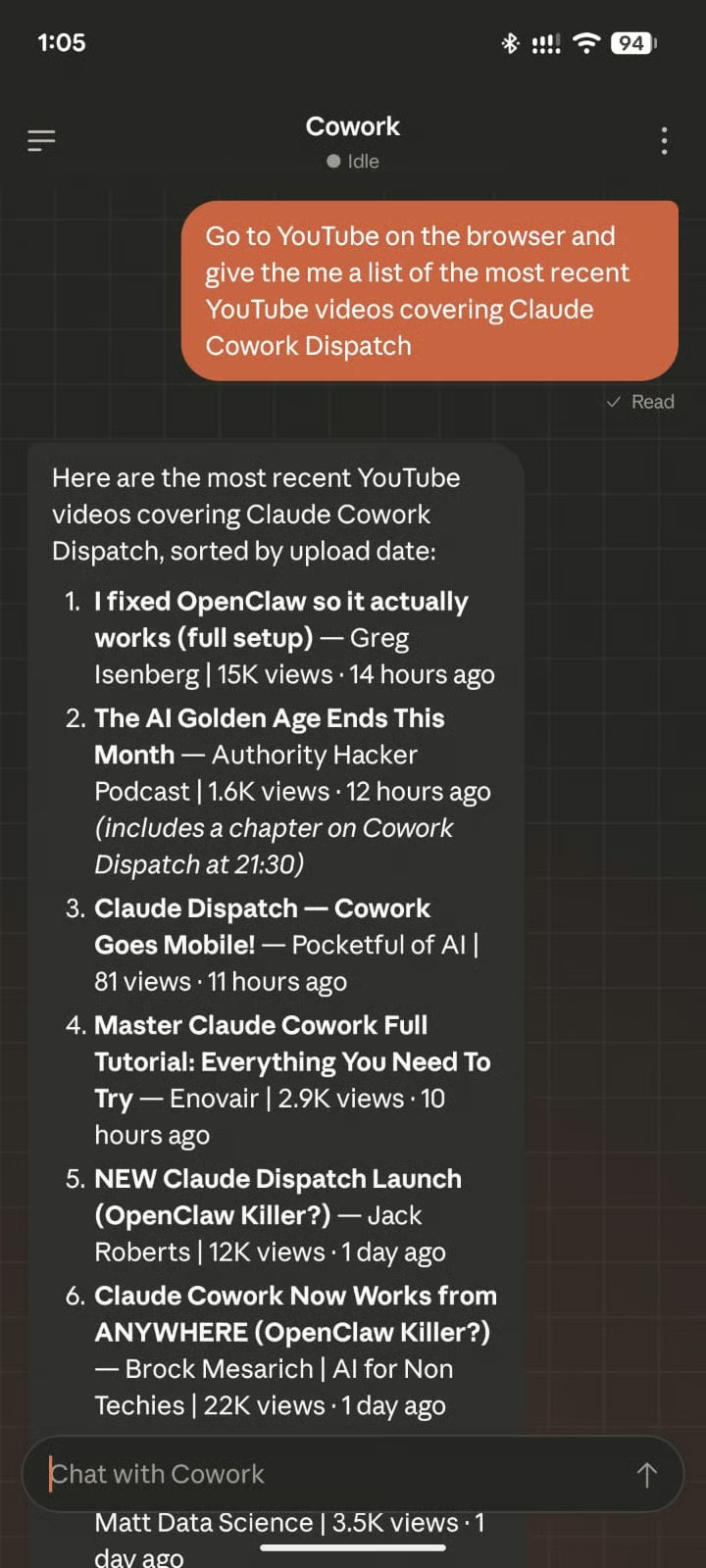
Zuerst bat ich Claude auf meinem Handy, YouTube zu öffnen und mir die 20 neuesten Videotitel zu Claude Cowork Dispatch zu liefern.
Wie im Screenshot zu sehen, fragte Claude Cowork Dispatch zunächst nach der Berechtigung, auf meinen Browser zuzugreifen.
Anschließend lieferte Claude Cowork Dispatch das Ergebnis:
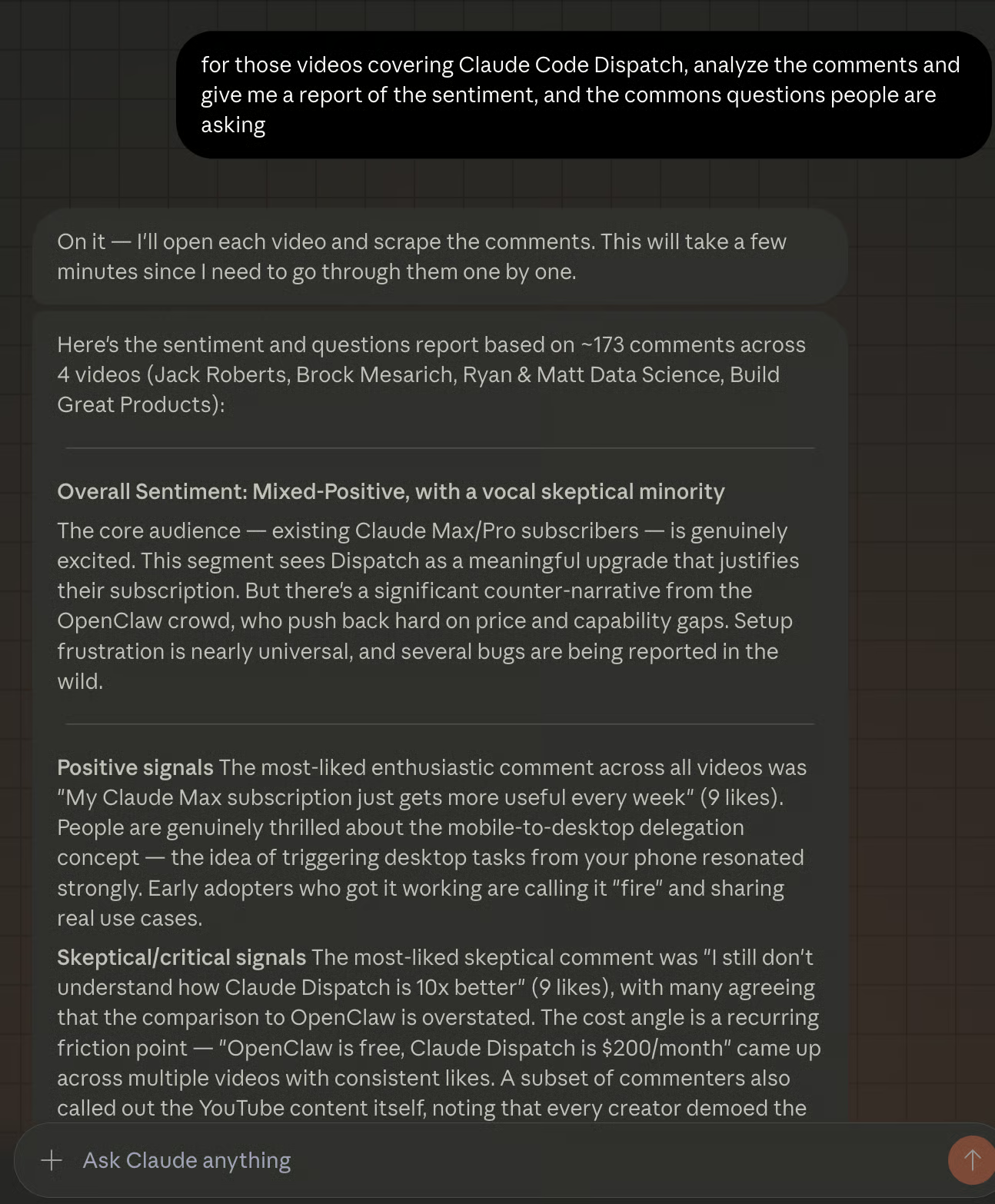
Dann wollte ich sehen, ob es die Videos tatsächlich analysieren und mir die Fragen der Community herausziehen kann. Also habe ich die folgende Nachricht vom Handy geschickt.
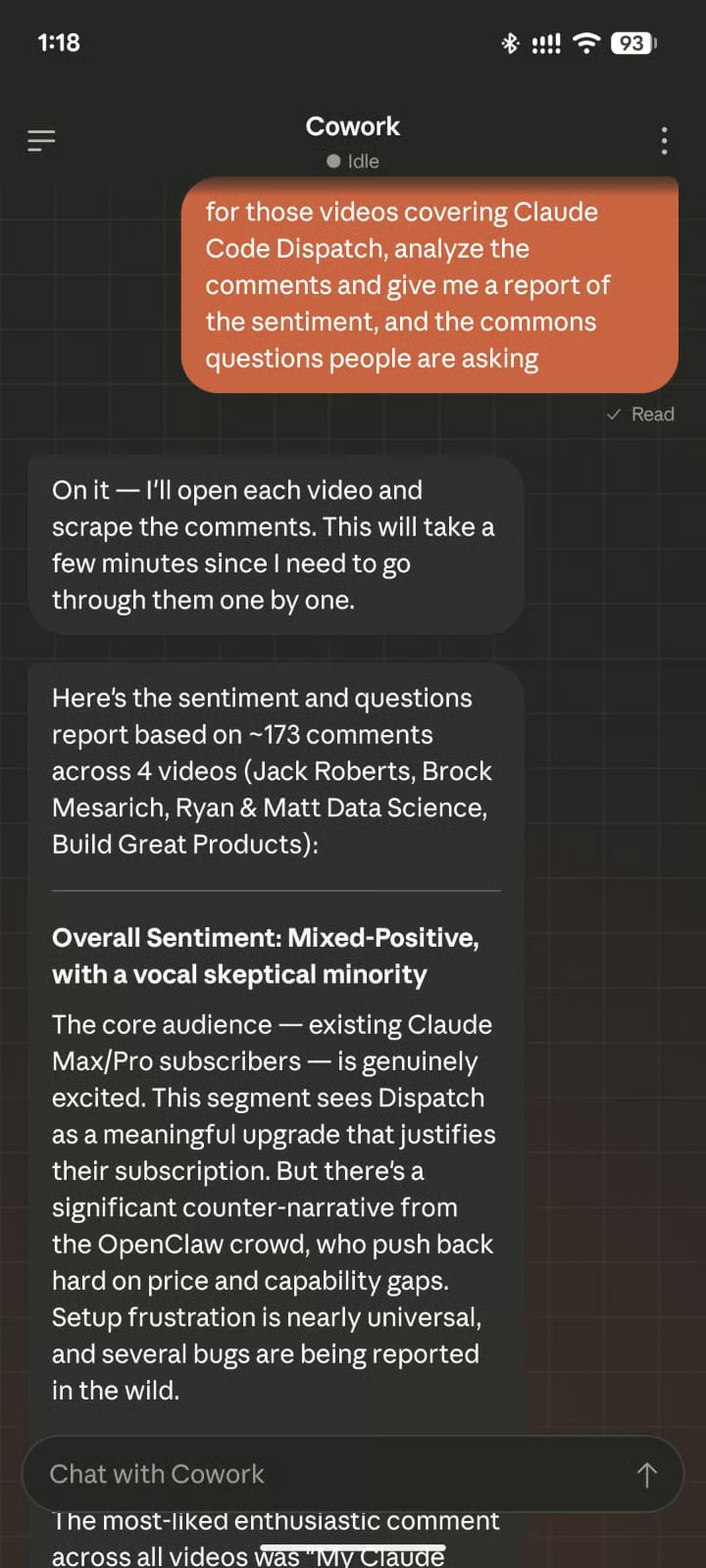
Claude Cowork Dispatch öffnet alle Videos, scrollt zu den Kommentaren und liefert einen Bericht.
Mehr zur Browser-Automatisierung findest du in unserem Artikel zu Chrome DevTools MCP.
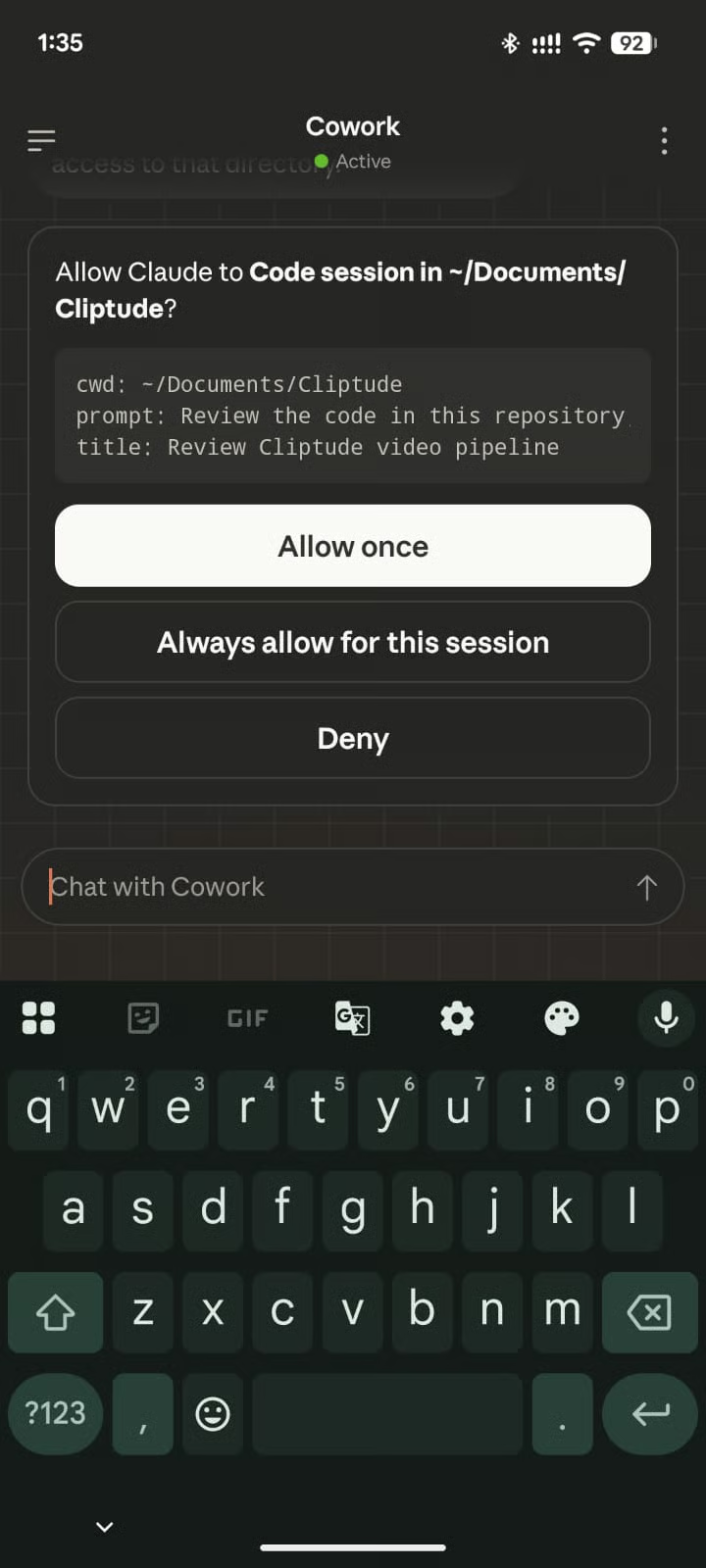
Als ich Dispatch bat, ein lokales Repository zu prüfen und Verbesserungen vorzuschlagen, forderte es zuerst die Berechtigung für den Zugriff auf diesen Ordner an:
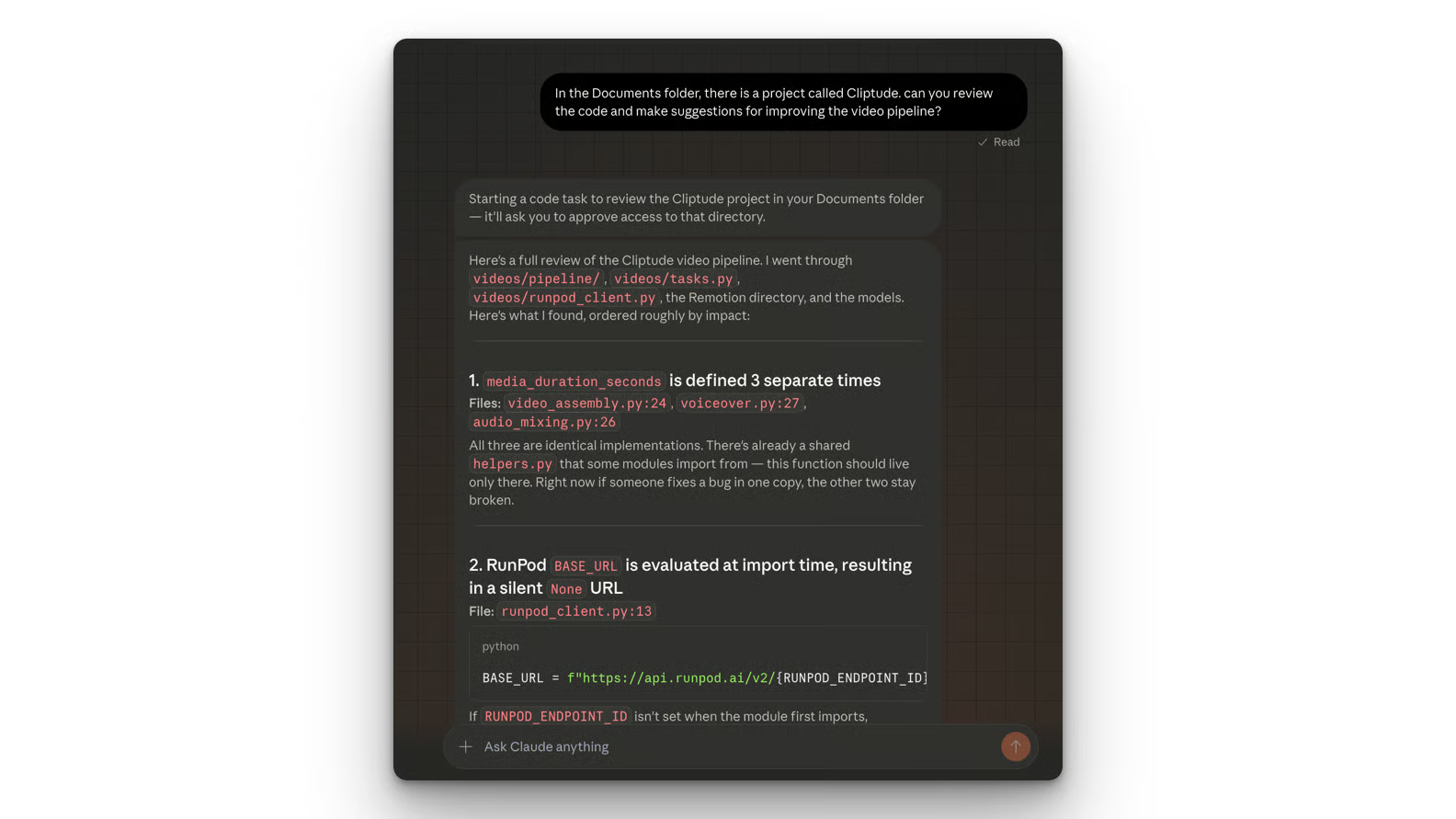
Den Bericht erhielt ich anschließend sowohl in der Mobile-App als auch in der Desktop-App, wie unten zu sehen:
In echten Projekten empfiehlt es sich, zuerst einen Plan zu erstellen, um gute Ergebnisse sicherzustellen. Wie du mit dem Planmodus von Claude Code deine Codebasis im Read-only-Modus erkundest, Fragen herausarbeitest und strukturierte Pläne für Änderungen über mehrere Dateien hinweg prüfst, erfährst du in unserem Tutorial zum Claude Code Plan Mode.
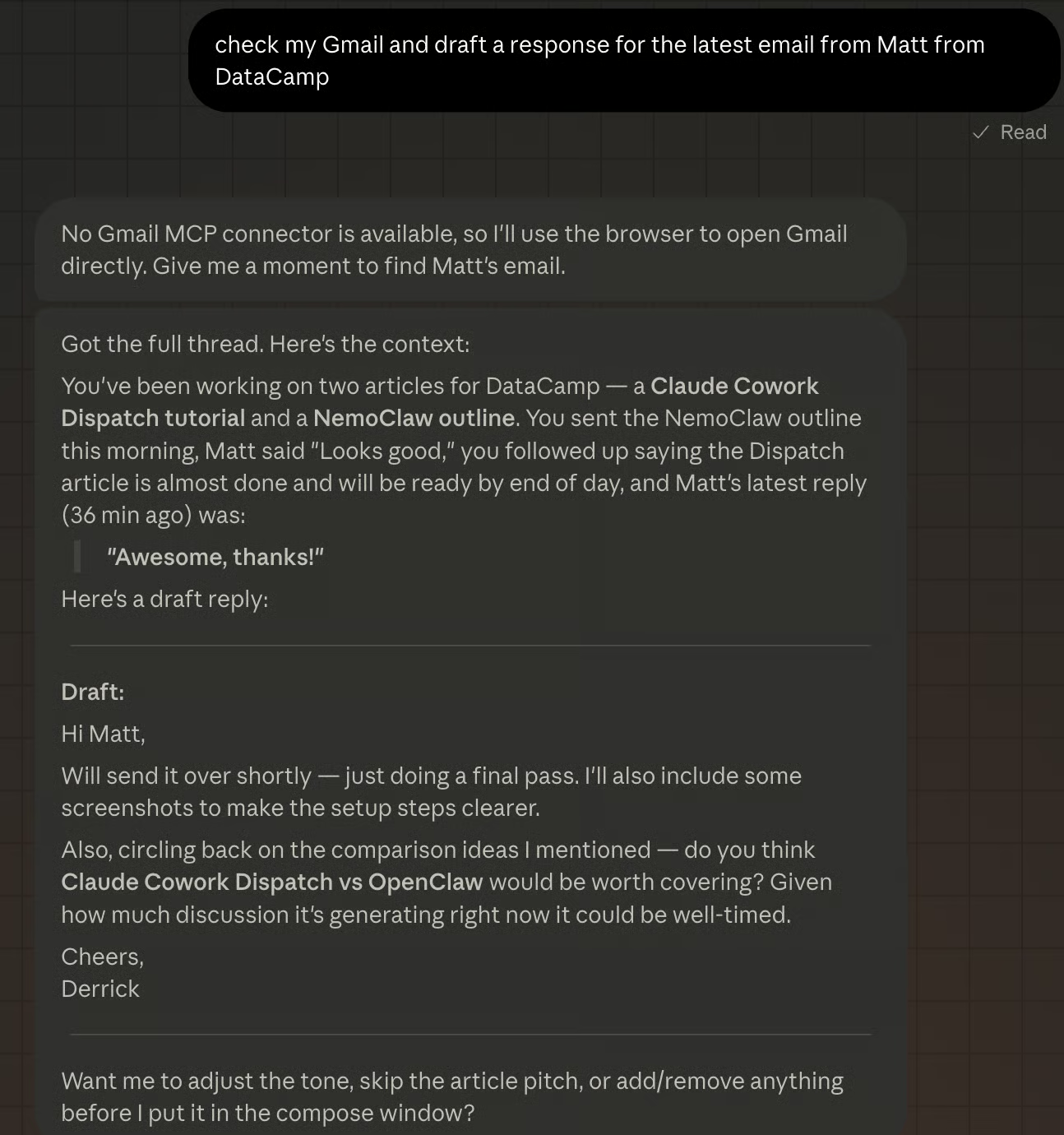
Zum Abschluss ein letztes Beispiel: Kann Claude Cowork Dispatch eine Antwort auf die jüngste E‑Mail meines Editors Matt verfassen? Claude stellte fest, dass ich keinen Gmail-Connector aktiviert hatte, bat um Zugriff auf Gmail, fand die E‑Mail und erstellte schließlich den folgenden Entwurf.
Aus meinen Tests und Community-Feedback ergeben sich diese Praxis-Tipps für mehr Zuverlässigkeit:
Formuliere informationszentrierte Aufgaben. Zusammenfassen, Finden, Auflisten, Abrufen und Zusammenstellen funktionieren konstant. Aktionen über mehrere Apps und Systembefehle sind weniger zuverlässig.
Sei präzise bei Dateipfaden. "Prüfe /projects/Q1/budget.xlsx" ist besser als "finde irgendwo mein Budget". Je weniger Dispatch raten muss, desto konsistenter die Ergebnisse.
Teste Connectoren zuerst am Schreibtisch. Wenn Gmail oder Notion in Cowork läuft, funktioniert es auch über Dispatch. Richte neue Connectoren nicht aus der Ferne ein.
Verhindere, dass dein Mac einschläft. Gehe zu Systemeinstellungen > Energie und passe den Ruhezustand an. Dispatch stoppt, sobald dein Computer in den Schlafmodus geht.
Verkette keine mehrstufigen Aufgaben. Einzelaufträge wie "Fasse meine E‑Mails zusammen" gelingen häufiger als Ketten à la "Fasse meine E‑Mails zusammen, erstelle daraus eine Notion-Seite und teile sie mit meinem Team".
Es gibt vier Einschränkungen, die du kennen solltest, bevor du Dispatch für die tägliche Arbeit einplanst.
Erstens die Anforderung, dass der Host wach bleibt. Dein Computer muss online und aktiv sein, damit du vom Handy aus Nachrichten senden kannst. Das ist, als würdest du deinen Rechner wie eine immer eingeschaltete Cloud-VM betreiben.
Zweitens fehlen mobile Push-Benachrichtigungen. Weder auf dem Desktop noch auf dem Handy erhältst du eine Notification, wenn eine Aufgabe fertig ist.
Drittens arbeitet Claude Cowork Dispatch in einem einzigen Gesprächs-Thread. Aktuell kannst du keine neuen Threads starten oder mehrere verwalten.
Außerdem kannst du über die mobile Dispatch-Oberfläche keine geplanten oder wiederkehrenden Aufgaben einrichten. Für automatisierte Abläufe (etwa eine tägliche E‑Mail-Zusammenfassung um 9 Uhr) musst du die Planung direkt in Cowork auf deinem Desktop konfigurieren.
Ein wichtiges Designprinzip: Dispatch verarbeitet alles lokal auf deinem Rechner. Dein Handy sendet Textanweisungen an den Desktop, und der Desktop führt sie aus. Dateien verlassen deinen Computer nicht, und Daten werden nicht über externe Server verarbeitet.
Die Berechtigungsschranken aus Cowork gelten weiterhin. Wenn eine Aufgabe Dateien löschen oder Dokumente bearbeiten soll, schickt Dispatch vor der Ausführung eine Genehmigungsanfrage an dein Handy. Alle globalen Anweisungen, die du in Cowork gesetzt hast (zum Beispiel "niemals Dateien ohne Bestätigung löschen"), gelten auch für Dispatch-Sessions.
Für Teams mit Compliance-Anforderungen bedeutet die lokale Architektur: keine zusätzlichen Fragen zur Datenresidenz. Der Trade-off ist die Host-wach-Anforderung – kein Always-on-Cloud-Server heißt auch keine durchgehend angreifbare Oberfläche.
Bei der Recherche habe ich oft gelesen, Claude Cowork Dispatch sei der OpenClaw-Killer. Prüfen wir, was dran ist.
OpenClaw läuft standardmäßig mit Vollzugriff auf das System, sofern du es nicht per Docker einschränkst. Das ermöglicht flexible Automatisierung, birgt aber Risiken – bis hin zu Fehlaktionen wie dem Löschen deines Posteingangs, wie wir im Artikel OpenClaw vs Claude Code gesehen haben.
Claude Cowork Dispatch hingegen fragt bei sensiblen Aktionen – etwa beim Zugriff auf Verzeichnisse – aktiv nach Berechtigungen. Das macht Claude Cowork Dispatch für Unternehmen und Enterprise-Anwender sicherer.
Claude Cowork Dispatch ist deutlich einfacher und schneller einzurichten als OpenClaw. Du lädst die Desktop-App, scannst einen QR‑Code mit dem Handy – fertig. Wenn du auf Handy und Rechner bereits eingeloggt bist, funktioniert es direkt.
OpenClaw ist in der Einrichtung komplexer. Es erfordert eine manuelle Installation, etwas Command-Line-Erfahrung, Docker und Umgebungsvariablen. Du musst außerdem selbst die passenden Berechtigungen und die Netzwerksicherheit definieren.
Wie du OpenClaw einrichtest und mit WhatsApp verbindest, zeigen wir im OpenClaw (Clawdbot) Tutorial.
Claude Cowork Dispatch funktioniert nur, wenn dein Computer wach und online ist. OpenClaw ist ein Always-on-Assistent, der seine Umgebung überwachen, Cronjobs ausführen und Aufgaben mit minimalem Eingriff erledigen kann.
Claude Cowork Dispatch ist eine geschlossene Anwendung und erfordert ein Claude-Pro- oder Max-Abonnement. Du bist damit im Ökosystem von Anthropic unterwegs.
OpenClaw ist Open Source, kann selbst gehostet werden und mit beliebigen Modellen laufen – auch mit Open-Source-Modellen. Für geschlossene Modelle zahlst du jedoch pro Token, während die Modellenutzung bei Claude Cowork Dispatch durch das Abo abgedeckt ist.
Wie du OpenClaw mit Ollama nutzt, erfährst du im Tutorial OpenClaw mit Ollama.
|
Feature |
Claude Cowork Dispatch |
OpenClaw |
|
Sicherheit |
Sandbox & Berechtigungen. Fragt gezielt nach Zugriff auf bestimmte Verzeichnisse und Browser-Aktionen. |
Vollzugriff auf das System. Läuft standardmäßig mit hohen Rechten – birgt Risiken, wenn nicht korrekt konfiguriert. |
|
Setup |
One-Click / QR-Code-Kopplung. Benötigt nur die Claude-Desktop-App und den Sync mit der Mobile-App. |
Terminal-lastig. Manuelle Installation, Docker, Umgebungsvariablen und Command-Line-Know-how nötig. |
|
Persistenz |
Sitzungsbasiert. Funktioniert nur, solange der Host-Rechner aktiv ist und die App offen ist. |
Always-on-Daemon. Kann 24/7 als Hintergrundprozess für Cronjobs und autonome Überwachung laufen. |
|
Kostenmodell |
Abonnement-basiert. In Claude Pro und Max enthalten; Nutzung durch die Monatsgebühr abgegolten. |
Pay-per-Token. Open-Source-Software, aber direkte API-Kosten pro Interaktion. |
|
Modellwahl |
An Anthropic gebunden. Speziell für das Claude-Ökosystem optimiert. |
Modell-agnostisch. Nutzbar mit OpenAI, Anthropic oder lokalen Open-Source-Modellen. |
|
Zielgruppe |
Wissensarbeiter. Ausgelegt auf Tempo, Sicherheit und schnelle Übergaben zwischen Mobile und Desktop. |
Entwickler & Power User. Für maximale Kontrolle, eigene Skills und tiefe Systemautomatisierung. |
Es überrascht kaum, dass Anthropic etwas Ähnliches wie OpenClaw gestartet hat. Seit OpenClaw zur populärsten Software der Welt geworden ist, arbeitet jede Firma an vergleichbaren Angeboten – mit Fokus auf die größte Schwachstelle von OpenClaw: Sicherheit.
Wenig überraschend bringt Anthropic eine ähnliche Lösung – jedoch mit strengeren Berechtigungen und höherer Sicherheit. Auch andere Modellanbieter wie Perplexity haben ähnliche Tools vorgestellt.
Der Perplexity Computer ist im Grunde eine gehostete Version von OpenClaw und erlaubt persistente Tasks sowie die Verbindung zu Lieblings-Apps wie Gmail, Slack, Notion und deinem Kalender.
Claude Cowork Dispatch ist die Antwort von Anthropic auf OpenClaw – zugeschnitten auf Unternehmen und sicherheitsbewusste Kundinnen und Kunden. Es richtet sich auch an Nutzer, die einen persönlichen KI-Assistenten möchten, ohne alles von Grund auf einrichten zu müssen.
Ich rechne damit, dass Anthropic weitere Features nachliefert, die direkt mit OpenClaw konkurrieren. Am wahrscheinlichsten erscheint mir die Möglichkeit, Claude Cowork Dispatch auch ohne eingeschalteten Computer laufen zu lassen.
Denkbar wäre etwa, bestimmte Aufgaben in die Cloud zu verlagern, wenn dein Rechner offline ist. Eine Aufgabe wie das Erstellen einer Notion-Seite sollte per API möglich sein – erforderlich wäre ein sicherer Weg, API-Keys zu speichern und zwischen Mobile- und Desktop-App zu teilen.
Mit Claude Cowork Dispatch zeigt Anthropic, dass ein Desktop-KI-Agent mit strengen Berechtigungen laufen und trotzdem nützlich sein kann. Wenn du täglich mit Dateien, E‑Mails und Browser-Tabs arbeitest, nimmt dir Dispatch die Notwendigkeit, für jede Kleinigkeit physisch am Rechner zu sein.
Für einen tieferen Einblick in die gesamte Cowork-Plattform lies unser Claude Cowork Tutorial und vergleiche weitere Desktop-Agenten in unserem Guide zu den besten KI-Agenten 2026. Wenn du direkt mit Claudes API loslegen willst, empfehlen wir den Kurs Introduction to Claude Models.
Top DataCamp Courses
Kurs
Kurs
Lernpfad
Blog
Blog
Hesam Sheikh Hassani
15 Min.
Blog
Zoumana Keita
15 Min.
Tutorial
Kurtis Pykes
15 Min.
Tutorial
Laiba Siddiqui
6 Min.
Tutorial
Sejal Jaiswal
9 Min.